





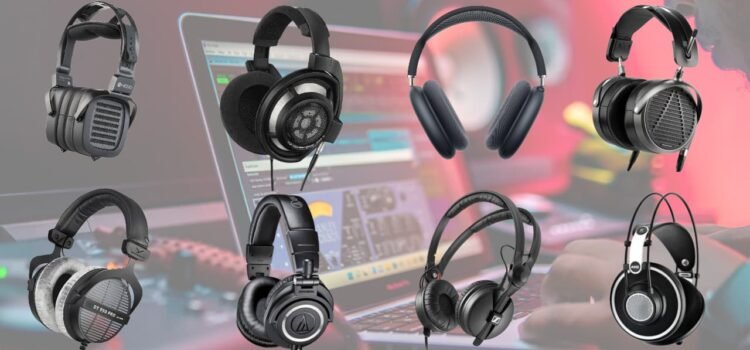
Calibrating the earbuds or headphones transforms a good pair into the customized audio powerhouse. Whether you are an audiophile which chases a perfect sound or if you are looking for a podcasts and music.so if you are learning to calibrate headphones which ensure the balanced frequencies which are tailored according to your ears. This entire process fine-tunes bass, mids, and treble using the tools like EQ presets and the tuning apps, which compensates for manufacturing variances and your unique hearing profile.
So those days are left behind the one Size fits all audio. So, the modern calibrates the headphones techniques which leverage smartphone apps,desktop software which are in-built features.
In this article let’s understand how to just break into pro tips and tools, one can always expect clearer vocals, punchier bass, and fatigue-free listening sessions.
Why Calibrate Your Headphones?
First and foremostly in factory settings on earbuds and headphones prioritize board appeal, which starts boosting bass for the pop tracks while muddying classical pieces. Furthermore, calibrate headphones which ensure matching the listening environment, genre preferences, and hearing quirks like age-related high-frequency loss.
Benefits include:
- Customized sound which is the adjustment of ear canal shape or seal issues in true wireless earbuds.
- Reduces the ear fatigue to balance harsh treble or lows.
- Ideal for gaming, movies,and music.
Essential Tools for Calibration
You don’t need a fancy studio. Start with these:
| Tool Type | Examples | Best For | Free/Paid |
| Tuning Apps (Mobile) | Sonarworks SoundID Reference, Wavelet (Android), AutoEQ | Real-time EQ adjustments, hearing tests | Free tiers; $10-50 full |
| Desktop Software | Equalizer APO (Windows), Room EQ Wizard (REW) | Advanced graphing, microphone-based calibration | Free |
| Built-in EQ Presets | Apple Music EQ, Spotify Equalizer, Samsung SoundAssistant | Quick tweaks without extras | Free |
| Measurement Hardware | MiniDSP EARS rig, USB microphone | Precise frequency sweeps | $50-300 |
| Test Tracks | AudioCheck.net tones, Dolby Atmos demos | Frequency response checks | Free online |
Now this helps beginners shine brighter just by downloading once, then run a hearing test, and apply the custom EQ presets. For pros, pair with a calibrated mic for sweeps.
Step-by-Step: How to Calibrate Headphones Manually
- Firstly, perform the baseline test, which plays equal energy across frequencies via sites.
- Access EQ Controls
- iOS: Settings > Music > EQ (select “Flat” first).
- Utilize android apps like Wavelet or Poweramp Equalizer.
- On desktops, VLC or Foobar2000 with plugins.
- Use sine wave tracks (20Hz-20kHz). then adjust the slidders
- Always boost weak spots.
- Cut peaks
- perform AB testing, Toggle EQ presets like “Rock” vs. custom. Listen for well-known tracks.
- Save and Iterate: Export your curve, test in different environments.
Using Tuning Apps for Automated Calibration
Tunning all the apps to automate calibrate headphones with algorithms and hearing tests. Here is how top one’s work.
Sonarworks SoundID Reference
- This app profiles thousands of headphone models.
- Firstly, download iOS/Android/desktop then select your model for instance sony . Now just run a 5-minute hearing test. Furthermore, apply auto EQ presets it corrects frequency response to the studio flat.
Tip: Pair with their $99 Reference bundle for binaural calibration.
Free with in-app purchases.
- Install from Play Store.
- Enable Legacy mode for non-supported cans.
- Run AutoEQ: Analyzes your headphones against databases.
- Legacy EQ offers 9-band sliders + EQ presets like “Harman Over-Ear.”
Users report 40% clearer mids on budget earbuds.
AutoEQ and Parametric EQ
Open-source tuning app for nerds:
| Popular Headphone Models | AutoEQ Correction Highlights |
| Sony WF-1000XM4 | -5dB bass cut, +2dB treble lift |
| Bose QC45 | Flatten 8kHz peak |
| Sennheiser HD 650 | Mild bass shelf (+3dB) |
| Apple AirPods Pro 2 | Reduce 5kHz sibilance |
Hardware-Based Calibration: The Accurate Way
For pre
For precision, always try and measure your headphones’ actual response.
Gear Up
- USB Mic: Cheap ones like UMIK-1 ($100).
- Rig: 3D-printed coupler (free STL files online).
Process with REW (Free Software)
- Connect mic to headphone cup.
- Play logarithmic sweep (20-20kHz).
- REW graphs response vs. target (Harman/Diffuse Field).
Example output:
| Frequency Band | Measured (dB) | Target (dB) | Adjustment |
| 20-100Hz (Bass) | +8 | +4 | -4 |
| 1-4kHz (Mids) | -2 | 0 | +2 |
| 8-12kHz (Treble) | +6 | +1 | -5 |
Export FIR/IIR filters to tuning apps or hardware like miniDSP.
EQ Presets: Quick Wins for Common Scenarios
Are you not ready for full calibration? Start with EQ presets:
| Scenario | Recommended Preset | Key Tweaks |
| Bass-Heavy EDM | Bass Booster | +6dB <100Hz, cut 300Hz mud |
| Podcasts/Vocals | Vocal Enhance | +4dB 2-5kHz |
| Gaming/FPS | Clarity | Boost 4kHz presence |
| Classical | Flat/Neutral | No boosts; subtle treble roll-off |
| Noisy Commute | Anti-Fatigue | -3dB 3-8kHz |
Spotify and Apple Music bake these in search of “EQ” in settings.
Troubleshooting Common Issues
- Check earbuds or driver balance. Use tuning apps for L/R matching.
- Distortion at High Volume is which Calibrate at 75-85dB SPL and cut peaks.
- Wireless Latency is not calibration-related, but EQ presets help perceived sync.
- Hearing Loss: Apps like Mimi Hearing Test generate custom curves.
Test post-calibration with tracks like “Hotel California”.
Advanced Tips for Audiophiles
- Cross-Platform Sync: Use SoundID’s cloud profiles across devices.
- FIR vs. IIR Filters: FIR for linear phase (no pre-ringing); IIR for low CPU.
- Room Interaction: Over-ears leak sound calibrates in quiet spaces.
- Updates: Headphone firmware (e.g., Sony app) can alter response; recalibrate yearly.
Combine with ANC tweaks: Calibrate with ANC on for daily drivers.
Final Thoughts:
To conclude, mastering how to calibrate headphones unwinds audio nirvana without breaking the bank. Firstly, Start simple with EQ presets and a tuning app, then scale to measurements. Your ears will thank you, expect richer details and endless replay value on every track.
FAQS
1. What does it mean to calibrate headphones?
It’s just to adjust their frequency response to match curves, like harman standard, using EQ tweaks. This fixes imbalances in bass, mids, and trebls for personalized sound.
2. Is any special equipment required to calibrate my earbuds?
No, beginners can calibrate headphones with free tuning apps like Wavelet or built-in EQ presets on Spotify/Apple Music.
3. What’s the difference between EQ presets and custom calibration?
EQ presets, for instance “Bas Boost “are pre-made profiles for genres or scenarios fast but generic. Custom calibration via tuning apps analyzes your model and hearing for a tailored curve, often improving clarity by 20-30%.
4. How often should I recalibrate my headphones?
Recalibrate every 6-12 months or after firmware updates, as drivers wear and responses shift.
5. Can I calibrate wireless earbuds like AirPods?
Yes, Apps like Sonarworks or Apple’s EQ handle true wireless models.