



Time feels shorter than ever. Between back-to-back Zoom calls, Slack notifications, emails, side projects, workouts, and family commitments, many Americans feel like the week disappears before they catch up.
The right productivity gadgets won’t magically create more hours in your day. But they can eliminate friction, the tiny delays, distractions, and inefficiencies that quietly drain time. For U.S. professionals, remote workers, students, and entrepreneurs, these productivity gadgets can realistically save hours every week by automating tasks, reducing mental load, and improving focus.
Here’s what’s actually worth buying and why.
List of Productivity Gadgets
Smart Displays That Reduce Context Switching
One of the biggest productivity killers is context-switching. You’re working on a report, then checking your phone for a calendar alert, then opening email, then jumping into a video call.
A smart display on your desk can consolidate many of those tasks. Devices like the Amazon Echo Show or Google Nest Hub let you glance at your calendar, weather, reminders, and even meeting notifications without grabbing your phone. In a work-from-home setup, that small reduction in distraction can add up.
Instead of unlocking your phone (and getting pulled into social media), you stay in task mode. Over a week, those avoided distractions easily translate into real time saved.
Noise-Canceling Headphones for Deep Work
Few gadgets boost productivity as dramatically as a good pair of noise-canceling headphones.
Whether you’re working from a busy home, a coworking space, or an open office, background noise fractures focus. Even small interruptions slow cognitive performance.
Premium noise-canceling headphones create an artificial quiet zone. That helps you enter “deep work” mode faster, the state where you produce meaningful output instead of shallow multitasking.
For many U.S. professionals, especially remote workers, this single gadget can save hours by reducing rework and improving concentration. Instead of rereading the same paragraph three times, you finish it once correctly.
Mechanical Keyboards That Improve Workflow
A high-quality mechanical keyboard may sound like a luxury, but it can significantly improve speed and comfort. Tactile feedback reduces typing errors. Programmable keys allow custom shortcuts. Better ergonomics reduces fatigue.
If you type for several hours per day, shaving even a few seconds off repetitive actions adds up over weeks and months.
For power users, keyboard customization tools can automate repetitive phrases, signatures, or workflows, turning a simple accessory into a productivity multiplier.
Multi-Device Charging Stations
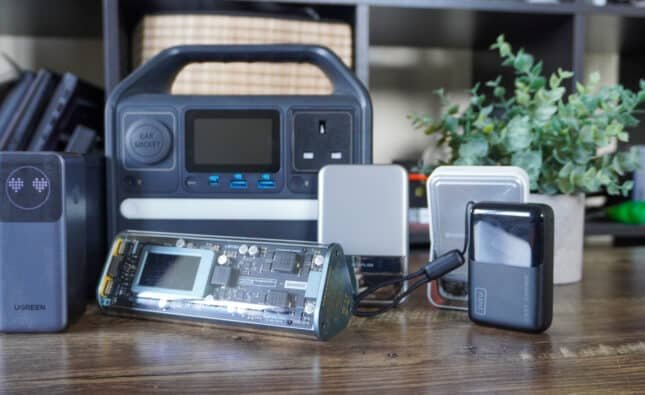
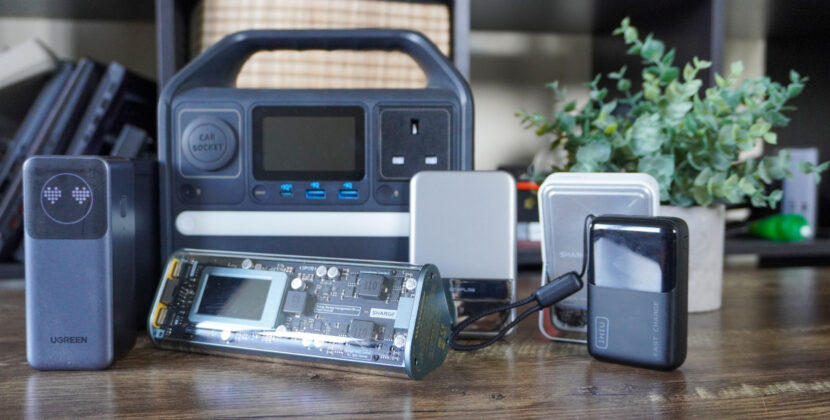
Between phones, tablets, wireless earbuds, smartwatches, and laptops, cable clutter is real. A centralized multi-device charging station eliminates daily friction.
Instead of scrambling before a meeting to find a cable, everything charges in one place overnight. For busy U.S. households juggling multiple devices, this small upgrade prevents repeated interruptions.
It’s not flashy, but eliminating those small daily annoyances frees mental bandwidth.
Smart Plugs and Automation
Smart plugs are underrated productivity tools.
By automating lamps, coffee machines, heaters, or office lighting, you remove small manual tasks from your routine. You can set schedules, so your office lights turn on before you sit down, or your coffee maker starts brewing before you wake up.
In remote work environments, automation smooths transitions between work and personal time.
It’s not about saving minutes on flipping a switch. It’s about creating consistent routines that reduce decision fatigue, which improves output across the week.
Standing Desks That Boost Energy
Productivity isn’t just about tools; it’s about energy.
A motorized standing desk lets you alternate between sitting and standing. That improves circulation and reduces mid-afternoon crashes.
Many U.S. professionals report increased focus and fewer distractions when they can move freely while working.
When you feel better physically, you work more efficiently. That means tasks get completed faster and with better quality.
The time savings don’t show up as “extra hours.” They show up as fewer sluggish periods and less procrastination.
Digital Planners and E-Ink Tablets
Paper planners are useful, but digital note-taking devices bring speed and organization together.
E-ink tablets like reMarkable-style devices or digital planners sync across devices while preserving a distraction-free writing experience.
Everything will be organized and synchronized across devices instead of losing your handwritten notes or managing different notebooks. (e.g. A mobile app may help organize your meetings). This eliminates tons of time spent re-organizing notes or looking for something after the fact for students or professionals who attend several meetings each week.
The better organized and more easily accessible, the more quickly you can work.
Portable SSDs for Faster File Transfers
If you work with large files, video editing, photography, design, coding, or data analysis, storage speed matters.
A high-speed portable SSD drastically reduces file transfer times compared to older hard drives or cloud-only workflows.
Instead of waiting 10–15 minutes for files to copy, you’re done in seconds.
For creative professionals in the U.S. who manage gigabytes of data daily, that time savings compounds quickly.
Even non-creative users benefit from faster backups and system performance.
Smart Task Managers on Wearables
Checking your phone for reminders can derail focus.
Smartwatches with task management integration allow quick glance reminders without unlocking your phone.
You see the alert, take action, and return to work without falling into notification traps.
For professionals trying to limit screen distraction, this subtle workflow improvement can preserve focus blocks throughout the day.
Docking Stations for Hybrid Workers
Docking stations eliminate the daily plug-and-unplug ritual. Instead of connecting HDMI, USB drives, chargers, and Ethernet cables individually, one cable connects to everything.
You sit down, plug in once, and you’re ready.
This saves time daily and reduces wear on ports and cables. Over weeks and months, it has become a frictionless routine.
For laptop users who move between home and office, docking stations are one of the highest-return productivity investments.
Time-Tracking Devices and Apps
Time-tracking gadgets and apps, including dedicated timers or smart productivity cubes help measure how you actually spend your day. Many Americans underestimate how much time disappears into email or social media.
By visually tracking focus sessions, you create intentional work blocks. Even simple Pomodoro timers can significantly increase output.
The time saved doesn’t come from working longer. It comes from working more intentionally.
Smart Lighting for Focus
Day lighting or smart lighting allows one to change the amount of brightness and colour temperature in a room throughout the day to meet the light requirements of one’s lifestyle (cooler lighting in the morning to increase alertness; warmer lighting in the evening to reduce eye fatigue).
Using smart lights in a home office with variable natural lighting will help people feel less fatigue and have fewer headaches; ultimately indirectly reducing lost productivity due to low levels of energy. Improved lighting will increase work speed and decrease errors.
External Monitors That Expand Workflow
Using an external monitor or dual-monitor configuration will allow you to see multiple documents, spreadsheets, and means of communication simultaneously.
Rather than switching from one tab to another, you can now operate in parallel.
Multiple monitors create a marked improvement for analysts, writers, programmers, and designers as they work.
The return on your investment is immediate and extremely beneficial to anyone remotely or in a hybrid work environment.
The Bigger Picture: Reducing Friction
They reduce distractions, automate repetitive tasks, improve ergonomics, and make repetitive work faster. For U.S. workers who have to manage a great deal of demand on their calendars, friction reduction is where time-saving opportunities are found. You’re able to put all of your time into simply being productive instead of 15 minutes on searching for files, adjusting cords or recovering from an interruption, as an example.
Final Takeaway
Working continuously is not necessarily productive. Being productive depends on how effectively you work. The use of proper gadgets will give you back many hours, weekly, by eliminating little things which slow down your ability to focus. Over time (or over ~1 year), the time you have saved will add up.
Although most professionals in the U.S. are faced with remote employment, hybrid work environments, and busy home lives, “smart tools” of productivity are not a luxury, they provide leverage.
Be purposeful with your choices and create solutions for actual problems. Let the technology assist you in reclaiming your time without you realizing it.
FAQs
1. Are productivity gadgets worth the investment?
Yes, especially for remote and hybrid workers. While some gadgets have upfront costs, the time saved through faster workflows, better focus, and automation often outweighs the price within months.
2. Which gadget is best for improving focus while working from home?
Noise-canceling headphones are one of the most effective tools for improving focus. They minimize background distractions and help create a “deep work” environment, which boosts output and reduces rework.
3. Which gadget is best for improving focus while working from home?
Noise-canceling headphones are one of the most effective tools for improving focus. They minimize background distractions and help create a “deep work” environment, which boosts output and reduces rework.
4. Do standing desks really improve productivity?
Standing desks don’t directly create more time, but they improve energy levels and reduce fatigue. Higher energy often leads to faster task completion and fewer productivity dips during the day.
5. Can dual monitors really save hours each week?
Yes. Dual-monitor setups reduce tab switching and allow you to work on multiple documents simultaneously. This is especially helpful for writers, analysts, programmers, and designers who reference multiple sources at once.
Reference:
How I reclaimed 5+ hours a week — my 12 essential productivity tools of 2026
I’ve worked from home for 7 years: These are the gadgets I’m eyeing to buy
10 productivity gadgets that will help you work smart in 2025