



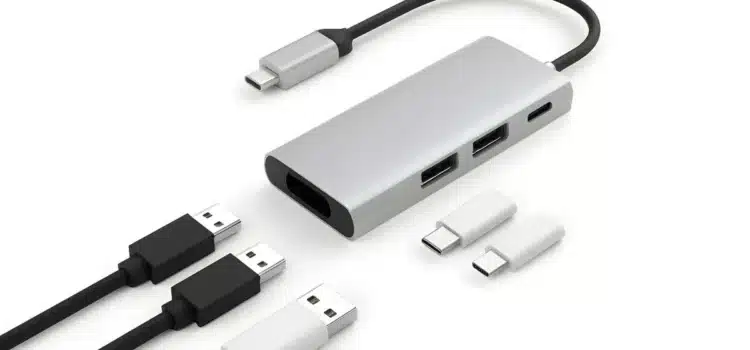
USB-C has quietly become the most powerful connector in modern tech. What started as a faster, reversible charging port has evolved into a universal standard capable of handling data transfer, power delivery, video output, and even networking, all through a single cable.
In the U.S., USB-C adoption has accelerated across laptops, tablets, smartphones, gaming devices, and accessories. Newer MacBooks, Windows ultrabooks, Android phones, iPads, portable monitors, and even some handheld gaming consoles rely on USB-C as their primary port.
The real advantage? The right USB-C gadgets can replace multiple devices at once, reducing clutter, saving money, and simplifying your desk or travel bag.
Here’s a deep dive into the best USB-C gadgets that truly do more with less.
1. USB-C Multiport Hubs: One Port, Many Possibilities
Anker 7-in-1 USB-C Hub
If you own a modern laptop with limited ports, a USB-C multiport hub is the ultimate consolidation tool.
Instead of carrying:
- An HDMI adapter
- A USB-A adapter
- An SD card reader
- A charging cable splitter
A quality hub combines all of them into one compact device.
Most 7-in-1 hubs include:
- HDMI output (for 4K displays)
- USB-A ports
- SD/microSD card readers
- USB-C Power Delivery passthrough
That means you can connect your laptop to an external monitor, charge it, plug in accessories, and transfer files, all through a single USB-C connection.
For remote workers and students in the U.S., this eliminates the need for separate dongles cluttering your workspace.
2. USB-C Docking Stations: Desktop Replacement in One Box
CalDigit TS4
If you work from home or maintain a hybrid office setup, a full USB-C or Thunderbolt dock can replace multiple standalone devices.
A high-end dock can:
- Connect dual or triple monitors
- Provide Ethernet connectivity
- Add multiple USB-A and USB-C ports
- Deliver high-wattage charging
- Support external storage drives
Instead of plugging in five cables every time you sit at your desk, you plug in one USB-C cable and your entire workstation powers up.
For MacBook and Windows ultrabook users, this can eliminate the need for:
- A separate charger
- A USB hub
- A network adapter
- A video adapter
One cable. Full desktop experience.
3. USB-C Portable Monitors: Replace Desktop Displays and Tablets
ASUS ZenScreen MB16AC Display
The rise of portable USB-C displays has increased among remote working, digital nomads, and travelling business professionals. These slim monitors connect to laptops using one USB-C cable that charges and transfers a video signal to/from your laptop.
Instead of
- Carrying a bulky external monitor with you
- Using a tablet as an extra display
- Only having one laptop display
You can now connect to a lightweight portable display to increase your productivity, anywhere.
This will replace
- A second desktop monitor when working
- A display when presenting
- Sometimes, even a tablet when watching or shopping
- All connected and powered by only one cable.
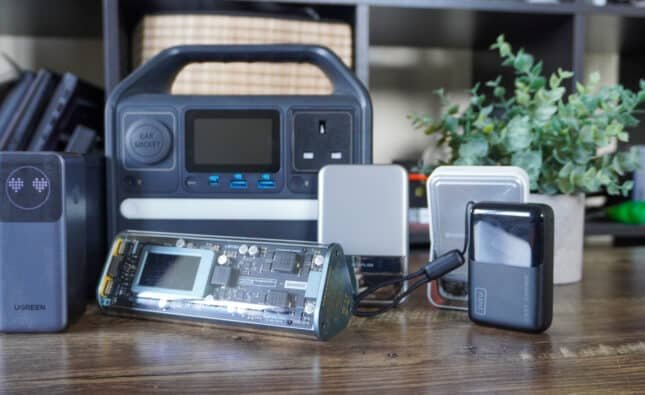
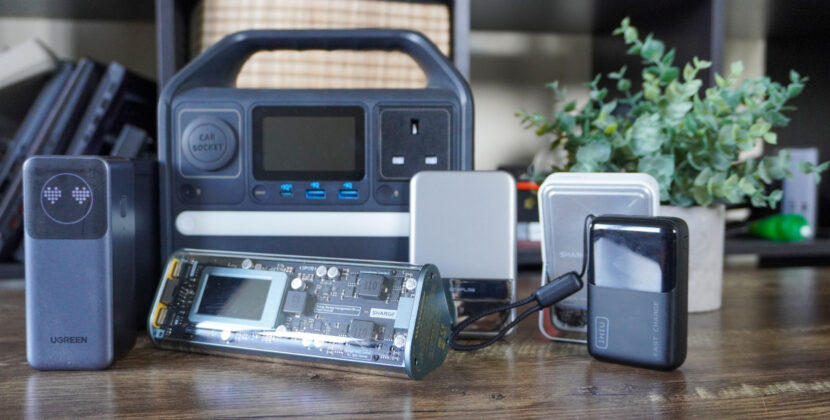
4. USB-C Power Banks: Replace Multiple Chargers
Anker Power Core III Elite 25600
Modern USB-C power banks are powerful enough to charge laptops, tablets, smartphones, and even gaming handhelds.
Instead of carrying:
- A laptop charger
- A phone charger
- A portable battery pack
A high-capacity USB-C power bank with Power Delivery can handle all of them.
Many models support:
- 60W to 100W output
- Simultaneous multi-device charging
- Fast charging protocols
For U.S. travelers, this simplifies airport packing and eliminates cable clutter.
5. USB-C GaN Chargers: One Charger for Everything
Anker 737 GaNPrime Charger
The advent of gallium nitride (GaN) technology has revolutionized charging bricks. CompacUSB Type-C chargers are capable of providing the power to simultaneously charge multiple devices at an increased speed over traditional adapters.
One multi-port GaN charger can replace:
- Your computer’s laptop charger
- Your phone charger
- Your tablet charger
- Your smartwatch charger brick
With an intelligent power distribution system, this product automatically adjusts its wattage output according to the device(s) connected to it. Instead of bringing three separate charging wall adapters on your travels, you can take one compact multi-port charger with at least two or three USB Type-C ports for your different devices.
6. USB-C Audio Interfaces: Replace External Sound Gear
Focusrite Scarlett 2i2
For podcasters, musicians, and streamers, USB-C audio interfaces simplify audio setups dramatically.
Rather than juggling:
- External mixers
- Separate mic preamps
- Audio converters
A USB-C interface connects directly to your laptop and handles all of it.
Modern interfaces offer:
- Phantom power for condenser microphones
- Headphone monitoring
- High-quality analog-to-digital conversion
It reduces the need for bulky gear and simplifies home studio setups, especially useful for remote creators across the U.S.
7. USB-C External SSDs: Replace Multiple Storage Solutions
Samsung T7 Portable SSD
USB-C portable solid-state drives (SSDs) offer speed, small size, and a variety of use cases.
They can be used in place of:
- USB flash drives,
- External hard drives,
- CDs/DVDs used for backup purposes (there are still some).
With transfer speeds of up to 1,000 megabytes per second (MB/s), USB-C SSDs are excellent for:
- Video editors,
- Photographers,
- Gamers,
- Students.
Each small drive can contain multiple terabytes of data and fit into your pocket.
8. USB-C Monitors with Built-In Docking
Dell UltraSharp U2720Q
Many new monitors have USB-C hubs included.
Monitors with USB-C can:
- Power your laptop
- Connect peripherals
- Deliver 4K video
- Provide USB ports
That means a USB-C monitor replaces:
- A dock
- A charging hub
- A peripheral manager
So, instead of buying separate docks or hubs, you can use one monitor that does all this for you.
9. USB-C Ethernet Adapters: Replace Dedicated Network Gear
Cable Matters USB-C to Ethernet Adapter
Professionals still rely on high-speed internet via a wired connection, even though Wi-Fi has become a standard technology.
- A small USB-C adapter can replace
- An integrated Ethernet port (found on older laptops)
- A large USB-A adapter (often used to connect to wired Ethernet)
- An entire desktop-style network.
This device will be beneficial in an office, conference, or gaming situation where fast and consistent Internet speed is of utmost importance.
10. USB-C KVM Switches: Control Multiple Devices with One Setup
TESmart USB-C KVM Switch
USB-C KVM switches can replace separate keyboard/mouse setups, additional monitor connections, and constant swapping of cables with one switch to switch back-and-forth between both systems while using the same monitor and peripherals, thereby reducing desk space and making it easier to accomplish tasks.
Why USB-C Consolidation Matters
For U.S. consumers, especially remote workers and travelers, minimizing device redundancy has real benefits:
- Fewer cables
- Less desk clutter
- Easier travel packing
- Lower long-term costs
- Cleaner aesthetic
USB-C’s ability to handle power, video, and data through one standard unlocks the possibility of multi-function devices replacing entire stacks of gear.
The Future of USB-C in the U.S.
With USB-C now standard across most new laptops and mobile devices and increasing regulatory pressure globally, the connector is here to stay.
As more gadgets integrate higher-wattage Power Delivery, faster data speeds (USB4 and Thunderbolt), and smarter power management, the number of single-purpose accessories will continue to shrink.
In short: USB-C isn’t just convenient. It’s consolidating modern tech.
Final Verdict
USB-C gadgets are redefining how we build tech setups in 2026. A single hub can replace adapters. A dock can replace desktop towers. A GaN charger can replace multiple bricks. A portable monitor can replace an office setup. For American professionals, students, gamers, and travelers alike, investing in the right USB-C ecosystem means fewer devices, cleaner workspaces, and greater flexibility.
If you’re still carrying multiple adapters and chargers, it may be time to rethink your setup. One cable. Multiple possibilities.
FAQs
1. Can USB-C really replace multiple cables and adapters?
Yes. A single USB-C connection can handle power delivery, data transfer, video output, and even Ethernet. With the right hub or dock, one cable can replace HDMI adapters, USB-A dongles, SD card readers, and separate chargers.
2. Is USB-C the same as Thunderbolt?
Not exactly. Thunderbolt 3, 4, and 5 use the USB-C connector but offer higher data speeds and better display support. All Thunderbolt ports use USB-C, but not all USB-C ports support Thunderbolt features.
3. Do all USB-C cables support charging and video?
No. Some USB-C cables only support charging or basic data transfer. For video output or high-wattage charging, you need cables rated for Power Delivery (PD) and/or video (DisplayPort Alt Mode or Thunderbolt).
4. Can a USB-C charger power my laptop and phone at the same time?
Yes, if it’s a multi-port GaN charger with sufficient wattage (usually 65W–140W total output). These chargers intelligently distribute power across devices.
5. Are USB-C hubs safe for MacBooks and Windows laptops?
Yes, when purchased from reputable brands. Look for hubs with proper Power Delivery passthrough and surge protection to avoid overheating or power inconsistencies.
Source link: 5 Cool Gadgets That Use Your Phone’s USB Port
CES 2026: 7 useful mobile accessories that I can’t wait to replace my iPhone setup with
I tested over 30 USB-C wall chargers and these are the best ones you should buy in 2026