




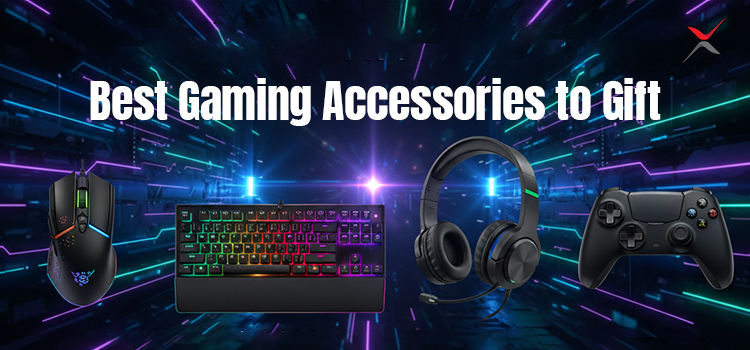
Finding the right gaming accessories is critical for everyone, and it’s even more critical for gamers. They need right setup for the perfect amount of tactile feedback, with zero latency, for speed and accuracy. Shopping for gifts for gamers is a double-edged sword. On the one hand, there are so many cool games, consoles, and accessories to choose from. But that’s also the tricky part: There is so much gaming-related merchandise to choose from, to the point where you might feel under-leveled for the “simple” task of picking that just-right gift. Let’s take a look at the best gaming accessories to gift to your loved ones.
Keyboards to gift
NuPhy Field75HE
The standout feature of NuPhy Field75HE is Hall effect switches that allows gamers to adjust the actuation distance (sensitivity) of any key. Its web-based software supports features like SOCD and Rapid Trigger that can provide small but meaningful advantages in certain games (especially FPS and rhythm titles). It also boasts an 8000Hz polling rate.
This keyboard feels impressively well-built, with a sturdy plastic chassis, PBT keycaps, multiple layers of acoustic foam, and metal hardware like a knurled volume wheel and carrying handle. You can choose between Gateron Magnetic White or more expensive Magnetic Jade switches; both are lightweight and linear, though the Jades have a slightly shorter total travel distance and a brighter, clacky sound profile many prefer.
MonsGeek FUN60
MonsGeek FUN60 Ultra is the best pick for enthusiasts if you prefer wireless connectivity. It has an aluminum case, an element that’s typically reserved for much more expensive models. It’s available in two versions: You can choose between the Hall effect and newer TMR sensor variants.
MonsGeek only offers a one-year warranty, compared to NuPhy’s two and Wooting’s four. Even so, if cutting-edge performance and wireless support matter most to you, the FUN60 Ultra is an extremely compelling choice.
Wooting 80HE
The Wooting 80HE is famous among high-end gaming circles. It’s sold exclusively through Wooting’s website and comes in two case options: PCR plastic or a more premium zinc alloy. It features a gasket mount design, though Wooting’s implementation is notably stiffer, resulting in a less cushioned typing feel. This model delivers the lowest latency.
Wooting’s software is intuitive, easy to navigate, and packed with advanced features like Rapid Trigger, SOCD, Mod Tap, and even true analog output, which can mimic the gradual input of gamepads or joysticks, making it a game-changer for playing flight sims or racing games. Wooting’s strong track record for long-term product support is another highlight, with frequent performance tweaks and new features for older models. Its four-year warranty is significantly longer than other manufacturers on this list and further cements the 80HE as an easy recommendation for any enthusiast.
Corsair K70 CORE
Corsair K70 CORE is the best budget gaming keyboard. Corsair sells this model in both full-size and TKL (TenKeyLess) versions. The TKL layout removes the number pad to free up desk space, giving FPS players and those with smaller setups more room for mouse movement. It delivers great latency performance and feels sturdy, thanks to a chassis made from a mix of plastic and aluminum that minimizes deck flex. The switches are factory-lubed, and some sound-dampening materials are included to help cut down on the rattle and ping of typing.
The K70 CORE uses Corsair MLX Red linear switches, which are lightweight and have a short pre-travel distance, which makes them well-suited for fast-paced and reaction-focused games. Its 1000Hz polling rate falls below the 8000Hz offered by some newer keyboards, but the difference in real-world use is negligible. The switches are soldered to the board, so they can’t be replaced later to change the typing feel. The shine-through keycaps and bright RGB lighting make the keyboard easy to use in low-light environments.
Controllers for gift
Backbone One Mobile Gaming Controller
If you are buying a gift for someone who primarily plays games on their phone, treat them to the best mobile gamepad on the market. At $100, the Backbone One is pricey, but it easily surpasses competitors like the Razer Kishi in build quality. It also comes with a surprisingly robust companion app that makes capturing screenshots and clips a breeze
Backbone Pro
It is an upgraded version of the Backbone One if you are willing to pay extra. It still snaps onto a wide range of phones securely and works with the same handy app, but it has thicker grips, smoother joysticks, fuller triggers, softer face buttons, and a pair of programmable back buttons. All that makes it feel more like a traditional Xbox or PlayStation controller than most mobile gamepads. It also supports Bluetooth, so you can unhook it from your phone entirely and pair it with a PC, smart TV device, or VR headset.
Nintendo Switch 2 Pro Controller
Many Nintendo Switch 2 owners find the Joy-Con 2 (or the console itself) difficult to hold for extended periods. They are not exactly the most ergonomic controller in the world. The Nintendo Switch 2 Pro Controller might be a better bet. It is sturdy and comfortable to hold, and it has a premium feel, thanks to the smooth and responsive controls. The inclusion of a 3.5mm wired headphone jack is very welcome. The controller has a pair of remappable rear buttons as well, which can come in very handy for games with complex controls.
Razer Wolverine V3 Pro Wireless Gaming Controller
It is helpful for highly responsive, competitive-level play. It supports Xbox as well, which is a nice bonus. The V3 Pro works wirelessly or with a cable, and it has Hall effect thumbsticks, mouse-click triggers with two pull settings, four back paddles, microswitch face buttons, and a floating eight-way D-pad. Its buttons and sensitivity settings are customizable, and the controller feels, sounds, and performs incredibly across a range of game genres. Even if you don’t use the rear paddles every time, they make great built-in fidget toys, with delicate but satisfying clicks at your fingertips.
Clair Obscur Expedition 33
If you have a gamer friend who’s ever talked about throwing up after trying to play an RPG, you may want to get them Clair Obscur: Expedition 33. While the exploration parts of the game can still be dizzying, especially if they get lost in the maze-like dungeons, they’ll at least be able to enjoy the fights instead of smashing buttons because they can’t watch the screen closely.
Gaming Mouse for Gift
Razer Viper V3 Pro
The Razer Viper V3 Pro is the best gaming mouse we’ve tested. It’s the successor to the Razer Viper V2 Pro, our previous top pick, improving on it in several ways. It features a new, more subdued design and a familiar shape that’s ideal for a wide variety of hand sizes and grip types. It’s now even lighter and sports Razer’s updated Focus Pro 35K sensor, one of the most accurate and consistent sensors we’ve ever tested. It supports a maximum wireless polling rate of 8000Hz out of the box and delivers some of the lowest click and sensor latency figures available, providing an incredibly responsive gaming experience.
MCHOSE L7 Ultra
The MCHOSE L7 Ultra is our mid-range recommendation. Just like our top pick, the Razer Viper V3 Pro, it’s built with competitive FPS play in mind, but it comes in a slightly smaller, lighter package. It does have some downsides compared to higher-end models. Its dyed PTFE feet don’t glide as smoothly as the Razer’s, for example. The build quality feels solid but not premium, since the shell is thin, and you can flex it slightly with moderate pressure. The shape also skews small, making it a great fit for small to medium hands using claw or fingertip grips.
Razer Basilisk V3
The Razer Basilisk V3 is the best mouse for gaming that we’ve tested at a lower mid-range price point. This mouse is similar to the Logitech G502 X PLUS, our pick below for the best mouse for work and play, in many ways. The biggest difference is that this is a wired-only model. Otherwise, they share nearly identical ergonomic shapes, an impressive array of customizable controls, and outstanding sensor performance and click latency. The scroll wheel also has left and right tilt inputs and can switch between regular notched mode and a much faster free-scrolling mode.
Logitech G305 LIGHTSPEED
The Logitech G305 LIGHTSPEED has a symmetrical, egg-shaped body, which is comfortable and accommodating for nearly all hand sizes. The build quality is also impressive. There’s no creaking or flexibility in the body, and despite being significantly more affordable, it feels almost as premium as the more expensive Logitech G502 X PLUS below. It connects wirelessly with Logitech’s LIGHTSPEED USB receiver and gets an impressive, advertised battery life of up to 250 hours from a single AA battery.
This mouse has excellent click latency and consistent sensor performance, especially considering it’s an older pick on this list. It delivers better pure gaming performance and is significantly more lightweight, making it much better suited for playing fast paced or competitive games. It also has more extensive RGB lighting.
Final Thoughts
You can’t just buy them a video game or a Minecraft shirt you see at Walmart. A good gift should be something unexpected but also something that, once they start using it, they can’t live without. The gaming ecosystem continues to expand, and accessories have become more innovative, ergonomic, and performance-driven than ever. From immersive audio headsets and responsive mechanical keyboards to precision mice and high-refresh-rate monitors, there’s a perfect gift for every style of gamer.
FAQs
1. What should I consider when buying gaming accessories as a gift?
Focus on the gamer platform (PC, PlayStation, Xbox, Switch), preferred genres, and comfort/preferences for controllers, audio, or performance gear.
2. Are gaming accessories universal across platforms?
Some accessories like headsets and mouse/keyboard combos work across platforms, but others like controllers may be platform specific.
3. What’s the best budget-friendly gaming gift for casual players?
Affordable gaming headsets, RGB mouse pads, or quality thumb grips for controllers are popular and practical options.
4. Can gaming accessories improve performance?
Yes, accessories like mechanical keyboards, precision mice, and ergonomically designed controllers can contribute to faster response times and comfort.
5. Should I buy accessories from the same brand as the gamer’s console?
It’s often a safe choice for compatibility, but many third-party accessories are high quality and offer broader platform support.