




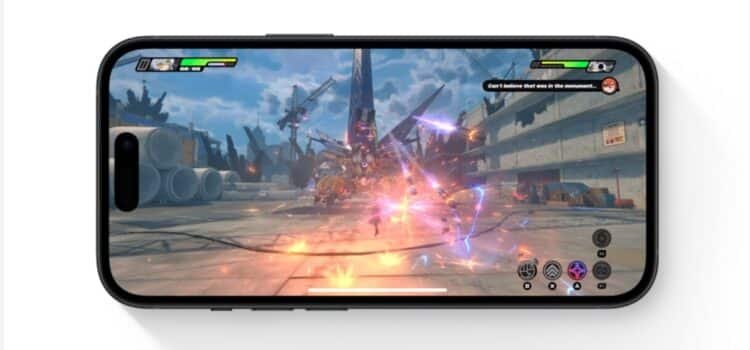
Apple introduced the iOS gaming mode to both its iPhone and iPad devices. Game mode on iPhone prioritises game performance and minimises all other background activity. This provides a more immersive experience.
Let’s take a look at how iOS 18 improves mobile gaming.
Optimized Performance
- Game Mode minimizes background activities on iPhone.
- It maintains high frame rates even during prolonged gaming sessions.
- Users will experience consistent performance without lag or slowdowns.
Reduced Controller Latency
- Game Mode lowers latency for those who use Bluetooth game controllers.
- This provides a more responsive and accurate control experience.
- It is crucial for fast-paced games where precision is key.
Improved Audio Latency
- Improvements were made for audio latency when using AirPods.
- This ensures that sound effects and in-game audio cues are perfectly synchronized
- It enhances the overall gaming experience.
How Should You Use the Game Mode?
- One of the standout aspects of Game Mode is its seamless integration.
- There is no need for users to manually enable it.
- Your iPhone will automatically detect when you are playing a demanding game and switch to Game Mode accordingly.
Will Casual Games Get Benefits?
- Casual games like Candy Crush may not benefit significantly from Game Mode.
- It is designed for high-performance titles.
Which Games will benefit?
Reports suggest that Game Mode on iOS 18 is designed for AAA games. This includes titles like Resident Evil Village, Assassin’s Creed Mirage, Death Stranding Director’s Cut, and Resident Evil 7.
Is It Good to turn on Game Mode in iOS 18?
The game mode being turned on can help improve your gaming experience in iOS 18, as it minimizes background activity, minimizes latency, and makes Bluetooth controllers more responsive as you play. This allows for a more immersive experience both optically and aurally.
iPhone Game mode turns on automatically when you start gaming so it has no effect on the overall performance of your phone, or your activities. Therefore, there aren’t any downsides to allowing it to turn on.
How Should You Change Your Location to Meet Gamers?
Often to further your gaming experience even more you might need to switch the location that you are gaming from. This is where Location Spoofer can come in handy. It can help gamers to change GPS location without needing to jailbreak your device.
Apple’s Focus on Improvement
Apple has been focusing on improving gaming on its Mac devices, and the introduction of Game Mode for iPhone demonstrates a similar dedication to iOS.
This feature is already available on Macs. It will bring the same level of performance enhancement to iPhone users. This reflects Apple’s efforts to cater to the gaming community.
Game Mode in iOS 18 represents a significant step forward for mobile gaming on the iPhone. It promises smoother gameplay and a more responsive experience for gamers.
Final Thoughts
macOS also got its very first dedicated Game Mode with Sonoma last year. It puts games on priority and aims to offer smoother and more consistent frame rates by freeing up background activity and allocating more resources to the game. The same feature has ended up on the recently announced iOS 18.
The iPhone Game Mode was created for players who want to have a more immersive playing experience with less lag when gaming on their phones. This is the perfect tool for those who use their phones as their portable gaming device or who use connected Bluetooth devices when gaming.