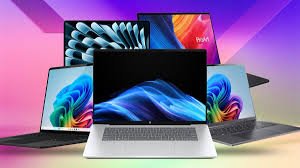







Laptops come in different sizes, with varying features, and at different prices. With so many choices than ever, it can be downright puzzling to pick the right laptop. Here’s the guide before you purchase the right one for you. Here are the main components to keep an eye on.
Now lets dive deep into the article.
CPU
The “brains” of your computer, the processor, has a huge influence on performance, but depending on what you want to do, even the least expensive model may be good enough.
Computer processors comprise super-tiny rows of super-tightly fitted semiconductor materials that make up transistors, measured in nanometers, which amplify or switch electronic signals at extreme speeds. These clusters of transistors make up a processor’s cores, each tailored for specific types of data processing, such as central processing (user-based PC interactions), graphics processing (displayed images), and neural processing (AI-based algorithmic functions). These cores are arranged together on a die, sliced from a wafer of silicon-based semiconductor material.
Every processor works on an underlying design called an instruction-set architecture (ISA). This blueprint determines how the processor understands computer code. Since developers write operating systems and applications to work on a particular architecture most efficiently, this is probably the most critical decision point regarding your next processor.
Apple M1, M2, M3, and M4: Apple’s custom silicon, the ARM-based M1, M2, M3, and M4 chips set a new standard for a balance of raw performance and endurance that is only now being challenged. Opt for the Pro or Max variants if you need even more power for tasks like content creation or programming.
Qualcomm Snapdragon X, X Plus, and X Elite: Qualcomm’s new ARM-based chip is grabbing a lot of attention as the only currently shipping chip in Copilot+ PCs. While it isn’t ideal for gaming, it offers excellent productivity performance and strong battery life for Windows laptops.
Intel Core Ultra Series 2 CPUs: Intel’s second generation of Core Ultra CPUs are upping the ante with more powerful multithreaded performance for a wide variety of tasks, while still delivering excellent AI performance and battery life.
Intel 14th Gen CPUs: Intel’s 14th Gen Meteor Lake processors are its latest and we’ve reviewed several laptops with these chips already. If you are in the market for a Windows laptop, the AI tech built into the new Intel Core Ultra CPUs combined with the impressive performance and battery life we’ve seen on many is hard to beat.
Intel 13th Gen CPUs: Intel’s 13th Gen Raptor Lake processors are a few generations old but still power some new laptops on the market. Unless you are getting a fantastic deal or a budget laptop.
AMD Ryzen AI CPUs: AMD takes another performance leap for general computing tasks and AI with its Ryzen AI 300 series chips. If you need strong performance in a Windows laptop, these chips are hard to beat.
AMD Ryzen 8000: AMD’s answer to Intel’s Core Ultra chipset, the Ryzen 8000 series features a similar focus on AI enhancements, we are still waiting to get an AMD Ryzen 8000 laptop in to review but will update once we see how it stacks up against the competition.
AMD Ryzen 7000: The Ryzen 7000 chips from AMD are just rolling out now, so we are still waiting to get laptops with them in our labs for texting, but the company claims we can expect a roughly 78% boost to CPU performance at the top end. If it can still maintain its excellent battery life along with it that will be incredibly compelling.
RAM
Some sub-$250 laptops come with only 4GB of RAM, but you want at least 8GB on even a budget system and ideally 16GB for a primary laptop in 2025. Even for most power users, 32GB is more than enough, while 64GB and above is reserved for professional power users or high-end gamers. Laptops are going to 128GB of RAM and beyond in 2025; if you need that much RAM, you will know it.
Storage (SSD)
As important as the speed of your CPU is the performance of your storage drive. Actual hard drives have no place in a laptop in 2025, so stick to a solid-state drive (SSD).
Sub-$250 laptops often use eMMC memory, which is technically solid-state but not faster than a mechanical hard drive, so if you have the choice of bumping up to an SSD from eMMC on even a budget laptop, it will have a considerable impact.
Display
Laptops are usually categorized by their display sizes:
11 to 12 inches: Maximum portability, but outside of cheap laptops and detachables we rarely see this size class as new materials and slimmer bezels made the next size class easily portable as well.
13 to 14 inches: This is the sweet spot for many laptop users as it gives you enough screen real estate while typically weighing 3 pounds or less and easily fitting in any laptop bag. Opt for one of the best 14-inch laptops if you are looking for the best of both worlds in terms of screen size and portability.
15 to 16 inches: 15-inch laptops used to be the most common size, usually weighing between 3 and 5.5 pounds, but 16-inch laptops like the MacBook Pro 16 are rising in popularity. Consider these sizes if you want a larger screen and do not plan to carry your notebook around too often.
17 to 18 inches: If your laptop is basically a desktop, that you only occasionally pick up and go. A 17-inch laptop or 18-inch laptop could provide you with the power you need to play high-end games or do workstation-level tasks.
13 to 14-inch screens offer the best balance between usability and portability. Larger screens are fine if your laptop spends most of its time on a desk, and smaller models are great for kids.
If you’re spending over $700, shoot for these minimum specs:
CPU: Intel Core Ultra 5, AMD Ryzen 5, Qualcomm Snapdragon X Plus, Apple M3
Screen resolution: 1920 x 1080
RAM: 16GB
Storage: 128GB SSD
If you’re spending over $1,000, shoot for these minimum specs:
CPU: Intel Core Ultra 7, AMD Ryzen 7, Qualcomm Snapdragon X Elite, Apple M4
Screen resolution: 1920 x 1200
RAM: 16GB
Storage: 256GB SSD
Chromebooks are excellent options for kids and students or as secondary laptops, but their functionality keeps growing, so if web browsing, content consumption, and light productivity are all you want, don’t rule them out. If you need access to more powerful software and hardware, then the best Windows laptops or best MacBooks offer plenty of functionality; which platform you prefer is a matter of personal taste
Connectivity
If you need to use your laptop on the go, consider buying a 4G LTE laptop or 5G laptop. You’ll have to pay for a data subscription plan, but this will allow you to access the internet away from a router. If you want a laptop with the latest and greatest connectivity options, Wi-Fi 7 is it. However, Wi-Fi 6e is still excellent and far more common. Keep in mind that you also need a Wi-Fi 6e or Wi-Fi 7 router in order to actually enjoy the benefits of that performance boost.
GPU
There’s a lot to consider when it comes to performance, but the place to start is with graphics cards. A gaming laptop needs a discrete GPU to be ready for 3D gaming, and typically, that means choosing from something in Nvidia’s RTX lineup. The latest options, the RTX 50-series, have been launching throughout 2025, which include the RTX 5090, 5080, 5070, 5070 Ti, 5060, and 5050.
The RTX 5090 (24 GB), 5080 (16 GB), and 5070 Ti (12 GB) all received additional VRAM over their predecessors in the RTX 40-series, whereas the RTX 5070, 5060, and 5050 are all stuck with just 8 GB. That means for certain game performance, the upgrade from the RTX 5070 to the 5070 Ti is bigger than the 5060 to the 5070. It’s also important to remember that these laptop GPUs do not correspond with the desktop versions in terms of specs.
Final Thoughts
Selecting a laptop takes careful thought. Remote work, online classes, and constant digital activity have made reliability a must-have. Stores overflow with brands promising top performance, leaving decisions confusing and stressful. Your laptop is only as good as the company that stands behind it. Accurate and timely technical support is paramount. The best laptop fits your needs, not the highest specs. Students may value battery life and durability over raw performance. Creatives need powerful processors and high-quality displays. Business users focus on security and support. Think about how the laptop will actually be used. A gaming laptop is wasted on simple browsing. A basic laptop frustrates a power user.
FAQs
1. What is the most important factor to consider when choosing a laptop?
Your intended use is the key factor. Performance needs vary widely between students, professionals, gamers, and casual users.
2. How much RAM do I really need in 2026?
For most users, 16GB of RAM is ideal. Budget users can manage with 8GB, while power users may benefit from 32GB or more.
3. Is SSD storage necessary for modern laptops?
Yes. SSDs are essential for fast boot times, smooth performance, and overall responsiveness. Traditional hard drives are no longer suitable.
4. Are Chromebooks good enough for students and everyday tasks?
Yes. Chromebooks are excellent for web browsing, online learning, and light productivity, especially for students and secondary use.
5. When should I consider a gaming laptop with a dedicated GPU?
If you plan to play modern 3D games or perform graphics-intensive tasks, a laptop with an NVIDIA RTX-series GPU is recommended.