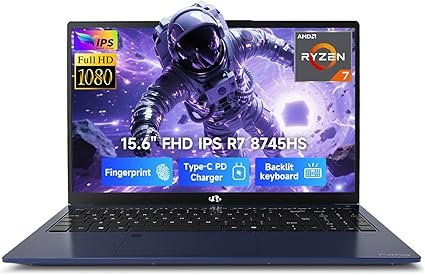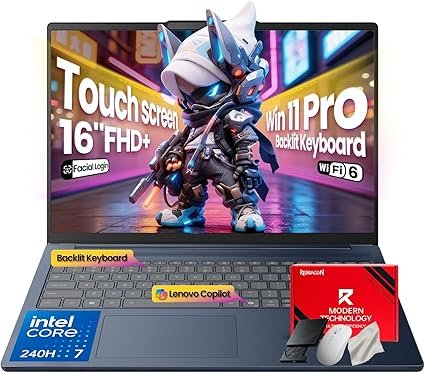





In 2026, buying a laptop is only by selecting from numerous options avaliable and ever-changing technology. Firstly, whether you want a laptop for study, gaming or creative work, understanding the core laptop specs will help.This article will provide the essential components like key differences. Performance tips to provide value to your purchase.
Laptop Specs Explained: The Foundation of Your Choice
Before going into the specifics of what to buy, let’s take a look at the main laptop specs. Knowing how components like the CPU, GPU, RAM, and storage affect your laptop’s performance to ensure your choice.
CPU
The processor is generally the “brain” of the laptop. This is the part that handles general computing tasks: web browsing, coding, or running office software. Most laptops in 2026 will have very advanced CPUs from either Intel’s 14th Gen lineup or AMD’s Ryzen 7000 series, known for energy efficiency and swiftness.
RAM & SSD Guide
RAM temporarily stores data that your laptop is actively using. For 2026, the recommended minimum for moderate multitasking and futureproofing is 16GB of RAM, while 32GB or more is recommended for professionals handling large files . SSDs are now the norm for storage, replacing significantly slower hard drives. SSDs are now commonly offered at capacities between 512GB and 2TB. NVMe SSDs tap high-speed PCIe lanes, offering the fastest data access to minimize app load times and file transfers.
What to Upgrade First
These tips can help guide your priorities for those laptops that allow upgrades. RAM upgrades tend to provide the significant boost in multitasking and responsiveness across applications, while upgrading to a larger or faster SSD makes sense for improving boot times and storage capacity. Upgrading the CPU or GPU normally isn’t an option for most laptops sold today, so it’s better to invest wisely during the purchase.
Laptop Performance Tips for 2026
- With the right specifications on a laptop, optimization of performance extends the life period of a machine.
- Keep software updated: system updates can enhance efficiency and ensure the security of hardware.
- Use cooling pads: This is especially important for heavy users to prevent thermal throttling, which can decrease CPU/GPU performance.
- Clean startup programs: Streamline your boot-up process to speed up startup times of the system.
- Regularly back up data: Protect your information from failures or malware.
Checklist Before Buying Your Laptop
To make assurance regarding the purchase of the laptop ,put this entire check list in mind:
Purpose: What are your main purposes for which you’ll be using it? Gaming, office work, creative projects, or general use.
- CPU/GPU: Depending on purpose of use, choose a relavant processor and graphics card combination.
- RAM: At least 16GB is suggested for multitasking.
- Storage: Choose SSD type and size depending on data needs.
- Display: Screen size, resolution, and refresh rate can affect user experience.
- Battery life: If you are traveling or working remotely, look for long battery life.
- Port selection: USB, HDMI, and Thunderbolt needed for peripherals.
- Build quality: Durability and weight for portability.
Upgrading options: See whether the machine allows for RAM or storage upgrades afterwards.
Warranty and support provides solid after-sales service.
Conclusion
Finally, buying a laptop in 2026 depends on the purpose of the user. By understanding key specsifications especially about CPU, optimizing RAM and SSD selection, knowing what to upgrade first in your checklist. You will be able to select a machine that fits your needs and budget. Take this laptop buying guide as a reference to making confident decisions and enjoying a device that continues to deliver solid performance throughout its life.