






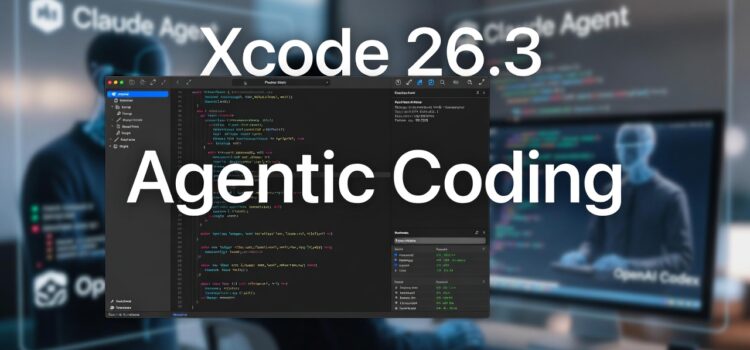
Apple released Xcode 26.3 to developers in early February 2026. This version goes beyond basic auto-complete by introducing fully integrated Agent Coding. With this feature, AI agents can handle complex programming tasks independently, acting as true partners in development.
Key Transformations and Features
Code 26.3 introduces a major change by allowing AI agents such as Anthropic’s Cloud agent and OpenAI’s Codex to run independently within the integrated development environment (IDE).
- Autonomous task execution: Agents can take high-level instructions like “Create a login screen with Face ID support” and handle the details themselves. They write Swift code, update project files, and adjust layouts using feedback from Xcode previews.
- Project Awareness: Unlike earlier AI assistants that worked on a single file at a time, these agents can access the entire workspace. They understand the project’s structure, search Apple’s documentation and third-party libraries, and can change project settings when necessary.
- Iteration and Testing: These agents can build and test the app, find problems, recommend solutions, and keep making changes until the code works as it should.
- Model context protocol (MCP) support: to make Xcode more flexible, Apple now supports the Open Model Context Protocol. This lets developers use any compatible AI agent or tool, not just the built-in Claude Agent and Codex.
Developer Control and Transparency:
- Developers stay in control at all times.
- A sidebar shows every step the agent takes.
- Automatic milestones make it easy to undo changes if needed.
Impact On The Development Workflow
This update changes how developers work by letting the AI handle repetitive, time-consuming tasks, freeing up programmers to focus on architecture, user experience, and new ideas. Early reports show that feature prototypes can be built up to 40% faster.
To try these features, Apple Developer Program members can download the Xcode 26.3 release candidate. They can then turn on the agents in the Agent Coding section of Xcode’s preferences.
What’s New in Xcode 26.3?
On February 3rd, Apple launched Xcode 26.3, the newest version of its main development tool for iOS, macOS, watchOS, and tvOS. The biggest change is Agent Coding, which goes further than autocomplete or static suggestions. Now Xcode includes coding agents that can automatically read your project, change settings, generate code, and show visual previews.
Developers can enable these agents in the new agent coding section of Preferences. Choose either the Claude or OpenAI’s Codex, and give high-level instructions like, “Create a login screen with Face ID support” or “Refactor the networking layer to use Combine.” The agents will break down the request, generate the required Swift code, update the storyboard, and display a preview in just a few seconds.
Why Developers Should Care
Agentic Coding does more than make things easier; it changes how software engineering teams work from start to finish.
Speed and Capability
Routine tasks like creating boilerplate code, updating API endpoints, or generating accessibility labels can now be handled by an AI agent. Early users say they have cut development time for feature-complete prototypes by up to 40%.
Higher Code Quality
Agents enforce uniform naming conventions, adhere to SwiftLink rules, and embed I-agents help keep naming consistent. Follow SwiftLink rules and add line documentation. This leads to easier, cleaner-to-maintain codebases. Stronger architecture and better UX. Besides more innovative problem-solving, the AI can also recommend alternative implementations, exposing developers to new patterns they might not have considered.
Cross-team Collaboration
Since Agents work within a shared project model, they can serve as a common assistant to design, QA, and product teams. This helps everyone use the same technical language.
Apple’s Vision For Agentic Coding
Agent-Decoding supercharges productivity and creativity by streamlining the development workflow so that developers can focus on innovation: Susan Prescott, VP of Worldwide Developer Relations, Apple.
Apple also disclosed that internal beta teams using the cloud agent completed a complex multi-screen onboarding flow in under 10 minutes. This task previously required several hours of manual coding.
The company highlighted a 30% increase in successful build rates when agents automatically resolved dependency conflicts across a common pain point in large Xcode workspaces.
Getting Started with Xcode 26.3
If you are a registered Apple developer, the Xcode 26.3 release candidate is already available in the Developer Section of the Mac App Store. Follow these steps to activate Agentic Coding:
Open Xcode > Preferences > Agentic Coding
Select your preferred model (Cloud Agent or OpenAI Codex). Sign in with your API credentials.
Enable auto-suggest or project load to let the agent analyze your workspace immediately.
Start a new project or open an existing one, then type natural language commands in the new agent console pane.