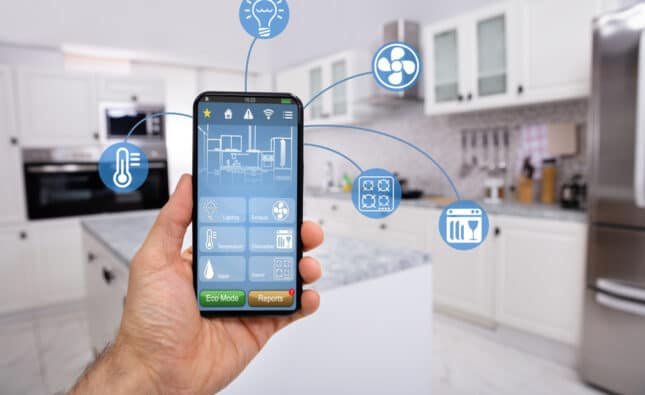






Nowadays home automation plays a crucial role in this busy lifestyle. So, home automation makes the daily tasks easy and creates a seamless experience using voice commands. These platforms enable light control and the thermostats and the appliances effortlessly, which indeed saves lots of time for working professionals or business magnets. These days having home automation is not about luxury but the basic utility.
This article covers setup, automation ideas, and scenes to fully automate home life.
Essential Smart Devices
Now first begin the automation by selecting compatible devices like the smart plugs, bulbs and hubs that works with both Alexa and google home. here the popular options which include philips hue lights, TP- link kasa plugs, and Ecobee thermostats, which provides varied integration via apps.
Link all the devices through Alexa or google home apps by enabling skills or services, then use voice commands like “Alexa, turn on the lights “for the instant control. Grouping devices into rooms simplifies management.
| Device Type | Alexa Setup Steps | Google Home Setup Steps | Examples |
| Smart Bulbs | Enable Hue skill, discover devices | Add via + icon, link account | Philips Hue, LIFX |
| Smart Plugs | Link Kasa skill, say “discover” | Set up device, sync | TP-Link Kasa, Wemo |
| Thermostats | Connect Nest/Ecobee skill | Link service, assign room | Ecobee, Nest |
| Locks | Enable August skill | Add lock, test sync | August, Yale |
Setting Up Smart Routines
Smart routines trigger actions based on time, location, or voice which are the core for home automation. This is the procedure firstly, open the app, tap more> Routines, select triggers like sunrise, and add actions such as playing music or adjusting lights.
Google Home routines start similarly:
Tap the routines, select the starters like “good morning”
And then personalize with the device controls or announcements. Use separate wake words- “Alexa”. Instead of saying “hey google” to avoid further conflicts when utilizing both of them. Test routines frequently to ensure reliability and edit for personalization.
| Routine Trigger | Alexa Example | Google Home Example | Benefits |
| Voice Command | “Alexa, movie night” dims lights, starts TV | “Hey Google, bedtime” locks doors, sets alarm | Hands-free convenience |
| Time of Day | Sunrise: Open blinds, play news | Sunset: Turn on porch lights | Energy savings |
| Location | Arrive home: Garage opens, AC cools | Leave home: Lights off, alarm on | Security boost |
| Motion Sensor | Detects movement: Kitchen light on | Person arrives: Welcome message | Motion-based efficiency |
Morning Automation Ideas
Start your day with routines that include on-and-off lighting, coffee makers, and news briefs. Just by telling Alexa, “Start my day” then instantly lights get on and brightened according to the requirements, and provide the voice on weather updates and the trending news as user required.
Google Home offers similar scenes: “Good morning” raises blinds, plays Spotify, and checks calendar. Integrate smart blinds, such as Somfy, for automated natural light control.
These ideas reduce morning chaos.
| Morning Scene | Devices Activated | Voice Command (Alexa/Google) | Time Savings |
| Wake-Up Light | Bedroom bulbs, blinds | “Good morning” | 5 minutes |
| Coffee Brew | Smart plug, speaker | “Start coffee routine” | 2 minutes |
| News Brief | Echo/Display, thermostat | “Morning update” | 3 minutes |
| Full Wake | All above + door lock check | “Rise and shine” | 10 minutes |
Evening and Bedtime Scenes
There are so many automation ideas like the movie night or bedtime scenes that dim,lights,close curtains and create activate night mode. Alexa routines can play relaxing music and songs while locking doors automatically. For google home, just set “good night” to turn off unused home lights. Use multi-room audio for synchronized music across speakers.
Scenes enhance relaxation and safety
| Evening Scene | Devices Controlled | Trigger | Automation Ideas |
| Movie Night | TV, dimmer lights, soundbar | Voice or time | Auto volume adjust |
| Bedtime | All lights, locks, AC | “Good night” | Gradual fade-out |
| Dinner Prep | Kitchen lights, oven plug | Arrival home | Mood lighting |
| Away Mode | All exterior lights, cameras | Geofence exit | Randomized timers |
Advanced Cross-Platform Integration
Utilize two of them Alexa and google home together by interlinking with the shared devices through hubs like samsung or IFTTT for the unified control. Furthermore, assign unique routines- Alexa for entertainment, Google for security – to maximize efficiency without overlap. Here comes virtual switches or smart plugs visible to both the ecosystems trigger cross-actions, like the Alexa command starting with a google routine. Central completely streamlines this setup.
| Integration Method | Pros | Cons | Best For |
| SmartThings Hub | Supports 1000+ devices | Setup complexity | Full homes |
| IFTTT Applets | Free bridging | Limited free tier | Simple links |
| Shared Plugs | No hub needed | Basic triggers | Budget users |
| Matter Protocol | Future-proof standard | Device adoption slow | New builds |
Security and Energy Automation
Automate home security with the routines that activate cameras on the motion and notify your phone. Alexa guard listens for sounds like glass breaking, while Google Nest integrates doorbells seamlessly.
Energy savings come from schedules: Lights off at midnight, thermostat to eco-mode when away. Track usage via apps for optimization.
| Security Routine | Trigger | Action | Platforms |
| Intrusion Alert | Door opens at night | Lights on, alarm, notify | Both |
| Package Delivery | Doorbell ring | Camera snapshot to phone | Google priority |
| Perimeter Check | Motion outside | Floodlights, record | Alexa Guard |
| Energy Routine | Devices | Savings Estimate | Setup Tip |
| Nighttime Off | All interior lights | 20% monthly bill | Geofence |
| AC Optimization | Thermostat, windows | 15% cooling | Sunrise trigger |
| Standby Mode | Plugs for TVs | 10% idle power | Voice off |
Troubleshooting Common Issues
Ensure stable Wi-Fi and update firmware regularly. If routines fail, check device permissions and re-link accounts. Conflicts arise with overlapping wake words, use app settings to customize. Next step is to just restart hubs for quick fixes.
Maintenance and Expansion Tips
Regularly review routines for seasonal changes, like holiday lighting scenes. Expand with DIY ESP32 projects for custom controls via Alexa or Google Assistant. Budget for hubs if scaling beyond 20 devices. Explore skills or the actions for niche automation ideas, such as plant watering reminders.
Conclusion:
In conclusion, embracing Alexa or Google Home automation empowers homeowners to create personalized smart ecosystems that evolve with future innovations, ensuring long-term value and adaptability. Whether starting small with voice-activated bulbs or scaling to full-home IoT networks, the investment yields immediate benefits in time savings and peace of mind, positioning your living space at the forefront of modern technology.
Automating your home with Alexa or google home changes entire routine lifestyle of everyone living. Which provides seamless living, efficient experience by involving voice commands, smart devices which help a lot for everyday tasks. From controlling lights,fans, ensuring security which indeed saves lots of savings and time. Moreover, these platforms offer intutive steps with just minimal technical expertise, which can also be operated via mobile phone, which makes much easier as adoption grows, the synergy of AI-driven automation not only boosts convenience but also promotes sustainability through optimized usage patterns.
FAQS
1. What devices are compatible with Alexa and Google Home?
Mostly, the smart lights, thermostats, plugs, cameras, locks from varied brands like TP-skills or ring work as long as they support Alexa Skills or Google Assistant integration.
2. How do I set up routines for automation?
In the Alexa app or Google Home app, navigate to the Routines section,now choose the time of the day or the voice commands, then test for turning on lights and fans and security systems. Ensure whether its as the plan involved.
3. Can I control devices without the internet?
Voice assistants require Wi-Fi for initial setup and cloud-based commands, but many systems include manual switches or local control for offline use, like physical buttons on smart relays. Full automation pauses without connectivity.
4. Which is better: Alexa or Google Home?
Alexa excels in smart home device integration and music, while Google Home shines in natural language understanding and Google ecosystem ties. To be noticed, both of them handle home automation correctly.
5. Is home automation secure?
Yes, by using strong passwords, enable two-factor authentication, and keep apps always updated and protect them against hackers