





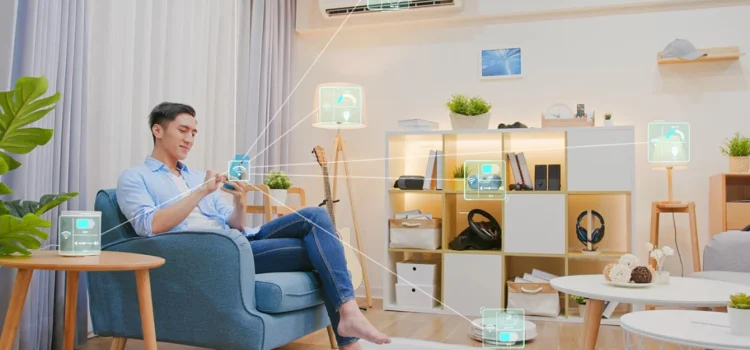
Nowadays renting an apartment or house is really leading to navigating strict lease rules that bans the permanant modifications like driling the walls . Yet the appeal of a smart home like the automated lights, securing door locks, and the atmosphere controller inbuilt in a house which remains in the customized and leads to effective living space. The good news? You don’t need to risk your security deposit or landlord’s approval to dive into smart tech.
Incase if you are a tech newbie or the seasoned gadget lover, now provided renter-friendly hacks transform any lease-bound space into a futuristic haven. Now here are the top devices, step-by-step installation steps. By the end, you’ll enjoy hands-free control, energy savings, and enhanced security while keeping your rental pristine and portable for your next move.
This article gives you a ultimate focuses exclusively on no-drill setups using adhesive mounts, tension rods, magnetic holders, and clever freestanding designs that install in minutes and remove cleanly without a trace.
Why Automate Home as a Renter?
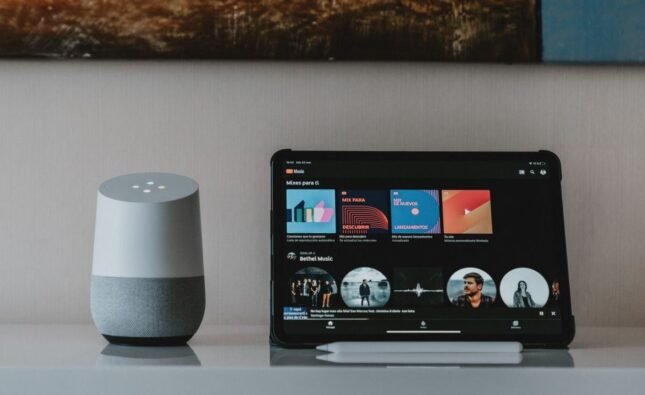
Nowadays automating home transforms daily routines into effortless smart routines, saves time, energy, and security. Moreover, the renters benefit from portable devices that can pack altogether easily. If you are moving with the price starting under $50 per item. Keep focus on wireless hubs like Google nest, Amazon Echo, Apple Homepod for the extremely seeamless integration.
Essential No-Drill Devices
Foremostly begin with basics that stick, plug in, or sit freestanding. Below is the camparision tabular form of the top – renter- approved devices:
| Device Type | Examples | Key Features | Price Range | Compatibility |
| Smart Plugs | TP-Link Kasa, Wyze Plug | Remote control, energy monitoring | $10-25 | Alexa, Google |
| Smart Bulbs | Philips Hue, LIFX Mini | Color-changing, scheduling | $15-50 | All major hubs |
| Smart Speakers | Echo Dot, Nest Mini | Voice control, hub functionality | $30-60 | Built-in hub |
| Motion Sensors | Wyze Sense, Aqara | Trigger lights/scenes automatically | $10-20 | Zigbee/Z-Wave |
| Door/Window Sensors | Philips Hue Contact | Alerts for openings, no adhesive | $20-40 | HomeKit, Alexa |
These devices use Wi-Fi, Bluetooth, or hubs without wall damage.
Step-by-Step Setup Process
Follow these steps to automate home without tools:
- Firstly, choose a Hub for picking one ecosystem one ecosystem
- Download the app, connect to Wi-Fi, and then scan QR codes on devices.
- Group by bedroom, kitchen for smart routines.
- Voice command like”Turn on kitchen lights.”
- Add sensors for automation ideas like auto-off lights.
Total setup time required for this is around 30-60 minutes.
Creating Smart Routines and Scenes
Smart routines group actions for efficiency. Scenes trigger multiple devices at once for ideal for automation ideas.
Morning Routine Example:
- Trigger: Time (7 AM) or voice “Good morning.”
- Actions: Lights brighten, coffee maker starts, blinds lift.
| Routine Type | Trigger | Actions Performed | Benefits |
| Morning Wake-Up | Sunrise or alarm | Lights on, thermostat to 72°F, news plays | Energizing start |
| Evening Wind-Down | “Good night” voice | Dim lights, lock doors, play music | Relaxation prep |
| Away Mode | Phone leaves geofence | Lights randomize, cameras arm | Security without worry |
| Guest Welcome | Doorbell motion | Porch light on, alert to phone | Hospitality automation |
| Energy Saver | No motion after 10 PM | All plugs off except essentials | Bill reduction |
Now use all these apps to customize the google home for simple drag and drop. Alexa is the most used one these days.
Automation Ideas for Common Rooms
Cut scenes for spaces. No drill tips keep it renter- safe.
Kitchen Automation
Kitchen automation is really the heart of the home by seamless integration of smart devices that streamlines cooking ,meal preparations and grinding and coffee machine and many more. Nowadays we get the healthy oven recieps which come inbuilt and preheat and set the timer according to the dis requirement like they take the commands from assistances like Alexa or Google home and also most surprisingly they do generate grocery shopping list automatically and moreover the robotic arms that shop vegies with the driven precision.this kind of automation is being magically helpful for the kitchen automation.
Furthermore, these systems majorly rely on IOT connectivity, sensors, and machine learning to understand user-suggested recipes based on their daily routines and their holiday meal preparation. Brands like Samsung and Thermomix with appliances that reduce food waste and energy use while freeing up time for creativity in the kitchen.
Plug in all the required appliances for hands-free control.
| Idea | Devices Needed | Setup Routine |
| Coffee Auto-Brew | Smart plug + coffee maker | 7 AM timer on plug |
| Oven Reminder | Motion sensor + speaker | Beep if forgotten after 30 min |
| Cabinet Lighting | Battery LED strips | Motion-activated open/close |
Bedroom Scenes
Ensure your sleep patterns with gentle automation.
| Scene | Trigger | Devices |
| Sleep Mode | “Bedtime” | Blackout bulbs, fan on, white noise |
| Wake Gradually | Alarm integration | Lights fade up over 30 min |
| Pet Comfort | Motion at night | Night light for pet path |
Living Room Hub
The living room hub transforms from a seating area into the dynamic epicenter of family life, blending comfort, technology, and connectivity seamlessly. Picture plush modular sofas arranged around a sleek smart TV wall that doubles as an interactive display for streaming movies, video calls, or even virtual workouts, while built-in charging stations and ambient LED lighting keep devices powered and moods elevated.
Centralize the whole entertainment. Like for instance if one is planning for a movie night which needs an environment setup at home necessarily. So accordingly darkening the lights,TV on, AC cools and increasing the speaker’s volume.
| Automation Idea | Smart Routine Details |
| Movie Night | Voice: Darken lights, TV on, AC cool |
| Party Mode | Guests arrive: Uplift lights, music |
| Cleaning Boost | Vacuum schedules around your routine |
Security Without Commitment
No-drill cameras and locks protection without landlord issues. Here are the different layers in it like the entry level, indoor view and the package guard,night patrol.
Security Layers Table:
| Layer | Device Example | No-Drill Method | Automation Trigger |
| Entry Alert | Door sensor | Magnetic clip-on | Phone notification |
| Indoor View | Wyze Cam v3 | Tabletop stand | Motion → light + alert |
| Package Guard | Floodlight cam | Plug-in extension | Delivery → photo snap |
| Night Patrol | Motion floodlight | Ground stake | Sweeps yard hourly |
Cost and Compatibility Breakdown
So here is the clear understanding on the budget level and which devices are included and the hub spots as per the required. Now the budget level starts from the starter, mid-tier and the full setup. There are hubs which are supported like the multi hub abd the matter enabled.
| Budget Level | Total Cost | Devices Included | Hubs Supported |
| Starter | $100 | 2 plugs, 1 speaker, 2 bulbs | Any one |
| Mid-Tier | $300 | + Sensors, camera, thermostat | Multi-hub |
| Full Setup | $600+ | All rooms covered | Matter-enabled |
Matter protocol ensures future proofing across Alexa, Google, and Apple.
Troubleshooting Common Issues
- If your Wi-Fi is Weak? Use mesh extenders like Eero plugs.
- Device Offline? Restart hub, check 2.4GHz band.
- Routine Fails? Verify permissions in app settings.
Conclusion:
To conclude, transforming a rental into a smart home using no-drill solutions empowers renters to enjoy modern conveniences like automated lighting, enhanced security, and energy efficiency without risking lease violations or permanent alterations. Devices such as adhesive-mounted sensors, battery-powered cameras, and smart plugs offer seamless integration and portability, ensuring you can take your setup to the next residence effortlessly. This approach not only elevates daily living but also appeals to landlords by preserving property integrity while adding value through subtle upgrades.
FAQs
1. Can renters really automate home without drilling?
Yes, 90% of devices are plug-in or adhesive-free with removable strips. One can take them whenever you are planning to move.
2. What’s the easiest hub for beginners?
the easiest hub for starters is Amazon Echo intuitive app, vast skills library for smart routines.
3. How do I create scenes for automation ideas?
In apps: Select “Routines” > Add trigger/action combos, like motion → lights.
4. Are these setups secure for renters?
Use encrypted hubs, enable 2FA, and guest networks. Battery cams avoid wiring vulnerabilities.
5. What’s a top automation idea for energy savings?
Smart plugs auto-off idle devices; routines cut usage 20-30% monthly.