





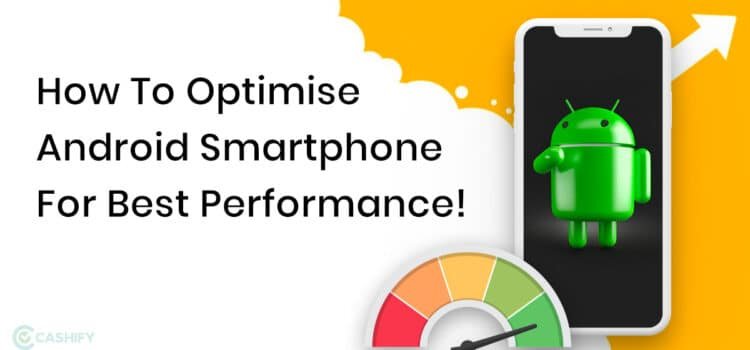
Smartphone buzz is in your own hands now, which can be picked and packed with promise. Its out of box this time the cluttered mess like a slow buffering apps and the data chaos from the old phone. Incase whether your are moving from Android to iphone on just reducing the daily driver, In this smartphone article provides a clear glance on how to tackle with data transfer seamlessly ,master the battery optimization, storage cleanup, how about handling switching platforms, and it unlocks the peak performance through smart phone optimization.
No technology is needed just we can go with straightforward steps, and pro tables for quick reference where the real word tweaks that stick. From unboxing to ultra smooth scrolling, you would be building phones that lasts all day, which files through the task,and feels custom built for the user , so now let’s get into the flow rather than confusion.
1. Initial Setup Guide: Nail the First Boot
So firstly unbox, then power on the Wi-Fi is done? No, that takes an hour. So here is the smart setup which guides us through the choices that pays off for years.
Android vs iOS Setup Comparison:
| Step | Android (Pixel/Samsung) | iOS (iPhone) | Pro Tip |
| Data Transfer | Google One backup → Restore | Quick Start (wireless/cable) | Use same Wi-Fi network |
| Accounts | Google → Add Samsung/etc. | Apple ID → iCloud | Enable 2FA immediately |
| Customization | Always On Display, gestures | Widgets, Focus modes | Disable unused (e.g., Bixby) |
| Security | App permissions → Biometrics | Face ID → Passcode | Strong PIN > patterns |
Quick Setup Workflow:
- Restore data from cloud backup without any hiccups.
- Update the Os/apps immediately9Settings>System>Updates).
- Set battery saver triggers, the dark mode default.
- Time saved: 30 minutes of fumbling.
- Result: Phone feels yours from minute one.
2. How to Transfer Data: Android ↔ iPhone & Beyond
So, in case you are looking at switching platforms? Dont get sweat it. Modern tools make it easy on how to transfer data with no more confusion like contact,photos,apps,whatsApp chats.
Data Transfer Methods Table:
| Method | Works For | Speed | Cost | Best For |
| Google Drive/One | Android → Android/iPhone | Wireless, 15-60min | Free (15GB) | Contacts, photos, apps |
| Move to iOS | Android → iPhone | Cable/wireless, 20min | Free | Full platform switch |
| Samsung Smart Switch | Samsung ↔ Any | USB/Wi-Fi, 10-30min | Free | Galaxy users |
| iCloud → Google | iPhone → Android | Manual/cloud, 30min | Free | Selective transfer |
| Third-party (AnyTrans) | Any → Any | USB, 5-20min | $40/year | WhatsApp, large files |
Step-by-Step procedure: Android to iPhone
- Firstly,download “Move to iOS” on old Android during the iphone setup
- Secondly, connect both to power as well as the Wi-Fi and then scan code.
- Select data (15GB free) and watch the 50GB transfer in 25 minutes.
- WhatsApp? Backup in the app
- Restore post transfer.
3. Battery Optimization: All-Day Power Hacks
The battery life is the restless companion in our tech driven routines. So its all about demanding smarter rather than brute-force charging. Furthermore the life goal is all day power hacks is not all about all-day power hacks is not about the more minutes out of a one time charging, and also comes the design into the picture which is expected to be smoother for routine where the software, hardware and useer behaviour works in harmony. Starts with a realistic baseline that knows your device typically on screen on time and identifies the apps which drives power most aggressively. This is the awareness which ensures your tweaks instead of applying generic solutions that may be a waste of effort.
Now in the first and foremost thing in line is efficient software.Most importantly keep your operating systems and apps upto date then the developers continually optimizes the process and also the memory management. Dim or shorten screen brightness for a adaptive level, start enabling the dark mode if possible, and reduce the screen refreshing rate which high performance is not needed.as per the neccesity limit the background activity for apps which do not require constant updates. Consider disabling live widgets opting static,esstential information, battery feature like sleep mode, smart charging, and optimized charging timelines and easy to wear and tear while preserving capacity over time.
The charging strategies are the craft. Frequently, little charges are generally gentler on lithium-based cells than the battery hits the rock bottom and there is full charging repeatedly. Aim to avoid charging past 80% for daily use when possible, and keep temperatures moderate during charging heat accelerates wear. If your device supports optimized charging schedules, trust them to balance readiness with longevity. Portable power banks can be lifesavers but choose models with smart chips that pause charging when the battery is full or near full, minimizing heat and stress.
Battery Drain Culprits & Fixes:
| App/Service | Avg Daily Drain | Fix | Savings |
| Social Media (FB, Insta) | 25-35% | Limit background refresh | 15-20% |
| Google Maps/Location | 15-20% | Precise → Battery saving | 10% |
| Display | 30% | 60Hz → Adaptive, dark mode | 20% |
| Bluetooth Devices | 8-12% | Auto-off after 5min idle | 8% |
| Always-On Display | 5-10% | Schedule off 10PM-7AM | 6% |
Android Battery Workflow:
First go to settings, then the battery and then the usage, and next click on top offenders. Here are the developers options according to the background limits. Moreover, adaptive battery on to learn Ai on going with your habits.
- IOS is bit Low Power Mode auto-triggers
- According to a Shortcuts app for custom automation.
4. Storage Cleanup: Free Up 10GB+ Instantly
Storage cleanup is the breathing room. Phones choke at 80% full, causing lag spikes and crashing into the city.
Storage Hog Killers Table:
| Category | Avg Space Used | Cleanup Method | GB Freed |
| Old Photos/Videos | 20-50GB | Google Photos “Free up space” | 15GB |
| Downloads/Cache | 5-15GB | Files app → Clear cache | 8GB |
| Unused Apps | 10-25GB | Sort by size → Uninstall | 12GB |
| WhatsApp Media | 5-20GB | Manage Storage → Bulk delete | 10GB |
| iOS Offload | N/A | Settings > App Size → Offload | 5GB |
Universal Cleanup Routine (15 mins):
- Just go to the Photos app and then Select 100 combination of duplicates (Google Lens helps).
- Settings > Storage → “Free up space” wizard.
- CCleaner/Smart Cleaner apps for cache blast.
- Move to the cloud: 15GB Google Photos free forever.
The Switching Platforms Bonus is to be a Clean slate, then transfer only essentials.
Post-cleanup: 128GB phone feels like 512GB.
5. Phone Optimization: Speed Boost Masterclass
Unwind your phone’s hidden velocity with having goal tweaks that lag and reclaim snappiness. Moreover, the speed is not just the raw hardware, it’s just the symphony of software smarts disciple, and the habit hacks, which begin with audting your storage and delete bloated apps unused photos to the external drives, and clear caches via built in tools. Aim for at least for 20% free space, everything from app launches to multitasking.
Here, the hardware allies amplify gains. Then disable visual effects like live wallpapers, reduced haptic feedback intensity, and the high-performance streams are only for gaming. Furthermore, using wired charging over wireless to sidestep heat-induced throttling. For power users, are just consider a factory reset as a nuclear refresh, it’s necessary to back up first. Track progress with benchmark apps like Geek bench. Consistent mastery turns sluggish slogs into seamless sprints your phone, reborn.
Phone optimization is a combination of RAM management and smart habits. Restore factory-fresh speed.
Speed Optimization Checklist:
| Tweak | Android | iOS | Performance Gain |
| RAM Management | Developer → 4x background limit | App Library auto-close | +25% multitasking |
| Animations | Developer → 0.5x scale | Reduce Motion ON | Snappier UI |
| Startup Apps | Disable 10+ non-essentials | N/A (iOS handles) | +15% boot speed |
| Storage | <80% full | <90% full | Prevents lag |
| OS Updates | Monthly security patches | iOS 18.2+ | +10% efficiency |
Advanced Hacks:
- Android: ADB commands disable system bloat (XDA forums).
- iOS: Reset All Settings (keeps data).
- Benchmark before/after: Geekbench scores jump 15-20%.
Gaming boost: Game Booster apps, 90Hz+ displays. Result: Scrolling buttery, apps launch instantly.
6. Switching Platforms: Android ↔ iOS Survival Guide
Switching platforms data loss? Myth. Here’s your battle plan.
Platform Switch Roadmap:
| From → To | Must-Do Apps | Data Types | Time | Gotchas |
| Android → iOS | Move to iOS, WhatsApp | Everything | 30min | Some widgets lost |
| iOS → Android | Google One, Smart Switch | Contacts/photos | 45min | iMessage → RCS |
| Samsung → Pixel | Smart Switch | Full ecosystem | 20min | One UI → stock |
| iPhone → Pixel | Google apps pre-install | Seamless | 25min | Best experience |
Post-Switch Checklist:
- Test banking apps.
- WhatsApp verification codes arrive within 5 minutes.
- Customize gestures/home screen day 2.
- 90% of users report a “smoother” feel post-switch with proper phone optimization.
90% of users report “smoother” feel post-switch with proper phone optimization.
7. Maintenance & Long-Term Optimization
The true mastery lies beyond quick fixes like its in the quite disciple of maintaince that ensures your phone which is thriving for years, not just months, prominently long term optimization treats your gadget like a high- performance engine likewise the regular tune ups which prevents breakdowns, and indeed extends the lifespan, maintains the peak efiiciency. Starts with a monthly ritual and backup everything to cloud or the external drives, than the deep- cleans torage by archiving old files, start with a monthly ritual: back up everything to cloud or external drives, then deep-clean storage by archiving old files, uninstalling forgotten apps, and wiping caches. Factory resets every 6-12 months to act as a full-system reboot, erasing digital cruft that accumulates invisibly.
Hardware care demands foresight. Protect against heat and moisture with cases and avoidance of direct sun; extreme temps warp batteries and throttle chips. Calibrate batteries annually by full discharge-charge cycles, and store spares at 50% charge in cool, dry spots. Screen protectors and tempered glass guards against micro-scratches that invite dust in progress. Keep it flying with monthly rituals.
Monthly Maintenance Table:
| Task | Frequency | Tools | Time |
| Full Backup | Monthly | Google/iCloud | 10min |
| App Audit | Quarterly | Sort by usage | 15min |
| Battery Health | Monthly | AccuBattery/diagnostics | 5min |
| Security Scan | Weekly | Built-in + Malwarebytes | 3min |
| iOS Reset | Biannual | Settings > General > Reset | 20min |
Battery Health Targets: 85%+ capacity after 500 cycles = winning.
8. Troubleshooting Quick Fixes
When your phone gets activated in freezing mid-scroll,drains the battery overnight or refusing to transfer data and which leads to panic yields to precision. There are quick fixes which restore sanity in minutes, which indeed creats a bridging to deeper repairs. Always prioritize the “restart ritual”may be a power off for 30 seconds, then roboot. This flushes RAM, kills rogue processes, resolves 70% of glitches without data loss. First and foremost, os, force restart which holds power + volume down.
Battery Drains and Overheating
So firstly suspecting the app culprits, which dive deep into the settings where battery to spotlight offenders like the trending social media refreshers. Moreover stop the background activity.Toggle off always –on display, high refreshes the rates low to the rates 60HZ and location always.if overheating where there is power off in the cool spot heat through performance and then increase swells batteries. If there is quick charge fix which has a switch to airplane mode during top- ups and down. Wipe cache partition via recovery mode (Android) or offload apps (iOS).
Connectivity Woes (Wi-Fi, Bluetooth, Calls)
What if the Wi-Fi drops? Forget the network, just rejoin with th correct password, click the areoplane mode in 10 seconds. Then how about the bluetooth pairing fails? Unpair all the devices, restart and then which stays within 10 feet. Incase if there is no signal, then eject sim or reinstert it or dial ##4636##(Android) for phone info resetting. Cross- platform transfers stall? Enable both devices on the latest OS, same wifi, and use the wired USB if wireless is lagging.
App Crashes and Setup/Transfer Hiccups
There is a Scream permission called storage, which includes camera access. Moreover, Clear app data as a last resort. New setup: freezes. Skip Wi-Fi, connect an Ethernet adapter if available, or boot into recovery. Data transfer aborts? Pre-backup to cloud, transfer in chunks, and avoid low battery (<50%). iOS to Android? Google is one that bridges gaps reliably.
Common Issues Table:
| Problem | Fix | Priority |
| Lag/Freezes | Clear cache partition (recovery mode) | Urgent |
| Overheating | Disable 5G → LTE during gaming | High |
| Battery Drain | Airplane mode 10min → Battery Usage | High |
| Storage Full | Files > Cleanup suggestions | Medium |
| App Crashes | Clear app data → Force stop | Medium |
Nuclear Option: Factory reset after full backup ,last resort, 95% fix rate.
Conclusion
To conclude, here is the complete smartphone article on how to get the guidense for the seamless setup guide, bulletproof on how to transfer the data and the battery optimization, storage cleanup, and confidential switching platform. Here are the tabular forms in the content which provide the reference on the workflow on which the users can stick.
That laggy phone is now an all-day position comes with the pick one fix today like the battery tweaks gives quickest wins, Go now make it all yours right now.
FAQS
1: How do I set up a new smartphone quickly?
A: Firstly power on, and connect to wifi, sign in with your Google , enable biometrics where skip bloatware during the wizard.
2: What’s the fastest data transfer method?
A: Fastest data transfer is iOS Quick Start or Android’s Wi-Fi transfer for contacts,photos, and apps in under 30 minutes.
3: How to instantly boost phone speed?
A: There free 20% storage,update apps/OS, cache clears and halves animation scales the options.
4: What are key daily optimization habits?
A: Dim brightness, use dark mode, batch notifications, and limit background apps/location services.
5: How to maintain long-term phone health?
A: Monthly deep clean and updates; annually factory reset, calibrate battery, and replace at 80% capacity.