

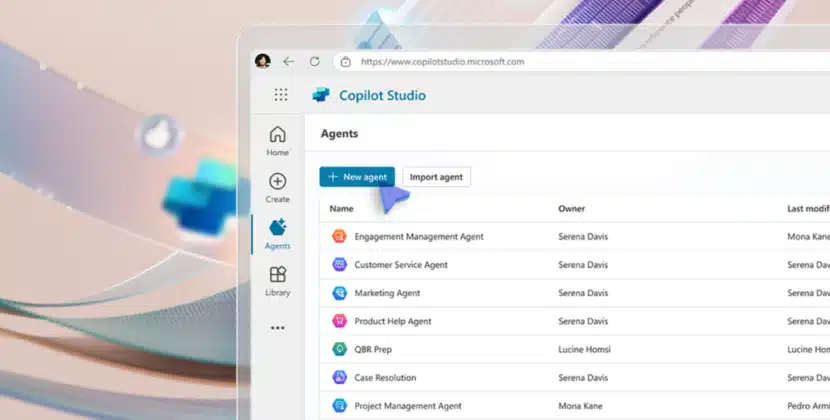




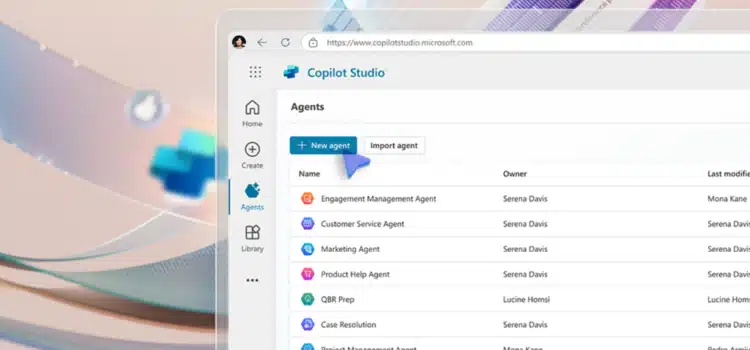
This week, we’re rolling out new AI‑told features to employees across the organization. Microsoft 365 Copilot customers in the Frontier program now have access to App Builder and Workflows. With these agents and Copilot Studio, you can turn ideas into outcomes by creating apps, workflows, and agents. Through plain‑language commands, Copilot helps you build what you need, integrating safely and securely with your Microsoft 365 data.
Imagine yourself getting ready for a product launch. With just a few back-and-forth conversations, Co-Pilot can help you create what you need to succeed.
- Apps: Build an app for your launch to track milestones, assign tasks, and view progress in a dashboard.
- Flows: set up a Teams update every Monday with upcoming launch deadlines and key tasks from the planner. You can also post reminders for approval deadlines in Teams channels.
- Agents: create an agent that can answer product launch questions, such as what the next milestone is, how to submit creative assets, or when the launch event will happen, using SharePoint resources and Teams conversations.
Create Working Apps in Just Minutes.
Copilot now includes App Builder, allowing you to quickly create and launch apps without an added database. Use it to build and improve dashboards, charts, calculators, lists, and more. You can preview and update your app at any time in Copilot.
App Builder uses your Microsoft 365 content documents, presentations, spreadsheets, and notes. You can store data with Microsoft Lists. Sharing your app is as simple as sending a document link. To learn more about App Builder, you can hear directly from the team that created it. Now that you understand how App Builder fits in, let’s move on to explore what workflows can do.
The new Copilot Workflows agent automates tasks such as emails, reminders, calendars, and team updates. Simply explain what you want, and Copilot turns your words into automated flows across Outlook, Teams, SharePoint, Planner, and Approvals.
As the co-pilot builds the flow, you’ll see each step appear in real time. So it’s easy to follow and understand. If you want to add more steps or change how things work, just ask Co-Pilot in the same conversation.
Workflows are designed for everyday users but use the technology powering agent flows in full Copilot Studio. This shared foundation brings enterprise reliability to your personal automation and workflow builders.
Copilot Studio built into Copilot makes agent creation simple. Just describe what you need, and Copilot Studio builds a working agent with clear, logical code. Earlier this year, we enhanced Studio so agents can pull information from SharePoint meeting transcripts, chats, and emails, as well as from external systems such as ServiceNow and Jira.
The full Copilot Studio lets you use advanced workflows, choose models, and work with multiple agents. Move from basic productivity agents to IT-led, organization-wide solutions.
Secure, Governed, and Integrated With Microsoft 365 Copilot
Microsoft 365 Copilot is built for enterprise security, compliance, and reliability. App Builder, Workflows, and Copilot Studio follow these standards. Agents operate under user permissions and role access for governance. They are only accessible via Microsoft 365, ensuring security and compliance with your policies.
For admins, managing these tools is easier with unified permissions, visibility, and controls across the organization. You can manage access to these AI building tools in the Agent Inventory section of the Microsoft 365 admin center, so you don’t have to set up guardrails one at a time. This gives you detailed control at the group level, ensuring only approved people can create, use, or share app flows and agents while remaining compliant with your organization’s policies.
Build With Co-Pilot Today.
Finally, as you consider experimenting with Copilot, App Builder, and workflow, they are now available in the agent store for Frontier Program customers.
App Builder and workflow are now available in the agent store for Frontier Program customers. Select Create Agent in Copilot to easily build custom apps, workflows, or agents.
Discover how these tools are transforming the way we work at WorkLab.
Source: Automate workflows in seconds


