



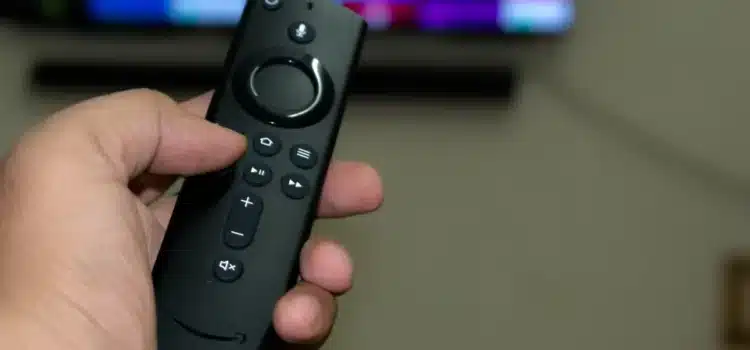
If you are someone who watches flicks and sports on your Amazon Fire Stick using those free, not so legal apps pay attention. Amazon’s pushing out a big Fire TV update that goes after privacy streaming and sideloaded software. This is a pretty big deal for them.
So, your Fire Stick 4K Max or Fire TV Cube might start blocking those unofficial apps, or you might see warnings like Harmful Apps Disabled.
No, it’s a mistake. It’s a part of Amazon’s Fire OS 8 (Vega OS) update. Let’s check out in this article what’s going on, why is Amazon doing it, and what it all means for you if you’re a firestick user.
Why Your Amazon Fire Stick is Blocking Some Apps
Amazon claims it’s doing this to keep users safe, but there’s probably more to it. For a while now, Fire TV devices have been used to install apps from outside their store, like Cinema HD, Kodi builds, or Bee TV. These let people watch pirated or unlicensed content. These apps usually come from unofficial sources and could have malware, trackers, or adware.
According to some sources, what is claimed by Amazon:
“We care about the customer’s security. We’re going to block apps that show illegal streaming or are risky to install from outside our app store.”
But that’s not the entire thing. Amazon is said to be working with ACE (Alliance for Creativity and Entertainment), which is a group that fights piracy and is supported by companies like Netflix, Disney, and Warner Bros. They have made a list of piracy apps that Fire TV will now find and shut down automatically.
So, if an app on your Fire Stick suddenly stops working, now you know what is actually happening.
How Fire TV Knows About Your Sideloaded Apps
Amazon isn’t just stopping downloads; the Fire OS 8 update checks out the apps you’ve already got.
Here’s what the system looks for:
- Apps that get content from blacklisted places.
- Apps asking for permissions like piracy tools do.
- Apps that set off Amazon’s bad app filters.
- Apps that have the same signature as apps in a piracy list.
If they find something, the apps are shut off, or you get a warning to uninstall. Some users say they keep getting an Update Error or App Disabled message, even on older versions. The difficult part? Once you update, you can’t go back.
Where the Update is Starting Off
The Fire TV update isn’t everywhere yet, but it will be soon.
From what people are saying and what has been leaked:
- It started rolling out in Germany and France earlier in the month.
- The UK and US should be next, probably by the end of November or early December 2025.
- India, Canada, and Australia might get it by early 2026.
This gradual rollout lets Amazon check if their detection is right before updating everything. Just so you know this changes things everywhere.
What This Means for Fire Stick Owners
Good news, most of you won’t see any changes, especially if you mainly use official streaming apps like Prime Video, Netflix, Disney+, or Hulu.
But for those of you who like to tweak your Fire Stick, this update is a game changer.
Here’s what to expect:
- Sideloading Limits:
It’ll be harder to install APKs from outside sources. - App Problems:
Some third-party apps you already have might stop working. - Update Control:
If you turn off automatic updates, you might miss out on new features or security fixes. - How it Runs:
OS 8 (Vega OS) has a new look, better recommendations, and watches over apps more closely.
How to Keep Your Fire Stick Safe After the Update
Even though they’re going after privacy apps, you can still enjoy your Fire TV without worry if you do these things:
- Use the Official App Store
The Amazon Appstore has gotten way bigger as it even has free apps like Pluto TV, Tubi, and Freevee. They’re totally legal and have ads.
- Use a Good VPN (Smartly)
If you use a VPN to keep your information private (not for privacy), use well-known ones like NordVPN or ExpressVPN. Stay away from weird, free VPNs as they usually do the thing Amazon’s trying to stop.
- Check Your APK Files
If you need to sideload for real reasons (like testing a beta version), always check your APKs with something like VirusTotal before you install them.
- Don’t Block Updates
Some youtubers say to block updates through the developer app, but this could break your warranty or stop you from getting important security fixes.
Great Legal Streaming Options for Your Fire Stick
If you can’t get into your usual apps, here are some official choices that are free and have lots of features:
| Category | App | Why It’s Awesome |
| Movies & TV Series | Tubi, Pluto TV, Freevee | Totally legal, Supported by Ads, and Classic + Trending Offers. |
| Live Sports | EPSN, Hotstar, DAZN | Streams that are reliable and looks good. |
| High Quality Content | Netflix, Disney+, HBO Max | Works great with Alexa voice and commands. |
| Local Content | MX Player, SonyLIV, Zee5 | Best for local TV shows and films. |
| Biographies | YouTube, CurosityStream | Ideal for learning and specialized content. |
With these, you can still get a great entertainment setup without any worries.
What to Do If Your App Isn’t Working
So, your favorite app is acting up after the Fire OS 8 update? Here’s what you can try:
- Restart Your Device
This can fix simple glitches. - Reinstall the App
If you got it from the Appstore, try reinstalling it. - Check Your Region
Some apps only work in certain countries. - Contact Amazon
They can tell you if the app should even be working.
- Find a New App
If it’s gone because it was unsafe or illegal, it’s best to find a different one.
What This Means for Streaming
Amazon’s move means big changes are happening in streaming. Platforms are starting to get tough on apps that aren’t quite legit.
- Apple’s iOS app checks are already super strict.
- Google TV and Roku are making their rules for outside apps stricter too.
- Now Fire TV is doing the same with Vega OS.
Basically, everyone in the industry wants better security, compliance, and a good name. But this might mean less control for users, mainly if they like to customize things. Still, Amazon makes a good point. Piracy isn’t just bad for the studios; it can also put users with cybersecurity issues. Things like stealing data or harmful ads mean free can be risky.
Conclusion
If you stick to the apps Amazon provides, you’re good. Things should get better with quicker updates and a safer look. But, if you’ve been installing apps from outside sources, you might want to change things up.
The Fire OS 8 update is a big deal because Amazon cares more about safety, following the law, and keeping things under control. You still have some freedom, but only with Amazon’s consent.
If you seriously want your old setup back or if you want to Sideload, check out Google TV or NVIDIA Shield. For now, they’re more open. Just keep in mind that this won’t last forever.
Like someone on Reddit the other day said,
“The time for installing whatever you want is done. It’s time to stream smart and legally.


