






Morrisville, North Carolina
When a financial analyst edits market forecasts on a regular 14-inch laptop, they often spend more time switching between windows than actually studying the data. One window might show spreadsheets, another is for video calls, and a third displays AI-generated summaries. Traditional laptops squeeze all these tasks into a small place, making it hard to focus.
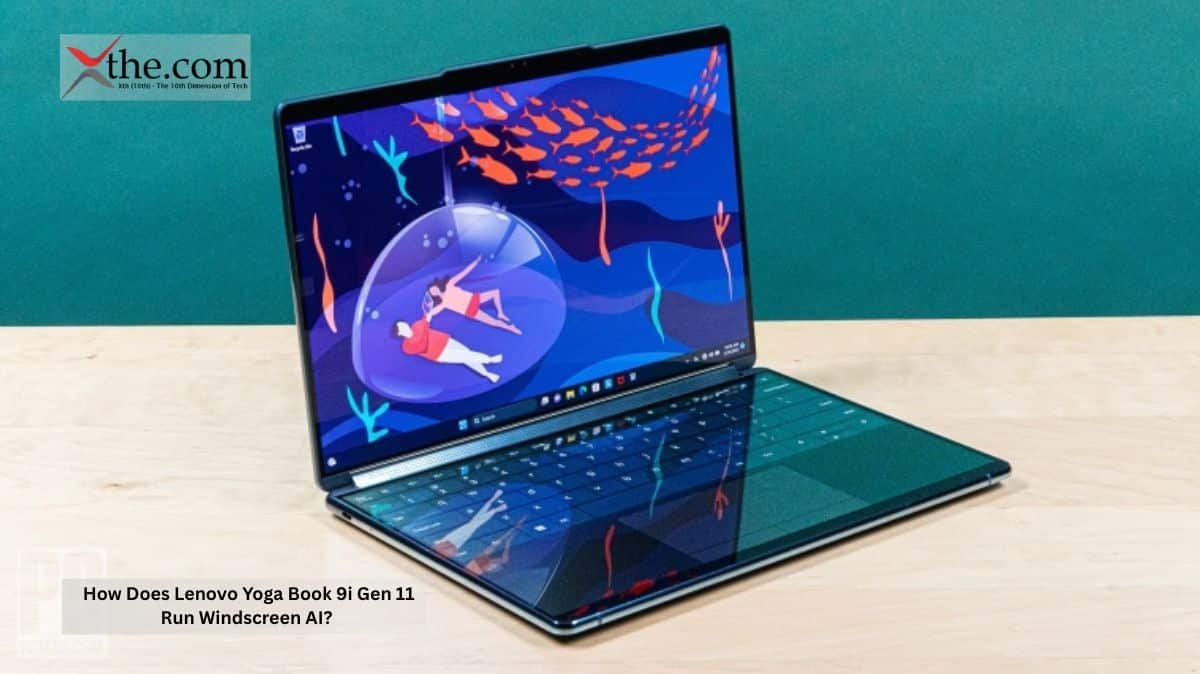
The Lenovo Yoga Book 9i Gen 11 takes a new approach. Lenovo designed this portable laptop to handle workspace distribution through hardware, not just software. Its Twin Screen AI moves computing resources between the two OLED screens based on how you use your apps in real time.
This design changes how mobile professionals multitask while traveling, working remotely, or managing large amounts of data outside the office.
Why the Lenovo Yoga Book Uses a Different Processing Strategy
Most dual-screen laptops just copy tasks across both screens. This can cause more heat, drain the battery faster, and cause uneven performance when apps compete for graphics and memory resources.
Lenovo’s engineers seem to have solved this problem by building workload balancing right into the laptop’s motherboard.
The Lenovo Yoga Book assigns graphics and AI tasks based on how you use the device. For example, if you have a video call on the top screen and analytics on the bottom, the system manages memory and display resources for each screen separately rather than treating them as a big monitor.
You’ll observe this most during AI-powered productivity tasks.
For example, a lawyer might use one screen to review contracts with summarization tools and the other for reference materials or client chats. The laptop keeps adjusting memory to keep both screens responsive.
This is where twin-screen AI is not simply a buzzword. It actually manages your tasks in real time.
How The Dual OLED Display Supports AI Workflows
Localized Visual Processing Reduces Memory Congestion
The main feature is the stacked dual OLED display. Each screen can independently adjust its refresh rate and rendering priorities.
This is important because AI-powered apps often need different amounts of processing at different times.
For example, if a designer uses image generation tools on one screen and streams asset previews on the other, both tasks compete for graphics processing power. Regular notebooks often slow down in this situation because the graphics chip treats both screens the same.
The Lenovo Yoga Book focuses more resources on the apps you’re using. Most active apps get more graphics power while background screens use less, so your experience continues smoothly.
This setup is similar to how cloud systems divide resources, but here it’s all packed into a laptop that weighs less than three pounds.
Why Local Copilot Processing Matters
Microsoft is moving more AI tasks onto personal devices, and Lenovo built this system to support that trend.
With local Copilot acceleration, smaller AI models can run directly on the device, reducing reliance on the cloud. This makes productive tasks faster.
Imagine a consultant traveling between airports while working on a client presentation. The internet connection keeps chugging, so cloud-based AI tools can’t always be trusted.
With localized AI processing, the Lenovo Yoga Book can continue productive text generation, contextual search, and workspace recommendations without depending entirely on internet connectivity.
The laptop can predict your workflow needs right on the device.
Engineering Around It in a Dual-Screen Chassis
Sophisticated Thermal Management Inside a Thin Frame
Using two OLED screens at once naturally creates heat challenges.
OLED screens offer great contrast and color, but keeping them bright for long periods creates hotspots around the display. When you add AI features and constant graphics use, controlling heat becomes a real challenge.
Lenovo counters this with layered thermal management systems that spread heat across the hinge and the lower part of the laptop, rather than letting it build up under the keyboard.
The cooling system is built for long multitasking sessions, not just short performance tests.
This matters for professionals who work for eight or ten hours at a time. A laptop that only works well for a few minutes isn’t helpful if it slows down during a long flight when you’re working on financial models.
Why the Ergonomic Split Changes Mobile Productivity
The way the laptop is built might be even more important than the processor inside.
The ergonomic split design lets you set up screens vertically or horizontally, depending on your work. Vertical stacking helps coders see documents alongside their code, while horizontal layout is better for video editing and financial dashboards.
Traditional laptops force everyone to use the same physical setup regardless of their job.
Lenovo’s dual-screen design recognizes that today’s work frequently involves juggling many visual tasks at once.
The term ‘Lenovo Yoga Book 9i dual-screen AI application optimization’ is coming up more in business tech talks. Developers now see that managing interfaces is a processing challenge, not only a display issue.
This new understanding could change how future laptops are designed.
The next step in mobile computing might not be about making devices thinner or a bit faster. Instead, it could be about systems smart enough to organize your work before you even move a window.
Source: Lenovo StoryHub