




If you are looking for a new and powerful machine to play your favorite games, a gaming laptop is one of the most versatile options for American gamers in 2026, it is important to know the best gaming laptop and gaming laptop requirements. Many people are also interested in knowing the best GPU for gaming laptop and how to get the best performance for a gaming laptop under 1000. This article will help you know everything about choosing a budget gaming laptop without overspending as well as gaming laptop specs. Let’s dive into article.
What defines a gamer’s laptop?
A gamers laptop is a notebook computer designed to play modern AAA games smoothly, generally with a discrete GPU, high-refresh screen, and sometimes additional cooling solutions. Unlike an ultrabook, which is designed to be ultra-thin and portable, a gamers laptop is designed to play games rather than be portable. To most people, the defining feature of a gamer’s laptop is the discrete GPU, while integrated graphics can play older games or indie titles, but modern games need a discrete GPU.
Key gaming laptop specs to check
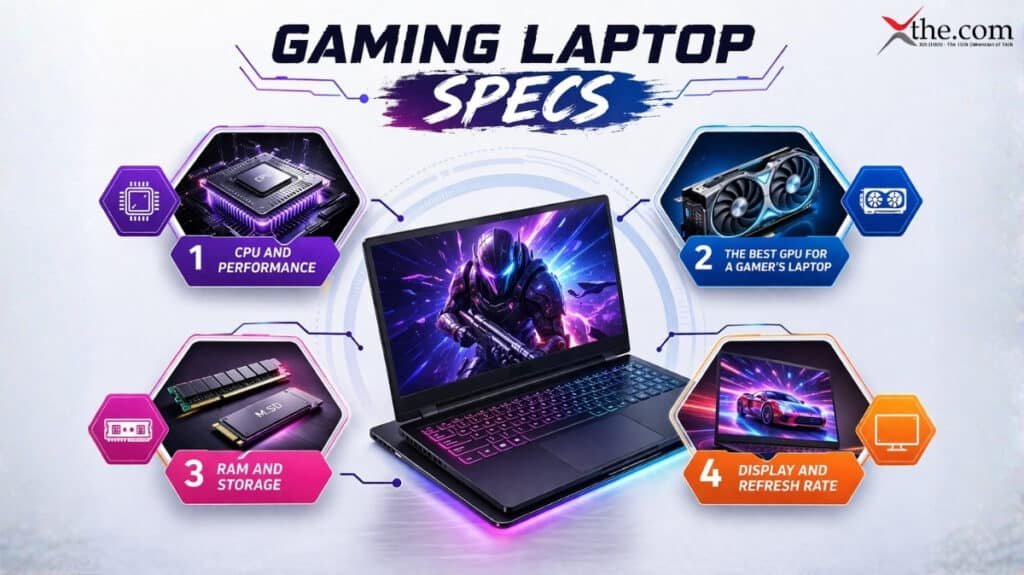
Essential specs to check when choosing a gamers laptop
When choosing a gamers laptop, there are four essential specs that should be considered, including the CPU, GPU, RAM, and display.
1. The CPU and performance
When choosing a gamers laptop in 2026, look for a Core Ultra processor from Intel or a Ryzen 7/9 series processor from AMD. The GPU is crucial in a laptop, but the processor should be fast enough to handle physics, AI, and background activities, especially if you enjoy playing open-world games or streaming games. A mid-range quad-core processor should be enough, but a six-core or higher processor would be recommended.
2. The GPU: The best GPU for a gamer’s laptop
The best GPU for a gamer’s laptop will depend on your resolution and target framerate. If your resolution is 1080p and target framerate is 144Hz, then an NVIDIA RTX 5060 or AMD Radeon RX 9060 series GPU should be enough. If, however, your resolution is 1440p or 4K, then an NVIDIA RTX 5070 or better, or AMD’s RX 9070, would be recommended. The VRAM should be 6-8GB, but 12-16GB would be recommended if you plan to use your laptop in a few years.
3. RAM and storage
While most current gamers will play well with 16 GB of RAM, 32 GB is becoming the optimal choice for gaming with additional applications running, video editing, and even futureproofing. On storage, fast NVMe SSDs are now the norm. While 512 GB is sufficient, 1 TB is better if you have to juggle multiple large games and applications.
4. Display and refresh rate
For a good balance, at least a 1080p IPS display with a 144 Hz refresh rate is necessary. If you’re into competitive shooters, higher refresh rates of 240 Hz or more are desirable. OLED displays on some of the best gamer’s laptops offer better display colours and contrast at the expense of battery life. Also, displays brightness of at least 250-300 nits is necessary, especially if you use the machine for creative work.
Budget gamers laptops under $1,000

One can find a decent budget gamer’s laptop. Under a budget of $1,000, one can expect a previous gen CPU and a mid-range GPU like an AMD Ryzen 7 processor paired with an RX 7600S GPU or an entry-level RTX 30 series and RTX 40 series GPU. Under this budget, one can expect to play most games at 1080p resolution with medium to high graphics settings, especially if one does not mind turning down ray tracing and ultra effects a bit.
Some of the most searched and popular budget gamer’s laptops in the US market include the ASUS TUF Gaming A15/A16 and some models from Acer Nitro and Predator Helios laptops, especially those configured around a budget of $1,000, which often come with a 144Hz screen, 16GB RAM, and a 512GB SSD, all packed in a relatively light and slim form factor, ideal for casual and competitive gamers on a budget.
How gamer’s laptop requirements change by use case

Gamer’s laptop requirements should match your gaming use cases:
•Casual/Esports gaming: 1080p 144Hz display, RTX 5050-5060 GPU, 16GB RAM, 512GB SSD, and so on, are more than enough for gaming titles like Fortnite, Valorant, League of Legends, and many other indie games.
•AAA 1080p gaming: For AAA gaming, a 1080p display, RTX 5060 Ti or 5070 GPU, and 16-32GB RAM are recommended for playing games like Cyberpunk 2077, Elden Ring, and many other AAA titles, including Horizon Zero Dawn.
•1440p or 4K gaming: For 1440p and 4K gaming, RTX 5070 and above, or AMD RX 9070, and a minimum 16GB RAM and 1440p or 4K display are recommended. These are usually thicker, heavier, and more expensive gamers laptops, but they are the best gamers laptops for a desktop-class gaming experience.
Form factor and portability
Gamer laptops can be anywhere from ultra-portable 14 inch “thin and light” laptops to 17-inch behemoths designed for desktop replacement. If you have to travel with your laptop, or carry it to school/work, a 14–15-inch laptop with a 6 core cpu and a mid-tier gpu might be your best bet. If you are playing games at home and have no such issues, a 16–18-inch laptop with a high-end gpu and cpu can be justified despite its bulk.
Battery life for gamer laptops is generally low, with some high-end models having a battery life of merely 3-6 hours on a single charge. Budget and mid-range laptops can have battery lives closer to 6-8 hours, but this can vary based on screen brightness. Other things to consider for marathon gaming sessions would be keyboard, touchpad, and cooling systems. Loud fans and hot lap temperatures can be quite distracting.
How to choose the right gamers laptop for you
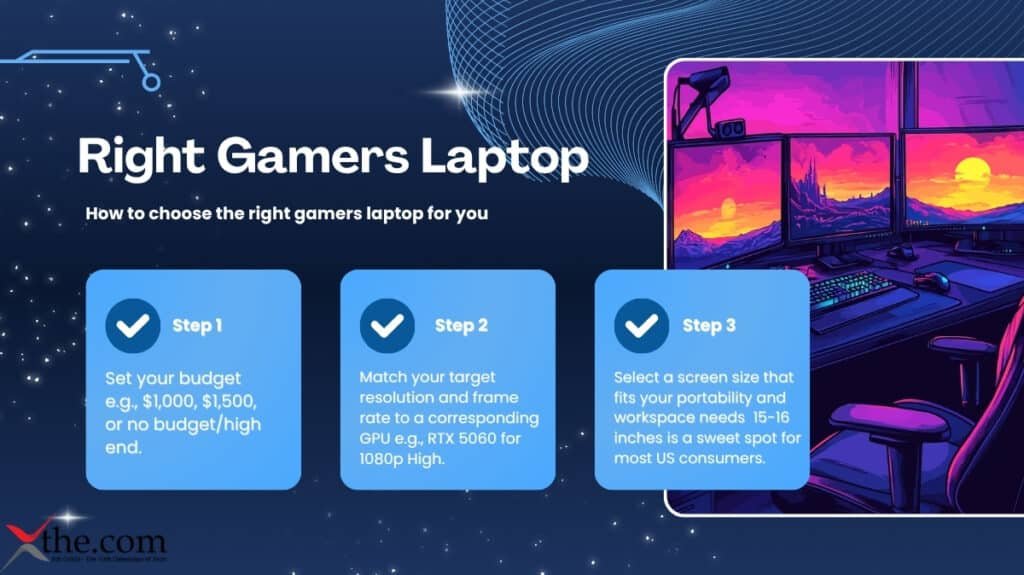
To narrow down your options, consider your budget and intended use:
- Step 1: Set your budget (e.g., $1,000, $1,500, or no budget/high end).
- Step 2: Match your target resolution and frame rate to a corresponding GPU (e.g., RTX 5060 for 1080p High, RTX 5070 for 1440p High).
- Step 3: Select a screen size that fits your portability and workspace needs; 15-16 inches is a sweet spot for most US consumers.
In conclusion, therefore, buying the best gamer’s laptop in 2026 is a matter of finding the right match between your budget and laptop that gaming needs and the laptop specifications and requirements.
FAQS
1. What is the best gamers laptop for 2026?
The best laptop for 2026, depending on your requirements and budget, includes the ASUS ROG Zephyrus G16, the HP Omen MAX 16, and the MSI Raider 18 HX AI, among others. The best laptops for 2026 are those that are equipped with high-performance CPUs, high-tier dedicated graphics cards, high-refresh rate screens, and excellent cooling systems, among other requirements for a smooth gaming experience.
2. What are the best specs for a gamer’s laptop?
The best specs for a gamers laptop include a high-performance CPU such as the Intel Core Ultra or the AMD Ryzen 7/9, a dedicated graphics card such as the NVIDIA RTX 50-series or the AMD RX 9000-series for a smooth experience, a minimum of 16 GB RAM, an NVMe SSD with a minimum capacity of 512 GB and a preferred capacity of 1 TB, and a high-refresh rate screen with a minimum rate of 144 Hz.
3. Are there good budget gamer’s laptop available under $1,000?
Absolutely, and some of the best budget gamers laptops available in the market are the ASUS TUF Gaming A15/A16 and the Acer Predator Helios Neo 16, among other configurations. The budget gamers laptops are ideal and offer the best value, as they feature 144Hz screens, mid-range graphics cards, 16 GB RAM, and 512 GB SSDs, making them ideal for playing most modern games at 1080p with medium to high settings.
4. What is the best video card for a gamer’s laptop?
The best video card for a gamer’s laptop depends on the screen resolution and the desired frames per second. If you are looking to play games at 1080p with high frames per second, the NVIDIA GeForce RTX 5060 and other NVIDIA GeForce RTX 5060-class video cards are the best, while the NVIDIA GeForce RTX 5070 and AMD RX 9070 are the best video cards for 1440p and 4K screens, as they offer the best performance in modern games and feature ray tracing, along with other modern technologies.
5. How do I know if a gamer laptop meets my requirements?
You can match the specs of a gamer’s laptop to your own gaming style. For casual or esports gaming, a 1080p 144Hz monitor and a mid-range GPU are required. For AAA 1080p gaming, an RTX 5060 Ti or 5070 and 16-32 GB RAM are necessary. For 1440p or 4K resolution, a high-end GPU and 16 GB RAM or higher are required. Other factors to consider are the size, weight, and battery life of the laptop.
Source-