




Redmond.
Atomic Answer: Microsoft’s May 2026 Windows update enforces tighter driver rules and smarter taskbar AI, effectively mandating NPU-compliant hardware for full feature access. This quiet update forces enterprises to accelerate hardware refreshes to maintain security compliance and AI performance.
A Fortune 500 IT administrator found that 14% of the company’s test laptops failed a compliance rollout after a routine preview update. The problem wasn’t ransomware or broken encryption. Instead, an updated neural processing unit driver quietly blocked key operating system functions. This incident shows why Microsoft’s move toward an AI OS is making enterprises reconsider hardware lifecycle planning much sooner than they thought.
The Microsoft 2026 Windows 11 update marks a big change in how enterprise operating systems work. Microsoft now treats AI acceleration as a standard part of the system, not just an extra feature. This shift directly affects procurement teams, CIOs, hardware vendors, and security managers as they navigate the next enterprise PC refresh cycle.
Microsoft is Turning Windows Into an AI OS
For years, Windows updates mainly brought security patches in the first weeks and better compatibility. The 2026 plan is different. Microsoft now sees Windows 11 as an integrated AI OS with local AI processing, supporting productivity, security analysis, contextual search, and user assistance right on the device.
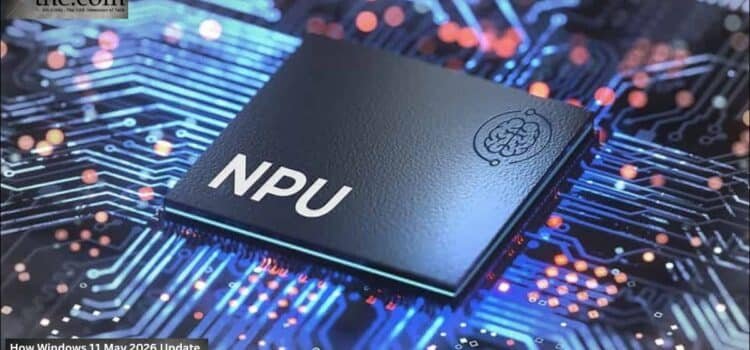
The shift depends heavily on the NPU.
NPUs, unlike GPUs or CPUs, handle ongoing AI tasks while using less power. Microsoft’s latest Copilot features contextual indexing and adaptive workflow tools that now depend more on dedicated AI hardware. Devices without the right neural acceleration hardware can still run Windows, but they might miss out on some advanced features.
This difference is important for enterprises because having different features across devices makes management much harder.
A company rolling out 20,000 laptops can’t risk inconsistent AI features across departments. Once AI is built into the operating system, having the same standards across all devices becomes crucial.
Why New Driver Roles Matter More Than Most Enterprises Realize
The new driver rules in Microsoft’s May 2026 update might seem technical at first, but they actually mark a big change in how things are managed.
In the past, driver certification was mostly about hardware stability and security. Now, Microsoft’s new rules require AI acceleration compatibility, memory isolation, and better coordination between firmware and the operating system. This puts pressure on OEMs that sell enterprise laptops with older AI chips.
A device that’s only two years old might have an NPU, but it could still fail Microsoft’s new standards if the chip maker stopped updating the firmware. This creates hidden risks for long-term enterprise use.
For CIOs, the implications are expensive.
If a rollout of thirty thousand systems is delayed, it can cost millions, especially when updates affect finance, healthcare, logistics, and government. Companies that overlooked firmware issues during Windows 10 upgrades might face similar problems with the new AI OS.
The Enterprise PC Refresh Cycle Is Accelerating
Companies used to replace PCs every five or six years, but AI workloads are making that cycle much shorter.
The modern enterprise PC refresh no longer centers only on battery health or processor speed. Enterprises now evaluate systems based on AI acceleration readiness, thermal efficiency, firmware longevity, and compliance adaptability.
Microsoft’s evolving requirements strengthen that trend.
The 2026 update brings new security defaults that use AI to analyze threats and monitor behavior. Some features now run locally on dedicated AI hardware instead of in the cloud. This speeds up response times and lowers bandwidth use, which is especially helpful in regulated industries.
The side effect is clear: older systems become outdated and riskier much more quickly. Top-level operations across airports, client sites, and hybrid offices may prefer local AI processing over constant reliance on the cloud. Local inference reduces latency and improves privacy controls. But that model only works if every deployed endpoint supports compliant NPU acceleration and updated firmware standards.
Taskbar AI Is Becoming an Operational Layer
The new taskbar AI features in Windows 11 might seem just like a visual change to casual users, but they are much more than that.
Microsoft is turning taskbar-based AI assistants into tools for managing workflows, not just chatbots. Early previews show features like finding files, summarizing meetings, suggesting workflows, and giving system recommendations all built into the operating system.
This creates another reason for Microsoft’s patented driver rules.
For real-time AI to work well, the operating system and AI hardware need to communicate quickly and reliably. Bad drivers can cause crashes, drain batteries, and make AI responses unreliable. Large organizations can’t afford these problems when rolling out AI-powered collaboration tools.
This is why companies like Intel, AMD, and Qualcomm are pushing AI PC platforms with built-in NPUs. Hardware makers know that future Windows certifications will likely focus more on AI performance and traditional computing power.
Security Defaults Shift the Balance of Risk
As Microsoft adds more AI features to the operating system, security becomes increasingly tied to the hardware itself.
The new security defaults now rely on closer integration between hardware, firmware, drivers, and cloud identity systems. This can reduce some security risks, but also creates new dependencies.
Take a healthcare network that manages patient records across different regions. If a driver issue turns off AI-powered anomaly detection or credential checks, the organization could weaken its security without realizing it. This is where the long-tail concern around Windows 11 2026 enterprise deployment risks becomes significant.
The main risk isn’t just failed updates. The bigger issue is having different compliance levels across thousands of devices with different firmware. Companies might find that identical laptops act differently depending on when or where they were deployed or which vendor supports them.
This complexity puts more pressure on procurement teams to stick with a smaller set of hardware vendors.
Microsoft Is Quietly Reshaping Enterprise Buying Decisions
Microsoft’s overall goal with the May 2026 update is becoming clear. The company wants businesses to see AI-ready hardware as essential infrastructure, not just a nice-to-have upgrade.
This shift is changing how companies buy hardware.
Organizations planning a major enterprise PC refresh in late 2026 or early 2027 will likely focus on long-term AI driver support rather than just standard warranties. Relationships with OEMs may shift from price-focused to emphasizing firmware viability, update schedules, and AI certification plans.
Companies that move quickly may benefit from faster local AI, better automation, and stronger security. Those who wait could end up with fragmented systems where unsupported drivers threaten productivity and compliance.
In the past, upgrading operating systems was mostly about software. Now, Microsoft’s AI OS strategy means that hardware alignment will be just as important as software in the years ahead.
- Enterprise Procurement Checklist:
- $MSFT update rolls out May 12; focuses on stability and AI.
- Risk: Older drivers may fail under new “Tighter Driver Rules.”
- Deployment: Xbox mode gives mobile workstations console-level efficiency.
- Procurement: Prioritize “Copilot+” ready PCs for consistent UX.
- Action: Test mission-critical apps against the May 12 security defaults.
Source: Windows 11’s May 2026 update brings meaningful upgrades across the OS