
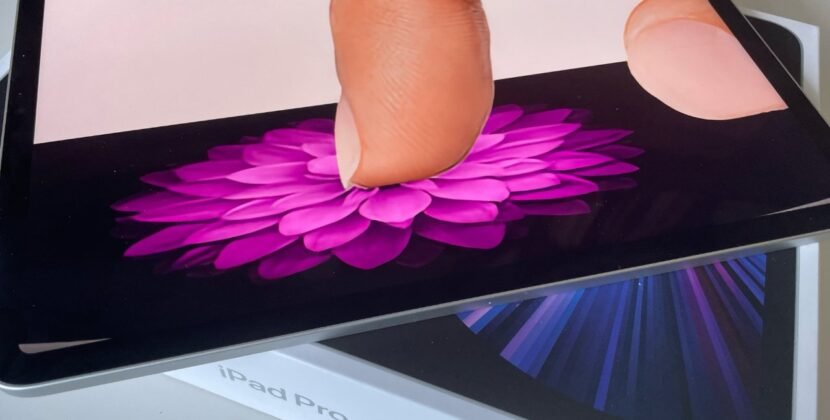


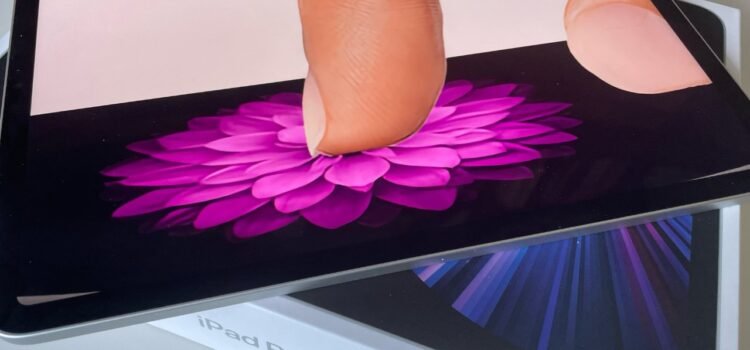
Apple holds patents for haptic display technology that enables users to feel virtual buttons, textures, and interface elements on touchscreens. These inventions address the lack of tactile feedback on flat screens with localized vibrations and shape-fitting displays.  

Main features of Apple’s Haptic Play patents  

  • Instead of vibrating the entire device, Apple’s patent proposes a grid of piezoelectric actuators or electrodes beneath the display. These elements provide controlled tactile feedback at specific locations, enabling users to feel the outlines or boundaries of virtual buttons through local vibrations.  
  • The technology mimics material textures by altering friction or vibration frequency. As users move their fingers across the screen, they feel different surfaces.  
  • Dynamic surface deformation: patent 9600070 describes a user interface with changeable topography. In which electromechanical components push or pull on a flexible display to create 3D shapes. This can form raised buttons, scroll wheels, or ridges for fun navigation.  
  • Temperature control. The patents mention temperature-control devices such as Peltier devices to simulate material feel. Users could sense the metal’s coolness or the wood’s warmth, enhancing tactile realism.  
  • Force-sensitive input. The haptic layer works with force-sensing technology. So the display detects light versus firm touches and triggers different actions.  

Possible Applications 

  • Enhanced accessibility. Users with visual impairments could feel UI elements like apps, sliders, and controls.  
  • Virtual keyboards simulate the feel of a mechanical keyboard on screen, improving typing speed and accuracy by providing key feedback.  
  • Gaming and UI design form distinct 3D shapes on the screen for game controls, tools, or sliders that change dynamically by app.  

In summary, these patents demonstrate Apple’s sustained research into haptic technology, dating back from 2008 to 2012. They indicate a future where ritual interfaces might feel as real as physical buttons.  

On March 22, Apple Insider reported that Apple had received a US patent for technology that allows dynamic shape and configuration changes in a portable device’s display to provide a tactile user experience.  

Patent 9,600,070 lets user interfaces change shape, enabling devices to adapt physically to user needs.  

The patent says an iPhone screen could use components under the display to push or pull a flexible surface, providing a different tactile experience.  

Device shape modifications correspond to UI elements. For example, screen elevation changes can represent calculator buttons, map routes, or navigation arrows for media playback.  

This technology enables the physical simulation of virtual objects, improving interaction and accessibility for visually impaired users and offering tactile control without requiring direct visual attention.  

Shape transitions are achieved through a matrix of configurable nodes beneath the display. These nodes collectively form patterns and tactile cues that align with interface elements.  

The patent describes several types of mechanical brakes, including electromechanical pistons, nickel-titanium alloys, and piezoelectric crystals. While piston brakes are easy and easier to manage. Materials that respond to heat, electricity, or magnetism can offer more exact control over or shape changes.  

Actuated brakes physically alter the display dash by stretching, protruding, or deforming it. The effect depends on material properties and stimulus. This method results in bidirectional surface modifications.  

Brakes can also induce kinking, rotation, or movement of the flexible display for further tangible UI transformations.  

Devices integrate various brakes to modify dimensions (height, width, length), structures, textures, or layouts for rich, versatile surface changes.  

The technology may also apply to components like MacBook touchpads or iPod touch displays, enabling 3D interface effects beyond virtual buttons.  

The patent contemplates using larger displays and scaling tactile interface elements to achieve potentially pixel-level resolution with high responsiveness. One seal breaks for complex surface geometries.  

Filed in 2008, this patent’s technology may not be imminent in production. Apple continues to advance user interface design.  

Source: Apple Obtained The Patent Of Screen Deformation, Mobile Devices Provide True Haptic Feedback
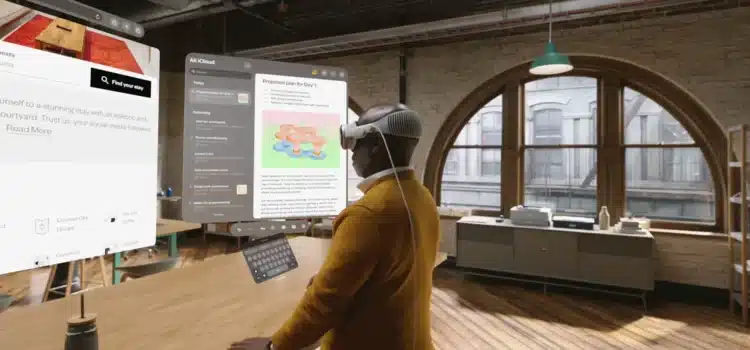
Apple has received or applied for patents to enhance the Vision Pro by turning flat surfaces, such as desks and interactive touch-sensitive displays, into touchscreens. This technology solves ergonomic issues of in-air typing by using thermal touch or computer vision to detect real objects. Touches are translated into virtual commands.  

Key Aspects of the Technology 

  • Surface mapping: Vision Pro recognizes surfaces and places apps or controls, such as a keyboard, directly on a real desk.  
  • Thermal touch technology, from Metaio (acquired by Apple in 2015), uses infrared sensors and thermal cameras to detect heat from a user’s finger when it touches a surface, turning that touch into a command.  
  • Virtual trackpad/input column: The patents describe enabling any flat surface to function as a virtual “magic trackpad,” enabling gesture input without an actual device.  
  • Developer applications: this foundation enables apps such as note-taking tools like Touch Desk to run in the background and let Users jot notes on their desks. It also boosts productivity and helps the system recognize when a hand covers a virtual object.   
  • Alternative to the Vision Pros in-air virtual keyboard: This technology offers a practical alternative that addresses the lack of haptic feedback during long typing sessions.  

This technology is part of a broader spatial computing ecosystem intended to seamlessly integrate physical environments with the digital world. Interaction models.  

An Apple patent granted last week described a wide range of potential Vision Pro accessories. Notably, it details a hardware device that turns your desk dash or any flat surface dash into a virtual magic trackpad with full gesture support, enabling more versatile and immersive interaction with the headset.  

At first glance, the patent is somewhat odd: it uses one piece of physical hardware to emulate a virtual view of another piece of physical hardware. However, despite the initial strangeness, there are some potential benefits to Apple’s approach.  

Vision Pro Accessories 

Building on this, the more general patent describes a modular approach to adding hardware capabilities to a headset like Vision Pro.  

These include additional cameras for an even wider field of view and a range of sensors to enhance the headset’s capabilities.  

Given Apple’s strong health focus, it’s not surprising that some of the proposed accessories are health sensors of various kinds. Apple further describes fashion accessories.  

Virtual Trackpad 

With this in mind, the most exciting possibility for this technology to me is replacing a Mac and an external monitor with a headset, whether for travel or permanent use.  

To try out similar solutions, I’ve been experimenting with a Meta Quest app that lets you run multiple virtual Mac monitors. I’ll write more about it in a separate piece soon. While controllers and hand gestures work, they are no substitute for a magic keyboard, which is why I’ve been using the headset with a physical keyboard and trackpad.  

Apple’s proposed approach addresses this by potentially turning any flat surface, from a desk to an airline tray table, into a virtual trackpad with full gesture support.  

While this concept may be possible using vision‑pro cameras to detect hand gestures, the patent notes that this method may not always be reliable; as an alternative, it suggests that cameras in external devices placed on the surface could perform better.  

Notably, a device may be better able to detect surface taps because it is also located on the surface, and therefore, sensors may have a clear line of sight to the tap location. In contrast, [another] device may resort to depth analysis to determine whether the object has moved along the z axis sufficiently to qualify as a tap on the surface in some embodiments. The set of one or more criteria includes a requirement that the object be valid. For example, an object is valid when it is a digit of a hand. In some embodiments, an object is a valid object when the object is a writing instrument. (e.g., pen, pencil) or a stylus.  

But the gist appears to be that a camera on a flat surface will be better at detecting a gesture, like a trackpad tap, than a camera mounted on the head.  

The patent illustrations show a small box on the table that detects other Magic Trackpad–like gestures, such as rotating a photo with the thumb.  

What’s the Benefit Over a Physical Trackpad 

If the hardware only emulates a trackpad, why not use a regular one?  

The patent doesn’t address this directly, but the illustration suggests the device may be smaller than a typical trackpad. Additionally, since it tracks both a writing instrument and a hand, the accessory might offer greater flexibility than a standard trackpad, possibly allowing users to interact in more ways or adapt to different input needs.  

Will We See Vision Pro Accessories at Launch? 

With significant time before launch, Apple still has room to introduce new Vision Pro accessories or hint at future models, potentially shaping the user experience in innovative ways and keeping anticipation high for the upcoming release.

SourceVision Pro accessory could turn any flat surface into a virtual trackpad, with gesture support