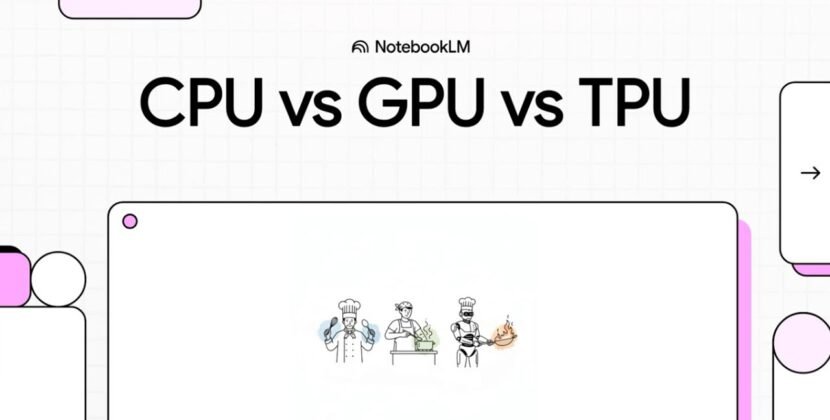




Tensor Processing Units (TPUs) are Google’s solution for AI processing. They are built for fast, low-precision calculations, which are common in deep learning. TPUs are only available through Google Cloud Platform, supporting high-performance computing and deep learning.
Graphics processing units (GPUs) are flexible and can handle a wide range of tasks. Many developers are already familiar with using them.
This article covers the differences and similarities between TPUs and GPUs. It includes sections on performance, application suitability, cost, accessibility, and ecosystem support.
Introduction to AI Infrastructure
AI infrastructure refers to the hardware and software components supporting an AI application or project.
Powerful processors and storage systems are at the heart of AI infrastructure. They provide the computing power needed to train and run complex neural networks, manage large datasets, and perform machine learning tasks efficiently.
Understanding TPUs Versus GPUs
Each type of processor plays a different role in computing.
Google developed TPUs to meet the specific needs of AI workloads. They are designed to speed up neural network computations.
GPUs were originally designed for graphics rendering, but they are now powerful tools for parallel computing across many areas.
Both GPUs and TPUs have special features that make them useful in different situations.
What Is A GPU?
GPUs are designed to handle many tasks simultaneously. Over time, they have become capable of running complex math calculations. Their ability to handle multiple tasks simultaneously makes them well-suited for deep learning and big data analysis.
GPUs were originally designed for graphics, but their ability to handle many operations simultaneously makes them highly valuable for AI.
Today, GPUs are commonly used for machine learning. They are flexible and work well with many different AI frameworks and libraries.
What Is A TPU?
TPUs are designed to enable AI tasks to run more efficiently. Google TPUs are especially good at speeding up deep learning models.
TPUs were created to run TensorFlow applications efficiently and deliver a significant performance boost for the power they consume.
TPUs are designed for specific tasks, such as tensor computations. This focus makes them very effective for large-scale AI projects.
TPU Architecture And Benefits
TPUs are application-specific integrated circuits (ASICs) designed for machine learning and deep learning. The design is optimized for matrix operations, which are the foundation of neural networks.
A main advantage of TPUs is their ability to deliver high-performance computing.
TPUs can handle the intensive computations required to train complex neural networks, making them ideal for deep learning. They are also built to use less power, which is important for large AI projects. This energy efficiency helps lower costs and reduce environmental impact.
Another big advantage of TPUs is scalability. They can be scaled up or down to match changing workloads, so AI applications can grow and adapt as needed. This flexibility makes TPUs valuable to organizations that want to deploy AI at scale.
Performance Comparison
Performance is a key factor when comparing GPUs and TPUs. Each one has its own strengths depending on the task.
- GPUs are very versatile, so they work well for many different applications. Using multiple GPUs in a cluster boosts deep learning and big data analysis performance. Their design supports many types of tasks, which makes them popular.
- TPUs are built to be as efficient as possible for certain AI tasks. This focus leads to strong performance in those specific areas.
Knowing what each processor does best helps you choose the right one for your AI needs.
Speed, Efficiency, and Parallel Processing
The main differences between GPUs and TPUs show up in their speed and efficiency.
- TPUs are very fast at deep learning tasks because of how they are built. They are made to quickly handle tensor operations, which helps speed up AI workloads.
- GPUs boast a robust design that supports multitasking. Although perhaps not as quick as TPUs in specific AI tasks, their ability to run multiple operations simultaneously makes them suitable for many tasks. Because of this versatility, GPUs are effective for many types of computing tasks.
Precision And Flexibility
- Trade some precision for speed. They work best with low-precision tasks, which boosts performance for certain AI models. This makes them a good fit for jobs where small approximations do not affect results.
- GPUs are best for tasks that need high precision, such as scientific simulations. Their accuracy and flexibility make them useful for many different machine learning models. This is why developers often rely on GPUs for a wide range of AI projects.
Compute Nodes And Scalability
A compute node is a physical or virtual machine with a GPU or TPU. These nodes provide the computing power needed for AI tasks, from training models to running inferences. This is a key feature of compute nodes. They can be scaled up by adding more GPUs or TPUs to a single node or scaled out by adding more nodes to a cluster. This flexibility allows organizations to adjust their AI infrastructure to meet changing demands.
- In a GPU cluster, several GPUs work together to process large datasets and run complex neural networks. This team is important for handling the heavy computational requirements of modern AI.
- TPU clusters help speed up deep learning tasks by providing powerful computing that can be scaled up for any AI project
By using scalable compute nodes, organizations can build strong AI systems that support advanced applications. Whether you use GPUs or TPUs, these nodes are the foundation for efficient and powerful AI solutions.
Application Suitability
The choice between TPUs and GPUs depends on what your application needs.
- TPUs work best for neural network tasks. Their special design makes them ideal for some AI applications.
- GPUs are very adaptable. Their versatility means they can handle many types of computing tasks, not just AI.
Remember these differences when deciding which processor to use.
AI, Deep Learning, and Machine Learning Workloads
TPUs deliver excellent performance for training large neural networks. Their design delivers top performance for deep learning models, greatly reducing training time.
GPUs provide substantial flexibility. They support a variety of machine learning frameworks. This allows developers to experiment freely, especially with complex models. This opens the door to extensive AI development.
Other Applications
GPUs are also great for gaming and virtual reality because of their graphics performance. TPUs, on the other hand, are made just for AI, so they are less useful for other tasks.
Cost And Accessibility
The cost of using TPUs and GPUs can vary a lot.
- TPUs often give you more performance for the money, especially in large AI projects.
- GPUs cost less upfront, which makes them a good choice for smaller projects or startups with tight budgets.
To choose the right option, you need to consider both the starting cost and the ongoing expenses.
Initial Investments And Costs
Initial investment: an important factor when deciding between TPUs and GPUs, as TPUs are more affordable upfront. This makes them accessible for individual researchers and small enterprises.
TPUs are often available through cloud services, so their costs depend on how much you use them. Even though they may cost more at first, TPUs can save money over time because they use less energy.
Looking at these factors will help you make a better decision.
Availability for Consumers and Businesses
- GPUs are common in both home and professional settings. They can be easily added to personal computers and servers.
- TPUs are mostly available through the cloud. This means they are not as easy to access directly, but they offer good scalability for businesses.
Ecosystem and Community Support
The support and community around GPUs and TPUs are important to their widespread adoption.
- GPUs have a large community and lots of documentation. There are many forums and guides that make it easier to solve problems.
- TPUs are mainly supported by Google. They have strong support but fewer users than GPUs.
Choosing a platform with good community support can make development and troubleshooting much easier.
Software And Framework Compatibility
Flexibility lets developers easily switch between different tools in the AI ecosystem.
- GPUs work with many different software frameworks. They are supported by popular machine learning libraries such as TensorFlow, PyTorch, and Caffe.
- TPUs are designed to work best with TensorFlow, Google’s machine learning framework. This close connection improves performance but can limit flexibility.
Knowing which software works with your hardware is important for running AI projects smoothly.
Developer Experience and Learning Curve
If you are used to working with GPUs, switching to TPUs can be tough. The programming models are different, so you may need to learn new ways of working. This can slow down development at first.
Once you get used to TPUs, you can achieve high performance. Picking the right hardware means considering these factors and your project’s needs.
Future Outlook and Advancements
AI hardware is improving quickly with new innovations all the time. Both TPUs and GPUs are getting faster and using less energy. Future improvements will likely make AI tasks even quicker and more efficient. The differences between the two may become less clear over time.
New technologies could change how AI hardware operates. Specialized chips may take over some tasks from traditional processors. TPUs and GPUs will keep adding more AI-focused features to boost speed and scalability. This will help AI projects achieve more or even more.
As AI hardware improves, other industries will benefit from faster processing and lower costs. For businesses, keeping up with hardware trends is important. Staying competitive means using the most efficient technology available.
Source: What is TPU vs GPU?


