




You tap your phone screen to answer a call, scroll through emails, or unlock your device and nothing happens. No response. No feedback. In the United States, where smartphones and touchscreen laptops are essential for work, banking, navigation, healthcare apps, and daily communication, a non-responsive touchscreen can feel like your entire digital life has come to a halt. You will be happy to know that most touchscreen problems are temporary and are not the result of hardware issues. Most touchscreens are shut down by software problems, environmental issues or poor calibration. Touchscreens are not often inoperable because of a problem with the actual screen, and some of them can be repaired without going to a professional. This guide will provide you with the reasons touchscreens fail as well as detailed steps on how to accomplish different tasks to help you and all other people in the United States get to your desired results. 

Why touchscreens stop responding 

There are 3 categories of issues with touchscreens: hardware damage, software-related, and environmental. 

Software-related issues happen most often and occur after a software update, an app crashes, and not restarting your phone/tablet for a long time. 

Environmental factors that could inhibit capacitive touch sensors include moisture, extreme temperatures, and static electricity. Accessory items such as screen protectors, thick cases, and third-party stylus pens may also inhibit touch sensitivity. 

Actual hardware damage, such as a cracked digitizer or loose internal connector is less common, though it can occur after drops or liquid exposure. 

Start with the simplest checks first 

Before assuming your touchscreen is broken, start with the basics. Restart the device. This single step resolves a surprising number of touchscreen issues by clearing temporary software glitches and restarting background services. 

Next, completely clean the screen by using a microfiber cloth. Hand sanitiser is particularly common since the pandemic and can leave oils, sweat and other residue on the screen which may prevent the screen from detecting your finger touching it. You should also remove any gloves as touch screens will not typically register your finger when you are wearing gloves unless they have been designed specifically to be touch enabled. 

If you’re using a screen protector, remove it temporarily. Poor-quality or damaged protectors are a frequent cause of unresponsive touch input. 

Touchscreen not responding on a smartphone 

On smartphones, touchscreen failures often appear as delayed response, missed taps, or complete unresponsiveness in certain areas of the screen. This is usually related to software issues or interference from apps. 

Update your device’s operating system (iOS or Android) if it is functional enough to complete an update. New operating system releases include fixes for bugs related to touch input. Be sure to also update any installed applications, as outdated applications may place excessive strain on your device by consuming resources, contributing to touch input lag. 

Booting into Safe Mode on an Android device can help determine if an external application is causing your device’s touch input issue. If your touch screen works properly in Safe Mode, then try uninstalling any recently installed applications such as launchers, gesture-based applications, or applications that use screen overlays. 

For an iOS device, you can resolve continued touch screen issues without losing personal data by performing a reset of all settings even if you do not want to perform a full factory reset. 

Touchscreen issues on touchscreen laptops and tablets 

Touchscreen laptops and tablets, such as Windows 2-in-1 devices, Surface models, and Chromebooks can experience touch problems due to driver issues. 

On Windows devices, open Device Manager and expand “Human Interface Devices.” Look for “HID-compliant touch screen.” If it’s disabled, re-enable it. If it’s missing or malfunctioning, updating or reinstalling the driver often fixes the issue. 

Windows updates may break the touchscreen functionality until the problem is fixed. To fix this issue, either roll back your most recent update or install a pending patch to restore touch input. 

For iPad, check that you are using the latest version of iPadOS and that all third-party accessories are removed. If you have an issue with the touchscreen, restarting the device or performing a forced restart can sometimes solve the problem. 

Screen works but touch is inaccurate or delayed 

If your touchscreen isn’t responding properly / quickly, then it could be an issue with your system (possibly having a problem). It may need recalibrating or fixing up the system some more to help it respond to you faster. 

For Android devices, you can turn on developer options in settings, then adjust the animation scales (speed) in Developer Options will help it respond faster than the way it does right now. Some manufacturers also have a way built into their settings to calibrate (adjust) the touch screen within these options. 

If you use a touchscreen on a Windows laptop, running the built-in calibration tool can greatly improve how accurately things touch the screen; however, it is essential after replacing out a touch screen or doing a driver/software update. 

Most problems with “slow” or “not responding” touch screens or this type of device is due to having insufficient free storage available. Releasing up some storage space can also have an overall bigger effect on the full performance of your device. 

Moisture and Heat Environmental Interferences 
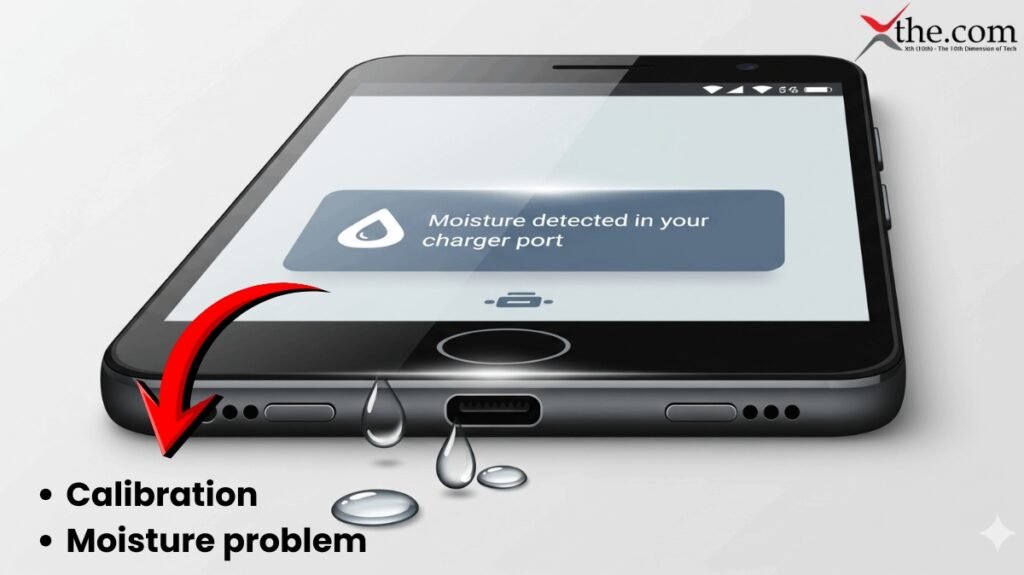
Your touch device uses electrical functionality. Therefore, if there is any moisture present around the touchscreen area (e.g., rain, humidity, sweaty hands, or condensation), it may not recognize your finger press. 

If your device has been exposed to moisture, make sure to power off your device until it is dried completely. You should not use external devices like hair dryers on the device because you could potentially damage internal components of your device. 

Overheating can also disable touch input temporarily. In warmer US states or during prolonged use (navigation, gaming, charging), devices may throttle performance to protect hardware. Let the device cool down before testing again. 

When accessories cause touchscreen problems 

Many US users unknowingly introduce touchscreen issues through accessories. Thick cases can put pressure on screen edges. Cheap charging cables can introduce electrical interference. Poor-quality screen protectors can block touch sensitivity. 

If your touchscreen stops working while charging, unplug the device and test again. This is often caused by uncertified chargers or faulty outlets. 

Styluses designed for specific devices may not work properly on others, leading users to think the screen itself is broken. 

Touchscreen not working after a drop 
Drops are one of the leading causes of touchscreen failure. Even if the glass isn’t cracked, the digitizer underneath may be damaged or disconnected. 

Signs of hardware-related touch damage include unresponsive zones, ghost touches, or flickering display paired with touch failure. Unfortunately, these issues typically require professional repair. 

If the device is under warranty or covered by protection plans like AppleCare+ or carrier insurance, contact support before attempting any repair. 

How to prevent future touchscreen problems 

Regularly reboot your device and keep it current; however, you should wait to do major updates until after some time after receiving them for devices that are older. Only use chargers and other accessories that are certified for your device when charging. Frequently clean your device’s screen, especially after using hand sanitizer or lotion. 

Do not expose your devices to heat or moisture for extended periods. Use protective cases that do not put pressure on the edges of the screen. 

Final thoughts 

If you find yourself with a non-responsive touchscreen, it may feel like the end of the world, but in reality, most touchscreen issues are just temporary software glitches, environmental conditions affecting the device, or issues caused by accessories. Fortunately, most touchscreen issues can be resolved at home and quickly (in most cases).  

Before you assume that replacing or repairing an expensive touch screen is necessary, take some time to methodically troubleshoot the problem; knowing how touchscreens operate and what might cause them to malfunction will give you the ability to determine if this is really happening. 

In a world where nearly everything happens through a screen, keeping your touchscreen responsive isn’t just convenient, it’s essential. 

FAQs  

1. Can a simple restart really fix touchscreen problems? 

Yes. Restarting clears temporary system errors and restarts touch-related services, which resolves many unresponsive touchscreen issues instantly. 

2. How do I know if an app is causing my touchscreen to fail? 

If your touchscreen works in Safe Mode (Android) or after removing recently installed apps, a third-party app, especially launchers or overlay apps is likely the cause. 

3. Why does my touchscreen stop responding when my device is charging? 

This is often caused by uncertified chargers or faulty cables creating electrical interference. Using manufacturer-approved chargers usually fixes the issue. 

4. Does moisture or sweat really affect touchscreens? 

Absolutely. Moisture, humidity, sweat, or condensation can disrupt the electrical signals touchscreens rely on, making them temporarily unresponsive. 

5. How can I tell if my touchscreen problem is hardware-related? 

Unresponsive areas, ghost touches, flickering displays, or touch failure after a drop or liquid exposure usually indicate digitizer or internal hardware damage.


Artificial intelligence is a specific branch of computer science concerned with replicating the thought process and decision-making ability of humans through computer algorithms. Your smartphone uses AI, as do services like digital assistants, chatbots, social media websites, and much more. Many home electronics also use AI, such as robot vacuum cleaners or security systems. And, of course, there are classic examples of auto-navigation and robotics.   

In this article, we will discuss on AI in everyday technology. 

How Can You Make Your Workplace Smarter? 

Productivity apps are the bane of the app world. Productivity tools do this not just by focusing on simplifying routine tasks, but also by making collaboration and project management much easier for teams. This is especially useful so that no matter where any individual is, they can remain in contact with the rest of their team and provide the latest updates and information that everyone needs. The following are the smarter way to arrange your workplace in modern day. 

MicroPC 2 

MicroPC 2 by GPD is a compact computing tool that combines a rugged exterior with a fully functional keyboard and numerous ports. It is small enough to slip into a jacket pocket, and powerful enough to run diagnostics, write code, or manage networks on the move. It has a sturdy and hefty design, which makes it a dependable companion for anyone. 

The device provides a tactile typing experience and a sharp display. It is ideal for IT professionals, engineers, or anyone who needs serious computing muscle in a pint-sized package. 

Almo 

Almo by Geonwoo Kang turns handwritten notes into living reminders. It helps your natural writing to get alarms. Almo helps users to set intentions and track tasks without breaking flow.  

Its smooth interface helps you write down thoughts and set reminders. The system syncs with your digital calendar. 

Portable Monitor  

2026 has become a massive year for portable monitors. Whether you are a remote worker, digital nomad, designer, student, or someone who simply wants more screen real estate without carrying a bulky setup the 2026 portable monitor market has evolved like never before. 

Monduo Pro Duo Display 

It transforms your laptop into a triple-screen workstation. This premium and lightweight build is suitable for productivity. It has a USB-C single cable setup, which makes it travel-friendly. For multitaskers, entrepreneurs, editors, and remote workers, the Monduo Pro Duo offers unmatched efficiency and performance, making it the best overall pick. 

Xebec Tri-Screen 3 

The Xebec Tri-Screen 3 remains a top competitor for portable monitors. It offers a clean design, strong reliability, and solid portability. It is a great choice for users wanting a simple tri-screen setup. 

ASUS ZenScreen 2026 

ASUS continues to dominate the single-screen segment with upgraded 2026 models. ASUS ZenScreen provides crisp FHD and QHD resolution. It has lightweight panels with solid color accuracy. This monitor is suitable for students, travelers, and everyday laptop users. 

Portable Keyboards 

Logitech MX Keys Mini Wireless Keyboard 

The Logitech MX Keys Mini Wireless Keyboard has standard travel keyboard features, it charges with USB-C, so you don’t need a different cable, connects to up to three devices for seamless switching between your laptop and tablet, and has a backlight that you can turn off. The battery lasts for months without the backlight, but it’s a handy feature to ensure your partner or friends can sleep without the light on if you’re hoping to work into the night. It measures 11.65 inches on the long end (29.59 centimeters). 

Lofree Flow84 Keyboard 

The Lofree Flow84 Keyboard has low-friction POM switches for smooth strokes. Users can customize and hot-swap the key switches, which makes this one of the most personalizable keyboards on this list. You can connect up to three devices; it has a white backlight and RGB sidelights, and it charges using a USB-C cable.  

It weighs 594 grams (1.3 pounds) and has a volume of 68.75 cubic inches. 

A smarter workspace thrives on tools that adapt to your habits, travel seamlessly, and bring clarity to daily routines. The best gadgets and devices blend into the background, boosting efficiency. The right technology elevates every detail of your workflow. We have curated a collection of productivity gadgets for smoother work in the year. 

What Are the Best Productivity Apps? 

Todoist 

Todoist is one of the best-known to-do list apps, and for good reason  it’s simply a joy to use, with a treasure trove of helpful functions, such as progress tracking, unlimited reminders, and organizational features that make managing multiple projects a breeze, including color coding and 150 filter views. It’s compatible with Apple, Android, Windows, and Linux, as well as automation programs like Zapier and IFTTT. It gets regular updates and has a strong, clear privacy policy, with daily automatic data backups, data encryption, and no ads. 

TickTick 

TickTick stands out from our other picks because its free plan is much more comprehensive. Like Todoist, TickTick offers pretty much everything you could need to organize a variety of workflows, including useful functions like a Pomodoro timer. It’s available on all major operating systems and works with a wide range of integrations. 

Best Productivity Apps for Students  

As a student, you know just how overwhelming the daily responsibilities can be. So, we’ve searched out the best apps for student productivity to help you turn your phone from a distraction into a powerful tool for learning 

GoodNotes 

GoodNotes offers everything you need to take, organise, and access your notes effortlessly. It keeps everything organised with notebooks and folders, making it easy to structure your lecture notes, revision materials, and research. GoodNotes is perfect for students who want the flexibility of digital notetaking with the natural feel of handwriting, plus the organisation tools to stay on top of their studies. 

Notion  

Notion is the most versatile student productivity app because of the sheer number of ways you can view a single database. Do you want to create a table containing the topics you’ve discussed so far for your chemistry class? Sure. You can then add the date to see it on calendar or timeline view. Or add photos and check out the gallery view. Often, using Notion feels like you’re designing your own completely unique app optimised to your own needs. 

Best Health Apps  

If you prefer to work out from home or don’t want to pay for a costly gym membership, personal trainer or fitness classes, then a more affordable workout app can support you as you figure out you’re at-home exercise plan. The best part is that many of these apps can be tailored to your personal goals, favorite exercises, and even the equipment you already have on hand. To help you find the best workout app, here are some of the most popular ones to see which are worth helping you reach your fitness goals. 

Nike Training Club 

Nike Training Club offers various workout programs, including bodyweight exercises, high-intensity interval training, cross-training, yoga, core exercises and expert health tips from Nike trainers to keep you on track. The workouts are easy to follow because there are video demonstrations of each exercise, along with the allotted time you should spend on each one. This prevents you from losing track during your workout and mentally prepares you for the next exercise. The app also connects to your Apple Watch to provide health metrics such as your heart rate and logs your activities. The best part of this app is that it’s free and provides access to numerous resources, whether you’re a beginner or more advanced.  

Future 

Future app connects you to an elite personal fitness coach who checks in regularly, provides feedback and customizes workouts for you. They take into account your fitness level, goals and even the equipment available to you. It is a great option if you want the convenience of a personal trainer in your own home. There are plenty of coaches on this app with numerous years of experience in their respective fields. To get the most out of the experience, users are recommended to wear an Apple Watch or a compatible Android wearable, which provides detailed information to your coach so they can track your progress and adjust your plan as needed. 

AI Smart home Setup 

No matter what kind of home you have, there’s a smart gadget that can help make your life easier. Smart tech with sensors, tracking, scheduling, remote control and app management offer innovative advantages, as long as you pick the right device for you.   

Best smart speaker 

Amazon Echo Studio 

Amazon’s newest smart speakers come with spatial audio and other sound enhancements, which are especially noticeable in the powerful Echo Studio. With the Alexa app, this smart speaker can connect to a wide variety of services, from your favorite music streaming option to Uber, food delivery apps and more. Alexa can also connect with many smart home devices and control them with a voice command, including lights, locks and smart plugs. You can even pair two Studios and connect them to a compatible TV for theater sound. 

Best smart plug 

TP-Link Kasa Smart Plug Mini 

You can find a lot of smart plugs out there. TP-Link’s Kasa Mini is our favorite. It includes a single outlet that connects to your network via Wi-Fi. The app is well-designed and lets you program the plug to turn on or off on a schedule or even based on your location. It works with Google Home and Alexa, and it doesn’t cover the adjacent outlet on a standard two-outlet wall fixture. 

Best Smart Display for Google Assistant 

Google Nest Hub Max 

The Nest Hub Max will show you your spoken commands so you know Google heard you correctly, it can deftly walk you through a recipe from popular cooking websites and it works seamlessly with Google-supported smart home cameras and video doorbells to display their camera feeds onscreen. You can use it as a side browsing screen, a home control hub or anything else you need. 

Best Outdoor Floodlight Camera 

Eufy S330 Floodlight Camera 

Eufy has been making some really impressive security cameras lately, like the Eufy S350, and the Eufy S330 Floodlight Camera is just as great. It has all of the things we want from an outdoor security camera, such as extremely bright floodlights, crystal clear video, smart tracking and compatibility with all three major voice platforms.  

With its 3,000 lumens of power, you can illuminate your entire backyard. It’s also dimmable, which is useful if you still want your neighbors to like you. What might be a negative for some is the requirement for the Eufy S330 Floodlight Camera to be hardwired. With as many smart features and powerful lights, constant power is a must. If you can make the power needs work, this is a fantastic option for your outdoor space and you won’t need to pay for a subscription to use all the features. 

Best Smart Leak Detector 

Eufy Water Sensor 

Leak detectors occupy a small but important role in the smart home, sending phone alerts and activating sirens when they detect pooling or dripping water. These tiny devices can fit nearly anywhere, like under sinks or behind toilets, and have batteries that can last for years. They’re often part of security systems, but we’ve tested stand-alone versions like this Eufy model that only needs a HomeBase to work, as well as this solo model from SwitchBot. Either way, they are excellent gadgets for your home toolkit. 

Best Smart Air-quality Monitor 

SwitchBot Meter Pro CO2 

SwitchBot’s air quality monitoring tracks temperature, humidity and CO2 levels right out of the box. You can put it anywhere you like to get fast readings, and connect it to the app to adjust settings, choose the update frequency and see if you’d like to get phone alerts. You can put it in your kitchen to see how your gas stove affects the air quality, mount it in a sun room or greenhouse, put it by the fireplace and much more, depending on your needs. 

Best Smart Lock 

Yale Assure Lock 2 

Smart locks are one of the simplest, most effective ways to get started with home security. People like this Yale lock for its wealth of access options, including an app, Apple Watch, and keypad. Features like auto-locking and temporary passes for guests make the lock even more useful. 

Note that you will need a separate module to enable Wi-Fi for this lock, which is pretty important for remote control. If you don’t want anything extra, plenty of other smart locks have Wi-Fi built in, including retrofit models that are easier to install on your current deadbolt. 

AI Smartphone 

Smartphones may look familiar on the surface in 2026, yet the technology inside is taking a decisive leap forward. AI-native processors, new connectivity layers and advanced display systems are turning everyday devices into powerful personal platforms with enterprise-level capabilities. Let’s take a look how AI will change the smartphone. 

An AI phone is a type of smartphone that has hardware and software specifically designed for AI to run directly on the phone. Unlike traditional forms of AI, which typically rely on cloud-based computing for the majority of their processing, modern AI phones utilize very powerful mobile chipsets with added neural processor units (NPUs), which allow them to learn from their users in real-time, respond faster, and maintain better user privacy. 

How AI Is Transforming Smartphone Cameras? 

Artificial intelligence has significantly benefited camera technology. Cameras using artificial intelligence are now able to evaluate images in real time, automatically adjusting things like exposure, colour balance, and focus. More accurate portrait photography with improved edge-detection and natural background blur have resulted from the use of artificial intelligence. 

Smarter Battery Management with AI 

Battery life has always been a concern for smartphone users, and AI is finally providing a practical solution. AI phones in 2026 intelligently monitor usage patterns and adjust power consumption accordingly. Apps that are rarely used are restricted in the background, while frequently used apps get priority resources. Charging has also become smarter. 

Challenges and Concerns Around AI Phones 

Despite the advantages, AI phones also raise concerns. Data privacy remains a major topic, as AI systems rely on user data to learn and adapt. Manufacturers claim that on-device processing reduces data sharing, but transparency remains crucial. There is also the challenge of dependency. As smartphones become more intelligent, users may rely heavily on automated decisions, raising questions about control and digital well-being. 

AI has become a part of our daily lives and continues to change how we live our life today. Smartphones that have been enhanced by AI today have become increasingly intelligent, efficient, secure, and personalised due to artificial intelligence. The advancements in areas such as photography, battery life, usability, and security are changing the way the average consumer interacts with their phones. 

Final Thoughts 

In manufacturing, AI-powered robots can perform complex assembly tasks with precision, boosting production rates and reducing defects. 

FAQs 

1. What are productivity apps and how do they help? 

Productivity apps help users manage time, organize tasks, set goals, and stay focused, making daily work and study routines more efficient. 

2. Are free productivity apps effective? 

Free versions often provide essential features that are effective for daily use, while premium plans offer advanced tools for deeper customization. 

3. What makes a smartphone an “AI phone” in 2026? 

AI phones are designed with advanced on-device intelligence, including AI-driven photography, voice assistants, predictive suggestions, real-time translation, and adaptive system optimizations that enhance everyday use. 

4. Do AI features work without an internet connection? 

Many AI phones in 2026 use on-device AI for core tasks (like camera enhancements and predictive typing), so they still perform intelligently even offline, though some features may require internet for cloud-based processing. 

5. How do AI phones improve camera performance? 

AI phones use machine learning to recognize scenes, optimize settings, reduce noise, stabilize footage, and even suggest creative compositions, resulting in better photos and videos without needing professional skills.

Nowadays, in this busy world Wi-Fi is absolutely essential in our busy routine to get connected to the world, where hackers constantly probe for vulnerabilities. With cyber threats evolving rapidly, implementing strong secure Wi-Fi practices protects your data, devices, and privacy from unauthorized access. 

This article provides a clear glance on overs step-by-step methods, focusing on WPA3 adoption, optimal router placement, and more to create a fortress-like setup. 

Upgrade to WPA3 Encryption 

The secure Wi-Fi starts with very strong encryption. WPA3 represents the latest trending standard, which are offering supreme protection against the brute-force attacks compared to the older protocols like WPA2. 

This table provides glance on the encryption type like WEP or the WPA and the security level which varies very low or moderate or high level also the key features and the recommendations   

Encryption Type Security Level Key Features Recommendation 
WEP Very Low Easily cracked in minutes Avoid completely  
WPA Low TKIP vulnerabilities Do not use  
WPA2 Moderate AES encryption, but handshake flaws Transitional only  
WPA3 High Forward secrecy, anti-downgrade Enable on all devices destcert+1 

To enable WPA3, log into your router’s admin panel, navigate to wireless settings, and select WPA3-Personal or WPA3-Enterprise. Pair it with a strong passphrase at least 20 characters long, mixing letters, numbers, and symbols. This thwarts offline dictionary attacks that plague WPA2. For businesses, WPA3-Enterprise with 802.1X provides per-user authentication and logging access for accountability.   

Optimize Router Placement and Physical Security 

Router placement directly impacts secure Wi-Fi by controlling signal range. The router should be placed in the center of the indoor area to minimize spillover to neighbors or public areas, reducing risk. 

Here in this tabular form, there is a clear understanding of placement factors, and the best practices explained the risk which can be ignored and also the benefits attained. 

Placement Factor Best Practice Risk if Ignored Benefit 
Location Central home position Signal leaks outside metacompliance+1  Limits interception 
Elevation High shelf, away from walls Weak coverage, interference Even distribution 
Interference Sources Avoid microwaves, cordless phones Degraded speed, exploits Stable connection  
Physical Access Locked room Tampering possible Prevents hardware to for attacks 

So, to maintain high-end security, hide your SSID [network name] to make it less known for, now just access the broadcast settings and then disable it. Then enable the MAC address filtering only for the approved devices, then disable WPS and UPnp, as they are prone to exploitable vulnerabilities. At last, turn off remote administration to external logins. 

Change Defaults and Update Firmware 

Every now and then, change the default username and password on your wifi router immediately after setup, because if you put an easy password that can be cracked easily and utilized by everyone, and it’s also easy to hack. Just log in to your router in the admin panel via web browser, then navigate to the administration and just set robust, unique credentials with almost 12 characters including letters, numbers, and symbols, and save the changes to lock out intruders who exploit these common defaults.    

On the other side, update your router’s firmware on the maintenance setting page to check on regular updates or download the latest version from the manufacturer’s website. Moreover, the outdated software often contains the well-known vulnerabilities that mostly get targeted by cyberattacks, so finally enable and ensure your network benefits from the latest security patches and performance to fix. 

Default Setting Action Why It Matters Tool Needed 
Admin Password Change to unique strong one Prevents easy takeover  Router interface 
SSID Customize non-identifying name Avoids targeted attacks  Wireless settings 
Firmware Update regularly Patches known exploits  Manufacturer site/app 

Check for firmware updates every month via router’s dashboard or the app vendors like TP-link to release frequently. Use a guest network for visitors and then isolate them from main setup with bandwidth under limits and no inter-device access. This contains breaches if a guest device is compromised.   

Implement Network Segmentation 

Network segmentation divides your Wi-Fi network into isolated zones, limiting the spread of malware or hackers from one device to others, much like firewalls between rooms in a house. To implement it on a home router (e.g., via your Wi-Fi admin panel at 192.168.1.1), first map your devices by risk: group IoT gadgets (smart TVs, cameras) on a separate “Guest” VLAN or subnet (e.g., 192.168.10.x), family laptops/phones on the main subnet (192.168.1.x), and sensitive items like NAS drives on a secure third zone.  

Ensure in dividing your network to avoid the level of damage. Make sure to separate IOT devices from critical ones like computers. 

Network Segment Purpose Isolation Method Security Gain 
Main Network PCs, phones WPA3, VLANs Full access control  
IoT Network Smart devices Separate SSID, firewall rules Prevents botnet spread   
Guest Network Visitors Client isolation enabled No main network reach  

Enable Protected Management Frames (PMF) in WPA3 for tamper-proof signaling. Use a firewall to monitor traffic and block suspicious patterns. For advanced users, dynamic VLANs assign segments based on device type.   

Monitor and Use Additional Layers 

Regular monitoring is necessary to detect rogues using tools like Wi-Fi analyzer apps. Verify connected devices in your router logs and quickly boot the unknowns. 

Monitoring Tool Function Free Options Pro Tip 
Router Logs Device list Built-in Check weekly  
Apps (Fing, NetSpot) Rogue detection Yes Scan for unknowns 
VPN Encrypt traffic ProtonVPN Free Essential on guest WiFi  

Layer on a VPN for all devices to mask your IP and encrypt data end-to-end. Disable Wi-Fi when away via scheduling. For enterprises, deploy Wireless Intrusion Prevention Systems (WIPS). These steps ensure comprehensive, secure WiFi. 

Common Threats and Mitigation Comparison 

Threat Description Mitigation Strategy Effectiveness 
Man-in-the-Middle Intercepts traffic WPA3, VPN  High 
Rogue APs Fake hotspots PMF, site surveys  High 
Password Cracking Brute force attacks Strong passphrase, 802.1X  Very High 
Firmware Exploits Unpatched vulnerabilities Regular updates  Essential 
Neighbor Snooping Signal bleed Central router placement metacompliance+1  Moderate 

Ongoing Maintenance Checklist 

  • Every week review connected devices. 
  • Each month, check and update firmware, change passwords. 
  • Test quarterly speeds, scan for interference. 
  • Check annually audit settings; consider hardware upgrades. 

By prioritizing WPA3, strategic router placement, and always vigilant monitoring, your network becomes a to very tough target. These secure Wi-Fi measures, drawn from expert consensus, safeguard against most threats in 2026’s landscape. Stay proactive and there should be security ongoing. 

Conclusion 

To conclude, securing your Wi-Fi network demands consistent efforts, but the payoff is digital which is like a shield that protects your personal data, finances and privacy from the relentless cyber threats.By embracing WPA3 encryption, strategic router placement, and habits like firmware updates and guest networks, you transform a common vulnerability into a robust defense. These steps not only block hackers and rogue access points but also future proof your setup against evolving attacks in 2026’s hyper-connected landscape.   

Ultimately, proactive maintenance turns security into second nature: 

Now, scan devices weekly, segmenting networks for IoT and guests, and layering on VPNs for extra armor. Neglect invites disaster, from identity theft to ransomware, but vigilance empowers you to browse, stream, and smart home with confidence. 

FAQS 

1. What makes WPA3 the best secure WiFi? 

WPA3 offers top-tier encryption with forward secrecy and brute-force resistance, far surpassing WPA2 to enableit in your router settings for protection purposes.  

2. How does router placement enhance secure WiFi? 

Place the router indoor in center, keep it in hight away from the ways to eliminate the interference of the signal benefit to outsiders, which reduces snooping risks. 

3. Why change default router passwords? 

Defaults like “12345” are public which are easily guessed by the hackers, neighbors, so that’s the reason to use strong passwords. 

4. Should I use a guest network for visitors? 

Yes, it isolates guests from your main network with client isolation, preventing them from accessing your devices if compromised.  

5. How often should I update router firmware?  

Check monthly for patches against new exploits outdated firmware leaves your secure WiFi vulnerable to known attacks.

While a TV screen may be the first thing people notice about your living space, it’s the sound quality that truly transforms a living room into a home theater. Whether you want to invest in a high-quality surround system, a Dolby Atmos soundbar, or a bookshelf speaker system, we’ve got you covered. Whatever route you decide to go with soundbars or discrete surrounding sound, there should be something here to bring movie theater magic to your living room. 

You don’t have to be an audio expert to have an excellent home audio system. Here’s what you need to get a listening experience beyond a smartphone with earbuds, Bluetooth, or another type of wireless speaker. 

Why Stereo? 

Stereo provides a listening experience where sounds are placed across two channels to create a stage. Music mixing places some sounds to the left and others to the right of a primary listening position. Sounds placed in both the left and right channels (such as vocals) come from a phantom center channel between the left and right speakers. In short, it creates an audio illusion of sound coming from different directions. 

What You Need for a Home Stereo System 

A home audio stereo system can be pre-packaged or assembled from separate components with the following core features: 

Stereo amplifier or receiver: Serves as a hub to connect and control content sources and speakers. 

Speakers: Stereo systems require two speakers, one for the left channel and another for the right. 

Sources provide access to music content. You must plug in external sources on systems with an integrated amplifier. If the system has a receiver, it will have a built-in tuner and, in some cases, Bluetooth or internet streaming. Other sources need to be connected. 

Pre-Packaged Stereo Systems 

If you’re a casual listener, have a small room, or are on a limited budget, a compact pre-packaged system may be the optimal choice. It provides everything you need (including an amplifier, radio tuner, receiver, and speakers) to listen to music. 

Depending on the system, additional features can include a built-in CD player, extra inputs for connecting one or more external sources, and Bluetooth to stream music wirelessly. However, one downside of this is that these systems might not have adequate power or good enough speakers to provide high-quality sound for a larger room. 

Best AV gear for a dedicated home theater 

The size of your home theater room greatly influences the projector and screen you choose. Most projectors come with a chart to help you determine throw distance (the distance required between the screen and the front of the lens), and you should confirm what your room can accommodate before you buy any gear. 

A basement rec room measuring about 300 square feet (20 by 15) is large enough to easily fit a 100- to 120-inch screen and a standard, long-throw projector, but you can use an online calculator to figure out what’s right for your room. 

The Epson Home Cinema LS11000 delivers a theater-worthy image with great contrast, detail, and color. This 4K projector is also bright enough for more casual, everyday TV watching, and its laser light source should last through the next decade or longer, with no need for you to pay for replacement bulbs. The motorized focus, zoom, and lens adjustments make it easier to precisely position the image on your projection screen, even from the back of the room. The LS11000 is also great for gamers because it produces low input lag and is one of only a few 120-hertz projectors that have high-bandwidth HDMI 2.1 inputs to work with the most advanced gaming consoles. 

The BenQ HT2060 has the best picture quality of the HD (1080p) projectors. The long-lasting LED light source delivers the brightness needed for a great-looking, big-screen movie image. Plus, this DLP projector supports 3D playback and the input of a 4K HDR video signal (downconverted to 1080p). Many budget projectors rely on digital key stoning and zoom to position the image on the screen, which hurts image resolution. The HT2060 offers physical adjustments (1.3x zoom, vertical lens shifting, and adjustable feet) to help preserve picture quality, and its fan noise is quiet in operation. 

Best home theater screens 

The 100-inch Silver Ticket STR Series offers sharp image quality with a minimal amount of tint, and it’s comparatively easy to assemble. There are several shapes and sizes to choose from, but we recommend the standard 16:9 shape that’s ideal for HDTV and most movies. You can get it in sizes from 92 to 200 inches. 

If you want to hide your screen when it’s not in use, we recommend the pull-down Elite Screens Manual Series. It proved to be even more color-neutral than the Silver Ticket STR Series, and you can order the metal casing in black or white to suit your room. This pull-down screen is available in assorted shapes and sizes, ranging from 80 to 150 inches in the 16:9 shape. 

Best AV receiver 

The AV receiver is the hardest-working component in a home theater, serving as both the amplifier for your speakers and the signal processor for your sources. All of the audio and video input signals route through the receiver, which processes them and passes them on to your projector and speakers. 

Look for a receiver that offers enough input for all of your sources. This could include a Blu-ray player, a game console, a media streamer, and more. You want the receiver to have sufficient power to drive all of your speakers, a good room-calibration system that tailors the system’s performance to your space, and the most up-to-date HDMI connections for your audio and video gear. 

The Denon AVR-X1800H is a great-sounding receiver that holds your hand through the setup process and is loaded with features. It has seven amplifier channels that can power a surround-sound speaker system or a Dolby Atmos or DTS:X home theater setup with two overhead speakers. It can also wirelessly stream music via Bluetooth, Apple AirPlay 2, and the Heos wireless streaming platform. Three of its six HDMI inputs are HDMI 2.1 compatible, so it’s great for gaming on more advanced systems, such as the Sony PlayStation 5 and the Microsoft Xbox Series X. 

Best home theater speakers and subwoofer 

The passive Sony SS-CS5M2 speaker pair has a lively yet natural sound that works great for both music and movies. It delivers decent bass on its own, and the solid engineering will satisfy audio enthusiasts. At 13.2 by 7 inches by 7.25 inches (HWD), it can conveniently be placed on speaker stands or TV furniture, and Sony offers matching center and Atmos-enabled speakers to create a surround-sound system. 

If you think subwoofers are nothing but big, ugly boom machines, the Rogersound Labs Speedwoofer 10S MKII is likely to be a refreshing surprise. It has practically everything one could want in a mid-priced subwoofer, offering the power necessary for action-movie soundtracks and the subtlety and precision required for great sound on music recordings. It incorporates a 10-inch woofer in a ported enclosure, driven by a 400-watt internal amplifier, and it has the necessary connections to be added to most any audio setup. Plus, it measures a relatively compact 16 by 15 by 16.75 inches (HWD). 

Best 4K TVs for a living-room home theater 

Flat-screen TVs, especially large models, are the ideal display for a living room theater. Because a TV is brighter than a projector-and-screen setup, you can watch with the lights on or the blinds open. And today’s ultra-large flat panels are generally light enough to fit in most TV wall mounts, so you can keep them secure and save space. 

Smart TVs have evolved into the ultimate living‑room hub. These advanced TVs let you stream movies, control smart‑home gadgets, work out with fitness apps, and even binge educational content. What’s interesting is that all these features can be accessed without leaving the couch. Thanks to leaps in display tech (OLED, Mini‑LED, QD‑OLED), faster connectivity, and AI‑driven interfaces like webOS 25 and Google TV, premium picture and voice‑controlled convenience are now affordable across the board. 

A user should be clear about the purpose of buying a smart TV. OLED displays like LG and Sony are perfect for cinematic contrast. They are ideal for dedicated movie rooms. QLED and Mini-LED TVs like Samsung, TCL, and Hisense provide brighter performance. These models are perfect for sunny living rooms and gamers.  

Gamers should check refresh rates, console compatibility, and cloud gaming services before purchasing a smart TV. Another important consideration is the screen size relative to viewing distance.  

Final Thoughts 

The main challenge in the living room is accommodating the room’s space, shape, and light. Living rooms aren’t always nice rectangles suitable for a theater orientation, and they often open to dining rooms, foyers, and kitchens. They may be L-shaped or have stairs, doors, and windows in all the wrong places.  

You can assemble a system using a separate receiver or integrated amplifier, speakers, and source devices. This type of system provides flexibility for your preferences and budget, as you can choose the individual components and speakers you want. 

FAQs 

1. Do I need to be an audio expert to set up a home audio system? 

No, you don’t need technical expertise. With basic guidance and the right components, anyone can set up a great-sounding home audio system. 

2. What is the difference between stereo sound and surround sound? 

Stereo sound uses two speakers to create directional audio, while surround sound uses multiple speakers to immerse you in sound from all directions. 

3. What are the essential components of a home stereo system? 

A basic setup includes a stereo amplifier or receiver, two speakers, and at least one audio source such as a streaming device, tuner, or media player. 

4. How does room size affect my home audio or home theater setup? 

Room size determines the type of speakers, projector or TV size, and power output needed to deliver balanced and clear sound without distortion. 

5. What should I look for when choosing an AV receiver? 

Look for enough input ports, sufficient power for your speakers, support for modern audio formats, and room-calibration features for optimal performance.

Smartphones may look familiar on the surface in 2026, yet the technology inside is taking a decisive leap forward. AI-native processors, new connectivity layers and advanced display systems are turning everyday devices into powerful personal platforms with enterprise-level capabilities. Let’s take a look how AI will change the smartphone. 

What Exactly Is an AI Phone? 

An AI phone is a type of smartphone that has hardware and software specifically designed for AI to run directly on the phone. Unlike traditional forms of AI, which typically rely on cloud-based computing for the majority of their processing, modern AI phones utilize very powerful mobile chipsets with added neural processor units (NPUs), which allow them to learn from their users in real-time, respond faster, and maintain better user privacy. By 2026, the majority of mid-range and flagship smartphones will have built-in AI engines that are constantly learning based on the way you use them. For instance, the phones will learn how you use applications (including when you charge them), how you respond to incoming messages, and how you interact with the device (e.g., holding it) to help streamline your usage experience and increase your overall efficiency. 

How AI Is Transforming Smartphone Cameras? 

Artificial intelligence has significantly benefited camera technology. Cameras using artificial intelligence are now able to evaluate images in real time, automatically adjusting things like exposure, colour balance, and focus. More accurate portrait photography with improved edge-detection and natural background blur have resulted from the use of artificial intelligence. Also, artificial intelligence helps with low-light photography. Instead of just using hardware-based sensors like standard cameras do, smartphones use artificial-intelligence algorithms to combine several frames together to create clearer, brighter photos taken in a low-lit environment. There have been many improvements in video recording due to the use of artificial intelligence, including stabilizing video footage, amplifying voices, and eliminating unwanted background noise. 

Smarter Battery Management with AI 

Battery life has always been a concern for smartphone users, and AI is finally providing a practical solution. AI phones in 2026 intelligently monitor usage patterns and adjust power consumption accordingly. Apps that are rarely used are restricted in the background, while frequently used apps get priority resources. Charging has also become smarter. AI learns your daily routine and slows down charging overnight to protect battery health, completing the charge just before you wake up. This not only extends battery lifespan but also improves long-term performance. 

Best AI Smartphones in 2026 

Best AI Phone Overall  

The Samsung Galaxy S25 Ultra is as feature-stuffed as AI phones get right now. As well as having most of Google’s Gemini smarts, there’s a full contingent of Galaxy AI features too. It’s all tightly integrated into OneUI, which is more streamlined than ever and the phone itself is a true-blue flagship. 

Pros  

  • AI offerings far more streamlined than previous efforts  
  • Flagship performance, display and build quality  
  • Very capable (if not class-leading) cameras  

Cons  

  • AI functions only free for first year  
  • As expensive as flagship phones get 

Best Apple AI phone  

The Apple iPhone 17 Pro Max ticks all the AI boxes, but in a typically Apple way. It’s all tightly integrated into each iOS 26 app, and has improved considerably since its initial introduction. 

Pros  

  • Ludicrously powerful with impressive battery life  
  • Impressive new camera smarts  
  • Incorporates AI throughout the OS in ways only Apple can do  

Cons  

  • Distinctive new design maybe not to all tastes  
  • Return to aluminium after years of tough titanium 

Best AI Phone for Photography  

While the Google Pixel 10 Pro XL might not have the outright best camera hardware of any phone, its image processing is phenomenal as are its AI abilities. Beyond generative edits, it can also analyse a scene in the camera app and suggest ways to change the composition for more impactful shots. 

Pros  

  • Flagship-worthy build and styling  
  • Consistently great cameras in all conditions  
  • Android’s AI upgrades a sign of things to come  

Cons  

  • Beaten on raw processing power by Snapdragon rivals  
  • Higher price makes rivals more tempting 

Best Affordable AI Phone  

The Nothing Phone 3a costs a quarter of the other phones listed here, but has raced ahead with a clever AI-powered central hub that stores and sorts all your notes, screenshots and saved links. It’s like a smart scrapbook for the 2020s.  

Phone 3a has all of Android’s usual AI-driven features, including Circle to Search and Gemini Live – but the Essential Space is unique to Nothing hardware. It’s a hub for all your screenshots, voice notes and web links, opened with a double-press of the dedicated button. Press the Essential key once and it’ll take a screen grab; hold it down and it’ll record a voice memo. 

Pros  

  • Mid-tier performance and battery for considerably less cash  
  • Familiar Nothing hallmarks like glyphs and widget-based OS  
  • Capable cameras for the money, with mature processing  

Cons  

  • Can’t match the 3a Pro for zoom clarity 

Words from Experts  

Samsung Research Institute-Bengaluru (SRI-B) managing director Mohan Rao Goli said: “We are also moving the needle from the smartphone era to the AI phone era. This requires a new platform. The Galaxy AI platform is very basic to bring it to the AI phone era. AI is becoming the new user interface for consumers. It is not like the touch-and-go. It is about the new way to interact with these devices.” 

“It is close to the real time, for example, my friend is speaking in French, the way he is speaking in French, whatever I get, I can get it in Hindi itself, right. And the consumers are liking this particular feature, and then they gave positive feedback about this,” Goli added. 

“We have to utilise all the sensors available in the phone to come up with the software algorithm, which is powered by the AI model, to do this switch over very seamlessly,” Goli stated. 

Challenges and Concerns Around AI Phones 

Despite the advantages, AI phones also raise concerns. Data privacy remains a major topic, as AI systems rely on user data to learn and adapt. Manufacturers claim that on-device processing reduces data sharing, but transparency remains crucial. There is also the challenge of dependency. As smartphones become more intelligent, users may rely heavily on automated decisions, raising questions about control and digital well-being. 

Increase in Smartphone Price  

As AI production continues to grow, a rising number of components used in AI production experience significant demand, leaving little for smartphone manufacturers. 

Counterpoint report has made several significant updates regarding the smartphone market with a new report that shows an increase in the average selling price (ASP) of smartphones by a large amount. The new report indicates that the ASP will increase by 6.9%, much higher than the previous estimate of a 3.6%. 

The report also indicates that smartphone sales are expected to decrease slightly over the next year with a 2.1% decline compared to 2016. 

Dynamic Random Access Memory (DRAM) is the primary type of memory used in smartphones and allows users to perform multiple tasks at once and run the operating system efficiently. 

The demand for DRAM for smartphone use continues to grow rapidly as companies like Nvidia, AMD, and Qualcomm develop new AI data centers that require a significant amount of memory for their processors (i.e., more than previously thought). As demand for DRAM continues to increase faster than the rate of supply growth, prices for DRAM continue to increase. 

This economic shift would be consequential for smartphone production, as original equipment manufacturers (OEMs) will eventually have to increase prices while reducing the overall supply of phones in 2026. 

Final Thoughts  

AI has become a part of our daily lives and continues to change how we live our life today. Smartphones that have been enhanced by AI today have become increasingly intelligent, efficient, secure, and personalised due to artificial intelligence. The advancements in areas such as photography, battery life, usability, and security are changing the way the average consumer interacts with their phones. 

 As technology continues to evolve, AI-powered smartphones are set to become even more integral to how people work, communicate, and live. 

New processors and platforms, including Qualcomm’s Snapdragon 8 Gen 5, ARM’s Lumex and Google’s Tensor G5, are built from the ground up for “edge” AI. This means they run algorithms natively on-device rather than simply being terminals for accessing AI in the cloud. For us, this will mean faster responses, improved security, and AI that feels seamlessly integrated into the features and apps we use day to day. 

FAQs 

1. What makes a smartphone an “AI phone” in 2026? 

AI phones are designed with advanced on-device intelligence, including AI-driven photography, voice assistants, predictive suggestions, real-time translation, and adaptive system optimizations that enhance everyday use. 

2. Do I have to pay for AI on my smartphone? 

Currently, most phone brands are in a “the first hit is free” phase: the various AI features are baked into each handset from the factory, with no need to pay extra upfront to access them. That’s rapidly changing, though: you might find tasks that need a lot of cloud-based processing, like image generation, require paid-for tokens.  

3. How do AI phones improve camera performance? 

AI phones use machine learning to recognize scenes, optimize settings, reduce noise, stabilize footage, and even suggest creative compositions, resulting in better photos and videos without needing professional skills. 

4. Can I keep all AI processing on my phone, rather than the cloud? 

If you’re concerned about data security and don’t like the idea of algorithms storing your personal info somewhere in the online ether, most phones give you the option to restrict AI processing to on-device only. This may lock you out of certain features, and it may not be as quick to process, though it’ll vary between brands and apps. 

5. Do AI features work without an internet connection? 

Many AI phones in 2026 use on-device AI for core tasks (like camera enhancements and predictive typing), so they still perform intelligently even offline, though some features may require internet for cloud-based processing.

Shopping for gifts for gamers is challenging. On the one hand, there are so many cool games, consoles, and accessories to choose from. But that’s also the tricky part: There is so much gaming-related merchandise to choose from, to the point where you might feel under-leveled for the “simple” task of picking that just-right gift, especially if they are a long-time player who already has all of the obvious gaming gear.  

To help you on your side quest to find a respectable present for someone who loves video games, we’ve compiled a list of affordable gifts. 

Affordable Gaming Accessories to Gift  

A Custom Keycap 

A custom keycap adds some extra vibe to any standard gaming keyboard. Drop has an ever-changing selection of limited-edition artisan keycaps (including space bars) from respected brands like Craftkey and Dwarf Factory, ranging from $20 to $65. The “Lord of the Rings” collection is kind of a must-have for any gamers. 

The LEGO Super Mario Game Boy 

Some version of the humble Game Boy likely has a special place in the heart of any ’90s or early 2000s gamers. And LEGO and Nintendo linked up just in time to give you the perfect gift idea: The LEGO version of the very first Game Boy. It is a 1:1 scale replica that features interchangeable lenticular screens and brick-built Game Paks. 

Backbone One Mobile Gaming Controller 

Are you gifting someone who loves iPhone gaming? The Backbone One plugs directly into the iPhone, so it works just like a handheld gaming console. It gives mobile gamers two analog sticks and plenty of buttons with an awesome built-in interface. Gamers can stream modern console games via the cloud, or use an Apple Arcade subscription to game. You can opt for something of the limited-edition variety, like their recent Death Standing 2 controller and exclusive collaboration with Kith.  

LEGO Super Mario Game Boy 

This Lego set is modeled after the iconic O.G. Game Boy handheld console. The 421-piece set is built to the exact dimensions of the original device and features all of the familiar controls, interchangeable Game Paks, and a stand to proudly display your work of art. 

Marvel Cosmic Invasion  

Just released on Dec. 1, 2025, “Marvel Cosmic Invasion” is hot off the press and an imminent staple for any Marvel head. It’s a nostalgic nod to the classic heroes of weekend morning cartoons, complete with delicious retro visuals. It is compatible for Xbox, PlayStation, Nintendo Switch and Switch 2. 

The ‘Video Game of the Year’ Book 

Written by Jordan Minor, senior analyst at our sister site PCMag, “VGOY” dissects the most influential titles across 40 years of gaming history. (Spoiler: Something managed to beat out “Breath of the Wild” for 2017’s slot.) Colorful illustrations and over 75 guest blurbs supplement Minor’s voicey and thoughtful essays 

Gunnar Gaming and Computer Glasses 

Spending too much time staring at a screen leads to eye fatigue and poor sleep because of the blue light. With these doctor-recommended blue light blocking glasses, enjoy a bit more time adventuring without all of the eye stress, especially if you also spend the rest of the day working at a screen. Gunnar offers a variety of styles and tint types, and thanks to the glasses’ low color distortion, viewing quality remains true to color and quality, too. 

Arcade Classics Pac-Man – Retro Mini Arcade Game 

Pac-Man fever lives on in the form of this small arcade cabinet. Less than six inches tall, this micro Pac-Man machine actually works just as its bigger arcade brother would, with the graphics, sounds, and authentic cabinet art you remember from the ’80s. 

CushZone Foot Rest 

Long hours spent gaming occasionally end up leaving you feeling sore, but this foot rest provides a nice spot for a gamer to improve comfort during and after long gaming sessions. The height adjusts up to 6 inches, and it even works as an under-knee support if desired. We’re playing the long game here, folks. 

Solidee LED Dimmable Neon Signs 

Many gamer rooms can benefit from thematic decorations that really sell the vibe. That’s where Solidee’s neon controller sign comes in. It provides a splash of color and indirect light to your gaming den. It’s easy to hang and comes with multiple brightness settings to ensure it fits into any room and any lighting conditions. It’s also not bad to have some additional light for marathon gaming, especially when you’ve totally lost track of time. 

Logitech G309 Lightspeed Wireless Gaming Mouse 

The new Lightspeed G309 is only $30 more than the G305, but it offers plenty of reasons to upgrade. There’s the inclusion of Logitech’s latest Hero 25K sensor and hybrid optical switches, plus it only weighs 86 grams and can last about 270 hours on a single AA battery. All of those features make the G309 a great gaming mouse that is also great for regular laptop use 

Hitscan Hyperlight 

If you want a mouse for someone who plays more competitive games, try the Hitscan Hyperlight. As we note in our guide to the best gaming mice, it has a sturdy, minimalist design and a safe shape that should fit most small to medium-sized hands comfortably. Sensor performance is effectively flawless, and the whole thing weighs just 41 grams, well below a device like the Logitech G309. Its optical switches provide a lovely bounce to each click, plus they should remain durable over time. 

Gaming Consoles for Gift 

Nintendo Switch 2 

With upgraded battery life, crisp HD resolution, and enhanced Joy-Con controllers, Nintendo Switch 2 provides the perfect hybrid gaming experience. Equipped with versatile play modes (TV, tabletop, and handheld), it is ideal for gaming on the go or at home. Built-in Wi-Fi, expandable storage, and exclusive titles like Mario Kart and Zelda also boost the excitement. If you’re looking for the ultimate balance between portability and performance, Nintendo Switch 2 is your go-to console this festive season; simply perfect for solo missions, family fun, or multiplayer battles. 

Sony PlayStation 5 Gaming Console (Slim) 

With its thinner and compact design, PS5 delivers impressive performance, thanks to ultra-fast SSD load times, ray-traced graphics, and haptic DualSense feedback. This gaming console delivers an immersive gaming experience in your living room, offering 4K visuals and a growing library of exclusive titles. If you want flagship PlayStation power in a space-friendly package, this is the one to buy right away. From new gamers to PS veterans, everyone will surely love discounts and bundled deals during the Amazon Festival. 

Xbox Series S Video Game Console 

Designed for the next generation of gaming, this sleek, all-digital console delivers ray tracing, 120fps support, and ultra-fast load times using its custom SSD. With full integration into Xbox Game Pass, users get instant access to hundreds of games and enjoy first‑party releases from day one. If you are looking for high-end performance on a modest budget, Series S is a go-to option. It is ideal for gamers who prefer downloadable libraries over physical discs.  

Nintendo Switch 2 Standard Edition  

With vibrant aesthetics and next-generation performance, this gaming console offers seamless transitions between handheld, docked, and tabletop modes. Sharper visuals and upgraded processing power are added benefits. If you want a console that is both fun to use and visually exciting, this edition hits the sweet spot. The combination of upgraded internals and impressive design makes it a standout choice for both casual and serious gamers, especially when festival discounts are available. 

Nintendo Switch OLED Gaming Console White 

With its 7‑inch OLED screen, Nintendo Switch OLED (White) provides deeper blacks and sharper visuals. Additionally, the gaming console features an adjustable wide kickstand, enhanced audio for tabletop mode, and 64 GB of internal storage, all packaged in a sleek, white design that stands out. The Switch ecosystem enthusiasts receive a fascinating visual upgrade with this OLED model. 

Final Thoughts  

Beyond mere entertainment, gaming also fosters a sense of community, connecting people with diverse backgrounds through shared experiences. With more people playing games than ever before, many non-gamers scratch their heads at what gifts to buy their gaming family and friends. Since gaming is often a highly specialized hobby, with games and gear costing a pretty penny, it’s important to ensure you buy something the gamers in your life want and will use.  

FAQs 

1. What should I gift a casual gamer at an affordable budget? 

Casual gamers appreciate comfort-focused gifts like ergonomic controllers, wireless headsets, or simple gaming accessories. 

2. How do I choose the right gift for a gamer? 

Consider their gaming platform, favorite genres, setup space, and whether they prefer competitive or casual gaming experiences. 

3. Are gaming accessories under $50 worth buying as gifts? 

Yes, many gaming accessories under $50 offer great performance and enhance the gaming experience without breaking the budget. 

4. Can I find useful gaming gifts under $50 for kids? 

Yes, kid-friendly gaming gifts under $50 include fun gaming headsets, LED lights, and game storage solutions. 

5. What are unique gaming gift ideas under $50? 

Unique picks under $50 include novelty gaming mugs, themed posters, keycap sets, and game art deco lights.

Productivity apps are the bane of the app world. Productivity tools do this not just by focusing on simplifying routine tasks, but also by making collaboration and project management much easier for teams. This is especially useful so that no matter where any individual is, they can remain in contact with the rest of their team and provide the latest updates and information that everyone needs. 

Best Productivity Apps 

Todoist 

Todoist is one of the best-known to-do list apps, and for good reason  it’s simply a joy to use, with a treasure trove of helpful functions, such as progress tracking, unlimited reminders, and organizational features that make managing multiple projects a breeze, including color coding and 150 filter views. It’s compatible with Apple, Android, Windows, and Linux, as well as automation programs like Zapier and IFTTT. It gets regular updates and has a strong, clear privacy policy, with daily automatic data backups, data encryption, and no ads. 

TickTick 

TickTick stands out from our other picks because its free plan is much more comprehensive. Like Todoist, TickTick offers pretty much everything you could need to organize a variety of workflows, including useful functions like a Pomodoro timer. It’s available on all major operating systems and works with a wide range of integrations. 

Things 3 

Things 3 is a powerful to-do list and task management app, but it isn’t available on Windows or Android devices. For individuals who exclusively use Apple devices, it offers plenty of organizational options (including tags, task prioritization, and task statuses) without being overwhelming. Compared with our other picks, its natural-language input is more limited, and it lacks location-based reminders and many collaborative features. But its thoughtful, clean interface made it just as easy and enjoyable to use as Todoist, and at times more of a pleasure to work with. 

Trello 

Trello is a smartly designed and popular service for managing, organizing and sharing everything from simple to-dos to major project management tasks. Getting started is as easy as dragging cards onto a Trello board. Cards can represent single tasks, with priorities and deadlines attached. But they can also be more substantial checklists, with attached files and pictures, containing hyperlinks to point somewhere else. Trello has plenty of collaboration tools to help you manage your projects, and a stack of ingenious features to ensure it’s user-friendly.  

Bitrix24 

Bitrix24 provides a vast suite of powerful business tools: collaboration, instant messaging, telephony, project management, document handling, scheduling, employee management, and more. Bitrix24’s unusually generous free account supports 12 users and includes 5GB storage, but if you need more, the Plus account offers more features. 

Best Apps for Students  

As a student, you know just how overwhelming the daily responsibilities can be. So, we’ve searched out the best apps for student productivity to help you turn your phone from a distraction into a powerful tool for learning 

GoodNotes 

GoodNotes offers everything you need to take, organise, and access your notes effortlessly. It keeps everything organised with notebooks and folders, making it easy to structure your lecture notes, revision materials, and research. GoodNotes is perfect for students who want the flexibility of digital notetaking with the natural feel of handwriting, plus the organisation tools to stay on top of their studies. 

Notion  

Notion is the most versatile student productivity app because of the sheer number of ways you can view a single database. Do you want to create a table containing the topics you’ve discussed so far for your chemistry class? Sure. You can then add the date to see it on calendar or timeline view. Or add photos and check out the gallery view. Often, using Notion feels like you’re designing your own completely unique app optimised to your own needs. 

Notability 

Notability is created explicitly for your iPad because the emphasis is on sketches and hand-written notes using your Apple pencil. Such is the smoothness of its ink that you forget you’re writing on a digital platform! You’ll have total freedom on what to write and draw and where. Complete freedom in writing is especially essential in subjects such as maths and chemistry. Writing a formula in Maths is way quicker than finding the right symbol to type it. The same goes for chemistry. 

Clockify 

Clockify grabs the idea of clocking on and off for a shift and runs with it. It is a very simple tool, but that’s precisely what will make it so appealing to people – after all, if you’re busy with work, you don’t to be overwhelmed with a complex tool for tracking what you’re doing! Clockify integrates with Trello, Asana, Jira, Todoist and more, and you can use the website and apps to view details reports and breakdown of how you have spent your time. 

Google Drive 

You can think of Google Drive as your personal, virtual school bag. You can store your files and documents online for fast collaboration with your group mates. But do you know you can store over 100 different file types? Think PDFs, Microsoft Office files, and the like. It also makes it simple to access your files from multiple devices. Are you memorising definitions while on the run? No problem! Pick up your phone and scroll through the file you uploaded from your laptop.  

Best Health Apps  

If you prefer to work out from home or don’t want to pay for a costly gym membership, personal trainer or fitness classes, then a more affordable workout app can support you as you figure out you’re at-home exercise plan. The best part is that many of these apps can be tailored to your personal goals, favorite exercises, and even the equipment you already have on hand. To help you find the best workout app, here are some of the most popular ones to see which are worth helping you reach your fitness goals. 

Nike Training Club 

Nike Training Club offers various workout programs, including bodyweight exercises, high-intensity interval training, cross-training, yoga, core exercises and expert health tips from Nike trainers to keep you on track. The workouts are easy to follow because there are video demonstrations of each exercise, along with the allotted time you should spend on each one. This prevents you from losing track during your workout and mentally prepares you for the next exercise. The app also connects to your Apple Watch to provide health metrics such as your heart rate and logs your activities. The best part of this app is that it’s free and provides access to numerous resources, whether you’re a beginner or more advanced.  

Future 

Future app connects you to an elite personal fitness coach who checks in regularly, provides feedback and customizes workouts for you. They take into account your fitness level, goals and even the equipment available to you. It is a great option if you want the convenience of a personal trainer in your own home. There are plenty of coaches on this app with numerous years of experience in their respective fields. To get the most out of the experience, users are recommended to wear an Apple Watch or a compatible Android wearable, which provides detailed information to your coach so they can track your progress and adjust your plan as needed. 

Strava 

If you’re looking for an app that tracks your running mileage, Strava is your best bet. It can be used interchangeably for cycling and other workouts as well. The app is GPS-powered and turns any Apple or Android phone into a detailed performance monitor. It connects to heart rate monitors and various popular GPS devices, such as an Apple Watch, Garmin, Fitbit or a Suunto watch. It also connects you to friends on the app who can cheer you on or comment on your posts that get uploaded to your Strava feed after your workout. If you prefer to keep your data and running routes private, you can also make those changes through your settings via the app. One of the newer safety features on the Strava app is called the Beacon, which lets you share your location in real time with an emergency contact.  

Sweat 

This app was co-founded by popular Australian personal trainer Kayla Itsines. It was created with women in mind, and at the time, it served as a platform to access Itsines’ HIIT workout plans, but it has since evolved. In 2021, Sweat was acquired by iFit (an interactive global health and fitness technology company), giving the app more exposure via its existing members and internationally. Now you have access to various workout programs that can be done at home or in the gym, such as yoga, strength and Pilates, all taught by different women personal trainers. The app also offers meal plan options if you’re looking for healthy recipe ideas.  

Final Thoughts  

By incorporating these tools into your daily routine, you’ll be able to gain control over your schedule, reduce stress, and ultimately achieve success. So why not embrace the technology and use it to your advantage? With the right apps, you can make the most of your time and reach your full potential 

FAQs 

1. What are productivity apps and how do they help? 

Productivity apps help users manage time, organize tasks, set goals, and stay focused, making daily work and study routines more efficient. 

2. Can productivity apps improve focus and reduce distractions? 

Yes, many apps include focus timers, reminders, and app-blocking features that help users concentrate and minimize distractions. 

3. Are health and wellness apps useful for daily routines? 

Health apps support physical and mental well-being by tracking fitness, sleep, nutrition, and mindfulness practices, promoting healthier habits. 

4. Are free productivity apps effective? 

Free versions often provide essential features that are effective for daily use, while premium plans offer advanced tools for deeper customization. 

5. How can students choose the right app for their needs? 

Students should consider their goals, ease of use, compatibility with devices, and whether the app supports study planning and organization.

Audio gear has quietly become more thoughtful. Speakers, headphones, and other audio gear are perfect to gift to someone. However, some audiophiles want to listen to their favorite song or album and feel transported to the time and place it was recorded. For these types of music fans, any random pair of speakers or headphones won’t be sufficient. They crave audio equipment that allows them to hear music the way it was meant to be heard. 

This article focuses on essential DACs to give to your loved ones. 

What is DAC?  

DAC stands for digital-to-analog converter. A digital-to-analog converter takes the digital (D) music from your phone or computer and converts (C) it into analog (A) sound you can hear. All phones and PCs have them, but since handsets moved to USB-C, Lightning or Bluetooth for music, the task of converting that signal was generally outsourced to either your adapter or your wireless headphones. 

Why Do You Need DAC?  

DACs can be used with phones, laptops, and desktops but tend to be much simpler than a regular external audio interface. One basic distinction is that DACs are usually for listening only, whereas an audio interface might have ports to plug in microphones and instruments (but an external audio interface is also technically a DAC). Some high-end DACs even include XLR outputs for better connectivity with professional audio equipment. 

Whether you listen through wired earbuds, studio headphones, or a home speaker setup, the right DAC can bring out far more texture in your music. Lossless audio can be confusing at first, especially with different formats and file sizes to consider, but you do not need a complicated setup to enjoy it.  

Many DACs work across iOS, Android, Mac and Windows, and several are small enough to carry every day. In this guide, we picked the best DACs so you can upgrade your listening experience without wasting money. 

Best budget DAC 

FiiO KA11 USB-C to 3.5mm Audio Adapter 

Fiio’s affordable KA11 dongle contains a DAC with a maximum resolution of 32bit/384kHz. At around $30, this dongle is the best bang for your buck when it comes to upgrading the audio experience on your iPhone, Android, PC or Mac. There’s even a Lightning version available for those with older iPhones and iPads. It’s plug-and-play with no need to charge it. It’s only slightly bigger than a typical headphone adapter and it comes with a rugged, woven cable, so it can handle a lot of wear and tear. There’s even a small LED on the front that lets you know if you’re listening to standard, high, or higher-resolution files so you can be confident you’re getting the most out of your music in real time. 

Best DAC for Tidal/MQA 

iFi GO Link 

If Tidal is your platform of choice, you might be familiar with the MQA codec. MQA might not be as common in streaming anymore, but if you still want to make sure you can listen to music from stores or services that provide it, the iFi GO Link will have you covered, along with the standard Apple Music high resolution audio formats, and anything else, up to 32-bit/384kHz 

Best DAC for Bluetooth Headphones 

Sennheiser BTD 700 Bluetooth USB Dongle 

Sennheiser’s BTD700 is a wireless adapter that plugs into your phone, upgrading its Bluetooth capabilities with the latest high-resolution codecs such as Aptx Adaptive and Aptx Lossless. iPhones don’t support any of these natively, but with this small dongle, you can unlock the full potential of Bluetooth audio and the higher bitrates (and in theory audio quality) Aptx Lossless offers.  

The BTD700 is simple to use, just plug it in to your phone’s (or other device’s) USB-C port, pair your headphones to it and off you go. An LED on the dongle lets you know which of the six different Bluetooth “qualities” (codecs) you’re enjoying so you will know when you’re listening to lossless audio. Once you have paired your headphones with the dongle, you will not need to re-pair if you connect the BTD700 to a PC or Mac. 

Best Portable DAC 

FiiO Snowsky Melody 

Melody has onboard controls and two headphone jacks. One of those is for regular 3.5mm headphones, but the other is for 4.4mm “balanced” headphones, which means the Melody can grow with you if your audio journey takes you deeper into the world of audiophilia. The wood finish gives it a classy feel and although it’s light, it still delivers that quality “Hi-Fi” feel. As for sound quality, there’s support for 384K/32bit sample rates, which covers everything Apple Music can deliver. The built-in amplifier can easily go louder than you should probably ever listen and there are other luxuries, too, such as support for inline microphones, so you can still handle calls and take meetings on your phone.  

Moondrop Moonriver T2i 

It is slightly larger than a pack of gum, and it has a stylish design that doesn’t look like a boring, generic dongle. Moonriver T2i builds on the success of the company’s Moonriver 2 DAC. The “2” partly refers to the use of dual DAC chips here, which delivers a “balanced” signal. Each channel can handle up to 32bit/384KHz resolution and there are two headphone ports. One for standard 3.5mm headphones and another for 4.4mm connections, which makes use of that balanced output. If this is your first step into the world of Hi-Fi DACs, you are totally fine with 3.5mm headphones, but some prefer the 4.4mm connector as it provides more power and potential signal benefits. 

There are physical volume controls on the device itself. If you ever felt that the 16 levels of loudness on the iPhone weren’t enough, then the 100 steps of adjustment on the Moonriver T2i (via companion software) eliminate any worries about setting the music to the perfect level. If your headphones have an in-line microphone, the good news is that this dongle will pass that through to your phone or PC so you won’t need a separate device for calls. The sound that comes out of the Moonriver T2i is bright and bold.  

Best Desktop Speakers with DAC 

FiiO SP3 BT HiFi Bluetooth Active Desktop Speakers 

If you are looking for something a little more all-in-one then the SP3 BT active speakers from Fiio are a great option. Many standalone DACs have everything you need to decode high-resolution music from almost any source with USB-C and Aux inputs for phones along with standard Hi-Fi connections such as optical, RCA and coaxial. 

For Bluetooth listening, there’s support for both Aptx Adaptive and HD along with Sony’s rival LDAC making these speakers something of an audio swiss-army knife. While these speakers will make a perfect companion to your home office or workspace, they can easily find a home in your living room. 

Best Premium DAC 

Chord Electronics Mojo 2 

At $650, this is definitely in the high-end price range, but the experience and features it offers make it worth considering for serious audiophiles. The Mojo 2 has an internal cell so won’t tax the one in your phone or laptop. It’s small enough to be portable, but substantial enough to live on your desk. 

Unlike most DACs that use off the shelf chips to handle the digital-to-audio conversion, the Mojo 2 uses field programmable gate array (FPGA) technology to create its own custom “chip.” It’s also powerful enough to act as both a DAC and a preamp, driving even power-hungry headphones with ease. 

The Mojo 2 has standard USB-C, microUSB, optical and coax inputs so it’s more flexible than a lot of its competition in this regard. Although it’s worth noting that you can only charge the Mojo 2 via microUSB. Of course, there’s a cable provided for this, but if you’ve fully made the switch to USB-C, it’ll mean you have to guard the charging cable closely. 

How Should You Choose the Best DAC?  

The best DACs tend to be lightweight, making them more suitable for mobile use, although it still gets a little tricky with the iPhone as you still might need to add another dongle to make it play nice with Lightning. Also, not all DACs support all the higher audio resolutions like DSD. Most standalone DACs require external power or an onboard battery, though some can use the power from whatever you plug them into, in which case expect a hit to your battery life. 

Final Thoughts  

It has never been easier to be a music fan than right now. We all carry smartphones that give us access to practically every song ever recorded via our streaming service of choice. All it takes is a few keystrokes, and you can listen to whatever you want through whatever pair of dinky headphones you have on hand. 

Audio gear that once felt niche or aspirational now looks within reach. That’s not because audiophiles have lowered their standards, but because brands are competing harder, tuning better, and filling gaps that used to exist between budget convenience and serious sound.  

Buying audio gear today goes beyond chasing specs or brand prestige. It’s about fit, how someone listens, where they listen, and how long they live with the sound. And that’s what makes a good New Year gift. 

FAQs 

1. Who should receive a DAC as a gift? 

DACs are ideal gifts for music lovers who use headphones, desktop audio setups, laptops, smartphones, or streaming services and want noticeably better sound quality without changing their entire system. 

2. Are DACs suitable for beginners or only experienced audiophiles? 

DACs are suitable for both beginners and seasoned audiophiles. Entry-level DACs offer plug-and-play simplicity, while advanced models provide detailed tuning and higher-resolution audio support. 

3. What types of DACs are best for gifting? 

Portable USB DACs are perfect for everyday listening, while desktop DACs are better for home or office setups. Wireless DACs also make great gifts for those who prefer convenience. 

4. How much should I spend on a DAC gift? 

Good-quality DACs are available across price ranges. Entry-level models are affordable and effective, while premium DACs offer superior components and sound quality for serious audiophiles. 

5. Will a DAC make a noticeable difference in sound quality? 

Yes, especially when paired with good headphones or speakers. A DAC enhances detail, reduces distortion, and delivers a more natural, immersive listening experience.

A smarter workspace thrives on tools that adapt to your habits, travel seamlessly, and bring clarity to daily routines. The best gadgets and devices blend into the background, boosting efficiency. The right technology elevates every detail of your workflow. We have curated a collection of productivity gadgets for smoother work in the year. 

Best Productivity Gadgets  

MicroPC 2 

MicroPC 2 by GPD is a compact computing tool that combines a rugged exterior with a fully functional keyboard and numerous ports. It is small enough to slip into a jacket pocket, and powerful enough to run diagnostics, write code, or manage networks on the move. It has a sturdy and hefty design, which makes it a dependable companion for anyone. 

The device provides a tactile typing experience and a sharp display. It is ideal for IT professionals, engineers, or anyone who needs serious computing muscle in a pint-sized package. 

Almo 

Almo by Geonwoo Kang turns handwritten notes into living reminders. It helps your natural writing to get alarms. Almo helps users to set intentions and track tasks without breaking flow.  

Its smooth interface helps you write down thoughts and set reminders. The system syncs with your digital calendar.  

ALTI PLAY Performance Desk Mat 

Alti Play Performance Desk Mat by Journey is a workspace essential. The mat is reversible, which offers two finishes for different moods or tasks, and the stitched edges keep it looking fresh after months of daily use. 

It integrates cable management and a magnetic accessory system. It helps users to keep their desktop tidy and gear within reach. The mat brings together materials and features that streamline your workspace. 

Pomodoro Bot 

Pomodoro Bot brings a playful and thoughtful touch to desktop productivity. Built around a Raspberry Pi in a 3D-printed case, this open-source robot combines a display, air quality sensor, and ambient light sensor into a single, approachable gadget.  

Users can tap the button on its head and launch a 25-minute Pomodoro session. It keeps you focused with a simple and friendly countdown. When the room gets dim, Pomodoro Bot shifts into dark mode to ease eye strain 

Noise-Canceling Wireless Headphones 

Background noise can be a major distraction for professionals. The wireless headphones feature adaptive noise cancellation, voice clarity, and long battery life. These models are perfect for those balancing family life with work. It fits into both business and lifestyle articles. 

Wireless Charging Pads with Multi-Device Support 

Wireless charging pads support multiple devices such as smartphones, earbuds, and smartwatches. This convenient accessory reduces clutter. Some models even come with UV sanitization and temperature control, which is suitable for health-conscious remote workers. 

Portable Monitor  

2026 has become a massive year for portable monitors. Whether you are a remote worker, digital nomad, designer, student, or someone who simply wants more screen real estate without carrying a bulky setup the 2026 portable monitor market has evolved like never before. 

Monduo Pro Duo Display 

It transforms your laptop into a triple-screen workstation. This premium and lightweight build is suitable for productivity. It has a USB-C single cable setup, which makes it travel-friendly. For multitaskers, entrepreneurs, editors, and remote workers, the Monduo Pro Duo offers unmatched efficiency and performance, making it the best overall pick. 

Xebec Tri-Screen 3 

The Xebec Tri-Screen 3 remains a top competitor for portable monitors. It offers a clean design, strong reliability, and solid portability. It is a great choice for users wanting a simple tri-screen setup. 

ASUS ZenScreen 2026 

ASUS continues to dominate the single-screen segment with upgraded 2026 models. ASUS ZenScreen provides crisp FHD and QHD resolution. It has lightweight panels with solid color accuracy. This monitor is suitable for students, travelers, and everyday laptop users. 

LG Gram View 2026 

Graphic designers and video editors love the LG Gram View for accurate color reproduction, high contrast, sharp visuals, and reliable performance. Its premium screen is made for serious creators. 

Portable Keyboards 

Logitech MX Keys Mini Wireless Keyboard 

The Logitech MX Keys Mini Wireless Keyboard has standard travel keyboard features, it charges with USB-C, so you don’t need a different cable, connects to up to three devices for seamless switching between your laptop and tablet, and has a backlight that you can turn off. The battery lasts for months without the backlight, but it’s a handy feature to ensure your partner or friends can sleep without the light on if you’re hoping to work into the night. It measures 11.65 inches on the long end (29.59 centimeters). 

Lofree Flow84 Keyboard 

The Lofree Flow84 Keyboard has low-friction POM switches for smooth strokes. Users can customize and hot-swap the key switches, which makes this one of the most personalizable keyboards on this list. You can connect up to three devices; it has a white backlight and RGB sidelights, and it charges using a USB-C cable.  

It weighs 594 grams (1.3 pounds) and has a volume of 68.75 cubic inches. 

Targus Ergonomic Foldable Bluetooth Antimicrobial Keyboard 

The Targus Ergonomic Foldable Bluetooth Keyboard is unique. When folded, this keyboard looks like a passport wallet. It’ll fit into a large pocket, and it looks minimalist from the outside. When unfolded, it looks like a standard keyboard cut down the center, with both sides angled away from you.  

You can connect to up to three devices at once, which is handy for the traveler constantly switching from their phone to their tablet or laptop. It has a 10.94 cubic-inch volume and a length of 6.46 inches (16.41 centimeters). However, the packable size and budget-friendliness come at the price of comfort. 

Final Thoughts  

Tech gifts for the office are no longer just fun extras. They are tools that can improve focus, comfort, and daily productivity at work. Remote work has become a permanent lifestyle for millions of professionals. The demand for smarter, more efficient technology gadgets is skyrocketing. Whether you are a freelancer, a remote employee, or managing a startup business idea from your living room, the right gear can improve your productivity and well-being.  

These digital tools provide functionality, durability, and a good user experience in the new year. If you’re serious about productivity, comfort, and staying ahead in the remote work era, investing in these technology gadgets for articles–worthy items is a no-brainer. 

FAQs 

1. What are productivity gadgets? 

Productivity gadgets are devices designed to help users work faster, stay organised, and reduce distractions.  

2. What features should a portable monitor have in 2026? 

USB-C support, lightweight design, high resolution display, durable build, and compatibility with modern laptops. 

3. What size portable monitor is best in 2026? 

Between 12.5 to 16 inches depends on whether you prefer portability or workspace size. 

4. Are ergonomic keyboards really worth the investment?  

Yes. They improve typing posture, reduce wrist strain, and increase long-term comfort, especially important for full-time remote workers. 

5. Are AI productivity gadgets worth buying? 

Yes, AI-driven gadgets can automate routine tasks, improve focus, and significantly boost efficiency. 

Realme has launched the GT 8 Pro Dream Edition in India, revealing its official pricing and first sale timeline. The brand is also offering attractive early-buyer deals, making the Dream Edition one of its most value-packed flagship releases yet. 

The flagship model features a Ricoh-backed camera tuning for the first time ever. The Dream Edition variant distinguishes itself with a textured rear panel featuring an Aston Martin logo. Let’s take a look at how customers can benefit from special bank offers. 

Realme GT 8 Series Price in India 

Realme GT 8 Pro Variant Price 
12GB RAM + 256GB Storage Rs 72,999 
16GB RAM + 512GB Storage Rs 78,999 
16GB RAM + 512GB Storage (Dream Edition) Rs 79,999 

Special Offers on Realme GT 8 Series Smartphones 

Customers can claim up to Rs. 5,000 in bank discounts on the Realme GT 8 Pro on Realme India website and Flipkart. 

Users can also avail of no-cost EMI for six months, and a complimentary Deco Set, according to the press release during the launch event.  

This brings the effective cost of the 12GB + 256GB model down to Rs. 67,999, and the 16GB + 512GB variant to Rs. 73,999. 

Customers can purchase the Realme GT 8 Pro Dream Edition at Rs. 79,999, with up to 12 months of interest-free EMI. These online offers apply to ICICI, HDFC, and SBI cardholders. 

Special Offers in Retail Stores 

Realme GT 8 Pro is available with Rs. 5,000 in bank benefits, up to six months of zero-interest EMI at retail stores across India.  

A Deco Set is also included as a bonus, which reduces the effective sale price to Rs. 67,999. The 16GB + 512GB option falls to Rs. 73,999 after applicable offers. 

The Realme GT 8 Pro Dream Edition is available at Rs. 79,999 for up to 12 months of no-cost EMI.  

Offline EMI promotions are available through HDFC, Axis, Kotak, OneCard, DBS, Bank of Baroda, AU J&K and Scapia cards.  

SBI and ICICI also offer full-swipe payment benefits. 

Realme GT 8 Dream Edition Design 

The device introduces a Switchable Camera Bump, which helps users to alternate between various camera island designs. This includes circular, square, and themed layouts, which offer a more personalized aesthetic.  

The handset is available in Diary White and Urban Blue colour options 

The Realme GT 8 Pro Dream Edition is developed in collaboration with the Aston Martin Aramco F1 Team, which showcases a motorsport-inspired design.  

It features the signature Aston Martin Racing Green finish, Lime Essence accents, a centred silver Aston Martin emblem, and an exclusive Formula 1 (F1) themed user interface. 

Attractive Features of Realme GT 8 Pro Series 

Realme GT 8 Pro integrates Android 16–based Realme UI 7.0 and features a 6.79-inch QHD+ BOE Q10 Flexible AMOLED display with up to 144Hz refresh rate. 

It is powered by the 3nm Snapdragon 8 Elite Gen 5 chip, which is supported by an Adreno 840 GPU and a 7,000 sq mm vapour chamber cooling system.  

The phone includes a 7,000mAh battery with 120W SuperVOOC charging and carries IP66, IP68, and IP69 dust and water protection ratings.

The newly launched device offers a Ricoh GR-tuned triple rear camera setup with a 50-megapixel Sony IMX906 main sensor, 50-megapixel ultrawide lens, and a 200-megapixel telephoto camera with up to 120x digital zoom.  

It also features a 32-megapixel front camera and supports 4K video at 60fps.  

The new Ricoh GR Mode is designed to replicate the brand’s popular GR series photo style. Users also get five GR-inspired film tones, such as Positive Film, Negative Film, Standard, High-Contrast B&W, and Monotone, to fine-tune the look of their photos. 

Conclusion 

The Realme GT 8 Pro Dream Edition arrives as a solid flagship contender, backed by a striking design and feature-rich hardware. Competitive pricing, bundled launch offers, and high-end internals make this smartphone one of the most compelling upgrades for users who want top-tier specs at a reasonable cost. 

FAQs 

1. What are the key highlights of the Dream Edition? 

It features a premium design, flagship-grade chipset, advanced camera system, and fast charging support. 

2. What is the price of the Realme GT 8 Pro Dream Edition? 

The Realme GT 8 Pro Dream Edition (16GB RAM + 512GB Storage) is available at Rs. 79,999.