





REDMOND, WA —
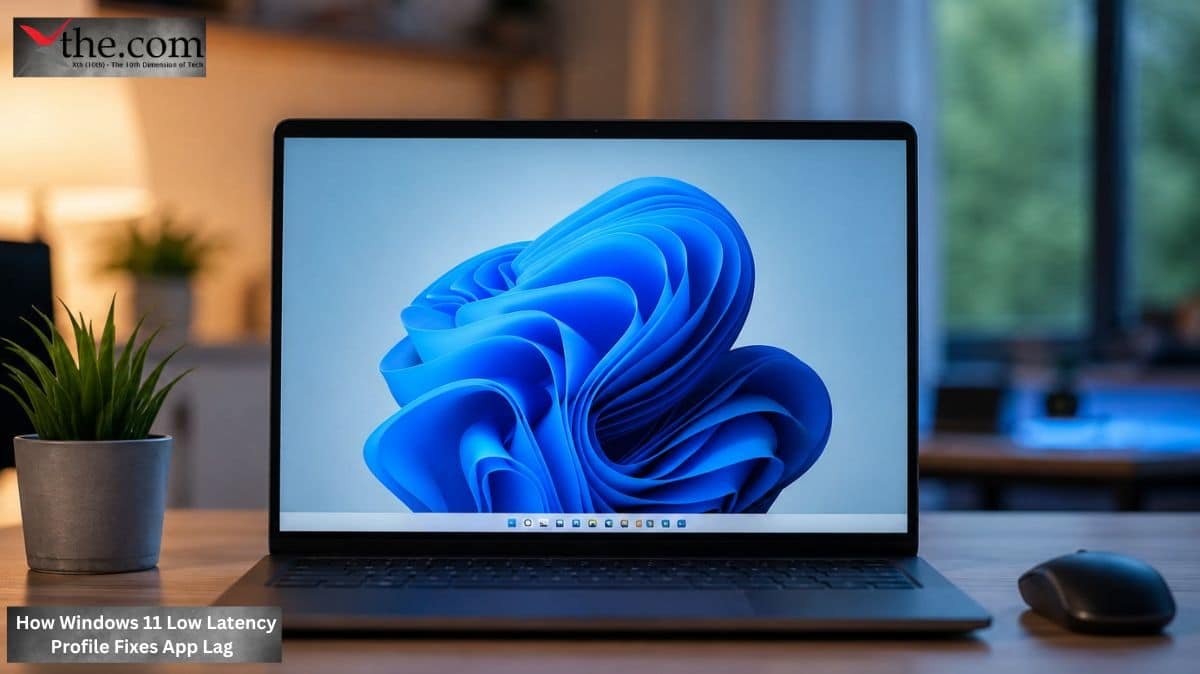
Atomic Answer: Microsoft confirmed today that it will roll out a “Low Latency Profile” for Windows 11 in June 2026. This scheduler update maxes out CPU frequency in 3-second bursts during app launches, specifically targeting the “UI lag” experienced in modern enterprise AI-heavy workflows.
In June 2026, a Windows 11 update will help Enterprise IT Teams address application launch speed issues in AI-rich Enterprise workflows. The Low Latency Profile provides Windows 11 Scheduler Intelligence to help Enterprise IT improve application launch speed, in addition to hardware. By leveraging Windows 11’s scheduling capabilities, Microsoft has provided Enterprise IT with a software solution that extends the useful life of their existing device fleet without requiring capital investments in new devices.
The UI Lag Problem the Scheduler Update Solves
Modern enterprise workflow stacks AI-assisted applications Copilot-integrated Teams, Outlook with inline summarization, browser-based AI tools and it all causes CPU demand spikes, especially right at launch, something legacy scheduler behavior really was not built to prioritize. One ends up with a micro-stutter and the delayed app responsiveness people notice, which shows up as sluggishness, even when the system benches well during sustained load.
The Windows 11 Scheduler had previously done a good job of balancing CPU frequency based on power and thermal limitations; however, it did not distinguish between background processes or foreground app launches. This has changed in the new Low Latency Profile, which identifies app launch events and triggers a 3-second maximum CPU frequency boost intended to address that perceived lag during initialization.
The Microsoft June 2026 performance update published on Windows 11’s performance updates explains exactly what the fix is intended to accomplish: it aims to improve user perception, not actual system performance. A 3-second burst will not make long-running programs run faster than they could otherwise; instead, it will eliminate the time an end user perceives as a delay between application launch and system readiness. This timeframe could erode end users’ confidence in the hardware.
Enterprise Fleet Impact and Device Lifecycle Extension
The enterprise refresh implications of this update are big. Organizations running 12th- and 13th-generation Intel hardware that are close to refresh cycles due to perceived performance degradation now have a pretty solid excuse to defer capital expenditures. The Low Latency Profile brings back the snap and responsiveness that makes older hardware still feel productive for another refresh cycle, without the total cost of ownership impact you’d usually get from early replacement.
$MSFT frames it more as fleet optimization rather than a hardware requirement, so the change lands on existing devices without NPU requirements, which basically broadens it across mixed enterprise device populations. Those populations can include both modern AI PCs and older business-class hardware that has been around a while.
There are also app launch speed improvements in Teams and Outlook. These are specifically the applications where enterprise users spend most of their productive time, so the perceived performance gain is disproportionately more impactful than you might expect, even though the scheduler change is limited in scope.
Battery and Thermal Tradeoffs
The CPU frequency boost mechanism comes with a power-cost trade-off that procurement and IT teams really need to weigh before any fleet-wide deployment. For devices that don’t have dedicated NPUs, the AI workflow compute gets handled completely through the CPU so when the Low Latency Profile kicks in, it causes frequency bursts against a thermal baseline that is basically already bumped up in AI-heavy usage situations, which feels a bit like you’re paying twice.
According to Microsoft’s 2026 performance assessment of Windows 11, battery longevity was identified as the largest risk for laptops not using an NPU when rolling out mobile devices in the enterprise market. Using AI-enabled applications approximately every 3 seconds each day adds more to battery usage than those who use laptops with unprojected wall power and run them for longer than they intended will recognize there is a problem.
Thermal control features in many devices enable greater control over their operation than ever before. By adjusting the burst rate within the thermal envelope, you can deliver improved responsiveness without incurring a significant battery penalty at launch. This places you in a better position to make future procurement decisions regarding hardware with the thermal characteristics needed to minimize trade-offs in future devices, as well as to avoid the need to immediately respond to fleets already purchased.
Pilot Strategy Before Full Deployment
$MSFT recommends a staged rollout and that enterprise IT teams treat this as a genuine operational requirement, not just a formality. Power User workstations those devices running the heaviest concurrent AI application loads—are kind of the peak-value test group for validating app launch speed gains and, at the same time, the highest-risk group for assessing thermal behavior and battery impact.
Running the Windows 11 update as a pilot on this audience first, before a wider deployment, gives IT teams the real usage data they need to tune the deployment policy—so they can spot which device models see clear gains from burst frequency , and which models hit thermal constraints where profile tuning matters before any fleet activation .
Conclusion
The Windows 11 update rolling out the Low Latency Profile in June 2026 is a targeted Windows 11 scheduler intervention; it solves a real enterprise productivity pain point and doesn’t require hardware investment. $MSFT really does extend the value of what’s already deployed in existing fleets, by cutting the launch latency that AI-heavy workloads expose in scheduler behavior that was essentially tuned for an earlier, pre-AI application stack.
With the Low Latency Profile rollout, 12th- and 13th-generation systems will benefit from extended device life; in addition, micro stutter will be reduced, which can otherwise cause subpar productivity in Teams and Outlook. In addition to improving app launch time through a software update, this solution eliminates the need for a full refresh cycle. However, the CPU Frequency Boost trade-offs on non-NPU devices can’t be waived, so they require pilot validation before being enabled fleet-wide. Lastly, enterprise refresh strategies must address granular thermal control capabilities as part of future procurement requirements.
And as Microsoft Windows 11 June 2026 performance update analysis confirms the scope of the scheduler change and the mechanism behind it, the update essentially delivers exactly what enterprise IT teams tend to want most a measurable performance uplift at zero hardware cost.
Enterprise Procurement Checklist
- Deployment Impact: Improves perceived speed on older 12th/13th Gen Intel hardware, potentially extending device lifecycles.
- Operational Risk: Short frequency bursts may impact battery longevity in non-NPU laptops.
- Procurement Step: Prioritize devices with “Granular Thermal Controls” to manage frequent frequency spikes.
- ROI Implication: Reducing “micro-stutter” in Teams and Outlook improves daily user sentiment and productivity metrics.
- Action Step: Pilot the update on “Power User” workstations before a full 2026 fleet deployment.
Primary Source Link: Microsoft confirms release date of macOS-like Windows 11 CPU boost trick that critics tried to mock