



Best Chromebooks in 2026: Top Picks for School, Work and Everyday Use
Chromebooks have quietly become the default laptop for millions of American households, and 2026 is arguably the best year yet to buy one. The Chromebook Plus tier brought capable processors, crisp displays and genuinely useful AI features to machines that still start around $300, while battery life and Android app support improved to the point where many buyers no longer need a Windows laptop at all.
The trade-off is that the market is now crowded with near-identical models, and the differences between a $250 Chromebook and a $700 one matter more than spec sheets admit. We sorted through the current US lineup and picked the models worth owning for students, remote workers and families, along with the checklist you need before spending a dollar.
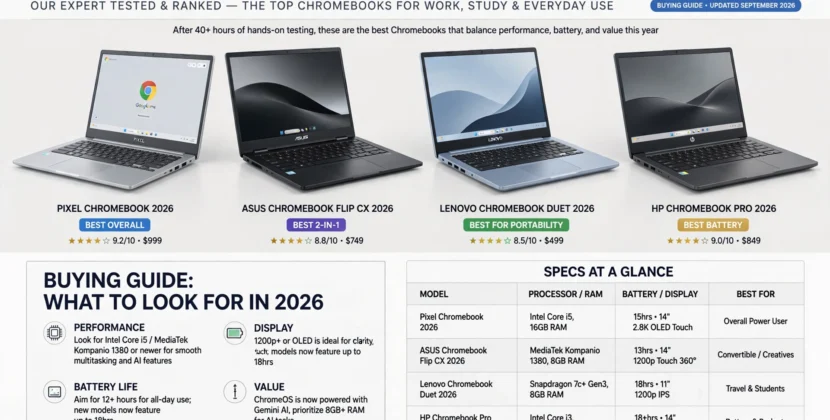
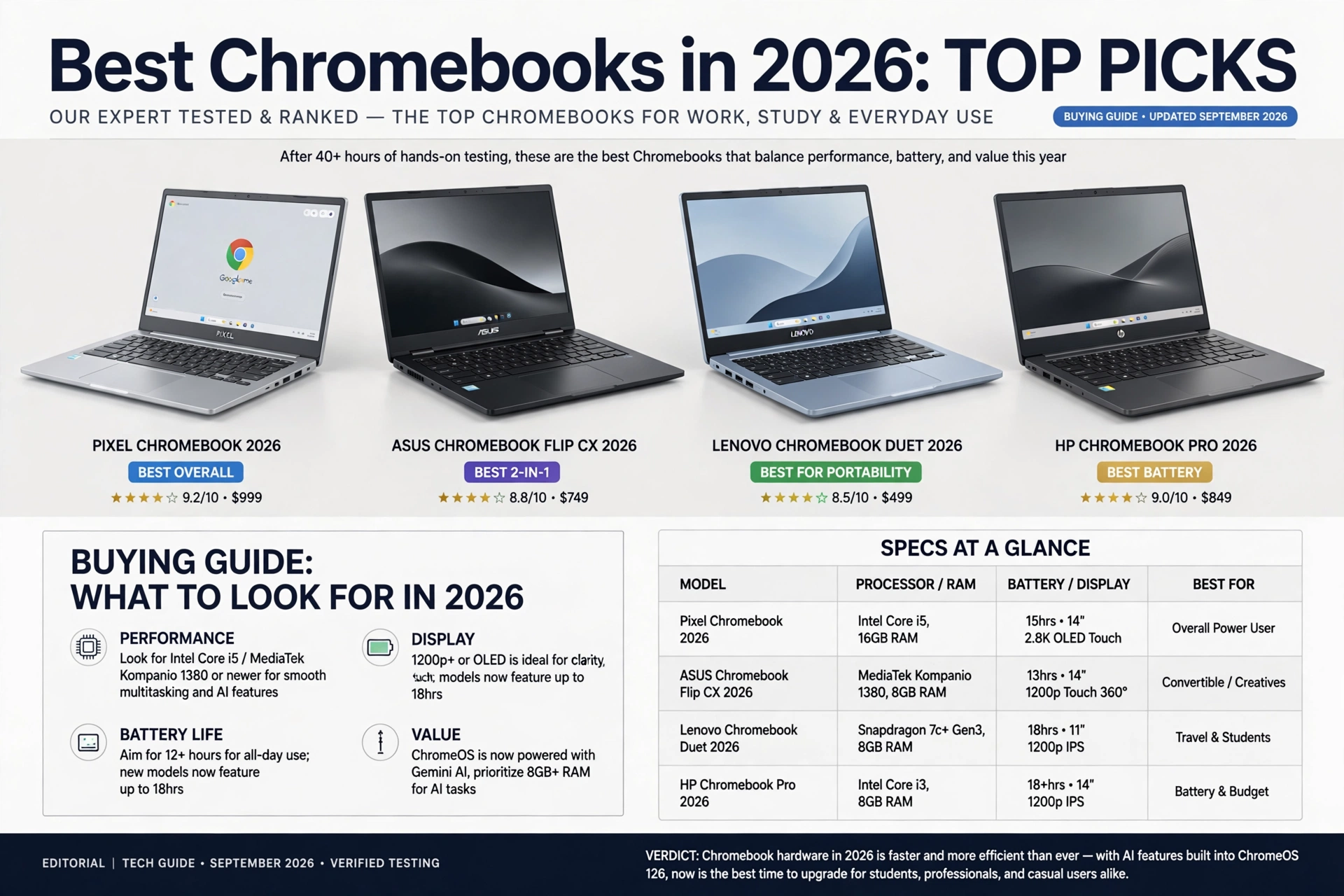
Quick Picks: Best Chromebooks at a Glance
- Best Chromebook overall: Asus Chromebook Plus CX34, an Intel Core i5 machine with a bright 14-inch screen that handles work, streaming and Android apps without compromise.
- Best 2-in-1: Acer Chromebook Plus Spin 714, a convertible with premium build quality, a sharp touchscreen and stylus support for note-taking and sketching.
- Best for students: Lenovo Chromebook Plus 14, a lightweight productivity laptop with a stunning OLED option, comfortable keyboard and all-day battery.
- Best large-screen pick: Acer Chromebook Plus 516, a 16-inch model for people who want desktop-feeling space for split-screen work and school assignments.
- Best under $300: Acer Chromebook Plus Spin 514 or last-generation IdeaPad models on sale, which cover homework, email and streaming perfectly well.
Why Buy a Chromebook in 2026
The reasons are practical. Chrome OS boots in seconds, stays fast because there is no traditional malware surface, and receives automatic updates for years, so parents are not maintaining a family laptop. Web apps cover the daily workload for most people, Google Docs and Workspace are standard in US schools, and Android apps fill the gaps for light gaming, streaming and banking.
Price remains the headline argument. A Chromebook Plus machine under $500 outperforms Windows laptops at the same price for everyday tasks simply because the operating system demands less. Add eight to ten hours of real battery life, instant wake, and cloud-first file storage, and the value proposition for students and households that mainly browse, write and video-call is hard to beat.
How We Chose the Best Chromebooks
We weighted five factors. Performance first: Chromebook Plus requires modern processors, so anything on that tier clears the bar for smooth multitasking. Then build and display, because a laptop you stare at for six hours needs decent brightness, resolution and a keyboard worth typing on. Battery life, verified against manufacturer claims, came next, followed by port selection, USB-C plus a headphone jack and, ideally, a card slot.
We also factored in the update window. Every Chromebook has an automatic update expiration date, and a machine nearing that date is a machine to avoid no matter how cheap it is. Finally, we considered US availability, warranty support and how often each model goes on sale, since Chromebook discounts are frequent and deep.
Best Overall: Asus Chromebook Plus CX34
The CX34 has topped multiple independent roundups this year, and for good reason. It pairs an Intel Core i5 with a bright 14-inch full HD display, a comfortable keyboard and a port selection that does not require dongles, all in a chassis that feels more expensive than its price. It runs Android apps well, supports Google’s Chromebook Plus AI features and charges over USB-C.
For US buyers it is the safest recommendation because it straddles categories: light enough for a student to carry, capable enough for a parent working from home, and cheap enough that nobody feels guilty buying it for the kitchen counter. The speakers are merely adequate and the bezels are not razor thin, but at this price those are fair compromises.
Best 2-in-1: Acer Chromebook Plus Spin 714
If you want a laptop that doubles as a tablet for reading, sketching or kitchen recipes, the Spin 714 is the pick. It is one of the few Chromebooks that genuinely feels premium: a sturdy convertible hinge, a sharp touchscreen that supports a stylus and build quality that reviewers have called the best in its class. Performance is a step up from budget models, which shows when juggling a dozen tabs.
The 2-in-1 form factor makes the most sense for students and note-takers, and for anyone who consumes a lot of video in bed or on the couch. The cost is battery life relative to lighter clamshells and a slight weight penalty from the hinge mechanism. If you never touch the screen, a standard clamshell serves you better for less money.
Best for Students: Lenovo Chromebook Plus 14
The Lenovo Chromebook Plus 14 wins on the details students notice. The keyboard is excellent for long writing assignments, the optional OLED panel makes reading and media pop, and the chassis is light enough for a backpack that already carries textbooks. Battery comfortably covers a full school day, and Google’s file sync means a lost laptop is an annoyance rather than a disaster.
It also handles the hybrid reality of modern US schooling, where students bounce between Google Classroom, Canvas, Zoom and a dozen browser tabs, without stuttering. Pair it with a decent mouse and, if your school allows it, a stylus, and it covers homework through college light workloads. Buyers should check whether the OLED configuration is in stock, as it sells out around back-to-school season.
What to Look for When Buying a Chromebook
Start with Chromebook Plus. That branding guarantees a minimum standard, modern processor, 8GB of RAM minimum, 128GB of storage and Google’s AI features, and it screens out the sluggish bargain bins that give Chromebooks a bad name. Below that tier, buy only if the price is genuinely low and the machine is for light use.
Check the automatic update expiration date before you buy, this determines how many years of security updates the laptop receives, ideally toward the end of its life, not the middle. Look for 8GB of RAM rather than 4GB, a full HD screen rather than 1366-by-768, and USB-C charging. Storage is rarely a problem because files live in the cloud, but local space matters if you plan to store Android games or offline media.
When Is the Best Time to Buy a Chromebook
Chromebooks follow a discount calendar. Back-to-school season in July and August brings the widest selection of sub-$300 deals, Amazon Prime Day in July is reliably the best single event, and Black Friday strips popular models to their lowest prices of the year. Because Chromebooks are updated on a spring and fall cadence, the weeks after a new Chromebook Plus launch also clear out the previous generation at a discount.
If you need a laptop now, buy during a sales holiday rather than paying full price, as even current-generation models routinely see 15 to 25 percent cuts. The exception is a specific configuration you want for a school deadline, since popular OLED and 2-in-1 models go out of stock precisely when everyone else is shopping.
Chromebook vs Windows Laptop: Which Should You Buy?
Buy the Chromebook if the workload is web-first: email, documents, streaming, video calls, school portals and light Android apps. It will be faster, cheaper and easier to maintain than an equivalent Windows machine, and it will stay that way because updates are automatic. Families with younger students in particular benefit from the simplicity and parental controls.
Stick with Windows or macOS if you need full desktop software, specific creative programs, serious local gaming or specialized work apps. Also consider Windows if you need extensive local storage for large files. For most American households buying a secondary laptop, a student machine or a family backup laptop, though, the Chromebook is the smarter spend in 2026.
Frequently Asked Questions
What is the best Chromebook to buy in 2026?
The Asus Chromebook Plus CX34 is the best overall pick for most buyers, with the Acer Chromebook Plus Spin 714 as the top 2-in-1 and the Lenovo Chromebook Plus 14 leading for students.
Is a Chromebook worth it for everyday use?
Yes, for web-based work. Chrome OS is fast, secure and receives free automatic updates for years. If your day is browsing, documents, streaming and video calls, a Chromebook does it cheaper than a Windows laptop.
Can a Chromebook run Microsoft Office?
Through the web and Android versions, yes, and Google’s own Docs suite is free. Full desktop Office or specialized Windows software will not install on Chrome OS, which is the main reason to choose Windows instead.
How long do Chromebooks last?
Most modern Chromebooks receive automatic updates for six to eight years from release, tracked by the model’s automatic update expiration date. Check that date before buying a discounted older model.
When do Chromebooks go on sale?
Prime Day in July, back-to-school season and Black Friday bring the deepest discounts. Right after a new Chromebook Plus generation launches, previous-generation models are also cleared out cheaply.