






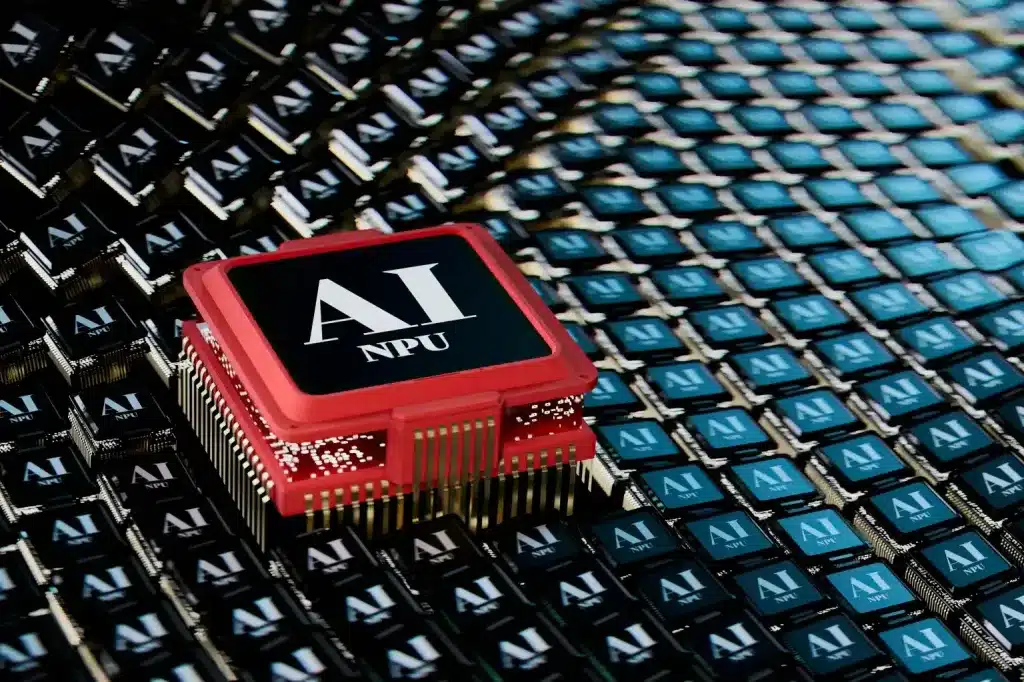
Redmond, Washington: a mid-sized financial services firm in Chicago recently scrapped a planned server refresh and redirected $4.2 million toward employee laptops. The reason wasn’t remote work. It was AI. More specifically, the rising AI PC costs are tied to next-generation devices capable of running on-device models and to the growing pressure to standardize on Windows AI hardware throughout departments.
This kind of decision is becoming common. It shows that enterprise IT spending is changing fundamentally.
The New Budget Reality: Why AI PCs Are Driving Enterprise Upgrades
By early 2026, enterprise IT leaders will face a clear problem: older devices can’t handle new AI workloads. Even basic tools like summarization, real-time transcription, or local copilots need hardware acceleration that older systems don’t have.
This is where Windows AI hardware comes in. Devices with dedicated neural processing units (NPUs) are now a main focus in purchasing decisions. Without these, companies experience productivity slowdowns as software now expects AI features to be available on the device.
The financial impact is clear from the start. On average, AI PCs cost 25-40% more than regular business laptops. For companies with more than 5,000 devices, this price difference can mean spending tens of millions more.
Still, companies are going ahead with these upgrades. Why is that?
Because falling behind in productivity would cost even more.
Copilot PC Specs Are Redefining Baselines
Enterprise copilots have quietly changed the hardware requirements. A typical 2022 laptop with eight GB of RAM and no AI acceleration can’t keep up with AI-assisted tasks.
Now, the standard is based on copilot PC specs, which usually include 16 GB minimum memory, with many organizations opting for 32 GB integrated NPUs capable of 40+ TOPS (trillions of operations per second), SSD storage optimized for model, local model caching, and battery systems designed to sustain AI workloads free of thermal throttling.
These specs aren’t nice-to-haves. They are quickly becoming required for knowledge workers in areas such as finance, law, healthcare, and consulting.
The chain of events is clear in procurement data: enterprise upgrades are now tied less to device age and more to AI compatibility thresholds.
RAM Demand AI: The Silent Cost Multiplier
Memory is emerging as one of the most underestimated cost drivers in the AI PC cycle. While processors and NPUs get the headlines, AI workloads’ RAM demand places sustained pressure on system memory.
For example, imagine a legal analyst running document summarization, voice transcription, and a local chatbot simultaneously. Each task uses its own memory, often more than two to four GB per process. With several tasks running, sixteen GB systems can quickly become overloaded.
This explains why RAM demand AI has shifted enterprise purchasing patterns toward higher configurations. Procurement teams that once optimized for cost per unit now optimize for cost per productive hour.
This change has several effects:
- Increased upfront device costs.
- Longer depreciation cycles (devices must remain viable for four to five years).
- Reduced tolerance for under-spec hardware
In short, memory is now a key factor. It plays a central role in return-on-investment calculations.
NPU Requirements: The Core of AI Performance
If RAM defines capacity, NPUs define capability. The rise in NPU requirements reflects a broader shift toward on-device inference, where models run locally rather than in the cloud.
The transition offers clear advantages, such as lower latency for real-time use, reduced cloud compute costs, and augmented data privacy for sensitive workloads.
However, not all NPUs offer the same performance. Companies now assess NPU requirements based on their specific needs: 40 to 60 TOPS for general productivity and copilots, and 60+ TOPS for advanced analytics and creative workloads.
These requirements are driving competition among vendors and modifying how companies buy devices. Vendors that don’t meet enterprise NPU standards may be left out of big contracts.
AI Laptop Pricing and the Economics of Scale
The conversation inevitably returned to cost. AI laptop pricing varies widely, but enterprise-grade systems typically start at $1,200 and can climb to $2,500 or more, depending on configuration.
CIOs face the difficulty of balancing performance with budget limits. Buying in bulk helps a bit, but overall spending is still much higher than in past upgrade cycles.
Interestingly, AI laptop pricing also shows a shift in value perception. Firms increasingly treat laptops not as endpoints, but as productivity engines. A device that enables a 15% productivity gain in a high-salary workforce justifies a greater upfront investment.
This logic underpins the current wave of enterprise upgrades. The focus has moved from minimizing hardware costs to maximizing workforce output.
Strategic Consequences for C-Suite Leaders
The AI PC upgrade cycle isn’t simply about technology. It’s also a decision about where to invest money with long-term effects. Notebook executives have to weigh a number of factors, such as:
- Timing: early adopters gain productivity advantages but pay premium prices.
- Standardization: fragmented hardware environments complicate AI deployment.
- Workforce readiness: Hardware alone does not deliver value without training and adoption
The most successful organizations ensure their purchasing decisions align with their overall AI plans so their devices support their software goals.
A Forward Look: The Next Phase of Enterprise Computing
The rise in AI-focused budgets points to a bigger change. Devices are now active parts of knowledge work, not simply passive tools. This shift brings new demands for hardware budgets and planning.
As Windows AI hardware improves and AI PC costs level out, the gap between early adopters and those who wait will grow. The main question now is not whether to upgrade, but how quickly to make the change and how well those investments lead to real business results.
Source: Windows Learning Center