





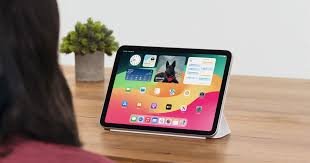
Apple has announced new accessibility features for later this year. Eye tracking will let users control their iPad or iPhone using just their eyes. Music haptics will help deaf or hard-of-hearing people experience music through ear vibrations. the iPhone’s Tactic Engine. Vocal shortcuts will let users perform tasks using custom sounds. Vehicle motion cues may help reduce motion sickness in moving vehicles. More features are coming to Vision OS. These updates use Apple’s hardware, software, and AI to further Apple’s commitment to accessible projects.
“We believe deeply in the revolutionary power of innovation to enrich lives,” said Tim Cook, Apple’s CEO. “That’s why for nearly 40 years, Apple has championed inclusive design by embedding accessibility at the core of our hardware and software. We’re continuously pushing the frontiers of technology, and these new features reflect our long-standing promise to deliver the best possible experience to all of our users.”
Sarah Herrlinger, Apple’s Senior Director of Worldwide Accessibility Policy and Initiatives, said each year we make significant progress in accessibility. These new features will impact a wide range of users and provide new ways to communicate, control devices, and interact with the world.
Eye Tracking Comes to iPad and iPhone
Eye tracking, designed for people with physical disabilities, uses the front-facing camera for quick setup. Data is securely stored on the device using machine learning.
In addition to seamless navigation, eye tracking is another upcoming feature that bridges to the next advancement. Music haptics enhance accessibility for people who are deaf or hard of hearing.
Music Haptics Make Songs More Accessible
Building on music haptics, Apple is also introducing new features to support a wide range of speech abilities, creating a cohesive suite of accessibility enhancements.
New Features for a Wide Range of Speech
Alongside these speech accessibility options, Vehicle Motion Cues addresses motion sickness among users traveling in vehicles, providing visual indicators to make device use more comfortable during motion. This addition builds on Apple’s comprehensive accessibility approach.
Artificial intelligence has the potential to improve speech recognition for millions of people with atypical speech. “So, we are thrilled that Apple is bringing these new accessibility features to consumers,” said Mark Hasegawa-Johnson, the principal investigator of the speech accessibility project at the Beckman Institute for Advanced Science and Technology at the University of Illinois Urbana-Champaign. The Speech Accessibility Project was designed as a broad-based, community-supported effort to help companies and universities improve the effectiveness of speech recognition. And Apple is among the accessibility advocates who made the Speech Accessibility Project possible.
Vehicle Motion Cures May Have Reduced Motion Sickness
CarPlay will soon include new accessibility features such as voice control, color filters, and sound recognition. Voice control lets users navigate CarPlay and control apps using only their voice. Sound recognition can alert deaf or hard-of-hearing drivers and passengers to car horns and sirens. Color filters help people who are colorblind by making the CarPlay interface easier to see, and bold text is also available for better visibility.
Accessibility Features Coming to VisionOS
This year, VisionOS adds system-wide live captions, helping users, including those who are deaf or hard of hearing, follow spoken dialogue in conversations and app audio. Live captions for FaceTime make connecting and collaborating with people easier. Apple Vision Pro now lets users move captions during immersive video and supports more made-for-iPhone hearing devices and cochlear processors. Additional updates improve or reduce transparency, smart invert, and dim flashing lights for people with low vision or those sensitive to bright or flashing lights. Existing features like VoiceOver, Zoom, and Color Filters provide blind or low-vision users access to spatial computing, while Guided Access supports cognitive disabilities.
Users can control Vision Pro with their eyes, hands, or voice and use accessibility features such as Switch Control, Sound Actions, and Dual Control for people with physical disabilities. Founder of Equal Accessibility LLC. As someone born without hands and unable to walk, I know the world was not designed with me in mind. So, it’s been amazing to observe that Vision Pro just works its proof of the power and importance of accessible and inclusive design.
Additional Updates
- VoiceOver will offer new voices, flexible Voice Rotor, custom volume control, and customizable keyboard shortcuts on Mac.
- Magnifier will add a new Reader Mode and quick access to Detection Mode via the Action button.
- Braille users get improved Screen Input with faster control, Japanese support, multi-line Braille via the Dot Pad, and more table options.
- For users with low vision, Hover Typing displays larger text in the user’s preferred font and color when typing in a text field.
- For users at risk of losing their ability to speak, a personal voice will be available in Mandarin Chinese. Users who have difficulty pronouncing or reading full sentences can create a personal voice using short phrases.
- For non-speaking users, Live Speech will use categories and be compatible with Live Captions.
- For users with physical disabilities, the Virtual Trackpad for AssistiveTouch lets them control their device using a small area of the screen as a resizable trackpad.
- Switch Control will let iPhone and iPad cameras recognize finger-tap gestures as switches.
- Voice Control will support custom vocabularies and difficult words.