





Morrisville, North Carolina
Picture a frequent traveler getting comfortable for a six-hour flight from New York to San Francisco. Right away, there’s a problem: a spreadsheet needs attention on one screen, while a video conference recording and project notes fight for space on another. Bringing an external monitor can help, but it means extra weight, cables, and the chance of something breaking. Lenovo Unleash wants to solve this exact issue with its new Twin Screen AI Laptop.
The new Yoga Book 9i Gen 11 changes how we think about mobile computing. Rather than making people carry extra gear, Lenovo packed two full-sized screens into a single high-end laptop. Even better, it created smart software and power management so both screens work smoothly together without quickly draining the battery.
Lenovo Unleash Strategy Centers on the Twin Screen AI Laptop
Dual-screen laptops aren’t a brand-new idea. Companies have tried adding extra displays for years, but the results have often been mixed. Many earlier designs had problems with software, battery life, or were just hard to use.
The Yoga Book 9i shows a more advanced take on the idea. Lenovo’s latest Twin Screen AI Laptop brings together two large touchscreens and uses AI to predict what you’ll do next and manage resources accordingly.
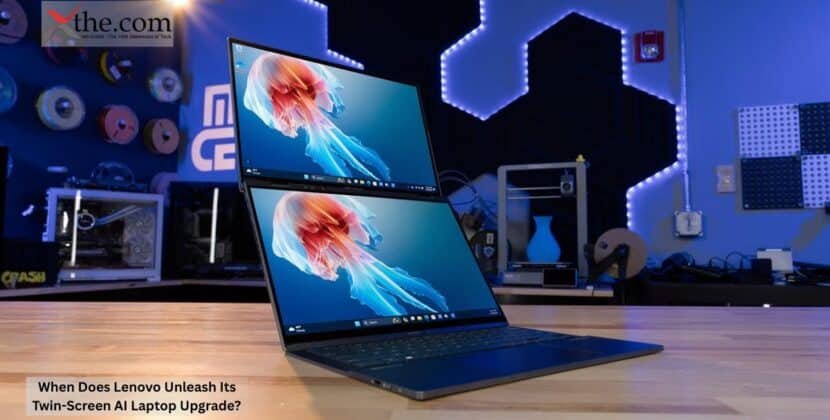
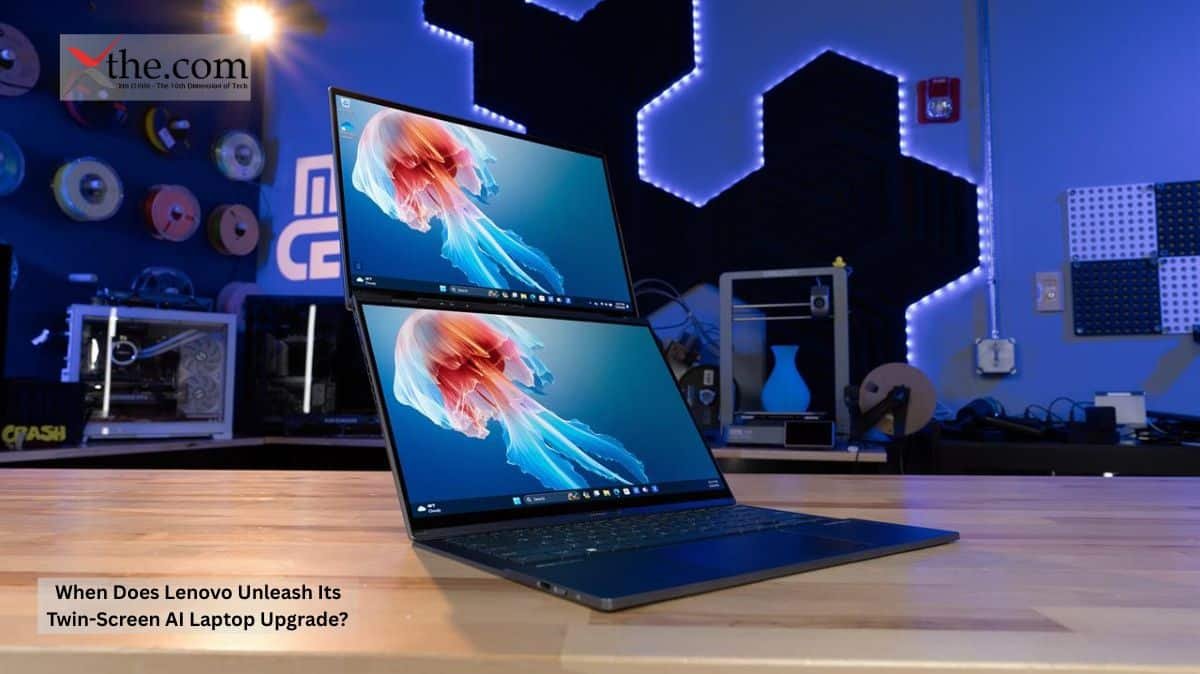
At first, the device looked almost futuristic. When you open it, you see two stacked screens that replace the usual keyboard area. The wireless keyboard can sit on the lower screen when you need it, or you can take it off to make more room.
For people working remotely, the advantages are obvious. You can have a financial model open on one screen and emails on the other. A consultant might look at client presentations on one display while researching the second. This setup appears like a desktop workstation, but you don’t need any extra gear.
How the Yoga Book 9i Manages Performance Across Two Displays
Using two screens at once is a real engineering challenge. More pixels mean more power, and every app you run uses system resources.
This is where Lenovo’s smart technology shines.
The system keeps track of how you use your apps. If you often switch between a browser, a collaboration tool, and a productivity app, the laptop learns to expect those changes. Instead of giving every app the same resources, it focuses on the ones you’re likely to use next.
This smart approach directly affects how the battery is used.
Rather than always sending the same amount of power to both screens, the system can adjust brightness, refresh rate, and resource usage based on what you’re doing. For example, a screen showing a still document uses much less power than one playing video or running live collaboration tools.
The result is a smarter Battery Distribution that helps preserve endurance without jeopardizing functionality.
The Role of Dual OLED Technology
One of the best things about the new model is its display quality.
The Dual OLED setup delivers deep contrast, vibrant colors, and sharp images on both screens. This is important for creative professionals. Designers, photographers, and video editors often need accurate colors to get the results they want.
The Dual OLED design also makes multitasking feel more absorbing. Content looks the same on both screens, so your workspace feels connected instead of split between two displays.
For executives reviewing reports or analysts working with large data sets, having the same look across both screens makes work easier and more effective.
Why Business Travelers Should Pay Attention
Frequent travelers may benefit the most from this design.
Traditional productivity setups often require compromises. Carrying a portable monitor increases luggage weight. Working from a single display reduces efficiency. Tablet-based second screens frequently introduce connectivity issues and inconsistent performance.
The Yoga Book 9i attempts to eliminate these tradeoffs.
Picture preparing for a client presentation in an airport lounge. One screen displays presentation slides while the second screen hosts speaking notes and last-minute edits. During a flight, the same configuration supports side-by-side document review without requiring internet access or external accessories.
This emphasis on Mobile Productivity fits well with changing workplace habits. Hybrid work arrangements continue to expand, and professionals increasingly expect desktop-level functionality regardless of location.
The value proposition is simple: more screen space without further baggage.
Understanding the Lenovo Yoga Book 9i dual-screen app settings guide
A particularly important aspect of the experience involves software improvement. The Lenovo Yoga Book 9i dual-screen app settings guide becomes relevant because dual-screen hardware only succeeds when applications behave intelligently.
Users can configure application placement preferences, determine which programs automatically launch on specific displays, and customize workspace layouts by task category.
For example, a financial analyst may configure spreadsheets to always open on the upper display while communication tools stay anchored to the lower screen. A content creator might dedicate one screen to editing software and the other to asset management.
The Lenovo Yoga Book 9i dual-screen app settings guide effectively turns the hardware into a personalized workspace rather than simply providing additional screen real estate.
The Wider Impact on Future Computing
Lenovo’s announcement goes beyond a single product launch.
The industry has spent years focusing on processor speed, memory capacity, and thinner designs. The next phase of innovation may revolve around workspace intelligence. Users progressively value how devices organize information rather than simply how quickly they process it.
The Twin Screen AI Laptop concept suggests an era in which operating systems actively manage attention, screen placement, and resource deployment. AI-powered software could eventually predict workflows, automatically rearrange applications, and optimize electricity consumption without user intervention.
For software developers, this creates new opportunities and new responsibilities. Applications designed for multi-display environments must understand context, screen hierarchy, and user intent.
Lenovo’s latest device gives a glimpse of that future. The combination of Dual OLED displays, intelligent Battery Distribution, and enhanced Mobile Productivity demonstrates that dual-screen computing can move beyond novelty and become a practical instrument for professionals. As mobile work continues to evolve, the companies that master intelligent display management may shape the next generation of personal computing more profoundly than those focused solely on raw performance.
Source: Lenovo StoryHub