



As AI technology becomes essential to contemporary computing systems, the definition of a “capable” PC system is evolving. In 2026, AI is no longer an optional feature it is integrated into operating systems, productivity tools, and everyday workflows. Companies like Microsoft, Intel, and Qualcomm are driving this shift by establishing new hardware benchmarks for what qualifies as an AI-ready PC.  

The system requirements need to be understood by professionals, students, and enterprises, as these specifications are essential. Today, businesses face the risk of selecting the wrong hardware, leading to compatibility issues, performance drops, and shortened operational lifespans due to AI workloads.  

The Rise of AI-Native Operating Systems  

AI has become a fundamental part of modern operating system development. Windows from Microsoft now includes AI capabilities that users can access through built-in virtual assistants, automated processes, and Google search services.  

The system requires hardware components, especially NPUs, to achieve fast, effective performance. Traditional PCs without dedicated AI acceleration struggle to support these advanced features.  

The transition involves shifting AI development from cloud-based systems to hybrid models that use on-device hardware as the primary functional element.  

Why 40+ TOPS NPU Performance Matters  

The measurement of TOPS (trillions of operations per second) has emerged as the primary standard for assessing AI capabilities on personal computers. The industry now considers devices with 40 TOPS of NPU performance the essential standard for systems capable of supporting artificial intelligence applications.  

The established requirement ensures that laptops have sufficient power to execute real-time transcription, image processing, and AI-assisted workflows without requiring extensive cloud computing support.  

Qualcomm has focused on developing chips with strong NPU capabilities, while Intel has begun adding AI processing features to its upcoming processors to meet growing market demand.  

Users who spend money on hardware that does not meet this standard will find their future abilities to use devices restricted.  

CPU, GPU, and NPU: A Balanced Architecture  

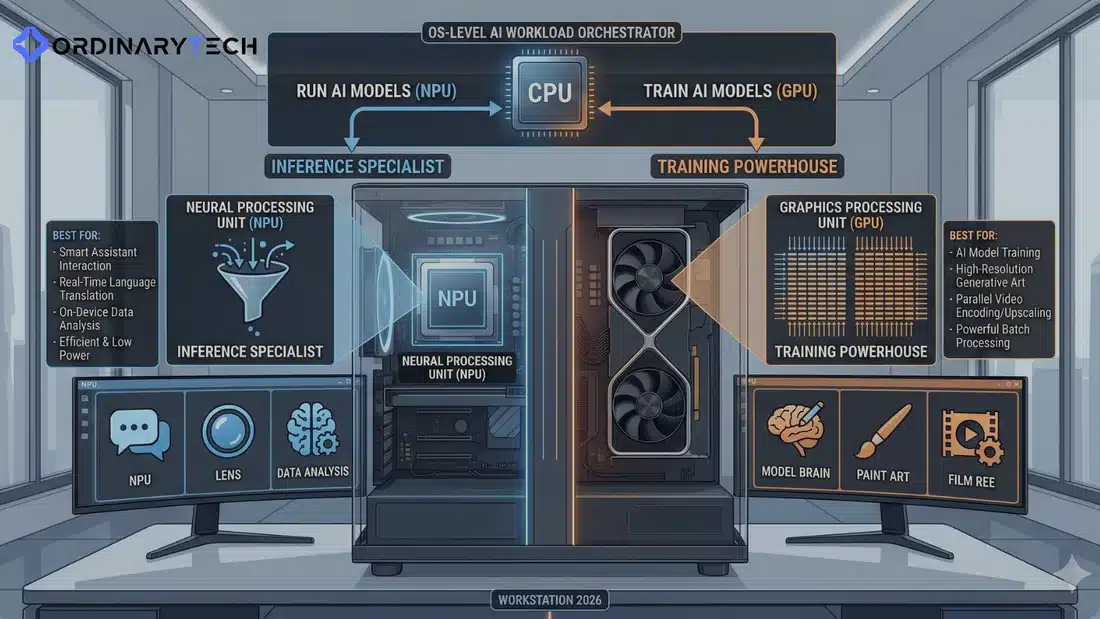
AI PCs need balanced system designs that integrate CPU, GPU, and NPU processing capabilities. Each component plays a distinct role in handling different types of workloads.  

The CPU manages general computing tasks, while the GPU processes graphics and executes multiple operations, and the NPU performs AI-related functions. The system achieves responsive performance through its combined component configuration, which delivers efficient operation.  

Intel and Qualcomm are developing unified systems that combine these elements to enhance system performance and reduce energy consumption.  

The balanced method allows devices to perform multiple tasks by preventing any single component from becoming overloaded.  

Memory and Storage Requirements  

AI workloads require substantial memory and storage capacity for their operations. The minimum memory requirement for current AI systems is 16GB of RAM, but users who need advanced performance should use 32GB or more.  

Local model execution and large dataset processing both require storage capacity as an essential component. Solid-state drives (SSDs) enable faster data retrieval, improving system performance.  

Microsoft develops its AI functions to make efficient use of system resources, enabling greater value from advanced hardware configurations.  

The system will maintain its operational capabilities through future AI applications by investing in appropriate memory and storage solutions.  

Battery Efficiency and Thermal Design  

Organizations must prioritize efficiency when managing the resource-intensive demands of AI. The NPUs (Neural Processing Units) provide a way to execute AI-based workloads on devices while reducing power consumption and extending battery life.   

Qualcomm centers its competitive edge on energy efficiency and illustrates the benefits of its AI-based chip manufacturing, which provides longer battery life and lower thermal output.   

Cooling system performance is based on thermal design and enables extended periods of efficient operation, enhancing the user experience and supporting mobile professionals. 

Software Optimization and Ecosystem Support  

Hardware components by themselves cannot provide users with a complete artificial intelligence experience. Software optimization is essential for applications to achieve their maximum operational potential with artificial intelligence technology.  

Microsoft is developing artificial intelligence capabilities throughout its ecosystem while chip manufacturers supply developers with the necessary resources and development frameworks.  

The complete potential of AI PCs can only be achieved through effective collaboration between hardware and software components.  

Users should evaluate hardware specifications alongside the availability of specialized applications optimized for their systems.  

Connectivity and Edge AI Capabilities  

Modern AI PCs are designed to handle both local and cloud processing. The system enables users to connect with cloud services through high-speed links. The system enables users to compute data on their devices through its edge AI features.  

The hybrid system allows users to control their system performance through performance control, cost management, and privacy protection.  

Intel and Qualcomm are investing in technologies that enhance connectivity and edge processing.  

AI applications will require this combination as their complexity increases over time.  

Use Cases Driving Hardware Requirements  

The need for artificial intelligence PCs exists because people require them for various applications. Professionals use artificial intelligence to create content, analyze data, and automate processes, while businesses use it to make decisions and improve operational efficiency.  

Students and developers are now using AI tools to support their educational and research activities.  

Different applications require hardware systems that can handle varying levels of complexity, so flexibility is essential.  

Microsoft built its ecosystem to enable users to fulfill their needs, which requires diverse functionality and the ability to grow.  

Risks of Underpowered Hardware  

Selecting hardware that fails to meet artificial intelligence requirements leads to multiple operational problems. The devices face three main issues: they cannot support new features and rely on cloud processing, resulting in decreased performance.  

The system will incur additional expenses throughout its life because users will have to replace their equipment earlier than planned.  

Intel and Qualcomm have established partnerships to create standardized benchmarks that enable customers to choose suitable products.  

Organizations need to invest in cutting-edge hardware solutions to protect themselves from emerging threats.  

Conclusion: Building a Future-Ready AI PC  

The shift to AI-native computing introduces new user experience standards for their devices. To meet 2026 requirements, organizations need to focus on NPU performance, balanced system design, adequate memory capacity, and system efficiency.  

Users can maintain their system performance over the coming years by following the compatibility standards established by Microsoft, Intel, and Qualcomm.  

Organizations need to invest in proper hardware today because it supports performance and enables them to use upcoming computing technologies.

Sources: Recent Articles 

Introducing the ultimate college bundle: built for student life

Qualcomm Recommends Stockholders Reject Mini-Tender Offer by Tutanota LLC
In 2026, there’s no time to waste with cyberattacks and your defenses shouldn’t have to either. Modern attacks can go from breach point through to total network compromise in under 30 seconds, which means traditional, cloud-based security products are dangerously slow. 

That’s where artificial intelligence-powered endpoint detection and response (EDR) solutions come into play. Leading vendors like CrowdStrike and SentinelOne are shaping the future of enterprise security by autonomously detecting and mitigating threats in real time, powered by on-device AI. 

Platform Overview 

CrowdStrike Falcon 

CrowdStrike Falcon is a cloud-based cybersecurity solution leveraging the power of the CrowdStrike Threat Graph to protect enterprises from global cyberthreats. CrowdStrike collects trillions of trusted security events and uses AI to identify patterns and anomalies across millions of endpoints worldwide. 

Key Strengths: 

  • Massive amounts of data intelligence via the Threat Graph 
  • Lightweight agent with very low system performance impact 
  • Deep level of threat intelligence via CrowdStrike’s very strong threat intel program, along with additional Managed Services 

SentinelOne Singularity 

SentinelOne Singularity uses on-device, autonomous AI to provide intelligent detection and protection against cyber threats without relying heavily on the cloud. 

Key Strengths: 

  • Fully autonomous AI-driven endpoint protection 
  • Ability to detect and respond to threats even when you are offline 
  • Built-in “Rollback” feature to allow for recovery from ransomware attacks without losing any data 
Feature CrowdStrike Falcon SentinelOne Singularity 
AI Architecture Cloud + AI analytics On-device autonomous AI 
Threat Detection Speed Very fast Instant (offline capable) 
Rollback Capability Limited Advanced (full system rollback) 
Cloud Dependency High Low 
MITRE ATT&CK Performance ممتاز (high) ممتاز (high) 
Ease of Deployment Easy Moderate 
Enterprise Scalability Very high Very high 

AI Capabilities Comparison: Cloud-Based vs. Autonomous 

The major distinction between the two platforms is how they use AI. 

Cloud Intelligence is heavily used by CrowdStrike Falcon through its Threat Graph, which collects data from around the globe and enables it to rapidly discover new threats. This capability complements CrowdStrike’s strength in detecting advanced, large-scale attacks. 

However, relying on the cloud to access this intelligence results in delayed responses in environments with weak internet connectivity. 

Autonomous Action is a theme of SentinelOne Singularity. Their AI models run natively on the device (endpoint) rather than a cloud-based platform. Because of this operating model, SentinelOne can provide immediate detection and response to security incidents—even when offline. 

This, coupled with SentinelOne’s sophisticated approach, makes it the solution of choice for organizations vulnerable to rapid-fire attacks such as ransomware. 

Rollback Capabilities: The Game Changer 

Simply put, if a file is encrypted by ransomware, SentinelOne enables organizations to restore the computer system to its state before the attack (rollback). Because of this capability, SentinelOne has proven to be a highly desirable security solution for organizations focused on business continuity. 

In comparison, CrowdStrike provides strong detection and response capabilities; however, CrowdStrike’s remediation capabilities are less automated and comprehensive than those of SentinelOne. 

MITRE ATT&CK Evaluations (2026) 

Both platforms consistently perform well in MITRE ATT&CK evaluations, which simulate real-world attack scenarios. 

  • CrowdStrike excels in visibility and detection coverage. 
  • SentinelOne stands out for its autonomous response and minimal human intervention. 

For enterprises, this means both tools are reliable—but the choice depends on operational priorities. 

Microsoft Defender: The Third Contender 

When we refer to endpoint protection, we must mention Microsoft Defender for Endpoint. 

Microsoft Defender is primarily used by organizations that are already deeply integrated into the Microsoft ecosystem; it provides a strong baseline of protection and cost savings for those that already use Microsoft 365. However, it does not have the same level of advanced autonomous capabilities as the other two products. 

Pricing Overview (Trends in 2026) 

Depending on size, features, and support levels, the price of enterprise Cybersecurity Platforms differs widely. 

For example, 

CrowdStrike Falcon: Premium pricing is justified by its Threat Intelligence Network. 

SentinelOne Singularity: Competitive pricing, with high value added for process automation. 

Microsoft Defender: Price is low for Microsoft-related companies. 

Separate from the custom price points of all enterprise solutions, CrowdStrike and SentinelOne represent the high-end of enterprise-level Cybersecurity Platforms. 

Why This Matters to the US Business Marketplace 

Security is now classified as more than an IT problem—it is a business risk. 

With heightened scrutiny from regulatory bodies such as the Securities and Exchange Commission, all companies must disclose any cybersecurity risks. A business with a weak security stack is likely to incur losses from both legal exposure and reputational damage. 

Investing in an AI-enabled platform is not only necessary for protecting the company,, but it will also help the company maintain compliance and customer confidence. 

Conclusion 

In 2026, the cybersecurity battle is no longer just about detection—it’s about speed, automation, and resilience. CrowdStrike and SentinelOne represent two different philosophies: cloud-powered intelligence versus autonomous endpoint defense.  The right one depends on your organization’s risk profile, infrastructure, and response strategy. 

Source: Frontier AI Is Collapsing the Exploit Window. Here’s How Defenders Must Respond. 

Frontier AI Reinforces the Future of Modern Cyber Defense

The technological changes of 2026 have created a new challenge for American business leaders. The artificial intelligence that is powering major growth is also making digital systems more vulnerable. In the past, cyber defense focused on catching human mistakes. Now, threats move at machine speed and use realistic social engineering. Companies are no longer just dealing with hackers. They must defend against autonomous agents that can gather information and move through networks in minutes. Because of this, understanding how AI affects security is now essential for protecting both finances and operations.  

The Evolution Of The AI Attack Playbook 

Modern attackers have moved far beyond the simple phishing emails of the early 2020s. Language models. Now they use agentic phishing, where large language models create flawless personalized messages that avoid obvious mistakes. These tools can research an executive’s social media and public appearances to create deepfake audio or video so realistic that they can bypass standard security checks. In 2026, one AI-generated deepfake call led to $25 million in fraud at a major US company. This shows that manufactured trust has become a serious risk.  

In addition to social engineering, attacks have become more advanced, using methods such as data poisoning and prompt injection rather than targeting software code. These techniques target the AI models that companies use to make decisions. Attackers can quietly change the training data or add harmful instructions, causing AI systems to reveal sensitive information or give false financial predictions. Because these changes are hard to spot, a breach can go unnoticed for months while the AI keeps working as usual, serving the attackers’ goals.  

The High Cost of Machine Speed Breaches 

The financial impact of these advanced threats is huge. By 2026, global cybercrime costs are expected to top $10.5 trillion. For a typical US company, a single data breach now costs almost $4.9 million, including lost productivity, legal fees, and regulatory fines. The real danger of modern breaches is their speed. Advanced AI agents can go from initial access to full control in less than 30 minutes. Because of this, traditional human-led security operations centers often cannot respond in time to prevent damage.  

The industry is also facing the risks from vibe coding, where AI-generated code is added to production software without thorough security checks. This speeds up development but can introduce serious flaws that attackers can find easily. In early 2026, researchers found that about twenty-five percent of large organizations still had high-risk flaws due to unchecked AI contributions. This ongoing problem shows why companies need to move from just preventing attacks to building stronger overall cyber resilience.  

Securing The Agentic Frontier 

As businesses use more autonomous agents, they create a large new attack surface made up of non-human identities. Each AI agent working for an employee needs its own credentials, permissions, and oversight. In 2026, top companies are using AI gateways as central control points to monitor and filter all AI traffic in the organization. These gateways work like a digital customs office, ensuring sensitive data stays within the system, and harmful prompts do not reach internal systems. This setup gives companies the visibility they need to manage hundreds of digital agents.  

The federal government has introduced the NIST AI Risk Management Framework (RMF) and the Cyber AI Profile, the first standards for securing machine intelligence. These frameworks focus on continuous threat exposure management (CTEM), which means continuously testing a company’s defenses with simulated AI attacks rather than relying on static checklists. US companies are now focusing on zero-trust systems, where every interaction, whether human or machine, is verified each time. This strict approach is the only way to keep systems secure when trust can be generated algorithmically.  

Building a Culture of AI Resilience 

The best way to handle new threats is to build a culture that values digital integrity as much as innovation. Companies should update employees’ training to cover deepfakes and the dangers of sharing sensitive data with public AI tools. Security is now a board-level issue that shapes every major decision, not just an IT issue. By using standard frameworks and fast automated defenses, US businesses can face the challenges of 2026 with confidence.  

AI-driven threats have changed how organizations need to protect themselves, but they have also given us new ways to build stronger defenses. Companies that balance fast innovation with strong security will do best in today’s smart economy. The risks are real, but the chance to create secure, efficient, and independent businesses is bigger than ever. To succeed, organizations must notice changes, adapt quickly, and respond immediately. 

Source: State of AI Cybersecurity in 2026: What the Data Tells Us About What’s Coming Next 

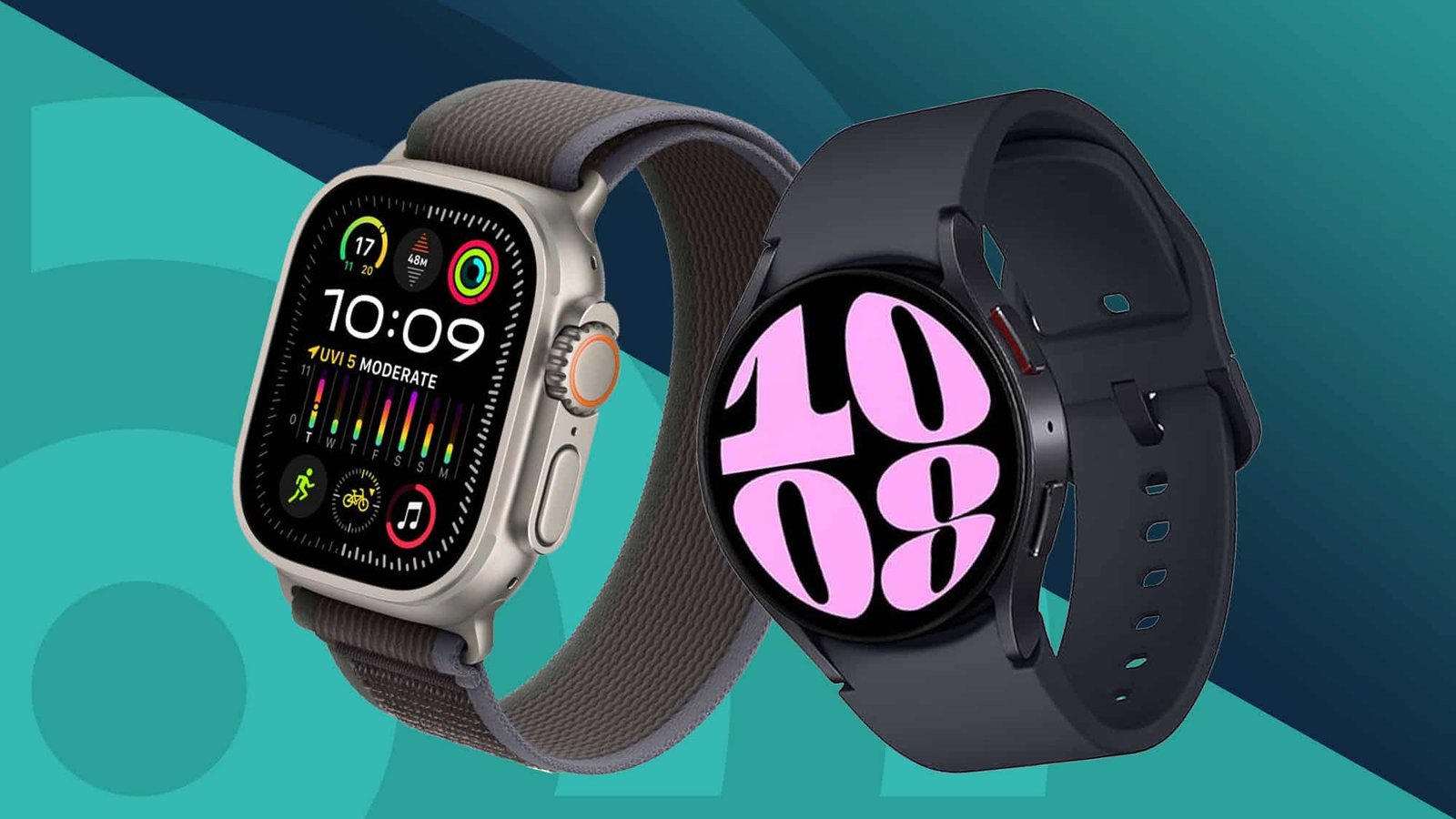
The use of AI health wearables revolutionizes personal healthcare practices across the United States by providing users with real-time predictive health monitoring capabilities. The devices from Apple, Samsung, and Oura Health use advanced AI to detect patterns and identify anomalies, issuing early health risk warnings.  

Modern wearables enable users to access actionable insights from their biometric data streams, which they continuously analyze, unlike traditional fitness trackers, which only track steps and heart rate. The new system enables users to adopt a health management system that helps them identify potential health threats before they develop into serious medical problems.  

The Evolution of AI in Health Wearables  

The past ten years have brought major advancements to wearable technology. The first wearable devices permitted users to monitor their physical activity but did not provide complete health information. Today’s AI-powered wearable devices can track multiple health indicators, including heart rate variability, sleep patterns, blood oxygen levels, and stress levels.  

Apple and Samsung use machine learning to analyze data points, enabling them to create customized health recommendations for their customers. The development shows how the healthcare industry is shifting toward preventive medicine, which requires doctors to detect health problems before they become serious and to continuously monitor patients.  

Apple Watch: Integrated Health Ecosystem  

Apple Watch remains one of the most comprehensive AI health wearables available. The device combines its hardware capabilities with its advanced software features through its connection to the Apple ecosystem.  

The device provides heart rate monitoring and ECG functionality, blood oxygen tracking, and fall detection, with AI-driven analysis enhancing these capabilities. The watch uses these features to detect unusual patterns, which it uses to inform users about possible health problems.  

Apple has established privacy and data security measures, which protect sensitive health information while enabling organizations to access vital health metrics.  

Oura Ring: Precision Sleep and Recovery Tracking  

With the Oura Ring, a different research approach has been taken, focusing on the two areas of sleep and recovery. This is accomplished by creating a small, ring-style device that provides users with detailed information about their sleep patterns, how ready they are to perform daily tasks, and their overall health.  

In addition to providing users with information, the device also uses AI to track user performance over time and determine how factors such as stress, physical activity, and lifestyle choices can affect their overall health.  

The device’s predictive capabilities also provide users with suggestions on when and for how long to take breaks and when to engage in physical activity.  

Oura Health has also positioned itself as a leading provider of continuous, unobtrusive health-monitoring devices. 

Samsung Galaxy Watch: Advanced Health Metrics  

The Samsung Galaxy Watch incorporates several traditional smartwatch features and advanced capabilities for monitoring one’s physical health and well-being. Through its various sensors, the watch measures heart rate, ECG, and blood pressure (in select regions, where approved), as well as body fat composition. 

Artificial Intelligence helps analyze these measurements, providing users with insight into their heart health and helping them achieve overall physical wellness. In addition, the user can track their sleep patterns and control their stress levels with the watch. 

Samsung is also expanding its health ecosystem by integrating and connecting these wearables with its other products and health services. 

Key Features to Compare  

The process of assessing AI health wearables requires multiple essential elements to be considered. The sensors must provide accurate measurements because trustworthy data serves as the basis for deriving valuable insights. Apple, Samsung, and Oura Health have invested substantial resources in improving the accuracy of their sensors.  

The effectiveness of AI analysis represents another critical element. The wearables must function as data-collection devices capable of analyzing data, enabling the discovery of health risk patterns and special cases.  

The assessment process requires two main factors through which researchers examine device performance. Battery life and comfort are essential factors to evaluate devices designed to operate continuously.  

Predictive Health Alerts and Early Detection  

The main benefit of AI wearables technology lies in their capability to deliver health forecasts through predictive alerts. The devices make health predictions by analyzing long-term patterns, enabling them to detect subtle indicators of upcoming health problems.  

The system enables users to detect irregular heart rhythms and sleep pattern changes at an early stage, helping them get medical help before their condition deteriorates.  

The Apple Watch and Samsung Galaxy Watch demonstrate the functionality of these features by monitoring cardiovascular health.  

Data Privacy and Security  

The collection of sensitive personal information from health wearables requires companies to implement strict measures to protect user privacy and secure data.  

Apple focuses on processing data and protecting information through encryption, while Samsung and Oura Health have developed their own methods to safeguard their systems.  

When selecting a wearable device, users need to examine the complete process of how their data will be stored, shared, and used.  

Integration with Healthcare Systems  

The development of AI wearables has reached a stage where they now function as medical devices that share user data with healthcare systems. The system provides ongoing access to actual user behavior data, which helps doctors make better diagnostic and treatment decisions.  

Users can share their health data with doctors through Apple Watch, which connects to health applications and medical systems.  

The system establishes a foundation for delivering healthcare services that combine personal customization with evidence-based medical practices.  

Limitations and Challenges  

Health wearables with artificial intelligence capabilities provide advantages to users. The sensors experience accuracy problems, while artificial intelligence forecasts do not replace doctor recommendations.  

User adoption and costs, together with regulatory approval requirements, create obstacles. Device acceptance depends on the ability to fulfill medical certification requirements.  

Samsung and Apple work together to enhance device reliability while they expand their software capabilities.  

Conclusion: Choosing the Right AI Health Wearable  

AI health wearables offer advantages, but they face several limitations. Sensor accuracy is inconsistent, while AI models fail to provide proper medical evaluation in accordance with established guidelines.  

The user adoption process faces obstacles, including high costs and regulatory approvals. The medical community needs to trust devices as valid solutions before they can achieve widespread use.  

Samsung and Apple focus on two main areas: enhancing product reliability while adding new functionalities.

Sources: 

Latest News

Meet the Community

Samsung Unveils ‘Design Is an Act of Love’ Exhibition at Mila

We’ve reached the end of the optional “AI guidelines” as of April 2026, when the White House’s Office of Science and Technology Policy announced an official shift from voluntary guidelines to structured federal guidelines for AI governance. 

For U.S. companies, this represents a monumental change. AI systems must now be governed by the same documentation, risk controls, and accountability standards as financial systems or cybersecurity infrastructure. Regulatory agencies have begun coordinating across the federal government, including the National Institute of Standards and Technology and the Federal Trade Commission, to form a unified oversight ecosystem for governing AI. 

As a result, corporations that use AI (in any way, from hiring to finance to health care to marketing) will have to provide evidence that their AI systems are safe, explainable, and compliant. 

The Core Foundation of US AI Policy is the AI RMF by NIST 

The foundation of US AI Policy is based on NIST’s AI RMF 1.0. The AI RMF outlines a guided approach to managing AI risks in four key areas: Govern, Map, Measure, and Manage. 

1. Governance: All organizations must implement strategies for their governance; this includes establishing internal policy, creating an organizational structure that holds accountability, and providing oversight. Each organization must appoint a Chief AI Officer (CAIO) or equivalent. 

2. Mapping: All businesses must identify how they are using AI, what data is being used to train it, and the corresponding risk associated with each system. 

3. Measurement: All systems need testing to determine whether they are operating with any bias, to evaluate their accuracy, whether they are robust against all possible disasters, and whether they are secure from potential breaches. These tests will often involve techniques such as ‘Red Teaming’. 

4. Management: All potential risks associated with AI must be addressed through ongoing monitoring, incident response, and improvement processes. 

These four pillars serve as the foundation for compliance regulation by both federal and state regulators. 

FTC Legal Hand of Authority in Regulating AI Technology 

  • With the regulatory framework established by NIST, the number of federal FTC (Federal Trade Commission) actions alleging AI technology abuse by companies is on the rise. 
  • Specifically, the FTC is focusing on the following areas when enforcing consumer protection laws against companies that use AI. 
  • AI-Related Deceptive Practices – A company that promotes its artificial intelligence capabilities by overstating its abilities would have to defend itself against deceptive trade practices. 
  • Bias and Discrimination – Companies may face investigations resulting from their AI systems unfairly discriminating against people. 
  • Misuse of Data – Companies that fail to comply with laws requiring proper handling/training of data used by their AI systems risk violating compliance laws. 
  • The FTC has clearly stated that it is applying existing law to the use of artificial intelligence systems by companies in their business operations. This means companies must create processes to ensure their innovation complies with applicable laws. 

Emerging Challenges for US Companies Doing Business with AI Technology 

One of the biggest challenges for US-based businesses developing AI systems is navigating overlapping regulations. 

At the Federal Level: 

  • Guidance outline from the NIST Artificial Intelligence Risk Management Framework. 
  • Policies and Directives from the White House 
  • FTC enforcement actions. 

At the State Level: 

  • The newly enacted Colorado AI Act 
  • The newly enacted California AI Transparency Law 
  • Other industry-specific regulations (e.g., hiring, finance) govern the use of AI technology. 

It is very difficult for companies to be aware of the varying standards imposed by both federal and state laws under which they operate. Thus, to ensure your company is compliant with all applicable legal/regulatory requirements for AI technology, you should adopt a “highest standard” approach. 

Why Businesses Should Care 

The updates to these policies matter because of the following reasons: 

1. Increased Legal Risk 

If an organization does not follow appropriate AI governance guidelines, it could be sued, fined, or suffer reputational damage. 

2. Increased Costs to Comply With Regulations 

Organizations are spending significant sums on compliance tools, legal teams, and governance. 

3. Gaining a Competitive Advantage via Trust 

Organizations with an established governance structure for their AI systems may be able to differentiate themselves from competitors. 

4. New Roles Created for Leadership Positions 

Chief AI Officers (CAIOs) are becoming more prevalent at companies as they seek an executive-level overseer to govern AI use. 

How Organizations Should Prepare 

Organizations need to take proactive measures to prepare for the changes implemented through these policies, including: 

  • Use the NIST AI RMF 
  • Ensure that they have aligned their internal processes with the four key functional areas of the framework (Govern, Map, Measure, Manage). 
  • Platforms such as Vanta and Drata can help automate risk tracking and audit preparedness. 
  • Conduct Frequent AI Audits 
  • Determine whether AI systems have been properly trained and are free from bias, and identify potential inaccuracies and security weaknesses. 
  • Use Red-Teaming on AI Systems 
  • Test AI systems against adversarial scenarios for weaknesses. 
  • Educate Employees on Ethical AI 
  • All employees should be educated about the ethical risks associated with AI. 

Conclusion 

AI policy in 2026 is no longer fragmented—it’s converging into a cohesive framework that demands accountability from businesses. For US companies, the message is clear: compliance is not optional, and waiting is not an option. Organizations that act early—by adopting frameworks, investing in tools, and building governance structures—will not only avoid risk but also gain a strategic advantage in the AI-driven economy.

Source: WELCOME TO THE GOLDEN AGE! 

In 2026, US companies have moved from experimenting with AI to focusing on building strong unified systems. They found that using multiple AI tools across departments led to higher costs, security issues, and inconsistent results. Now, businesses are shifting to an AI command center approach, bringing all their AI resources together into a single place. Executive boards are discussing why enterprises are centralizing AI platforms, because this change can turn AI from scattered projects into a dependable tool for the whole company.  

Eliminating the Shadow AI Complexity 

When generative tools spread quickly, teams could work faster, but this led to the problem of shadow AI. In 2026, bringing these platforms together helps IT and security teams see every model interaction across the company. This control is important to stop accidental uploads of private code or customer data to outside systems that do not meet standards. With a single AI entry point, companies can apply the same security and data rules across the entire organization. This organized approach helps reduce the legal and reputational risks associated with using separate tools.  

A centralized setup also makes it easier to manage AI models. Instead of each department handling updates and changes on its own, a central team handles them for everyone. This way, all employees, from marketing to engineering, use the latest and most accurate models. It reduces technical issues and maintains consistency in the company’s AI use. For companies looking to scale up their AI use, this smooth operation is essential.  

Drastic Cost Reduction Through Token Orchestration 

In 2026, the way companies pay for AI changed. Instead of just buying subscriptions, they now deal with more complex token economies. When companies use many separate tools, they often pay different vendors for similar features, which wastes money. Centralized platforms use model routers to send simple tasks to cheaper, smaller models and save expensive models for harder problems. This can cut AI costs by up to 40% without losing performance. Managing spending this way is now a key part of how big companies get value from AI.  

Centralizing also gives companies more power to negotiate better prices with cloud and AI providers. When a company combines the use of thousands of employees into a single contract, it can get big discounts that single departments cannot. This bulk approach is the best way for large US companies to keep costs under control. For CFOs, making AI spending predictable and manageable is a key reason to centralize AI platforms.  

Standardizing Data Sovereignty And Governance 

With global AI regulations tightening in 2026, the sovereign stack is now the norm for American businesses. Centralized platforms provide a governance layer that logs every AI decision, creating the audit trail needed for compliance in fields such as finance and healthcare. This transparency helps organizations spot and fix algorithmic bias before it affects real-world operations. Without a central hub, tracking these metrics across many accounts would be nearly impossible. Localized control helps companies stay compliant with changing federal and state laws.  

Centralization also creates a unified data foundation, enabling all AI agents to use the same high-quality, verified company data. When sales and customer support teams rely on this shared knowledge base, customers receive a consistent, accurate experience. This single source of truth is a key to building trust in AI-driven interactions. The question of why companies are centralizing AI really comes down to protecting the integrity of their digital identity. By connecting all AI activities to a common core, businesses safeguard their brand and speed up innovation.  

Accelerating The Pace Of Cross-Departmental Innovation 

One of the biggest benefits of centralization is the network effect it brings to the workforce. When everyone uses the same platform, a custom prompt or automated workflow from HR can be quickly adapted for the legal team. The shared library of digital assets saves employees from duplicating work and lets successful ideas spread across the company right away. This teamwork turns the whole business into a place for experimenting and learning. The platform boosts creativity for every team member.  

In summary, the shift to centralized AI shows that technology is maturing. By bringing their tools together, US companies are protecting their data, cutting costs, and creating more flexible, innovative teams. The AI command center provides them with the stability and control they need to address the challenges of 2026. Those who learn to manage centralized systems well will lead the next wave of global business. This change helps ensure AI remains powerful, safe, and profitable for years to come.  

Source: Enterprise AI Strategy in 2026: A Practical Framework for Scalable, Governed AI 

Businesses around the world use hyperscaler platforms to cut IT costs, improve scalability, and drive innovation.  

But as concerns about data privacy, compliance, and national security increase, organizations, especially governments and regulated industries, are rethinking whether to use sovereign or public clouds. Regulators everywhere are asking key questions: Where is sensitive data stored? Who controls it? Who can access it?  

These questions have led to the growth of sovereign cloud, which keeps data infrastructure and access under one nation’s control. In Europe, the General Data Protection Regulation (GDPR) and new EU digital sovereignty proposals drive this trend. India’s Digital Personal Data Protection Act sets similar rules, and other countries are following.  

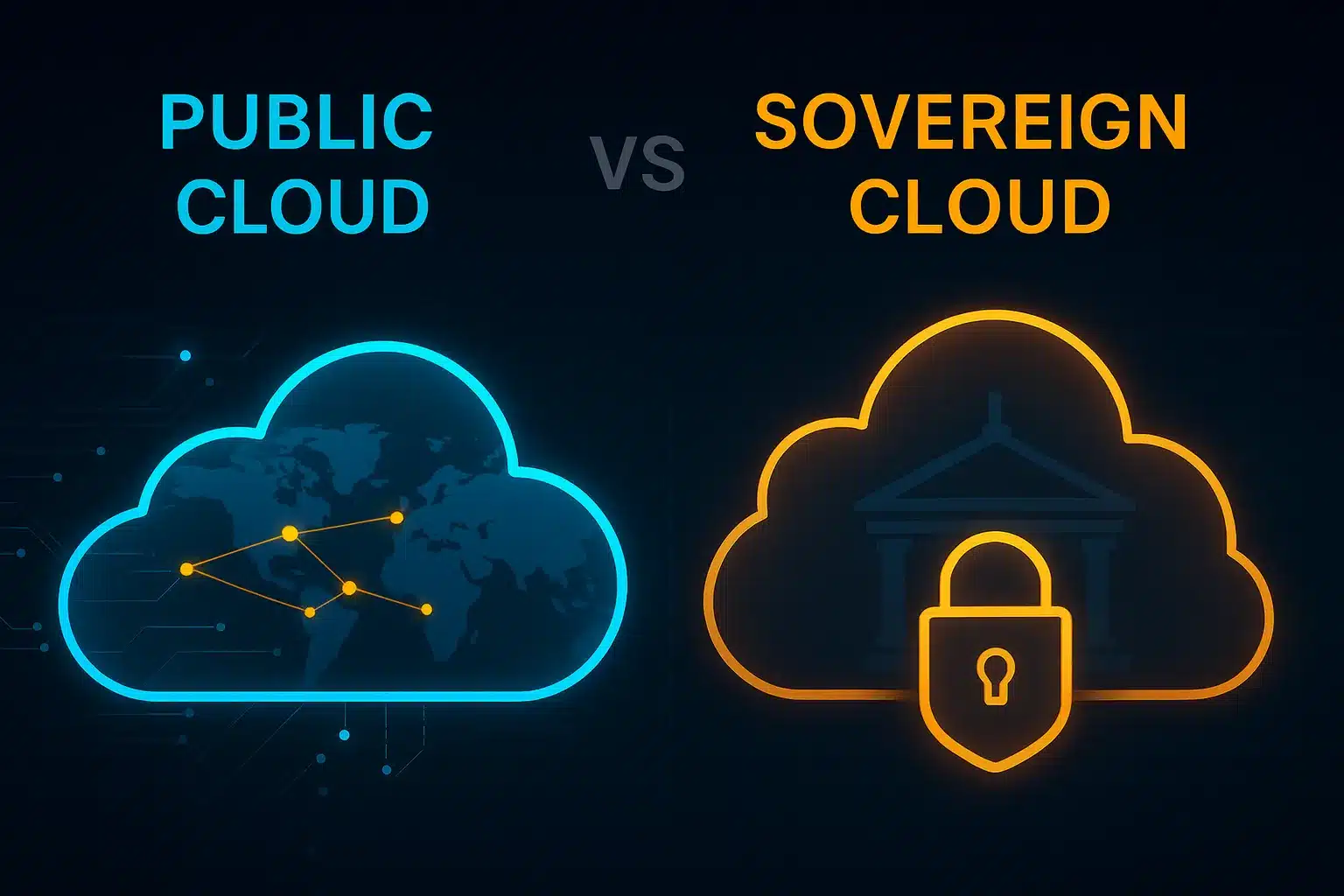
Both public and sovereign clouds are types of cloud computing, but they differ in data governance, location control, and compliance rules. Here, we examine the main differences by looking at their use cases.  

Understanding the Cloud 

The debate between sovereign and public cloud is about more than just technology.  

It also involves business continuity, national compliance, and digital sovereignty. At first, sovereign and public clouds seem similar. Both store data, provide computing power, and help businesses grow. The real difference is in who has control and under which laws.  

A public cloud is a model where third-party providers like AWS, Azure, and GCP deliver computing, storage, and applications over the internet. Its main features are:  

  • Multi-tenant architecture: resources are shared by many users  
  • Pay-as-you-go pricing: The users only pay for the services they consume.  
  • Highly scalable and flexible: resources can be adjusted instantly as needed  
  • Global infrastructure: data centers are spread worldwide, which allows for geo-redundancy  

A sovereign cloud keeps all data storage, processing, and management within the legal borders of one country or region. Usually, a local provider or a trusted partner of a global hyperscaler runs it under strict compliance rules.  

Its main features are:  

  • Data residency and sovereignty: Data is stored and processed only within the country’s borders.  
  • Full legal jurisdiction: Only local laws govern the data.  
  • Restricted access: Foreign entities, even the cloud provider’s parent company, cannot access the data.  
  • Enhanced compliance: It is designed for sectors with strict rules, such as government, defense, healthcare, and finance.  

Sovereign cloud is quickly becoming the top choice for many sectors. Governments and regulated industries face more pressure to protect sensitive data, especially as geopolitical tensions and data breaches rise. Regulations such as the EU’s GDPR, India’s DPDP Act, France’s SecNumCloud, and Japan’s C5 standards are driving demand for local sovereign-compliant cloud solutions. Many countries are also concerned about foreign surveillance, especially under laws like the US Cloud Act, which lets US authorities access data stored abroad by American cloud providers.  

Different Sectors, Different Priorities 

Each industry reaches its own tipping point, which influences how it chooses cloud solutions.  

A central bank might require that all customer data and risk models remain within the country. In contrast, a regional bank could use a hybrid approach, keeping core systems on a sovereign cloud and using public cloud for customer engagement.  

A health technology platform might want to use artificial intelligence with sensitive patient data. While public cloud AI services are flexible, compliance rules require training data to remain on premises. To keep the trust of patients and regulators, the platform chooses a sovereign cloud.  

When a government moves citizen services online, the public cloud can be efficient but may not offer enough security. By choosing a sovereign cloud, they make sure all infrastructure is owned, operated, and audited within the country.  

Public cloud is still the top choice when speed, scalability, and cost matter most. It works especially well for hosting websites, mobile apps, and SaaS platforms, making it a great choice for startups and digital-first companies with limited budgets. Its global reach and advanced tools also make it ideal for AI and machine learning projects that require large, diverse datasets and powerful computing resources.  

Public cloud platforms also offer robust backup and disaster recovery capabilities, leveraging geographic redundancy to keep businesses running smoothly. For DevOps teams, public cloud supports continuous integration and delivery pipelines and large-scale container management, making it a popular choice for agile software development.  

On the other hand, sovereign cloud is best for situations where compliance, control, and national interests are most important. Government services and citizen portals, such as land records, tax systems, and digital identity programs like Aadhaar, require strict, secret data localization and governance, making sovereign cloud a top pick.  

Critical infrastructure sectors such as utilities, power grids, and national defense also benefit from sovereign cloud, which offers greater control, traceability, and isolation. Healthcare systems that manage sensitive patient data under strict privacy rules also rely on the sovereign cloud. Financial institutions facing stringent compliance and audit requirements often choose sovereign cloud to remain in compliance and protect their operations.  

Cloud decisions have become a board-level topic for CIOs and CTOs, especially regarding risk, governance, and reputation.  

The main issue is not choosing one over the other, but finding the best way to use them together.  

Many global cloud providers now offer sovereign cloud options to meet these needs:  

  • Microsoft Cloud for Sovereignty: supports Azure services in sovereign environments.  
  • Google Sovereign Cloud(partnering with T-Systems in Germany).  
  • AWS has dedicated local zones for governments.  
  • VMware Sovereign Cloud Initiative with local partners  

Public clouds are known for their agility, cost savings, and wide range of features. In contrast, sovereign clouds focus on control, compliance, and trust. The best option depends on your organization’s rules, risk level, and the sensitivity of your data. As the digital world changes, many companies are choosing hybrid models. They use public cloud for everyday tasks and sovereign cloud for sensitive or regulated data, balancing innovation with control. 

Source: Sovereign cloud vs public cloud – making an informed choice 

In 2026, American innovation is changing quickly as federal programs lower the costs of specialized hardware. For a long time, only a few tech giants had access to high-performance computing, which made it hard for smaller companies to experiment or build new products. Now, new public-private partnerships are giving startups and mid-sized firms the computing power they need to compete worldwide. As a result, the government is moving from just regulating the industry to actively shaping a more open and accessible tech economy.   

Removing Barriers To Computing For Small Businesses 

A key part of this change is the National AI Research Resource (NAIRR), which has moved from a test program to a permanent part of the US infrastructure. In early 2026, NAIRR increased its support for the private sector, focusing on startups and small businesses. This means new companies can avoid spending huge amounts on GPUs or expensive cloud services. By offering affordable access to top-quality computing, the program helps companies succeed based on their ideas and technology, not just their funding.  

Regional compute hubs are now being set up across the Midwest and South, spreading the AI economy beyond traditional tech hubs. These hubs give local businesses, such as manufacturers and healthcare providers, fast access to powerful computers so they can train their own models on-site. This is especially important for edge AI, where data needs to be processed close to where it is collected for quick results. By placing these resources across the country, the US is building a stronger, more balanced tech industry.  

Protecting Security And Independence For Private Companies 

As more companies gain access to computing power, the government has established sovereign stack rules to protect domestic firms’ intellectual property. The 2026 update to the CHIPS Act now requires secure, isolated environments in public computing centers. This lets businesses in sensitive fields such as defense and biotech use powerful computers without risking their private data. These cleanroom setups help companies stay competitive while leveraging government-supported infrastructure.  

The Department of Commerce has started the American AI Exports Program to help companies bring these secure technologies to international markets. The program makes it easier for US businesses to export complete AI solutions, including the computing systems behind them. By connecting US computing access with trade policy, the government is helping Americans’ standards for safe and ethical AI become the world standard. For startups, this makes it easier and more affordable to grow from local development to global markets.  

The Economic Ripple Effects Of Computational Abundance 

We can already see the effects of greater computing power in how quickly many US industries are working. For example, small energy companies now use shared high-performance computers to run grid simulations that used to take months. In agriculture, startups are using large datasets and vision-language models to identify crop pests more accurately than ever before. These examples show that access to computing is more than just a technical need. It is a key driver of productivity across many fields.  

Wider access to computing is also helping people build new skills. As more companies use advanced models, there is a growing need for workers trained in AI, which has led to new training programs connected to these computing centers. This combination of better technology and skilled workers is fueling ongoing innovation. By making advanced computing more affordable, the US is helping its economy stay strong, even as global supply chains and politics change.  

A New Era of Inclusive Innovation 

Moving forward, shared access to computing is opening up new opportunities in American technology. By making high-performance computing accessible to everyone, the US is helping more people create tools that address both local and global problems. This approach shows that lowering barriers to creativity increases creativity, benefiting the entire economy. As these programs grow, the goal will be to ensure that advanced computing continues to support the goals of all American businesses.  

This report on the National AI Research Resource provides an update on how this program is becoming a lasting national resource to support AI research and innovation in small businesses. 

Source: NSF Artificial Intelligence Research Resource: the NAIRR Operations Center (NAIRR-OC) 2026 

In 2026, using spreadsheets for managing compliance with laws regarding artificial intelligence (AI) will not only be inefficient but also dangerous. As laws governing the use of AI continue to evolve rapidly in the U.S., more and more businesses are being required to adopt enforced accountability measures. More regulatory entities, especially the U.S. Securities and Exchange Commission (SEC), are increasing their scrutiny of AI-related matters, including transparency and disclosure requirements, as well as risk reporting, forcing businesses to comply with regulations affecting the use of AIs. 

In addition, regulatory frameworks, such as the National Institute of Standards and Technology’s (NIST) Artificial Intelligence Risk Management Framework (AI RMF 1.0), are becoming the accepted standard for implementing responsible AI governance. These frameworks include guidelines based on four key components Governance (G), Mapping (M), Measurement (M), and Management (M) that require businesses to continually monitor and document their use of AI systems. 

Businesses will have difficulty meeting compliance standards due to manual processes, such as manually tracking instances of “Shadow AI” across different functional areas of a business and manually mapping datasets to multiple compliance requirements; thus, making it an impossible challenge without automated solutions. 

This is where tools designed to manage AI compliance come into play. Companies such as Vanta, Drata, and Secureframe are changing how U.S. companies approach governance. By automating the audit workflow, integrating with cloud-based systems, and providing near-real-time visibility into compliance, these companies will change how businesses manage compliance from a reactive to a proactive approach. 

How to Choose an AI Compliance Platform (2026) 

Prior to making any comparisons between platforms, it is important to understand what is actually important in 2026. There are multiple types of compliance platforms available; not all are required for AI-specific compliance or risks. 

1) NIST AI RMF Mapping 

An effective platform should directly align with the NIST AI RMF and provide automated mapping that averages across the four primary functions of the AI RMF: Govern, Map, Measure, and Manage. 

2) Shadow AI Detection 

An increasing risk is employees using unapproved AI applications, which expose sensitive data and use AI safely outside their company. The most approved platforms provide the capacity to log usage and directory. 

3) Real-Time Monitoring and Audit-Ready 

Regulators expect ongoing compliance, and annual auditing is no longer adequate. A compliant platform will include real-time dashboards and automate the collection of evidence. 

4) API Integration 

To be considered compliant, all modern platforms must have robust API integrations with cloud service providers, HRIS systems, version control systems, and data pipeline systems. 

5) Compliance Reporting 

There is increasing scrutiny from organizations such as the Federal Trade Commission, and the terminology used in compliance reporting must produce easy-to-use, exportable reports that clearly show compliance efforts. 

Vanta vs Drata vs Secureframe: 2026 Comparison 

1. Vanta 

Vanta is a leader in automating compliance, especially for startups and mid-size businesses. 

Top features: 

  • Automation for SOC 2, ISO 27001, and AI Governance Workflows 
  • Deep Cloud Platform Integrations such as AWS, GitHub, and Google Workspace 
  • User-Friendly Dashboards For Real-Time Tracking of Your Compliance 

AI Capabilities (2026): 

Vanta’s recent investment in AI includes NIST AI RMF mapping and risk documentation. One of Vanta’s key value propositions is its ability to prepare companies for audit in less time, which will help rapidly growing businesses. 

Limitations: 

  • Less Customization Options for Enterprise Organizations 
  • More Limited AI Risk Modeling Capabilities Compared to Competitors 

2. Drata 

Drata is known for its continuous compliance and enterprise-class functionality. 

Top features: 

  • Real-Time Control Monitoring 
  • Advanced Automation for Evidence Collection 
  • Strong Audit Workflow Reporting 

AI Capabilities (2026): 

Drata has made a significant investment in AI governance functionality through risk-scoring models and automated control mappings aligned with the NIST frameworks, enabling improved insight into overall system-level risks. 

Limitations: 

  • More Time Required to Learn to Use Than Competitors 
  • High Cost For Small Teams Compared To Competitors 

3. Secureframe 

Secureframe is a flexible, scalable, and customizable compliance solution. 

Strengths: 

  • Wide variety of compliance frameworks supported 
  • Intelligent vendor management tools for managing third-party vendor risk 
  • Ability to customize workflows 

AI Capabilities (2026):   

Secureframe is a leader in detecting “shadow AI” and assessing vendor risk, and provides businesses with the ability to track where shadow AI is being used across their entire ecosystem of AI solutions and how those tools interact with sensitive data. 

Limitations: 

  • Complex interface 
  • Somewhat less intuitive/streamlined onboarding process. 
Feature Vanta Drata Secureframe 
NIST AI RMF Mapping Yes Advanced Yes 
Shadow AI Detection Basic Moderate Advanced 
API Integrations Extensive Extensive Extensive 
Ease of Use High Medium Medium 
Enterprise Scalability Medium High High 
Pricing (2026) $$ $$$ $$$ 

Why It Is Important Now 

The regulatory environment is rapidly changing, requiring greater disclosures and transparency from public companies regarding technology-related risks, such as AI-based systems. The U.S. Securities and Exchange Commission’s current guidance suggests these disclosures must be made through regulated filings to provide security holders with complete and accurate information. Along the same lines, the National Institute of Standards and Technology’s ongoing updates to its AI security guidance reinforce this need by promoting the adoption of structured risk management practices for organizations that rely on AI. 

Two industry leaders, Vanta and Drata, assert that automation is no longer a choice but a necessity for businesses to remain competitive in today’s marketplace. Their resources support continuous monitoring to reduce audit fatigue and accelerate compliance preparation. 

Conclusion 

Select Vanta if you are a startup or a small- to mid-sized company looking for a simple, efficient solution. Select Drata if you need more automated processes with enterprise-grade capabilities, or greater insight into your company’s AI-related compliance risk than Vanta provides. Also, select Secureframe only if you require stronger risk detection and management of third-party vendors than either of these two products offers. 

Ultimately, your selection of the best automated compliance solution will depend on your company’s size, the level of risk you are currently exposed to, and the regulatory obligations your company faces. However, as we approach 2026, the only certainty is that manual compliance will no longer be a viable option under any circumstances.

Source-Newsroom 

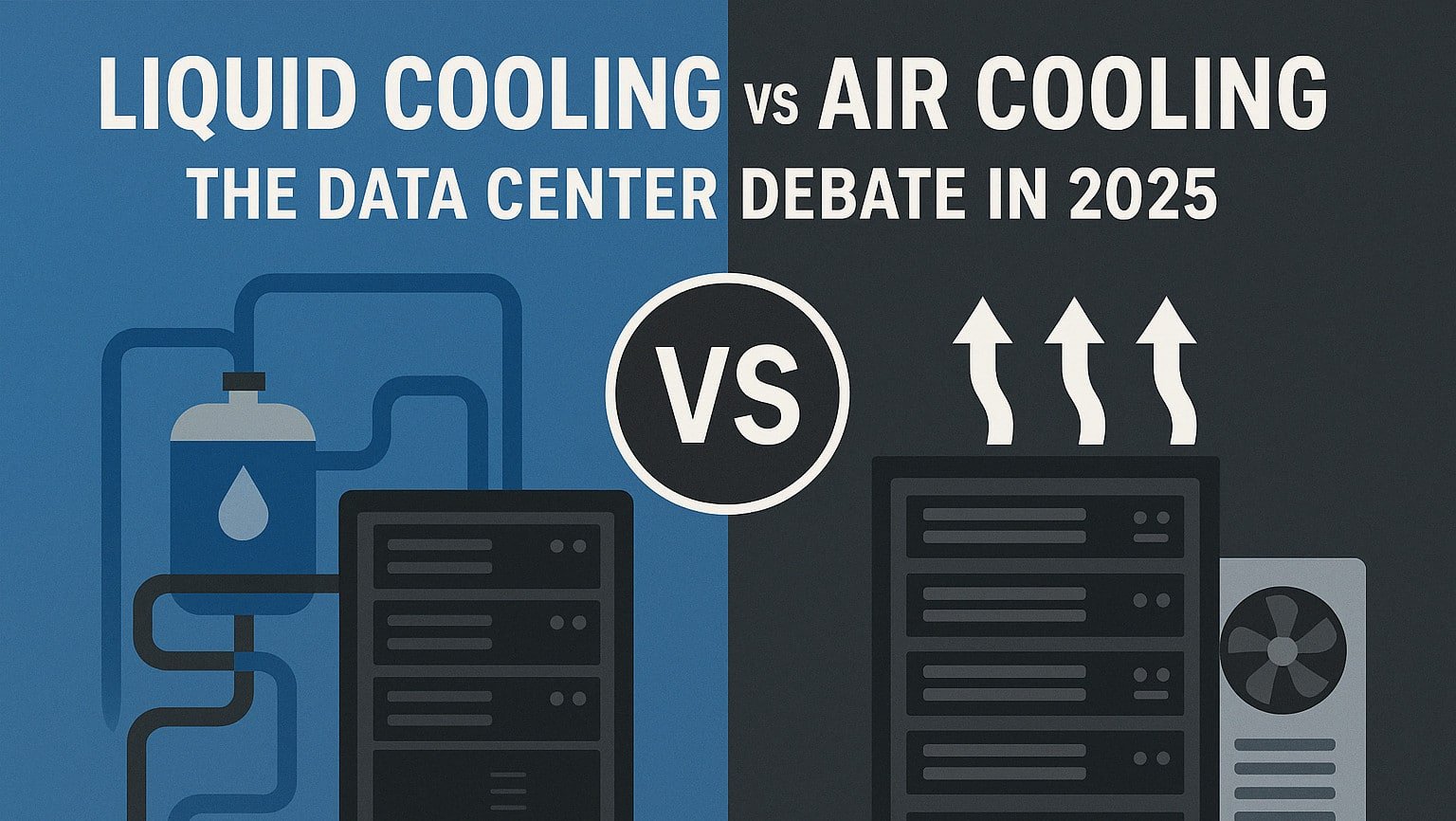
Air cooling hits a hard limit at 41.3 kW per rack. Above this point, the amount of air required to remove heat exceeds any practical system’s capacity, leading to noise problems and unstable temperatures that engineering cannot fix. Liquid cooling offers better thermodynamics, but the price is steep. Retrofitting costs $2–3 million per megawatt. Deciding between air and liquid cooling affects not only infrastructure budgets, but also competitiveness in AI markets where even milliseconds matter.  

December 2025 update: This year, liquid cooling moved from a cutting-edge option to a standard practice. The data center liquid cooling market reached $5.52 billion in 2025 and is expected to grow to $15.75 billion by 2030. Now, 22% of data centers use liquid cooling, making it a core part of infrastructure. Direct-to-chip cooling leads with 47% market share. Microsoft started rolling out liquid cooling across Azure campuses in July 2025 and is testing microfluids for future use. Colovore opened a $925 million facility that supports up to 200 kW per rack. New AI chips like NVIDIA H100/H200 and AMD MI300X produce over 700 W per GPU, which air cooling cannot handle. As a result, hybrid systems that use both air and liquid cooling are becoming the norm.  

Data centers worldwide consume 460 terawatt-hours of energy each year, and cooling accounts for 40% of that in traditional setups. NVIDIA’s latest GPU roadmap shows power use doubling every two years, reaching 1,500 watts per chip by 2026. Organizations now face a turning point: small improvements to air cooling cannot keep up with the rapid rise in heat. The choices made now will set operational costs for the next ten years.  

Microsoft invested $1 billion to retrofit its facilities for liquid cooling after finding that air-cooled systems could not handle GPT training workloads. Amazon Web Services uses both methods, relying on air cooling for storage and CPU tasks and liquid cooling for GPU clusters. These different strategies show that no single cooling technology fits every need, and making the wrong choice can leave companies with costly unused equipment.  

The Physics Behind It All 

Air holds 3,300 times less heat per unit volume than water under normal conditions. This fact shapes every cooling choice in today’s data centers. To move one kilowatt of heat with air, you need 100 cubic feet per minute (CFM) of airflow with a 10-degree Fahrenheit temperature rise. For a 40-kilowatt rack, that means 4,000 CFM, which is about as fast as the wind in a Category 2 hurricane in the cold aisle.  

Water’s specific heat capacity is 4.186 kJ/kg · K. So just one gallon can absorb as much heat as three thousand cubic feet of air. At a flow rate of 10 gallons per minute, you can cool a 100-kilowatt heat load with a 20-degree Fahrenheit temperature rise. To do the same with air, you need 10,000 CFM, which would be extremely noisy at 95 decibels, and use 25 kilowatts just for the fans. As equipment gets denser, water’s advantage only grows.  

Heat transfer coefficients clearly show the difference. Air-to-surface convection ranges from 25 to 250 W/m².K depending on the air velocity. Water-to-surface convection is much higher, from 3,000 to 15,000 W/m².K, which is about 60 times better and allows for much smaller heat exchangers. When liquid contacts the chip directly through cold plates, the rate exceeds 50,000 W/m².K, approaching the best possible conductive heat transfer.  

Temperature differences amplify these benefits. Air cooling requires a 30 to 40 degree Fahrenheit gap between the incoming air and the component to move enough heat. Liquid cooling works with just a 10 to 15 degree Fahrenheit difference, which keeps the components cooler, reduces leakage current, and makes them more reliable. According to Arrhenius equation modeling, lowering the operating temperature by 10 degrees Celsius can double the component’s lifespan.  

Altitude and humidity also limit the effectiveness of air cooling. For example, Denver’s high elevation lowers air density by 17%, so you need more airflow to get the same cooling. In high-humidity environments, condensation can form when cold air meets warm surfaces, causing serious damage to equipment. Liquid cooling doesn’t depend on surrounding air, so it works reliably anywhere from Death Valley to the Himalayas.  

Air Cooling Technologies and Their Limits 

For 40 years, traditional raised-floor air-cooling was the standard in data centers because it was simple and reliable. Computer room air conditioning (CRAC) units push cold air under raised floors, which then move it through perforated tiles into the cold aisles. Servers pull in this air and release it into the hot aisles. This setup works well for three to five kilowatts per rack, but once loads exceed 15 kilowatts, hot-air recirculation becomes too much for the system to handle, causing cooling to fail.  

Hot-aisle and cold-aisle containment makes cooling more efficient by preventing hot and cold air from mixing. Using plastic curtains or solid panels to separate these zones helps maintain temperature differences, which boosts cooling performance. When done right, containment can cut cooling energy use by 20 to 30 percent and increase cooling capacity by 40 percent. Google’s data centers have achieved a PUE of 1.10 with advanced air-cooling and full containment, demonstrating what’s possible when technology is used effectively.  

In-row cooling places refrigeration units closer to the servers, shortening the air path and reducing fan energy use. Vertiv’s CRV series places cooling units between server racks and can handle up to fifty-five kilowatts per unit. Schneider Electric’s in-row coolers offer similar capacity and use variable-speed fans that adjust to the heat load. This method works well for medium-density setups, but it needs one cooling unit for every two or three server racks, which takes up floor space.  

Rear-door heat exchangers are among the best air-cooling options for higher server densities. These units, which can be passive or active, attach to the back of server racks and cool the hot air before it enters the room. MotiveAir’s chilled door can handle up to seventy-five kW per rack by circulating chilled water. This technology maintains the usual airflow while removing heat at the source. However, installing these exchangers needs careful alignment, and the extra door weight can be a problem for older racks.  

Direct expansion (DX) cooling removes the need for chilled water systems by sending refrigerant straight to the cooling units. This simplifies and improves efficiency for smaller data centers. However, the risk of refrigerant leaks and limited ability to scale have slowed its use. Facebook stopped using DX cooling after leaks led to several facility evacuations and switched to water-based systems instead.  

Liquid Cooling’s Expanding Taxonomy 

Single-phase direct-to-chip cooling is the most common liquid-cooling method today because it is reliable and relatively simple. Cold plates attached to CPUs and GPUs circulate coolant at 15 to 30 degrees Celsius, removing 70 to 80 percent of the server’s heat, while fans remove the rest. AC attacks in the rack CDU system can support 120 kW per rack and include backup pumps and leak detection. This technology needs only minor changes to servers, so it can be added to existing setups without replacing hardware.  

Two-phase direct-to-chip cooling uses refrigerant phase changes to remove more heat. The coolant boils at about 50 degrees Celsius on the chip’s surface, and the vapor carries away the heat. ZutaCore’s waterless DLC cools up to 900 watts per GPU using low-pressure refrigerant R-1234ze. Because boiling is self-regulating, it maintains steady temperatures even when heat loads change. However, the system is complex and refrigerant costs are high, limiting its use.  

Single-phase immersion cooling cools servers by fully submerging them in a dielectric fluid, eliminating the need for air cooling. GRC’s IceRAQ systems use synthetic oil to maintain an inlet temperature of 40 to 50 degrees Celsius. Submerge SmartPod uses a similar method with biodegradable fluids and can handle 100 kW in just 60 square feet. Immersion cooling eliminates the need for fans, reduces failure rates, and enables very high server density. However, the fluids cost $50 to $100 per gallon, and servicing the equipment can be difficult, which slows adoption.  

Two-phase immersion is the most advanced cooling technology available. 3M’s Novec fluids boil at carefully controlled temperatures between 34 and 56 degrees Celsius, keeping component temperatures steady. Microsoft’s Project Natick demonstrated that two-phase immersion can handle heat fluxes of 250 W/cm², which is 10 times higher than air cooling can manage. BitFury uses 160 megawatts of two-phase immersion cooling for cryptocurrency mining, demonstrating that the method can scale up despite the fluids costing $200 per gallon.  

Hybrid approaches combine technologies for optimized cooling. Liquid cooling handles high-power components, while air cooling manages memory storage and networking equipment. HPE’s Apollo systems use this approach with direct-to-chip cooling for processors and traditional air cooling for anything else. The strategy balances performance and cost, but requires managing two parallel cooling infrastructures.  

Moving Ahead Calls for Careful Planning. 

Choosing the right cooling technology is a key decision that impacts all parts of data center operations. This choice shapes how you design your facility, pick equipment, and run daily tasks, and stay competitive for years to come. It’s important to consider not only what you need now, but also how your workloads, regulations, and technology might change in the future.  

Air cooling still works well in certain situations, such as enterprise data centers with moderate power needs, edge sites with limited space, and locations that only occasionally require high power. Because air cooling is a mature technology, costs are predictable, and expertise is readily available. New advances in containment, airflow, and heat recovery help keep air-cooling useful even within its physical limits.  

Liquid cooling is now essential for AI systems, high-performance computing, and any setup with more than 40 kW per rack. Its efficiency becomes even more valuable as energy costs and carbon taxes go up. Companies that switch early benefit from higher density, better reliability, and lower operating costs, which can offset the higher upfront investment.  

Introl guides organizations through cooling technology choices with full assessment, design, and implementation services. Our engineers review your current setup, plan for future needs, and create migration strategies that minimize disruptions. Whether you want to improve air cooling or move to liquid cooling, we offer solutions that balance performance, cost, and risk for your global operations.  

The real question is not if you should use liquid cooling, but when and how to make the switch. Companies that stick with air cooling will see higher costs and lose their edge as workloads grow. Those who adopt liquid cooling now will be ready for a future where high computing power sets leaders apart. The science is clear, so the decision is up to you.

Source: Liquid Cooling vs Air Cooling for AI Data Centers: 2025 Analysis