




In 2026, US companies are moving from testing AI in small projects to using it across their entire organizations. This shift means leaders are now focused on what brings real profits, not just what is possible. As more businesses in finance, healthcare, and manufacturing use Microsoft 365 Copilot, executives want clear ways to justify the $30 monthly fee per user. This Microsoft Copilot ROI guide gives benchmarks to turn subjective productivity gains into solid financial results. By looking at time saved, better IT operations, and less administrative work, organizations can measure the real economic value of their AI investments.  

Measuring Productivity: The Three Levels Of Value 

The simplest way to measure ROI is to track how much time employees save in their daily work. In early 2026, Forrester’s total economic impact data shows that top users in engineering and sales are saving between 2.5 and 5 hours each week. For a US worker earning $75 an hour, saving just two hours a month pays for the license, while saving five hours a week adds up to more than $18,000 in productivity per year. This means companies can see a return of 12 to 15 times the license cost when adoption is well-managed.  

Besides saving time, the Microsoft Copilot ROI guide highlights benefits for work quality. In a 2026 study of US consulting firms, 84% said Copilot helped them handle 50% more emails and draft first drafts in hours instead of days. This boosts letting firms serve more clients without hiring more staff  helping grow revenue. The main challenge for leaders is turning these time savings into real capacity that supports revenue-generating work.  

Reducing Operational Drag And IT Overhead 

While personal productivity is easy to see, another layer of ROI comes from better IT operations and lower security risks. Older hardware often cannot keep up with the demands of modern AI, leading to more support tickets and VPN issues. By upgrading to AI PCs that can handle local NPU tasks, companies have seen up to 30% fewer device-related support requests. This change lets IT teams focus less on fixing problems and more on projects that improve efficiency.  

  • Provisioning speed: automating the setup of Copilot-ready environments cuts setup time by 40% for each user  
  • Security risk mitigation: Using Microsoft’s unified security and permissions model lowers the risk of shadow AI data leaks.  
  • Knowledge retrieval: teams save an average of thirty to sixty minutes per week simply by using Copilot to summarize long team threads and find buried files.  
  • Meeting efficiency: summarization tools eliminate the need for manual note-taking and post-meeting follow-ups for millions of US workers.  

Strategic Governance and Adoption Maturity 

Getting the most out of an AI investment takes more than handing out licenses. Companies need to reach a mastery stage where employees learn advanced prompt engineering. In 2026, US businesses that set up champion networks and formal training saw ROI between 137% to 367% over three years. When organizations do not address the usage gap, licenses often go unused, turning a valuable asset into a wasted expense. A tiered rollout approach works best using early wins from key departments to support broader adoption across the company.  

The Microsoft Copilot ROI guide highlights the importance of keeping data clean in the Microsoft Graph. Copilot works best when it has access to high-quality data, so removing redundant, outdated, or trivial (ROT) information is key to achieving accurate AI results. US companies that cleaned their data before rolling out Copilot saw a 20% boost in the accuracy of AI-generated insights compared to those with messy data systems. This step helps make the AI assistant a dependable tool instead of a source of errors.  

The Revenue Growth Lever: Speed To Market 

For many U-US businesses, the speed of the idea-to-launch process is the most important ROI measure. By quickly summarizing scientific data or drafting grant proposals, industries such as biotech and education are reaching the market faster than ever before. Forrester’s 2026 model shows that this faster time-to-market can boost revenue by up to 6%. When AI handles routine content creation and data analysis, employees can spend more time on innovation and strategy.  

Embedding Intelligence Into The Core 

By 2026, agentic AI is changing Copilot from a simple chatbot into an autonomous operator. Custom agents in Copilot Studio can now handle multi-step tasks, such as processing invoices or managing supply chains, with minimal human intervention. This move towards autonomous ROI means the platform is now actively managing business processes, not just supporting people. This kind of integration is the most advanced stage of enterprise AI maturity.  

Measuring What Matters: The Dashboard Era 

To keep executives on board, US companies are using the Copilot dashboard and analytics to track key performance indicators (KPIs) in real time. These tools show which departments benefit most and where more training is needed to close skill gaps. By linking analytics to business goals, leaders can clearly demonstrate how AI is improving financial results. In 2026, AI FinOps is now essential for any CFO managing a large Copilot rollout.  

In summary, getting a good return from Microsoft Copilot means looking at productivity, IT efficiency, and growth together. The license cost stays, stays the same, but the value depends on how much a company invests in training and data management. As more US companies use Copilot in 2026, the most successful ones will treat AI as a basic tool, not just a nice extra. By following the steps in this guide, businesses can make sure their AI investment pays off both technically and financially.

Source:  Copilot for all: Introducing Microsoft 365 Copilot Chat
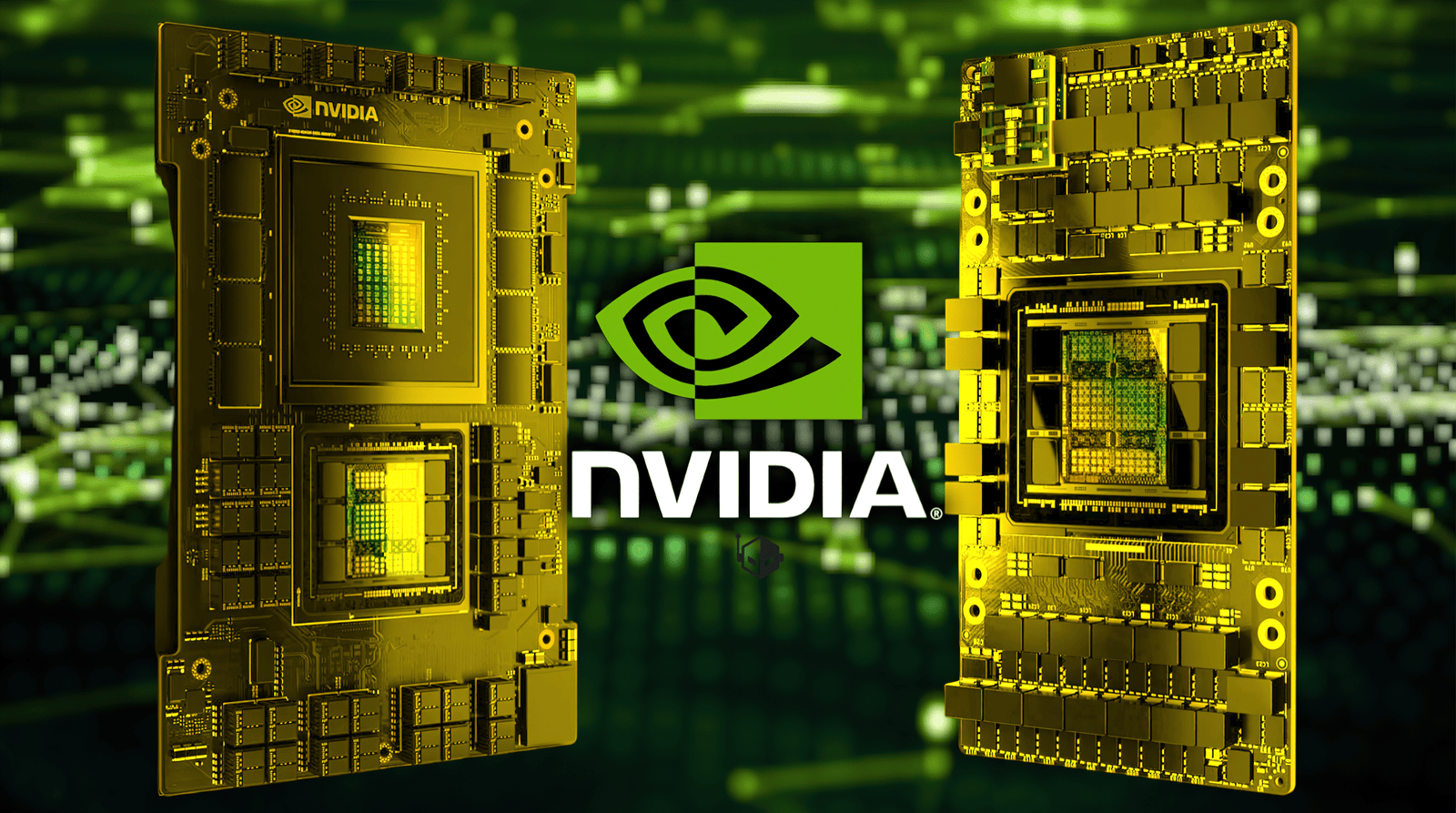
In April 2026, high-performance computing in the US is changing as the focus shifts from model training to large-scale agentic inference. The latest Nvidia AI chip roadmap update for US data centers highlights a move toward vertically integrated systems, where each data center rack serves as a single computing unit. Blackwell architecture is still the main choice for enterprise use, but the new Vera Rubin platform shows a strong move toward more advanced thinking machines. This roadmap helps US infrastructure providers plan for the power and cooling needs of the next generation of high-density racks exceeding 120 kW.  

The Blackwell Ultra Era and the FP4 Performance 

In January 2026, the B300 became the main chip for high-volume inference in major US cloud regions. It features 288 GB of HBM3E memory, enabling a single GPU to run a 70-billion-parameter model in FP16 without slowing down during quantization. The B300 is also the first chip to enable FP4’s widespread use in data centers, delivering 15 petaFLOPS of compute power. This efficiency helps US businesses lower their cost per token as they deploy autonomous agents in production.  

Blackwell Ultra brings improvements not just in computing power, but also in networking. Thanks to the new ConnectX-8. By doubling internode bandwidth to 1.6T per optical module, Nvidia has removed the communication bottlenecks that affected earlier training clusters. Now, the US has hyperscalers that can connect thousands of GPUs with sub-microsecond latency, which is essential for reasoning models that need large KV caches. The Nvidia AI chip roadmap update for US data centers now stresses that networking speed is as important as chip performance.  

Transitioning to the Vera Rubin Platform 

In the second half of 2026, the roadmap introduces the Vera Rubin platform, now in full production following its early 2026 launch. Built on the TSMC N3 process, the Rubin GPU has 336 billion transistors and uses HBM4 memory for higher bandwidth. This platform is designed for agentic AI, in which models handle complex, multi-step tasks independently. By combining 36 Vera CPUs and 72 Rubin GPUs in a single NVL 72 rack, Nvidia aims to deliver 2.5 times the inference throughput of the Blackwell generation.  

The Strategic Integration of the Groq Technology 

One standout feature of the Vera Rubin architecture is its use of Groq’s new low-latency processors, enabled by a major licensing deal in late 2025. With this setup, the Rubin platform can send large-scale, real-time inference tasks to Groq’s LPU (language processing unit) while keeping its GPUs focused on heavy training and reasoning tasks. NVIDIA’s Dynamo software manages this mix, enabling US data centers to run different workloads in the same rack. This combination is a key part of Nvidia’s AI chip roadmap update for US data centers, helping meet the demand for instant response times in human-AI interactions.  

Power Density and Liquid Cooling Mandates 

The roadmap shows a significant increase in power needs, with B300 racks using about 1,400 W per GPU and Rubin-based platforms reaching rack densities of about 130 kW. For US data center operators, this means liquid cooling will be required, not just an optional upgrade starting in 2026. To help with this change, NVIDIA is working more closely with cooling infrastructure providers so that direct-to-chip cooling systems come built into the rack design. This change is needed to keep 300-billion-transistor chips stable under long, demanding workloads.  

The roadmap also introduces the Rubin Ultra version expected in early 2027, which will increase memory capacity to 384 GB of HBM 4e. This upgrade lets US companies invest in the Vera Rubin ecosystem now, knowing their systems can handle even larger, multimodal workloads in the future by using NVLink6, which offers 3.6 TB of bandwidth per GPU. The Nvidia AI chip roadmap update for US data centers ensures the interconnect system stays up to date as new chips are released.  

Long Term Outlook, The Feynman Generation 

Looking ahead, Nvidia has begun discussing the Feynman architecture planned for 2028, which will include optical interconnects built into the silicon. This vision points to a future in which data centers no longer use copper cables, enabling the bandwidth needed for large-scale simulations. For now, US companies are working to secure Rubin GPUs, as production at TSMC remains very limited. Managing these supply chain delays has become a key skill for any organization involved in the AI infrastructure boom.  

In summary, the current roadmap is a guide for the next stage of the US digital economy, where intelligence is seen as a high-performance utility. By moving from separate GPUs to fully integrated AI supercomputers, NVIDIA is giving US businesses the tools they need to build in and lead in autonomous systems. As the Blackwell Ultra is replaced by the Vera Rubin platform later this year, the main goal will be to balance computing power, energy efficiency, and fast networking. Following this roadmap is now a strategic must for staying competitive in the global AI race.

Source: Build a More Secure, Always-On Local AI Agent with OpenClaw and NVIDIA NemoClaw 

In 2026, cybersecurity is shifting from simply patching problems after they happen to actively managing threats as they move at machine speed. The recent CISA alert about the Axios NPM package compromise in April 2026 has shaken the US developer community and shown how even trusted software can be vulnerable. Companies are moving past basic antivirus tools and adopting comprehensive cybersecurity platforms that align with CISA alert standards, with a focus on supply chain security and ongoing risk management. This change is crucial because attackers now use automated tools to find and exploit weaknesses faster than humans can respond.  

Navigating the Supply Chain Crisis: Lessons from Axios 

The CSR alert from April 20, 2026, about Axios NPM versions 1.14.1 and 0.30.4 is a clear warning that the tools we rely on can be turned against us. Attackers added the malicious crypto-js dependency, which lets them install remote access Trojans directly in developer environments. For US companies, this means repositories and CI/CD pipelines are now key areas to protect. Modern platforms need to give teams a clear view of their software bill of materials (SBOM) so they can quickly identify and lock down safe versions of critical packages across their code.  

A strong cybersecurity approach following CISA and (US) guidance goes beyond just tracking versions. It requires using artifact repositories as a secure layer. These repositories check every third-party package for unusual behavior, like unexpected network activity or new processes, before anything reaches production. By using settings such as ignore-scripts=true and requiring a minimum release age, organizations can lower the risk of new supply chain attacks. This proactive method helps keep your digital systems safe from the latest threats.  

The Rise of Agentic AI: A Dual-Edged Sword in 2026. 

Agentic AI has changed the speed at which attacks can occur for American businesses. As seen in late 2025 and confirmed by recent CISA guidance, attackers now use AI models to run every part of an attack autonomously, from gathering information to stealing data. Because these attacks happen so quickly, traditional security teams often can’t stop data loss in time. As a result, companies are turning to AI-based detection platforms that can spot and stop these automated attacks in milliseconds.  

While attackers use AI to scale their efforts, defenders are using it to create digital immune systems. As attackers use AI to increase their reach, defenders are building digital immune systems that can predict and stop attacks before they happen. These systems combine tools that detect fake media with behavioral analysis to catch targeted phishing and serious fake attempts that evade standard filters. In a cybersecurity platform’s guide following the CISA alert (US), the main idea is contextual defense. This approach means the platform looks beyond known virus signatures and studies the intent and context of each interaction to find early signs of AI-driven attacks.  

Continuous Exposure Management (CEM) Versus Traditional Scans 

By 2026, the traditional network perimeter is gone, replaced by a mix of cloud workspaces, APIs, and non-human identities. CISA now recommends that organizations shift from periodic vulnerability scans to continuous exposure management (CEM). With CEM, companies continuously discover and prioritize attack paths across hybrid and multi-cloud environments. These platforms simulate real-world attacks, helping CISOs identify their most important assets and strengthen the paths to them.  

To use CEM well, organizations need strong integration between asset discovery and identity management. If an attacker gains access to a cloud console or developer account, they can often use OAuth permissions to move laterally and stay hidden. A cybersecurity platform’s guide following the CISA alert highlights that identity is the new firewall. Today’s platforms should verify every access request using real-time signals, such as device health and user behavior, rather than relying solely on static credentials. This zero-trust approach is the best way to protect a constantly changing perimeter.  

Hardening the Edge and Legacy Infrastructure 

As companies update their systems, they often leave behind outdated edge service devices and unsupported software, creating technical debt. CIS’s Binding Operational Directive 26-02 requires organizations to remove this outdated hardware to prevent it from becoming an easy target for ransomware. Many US companies struggle to find these forgotten subdomains and old switches that handle important traffic. Modern cybersecurity platforms help by maintaining an up-to-date, automated list of every device and application and flagging those that no longer receive security updates.  

Good cyber hygiene also applies to operational technology (OT) and Internet of Things (IoT) devices used in manufacturing and utilities. These systems often cannot run traditional security software, which makes them targets for the hybrid ransomware attacks seen in 2026. A comprehensive cybersecurity platform guide following the CISA alert (US) recommends using an integrated IT/OT security model that shares data between the two areas. This helps defenders notice if an attacker moves from an office computer to a critical production controller before it causes real damage or regulatory issues.  

Strategic Governance and the Liability Paradigm 

One of the biggest changes in 2026 is the new focus on regulatory risk and executive responsibility. New rules mean board members and senior leaders can be held personally responsible for major security failures or for failing to do enough to prevent them. As a result, cybersecurity is now a top strategic priority for every US business, not just an IT issue. Boards want clear resilience metrics, such as mean time to recovery (MTTR), and regular updates on progress in zero-trust and post-quantum cryptography (PQC).  

As companies deal with these challenges, many are choosing to combine their security tools rather than juggle dozens of separate point solutions. They are moving to unified security operations platforms that bring together EDR, MDR, and cloud-native protection (CNAPP) into a single place. This approach helps reduce alert fatigue and lets security teams respond to incidents with a single automated plan. By following the latest CISA alerts and NIST guidelines, businesses can stay compliant and resilient in a more dangerous digital world.  

Securing The Future Of American Business 

The time of unchecked digital growth has been replaced by a focus on disciplined resilience. The CISA alerts from 2026 are more than just warnings. They offer plans to build a strong security foundation in a world of fast-moving threats and supply chain risks. By following a comprehensive cybersecurity platform guide in line with the CISA alert (US), companies can turn security from a cost into a competitive edge. The main priorities should be protecting the supply chain, securing identities, and managing the constantly changing attack surface.  

Ultimately, the goal of modern cybersecurity is to create a digital world where innovation can happen safely. Even though threats in 2026 are more advanced, the tools to fight them are also stronger than ever. Companies that use these new platforms and focus on resilience will lead the next phase of global business. By making security a core value, we can keep America’s digital landscape strong and successful for years to come.

Source: Reducing the Significant Risk of Known Exploited Vulnerabilities 

Deciding between Amazon Web Services (AWS) and Microsoft Azure is usually more about finances than technology. Both platforms offer competitive pricing and flexible billing, but the real cost of using the cloud often exceeds what you see on their pricing pages.  

Understanding the hidden costs and how to prioritize spending on each platform can make a big difference to your long-term return on investment. This article looks at how AWS and Azure really price their services, highlights common cost traps, and offers practical tips to help you manage spending in both multi-cloud and single-cloud setups.  

Understanding the Core Pricing Models of AWS and Azure. 

At first, AWS and Azure seem to have similar pricing approaches. Both mainly use a pay-as-you-go model, so you only pay for what you use. Still, there are important differences in how each platform structures and names its pricing options.  

AWS bases its pricing on on-demand instances, reserved instances (RIs), and savings plans. Azure offers similar options, including pay-as-you-go, reserved VM instances, and Azure savings plans. Both companies encourage long-term commitments by offering deep discounts, sometimes up to 70% off on-demand prices.  

The main cost drivers typically include:  

  • Compute (virtual machines, containers, serverless)  
  • Storage (block, object, archival)  
  • Networking (data transfer, load balancing)  
  • Managed services (databases, analytics, AI)  
  • Support plans  

The basic compute prices for similar instance types on AWS and Azure are often close, but their licensing models set them apart. Azure can be cheaper for companies that already use many Microsoft products, thanks to the Azure Hybrid Benefit, which lets you use existing Windows Server and SQL Server licenses. AWS usually charges extra for Windows-based products.  

Regional pricing is another important difference. Both AWS and Azure set different prices based on location, availability zone, and market demand. If your organization operates in multiple regions, you need to consider these differences, as costs can vary significantly from one region to another.  

Even when you compare similar services, the basic instance price is only part of the total cost.  

Hidden Costs That Impact Total Cloud Spending 

Many businesses expect cloud costs to be predictable and easy to manage. However, bills often rise because of hidden expenses that are easy to miss when planning.  

Data Transfer and Egress Fees 

Data transfer is one of the most overlooked costs because AWS and Azure usually let you transfer data in for free, but sending data out (egress) costs extra.  

Transferring data:  

  • Between regions,  
  • from cloud to on-premise systems,  
  • between availability zones,  
  • across services  

These activities can lead to significant charges.  

Using multi-region setups, cloud, hybrid clouds, or microservices often results in more network traffic, which in turn leads to higher egress fees. Both Azure and AWS use tiered pricing for outbound traffic, but their structures differ enough that it’s hard to compare them directly.  

Storage Group and Life Cycle Mismanagement 

Cloud storage may seem cheap per gigabyte, but storing lots of unstructured data can quickly raise your monthly costs. Many organizations forget to set up lifecycle policies, so large amounts of rarely used data stay in expensive storage tiers.  

AWS offers S3 storage classes such as Standard, Intelligent-Tiering, Glacier, and Deep Archive. Azure offers blob storage tiers, including Hot, Cool, and Archive. If you do not use automation and lifecycle rules, your data could end up staying in more expensive data storage tiers when it does not need to.  

Another overlooked expense is the storage and backup of snapshot cover. Snapshots, storage, and backup retention are other costs that are easy to miss. Long-term backups, database snapshots, and extra storage copies can add up over time, especially in large organizations.  

Underutilized Resources And Overprovisioning 

Cloud environments can change quickly, but many organizations still set up resources the same way they would for traditional on-premise systems. This often results in:  

  • Oversized virtual machines,  
  • idle test and staging environments,  
  • unused elastic IP addresses,  
  • orphaned volumes.  

Both AWS and Azure offer auto-scaling, but these features need to be set up and monitored carefully. Without clear rules, teams often add extra resources just to be safe, resulting in ongoing waste.  

Support And Management Costs 

Basic support plans might work out for small workloads, but larger enterprise environments usually need higher-level support.  

AWS Enterprise Support and Azure Unified Support can significantly increase your monthly costs. These fees are often a percentage of your total cloud spending, so they grow as your usage increases.  

Many organizations work with leading AWS development teams to build cost-effective systems and establish strong governance, which helps control spending. Still, consulting and managed services are also part of the total cost.  

Complex Pricing for Managed Services 

Managed databases, analytics, AI services, and serverless tools often have complex usage-based pricing. You might be charged for things like:  

  • Request counts  
  • Compute time  
  • Memory allocation  
  • Storage consumed  
  • APIs called.  

For example, serverless setups seem affordable because you pay per request, but sudden traffic spikes can lead to unexpected costs. Keeping an eye on these numbers is key to staying on budget.  

Comparing AWS and Azure: Where Costs Diverge 

AWS and Azure are close competitors, but their costs can differ based on the type of workload, how well they fit your existing systems, and any special agreements you have.  

Windows Centric Workloads 

Azure often saves organizations money by reducing costs for Windows Server, Active Directory, or SQL Server.   

With the Azure hybrid benefit, you can reuse your existing licenses and lower your compute costs.  

AWS supports Windows environments but typically requires separate licensing unless customers use Bring Your Own License (BYOL) models, which may add complexity.  

Open Source And Linux Workloads 

For Linux-based systems and open-source stacks, AWS often offers competitive pricing. Historically, AWS has greater service maturity in areas such as container orchestration (EKS) and serverless computing (Lambda), though Azure has narrowed this gap considerably.  

Reserved Capacity and Savings Commitments 

Both platforms offer savings through long-term commitments:  

  • AWS Savings Plans offer flexibility across instance families.  
  • Azure savings plans operate similarly, but integrate with enterprise agreements.  

Discounts depend on how long you commit and how you pay. Organizations need to weigh flexibility against getting the biggest discount.  

Enterprise Agreement and Negotiation Power 

Big companies often make custom deals. Azure has an advantage here because Microsoft already works closely with many businesses that use Office 365, Dynamics, and Windows Server.  

AWS might give volume discounts and special pricing to customers who spend a lot. Startups can also get AWS credits, though accelerator programs can help with early costs.  

In the end, comparing costs comes down to your workloads, licenses, contracts, and how your systems are set up.  

Proven cost optimization strategies for AWS and Azure 

Cutting cloud costs is not something you do just once. It’s an ongoing process. Here are some key strategies that work for both AWS and Azure.  

Implement Strong Governance And Tagging Policies 

Tagging resources by department, project, and environment helps you accurately track costs. Without tags, it is hard to see where your money is going.  

  • Automated compliance checks,  
  • Budget alerts,  
  • Cost anomaly detection  

AWS Cost Explorer and Azure Cost Management both give you useful insights, but you need to use tags consistently to get clear reports.  

Use Auto Scaling And Right Sizing 

Check how your resources are used regularly. The right sizing ensures your virtual machines and databases meet your real needs.  

Auto-scaling groups dynamically adjust capacity based on traffic. When config auto-scaling groups automatically adjust capacity as traffic changes. If set up well, they will help avoid over-provisioning, keep performance and workloads workable, and commit to reserved capacity for those resources, while avoiding premature commitments for experimental or rapidly evolving applications.  

Mixing on-demand resources for changing workloads with reserved capacity for stable systems helps balance your costs.  

Optimize Storage With Lifecycle Policies 

Set up automated data movement between storage tiers. For example:  

  • Frequently accessed data remains in premium tiers.  
  • Infrequently accessed data is transitioned to lower-cost tiers.  
  • Archived data moves to cold storage.  

Regularly reviewing your backup retention policies helps prevent the storage of unnecessary data.  

Monitor, Data Transfer Patterns 

Build your systems to keep cross-region traffic low. Use CDNs and caching to reduce outbound data.  

The decisions you make when designing your systems can significantly impact your long-term networking costs.  

Leverage Cost Monitoring Tools and FinOps Practices 

Building a FinOps (financial operations) culture helps engineering and finance teams work together. Regular cost reviews, forecasting, and shared responsibility make spending more transparent.  

Many organizations use AWS cloud development services to set up automation, cost dashboards, and performance tools to track and reduce spending over time.  

Managing cost clouds isn’t just a technical task. It also involves your organization’s culture and progress.  

Multi-Cloud Considerations and Strategic Decision Making 

Some companies use multiple cloud providers to avoid being locked in or to improve reliability. This gives them more flexibility, but it can also make things more complex and expensive.  

Running workloads across AWS and Azure requires:  

  • Duplicate monitoring systems,  
  • separate governance frameworks,  
  • Cross Cloud Network Solutions,  
  • more complex security management  

Integrating multiple platforms can incur additional data transfer fees. So a multi-cloud approach should be based on clear business reasons, not just the hope of saving money.  

Decision makers should evaluate:  

  • Licensing alignment,  
  • skill availability with teams,  
  • long-term scalability requirements,  
  • regulatory compliance,  
  • The integration with existing teams.  

The cloud that looks cheapest at first might not actually save you the most money in the long run.  

Conclusion 

Comparing AWS and Azure pricing is much more complicated than just looking at compute rates. Real cloud costs come from data transfer, storage management, overprovisioning, licensing, and how you run your operations.  

Azure often saves organizations that already use many Microsoft products, especially for Windows workloads. AWS stands out for its flexibility, a mature ecosystem, and support for open-source tools. Still, both platforms have similar pricing models that reward careful planning and ongoing optimization.  

The best way to save is not just picking the lowest advertised price. Instead, use structured cost management, right-size your resources, leverage savings plans, and build a FinOps culture.  

Cloud pricing transparency improves when pricing becomes clearer and when organizations see cost optimization as an ongoing effort, not just an occasional review. With good planning and governance, both AWS and Azure can provide scalable, predictable, and efficient cloud environments that support long-term goals. 

Source: AWS vs Azure Pricing: Hidden Costs and Optimization Strategies 

US technology spending is expected to hit a record 2.9 trillion dollars in 2026. As a result, American companies are shifting their focus from small pilot projects to large-scale adoption of AI. This rapid growth, including a 25% annual increase in computer equipment, is mainly driven by the need for specialized systems to handle large AI models and automated workflows. Companies are moving away from general cloud services and building dedicated AI factories with powerful computing, fast networking, and advanced management tools. To keep up, organizations need a clear guide to AI infrastructure, as this surge in spending is turning the modern data center into a high-performance utility.  

The Architectural Core: Silicon And Interconnects 

The 2026 infrastructure boom centers on new GPU designs such as Nvidia’s Vera Rubin (R100) and Blackwell Ultra (B300). These GPUs now work together in tightly connected rack-scale systems instead of operating alone. For instance, the Rubin chips use HBM4 memory and NVLink 6 connections to deliver 3.6 exaflops of computing power per rack, a significant improvement over older models. The hardware upgrade is crucial for long context reasoning, where AI models need to quickly store and access large amounts of data. Without these advanced chips, the speed needed for automated workflows would still be slow for most businesses.  

Another trend is disaggregated inference, which uses different hardware for each part of the AI process. Some processes handle prompt processing, while others, such as dedicated GPUs, focus solely on generating tokens. This setup helps companies use their hardware more efficiently and support more users at once without using much more energy. As US companies invest billions in these systems, being able to manage all these specialized chips as one unit is now a key advantage. Data centers are changing from groups of servers into large, distributed inference engines.  

Navigating The Leading AI Infrastructure Platforms 

Most US businesses choose between three main options for hosting AI workloads: hyperscale cloud, specialized AI clouds, and on-premise AI factories. Microsoft Azure AI and Google Cloud Vertex AI are the top choices in the hyperscale market because they work well with existing enterprise software. Both offer agent builder tools that help teams set up autonomous workflows without managing much of the underlying infrastructure. Their biggest advantage is the ability to quickly scale up from one GPU to thousands in just minutes, making it easy to handle sudden increases in demand.  

  • Microsoft Azure AI column is best for enterprises deeply embedded in the Microsoft 365 ecosystem; it offers specialized superclusters for massive model training.  
  • Google Cloud Vertex AI Chrome excels in multi-local capabilities and provides the tightest integration with Google’s proprietary TPU (tensor processing unit) hardware.  
  • Silicon Flow and Fireworks AI: specialized Neo clouds that focus exclusively on ultra-fast, low-latency inference and cost-efficient fine-tuning for open source models.  
  • Hugging Face Enterprise serves as the central repository for open-weight models, providing a model hub where enterprises can safely experiment with and deploy custom-tuned versions of Llama and Mistral.  

The Economic Shift Toward AI Factories. 

In 2026, more companies are moving back to on-premise or colocation AI factories for large-scale production. When token use reaches billions, the costs of using API-based models can also become too high for some businesses. According to Deloitte, building an in-house AI factory can save over 50% compared to public cloud options once a certain level of token production is reached. These custom facilities help companies control their token economics by managing costs through long-term energy deals and more effective hardware planning. This trend enables businesses to bring their AI operations back in-house and protect their profit margins over time.  

Building an AI factory is complex and requires a strong understanding of data center operations, especially liquid cooling. The latest high-density GPU racks in 2026 often require full chip liquid cooling to handle the heat generated by powerful computing. Switching from air cooling to liquid cooling means higher upfront costs and changes to the facilities, power, and water systems. Even with these challenges, the need for data sovereignty or keeping sensitive company data secure and in-house makes AI factories appealing to industries like healthcare, finance, and defense.  

Strategic Governance and FinOps for AI 

As AI spending takes up more of the IT budget, sometimes going over 50% in leading companies, the role of AI FinOps is now essential. This area focuses on tracking and optimizing inference speed in real-time to avoid unexpected costs from inefficient agent loops. Companies are using model routers to send simple tasks to smaller, cheaper models and save frontier models for more complex work. This layered approach ensures every dollar is used at the right level of computing power.  

Embedding Security Into The Fabric 

Security is now built into the infrastructure platform, not just added on top. With new agentic threats emerging, companies use AI gateways to check every prompt and response for harmful code and data leaks. These gateways provide the visibility needed to review decisions made by the company’s autonomous agents. By 2026, a platform’s value will depend as much on its safety guardrails as on its computing power. As US AI spending continues to rise, a robust AI infrastructure guide must focus on both security and performance.  

Future Processing Through Hybrid Architectures 

The most adaptable organizations are using a hybrid AI strategy that blends the flexibility of the cloud with the cost savings of in-house hardware. Important high-volume tasks run on dedicated equipment, while testing and extra capacity are handled by large cloud providers. This multi-platform setup helps avoid being tied to a single vendor and lets companies adjust their infrastructure as new technologies emerge. In a time when technology changes quickly, flexibility is more valuable than ever.  

To sum up, the current rise in US AI spending signals a major shift in how American businesses are built. Succeeding now takes more than just a big budget; it also requires careful choices about hardware, platforms, and financial management. By moving from general cloud setups to custom AI factories and specialized influence platforms, companies can turn intelligence surge into lasting growth. The infrastructure designs made now will shape competition for years to come. As machine-driven interactions continue to grow, the platform will be the foundation of the digital economy. 

Source: US Technology Spending Will Grow A Record 8.3% In 2026 To Reach $2.9 Trillion 

In the smart-home market, the use of artificial intelligence has shifted away from purely automated tasks to include intelligent decision-making informed by privacy concerns. Apple’s position in the smart-home marketplace is being developed through on-device AI to help reduce consumer reliance on cloud-based resources while enhancing the security of consumer data.  While competitors such as Amazon and Google are developing cloud-connected ecosystems, Apple is taking a different route, using local intelligence as the basis for its future-generation smart homes.   

This strategy reflects a significant shift in consumers’ decision-making processes as they are heavily influenced by data privacy, latency, and reliability of their respective systems. 

The Shift Toward Local AI in Smart Homes  

Conventional smart home systems rely on cloud computing to process user commands and control devices and automated functions. The system’s current design achieves scalability but creates delays and introduces risks to confidential information.  

Apple is developing AI processing technology that enables devices to perform data analysis without sending information to external servers. The system requires less internet access for operation while delivering improved performance.  

Apple intends to create an experience that better protects user information and provides faster performance by keeping user data inside its home network.  

Siri’s Evolution into a Context-Aware Assistant  

Apple’s smart home system relies on developing Siri into a more advanced, context-based assistant. Siri will develop into an intelligent assistant that uses behavioral patterns to predict what users will require.  

The system automatically adjusts lighting, temperature, and security settings according to the current time, who is present, and what users want. Apple will manage the intelligence system, which requires continuous data processing through its local operations.  

Apple develops contextual artificial intelligence technology to create smart home systems that require less user intervention and offer more natural operations.  

Integration Across Apple’s Ecosystem  

Apple’s ecosystem, where its devices work seamlessly together, is the company’s core strength. The company plans to develop smart home capabilities that will function with its products, including iPhones, iPads, Macs, and wearable devices.  

The system enables users to operate their home functions through various devices while experiencing a complete system. Users can access all three functions, which include notifications, automation settings, and device controls, throughout the entire ecosystem of the system.  

Apple uses this system integration to improve user experience and promote the usage of its smart home products.  

Competing Approaches: Amazon and Google  

The smart home platforms from Amazon and Google continue to rely on cloud-based processing, while Apple focuses on developing artificial intelligence systems for local use.  

The Alexa ecosystem from Amazon supports numerous devices through its cloud-based automation system, while Google Nest uses artificial intelligence to enhance its entire data network.  

The systems offer extensive growth potential and comprehensive operational capabilities, but they pose challenges with data protection and system response times.  

Apple’s strategic approach to its business is based on user power and security protection as its main competitive advantage.  

Privacy as a Core Differentiator  

Privacy is the foundational element of Apple’s approach to smart home technology. The company reduces external server data transmission by leveraging its local data processing system.  

This method reduces the risk of data breaches while restricting the use of personal information for both advertising and analytics. As consumers become more aware of data privacy issues, this focus is likely to be a significant advantage.  

Apple has always prioritized customer privacy through its products, and this privacy commitment extends to smart home technology, which strengthens the company’s brand identity.  

Real-Time Responsiveness and Reliability  

The system’s performance benefits from local AI processing, which enhances its ability to respond to user requests. The system enables users to execute commands instantly because it does not require them to wait for cloud communication, which creates a more seamless user experience.  

The security and emergency alert systems must be activated immediately, as any delay could have dangerous consequences.  

Apple developed a system that enables smart home devices to function properly even without internet access.  

Potential Hardware Developments  

Apple plans to develop its smart home system using new hardware that supports local AI processing. The project will require the development of dedicated hubs and improvements to the functionality of current devices.  

The systems would use high-performance processors capable of handling AI tasks to support advanced automation and analysis.  

Apple plans to create these solutions because its hardware design expertise enables it to do so.  

Challenges in Adoption  

Apple’s approach possesses benefits but also faces obstacles that need to be resolved. The operation of local AI systems demands advanced hardware resources, which lead to higher costs and greater operational difficulties.  

The development of a complete smart home ecosystem requires systems to maintain functionality with multiple third-party devices.  

Apple must find a balance between performance requirements and cost constraints, while ensuring compatibility to achieve widespread product acceptance.  

Conclusion: A Privacy-First Smart Home Vision  

Apple’s smart home AI development plans demonstrate a massive transformation in how linked devices function. Apple is working to create a new smart home experience across three focus areas: local processing, privacy protection, and ecosystem connectivity.  

Apple provides users with a strong data security solution that outperforms the cloud-based systems Amazon and Google use for their operations.  

The growing presence of AI in daily activities will create challenges for smart home systems, as people must balance convenience with privacy requirements.

Sources: Latest News 

Devices

Google Nest

By 2026, the time when businesses can use AI to make opaque decisions will be over. Regulators in the United States have made it very clear: if your AI uses any data to train its algorithms, you need to tell people where that data comes from and how it was collected. 

There are already laws on the books, such as California’s Assembly Bill 2013, that are pushing companies towards full disclosure and transparency about how they construct their generative AI systems. In addition to state legislation, U.S. federal agencies such as the Federal Trade Commission and the U.S. Copyright Office will increase their scrutiny of how organizations use data, their compliance with copyright laws, and their protection of consumers.   

For the AI community, this is more than just a change in legal requirements; it represents a new paradigm for designing, documenting, and deploying all AI models. 

What is AI Data Transparency? 

AI Data Transparency is defined as providing organizations with requirements that identify the key characteristics of data sources used to develop machine-learning models. 

  • Examples of key characteristics include: 
  •  The sources of your training data (e.g., public data, licensed data, proprietary data) 
  •  The methods used to collect your training data 
  •  If you have included any personal data or copyright-protected data in your training’s datasets. 
  •  Your organization’s procedures for correcting or deleting data. 

The bottom-line goal of these requirements will be to foster accountability, explainability, and fairness in AI systems. 

California AB 2013: The Game-Changer 

California’s AB2013 is one of the biggest events of the 21st century. The primary components of this act include requiring software developers to disclose their data sources for training purposes and requiring companies to provide proof of the data they have used. Failing to comply with AB2013 will result in a cease-and-desist order against the offending company. 

In addition, AB2013 has implications for the future of generative AI companies (especially those developing large language models or image-generation systems). Although AB2013 is a California law, it is likely to have a national impact because any company that conducts business in California must comply, regardless of its headquarters location. 

Government Regulation of Copyright and Consumer Protection 

1. Copyright Law Enforcement 

The Copyright Office is looking into how AI can exploit copyrighted material. 

The biggest concerns are that AI uses unauthorized copies of books, pictures, and media, doesn’t pay the creator (for example), and doesn’t provide clear visibility into the legal ownership status of AI’s output. 

As a result, there is more pressure on AI companies to keep comprehensive records of their training sets. 

2. FTC Regulation 

The Federal Trade Commission is crucial to preventing companies from illegally using or misusing information and from engaging in unfair marketing practices toward consumers. 

The focus of the FTC’s investigation is on: 

  • Misrepresentation of AI capabilities, failure to disclose data usage, and violations of users’ privacy. 
  • The FTC will not allow companies to use complexity as an excuse; companies must provide true transparency by law. 

NIST AI RMF: The Building Block for Compliance 

NIST’s AI RMF 1.0 helps build a framework for data transparency. 

Functions performed are: 

  • Map: Data sources and how they are used 
  • Measure: Determine bias and quality risks of data 
  • Manage: Set up controls for governance of the data 

By complying with NIST standards, businesses can build a strong foundation for meeting all legal requirements at the federal and state levels. 

The “Right to Know” and “Right to Delete” 

A major point of debate in 2026 will be user control over data. 

Right to Know: 

Users may ask whether their data has been used for AI training. 

Right to Delete: 

Some people may request that their data not be included in training datasets. 

This could create some technical difficulties, because for large models, the data is just one of many parts learned as part of the model, so we would expect businesses to establish ways of handling these types of requests as a normal part of their process. 

Key Considerations for Businesses 

There are several key considerations for businesses to take into account when trying to comply with the new AI data transparency regulations: 

1. Risk of Legal Consequences 

If you’re unable to provide disclosure of your training data, you may face lawsuits or fines. You may also face an operational shutdown. 

2. Operational Complexity 

You’ll need the capability to track your data throughout its lifecycle, from ingestion through all steps until it’s deployed into a model. 

3. Increased Costs 

Meeting compliance standards will require additional investments in tools, legal expertise, and data governance systems. 

4. Trust and Brand Reputation 

Using AI systems that provide transparency will help to build trust among users, thereby enhancing your brand credibility. 

Guidelines for Achieving Compliance in 2026 

The new laws can be complex, so it is very important that companies approach compliance proactively. Below are some guidelines for successfully navigating the new regulatory environment: 

1. Conduct Data Audits 

Document and audit all data sources, their processing, and their use. 

2. Establish Data Governance Frameworks 

Utilize the standards established by NIST and develop a comprehensive data governance framework. 

3. Utilize Compliance Automation Tools 

Platforms like Vanta and Secureframe allow you to monitor and manage your compliance obligations. 

4. Maintain Transparent Documentation of Training Datasets and Methodologies 

Create a record of your organization’s training datasets and the methodologies used for developing your AI models. 

5. Establish Processes for Responding to User Requests 

Create a method to efficiently respond to user requests for access to their data and to process deletion requests. 

Conclusion 

Starting in 2026, AI data transparency is mandatory under legal and ethical standards. Laws such as California AB 2013, coupled with increased enforcement by agencies such as the Federal Trade Commission (FTC), require businesses to rethink their data management practices at every stage of the AI lifecycle. 

The businesses that act now by implementing a governance framework, investing in compliance tools, and embracing transparency will have an advantage over their competitors and an opportunity to mitigate risk in the AI economy.

Source: U.S. Copyright Office Issues a Notice of Inquiry on Possible Alternative Fee Structures for ECS Registration 

News and Events

AI Risk Management Framework

Standard computing is changing with the advent of artificial intelligence and how we use devices to process information, consume energy, and perform. The neural processing unit (NPU) is at the heart of this transformation in computing because it’s a component designed specifically to perform the operations required for artificial intelligence applications. 

Qualcomm, Intel, and AMD are rolling out NPUs across their consumer products, delivering dramatically improved AI performance on laptops, tablets, and smartphones. 

NPUs outperform traditional CPUs and GPUs because of their specialized design for executing machine learning workloads. They enable AI calculations to be conducted sooner and more efficiently, while providing greater privacy protection for users. As operating systems (OS) and applications increasingly rely on artificial intelligence, NPUs are becoming integral to modern computing systems. 

What Makes NPUs Different  

NPUs execute neural network operations by performing matrix multiplications and concurrent calculations.  

NPUs execute AI tasks with lower power requirements thanks to their specialized design, making them suitable for mobile devices. The NPUs developed by Qualcomm enable advanced AI capabilities that operate without decreasing mobile device battery capacity.  

The system enables users to run voice assistant functions and image processing tasks by maintaining resource efficiency during these common activities.  

Performance Gains in Real-World Use  

The practical example of NPUs is best illustrated through real-world applications. AI Processing is a fundamental component of real-time language translation, noise cancellation, and image enhancement. 

These devices can function much faster and at a more consistent level of performance by offloading these tasks to NPUs.  Both the latest Intel and AMD processors now include NPUs as standard features, enabling superior processing power. 

Overall, the processing capabilities of users on the servers have improved, enabling continuous processing of AI applications. 

Battery Efficiency and Power Management  

NPUs deliver their primary benefit by reducing power consumption. AI tasks running on CPUs or GPUs will rapidly drain battery power over extended periods of operation.  

NPUs solve this problem by executing identical functions more efficiently, enabling devices to extend their operational time on a single battery charge. Energy efficiency is a primary advantage of AMD and Qualcomm’s AI-focused semiconductor products.  

The enhancement is crucial for users who depend on their mobile devices for all their daily activities.  

Enabling On-Device AI and Privacy  

NPUs have created momentum for developing AI systems that operate directly on devices, processing data without requiring cloud connections. This method protects user privacy by eliminating the need to send private data over online channels.  

The device enables users to access voice recognition and facial analysis features because all data processing occurs on the device, protecting user information from exposure.  

Qualcomm has made on-device AI a fundamental element of its business strategy because it provides both operational advantages and enhanced security.  

Reducing Latency and Improving Responsiveness  

Users experience real-time applications at their best when latency times stay low. Users experience delays in cloud processing because data needs to travel, and servers need time to respond.  

NPUs provide immediate results because they execute AI tasks locally without delays. Intel has achieved lower latency through its AI acceleration solutions, which now power faster and more responsive applications.  

The given system demonstrates high usefulness for both video conferencing and interactive application tasks.  

Supporting Always-On AI Features  

NPUs enable devices to run AI features continuously without significant power consumption. The system supports multiple functions, which include wake-word detection, adaptive brightness, and real-time system optimization.  

The NPU design enables background operation of features without causing performance problems, as NPUs are built to maximize energy efficiency.  

AMD and Qualcomm use this technology to develop devices that demonstrate improved intelligence and responsiveness.  

Expanding Use Cases Across Devices  

The integration of NPUs is expanding the range of AI applications available to consumers. AI now functions as a core element of devices that users employ for both creative work and their productivity tasks.  

NPU technology delivers performance enhancements that benefit laptops, smartphones, and wearable devices. Intel is working to bring these capabilities to a broader range of devices, making AI more accessible to users.  

The expansion drives innovation while creating new use cases that organizations could not implement before.  

Challenges in NPU Adoption  

The advantages of NPUs are offset by challenges that hinder their adoption. Developers need to create software applications that fully utilize NPU capabilities, as software optimization remains a critical challenge.  

NPUs do not currently support all AI workloads, which limits their performance in some use cases.  

The development tools and frameworks that Intel, AMD, and Qualcomm provide serve as their solution to tackle these existing challenges.  

Conclusion: A New Era of Efficient AI Computing  

By enabling higher speeds, lower power consumption, and greater data security, NPUs (Neural Processing Units) are changing how individuals interact with AI. NPUs enable consumers to perform everyday tasks by providing access to more sophisticated features through a fast, energy-saving computer that offloads AI processing from standard processors via sophisticated chip technology. 

NPUs will become a key part of current devices and will continue to fuel advancements in AI computing through ongoing R&D efforts of leading manufacturers such as Qualcomm and Intel. 

Sources: Qualcomm Recommends Stockholders Reject Mini-Tender Offer by Tutanota LLC 

Your Trusted Partner for Advancing AI

Recent Articles

After the big move to the cloud in the early 2020s, American businesses in 2026 are now focused on closely managing their cloud spending. The cloud was once seen as a way to swap high upfront costs for more flexible operations. But today’s complex multi-cloud setups and the rise of GPU-heavy workloads have made it harder to predict budgets. Cloud cost optimization is no longer just about shutting down unused servers. Instead, it means building financial awareness into every step of the engineering process. By using these updated strategies, companies can ensure their digital systems help them grow rather than waste money.  

Implementing Automated FinOps And Real-Time Governance 

In 2026, efficient companies rely on automated FinOps tools that provide real-time visibility into spending across all their cloud providers. Reviewing bills once a month is outdated since it only finds problems after money is already lost. Now, American businesses use AI to spot unusual spending patterns right away, preventing issues like runaway queries or poor scaling before they drive up costs. This way, finance and engineering teams can work together and treat cloud costs as they would any other key performance measure, such as speed or reliability.  

Centralized governance is key to keeping cloud use efficient, especially with teams spread out. By using automated tools to enforce tagging rules, companies can track every dollar spent on the cloud and link it to specific products, teams, or even customer accounts. This detailed tracking enables the use of chargeback and showback models, so each department is responsible for what they use. When teams see how their choices affect costs, they tend to focus more on efficiency, which helps support better cloud cost management.  

Transitioning to Unit Economics and AI Specific Scaling 

As AI workloads like model training and high-volume inference consume a larger share of the IT budget, companies are shifting from tracking total spending to focusing on unit economics. This means measuring costs for each business outcome, such as per API call, per active user, or per transaction. By looking at unit costs, businesses can tell whether a higher cloud bill signals healthy growth or inefficiency in their systems. Making this distinction is crucial for keeping strong profit margins in today’s competitive digital market.  

Optimizing High Performance Computing For AI 

In 2026, managing mostly GPU and TPU clusters calls for specialized strategies. Many US companies now use GPU orchestration tools to pool high-performance resources and assign them based on job priority. This approach keeps expensive accelerators busy during development and ensures production inference always has enough capacity. Separating training from inference environments also lets companies use different pricing models. For example, they can run non-critical training jobs on spot instances and save up to 90% compared to on-demand prices.  

Structural Rightsizing and Data Lifecycle Management. 

Right-sizing has grown from resizing instances to a deeper review of vertical versus horizontal scaling. In 2026, many organizations are moving away from large, monolithic virtual machines and toward containerized microservices that scale horizontally with greater accuracy. This way, infrastructure grows or shrinks in real time based on traffic, cutting out the headroom waste that often accounts for 30% of cloud spending. Automated right-sizing tools now give ongoing recommendations and often make changes automatically during slow periods.  

As enterprise data continues to grow, managing storage costs requires a smarter approach. Automated data lifecycle moves information from costly, high-speed storage to cheaper archives as it ages or is used less frequently. By checking data egress and cross-region transfer fees, which are often hidden in complex bills, businesses can adjust their network setup to keep data within one availability zone when possible. These changes are key to sustainable cloud cost optimization strategies for US businesses in 2026.  

Shaping a Sustainable Digital Future 

Moving to full cloud financial management signals the end of the growth-at-any-cost mindset in the US tech industry. By using real-time automation, focusing on unit economics, and practicing structural right-sizing, businesses can handle the challenges of 2026 while still driving innovation. These strategies help organizations grow their AI and digital abilities with confidence, knowing every dollar spent adds real business value. In the end, companies that excel at cloud efficiency will have the financial flexibility to lead the next wave of tech change. 

Source: How To Optimize Cloud Costs In 2026 

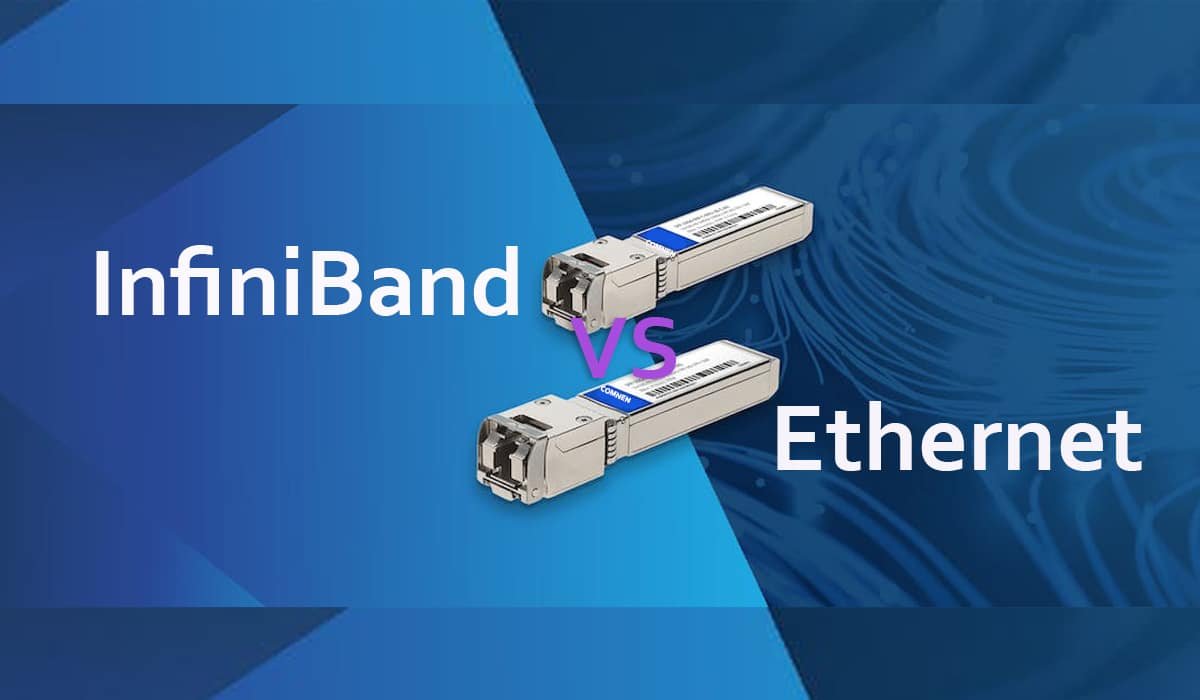
Today, high-performance computing (HPC), artificial intelligence (AI), and modern data centers all need ultra-fast, low-latency networks. InfiniBand and Ethernet are two leading technologies, each with its own strengths, design, and typical uses. Knowing how they differ helps you choose the best network for your needs.  

InfiniBand Versus Ethernet Network: What Are They? 

InfiniBand and Ethernet each have their own features and differences, so it is not possible to say one is always better than the other. Both continue to improve and are essential in different areas of networking.  

What Is InfiniBand? 

InfiniBand is often used in supercomputer clusters because it offers high reliability, low latency, and high bandwidth. It is also the top choice for connecting GPU servers.  

InfiniBand has a layered design. The physical layer creates point-to-point links using high-speed serial connections. The data link layer manages packet transmission, while the network layer supports features such as QoS, virtualization, and RDMA. This setup helps InfiniBand stay efficient and reliable even with heavy workloads.  

InfiniBand is also always improving with faster speeds, lower latency, and better in-network computing. New features like SHARP let network devices handle data aggregation and reduction, reducing data movement and speeding up group operations. With upgrades such as HDR 200G, NDR 400G, and HDR 800G, InfiniBand remains a top pick for new supercomputers and large HPC systems.  

What’s Ethernet? 

Ethernet is the most common protocol for local area networks (LANs) based on the IEEE 802.3 standard. It is popular because it is affordable, easy to use, and works well with many devices. Ethernet connects devices using copper or fiber cables, supports both wired and wireless setups, and comes in versions such as Fast Ethernet, Gigabit Ethernet, 10 Gigabit Ethernet, and Switched Ethernet. It uses physical media, such as twisted pair copper or fiber. Devices communicate via MAC addresses, while switches efficiently direct traffic within the network. Ethernet supports point-to-point and switched topologies, allowing seamless integration and straightforward scaling.  

Ethernet has evolved from basic TCP/IP to advanced protocols like RoCE, which lower latency and boost efficiency. Thanks to AI, cloud, and big data, Ethernet now offers speeds from fast and gigabit up to 10G, 25G, 40G, 100G, 400G, and 800G. Modern Ethernet also supports lossless data transfer and improved congestion control, with groups like the Ultra Ethernet Alliance leading new developments. These changes make Ethernet a strong rival to specialized networks like InfiniBand.  

InfiniBand Versus Ethernet: What are the differences between them? 

InfiniBand was created to solve data transmission bottlenecks in high-performance computing. In contrast, Ethernet was designed to be a flexible and widely compatible network for businesses, cloud services, and data centers. As a result, InfiniBand and Ethernet differ in bandwidth, latency, reliability, technology, and the applications they support.  

Architecture And Topology 

InfiniBand uses a switched fabric design that enables point-to-point connections with very low latency. Its common topologies, such as fat tree and torus, are designed for HPC and AI clusters and support RDMA for fast data transfer. This efficient design makes InfiniBand great for environments where low latency is key. Ethernet, on the other hand, uses a layered design and supports many topologies, such as star or mesh.  

Network Bandwidth 

InfiniBand has developed faster than Ethernet for many years, mainly because it connects servers in high-performance computing and helps lower CPU usage. Ethernet, however, is more focused on connecting end devices, so it does not need as much bandwidth.  

When network speeds exceed 10G, unpacking every packet consumes significant resources. The first HDR InfiniBand ran at 10 Gbps, enabling fast data transfers, reducing CPU load, and improving network utilization.  

Network Latency 

InfiniBand and Ethernet handle network latency differently. Ethernet switches usually use store-and-forward and MAC table lookups at layer 2, which slows their processing. They also have to manage additional services such as IP, MPLS, and Q-in-Q, which adds to the delay compared to InfiniBand switches.  

For InfiniBand switches, layer 2 processing is much simpler. They use a 16-bit LID to find the forwarding path, and cut-through technology helps lower the forwarding delay to under 100 nanoseconds, which is much faster than Ethernet switches.  

Network Reliability 

Packet loss and retransmission can greatly affect high-performance computing. So, a reliable network protocol is needed to ensure the network remains lossless and dependable.  

InfiniBand is a full network protocol with its own formats from layer 1 to layer 4. It uses end-to-end flow control to send and receive packets, which helps keep the network lossless. Ethernet used to lose packets, but new features like PFC, ECN, and RoCE v2 have made it nearly lossless. Modern Ethernet now offers high bandwidth, low latency, and almost no packet loss.  

Scalability And Compatibility 

Ethernet is popular because it scales well and works with existing systems. Its wide use and clear standards make it easy to add and manage in many settings. InfiniBand is powerful, but it can be harder to scale and often needs special hardware and software, which limits its flexibility.  

Cost And Deployment Complexity 

InfiniBand hardware is usually expensive and needs experts to set it up. Upgrades often depend on the vendor, which raises the total cost. Ethernet is more affordable, easier to install, and supports upgrades from different vendors, making it common in most data centers.  

Security and Management 

InfiniBand was built for high-performance computing and has only basic security and management features, which depend on the subnet manager and specialized tools. In contrast, Ethernet has been used in enterprise networks for years and provides strong security protocols and well-developed management systems.  

Application Scenarios 

InfiniBand is best suited for large AI training clusters, high-performance computing, and tasks that require very low latency and high data rates. It is often used for deep learning, real-time data processing, and complex simulations.  

Ethernet is widely used in business networks, internet connections, and home setups because it is affordable and easy to set up. With RoCE technology, Ethernet can also support AI and machine learning clusters, distributed AI, and cloud-based AI services.  

Conclusion 

InfiniBand and Ethernet each have advantages for high-performance computing and data centers. As AI grows and data centers handle more work, networks need to keep up. InfiniBand has been the top choice for traditional HPC because of its low latency and high bandwidth. However, Ethernet has improved quickly and can now support modern AI clusters and large data centers. New advances like 400G and 800G Ethernet and RoCEv2 have made Ethernet even better for AI tasks. The Ethernet switch market is expected to grow from $5.44 billion in 2024 to $5.64 billion in 2025, with a CAGR of 3.7%. 

Source: InfiniBand vs. Ethernet: What Are the Differences?