


MOUNTAIN VIEW, CA — 

Google unveiled Gemini Spark at Google I/O 2026, a new class of autonomous background agents designed to execute complex multi-step workflows continuously without user prompting. Unlike conversational AI that responds to queries, Gemini Spark agents operate independently, booking travel, managing files, automating data entry, and coordinating cross-application tasks while users focus on higher-priority work.  

The Gemini Spark announcement represents Google’s most direct answer to the consumer fatigue generated by static chatbot interactions the frustration of AI that answers questions without executing consequences. As Google AI Agents transition from responsive to proactive, the Google I/O 2026 developer platform shift toward autonomous AI background execution reframes what every day digital assistance actually means. Google Gemini Spark autonomous background agents do not wait for instructions  they manage the workflow while the user manages the outcome. 

Why Static Chatbots Created the Demand for Spark 

Task automation through conversational AI has hit a ceiling that user behavior data makes visible  the majority of chatbot interactions involve repetitive multi-step workflows that users re-initiate daily because the AI completes a single response and waits rather than continuing the task chain implied by the initial request. Booking a flight requires a query, then a follow-up, then a confirmation step, then a calendar entry, then a notification setup  a workflow that a user executes across five separate interactions with a chatbot that treats each as a discrete conversation rather than a connected task.  

Gemini Spark addresses this by maintaining persistent task context across the full workflow lifecycle an agent that receives a travel request owns the complete booking workflow from fare search through itinerary confirmation, calendar blocking, and expense logging without requiring the user to re-engage at each step. Autonomous AI background execution means the agent works the workflow while the user has moved on, surfacing completion confirmation rather than requiring step-by-step supervision.  

Tech innovation that Spark introduces at the infrastructure level is persistent agent state management the capability that distinguishes an agent that completes a task from a chatbot that answers a question. Gemini Spark agents maintain workflow state, monitor external dependencies, and resume interrupted tasks without losing context  the persistent execution capability that makes background operation practically useful rather than theoretically appealing. 

What Gemini Spark Actually Does in the Background 

Within the context of Gmail, Calendar, Drive, Maps, Search, and third-party integrations, Google’s Spark Architecture provides the basis for its AI agents to choose actions, governed by the agent’s permissions framework. The project deadline management Spark agents observe emails for relevant updates, modify calendar obligations in case of conflicts, draft status messages based on progress signaling, and make decisions that require human judgment, rather than burdening the user with viewable intermediate steps. The AI agent helps pick actions rather than generate responses in Gmail, Calendar, Drive, Maps, Search, and other third-party integrations governed by the agent permission framework. 

Google I/O 2026 developer documentation for Spark reveals the agent architecture that enables this cross-application execution  a persistent reasoning loop that evaluates task state against user goals, identifies the next required action, executes it through the appropriate application interface, and updates task state before evaluating the subsequent step. The loop runs in the background without user interaction until the task completes or encounters a decision point that requires human confirmation within the agent’s authorization scope.  

The Authorization architecture of Gemini Spark addresses the trust issue associated with background autonomous execution through the use of explicit permission boundaries for agents created by the user when they set up the agents, as well as providing action categories that require the user’s approval prior to execution, and therefore providing the necessary human oversight that autonomous execution requires for high-consequence actions such as financial transactions, communications or data deletion. 

Consumer Use Cases Driving Adoption 

Task automation use cases that Gemini Spark targets span the workflows that knowledge workers perform repetitively at significant time cost  travel coordination that requires fare monitoring, booking, itinerary management, and expense documentation; document management that requires filing, tagging, summarizing, and sharing across drive and email; and data entry workflows that require extracting information from one application and populating it in another without the copy-paste labor that manual execution requires.  

Autonomous AI execution for these workflows delivers time value that consumers experience as reclaimed attention rather than accelerated task completion  the difference between spending 20 minutes booking a business trip and receiving a booking confirmation while working on a task that requires human judgment. Google Gemini Spark autonomous background agents reframe AI assistance from a tool that augments task execution into infrastructure that handles task execution, positioning the user as the decision authority rather than the execution resource.  

The ability to leverage new technology to enhance productivity is only part of what will be possible with the use of conversational agents to facilitate everyday activities at home  tasks such as managing subscription renewals, scheduling appointments with multiple family members, coordinating payment of bills, finding service providers for your home, etc., are valuable consumer propositions related to methods for dealing with the amount of time expended completing daily administrative responsibilities. 

Developer Platform and Third-Party Integration 

Google I/O 2026 Spark developer platform provides the API framework that third-party application developers use to make their applications Spark-accessible exposing the action endpoints that Spark agents call when executing workflows that touch non-Google applications. Developers who integrate Spark agent compatibility gain access to a user base whose agents can include their applications in automated workflows without requiring users to manually navigate application interfaces.  

The Google AI Agents developer ecosystem that Spark builds creates a compounding network effect  each third-party application that integrates with Spark expands the scope of workflows user agents can automate, increasing agent utility for existing users while attracting new users whose critical workflows include the newly integrated applications. An autonomous AI platform’s value scales with the breadth of its integration, in ways that single-application AI assistants cannot replicate.  

Gemini Spark developer framework also provides the authorization infrastructure that third-party integrations require to participate in agent-executed workflows safely standardized permission scoping, action confirmation hooks, and audit logging that give both users and application developers the governance framework for autonomous cross-application execution within acceptable risk boundaries. 

Conclusion 

Gemini Spark marks the inflection point where Google AI Agents transition from assistant tools to autonomous infrastructure executing the workflows users previously managed manually rather than helping them manage them more efficiently. Google I/O 2026’s platform architecture, which enables persistent background execution, cross-application action authorization, and decision-point escalation, provides the technical foundation that autonomous AI’s practical utility requires beyond demonstration use cases.  

Task automation through Gemini Spark delivers the time recapture that consumer AI has promised, but conversational architecture cannot deliver agents that complete workflows rather than answering questions about them. Tech innovation compounded through third-party developer integration expands the scope of workflows that Spark agents automate as the application ecosystem grows. As Google Gemini Spark autonomous background agents enter everyday consumer and professional use, the static chatbot interaction model that created the demand for something better has the architectural successor that background persistent execution enables  and the fatigue that repetitive multi-step manual workflows generate has an autonomous resolution that Google I/O 2026 has moved from roadmap to deployment.

Source: Google Blog / Google I/O 2026 Developer Documentation 
PALO ALTO, Calif.: Human-machine interaction is undergoing an overhaul that will soon change how people interact with their electronic gadgets. Brain-computer interface technology has moved from science fiction to reality and could soon replace conventional modes of interaction such as keyboards, touchscreens, or vocal commands. One major component of brain-computer interface technology involves using neural interface artificial intelligence algorithms to decode human thoughts and translate them into machine commands. 

Transitioning from Physical to Neural Interaction: Changes and Implications 

Over the years, computing has relied on physical inputs such as keyboard entry, mouse clicks, and touchscreen interactions to perform tasks. However, these methods are not always efficient since they often require time and effort to implement. 

Thanks to advances in neurotechnology, systems can now translate brain waves into commands without any physical input. 

Some key changes contributing to this transition include: 

  • Direct brain signal decoding for computing 
  • Limited need for peripheral devices like keyboards 
  • Increased efficiency and intuitive interaction 

Firms like Neuralink are already working on neural implantation technologies that could make this possible. 

Reasons Why Traditional Physical Input Is Not Enough 

First of all, the nature of physical input limits users’ abilities. There will always be a limit as to how fast one can enter data. Secondly, with the emergence of AI-based interfaces, physical input limitations can be addressed. AI would not need users to type or press buttons since the neural network can interpret intents. 

Instead of: 

Typing step-by-step commands 

They could simply: 

Perform intended actions instantly using neural impulses. 

For people with mobility impairments, this approach provides opportunities that were unavailable before through traditional means of interaction. 

Neural Signal Decoding Systems 

There are several key elements when we talk about decoding neural signals into something interpretable. 

Components of the system: 

  • Sensors collecting neural activity data 
  • Algorithms interpreting the collected information 
  • Decoding systems, translating data into actions 

Here’s where AI plays a role in neural interface decoding. 

Where This Technology Is Applied 

Although brain-computer interfaces are just starting to gain traction, actual applications are already emerging. 

Primary fields where this technology is applied: 

  1. Healthcare: providing support to those who suffer from paralysis or neurological disorders 
  1. Assistive technology: helping people communicate despite lacking mobility 
  1. Research facilities: contributing to research into cognitive and behavioral studies 

This list illustrates the way human-computer interaction goes beyond its conventional limits. 

How This Has Changed: An Obvious Shift 

The swift development within this industry can be attributed to two fundamental changes: 

  1. Enhanced interpretation of signals: better brain activity analysis 
  1. Increasing applications: transitioning from laboratory settings to practical applications 

Both these factors contribute to the ongoing transformation into neural-based computing. 

Importance to the United States 

The repercussions of this change go far beyond technology itself; they involve healthcare, access, and the digital environment as a whole. 

1. Access Solutions 

Neural interfaces will enable disabled people to communicate with technology in ways never before seen. 

2. New Computing Revolution 

With the development of brain-computer interface technology, computing as a whole might be revolutionized, not just the way certain groups interact with their computers. 

The United States stands on the cutting edge of this new wave of technology. 

Conclusion 

The emergence of brain-computer interfaces heralds a new dawn in computing. As a result of neural interface AI, communication between the brain and computers is becoming possible, thereby transforming input methods into biological form. Where once there was experimental research, there will soon be an entirely new way of interacting.

Source: From neural signals to life-changing impact 

Cupertino, California 

Replacing a timing belt is complicated, with many steps and little room for error. For years, mechanics used bulky manuals, unclear diagrams, and learned by trial and error. Apple thinks there’s a better solution. 

The latest update to Apple Vision Pro introduces a new approach to Fixing Sports Cars, turning the headset into an interactive repair assistant that displays digital instructions directly on the car parts. Instead of searching through manuals or screens, technicians get repair help exactly where they need it, inside the engine bay. 

For car fans, students, and professional mechanics in the U.S., this is a clear opportunity. Complicated repairs become easier to follow, quicker to finish, and less overwhelming for beginners. 

How the Apple Vision Pro Repair Platform Works 

The Apple Vision Pro repair system uses advanced mixed reality tools to blend digital information with real car parts. When a mechanic looks at an engine through the headset, the software spots each part and shows detailed repair guides right on it. 

Picture changing a serpentine belt on a sports car. Instead of looking at a separate diagram, the technician sees the belt’s path highlighted right over the pulleys. Arrows show the right order, torque specs pop up next to bolts, and safety tips appear when needed. 

This creates an easy-to-use digital interface that reduces confusion and lets users stay focused on the repair. 

Apple’s system goes further than basic augmented reality demos. It turns real machines into interactive workspaces, with digital assistance that responds to the technician’s actions in real time. 

Why Fixing Sports Cars Is an Ideal Use Case 

Modern sports cars fit powerful engines into very tight spaces. Parts overlap, and access points hide under covers, brackets, and cooling systems. Even skilled mechanics sometimes waste time just finding the right part before starting a repair. 

This challenge makes fixing sports cars an ideal use case for spatial computing. 

Take replacing a fuel injector in a turbocharged engine, for example. With a regular manual, a technician might have to study several diagrams to figure out the right steps. With Apple Vision Pro, the platform highlights the fuel rail, identifies the mounting hardware, and guides the user through each step of removal and installation. 

The same idea works for timing belts, fuel pumps, intake systems, and cooling assemblies. By combining visual guides with step-by-step instructions, the software accelerates learning without sacrificing technical detail. 

The Role of the Spatial Training Engine 

At the heart of the platform is a smart Spatial Training Engine that teaches hands-on mechanical skills through direct interaction. 

Traditional auto training often splits theory from practice. Students read instructions before trying repairs on real cars, which may slow down learning and cause confusion. 

The Spatial Training Engine bridges that gap by teaching right in the repair setting. Users learn as they work. 

For example, a student changing a fuel delivery part might see animations showing how fuel moves through the system. The software can spot common mistakes before they happen and remind users of best practices during the repair. 

It’s like having an expert instructor by your side for the whole repair. 

Inside the Mechanical Suite Built for Technicians 

The repair platform is part of a larger Mechanical Suite built to help professionals with their work. 

Inside the Mechanical Suite, technicians can find repair steps, detailed part views, maintenance schedules, diagnostic info, and live instructional overlays. Rather than juggling multiple devices, users get everything in a single spatial environment. 

The platform’s digital interface lets mechanics keep their hands free while checking technical data. Voice commands, eye tracking, and gestures mean there’s no need to keep picking up tablets, laptops, or paper manuals. 

For repair shops, this feature could boost productivity and reduce interruptions during tough repairs. 

Who Built the New Apple Vision Pro App? 

Apple showed off the software during its developer updates, but the platform is the result of teamwork between software developers, automotive trainers, and spatial computing engineers. This project shows how Apple Vision Pro is moving beyond entertainment into real workplace uses. 

The focus isn’t just on showing information. The aim is to provide smart guidance that knows where the user is looking, which part they’re working on, and which step comes next. 

This difference sets the platform apart from regular repair software and makes it a new kind of professional training tool. 

Apple Vision Pro Spatial Automotive Repair App User Guide 

Anyone searching for an Apple Vision Pro spatial automotive repair app user guide will likely find the platform unexpectedly simple. The headset identifies vehicle components, loads repair procedures, and projects visual instructions directly onto the corresponding parts. Users follow guided steps, confirm finished actions, and receive contextual assistance throughout the repair process. 

Using the app appears less like reading a manual and more like working with a skilled mentor who always knows what’s next. 

A New Standard for Mechanical Training 

Apple Vision Pro’s impact goes beyond car repair. The technology points to a time when mixed reality tools, a strong Spatial Training Engine, a smart digital interface, and a full Mechanical Suite are standard tools at work, not just experimental gadgets. 

For Americans starting careers in automotive tech or taking on big garage projects, learning by seeing instructions on real machines could change how people build mechanical skills. As spatial computing grows, the gap between knowing and doing may narrow further, making professional advice available to anyone ready to get to work. 

Source: Apple Newsroom 

Cupertino, California.  

If you’ve ever tried to answer emails in a moving Uber while wearing a mixed reality headset, you know the feeling. Your eyes say you’re sitting still, but your inner ear disagrees. After 10 minutes, nausea usually sets in.  

Apple thinks it has a solution in its latest visionOS updates, which introduce real-time vehicle motion cues for Apple Vision Pro. This feature adds subtle visual indicators around your field of view, helping your brain process movement more naturally when you’re in a car, train, or airplane.  

The goal seems simple: make spatial computing work outside of a stationary office or living room, but the technical challenge is much more complex.  

Why VisionOS Updates Center on Motion Sickness 

Motion sickness is one of the main reasons people hesitate to use immersive headsets. While short demos can be fun, using these devices for longer periods during travel time often leads to enough discomfort that people don’t want to try again.  

This problem becomes especially noticeable in moving vehicles.  

When you’re in a car, your body senses acceleration, braking, and turns. But if your headset shows a steady virtual workspace, your senses get mixed signals. This mismatch often leads to lightheadedness, headaches, and nausea.  

Apple’s new Vehicle Motion Cues system tries to close this perceptual gap with machine learning and environmental tracking. Rather than keeping the digital interface still, the headset adds subtle animated points that move in sync with the vehicle.  

These markers act as visual anchors at the edges of your view, helping your brain notice acceleration patterns without getting in the way of your main workspace.  

Apple doesn’t want users distracted by moving graphics while working. The cues are designed to be subtle, so most people might not even notice them.   

That’s exactly the point.  

How Vehicle Motion Cues Work Inside Apple Vision Pro 

The new Vision OS updates use sensor fusion and predictive motion analysis. Cameras, accelerometers, and mapping systems track movement, while machine learning determines the vehicle’s motion in real time.  

The headset uses this data to create visual responses that adapt to your movement.  

Picture a consultant reviewing reports during a 60-minute ride from Manhattan to Newark Airport. Without help, the gap between what you see and what you feel can quickly lead to discomfort. With vehicle motion cues, the Apple Vision Pro gently mirrors movement with visual hints at the edge of your view.  

Apple is basically giving your brain a signal that you’re moving.  

This technology is part of Apple’s bigger push into accessibility intelligence, where machine learning is used to make devices more comfortable, not just more productive.  

This matters because people will only use headsets if they’re comfortable, not just powerful.  

The Bigger Business Opportunity for Spatial Computing 

For Apple, this is more than just about reducing nausea.  

Apple wants spatial computing devices to be useful productivity tools for professionals who spend a lot of time computing, flying, or traveling between meetings. This includes consultants, salespeople, lawyers, and remote workers who now make use of travel time to get work done.  

But ongoing limitations make this hard.  

Many people like watching movies on the Apple Vision Pro during flights, but editing documents or multitasking for long periods while moving can be uncomfortable. The new visionOS updates intend to fix this problem.  

This update also fits with changes in how people work. Hybrid work means more professionals are working from airports, rideshares, hotel lounges, and trains. Apple clearly sees an opportunity to position the headset as premium passenger tech rather than a stationary entertainment at home.  

If motion sickness can be controlled, spatial headsets could become portable private workspaces that don’t need physical monitors.  

This could have a big impact on the market.  

Why the Long Tail Search Interest Matters 

More people are searching for Apple Vision OS, spatial computing, and motion sickness features because consumers now look at immersive devices differently than they did two years ago.  

Early adopters used to care most about new features. Now people ask practical questions. Can the headset replace a laptop while traveling? Can you work for hours without feeling sick? Can immersive interfaces fit within daily life?  

These questions are pushing Apple to focus on making the headset more useful, not just impressive to look at.  

The machine learning behind the actual motion cues may also shape future headset features beyond just travel. Similar systems might help make headsets more stable while walking, standing, or in other active situations.  

This would make immersive computing useful in many more places and situations.  

Apple’s Quiet Bet On Everyday Immersion 

The most important thing about these vision OS updates may be what users don’t even notice. Apple knows that the best technology blends into everyday life. Smartphones took off when touchscreens felt natural. Wireless earbuds became popular when pairing was easy. Spatial headsets need to reach the same point.  

If people can answer emails, give presentations, or stream media while moving without feeling sick, these headsets will be much closer to everyday use.  

For now, vehicle motion cues are more than just a comfort feature. They show that Apple understands immersive computing must work with our bodies before it can become part of our personal lives.  

This change could decide whether Apple Vision Pro stays a luxury gadget or becomes the start of a bigger shift in mobile computing. 

Source: Apple Newsroom 

Tablet computing has evolved far beyond media consumption devices. In 2026, the flagship tablet market serves three distinct professional workflows: Apple’s iPad Pro M4 dominates digital illustration and video editing, Samsung’s Galaxy Tab S10 Ultra offers Android flexibility with desktop-class multitasking, and Microsoft’s Surface Pro 11 bridges the gap between tablet portability and full Windows productivity. With back-to-school season in full swing and remote work remaining permanent for 28% of American professionals, choosing the right tablet impacts daily productivity. 

This comparison evaluates display quality, stylus performance, keyboard accessories, software ecosystems, and real-world battery life to determine which tablet earns a place in your backpack. 

Core Differences 

The iPad Pro M4 is a touch-first creative powerhouse running iPadOS — powerful but deliberately limited to prevent cannibalizing MacBook sales. The Galaxy Tab S10 Ultra runs Android 16 with Samsung DeX, offering windowed multitasking that iPadOS still restricts. The Surface Pro 11 runs full Windows 11 on ARM, meaning it runs Photoshop, Excel macros, and legacy enterprise software that mobile operating systems cannot touch. 

Key Comparison Table 

Table 

Feature iPad Pro 13″ M4 Galaxy Tab S10 Ultra 14.6″ Surface Pro 11 Winner 
Starting Price $1,299 $1,199 $1,499 Galaxy Tab 
Display 13″ Ultra Retina XDR Tandem OLED 14.6″ Dynamic AMOLED 2X, 120Hz 13″ PixelSense Flow, 120Hz Galaxy Tab (size) 
Resolution 2752 x 2064 2960 x 1848 2880 x 1920 iPad (pixel density) 
Brightness 1600 nits peak 1200 nits 650 nits iPad 
Processor Apple M4 (9-core) Snapdragon 8 Gen 3 for Galaxy Snapdragon X Elite iPad / Surface 
RAM 8GB / 16GB 12GB / 16GB 16GB / 32GB Surface 
Storage 256GB / 512GB / 1TB / 2TB 256GB / 512GB / 1TB 256GB / 512GB / 1TB Tie 
Stylus Apple Pencil Pro ($129) S Pen (included) Slim Pen 2 ($139) Galaxy Tab (included) 
Keyboard Magic Keyboard ($349) Book Cover Keyboard ($229) Surface Pro Keyboard ($279) Galaxy Tab (value) 
Battery Life 10 hours mixed use 9 hours mixed use 14 hours mixed use Surface 
Weight 1.28 lbs 1.46 lbs 1.94 lbs iPad 
OS iPadOS 18 Android 16 / One UI 7 Windows 11 on ARM Subjective 
Multitasking Stage Manager (limited windows) DeX (true windowed) Full Windows desktop Surface 
App Ecosystem 900,000 iPad-optimized apps Android tablet apps improving Full Win32 apps + emulated x86 Surface 
Video Editing Final Cut Pro, LumaFusion LumaFusion, CapCut DaVinci Resolve, Premiere iPad 
File Management Files app (limited) My Files (flexible) File Explorer (unlimited) Surface 

Display Quality: OLED Wars 

Samsung’s 14.6-inch Dynamic AMOLED 2X is the largest display ever fitted to a mainstream tablet, and it is glorious for media consumption. Watching Netflix or editing spreadsheets, the extra real estate reduces eye strain and eliminates the cramped feeling of smaller tablets. However, the 1200-nit peak brightness struggles in direct sunlight compared to the iPad Pro’s tandem OLED, which reaches 1600 nits. 

Apple’s Ultra Retina XDR display uses two stacked OLED panels to achieve extraordinary brightness and contrast. For HDR video editing in DaVinci Resolve or color grading in Final Cut Pro, the iPad’s color accuracy (Delta-E < 0.5) is reference-grade. The 13-inch size is more portable than Samsung’s behemoth but can feel limiting when running Split View multitasking. 

The Surface Pro 11’s LCD panel is the weakest of the three — lower brightness, less vivid colors, and visible backlight bleed in dark scenes. Microsoft’s strength is not display technology but software compatibility. 

Performance and Creative Workloads 

Apple’s M4 chip, built on second-generation 3nm architecture, remains the fastest mobile processor available. In the Affinity Photo benchmark, the iPad Pro M4 exports a 50-layer 4K PSD file in 12 seconds. The Galaxy Tab S10 Ultra takes 28 seconds. The Surface Pro 11 with Snapdragon X Elite finishes in 19 seconds — impressive for Windows on ARM, but still behind Apple. 

For video editing, the iPad Pro M4 handles four streams of 4K ProRes in Final Cut Pro without dropping frames. LumaFusion on Android achieves similar smoothness with H.265 footage, but codec support is narrower. The Surface Pro 11 runs full DaVinci Resolve 19, offering node-based color grading and Fusion compositing that no mobile app can match — but rendering times are 40% slower than on an Intel-based laptop due to ARM emulation overhead. 

Stylus and Note-Taking 

The Apple Pencil Pro introduces squeeze gestures, barrel roll detection, and haptic feedback — subtle improvements that add up during long illustration sessions. Latency is imperceptible at 9ms, and pressure sensitivity (0-1000 grams) captures delicate watercolor washes and heavy ink strokes equally well. However, at $129 plus $349 for the Magic Keyboard, Apple’s accessories push the total cost to $1,777 before tax. 

Samsung’s S Pen is included in the box — a significant value advantage. It offers 2.8ms latency, technically lower than Apple’s 9ms, though both feel instantaneous. The Air Command menu provides quick access to translation, screen capture, and Smart Select tools that power users appreciate. The Tab S10 Ultra’s larger display makes split-screen note-taking alongside textbooks genuinely practical. 

Microsoft’s Slim Pen 2 provides excellent pressure sensitivity and tactile feedback, but Windows ink integration remains inconsistent across applications. OneNote and Whiteboard work beautifully; Adobe Photoshop’s touch implementation is frustrating. At $139 plus $279 for the keyboard, Microsoft’s accessory pricing rivals Apple’s. 

Keyboard and Productivity 

The Magic Keyboard for iPad Pro is the best tablet keyboard ever made — full-size keys with 1mm travel, a responsive glass trackpad, and a floating cantilever design that adjusts viewing angles. But iPadOS 18 still limits multitasking: only four apps visible simultaneously via Stage Manager, and no true external monitor support (mirroring only, no extended desktop). 

Samsung DeX transforms the Galaxy Tab into a desktop-like environment when connected to the keyboard. Multiple resizable windows, a taskbar, and right-click context menus create a workflow that closely mimics Windows. For students writing research papers while referencing PDFs and browsing the web, DeX is more productive than Stage Manager. 

The Surface Pro 11 is fundamentally a laptop with a detachable screen. Full Windows 11 means Excel macros run natively, Chrome extensions work perfectly, and VPN clients install without compatibility layers. For business students, MBA candidates, and corporate professionals who need to run SAP, Salesforce, or proprietary enterprise software, the Surface is the only viable choice. 

Battery Life and Portability 

The Surface Pro 11’s Snapdragon X Elite delivers extraordinary efficiency — 14 hours of mixed use including web browsing, video calls, and document editing. This is laptop-class endurance from a tablet form factor. The iPad Pro M4 manages 10 hours under identical conditions, while the Galaxy Tab S10 Ultra’s massive OLED screen drains the battery in 9 hours of active use. 

Weight matters for students carrying devices across campus. The iPad Pro at 1.28 lbs is barely noticeable in a backpack. The Galaxy Tab at 1.46 lbs is manageable. The Surface Pro 11 at 1.94 lbs approaches laptop territory — fine for occasional tablet use but tiring for extended handheld reading. 

Software Ecosystem: The Deciding Factor 

iPadOS 18 offers the most polished tablet-optimized apps. Procreate, Affinity Designer, Logic Pro, and Final Cut Pro are exclusive to iPad and represent the gold standard in creative software. However, iPadOS deliberately restricts background processes, external device support, and file system access. You cannot run a local Python development environment, connect arbitrary USB devices, or manage files freely without workarounds. 

Android 16 with One UI 7 provides more flexibility. Samsung DeX supports Linux on DeX for coding, and the file manager allows direct access to internal storage. But Android tablet apps remain inferior to iPad versions — Instagram, TikTok, and many banking apps are simply blown-up phone interfaces. The gap has narrowed but not closed. 

Windows 11 on ARM offers unlimited software compatibility through emulation, though performance on non-native apps varies. Photoshop runs well; CAD software struggles. The ability to install any Windows application is liberating for power users but overkill for students who only need Office, Chrome, and Zoom. 

Pricing and Student Value 

Table 

Configuration iPad Pro 13″ M4 Galaxy Tab S10 Ultra Surface Pro 11 
Base Tablet $1,299 (256GB) $1,199 (256GB) $1,499 (256GB) 
Stylus $129 $0 (included) $139 
Keyboard $349 $229 $279 
Total Investment $1,777 $1,428 $1,917 
Student Discount (edu) $1,599 $1,079 $1,349 

Samsung offers the best value, particularly with education pricing. The included S Pen and cheaper keyboard make the total package $500 less than Apple’s equivalent and $489 less than Microsoft’s. For budget-conscious students, this is decisive. 

Who Should Buy Which Tablet? 

Buy the iPad Pro M4 if you: 

  • Are a digital artist, illustrator, or video editor who needs the best creative apps 
  • Value display quality and color accuracy above all else 
  • Want the lightest, most portable flagship tablet 
  • Are already invested in the Apple ecosystem (iPhone, Mac, AirPods) 
  • Can afford the premium price and expensive accessories 

Buy the Samsung Galaxy Tab S10 Ultra if you: 

  • Want the largest screen for media consumption and multitasking 
  • Need included stylus and affordable keyboard accessories 
  • Prefer Android’s file management and customization flexibility 
  • Use Samsung Galaxy smartphones and want ecosystem continuity 
  • Are a student seeking maximum value per dollar 

Buy the Microsoft Surface Pro 11 if you: 

  • Must run full Windows applications for school or work 
  • Need the longest battery life of any tablet 
  • Want true laptop replacement capability with tablet portability 
  • Use Microsoft 365 extensively and value Windows integration 
  • Are a business professional or STEM student requiring specialized software 

Verdict 

There is no universal “best tablet” — only the best tablet for your specific workflow. 

The iPad Pro M4 remains the creative professional’s dream device. No Android or Windows tablet matches its combination of display quality, processing power, and app ecosystem. But Apple’s deliberate software restrictions prevent it from being a true laptop replacement. 

The Galaxy Tab S10 Ultra offers the best value proposition in 2026. The massive display, included S Pen, affordable keyboard, and capable DeX multitasking make it the ideal student tablet. Creative professionals will miss Procreate and Final Cut Pro, but for 90% of academic and entertainment use cases, Samsung delivers more hardware per dollar than any competitor. 

The Surface Pro 11 is the only choice for users who need Windows. The Snapdragon X Elite finally delivers ARM performance that approaches Intel levels, and 14-hour battery life eliminates range anxiety. But the heavier chassis, dimmer display, and higher total cost make it overkill for users who only need web browsing and video streaming. 

For back-to-school 2026, art and design students should choose iPad Pro. Business, engineering, and computer science students should choose Surface Pro. Everyone else — and particularly budget-conscious undergraduates — should choose the Galaxy Tab S10 Ultra. 

FAQs 

1. Which tablet is best for note-taking in college lectures? 

The Samsung Galaxy Tab S10 Ultra offers the best note-taking value with its included S Pen and large 14.6-inch display that accommodates full-page PDF annotation alongside handwritten notes. The iPad Pro with Apple Pencil Pro is equally capable but costs $500 more for the complete setup. 

2. Can the iPad Pro M4 replace a laptop for college? 

For humanities, social sciences, and arts majors, yes — with the Magic Keyboard. For STEM, business, and computer science majors, no. iPadOS restrictions on file management, external monitors, and software compatibility create friction that Windows avoids. 

3. Does the Surface Pro 11 run all Windows apps? 

It runs all Windows apps through native ARM support or x86 emulation. However, emulation reduces performance by 20-40% for demanding applications. Check Microsoft’s compatibility database before purchasing for specific software needs. 

4. Which tablet has the best display for watching movies? 

The Samsung Galaxy Tab S10 Ultra’s 14.6-inch AMOLED display provides the most immersive movie-watching experience. The iPad Pro M4 offers superior HDR brightness but a smaller 13-inch screen. 

5. How long do these tablets last before needing replacement? 

Apple supports iPad Pro models with software updates for 6-7 years. Samsung promises 4 years of Android updates and 5 years of security patches. Microsoft offers 5 years of Windows updates for Surface Pro devices. 

Sources: 

The $58.6 Billion Lockheed Martin Deal 

In July 2026, the Pentagon announced one of the largest single defense contracts in American history: a $58.6 billion agreement with Lockheed Martin to manufacture Patriot interceptor missiles over the coming decade. The contract represents a fundamental restructuring of the U.S. missile defense industrial base and a direct response to the most serious munitions shortage since the Cold War.  

The deal is part of a broader Pentagon initiative to triple Patriot missile production and quadruple THAAD interceptor manufacturing through new framework agreements with multiple defense contractors. These targets reflect a dramatic shift from the “just-in-time” munitions philosophy that has guided U.S. defense procurement for three decades. 

Lockheed Martin’s contract covers not just missile production but also the expansion of manufacturing facilities, workforce training, and supply chain resilience. The company is actively seeking domestic mineral supplies to reduce dependence on foreign sources for critical components used in missile guidance systems — a priority that aligns with the Trump administration’s broader push to onshore critical supply chains. 

Why the Pentagon Is Scaling Up 

The production surge is driven by a perfect storm of geopolitical crises. The ongoing 2026 Iran war has consumed approximately 65% of the U.S. Patriot interceptor stockpile and at least 38% of THAAD interceptors, according to CSIS estimates based on open-source analysis and budget data.  

Simultaneously, the Russo-Ukrainian war continues to drain Western munitions stocks, with European allies also dependent on U.S. missile production. The Pentagon now faces the reality that two major conflicts are competing for the same limited industrial capacity. 

The Math Behind the Crisis: 

Table 

System Pre-Conflict Annual Production New Target Multiplier 
Patriot PAC-3 MSE ~500 interceptors/year ~1,500/year 3x 
THAAD Interceptors ~50-60/year ~200-240/year 4x 
GMLRS Rockets ~10,000/year ~14,000/year 1.4x 
PrSM Missiles ~100/year ~300/year 3x 

Defense Secretary Pete Hegseth has framed the expansion as a national security imperative, stating that the U.S. must be prepared for “sustained, high-intensity conflicts against peer adversaries” — a doctrinal shift away from the short, decisive wars that shaped Pentagon planning for a generation. 

Patriot Missile System Overview 

The MIM-104 Patriot system remains the backbone of U.S. and allied missile defense. The latest variant, Patriot PAC-3 MSE (Missile Segment Enhancement), uses hit-to-kill technology to destroy incoming ballistic missiles, cruise missiles, and advanced aircraft through direct impact rather than explosive fragmentation. 

Each Patriot battery consists of: 

  • AN/MPQ-65 radar for detection and tracking 
  • AN/MSQ-104 engagement control station 
  • Launching stations with 4-16 missiles each 
  • Power generation and communications units 

The system has been extensively tested in combat during the Iran war, with mixed results. While Patriots have successfully intercepted hundreds of Iranian ballistic missiles and drones, the system has also suffered losses — including at least one radar and one launcher destroyed by Iranian strikes.  

The challenge is that each incoming threat typically requires two Patriot interceptors to ensure destruction, meaning a single large-scale attack can consume an entire battery’s ammunition in minutes. This “two-shot doctrine” is the primary driver behind the production tripling. 

THAAD System Expansion 

The Terminal High Altitude Area Defense (THAAD) system serves a different but complementary mission. While Patriot defends against missiles in their terminal phase (final approach), THAAD intercepts ballistic missiles at higher altitudes and longer ranges, providing an outer layer of defense. 

THAAD is particularly critical against: 

  • Intermediate-range ballistic missiles (IRBMs) 
  • Intercontinental ballistic missiles (ICBMs) in their mid-course phase 
  • Hypersonic glide vehicles (limited capability) 

The decision to quadruple THAAD production reflects growing concerns about North Korea’s expanding missile arsenal, China’s advanced ballistic missile programs, and Iran’s continued development of longer-range systems. The U.S. currently operates THAAD batteries in Guam, South Korea, and the Middle East, with additional units planned for Poland and Japan. 

Industrial Base Challenges 

Despite the massive contracts, defense contractors face significant hurdles in meeting the Pentagon’s ambitious targets: 

Workforce Shortage: The missile defense industry lacks sufficient skilled technicians, engineers, and production workers. Lockheed Martin and Raytheon are competing for the same limited talent pool, driving wages up and extending hiring timelines. 

Supply Chain Bottlenecks: Critical components — including solid rocket motors, precision guidance systems, and advanced semiconductors — face production constraints. Many of these components have only one or two qualified domestic suppliers. 

Quality Control Issues: The rush to increase production has already raised concerns about maintaining quality standards. A 2025 GAO report found that accelerated missile production during previous conflicts led to higher failure rates in fielded weapons. 

Facility Expansion: Building new production lines requires years of construction and certification. The Pentagon is exploring public-private partnerships to repurpose existing industrial facilities, but environmental reviews and community opposition can add months or years to timelines. 

The “Amazon for War” Initiative 

Complementing the production surge is the Pentagon’s new “Amazon for War” digital logistics platform, which aims to revolutionize how the military tracks, distributes, and replenishes munitions. Named for its consumer-like interface, the system uses artificial intelligence to predict demand, optimize stockpile locations, and automatically trigger reorders when inventories fall below specified thresholds. 

The platform represents a fundamental shift from the current system, where munitions management is fragmented across multiple services and commands with limited visibility. By creating a unified digital supply chain, the Pentagon hopes to reduce waste, eliminate duplicate stockpiles, and ensure that the right weapons reach the right units at the right time. 

Global Implications 

The U.S. missile production expansion has significant implications for allies and adversaries alike: 

For Allies: European and Indo-Pacific partners who depend on U.S. missile defense systems will benefit from increased availability, but they will also face longer wait times as domestic replenishment takes priority. NATO members have been urged to increase their own missile production capacity. 

For Adversaries: China and Russia are closely monitoring the U.S. industrial mobilization. Both nations have invested heavily in missile production and may accelerate their own programs to maintain numerical superiority. The missile defense race is becoming as important as the nuclear arms race. 

For the Defense Industry: The $58.6 billion contract and associated production increases represent a massive windfall for Lockheed Martin, Raytheon, and Northrop Grumman. However, the industry must balance short-term production demands with long-term sustainability — a challenge that has tripped up previous mobilization efforts. 

Timeline and Production Targets 

Table 

Milestone Target Date Status 
Patriot production increase to 1,500/year 2027 In progress 
THAAD production increase to 200/year 2028 Framework agreements signed 
Lockheed Martin facility expansion 2027-2029 Planning phase 
First new-production Patriot interceptors Q2 2027 Pending 
Full THAAD quadrupling 2029-2030 Long-term target 

Frequently Asked Questions 

Q: Why is the U.S. tripling Patriot production specifically?

 A: The Iran war has consumed approximately 65% of the Patriot interceptor stockpile. Each incoming missile typically requires two interceptors, creating enormous demand during sustained combat. 

Q: What is the total cost of the missile production expansion? 

A: The Lockheed Martin contract alone is worth $58.6 billion. Additional contracts for THAAD expansion and other systems will likely push the total investment above $75 billion. 

Q: How long until production targets are met?

 A: Full tripling of Patriot production is targeted for 2027. THAAD quadrupling will take longer, with full capacity expected by 2029-2030. 

Q: Will this affect missile deliveries to allies like Ukraine?

 A: Yes, in the short term. Domestic replenishment will take priority, potentially reducing the flow of missiles to Ukraine and other allied nations.

External Sources: 

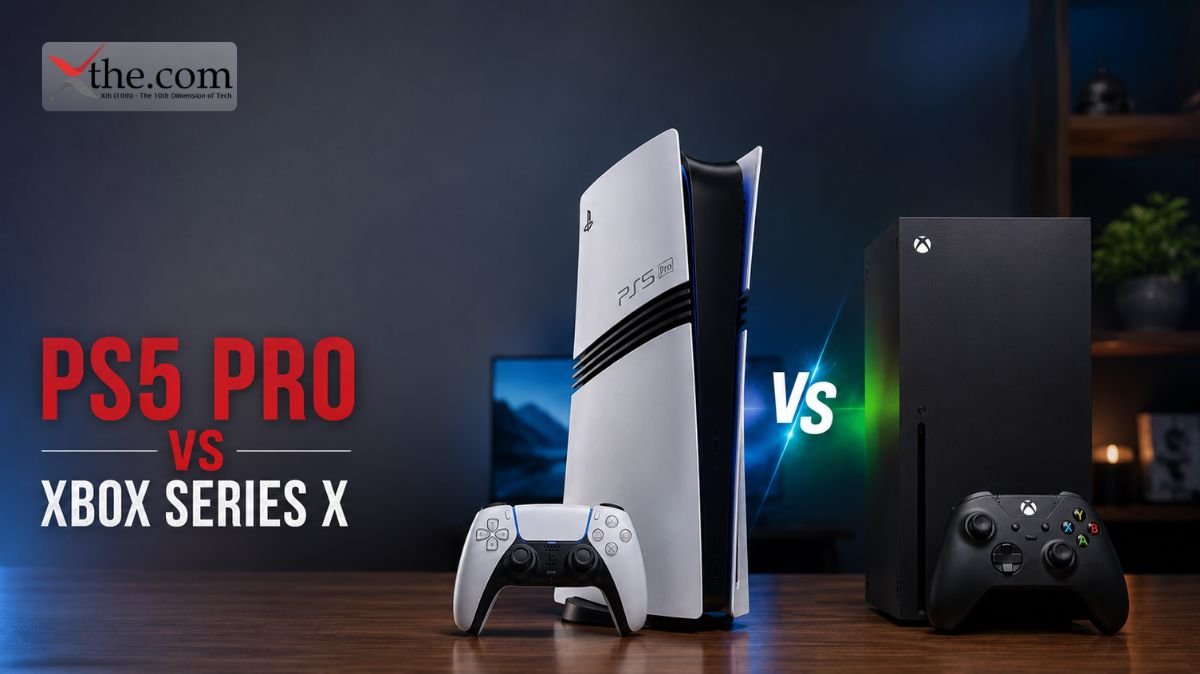
PS5 Pro vs Xbox Series X 

If you’re planning to buy a premium gaming console in 2026, chances are you’ve searched for PS5 Pro vs Xbox Series X. With GTA VI launching on both platforms on November 19, 2026, this comparison has become one of the biggest buying decisions for gamers. 

Sony introduced the PS5 Pro with improved graphics, better ray tracing, and higher performance for demanding games. Meanwhile, Microsoft continues to offer exceptional value with the Xbox Series X, especially through Xbox Game Pass, which includes hundreds of games in one subscription. 

While the PS5 Pro is more powerful on paper, hardware is only one part of the decision. Your budget, favorite games, subscription preferences, and long-term gaming habits all matter. 

This guide compares every major aspect of both consoles so you can confidently decide which one is the better fit. 

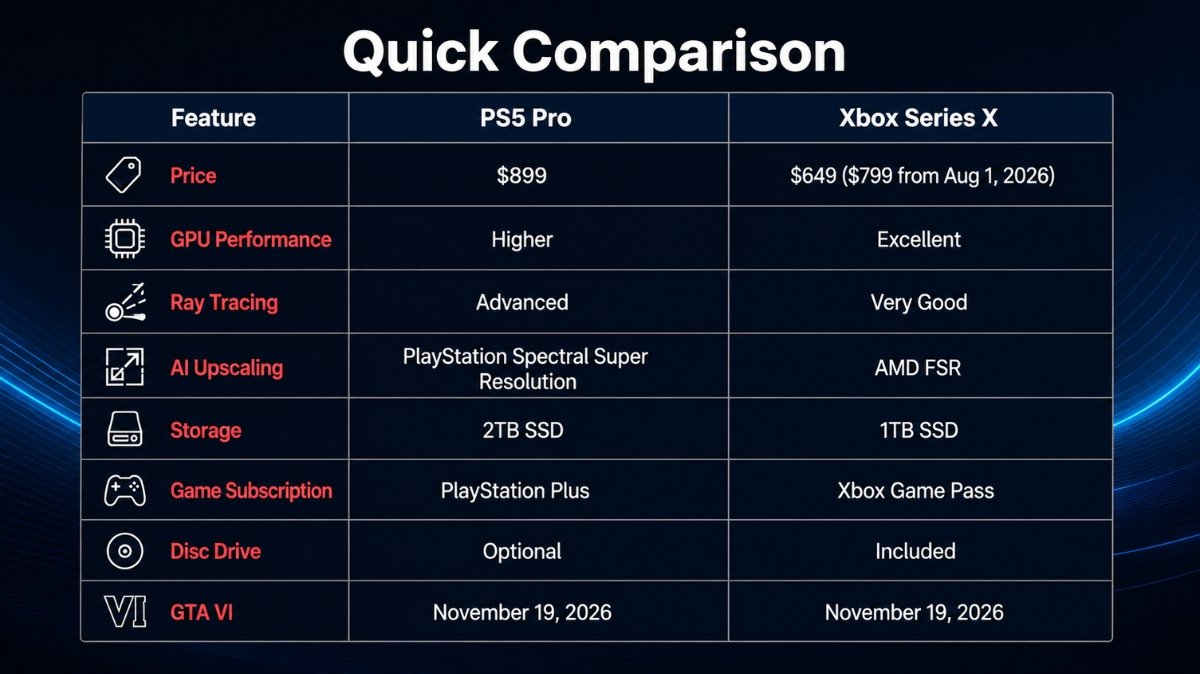
Quick Comparison 

Feature PS5 Pro Xbox Series X 
Price $899 $649 ($799 from Aug 1, 2026) 
GPU Performance Higher Excellent 
Ray Tracing Advanced Very Good 
AI Upscaling PlayStation Spectral Super Resolution AMD FSR 
Storage 2TB SSD 1TB SSD 
Game Subscription PlayStation Plus Xbox Game Pass 
Disc Drive Optional Included 
GTA VI November 19, 2026 November 19, 2026 

Why Everyone Is Comparing These Consoles 

There are several reasons why gamers are searching for PS5 Pro vs Xbox Series X right now. 

The biggest reason is GTA VI. Rockstar’s next blockbuster is expected to push console hardware further than almost any game released before. Buyers naturally want to know which console will provide the better experience. 

Another reason is pricing. Sony’s premium pricing positions the PS5 Pro as a high-end gaming machine, while Xbox continues to focus on delivering more games through Game Pass. 

Instead of asking which console is “better,” most buyers are really asking: 

  • Which offers better value? 
  • Which has the stronger game library? 
  • Which will last longer? 
  • Which is the smarter investment? 

Let’s answer each of these questions. 

Design and Build Quality 

Sony refined the PS5 design with the Pro version. The console looks familiar but features upgraded cooling, improved airflow, and internal hardware changes designed for sustained performance. 

The Xbox Series X continues with its minimalist tower design. It fits easily into most entertainment setups and remains one of the quietest consoles under heavy gaming loads. 

Both consoles feel premium, although the PS5 Pro has a more futuristic appearance while Xbox emphasizes simplicity. 

Performance Comparison 

This is where PS5 Pro vs Xbox Series X becomes particularly interesting. 

Sony upgraded nearly every major component in the PS5 Pro. 

Benefits include: 

  • Higher GPU performance 
  • Better ray tracing 
  • Improved AI upscaling 
  • Higher frame rates in supported games 
  • Better image quality at 4K 

Xbox Series X still performs exceptionally well. Most current games already run at excellent settings, and developers continue optimizing titles specifically for Xbox hardware. 

For competitive games, differences may be smaller than many people expect. 

Where the PS5 Pro truly shines is in graphically demanding AAA games. 

Graphics Quality 

Visual quality depends on more than raw hardware. 

Developers optimize games across platforms. 

The PS5 Pro introduces better lighting effects, sharper reflections, improved shadows, and cleaner image reconstruction. 

Xbox Series X still delivers beautiful visuals, but Sony’s newer hardware has additional graphical headroom. 

If you own a premium OLED television, you are more likely to notice these improvements. 

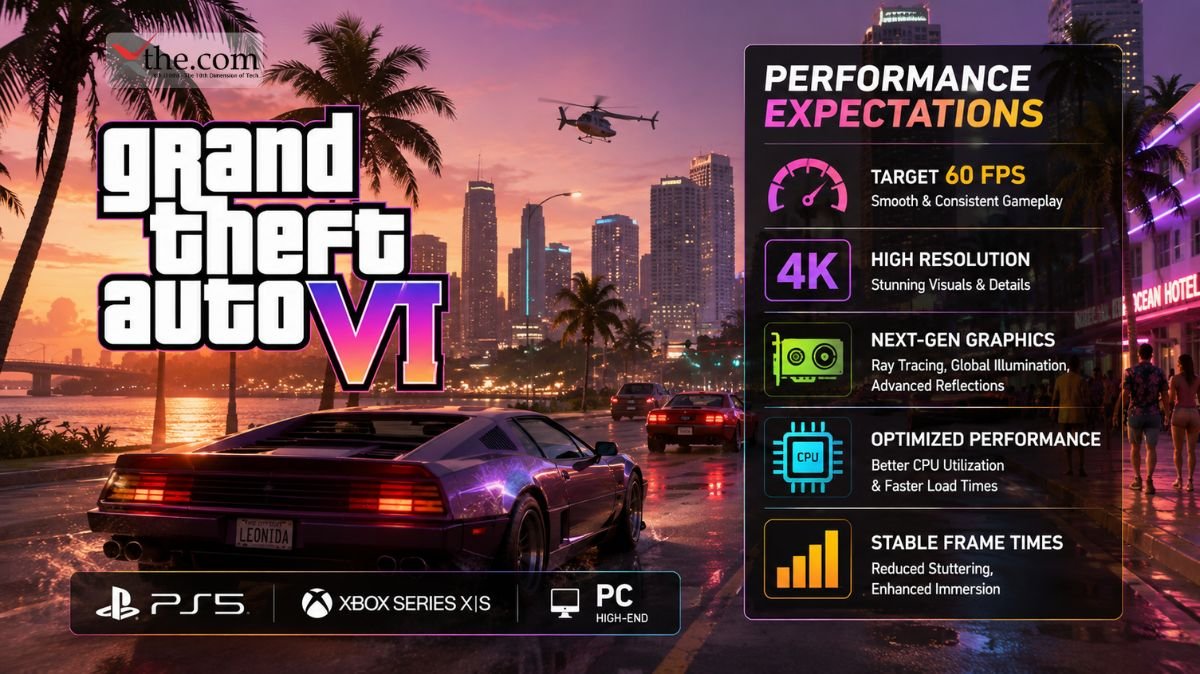
GTA VI Performance Expectations 

One of the biggest reasons people search for PS5 Pro vs Xbox Series X is GTA VI. 

Rockstar officially launches GTA VI on November 19, 2026 for both platforms. 

While official technical comparisons will only become clear closer to launch, many analysts expect: 

  • Higher image quality on PS5 Pro 
  • More stable frame rates 
  • Better ray tracing 
  • Faster loading 

Xbox Series X is still expected to deliver an excellent experience, especially considering Rockstar’s long history of optimizing games across multiple consoles. 

Unless Rockstar announces exclusive graphical features, both versions should provide a fantastic open-world experience. 

Storage 

Modern games continue getting larger. 

Several major releases now exceed 100GB. 

PS5 Pro includes a larger SSD, giving players more room before needing additional storage. 

Xbox Series X starts with less internal storage but supports expandable storage cards. 

If you install many AAA games simultaneously, additional storage becomes important regardless of platform. 

Game Library 

Exclusive games remain a major factor. 

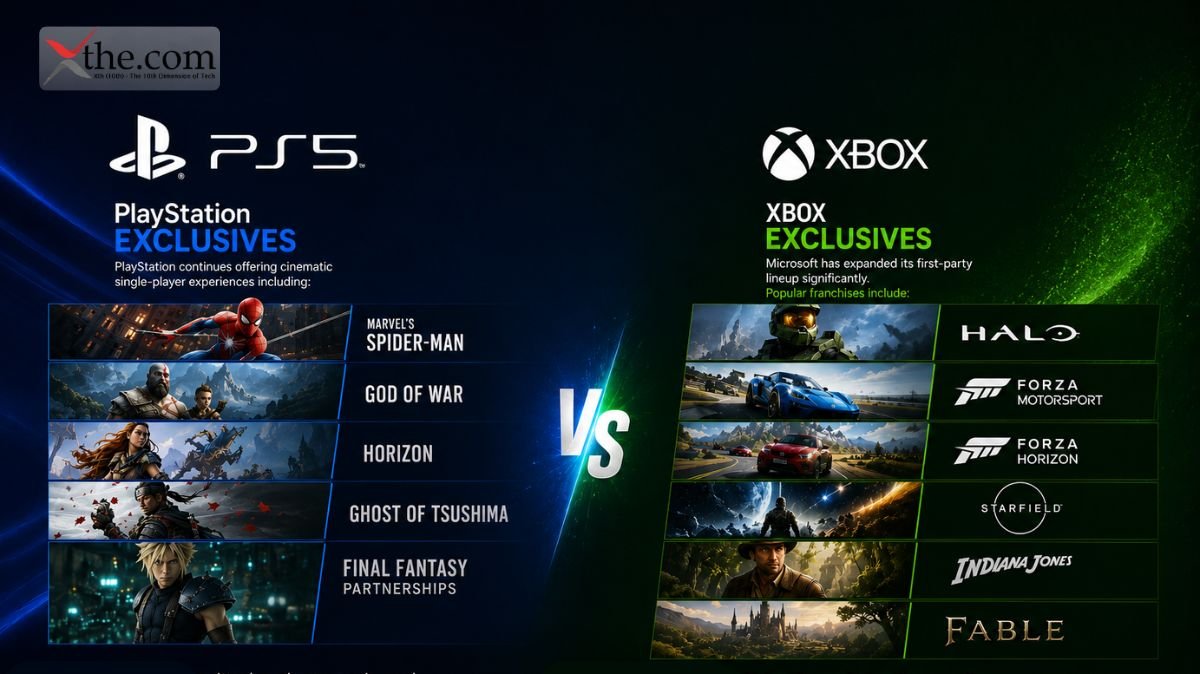
PlayStation Exclusives 

PlayStation continues offering cinematic single-player experiences including: 

  • Marvel’s Spider-Man 
  • God of War 
  • Horizon 
  • Ghost of Tsushima 
  • Final Fantasy partnerships 

These games consistently receive strong reviews and remain a major reason many players choose PlayStation. 

Xbox Exclusives 

Microsoft has expanded its first-party lineup significantly. 

Popular franchises include: 

  • Halo 
  • Forza Motorsport 
  • Forza Horizon 
  • Starfield 
  • Indiana Jones 
  • Fable 

Following multiple studio acquisitions, Xbox now offers a larger portfolio of first-party developers than ever before. 

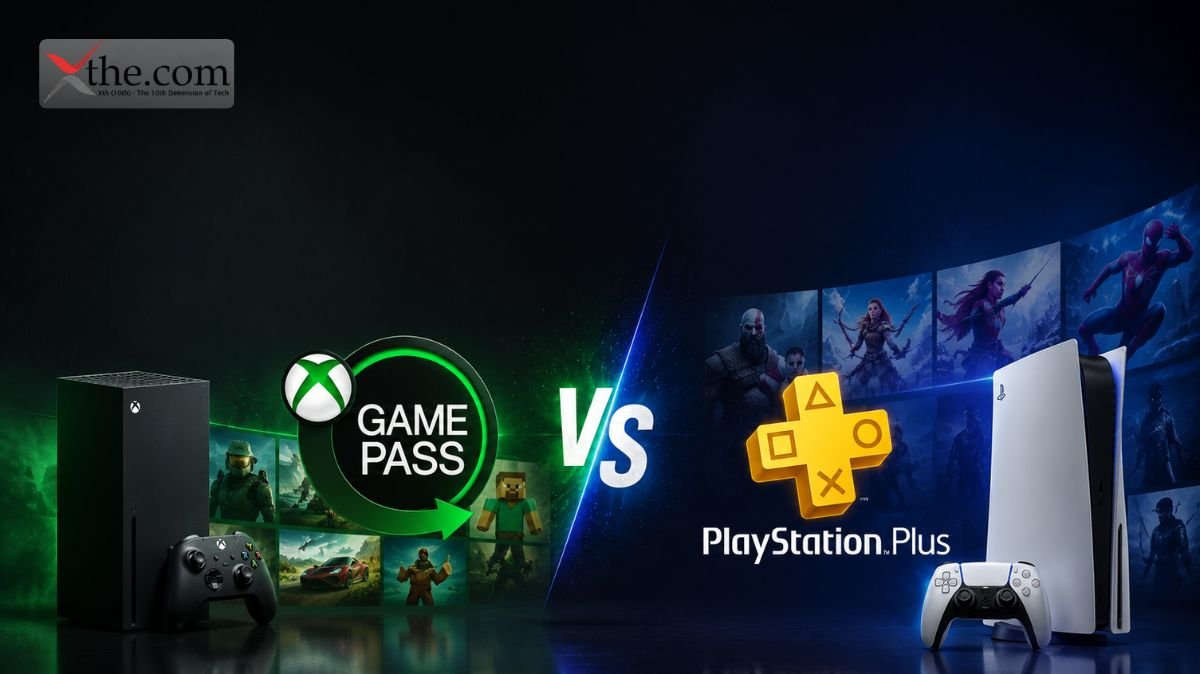
Game Pass vs PlayStation Plus 

This is one of the most important buying decisions. 

Xbox Game Pass offers tremendous value. 

Subscribers gain access to hundreds of games while many first-party releases arrive on launch day. 

For gamers who enjoy trying many different titles each month, this subscription alone can justify buying Xbox. 

PlayStation Plus has improved considerably. 

It includes: 

  • Monthly games 
  • Online multiplayer 
  • Game catalog 
  • Classic titles 

However, Sony generally does not launch major exclusives into the subscription on day one. 

Which Subscription Offers Better Value? 

Choose Xbox Game Pass if you: 

  • Play many different games 
  • Like discovering new titles 
  • Want excellent long-term value 
  • Prefer subscription gaming 

Choose PlayStation Plus if you: 

  • Mostly buy individual games 
  • Enjoy PlayStation exclusives 
  • Play fewer titles each year 

Controller Experience 

Sony’s DualSense controller remains one of the industry’s best innovations. 

Features include: 

  • Adaptive triggers 
  • Advanced haptic feedback 
  • Built-in microphone 
  • Motion controls 

Games specifically designed around DualSense provide a more immersive experience. 

Xbox controllers remain extremely comfortable and familiar. 

Many players still prefer Xbox ergonomics for long gaming sessions. 

User Interface 

PlayStation offers a modern dashboard with excellent game cards and activity tracking. 

Xbox emphasizes speed, customization, and integration across console and PC. 

Both operating systems are polished. 

Choosing between them often comes down to personal preference. 

Backward Compatibility 

Xbox continues to lead backward compatibility. 

Players can access games from multiple Xbox generations. 

PlayStation supports most PS4 titles but offers a smaller backward compatibility catalog overall. 

If you own many older Xbox games, Series X becomes significantly more attractive. 

Digital Ecosystem 

Sony focuses on premium console experiences. 

Microsoft builds a connected ecosystem between: 

  • Xbox 
  • Windows PC 
  • Cloud Gaming 
  • Mobile devices 

Gamers who already play on Windows often appreciate Xbox’s cross-platform integration. 

Price Comparison 

Pricing influences every buying decision. 

Console Price 
PS5 Pro $899 
Xbox Series X $649 
Xbox Series X (After Aug 1, 2026) $799 

Even after Microsoft’s announced price increase, Xbox remains less expensive than the PS5 Pro. 

However, buyers should also consider long-term value rather than only upfront cost. 

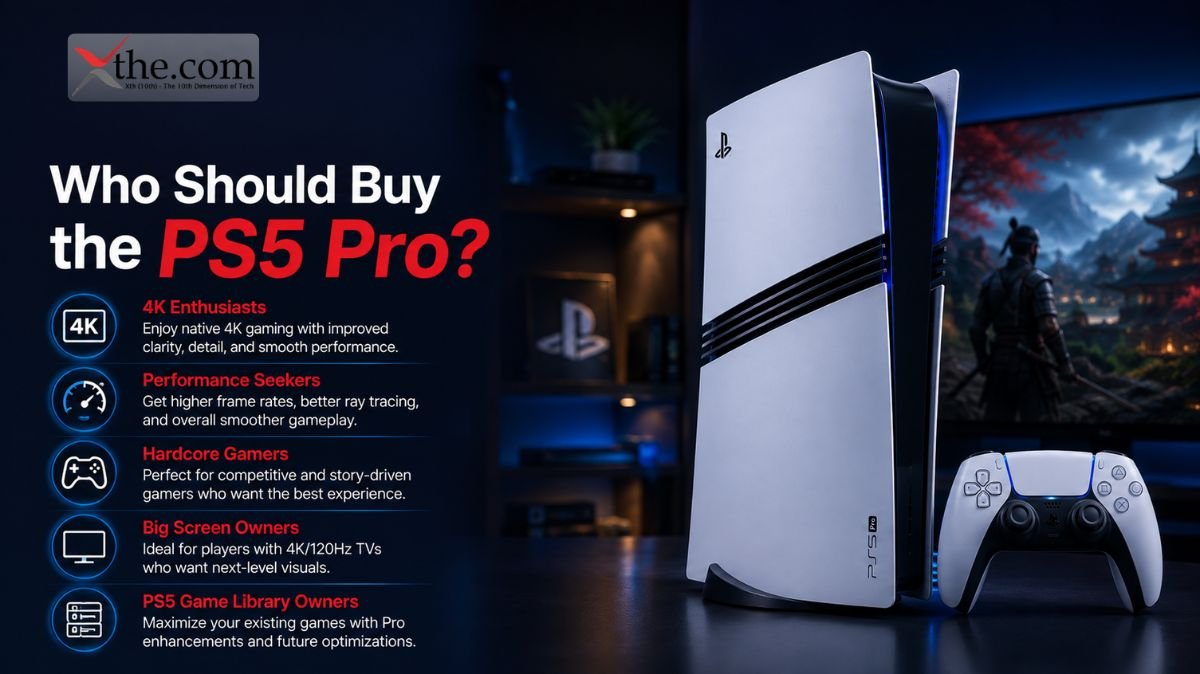
Who Should Buy the PS5 Pro? 

The PS5 Pro is ideal if you: 

  • Want the best graphics 
  • Own a premium 4K TV 
  • Love PlayStation exclusives 
  • Plan to spend hundreds of hours playing GTA VI 
  • Want cutting-edge visual technology 

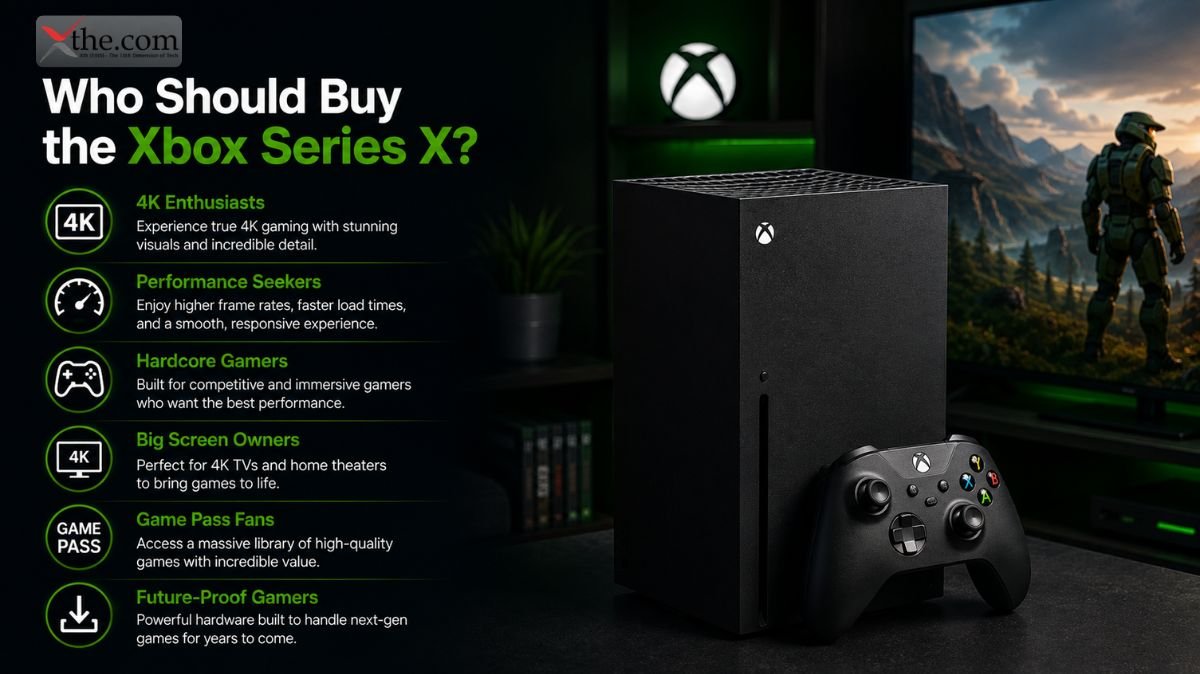
Who Should Buy the Xbox Series X? 

Choose Xbox Series X if you: 

  • Want excellent value 
  • Prefer Game Pass 
  • Enjoy trying many different games 
  • Already own Xbox games 
  • Also play on PC 

Pros and Cons 

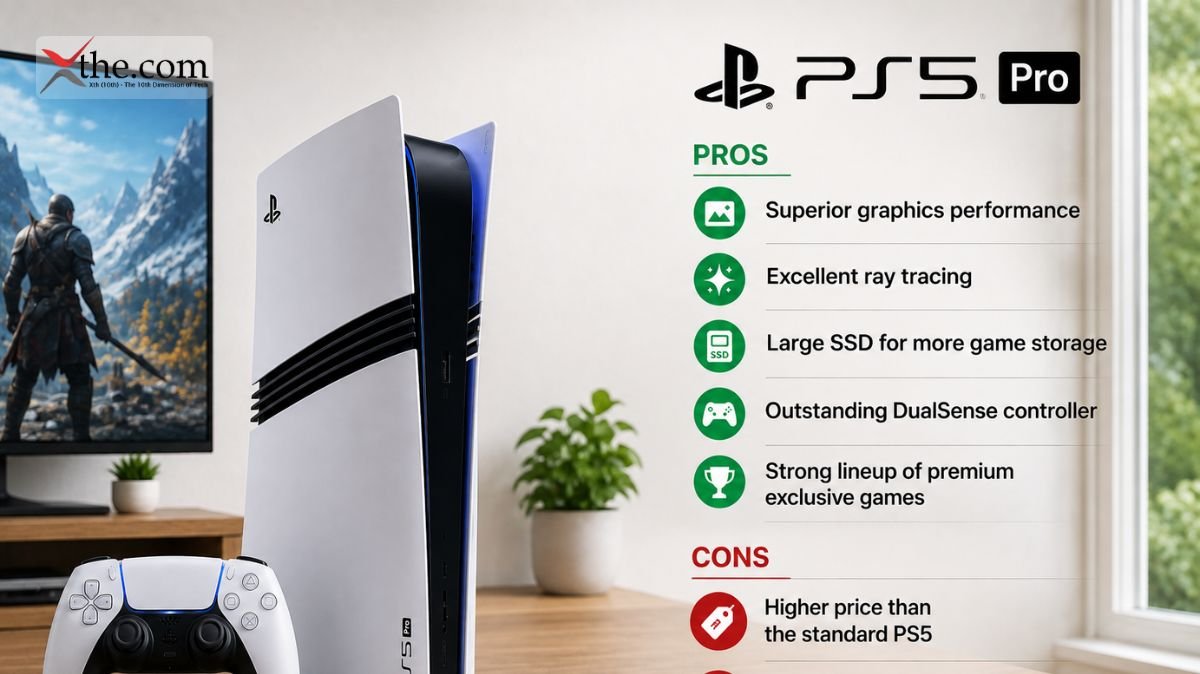
PS5 Pro 

Pros 

  • Superior graphics 
  • Excellent ray tracing 
  • Large SSD 
  • Outstanding controller 
  • Premium exclusives 

Cons 

  • Higher price 
  • Disc drive sold separately in some configurations 

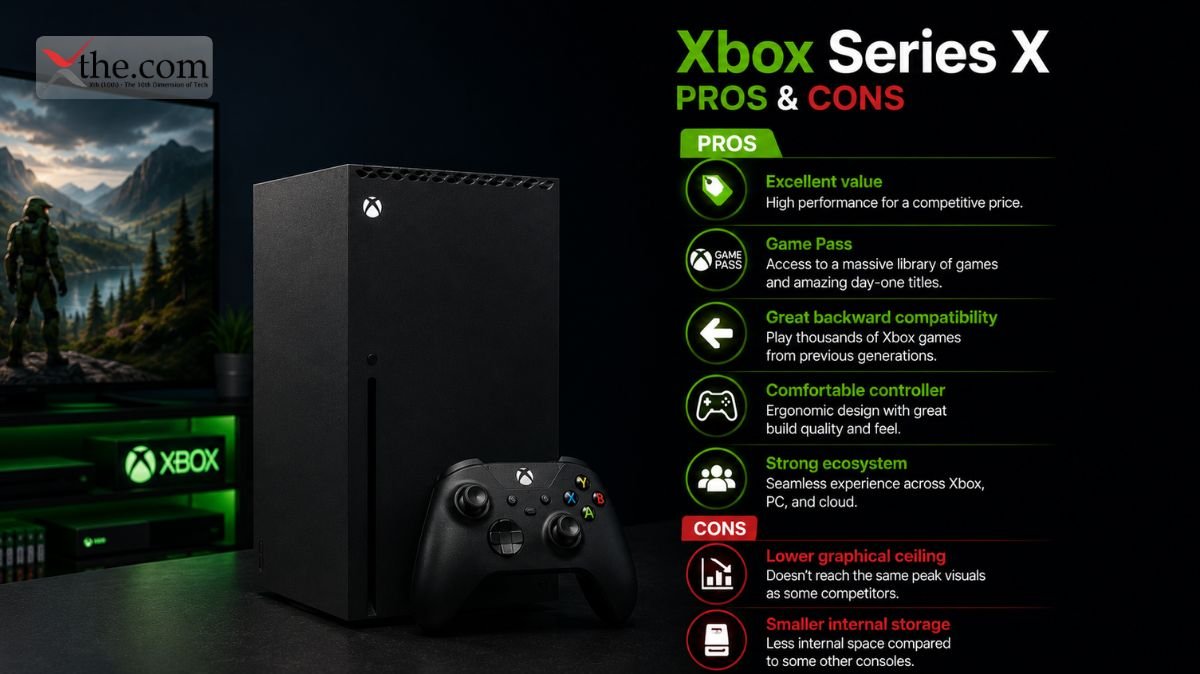
Xbox Series X 

Pros 

  • Excellent value 
  • Game Pass 
  • Great backward compatibility 
  • Comfortable controller 
  • Strong ecosystem 

Cons 

  • Lower graphical ceiling 
  • Smaller internal storage 

Frequently Asked Questions 

1. Is PS5 Pro vs Xbox Series X worth comparing in 2026? 

Absolutely. Both consoles target premium gamers but offer different strengths, making this one of the most relevant gaming comparisons of the year. 

2. Which console is better for GTA VI? 

Both consoles will support GTA VI. Based on hardware capabilities, the PS5 Pro may deliver higher graphical fidelity, while the Xbox Series X is expected to provide a smooth and enjoyable experience as well. 

3. Is the PS5 Pro worth the extra money? 

If visual quality, advanced graphics, and PlayStation exclusives are your priorities, the additional cost may be worthwhile. If value and access to a large game library matter more, the Xbox Series X remains a compelling choice. 

4. Is Xbox Game Pass still the best gaming subscription? 

For players who regularly explore new games and enjoy first-party releases included with their subscription, Game Pass continues to offer strong value.

Final Verdict 

Choosing between PS5 Pro vs Xbox Series X depends on what matters most to you. 

If your priority is the most advanced console hardware, enhanced graphics, and the best possible visual experience for upcoming blockbuster games like GTA VI, the PS5 Pro stands out as Sony’s flagship gaming system. 

If you want outstanding value, a broad game library through Game Pass, excellent backward compatibility, and a lower entry price, the Xbox Series X remains one of the smartest gaming purchases available. 

Neither console is the perfect choice for everyone. The best decision comes down to your gaming habits, favorite franchises, budget, and whether you value premium performance or long-term value. 

Whichever you choose, both consoles are well-positioned to deliver an exceptional gaming experience throughout 2026 and beyond. 

Mountain View, California  

Picture having a research analyst who never sleeps. This analyst monitors financial feeds at 3 a.m., keeps an eye on competitor product launches across social platforms, and delivers a structured briefing to your inbox by the time you pour your morning coffee without a single follow-up prompt from you. That is not a hypothetical anymore. That is what Google shipped at I/O 2026 on May 19, and the upgrade to Google Search upgrade powering it is more architecturally ambitious than most coverage has acknowledged. 

The Google Search Upgrade That Redrew the Rules 

For 25 years, Google Search worked in a simple way: you typed a query, the engine found results, and you clicked on them. This process was direct and happened in real time. You needed to be there, ask your question, and then decide what to do with the list of links you received. 

Gemini 3.5 Flash completely changed that approach. 

Liz Reid, Google’s VP and Head of Search, described the May 19 update as “the biggest upgrade to our iconic search box since its debut over 25 years ago.” But this description doesn’t entirely capture the scale of the changes. The new AI Mode Box is now a flexible input field that can take text, images, files, videos, and open Chrome tabs all at once. This is just the surface of a much bigger change. The real engine behind it is the Gemini 3.5 Flash, which powers the whole system. 

Google says Gemini 3.5 Flash offers “sustained frontier performance for agents and coding,” and made it the default model in AI Mode for everyone worldwide on the day it was announced. This model outperforms Gemini 3.1 Pro in coding and agent benchmarks, runs four times faster than similar models according to Google’s own tests, and has what Google DeepMind calls the “strongest agentic and coding” profile in the Flash series. Its speed and advanced reasoning are what make background search agents possible for power users and businesses. 

How Background Search Agents Actually Work 

The way Google’s new information agents work is more complex than the marketing suggests. They are not just improved Google Alerts. Traditional Alerts matched keywords and sent you links. Background search agents actually analyze and interpret information. 

Google says these agents are persistent AI processes in AI Mode that run in the background all day. They monitor topics you care about and send you summaries when something important happens, like a price drop, new content, or a change in a trend you follow. The key difference is that matching just tells you a keyword appeared, while reasoning agents explain why it matters, connect it to your interests, compare different sources, and decide if it’s worth your attention. 

Rather than just giving you a list of links, these agents compile information from multiple sources, explain its significance, compare viewpoints, and offer useful insights. Liz Reid, Google’s head of Search, gave an example: an agent that tracks market movements in a specific sector using set criteria and creates a monitoring brief. 

This system works by having Gemini 3.5 Flash run in a continuous, cloud-based loop. You set up an agent once in the AI Mode Box by choosing the topic, scope, and update frequency. The agent then works independently, constantly monitoring live web data, financial feeds, and social channels. When it finds something important, it creates a summary and sends you a notification. You get a briefing with links and can take action right from the alert, without needing to search again. 

For example, Google showed how a user can get updates whenever a favorite athlete announces a new sneaker collaboration. Elizabeth Reid called this “an intelligent, synthesized update, with the ability to take action.” If you apply this to an executive tracking competitors, a portfolio manager watching several sectors, or a small business owner monitoring supplier prices, the productivity benefits become real and practical. 

The AI Mode Box: More Than a Redesigned Search Bar 

The AI Mode Box is where you create and manage agents, and it now has many more features. The search box can expand to let you describe exactly what you need, is built to guess your intent, and helps you ask better questions with AI-powered suggestions that do more than just autocomplete. It can take text, images, files, videos, or Chrome tabs as inputs. 

This ability to handle different types of input is more than mere decoration. For example, if you are researching a supply chain problem, you can paste in a PDF contract, add a screenshot of a social media post about port congestion, and include a Chrome tab from a logistics news site. You can then ask the AI Mode Box to combine all this into a clear summary and set an agent to watch for updates. The AI Mode Box sends this complex request to Gemini 3.5 Flash, which processes everything at once instead of one by one. 

Autocomplete is now replaced by an AI-powered suggestion system that does more than just predict words it tries to understand your intent. Liz Reid showed this on stage: if you type “flights to Tokyo,” the box now suggests “compare Milan to Tokyo flights in May for two adults,” giving helpful context. This move from finishing words to guessing your goals is what’s driving more people to use it. AI Mode now has over a billion monthly users, and the number of queries has more than doubled each quarter since launch, hitting a record high last quarter. 

Google Search Gemini 3.5 Flash Background Search Agents Upgrade: Who Gets Access and When 

The Google Search Gemini 3.5 Flash background search agents upgrade is rolling out in tiers. The redesigned AI Mode Box and the switch to Gemini 3.5 Flash as the default model became available worldwide on May 19, 2026, in every country and language where AI Mode is already offered, and it’s free. 

To use information agents and Antigravity mini apps, you’ll need an AI Pro or Ultra subscription, which launches this summer. Agentic booking will be open to everyone in the U.S. The Generative UI will be free for all Search users. Personal Intelligence, which links Gmail and Google Photos to give personalized answers, has also expanded to nearly 200 countries and 98 languages, with no subscription needed. 

This tiered rollout is part of Google’s plan. The company is making the reasoning features available to everyone, but charging for the most advanced, always-on agent features through subscriptions. For businesses, Gemini 3.5 Flash is also available through Google’s Antigravity platform and the Gemini Enterprise Agent Platform, where it can be used in custom workflows beyond what regular Search users see. 

The Risk Calculus Behind Autonomous Search 

There are still challenges. Accuracy issues remain unresolved: AI-generated search results can be unreliable, and research from 2026 shows that generative search engines sometimes rely on AI-generated or low-quality sources. If an agent summarizes market movements incorrectly and presents it as a confident report, it creates a different kind of risk than a regular search result that a user reviews before making decisions. 

The European Commission is already watching. In April, the European Commission published measures under the Digital Markets Act requiring Google to share anonymized search data with rival search engines and AI chatbot providers, with a compliance deadline of July 27, 2026. The more Google’s search interface resembles a self-contained AI application, the sharper the regulatory scrutiny is likely to become. 

For executives and decision-makers, the optimal approach is simple: use agent-generated briefings as a starting point, not as the final answer. The speed and coverage are real benefits, but people are still responsible for what the agents report. 

What Comes Next for the Google Search Upgrade 

Google is also developing Gemini 3.5 Pro, which is already being used internally and will be released more widely next month. If Gemini 3.5 Flash offers almost Pro-level intelligence at high speed and low cost, the Pro version will raise the bar for what autonomous agents can do. This means future background search agents could not only monitor set topics, but also expand their focus as they notice related trends—a feature that is not available yet, but is now possible with the new architecture. 

The Google Search upgrade announced at I/O 2026 is just the beginning. It’s the first step in a bigger plan to make the world’s most-used search engine a constant, intelligent helper that works for you even when you’re not actively searching. 

Source: A new era for AI Search 

Mountain View, California 

If you logged into your Google Ads account on April 15, 2026, and saw a new pop-up banner, you weren’t alone. Hundreds of thousands of advertisers worldwide got the same message: Google wants to upgrade your campaigns to Google AI Max. For many digital marketers, the notification was a surprise. It sounded polite, but the change isn’t optional. 

Google AI Max Exits Beta — And Takes No Prisoners 

Google AI Max for Search campaigns is no longer just an experiment. After more than a year in open beta, starting in May 2025, Google officially made the product available to everyone on April 15, 2026. In an announcement by Brandon Ervin, Director of Product Management at Google Ads, he confirmed what many performance marketers expected: older campaign formats are being replaced, and the September 2026 deadline is final. 

Google says that AI Max for Search campaigns brings an average of 7% more conversions or conversion value at a similar CPA or ROAS when advertisers use all its features search term matching, text customization, and final URL expansion compared to using search term matching alone. This number is important, but it should be examined closely. The current 7% figure is lower than the 14% increase Google mentioned when AI Max first launched in May 2025. That earlier number was criticized because it did not match early independent testing. Independent tests published in November 2025 found that AI Max delivered conversions at about 35% lower return on ad spend than traditional match types across more than 250 retail campaigns. 

The performance debate is real. But it doesn’t change the calendar. 

The Dynamic Search Ads Sunset: What’s Actually Happening 

Dynamic Search Ads automatically created assets (ACA), and campaign-level broad match settings will all be upgraded automatically to AI Max for eligible campaigns by the end of September 2026. This means three different campaign types will be combined into one required migration, and the timeline is shorter than many marketers expect. 

The voluntary upgrade window runs from April through August 2026, giving advertisers approximately 5.5 months to migrate on their own terms. That’s roughly 40% less runway than the 2022 Smart Shopping-to-Performance Max transition, which lasted about 9 months. 

The two-phase structure matters here. Through August 2026, advertisers can upgrade voluntarily using Google’s one-click tools, which convert dynamic ad groups into standard ad groups with AI Max features switched on. Starting in September, no new DSA campaigns can be created through the Google Ads interface, Google Ads Editor, or the API, and the remaining eligible campaigns are automatically upgraded. 

There is no formal opt-out for affected campaigns. If your account runs Dynamic Search Ads, the Dynamic Search Ads Sunset applies to you, regardless of performance history or account size. 

AI Max does the three jobs that used to define a search marketer’s week: it decides which queries to show, it writes the ad, and it chooses the landing page. That’s a fundamental change in how human monitoring functions within a paid search campaign and it’s precisely why the transition demands deliberate preparation rather than the automatic acceptance of auto-upgrade campaigns. 

Why Google Is Doing This Now 

“When we talk about the new era of search, we’re really talking about how people’s search habits have become much more complex and difficult to predict,” Ervin told MediaPost. “Simply pulling text from a website isn’t enough anymore.” 

More users are turning to AI-powered search tools, such as Google’s AI Overviews, Gemini, ChatGPT, and Claude, for complex, multi-step questions. These searches are less simple and harder to predict than traditional keyword-based searches. DSA’s page-based matching can’t keep up. 

Competition is also a factor. According to eMarketer, Meta is expected to overtake Google in digital ad revenues for the first time in 2026. This direct threat makes it a strategic priority for Google to move advertisers to a higher-performing, AI-focused platform. 

Google AI Max is more than merely a product update. It represents a major change in how Google positions its entire search advertising system. 

How to Switch from Dynamic Search Ads to AI Max: A Solid Framework 

For marketers asking how to switch from Dynamic Search Ads to AI Max without disrupting live campaign performance, the process breaks into three actionable phases. 

Phase 1: Audit Before You Migrate 

Before clicking anything, export all historical performance data from existing Dynamic Search Ads campaigns. Many agencies lost access to pre-migration Smart Shopping benchmarks in specific dimensions after the 2022 auto-upgrade. The same risk applies here. Pull your search term reports, negative keyword lists, and landing page performance data now, not after migration. 

Negative keywords need special attention. Because AI Max matches based on site content instead of keywords you set, it’s especially important to review your negative keyword lists before migrating. If a DSA campaign is upgraded automatically, it will default to the most aggressive AI Max setup, with all three features enabled. 

Phase 2: Use Google’s One-Click Experiment Tools 

Google recommends using one-click experiments, which give advertisers a cleaner way to compare performance before making a full rollout decision. Run the experiment for a minimum of four weeks before drawing conclusions. The AI Max learning period needs time to stabilize, and campaigns migrated too close to September risk hitting it during a high-spend Q4 period. 

In 2022, campaigns migrated in July and August hit learning-period issues right through September — peak back-to-school spend. Campaigns voluntarily migrated in April and May had the learning period behind them. The 2026 compressed window makes this risk more acute. 

Phase 3: Configure the AI Brief 

The AI Brief allows advertisers to guide AI Max in plain English in three areas: messaging guidelines (what ads should and shouldn’t say), matching guidelines (which searches to target or avoid), and audience guidelines (how to customize messages for specific groups). For brand-sensitive accounts like legal firms, financial services, and healthcare, messaging guidelines are necessary. Set them up before you migrate. 

The Real Stakes of Auto Upgrade Campaigns 

The September 2026 auto upgrade campaigns deadline isn’t a suggestion. Migration is required for eligible campaigns. The only real choice advertisers have is to migrate early, which gives them more control over which features are enabled by default. 

Marketers who wait will get a setup chosen by Google. Those who act now will start Q4 2026 with weeks of clean data, a well-prepared AI Brief, and a negative keyword list aligned with their real business goals, not just what the algorithm guesses. 

Google AI Max makes keyword management easier and expands reach beyond keyword lists, but it does not remove keywords entirely. Keywords are still important because they give the AI key intent signals. Teams worried about losing control should remember that such structure still matters. The marketers who succeed in this new environment will not be those who let the system do everything. Instead, they will be the ones who know what the AI needs to make better decisions and provide exactly that. 

The September deadline is five weeks away. The migration tools are live. The only thing left is the decision.

Source: We’re upgrading Dynamic Search Ads to AI Max 

Seattle, Washington 

Imagine this: It’s a Tuesday midday in July. The U.S. Men’s National Team is deep into a knockout stage match at MetLife Stadium. Suddenly, your TV freezes, and the buffer wheel appears. When the stream finally comes back, your neighbor is already celebrating a goal you missed. This situation, which has frustrated millions of American households during past international tournaments, is exactly what Amazon set out to fix with the Fire TV Live Streaming Experience for the 2026 FIFA World Cup. 

The scale of this year’s tournament changes everything. There are now 48 teams and 104 matches, compared to 32 teams and 64 matches before. Streaming all that live content to more than 300 million Fire TV devices worldwide without crashes, app switching, or the frustrating buffering seen on other platforms meant that Amazon had to rethink both its interface and the software behind it. 

The Fire TV Live Streaming Experience Built for a 104-Match Tournament 

Fire TV is built to help you find live matches, top highlights, and full replays quickly throughout the tournament. This isn’t just a marketing claim it’s backed up by real changes in how the system works behind the scenes. 

Amazon updated its core software, so it now runs up to 30% faster on devices people already have, and this upgrade is free. Improvements like this aren’t just surface changes. They stem from changes to how the operating system uses memory during playback, which is where real-time stream caching comes in. 

When Fire TV loads a live match, it doesn’t just send video from a remote server straight to your screen. Instead, it preloads and stores video segments in the device’s memory. It’s as if the system is reading ahead while you watch. So, if you switch from the main camera to another angle or jump between two matches, the device uses that stored buffer instead of starting a new stream from scratch. This means you get almost instant transitions, instead of the five-to-ten-second delays that used to be common when switching live sports streams. 

Real-time stream caching isn’t a new idea, but Amazon improved how it works when several matches are happening at once. During busy tournament times, when multiple games are on at the same time, Fire TV gets ready by loading the feeds for matches you’ve recently checked out. It uses your viewing habits to decide which streams to cache first, since device memory is limited. For example, if you’re in Seattle and have been following Morocco’s group stage, those feeds will load instantly because the system expects you’d want to watch them. 

How Media Dashboards Replace the App-Juggling Problem 

Before this update, watching the World Cup on streaming sites was often frustrating. You’d open one app and find it doesn’t have the match, close it, try another app, only to learn you need a different subscription, then move to a third service losing six minutes of live action along the way. 

This new dashboard brings together FOX One, Tubi, and all the major streaming services in one place. When you click on a match card, it opens the right stream right away, so you don’t have to jump between different apps. 

This media dashboard is the most visible part of the new media setup. You can get to it from the navigation bar, the sports tab, or featured content on the Fire TV home screen. Behind the scenes, a content layer figures out where each match or highlight lives, so the system already knows, for example, that a Group H match is on FOX One, highlights are free on Tubi, and a replay will be on Fire TV Channels the next morning. Instead of three separate app icons and logins, you see everything in a single unified card. 

The new design focuses on giving you recommendations from all services in one place, so you don’t have to open each app separately. For sports fans, this means the platform works for you, not the other way around. 

The Voice Navigation Tool That Replaced the Remote 

Voice commands are now better, letting you query specific genres, actors, or even moods, and delivering more accurate results across several services at once. For sports, this feature is now genuinely useful, not just a fun extra. 

You can now ask the updated Alexa+ to guide you through the whole tournament, hands-free. For example, if you ask which Group D matches are live, the voice navigation tool will show you the scores, current match time, and a direct link to the stream. You don’t need to say which app or service has the rights the system figures that out for you. 

People are using Alexa+ more than twice as often as the first Alexa. This shows that viewers are changing how they interact with their TVs during live sports. If you’re following several teams over a month-long tournament, you don’t want to remember which network has each match. The voice navigation tool handles that for you and gives you a direct answer. 

A key improvement is that Alexa+ now understands the tournament bracket. If you ask, “When does Portugal play next?” it will take you straight to the upcoming match listing and give you a one-tap link to the stream. This works because Fire TV’s live matches interface puts live scheduling data right into the voice response, instead of sending you to a separate search. 

What the Architecture Shift Means for U.S. Sports Fans 

There’s so much free streaming content available that it would take more than a century to watch it all. On average, Americans spend about 12 minutes browsing before picking something. For live sports, those 12 minutes mean missing the game. The new Fire TV updates make it much faster to find what you want to watch. 

If you subscribe to FOX One, you can watch all 104 live matches, daily highlights, news, and full replays on demand. The Fire TV World Cup hub makes it easy to switch between live games and catch-up content. The combination of real-time stream caching, unified media dashboards, and a voice navigation tool means the platform handles the complexity, so the viewer does not have to. 

The 2026 FIFA World Cup features 48 teams competing across 104 matches over 39 days, up from the 32-team, 64-match format used in previous tournaments. That expansion would have been logistically punishing for households managing it via fragmented apps and manual subscription juggling. Amazon’s architecture answers that complexity with aggregation pulling separate broadcast networks into a coherent Fire TV stream live matches interface that treats the tournament as a single continuous event rather than 104 isolated streams. 

The wider implications for digital broadcasting extend well beyond soccer. A platform that can cleanly consolidate live feeds from multiple rights-holders, cache them intelligently by predicted viewer demand, and surface them through an interactive voice navigation tool is infrastructure that scales to any major tournament the Super Bowl, March Madness, or the Olympics. The 2026 World Cup is the big test. What Amazon learns from streaming 104 matches in three countries over 39 days will set the standard for what U.S. sports fans expect from their TVs in the future.

Source: Amazon News