






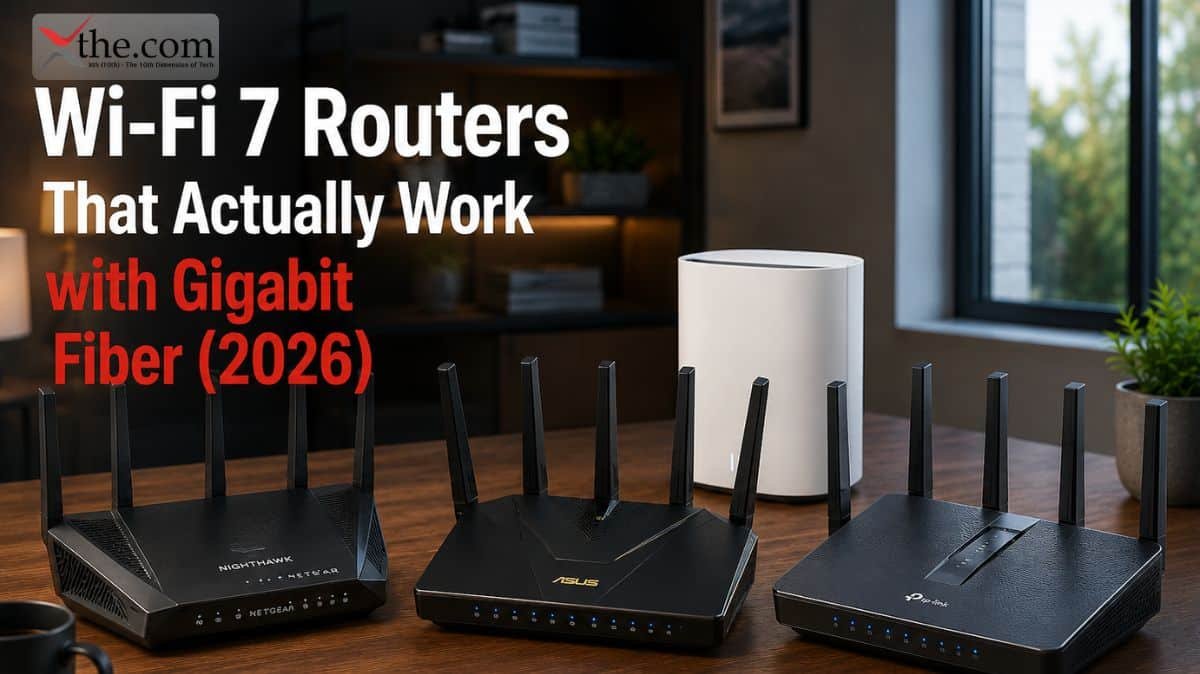
Gigabit fiber is now available in most major US cities, and the router your ISP shipped you is almost certainly holding you back from using it. The gateway that Xfinity, AT&T Fiber, or Verizon Fios drops at your door is built to minimum spec — enough to handle support calls, not enough to push every megabit you are paying for through a real home with real walls and real devices.
A Wi-Fi 7 router fixes that. Multi-Link Operation connects your devices across multiple bands simultaneously. Wider 320 MHz channels move more data per transmission. Smarter traffic management keeps 40 devices from stepping on each other during peak hours. If your plan delivers 1 Gbps or more to your home, the right router is the last piece that makes that speed show up on every device in every room.
Here is what actually works — matched to real ISP plans, real home sizes, and situations you will actually recognize.
Quick Picks
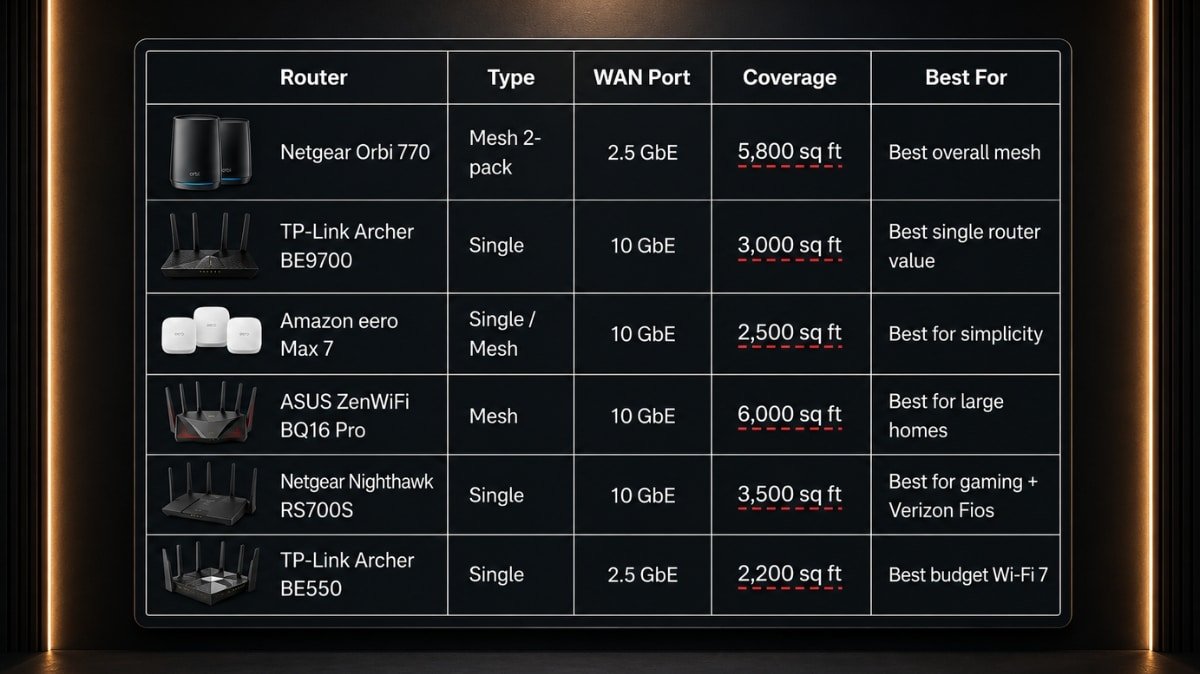
| Router | Type | WAN Port | Coverage | Best For |
| Netgear Orbi 770 | Mesh 2-pack | 2.5 GbE | 5,800 sq ft | Best overall mesh |
| TP-Link Archer BE9700 | Single | 10 GbE | 3,000 sq ft | Best single router value |
| Amazon eero Max 7 | Single / Mesh | 10 GbE | 2,500 sq ft | Best for simplicity |
| ASUS ZenWiFi BQ16 Pro | Mesh | 10 GbE | 6,000 sq ft | Best for large homes |
| Netgear Nighthawk RS700S | Single | 10 GbE | 3,500 sq ft | Best for gaming + Verizon Fios |
| TP-Link Archer BE550 | Single | 2.5 GbE | 2,200 sq ft | Best budget Wi-Fi 7 |
What Wi-Fi 7 Actually Does — and What It Does Not
Wi-Fi 6 and 6E were fast enough for a single device sitting near the router. The problem was everything else: multiple users streaming simultaneously, smart home devices piling onto the 2.4 GHz band, signal dropping through two walls to a bedroom, latency spiking during peak evening hours. Those are not speed problems — they are congestion and management problems.
Wi-Fi 7 solves three specific improvements.
Multi-Link Operation (MLO) lets your phone or laptop maintain active connections across 5 GHz and 6 GHz at the same time. The router routes each data packet over whichever path is fastest at that moment. Latency drops significantly. Speed stays consistent even when the network is busy.
320 MHz channels on the 6 GHz band double the channel width compared to Wi-Fi 6E. More width means more data per transmission. A compatible device in the same room as the router can realistically move 2 to 3 Gbps over Wi-Fi — numbers that were previously only possible with a wired connection.
Multi-RU allocation lets the router communicate with multiple devices within a single transmission window instead of taking turns. On a home network with 30 or 40 connected devices, this is what eliminates the slowdowns that hit every evening when everyone is home.
What Wi-Fi 7 does not do: it does not increase the speed your ISP delivers to your home. If AT&T Fiber gives you 1 Gbps, you get 1 Gbps. The router determines how well that 1 Gbps reaches your devices — which is exactly where most homes are losing speed right now.
Which Router Should I Get for My Specific ISP and Plan
This is the question most buying guides bury in fine print. Here it is answered directly.
I have Xfinity and my plan is 1 Gbps or under. The TP-Link Archer BE550 at $150 handles this without any waste. The 2.5 GbE WAN port has headroom above 1 Gbps and covers apartments and smaller homes cleanly. If your home is over 2,500 square feet, move up to the Netgear Orbi 770 mesh system instead.
I have Xfinity and my plan is 2 Gbps. You need a 10 GbE WAN port. The TP-Link Archer BE9700 at $190 is the right call for a single-router setup. For larger homes, the Netgear Orbi 770 2-pack covers the space — its 2.5 GbE WAN port handles 2 Gbps with a narrow margin.
I have AT&T Fiber on any plan. Every router on this list works with AT&T Fiber, but you must put the AT&T BGW gateway into IP Passthrough mode first. Without that step, your own router sits behind AT&T’s gateway doing double NAT, which throttles performance and breaks VPN connections. The five-minute setup is worth doing before you assume a router is underperforming. For AT&T Fiber 2 Gbps plans, use a router with a 10 GbE WAN port — the Archer BE9700, eero Max 7, or ZenWiFi BQ16 Pro.
I have Verizon Fios. Connect via Ethernet directly from the ONT box — this is simpler than the coax MoCA method and works with every router here. For Fios 1 Gbps, the Orbi 770 or Archer BE9700 both work well. For Fios 2 Gbps, use a router with a 10 GbE WAN port. Gamers on Fios should look specifically at the Netgear Nighthawk RS700S, which pairs well with Fios’s already low-latency fiber infrastructure.
The Best Wi-Fi 7 Routers in 2026
1. Netgear Orbi 770 — Best Overall Wi-Fi 7 Mesh System
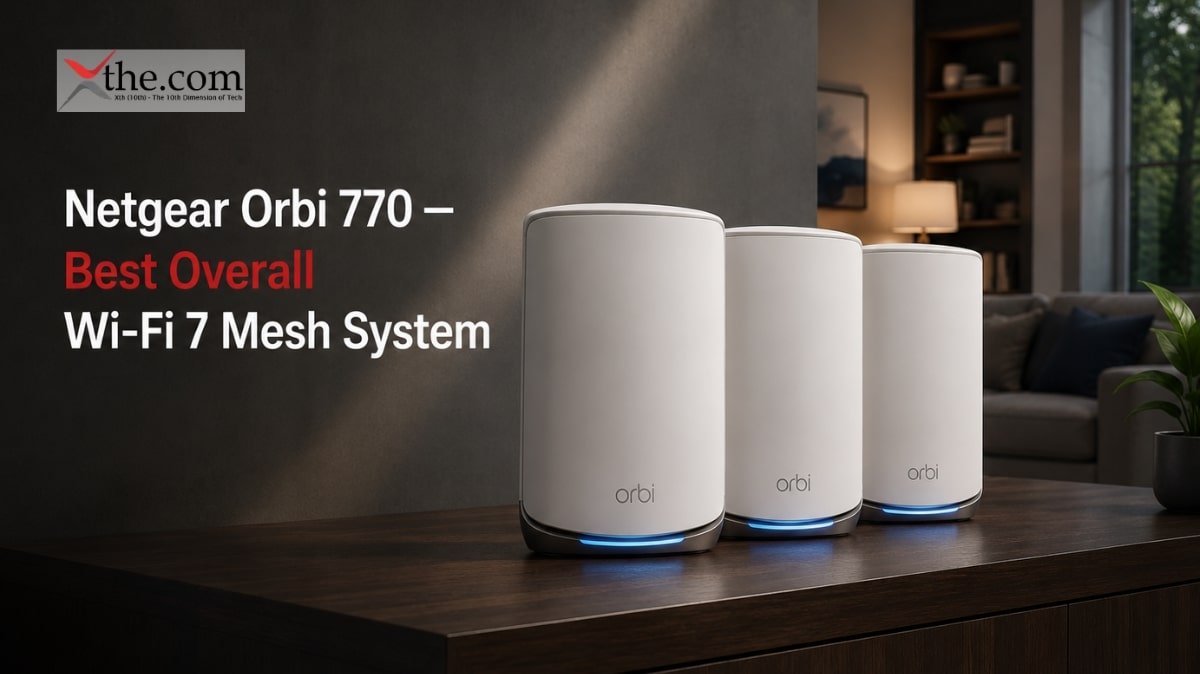
Price: ~$300 (2-pack) | Type: Tri-band mesh | WAN Port: 2.5 GbE | Coverage: 5,800 sq ft | Speed: Up to 10 Gbps
The Orbi 770 came out ahead after testing against six competing mesh systems in a two-story brick home on a 2 Gbps fiber connection. It delivered the most stable speeds, cleanest roaming between nodes, and zero disconnections over two weeks of continuous testing. Early firmware versions had issues — those are resolved, and current firmware translates the hardware’s advantage into a daily-use experience that competing systems have not matched at this price.
For Xfinity gigabit and AT&T Fiber 1 Gbps users, the 2-pack covers up to 5,800 square feet with a dedicated 6 GHz backhaul band keeping node-to-node communication separate from client traffic. Adding a satellite does not shrink the bandwidth available to your devices — a problem that plagues cheaper mesh systems.
The one honest limitation: The 2.5 GbE WAN port is a ceiling. Users on AT&T Fiber 2 Gbps or Verizon Fios 2 Gbps plans will extract the full plan speed in wired connections but may see that WAN port becomes a bottleneck under peak wireless load. If you are on a multi-gig plan and need full headroom, the ASUS ZenWiFi BQ16 Pro is the right move instead.
This is the router for: Families in medium to large homes, 2,000 to 5,000 square feet, on Xfinity or AT&T Fiber gigabit plans who want mesh coverage without spending $1,000.
2. TP-Link Archer BE9700 — Best Single Wi-Fi 7 Router
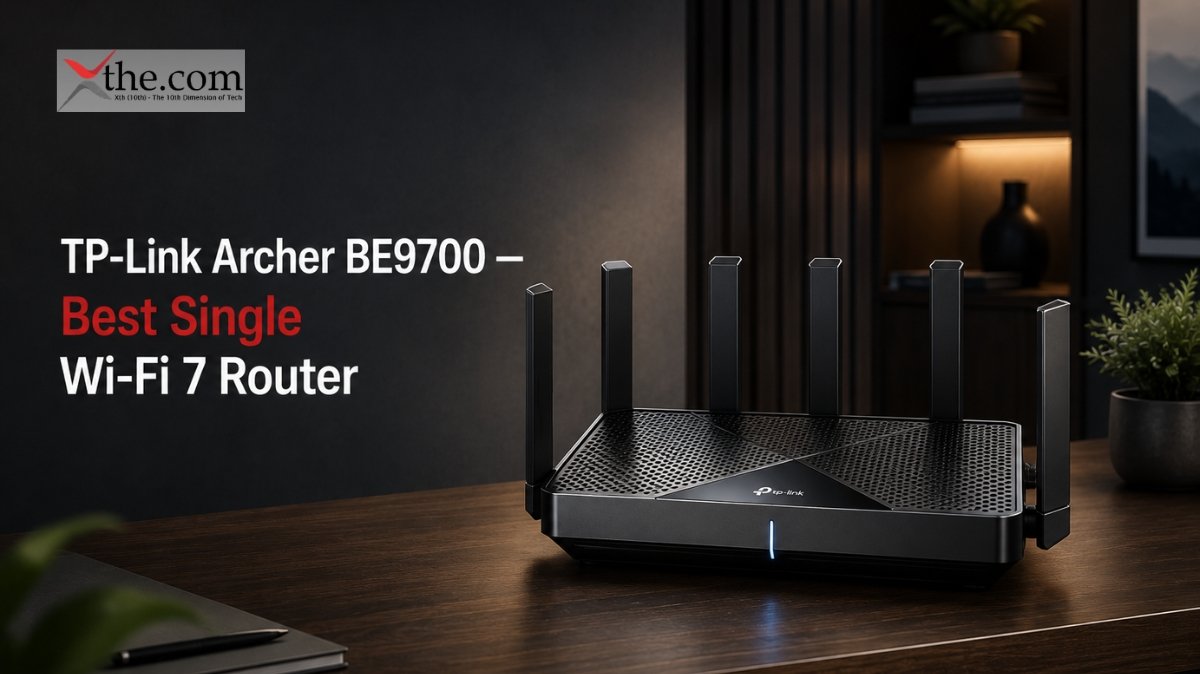
Price: ~$190 | Type: Tri-band single | WAN Port: 10 GbE | Coverage: 3,000 sq ft | Speed: Up to 9.7 Gbps
Under $200 with a 10 GbE WAN port and genuine tri-band Wi-Fi 7 performance. That combination does not exist at this price point from any other manufacturer in 2026. The Archer BE9700 is the answer for apartments, condos, and homes under 3,000 square feet where a single router covers the space and budget matters.
Behind it: one 10 GbE LAN port and four 2.5 GbE ports — enough for a NAS, a wired gaming rig, and two smart TVs without needing a separate switch. There is also a USB 3.0 port for network storage, and Mac users get Time Machine support built in without any configuration.
Real-world 6 GHz performance outpaces most Wi-Fi 6E routers at the same distance. The 5 GHz band holds up through standard interior walls better than comparable budget hardware. TP-Link’s Tether app manages setup, QoS, and guest network controls without requiring a web interface.
The one honest limitation: No native mesh support beyond adding TP-Link EasyMesh extenders. If your home needs mesh coverage, start with the Orbi 770 instead. Some users also prefer to keep TP-Link hardware off their network given the company’s Chinese ownership — a valid security posture that is worth knowing before purchasing.
This is the router for: Anyone in a smaller home or apartment on AT&T Fiber, Xfinity, or Verizon Fios up to 2 Gbps who wants genuine Wi-Fi 7 performance at a price that does not require justification.
3. Amazon eero Max 7 — Best Wi-Fi 7 Router for People Who Are Done Troubleshooting
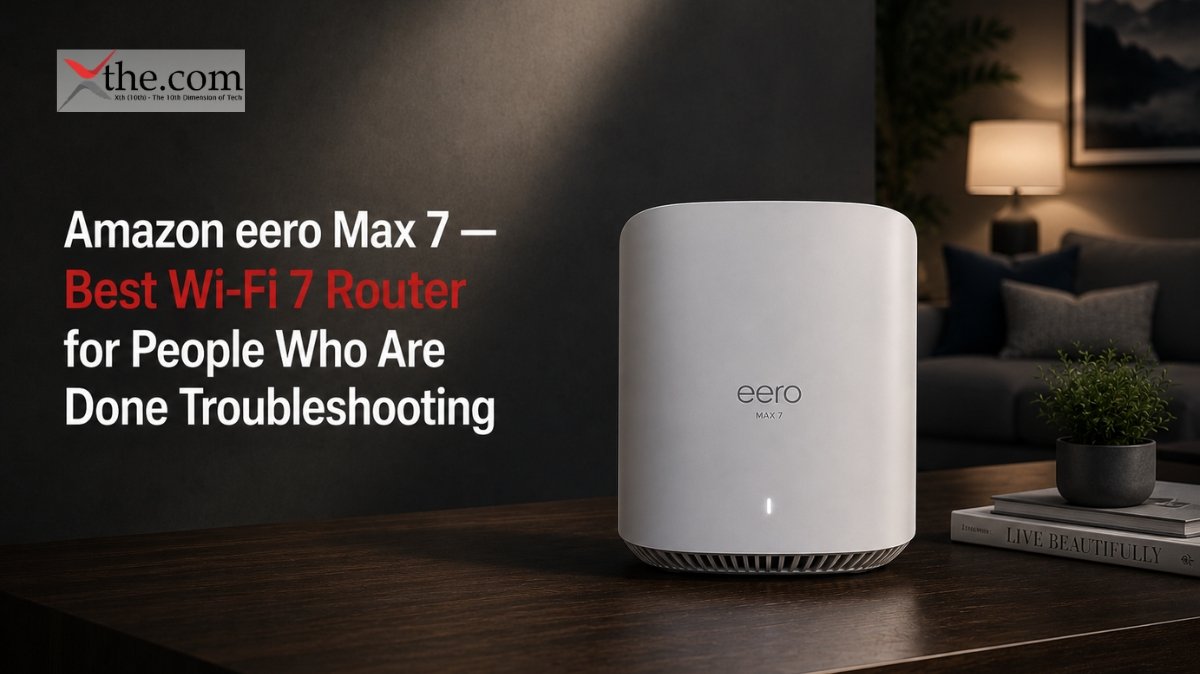
Price: ~$450 | Type: Tri-band single / expandable mesh | WAN Port: 10 GbE | Coverage: 2,500 sq ft | Speed: Up to 11 Gbps
The eero Max 7 is for people who have spent too many evenings restarting their router and just want it to work. Setup is five minutes through the eero app. Updates run silently in the background. The compact cylinder does not look like networking hardware. You plug it in, connect to your phone, and your network is running — including automatic band steering, automatic firmware updates, and automatic security scanning.
Frontier Fiber ships the eero Max 7 with its 2 Gbps and 5 Gbps plans. That tells you it performs at multi-gig speeds. Dual 10 GbE ports — one WAN, one LAN — confirm it. For Verizon Fios users connecting via Ethernet from the ONT, the eero Max 7 is the simplest high-performance option available.
The eero ecosystem scales without configuration. Add a second or third node, and the system builds a mesh automatically. Every node is the same hardware, so there is no separate “satellite” SKU to track down.
The one honest limitation: No web interface. No advanced QoS controls. No VLAN configuration. No traffic logs. The eero works entirely through the Amazon app and requires an Amazon account. Users who want full visibility and control over their network will find the eero frustrating. At $450 for a single unit, it is also the most expensive standalone router on this list — the TP-Link BE9700 delivers comparable raw performance for $260 less.
This is the router for: Remote workers and busy households who value a stable, maintenance-free network over advanced configuration options. Especially strong for Verizon Fios and Frontier Fiber customers.
4. ASUS ZenWiFi BQ16 Pro — Best Wi-Fi 7 Mesh for Large Homes and Thick Walls
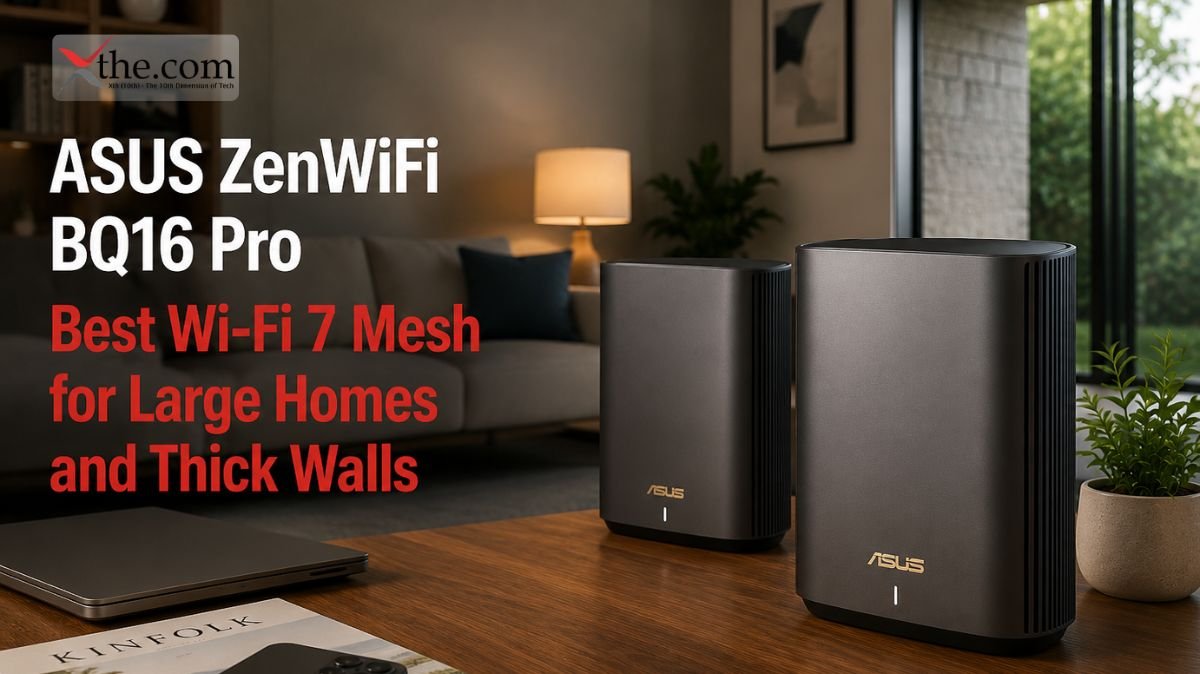
Price: ~$1,100 (2-pack) | Type: Quad-band mesh | WAN Port: 10 GbE | Coverage: 6,000 sq ft | Speed: Up to 19 Gbps
Most mesh systems make a quiet compromise: the 6 GHz band handles both the wireless backhaul between nodes and the connections from your devices — splitting that bandwidth into two. At close range you may not notice. At a distance, when the backhaul, link is already working hard, your device connections slow down.
The ZenWiFi BQ16 Pro does not make that compromise. Each unit has two separate 6 GHz radios. One handle backhaul exclusively. The other serves client devices exclusively. The result is that the speed you measure next to a satellite node is close to the speed you measure next to the main router — which is not true of most mesh systems, even expensive ones.
For homes over 4,000 square feet, multi-level construction, or concrete and brick walls that kill Wi-Fi range, this is the hardware that actually solves the problem. The 10 GbE WAN port on each unit handles any current fiber plan, including AT&T Fiber 5 Gbps and Verizon Fios 2 Gbps. A USB port on each node connects to a phone hotspot for automatic internet backup during outages — useful in-home offices where a dropped connection costs real money.
ASUS firmware is the most complete on this list: traffic analyzer, AiProtection security via Trend Micro, VPN server, AiMesh controller, and granular QoS. Power users who want to see everything happening on their network get more from ASUS than any other brand here.
The one honest limitation: $1,100 for a two-pack is a serious investment. The units are large and require adequate ventilation — the internal cooling fan cycles audibly every few minutes under load. ASUS’s app is functional but noticeably less polished than Netgear’s or eero’s.
This is the router for: Homeowners with large, multi-story, or concrete-construction homes on multi-gig fiber plans who want the highest-performance mesh system available without going to enterprise hardware.
5. Netgear Nighthawk RS700S — Best Wi-Fi 7 Router for Gaming on Verizon Fios
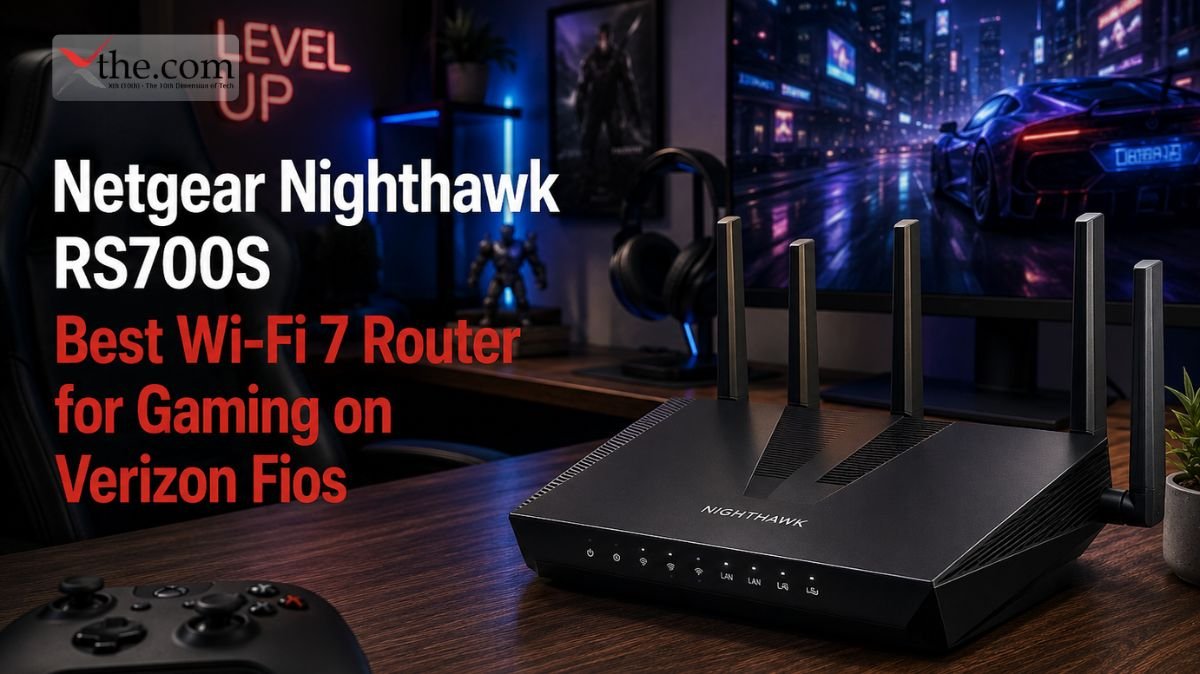
Price: ~$450 | Type: Tri-band single | WAN Port: 10 GbE | Coverage: 3,500 sq ft | Speed: Up to 10 Gbps
Verizon Fios already delivers lower baseline latency than cable or DSL — that is a structural advantage of fiber. The Nighthawk RS700S is built to preserve and extend that advantage through the router and into your gaming sessions.
Hardware-level QoS lets you dedicate bandwidth and low-latency treatment to a specific device — your gaming PC or console — while the rest of the household streams and downloads without interrupting your connection. This is not a software toggle that slows down when the router is busy. It is handled at the chipset level, which means it works under load when you actually need it.
On the back: one 10 GbE WAN, one 10 GbE LAN, four 1 GbE LAN ports. If your gaming PC is wired in, the 10 GbE LAN means that connection is never the weak link — regardless of plan speed. And at 3,500 square feet of coverage, it handles most single-family homes without needing a satellite node.
The one honest limitation: Netgear’s gaming features require a Netgear account and app dependency for some controls. Mesh expansion works but is not as seamless as the Orbi ecosystem. At $450 it sits at the same price as the eero Max 7, which has stronger multi-gig performance if gaming is not your priority.
This is the router for: Gamers on Verizon Fios or AT&T Fiber who play competitively and need guaranteed low latency even when multiple household members are using the network simultaneously.
6. TP-Link Archer BE550 — Best Budget Wi-Fi 7 Router
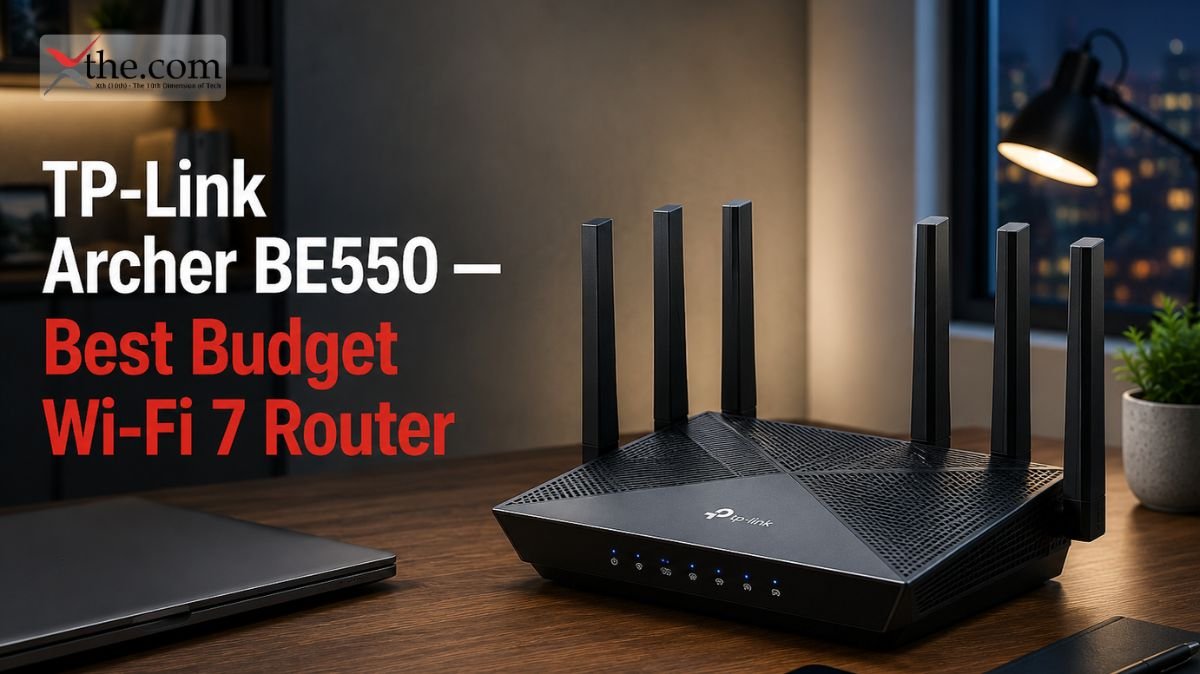
Price: ~$150 | Type: Dual-band single | WAN Port: 2.5 GbE | Coverage: 2,200 sq ft | Speed: Up to 3.6 Gbps
The Archer BE550 makes Wi-Fi 7 core improvements accessible at a premium price. For Xfinity customers on standard gigabit plans, Spectrum users, or anyone whose plan tops out at 1 Gbps, the BE550 delivers MLO, wider channels, and better multi-device handling at a price that is genuinely difficult to argue with.
The 2.5 GbE WAN port is the honest ceiling. It handles gigabit plans cleanly. Users on 2 Gbps or faster plans will hit that ceiling — in which case the Archer BE9700 at $190 is the right step up. If your current plan is 1 Gbps or under, this limitation never affects you.
Real-world 5 GHz performance is strong for the price. The 2.4 GHz band covers smart home devices at a range. Setup through the TP-Link Tether app takes under ten minutes.
The one honest limitation: No 6 GHz band means it misses the widest Wi-Fi 7 channels. Coverage is limited to smaller homes. Users who expect to upgrade to a multi-gig plan in the near future should buy the Archer BE9700 now rather than upgrading again in twelve months.
This is the router for: Renters, apartment dwellers, and budget-conscious homeowners on Xfinity, Spectrum, Cox, or Optimum gigabit plans who want a meaningful Wi-Fi upgrade without spending over $150.
Orbi 770 vs eero Max 7 — Which One to Actually Buy
These two come up as the most common comparison because they are priced close to each other for single-unit configurations and both target mainstream households.
Buy the Orbi 770 if: Your home is over 2,500 square feet and you need mesh coverage. You want more network controls than the eero provides. You are on Xfinity or AT&T Fiber gigabit and need whole-home coverage.
Buy the eero Max 7 if: Your home is under 2,500 square feet, or you can place a single router centrally. You want the simplest possible setup and maintenance experience. You are on Verizon Fios or Frontier Fiber and prioritize reliability over advanced features.
The performance difference in real-world use is smaller than the spec gap suggests. Both deliver strong Wi-Fi 7 speeds in the rooms directly served by hardware. The Orbi 770 covers more square footage per dollar with the 2-pack. The eero Max 7 requires less ongoing attention. Those differences matter more than the speed of benchmarks for most households.
When You Should NOT Buy a Wi-Fi 7 Router Yet
Not every household needs to upgrade right now. Here is when waiting makes more sense than spending.
Your internet plan is under 500 Mbps, and you have no immediate plans to upgrade. At that speed, a Wi-Fi 6 router is sufficient and costs significantly less. Wi-Fi 7’s advantages compound at higher plan speeds and higher device counts.
Every device in your home is over three years old. Wi-Fi 7’s MLO feature requires a Wi-Fi 7 capable device to activate — older phones, laptops, and tablets fall back to Wi-Fi 6 or 6E behavior. You still benefit from better network management, but the headline speed improvements do not appear until you have Wi-Fi 7 client devices.
Your current router is working fine, and your home is under 1,500 square feet. A functioning Wi-Fi 6 router in a small space does not leave meaningful performance on the table that Wi-Fi 7 would recover. Wait until your router fails, or your plan speed increases.
Matching Your Router to Your Fiber Plan — The Quick Reference
Your router’s WAN port is the hard ceiling for internet speed. A bottleneck here loses throughput before the Wi-Fi signal even leaves the antenna.
Up to 1 Gbps — 2.5 GbE WAN is sufficient. BE550 or Orbi 770 handle this cleanly.
1 to 2.5 Gbps — 2.5 GbE WAN covers this range with narrow overhead. Orbi 770 works; Archer BE9700 gives more headroom.
2.5 Gbps and above — 10 GbE WAN required. Archer BE9700, eero Max 7, ZenWiFi BQ16 Pro, and Nighthawk RS700S all qualify.
For AT&T Fiber specifically: configure IP Passthrough on the BGW gateway before connecting to your router. Without it, double NAT reduces performance and breaks gaming and VPN connections.
Mesh or Single Router — The Actual Decision
A single router works for homes under 2,000 square feet with standard drywall and wood-stud construction, with the router placed reasonably centrally.
You need a mesh system when any of these are true: your home exceeds 2,500 square feet, you have multiple floors with no central placement option, or your walls are concrete, brick, or older plaster construction that blocks Wi-Fi signal aggressively.
The Netgear Orbi 770 handles the first two situations. The ASUS ZenWiFi BQ16 Pro handles all three including the worst-case construction — at a price that reflects it.
Placement matters as much as hardware. The best router underperforms when installed in a corner, in a cabinet, or far from where most devices actually live. Place the main router as centrally as your ISP’s entry point allows.
Frequently Asked Questions
1. I just upgraded to AT&T Fiber 2 Gbps. Do I need a new router?
Yes, if your current router has a 1 GbE WAN port. You are capping your speed at 1 Gbps at the hardware level before it reaches any device. A router with a 10 GbE WAN port — the Archer BE9700 or eero Max 7 — removes that ceiling.
2. My Wi-Fi is slow only in my bedroom. Do I need a whole new router or just an extender?
If the bedroom is through two or more walls and more than 40 feet from your current router, a mesh node is the right fix. An extender amplifies a weak signal and adds latency in the process. A mesh node like the Orbi 770 satellite maintains a dedicated backhaul connection that does not sacrifice speed the way extenders do.
3. Does Wi-Fi 7 help if I only have five or six devices?
Yes, but less dramatically than in larger households. With few devices, the congestion management improvements matter less. The main benefit for small households is MLO — lower latency and more consistent speeds for each connected device.
4. Can I use the Netgear Orbi 770 with Verizon Fios?
Yes. Connect via Ethernet from the Fios ONT box. The Orbi 770 handles Fios gigabit plans with the 2.5 GbE WAN port. For Fios 2 Gbps, the WAN port provides enough headroom for most use cases, though heavy simultaneous wired and wireless use may approach the ceiling.
5. Is Wi-Fi 7 worth working from home?
For remote workers with video conferencing running on one device, file syncing on another, and smart home devices in the background, yes. Wi-Fi 7’s MLO keeps latency low during video calls even when background traffic is competing for bandwidth — the main frustration with Wi-Fi 6 in work-from-home setups.
Final Verdict
For most American households on a gigabit fiber plan, the Netgear Orbi 770 is the right purchase. It covers large homes, works out of the box with Xfinity, AT&T Fiber, and Verizon Fios, and delivers consistent real-world performance at a price that does not need a lengthy justification.
Users in smaller homes or apartments who do not need to mesh: the TP-Link Archer BE9700 at $190 is the most compelling value on this list. A 10 GbE WAN port and genuine Wi-Fi 7 tri-band performance under $200 is the deal in this category right now.
Verizon Fios gamers: the Netgear Nighthawk RS700S is the specific hardware for your situation. The hardware-level latency prioritization makes a measurable difference in competitive play.
Done troubleshooting and want it to just work: eero Max 7. No caveats.
Wi-Fi 7 is a real generational improvement — not just a spec number on a box. On a fiber plan delivering genuine gigabit speeds to your home, the right router is the last upgrade that makes that investment visible on every device in every room.