





Something significant happened in April 2026 that most mainstream tech buyers have not heard about yet. Qualcomm’s Snapdragon X2 Elite Extreme — the chip powering the latest Windows ARM laptops — posted single-core benchmark scores 30% ahead of Intel’s best Panther Lake processor and AMD’s Ryzen AI Max. For the first time in Windows PC history, an ARM chip convincingly outperformed x86 in the benchmarks that matter most for everyday tasks.
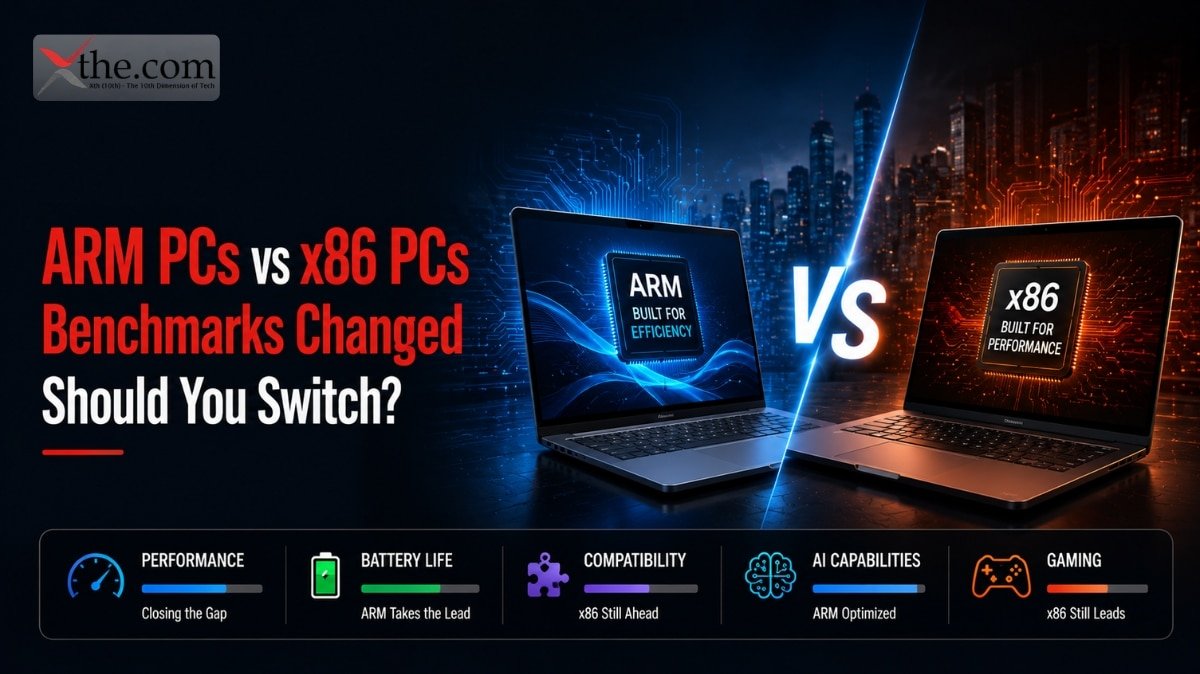
ARM PCs vs x86 PCs is no longer a comparison between a promising experiment and the established standard. In 2026, it is a genuine choice between two capable platforms with different strengths. ARM laptops — running Snapdragon X2 Elite — lead on battery life, AI performance, and now raw CPU benchmarks. Intel and AMD x86 laptops still lead on gaming, software compatibility for specialized tools, and sustained multi-core workloads. Which platform is right for you depends on what you actually use your laptop for every day.
This guide gives you the complete picture without the hype from either side.
Quick Comparison — ARM vs x86 in 2026
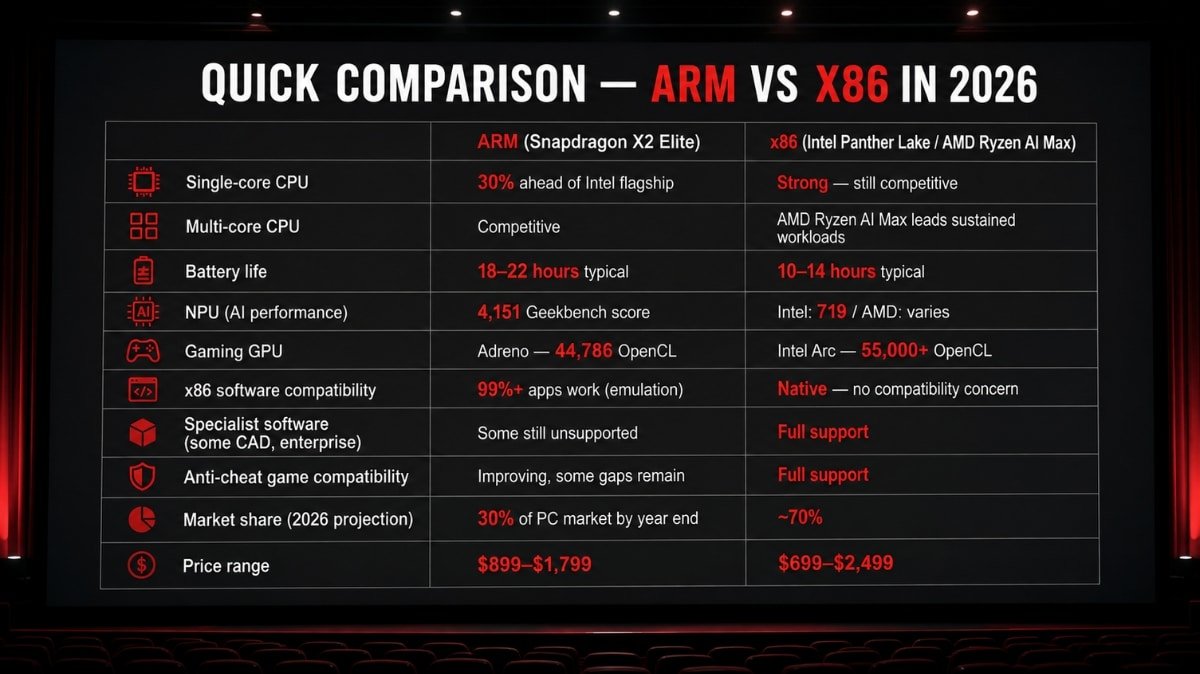
| ARM (Snapdragon X2 Elite) | x86 (Intel Panther Lake / AMD Ryzen AI Max) | |
| Single-core CPU | 30% ahead of Intel flagship | Strong — still competitive |
| Multi-core CPU | Competitive | AMD Ryzen AI Max leads sustained workloads |
| Battery life | 18–22 hours typical | 10–14 hours typical |
| NPU (AI performance) | 4,151 Geekbench score | Intel: 719 / AMD: varies |
| Gaming GPU | Adreno — 44,786 OpenCL | Intel Arc — 55,000+ OpenCL |
| x86 software compatibility | 99%+ apps work (emulation) | Native — no compatibility concern |
| Specialist software (some CAD, enterprise) | Some still unsupported | Full support |
| Anti-cheat game compatibility | Improving, some gaps remain | Full support |
| Market share (2026 projection) | 30% of PC market by year end | ~70% |
| Price range | $899–$1,799 | $699–$2,499 |
What ARM and x86 Actually Mean — Without the Jargon
Before the comparison, two minutes of context that makes everything else make sense.
x86 is the instruction set architecture that Intel and AMD processors have used since the 1980s. Almost all Windows software ever written was compiled for x86. Every game in your Steam library. Every enterprise application your company runs. Every piece of specialized software built over the past 40 years. x86 processors run all of this natively — no translation layer, no overhead.
ARM is a different instruction set architecture, originally designed for low-power mobile chips. Apple’s M-series processors — which power MacBooks, iPhones, and iPads — are ARM-based. Qualcomm’s Snapdragon chips for Windows laptops are ARM-based. ARM chips process instructions more efficiently per watt than x86, which is why they deliver better battery life. The trade-off: software written for x86 needs to be translated before it can run on ARM, which adds overhead.
The translation layer Windows uses for x86 software on ARM has gotten significantly better. Prism — Microsoft’s emulation engine — handles most x86 applications with 10–20% overhead in 2026. For most everyday apps, users do not notice the performance penalty because the ARM chip’s raw advantage more than compensates for the translation cost. For gaming and specialized software, the overhead is more significant and remains the clearest limitation of ARM Windows laptops.
Performance — Where Each Platform Leads
CPU Performance: ARM Pulled Ahead
Notebookcheck’s April 2026 testing is the clearest data available. The Snapdragon X2 Elite Extreme posted single-core benchmark scores 30% ahead of Intel’s Panther Lake Core Ultra X9 and AMD’s Ryzen AI Max. In multi-core tests, the picture is more competitive — AMD’s Ryzen AI Max maintains a lead in sustained heavy workloads where its higher power ceiling and active cooling allow it to run at maximum performance for longer.
For everyday tasks — browser tabs, documents, video calls, email, media playback, light photo editing — single-core performance is what determines responsiveness. Apps open one thread at a time. Web pages render on a single core. Most productivity software does not parallelize across all cores simultaneously. The Snapdragon X2 Elite’s single-core lead translates directly to a faster-feeling everyday experience compared to Intel and AMD equivalents.
Tom’s Hardware’s review confirmed the Snapdragon X2 Elite as a genuine rival to Apple Silicon — not a compromised alternative. That framing matters, because it establishes ARM on Windows as a peer platform rather than an underdog making trade-offs to compete.
AI Performance: ARM Wins by a Wide Margin
This gap is not close. Geekbench 6.5’s NPU benchmark scores:
- Snapdragon X2 Elite: 4,151
- Apple M4: 2,121
- Intel Core Ultra 9: 719
The Snapdragon X2 Elite’s NPU is nearly twice as fast as Apple’s M4 and nearly six times faster than Intel’s latest flagship. For the Windows AI features that Microsoft calls Copilot+, this difference is practical: Live Captions with real-time translation, Windows Studio Effects, Recall, and upcoming AI features run faster and more efficiently on ARM than on any x86 alternative currently available.
Microsoft has also been releasing Copilot+ features on ARM hardware before Intel and AMD equivalents — ARM users get new AI capabilities first.
GPU and Gaming Performance: x86 Still Leads
Intel’s Panther Lake integrated GPU scored 55,000 points on Geekbench OpenCL. The Snapdragon X2 Elite’s Adreno GPU scored 44,786. That 20% GPU gap shows up in gaming.
For games compiled natively for ARM — modern titles from engines like Unreal 5 and Unity that produce ARM-native binaries — the performance gap narrows significantly. For games running through x86 emulation on ARM, expect 30–35% lower frame rates than the same game on equivalent Intel or AMD hardware. Competitive multiplayer titles and demanding AAA games show the steepest performance penalties in emulation.
Anti-cheat software is the other gaming concern on ARM. Several competitive multiplayer games use kernel-level anti-cheat systems (Valorant’s Vanguard, Easy Anti-Cheat) that have ARM compatibility gaps. Qualcomm and Microsoft have been working with anti-cheat developers to address this — progress is real but not complete as of mid-2026.
The bottom line on gaming: if gaming is a significant part of your laptop use, x86 is still the right platform. The performance gap in emulated titles is real and meaningful at the frame rates competitive gaming requires.
Battery Life — ARM’s Most Consistent Advantage
This is where the real-world difference between ARM and x86 is most visible and most consistently reproducible.
Snapdragon X2 Elite laptops are delivering 18–22 hours of battery life in mixed use testing — browsing, documents, video calls, media playback. Intel and AMD laptops with comparable configurations deliver 10–14 hours. The gap is structural: ARM chips consume 43% less power than the previous Snapdragon generation, and the efficiency advantage over x86 compounds further at the system level where display, memory, and storage all draw from the same battery.
For buyers who use their laptop away from a desk — students, frequent travelers, commuters, remote workers who move between locations — this battery gap is the most meaningful single spec difference in the comparison. An ARM laptop that lasts a full work day and into the evening is a different product category from an x86 laptop that needs a charger by mid-afternoon.
Multi-day battery life — something that felt implausible in a Windows laptop two years ago — is now a realistic expectation from Snapdragon X2 Elite hardware for users who are not running sustained heavy workloads.
Software Compatibility — The Real Picture in 2026
This was the most valid concern about Windows ARM laptops in 2023 and 2024. In 2026, it is largely resolved for mainstream users with specific exceptions worth knowing.
What works natively on ARM (no emulation, full performance): Microsoft 365 (Word, Excel, PowerPoint, Teams), all major browsers (Chrome, Edge, Firefox, Arc), Adobe Creative Cloud (Photoshop, Lightroom, Illustrator, Premiere — all ARM-native), Zoom, Slack, Discord, Spotify, Steam (with ARM-compatible titles and x86 emulation for others), VS Code, Python, most developer tools, all streaming services.
What works through emulation (slight performance overhead): Most x86 Windows applications. The Prism emulation layer handles 32-bit and 64-bit x86 apps. Performance overhead varies from unnoticeable for productivity apps to meaningful for CPU-intensive x86 applications. The vast majority of everyday software falls in the unnoticeable category.
What still has compatibility gaps: Some enterprise software built on older x86 frameworks that have not been updated for ARM. Certain CAD applications (SolidWorks, AutoCAD’s full feature set). Some corporate VPN clients and endpoint security tools that require kernel-level x86 drivers. Specific games with kernel-level anti-cheat. Legacy 32-bit applications that were never updated.
The test before buying an ARM laptop: Go to windowsonarm.org — it maintains an actively updated compatibility database. Search for the specific applications you rely on daily. If your critical software is listed as supported or native, you are fine. If it is listed as incompatible or unsupported, that is your deciding factor regardless of benchmark scores.
Who Should Buy an ARM PC in 2026
You are a student or professional who works primarily in a browser, Microsoft 365, or mainstream creative apps. You travel or commute and want a laptop that genuinely lasts all day without a charger. You want access to Microsoft’s latest Copilot+ AI features before they arrive on Intel and AMD platforms. Your software stack is mainstream — the apps most users run are all ARM-native or emulate with negligible overhead.
Specific buyer profiles where ARM is the clear choice: law students who live in Word and Chrome, marketing professionals in Teams and Adobe Creative Cloud, software developers working in VS Code and web-based tools, executives who primarily read documents and attend video calls.
Who Should Stick With x86 (Intel or AMD) in 2026
You game seriously on your laptop and need native x86 performance at competitive frame rates. Your work requires specific software — SolidWorks, certain AutoCAD workflows, legacy enterprise tools, or corporate IT deployments with kernel-level drivers — that has ARM compatibility gaps. You do video production or 3D rendering work where AMD’s Ryzen AI Max sustained multi-core throughput leads ARM alternatives. Your IT department manages your device and has not certified ARM Windows laptops for your organization’s software stack.
Specific buyer profiles where x86 remains the right choice: competitive PC gamers, mechanical engineers on CAD workflows, video editors doing sustained 8K exports, corporate users on managed IT environments that have not completed ARM certification.
I Use My Laptop for Work — ARM or x86
For most office work, ARM is the better choice in 2026. The battery life advantage is real and compounds daily. The single-core performance lead makes everyday tasks feel faster. The AI features run better. The Copilot+ capabilities arrive on ARM first.
The exception: if your IT department issues your laptop and has standardized on x86 Windows, that decision has been made for you. Corporate IT deployments are moving toward ARM validation, but most large organizations are still completing their compatibility testing rather than deploying ARM fleets.
I Am a Developer — ARM or x86
It depends on your stack. Web development, Python, JavaScript, TypeScript, Go, and Rust all have ARM-native toolchains that perform excellently on Snapdragon. VS Code is ARM-native. Docker on Windows ARM has significantly improved.
.NET developers working on Windows-specific tooling should verify their specific dependencies. Cross-platform development workflows generally work well on ARM. Development that targets specific x86 hardware or requires x86-native toolchain components needs more investigation before committing to an ARM laptop.
The Best ARM Windows Laptops Available in 2026
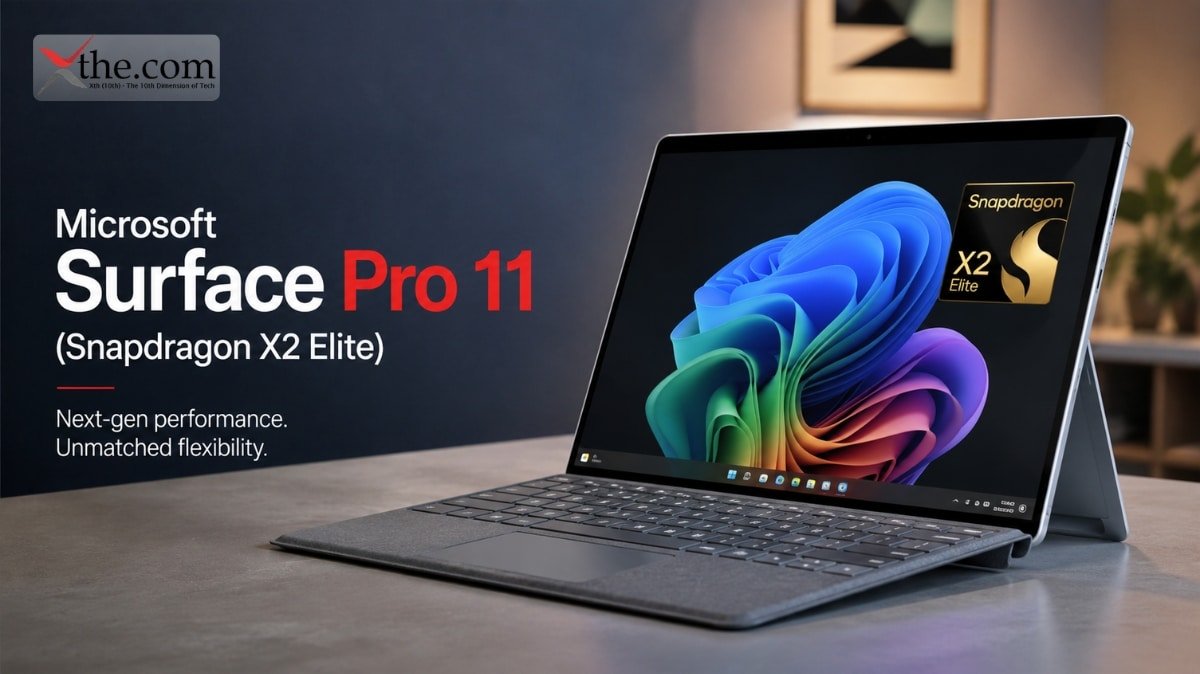
Microsoft Surface Pro 11 (Snapdragon X2 Elite) — $1,299+ The reference ARM Windows laptop. Microsoft built it specifically for Copilot+ features on ARM hardware, and the integration between hardware and software is the tightest available in a Windows machine. The detachable keyboard makes it versatile across desk and tablet use.
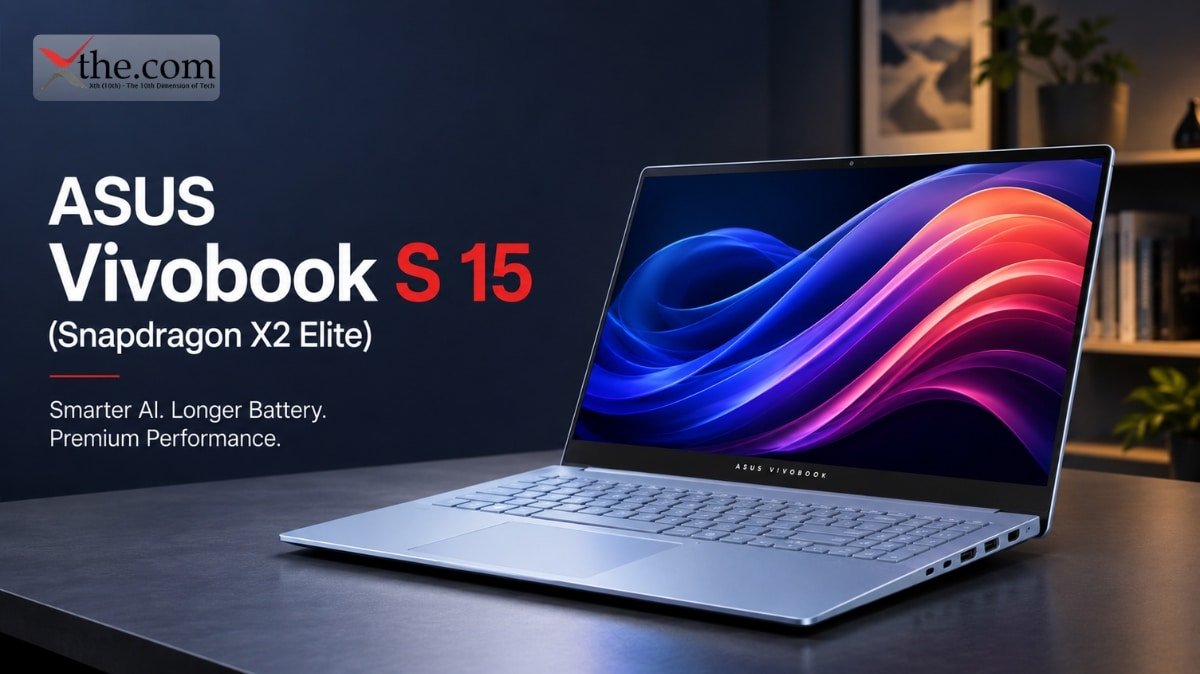
ASUS Vivobook S 15 (Snapdragon X2 Elite) — $1,099+ Strong value proposition for mainstream buyers. Full-size laptop form factor, solid display, and the Snapdragon X2 Elite’s efficiency in a package that competes directly with Intel ultrabooks at the same price.
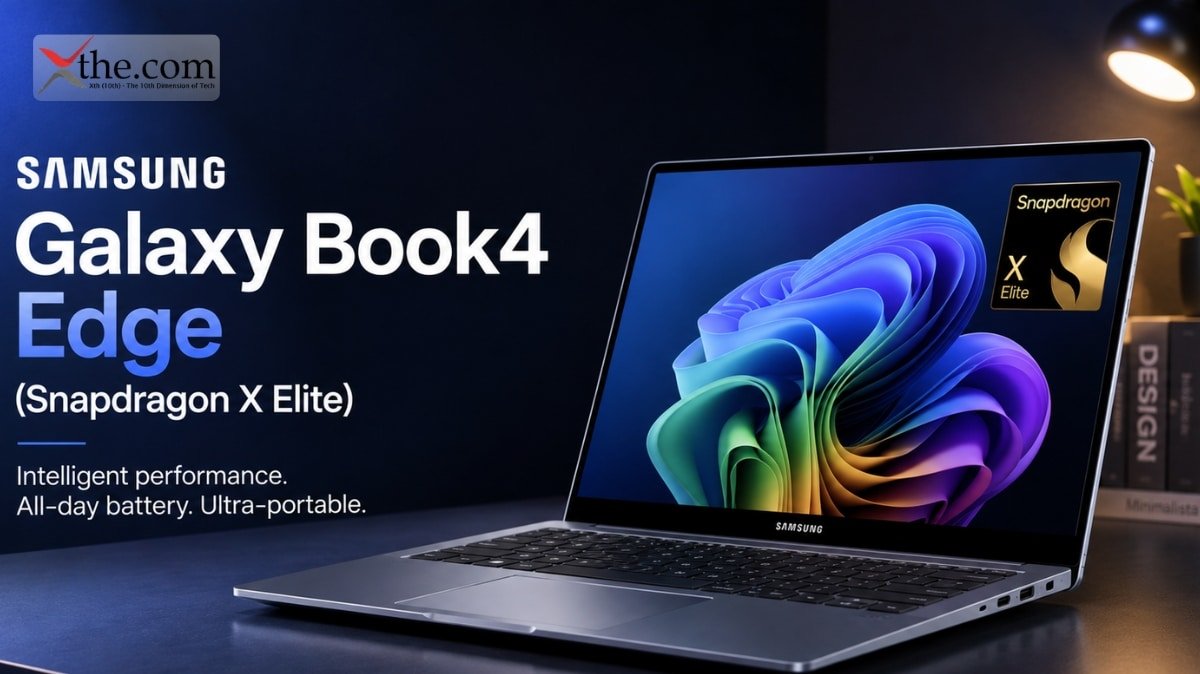
Samsung Galaxy Book4 Edge (Snapdragon X Elite) — $1,099+ Samsung’s Galaxy ecosystem integration — seamless connection with Galaxy phones, Samsung DeX compatibility — makes this the best ARM laptop for Samsung phone users. The 2K AMOLED display is a standout hardware feature.
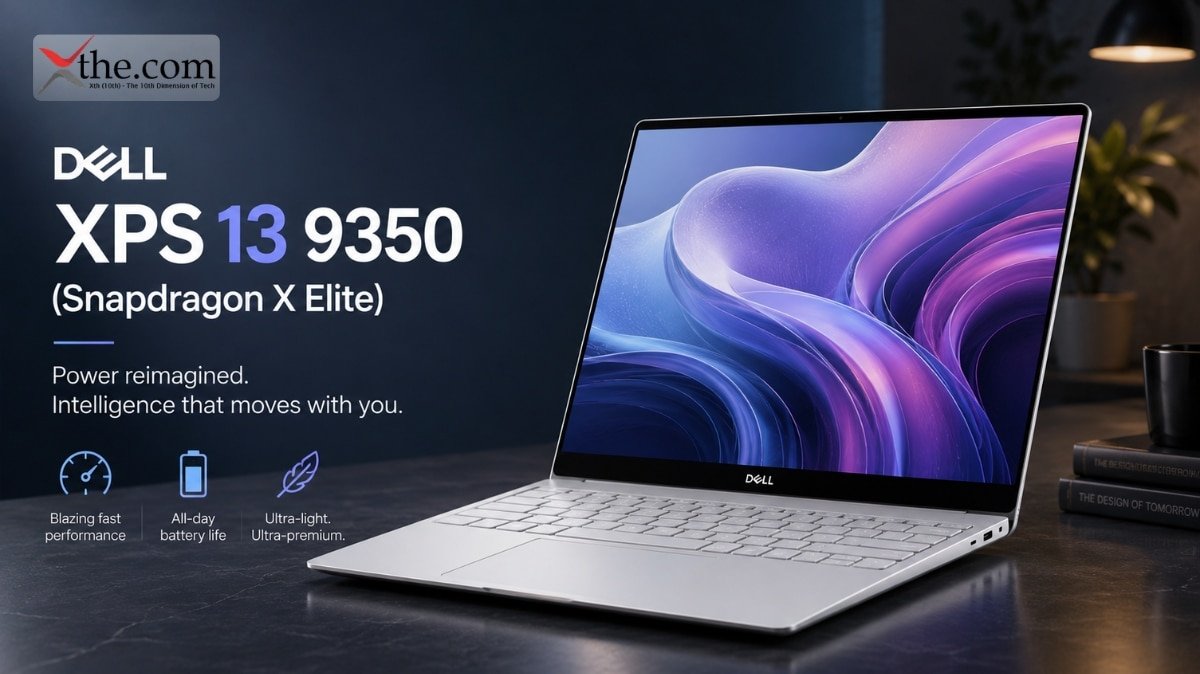
Dell XPS 13 9350 (Snapdragon X Elite) — $1,299+ Dell’s premium thin-and-light with ARM inside. Best-in-class build quality with the efficiency of Snapdragon. For buyers who want Dell’s design and support reputation with ARM performance.
Frequently Asked Questions
1. Will all my Windows programs work on an ARM laptop?
Most will. The most popular Windows applications — Microsoft 365, Chrome, Adobe Creative Cloud, Zoom, Slack, Steam — are either ARM-native or emulate with unnoticeable overhead. Check windowsonarm.org for your specific software before buying. Legacy enterprise tools, some CAD applications, and kernel-level anti-cheat games are the categories most likely to have compatibility gaps.
2. Is ARM better than Intel for everyday use in 2026?
For everyday tasks — browsing, documents, video calls, media, light editing — ARM laptops currently outperform Intel equivalents in two categories: battery life (18–22 hours versus 10–14 hours) and single-core CPU performance (30% lead for Snapdragon X2 Elite Extreme). For gaming and sustained heavy workloads, Intel and AMD maintain advantages. For most people whose laptop use fits the everyday description, ARM is the better platform in 2026.
3. Can ARM Windows laptops run games?
Most games work, with performance trade-offs. Native ARM games run at full speed. x86 games running through Prism emulation perform 30–35% slower than equivalent x86 hardware. Some games with kernel-level anti-cheat are incompatible. Modern game engines (Unreal 5, Unity) are increasingly producing ARM-native binaries, which improves with every new title. For casual gaming, ARM laptops are functional. For competitive gaming, x86 remains the right platform.
4. Is Windows on ARM as good as macOS ARM in 2026?
Apple Silicon MacBooks remain the benchmark for ARM laptop performance. The Snapdragon X2 Elite has closed the gap significantly — it now matches or exceeds Apple M4 in several CPU benchmarks and leads the M4’s NPU performance. macOS’s software ecosystem has a two-year head start on ARM optimization compared to Windows. The gap is narrowing but not closed. Windows on ARM in 2026 is comparable to where macOS ARM was in 2022 — genuinely good, with some remaining rough edges on specific software.
5. Which is better for battery life — ARM or Intel laptop?
ARM — by a significant margin. Snapdragon X2 Elite laptops deliver 18–22 hours of mixed-use battery life. Intel Panther Lake and AMD Ryzen AI laptops deliver 10–14 hours. The ARM efficiency advantage is structural rather than a tuning difference — it comes from the instruction set’s fundamental power characteristics and compounds across the entire chip’s operation. If battery life is your most important laptop spec, ARM is the right platform regardless of other trade-offs.
6. Are ARM Windows laptops more expensive than Intel laptops?
Not significantly anymore. The Snapdragon X2 Elite is available in laptops starting around $1,099, which is directly competitive with Intel and AMD ultrabooks at the same price. Two years ago, ARM laptops commanded a meaningful premium. In 2026, the pricing is comparable across the mainstream range. At the high end, both platforms offer $1,500–$2,000 premium configurations.
The Bottom Line
ARM PCs projected to capture 30% of the PC market by end of 2026 — up from 13% just a year ago — reflects a real shift in who these laptops make sense for, not just marketing momentum.
For most everyday users — students, professionals, remote workers, frequent travelers — ARM is now the better platform in 2026. The Snapdragon X2 Elite’s battery life advantage, single-core performance lead, and AI capabilities make it the right chip for how most people actually use a laptop day to day.
For gamers, engineers on specific CAD workflows, and professionals whose software stack has ARM compatibility gaps — x86 is still the right answer. Intel and AMD have not stood still, and the gaming and sustained workload advantages remain meaningful for those specific use cases.
The comparison in 2026 is not between a good option and a compromised one — it is between two capable platforms with different strengths. Knowing which strengths match your actual daily use is the entire decision. Check your critical software on windowsonarm.org first. Everything else follows from there.