



In high-performance computing, hardware access is only possible with strong software support. With the release of CUDA 13.1 in 2026, the industry received more than a routine update, and NVIDIA confirmed full specifications for its most powerful Blackwell accelerator: the B200 Ultra with 144 GB of HBM3e memory per GPU. Developers have the resources needed for new trillion-parameter models and advanced AI workflows.  

The Architecture of the B200 Ultra 

The B200 Ultra is the peak of Blackwell Architecture, addressing memory bottlenecks seen in Hopper-based systems (the architecture family that preceded Blackwell). While the standard B200 was a major step, the Ultra variant targets the AI Factory era, handling rapidly growing model weights and KV (key-value) caches in AI workloads.  

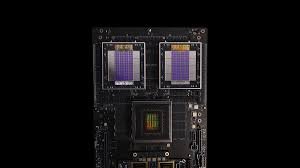
NVIDIA uses 12 high-bandwidth memory (HBM3e) stacks to reach 144 GB on the B200 Ultra, enabled by a dual-die setup with two chips linked via the NVIDIA Hi-Bandwidth Interface (NV-HBI), a specialized high-speed connection. The 10 TB/s (terabytes per second) connection joins the chips into a single accelerator, allowing CUDA 13.1 to use the full memory pool without added latency.  

CUDA 13.1: The Software Enabler for 144 GB 

CUDA 13.1 is the technical bridge enabling developers to harness this capacity. A key addition is CUDA Tile A, a programming model abstracting Blackwell’s hardware complexity.  

Previously, GPU programming required managing data at the thread and warp level with SIMT. As memory and hardware grow more complex, this becomes harder. CUDA tiles let developers break work into tiles or data chunks, which the computer and runtime assign to the B200 Ultra’s 144 GB of memory and its Tensor cores. The memory bandwidth, about 8 TB/s, is used efficiently, and programmers avoid manual detail management.  

Memory Locality and Green Contexts 

Among the most significant features in CUDA 13.1 are those that manage how data is moved, stored, updated, calculated, optimized, partitioned, and introduced.  

Green Contexts: Let system administrators set up and manage separate sections of GPU resources on a B200 Ultra with 144 GB of HBM3e. A single card can be split into several isolated environments, each with its own memory and streaming multiprocessors (SMs, the fundamental compute units of a GPU). This is especially useful for AI hubs and data centers that support multiple users, since one B200 Ultra can run a secure government language model in one section and a commercial AI agent in another, with hardware making sure there is no data leakage between them.  

Why 144 GB Matters: The LLM and MOE Challenge 

The jump to 144 GB of HBM3 meets the specific needs of a mixture of expert architectures and large language models with long context windows. By 2026, models like Gemini 2.0 and GPT-5 will require substantial memory for millions of tokens simultaneously.  

Previously, developers used model sharding, splitting models across GPUs, which caused delays due to interconnect latency. With 144 GB memory, the B200 Ultra fits larger models on a single chip or in fewer GPUs per cluster, cutting costs and boosting real-time speeds.  

The B200 Ultra supports FP4 (4-bit floating-point 12) precision in CUDA 13.1, effectively doubling memory usage. With FP4, developers fit models that required 288 GB into 144 GB with minimal accuracy loss, thanks to Blackfield Transformer Engine’s dynamic scaling.  

Interconnect And Rack-Scale Integration 

The B200 Ultra is powerful on its own, but it really shines when connected with NVLink 5 (NVIDIA’s latest high-speed interconnect technology for GPUs). CUDA 13.1 improves communication techniques for the NVLink switch system, enabling up to 576 GPUs to work together over a single fast network.  

A standard DGX B200 setup combines eight 144 GB units for more than 1.1 TB of HBM3e memory. This high memory density enables the development of models with trillions of parameters, something that was not possible just two years ago. CUDA 13.1 also boosts the performance of the NVIDIA Collective Communications Library (NCCL), so operators like AI Radios and all-gather runs run at the full 1.8 GB/s speed of NVLink 5.  

Developer Productivity and Future Proofing 

Finally, NVIDIA has used the CUDA 13.1 update to modernize the developer experience. The toolkit now includes a unified version for both Tegra embedded (NVIDIA’s platform for mobile and edge devices) and desktop- and data-center GPUs, reducing the overhead for developers building cross-platform AI applications. The addition of CU TilePython, a domain-specific language (DSL) for authoring tile-based kernels, enables data scientists to write high-performance GPU code directly in Python, avoiding the need for low-level C++ for many common optimization procedures.  

The focus on productivity ensures the transition to the Blackwell Ultra platform remains as seamless as possible. Companies that have invested in the CUDA ecosystem over the last decade will find that their current codebases are forward-compatible, gaining performance boosts simply by recompiling with the CUDA 13.1 toolkit to take advantage of the B200 Ultra’s new memory resource abstractions.  

Final Thoughts: The New Baseline for AI Infrastructure.  

With CUDA 13.1 confirming 144 GB HBM3e memory for the B200 Ultra, a new standard has emerged for enterprise and national AI infrastructure. Large memory and a software stack focused on abstraction, safety, and multi-tenant use secure NVIDIA’s place in AI.  

As the B200 Ultra ships to top cloud providers and research labs in early 2026, the question will move from “How much memory is available?” to “How can we use it best?” With 144 GB, working with AI researchers is no longer held back by hardware, but only by the challenges they decide to tackle.

Source: CUDA Toolkit 13.2 – Release Notes

An Operator is an AI agent called a Computer Using Agent (CUA) that completes tasks by controlling a computer via its screen, mouse, and keyboard, automating browser tasks for users.  

Below are some important details about the operator release:  

  • Availability: Currently, ChatGPT Pro is offered to subscribers for $200 a month.  
  • Functionality: The column operator uses GPT-4 OS vision to interact with computer interfaces.  
  • Future Scope: OpenAI plans to expand Operator to the Plus team and enterprise users and integrate it into ChatGPT.  

The current research preview focuses on browser-based actions, aiming to let AI use computers as a human would.  

The operator is a web-based agent that navigates the internet and completes tasks for users. It operates within its own browser environment, allowing it to view web pages and interact by tapping, clicking, and scrolling. Currently in a research preview phase, Operator has certain limitations that are expected to be addressed with further user feedback. As one of OpenAI’s first agents, Operator enables users to delegate tasks, which it then executes autonomously.  

An operator can manage repetitive browser tasks on behalf of users, such as filling out forms, ordering groceries, or generating memes. Because it interacts with websites and tools in the same way users do, Operator enhances the practicality of AI. It streamlines routine activities and creates new opportunities for businesses to engage customers.  

We are starting with a small roll-out for safety and manageability. Pro users in the US can access Operator at operator.chatgpt.com. This limited release helps us learn from users and improve Operator over time.  

How Operator Works 

The operator runs on a new model called Computer Using Agent (CUA). CUA commands GPT for those vision skills, using advanced reasoning and reinforcement learning. It’s trained to work with graphical user interfaces, such as buttons, menus, and text fields you see on your screen.  

The Operator sees what is on the screen by taking screenshots. It interacts with the browser using all mouse and keyboard actions. This means it works on the web without needing special API interfaces.  

If Operator runs into problems or makes a mistake, it uses its reasoning skills to try to fix things on its own. If it can’t resolve the issue, it gives control back to you, ensuring the experience remains smooth and coordinated.  

CUA is still new and has some limitations, but it has already set new records in important browser benchmarks. More details about our evaluations and the research behind Operator are on our blog post.  

How to Use 

To start, tell the Operator what to do, and it will handle the rest. You can take control of the browser at any time. The Operator asks you to step in for tasks that need a login, payment, or when a captcha appears.  

You can personalize Operator with custom instructions for all or specific sites. For example, you might set airline preferences on booking.com. The operator also lets you save points for quick access. This is useful for frequent tasks like restocking groceries on Instacart. Using multiple tabs, the Operator can handle several tasks at once by starting new conversations, like ordering a mug from Etsy while booking a campsite on Hipcamp.  

Ecosystem & Users 

Operator changes AI from a passive tool into an active helper in the digital world. It makes tasks easier for users and helps companies offer better experiences and improve conversion rates. We’re working with companies like DoorDash, Instacart, OpenTable, Priceline, StubHub, Thumbstack, and Uber, and others to ensure Operator meets real needs and follows industry standards. We also see many ways operators can make certain workflows easier to use and more effective, especially in the public sector. For example, we are partnering with the city of Stockton to help people enroll in city services and programs more easily.  

By initially introducing Operator to a select audience, OpenAI aims to learn and refine its capabilities through real-world feedback, while maintaining a focus on innovation, trust, and safety. This approach supports meaningful value delivery to users, creators, businesses, and public sector organizations.  

Safety and Privacy 

Ensuring the operator is safe to use remains our top priority. We have added three layers of safeguards to prevent abuse and keep users in control.  

Operator keeps users in control by prompting for input at key moments.  

  • Takeover Mode: When sensitive information like passwords or payment details must be entered, the Operator prompts you to take over. In this mode, the operator does not collect or record any input.  
  • User confirmations: before completing actions such as placing an order or sending an email. The operator requests your approval.  
  • Task Limitations: Operator declines certain sensitive tasks, such as banking transactions or job application decisions.  
  • Watch Mode: On sensitive sites, such as email and financial services, the Operator operates under close supervision. This lets you promptly identify and correct any issues.  

Data privacy and management within Operator is designed to be straightforward.  

  • Training Opt-Out: If you turn off “Improve the model for everyone” in your ChatGPT settings, your data in Operator will not be used to train our models.  
  • Transparent Data Management: You can delete all browsing data and log out of every site with one click. In Operator’s settings, you can also easily delete past conversations.  

We have added protections to stop websites from manipulating Operator with hidden prompts, malicious code, or phishing attempts.  

  • Cautious Navigation: The operator can detect and ignore prompting actions.  
  • Monitoring: A dedicated monitor detects suspicious behavior and can pause tasks if necessary.  
  • The detection pipeline uses both automated systems and human reviewers to spot new threats. We update safeguards quickly. Operator is built to refuse harmful requests and block disallowed content. Our moderation can warn users or revoke access if rules are broken. Extra review steps help catch misuse. We provide guidance on using Operator in line with policies.  

Even with safeguards, no system is perfect, and Operator is under research review. We will improve it with feedback and testing. To learn more, visit the Operator Research blogs’ safety section.  

Limitations 

The operator is currently in an early research phase, and while it’s already capable of handling a wide range of tasks, it’s still learning and evolving and may make mistakes. For instance, it currently struggles with complex interfaces, such as creating slide shows or managing calendars. Early user feedback will play a vital role in upgrading its accuracy, reliability, and safety, helping us make Operator better for everyone.  

What’s Next? 

Cua in the API: The model behind Operator, called Cua, will soon become available via the API, enabling developers to build their own CAD computer using agents.  

Enhanced capabilities will keep working to help the Operator handle longer, more detailed workflows.   

Access: We plan to expand Operator to the plus team and enterprise users, and to integrate its capabilities directly into ChatGPT in the future, once we are certain of its safety and usability at scale, unlocking seamless, real-time, and asynchronous task execution.

Source:Introducing Operator 

Right now, we are moving from models that excel at specific tasks to agents that can handle more complex workflows. When you prompt a model, you only get its trained intentions, but if you give it a computer environment, it can do much more, like run services, request data from APIs, and/or create useful things like spreadsheets and reports.  

When building agents, some practical problems come up. For example:  

  • You need to decide where to store intermediate files.  
  • Avoid pasting large tables into prompts.  
  • Give workflows network access without causing security issues.  
  • Handle timeouts and read-rides without building your own workflow system.  

To address these agent-specific challenges, we built the components needed to give the Responsys API a computer environment. By doing this, we enable reliable management of real-world tasks, freeing developers from having to create their own execution setups. This sets the stage for tackling the broader practical problems faced in agent development.  

OpenAI’s API shell tool and hosted container workspace address these challenges. The model suggests steps and commands that run in a separate environment with its own filesystem, optional storage (e.g., SQLite), and limited Network Access.  

With this foundation in place, let’s explore how we build a computer environment for agents and discuss early lessons from using it to accelerate, standardize, and improve safety in production workflows.  

The Shell Tool 

A good agent workload needs a tight execution loop:  

  1. The model suggests an action.  
  1. The platform executes it.  
  1. The result informs the next step.  

We’ll start with the shell tool to illustrate this loop, then discuss the container, workspace, networking, reusable skills, and context. Compact Shenoy  

To understand the shared tool, know how a model uses tools. It suggests tool calls after seeing step-by-step examples during training. The model proposes tool use but can’t execute the calls itself.  

The shell tool gives the model command-line access to perform tasks like text search or API requests using familiar Unix utilities such as grep, curl, and awk.  

Unlike our current code interpreter, which runs only Python, the Shell Tool supports a much broader range of use cases. You can run GO or JAVA programs or start a Node.js server. Such flexibility enables the model to handle more complex tasks.  

Orchestrating The Agent Loop 

On its own, a model can only propose shell commands, but how are these commands executed? We need an orchestrator to retrieve model output, invoke tools, and return the tools’ response to the model in a loop until the task is complete.  

The Responsys API is how developers interact with OpenAI models when used with custom tools. The Responsys API returns control to the client, who must provide their own harness to run the tools. However, this API can also orchestrate between the modern and hosted tools out of the box.  

When the Responsys API receives a prompt, it assembles model context: user prompt, prior dialog state, and tool instructions. For shell execution to work, the prompt must mention using the Shell Tool, and the selected model must be trained to propose shell commands. Models GPT-5.2 and later are trained to do so with all of these contexts.  

The model then decides the next action. If it chooses shell execution, it returns one or more shell commands to the Responsys API service. The API service forwards those commands to the container runtime, streams the shell output back, and feeds it to the model in the next request’s context. The model can inspect the results, issue follow-up commands, or produce a final answer. The Responsys API repeats this loop until the model returns a completion without additional shell commands.  

When the Responsys API runs a Shell command, it keeps a streaming connection to the Container Service open. As output appears, the API sends it to the model almost immediately. This lets the model decide whether to wait for more output, run another command, or issue a final response.  

The model can suggest several shell commands at once. The Responsys API can run these commands concurrently in separate container sessions. Each session streams its output separately. The API then combines these streams into structured tool outputs for context. This allows the agent loop to run tasks such as searching files, fetching data, and checking results in parallel.  

Commands that handle files or process data may generate lots of shell output. This can fill a context space without adding much value. To manage this, the model sets an output limit for each command. The Responsys API enforces the limit and returns a result that keeps both the start and end of the output, marking skipped content. For example, you might set an AF1000 character limit, keeping the beginning and end.  

By combining concurrent execution and output limits, the agent loop maintains speed and context efficiency. The agent loop controls which tool outputs are included in the context, helping the model focus on important results rather than being overwhelmed by raw terminal logs.  

When The Context Window Gets Full: Compaction 

A challenge with agent loops is that some tasks run for a long time. These long tasks can fill up the context window, which tracks information across turns and agents. For example, an agent might call a skill, get a response, and then make turn calls and summaries. The Limited Context Window can fill up quickly, keeping important details while removing extraneous information. We built native compaction into the Responsys API. Developers don’t need to create their own summarization or state systems, and the feature matches model training.  

Our latest models are trained to review prior dialog states and generate a compaction item that stores key information in an encrypted, token-efficient format. After compaction, the context window includes this compaction item and the most important parts of the earlier window. This makes workflow progress smooth across window boundaries, even in long, multi-step, or tool-driven sessions. Codex uses this system to handle long programming tasks and repeated tool use without losing quality.  

You can use compaction either as a built-in server feature or through a separate /compact endpoint. With server-side compaction, you can set a threshold, and the system takes care of compaction timing for you, so you don’t need complex client logic. This setup allows a slightly larger input context window, so small overages just before compaction are handled rather than rejected. As models improve, the native compaction feature updates with every OpenAI model release.  

Codex played a key role in building the compaction system. It was one of the first to use it. If one Codex instance hit a compaction error, we started another instance to investigate. This process helped Codex develop a strong built-in compaction system by working through the problem. Codex’s ability to examine and improve itself has become unique to OpenAI. While most tools just need users to learn them, Codex learns with us.  

Container Context 

Now let’s talk about State and Resources. The container is more than merely a place to run commands. It’s also the model’s working environment. Inside the container, the model can read files, query databases, and reach external systems, all under network policy controls.  

File Systems 

The first part of the container context is the file system, which is used to upload, organize, and manage resources. We created container and file APIs to give the model a clear view of available data and help it select specific file operations rather than run broad energy scans.  

All inputs are directly into the prompt context. As inputs grow, filling the prompt becomes more expensive and harder for the model to navigate. A better approach is to stage resources in the container’s file system and let the model decide which to open, pass, or run via shell commands, much as humans do. Models work better with organized information.  

Databases 

The second part of the container context is databases. We recommend storing structured databases in SQLite and varying them directly rather than copying a spreadsheet into the prompt. Describe the tables and columns, and explain their meanings so the model can pull only the needed rows.  

For example, if you ask which products had declining sales this quarter, the model can look up only the relevant rows rather than search the entire spreadsheet. This approach is faster, cheaper, and better suited to large data sets.  

Network Access 

The third part of the container context is Network Access, essential for agent workloads. Agents may need to fetch live data, call external APIs, or install packages. Giving containers full internet access can be risky, as it allows them to store information outside sites, access sensitive systems, or make it harder to prevent leaks.  

To solve these problems without limiting what agents can do, we set up hosted containers to use a central egress policy proxy. All ongoing network requests go through a central policy layer that enforces allow lists and access controls and keeps traffic visible. For credentials, we use Domain Scoped Secret Injection at egress. The model and container only see placeholders, while the real secret values remain hidden and are used only for approved destinations. This reduces the risk of leaks while still allowing secure external calls.  

Agent Skills 

Shell commands are powerful, but many tasks follow similar multi-step patterns. Agents often must replan and relearn, leading to inconsistent results. Agent skills package these patterns into reusable building blocks. A Skill Easy Folder with a Skill.MD File and Resources such as API Specs and UI Assets.  

This structure maps naturally to the runtime architecture we described earlier. The container provides persistent files and an execution context, and the shell tool provides the execution interface. With both in place, the model can discover scaled files using shell commands (ease, cat, etc.) when needed, interpret instructions, and run scaled scripts within the same agent loop.  

We provide an API to manage skills on the OpenAI platform. Developers upload and store skill folders as versioned bundles, which can later be retrieved by skill ID before sending the prompt to the model. The Responsys API loads the skill and includes it in the model context. The sequence is deterministic.  

  1. Fetch skill metadata, including name and description.  
  1. Fetch the scale bundle, copy it into the container, and unpack it.  
  1. Update model context with skill metadata and the container path.  

When deciding if an SQL is relevant, the model reviews its instructions step by step and runs its scripts using shell commands in the container.  

How Agents are Made 

To put all the pieces together: the Responsys API handles orchestration, provides shell tools, runs actions, supports a double-step container, provides an open system runtime context, supports skill add, provides reusable workflow logic, and enables compaction to let an agent run for a long time with the context needed for an end-to-end workflow.  

Discover the right scale, fetch data, and transform it into a local structured state. Query it efficiently and generate durable artifacts.  

Make Your Own Agent 

For a step-by-step example using the shell tool and computer environment, see our developer blog post and cookbook. These resources show how to package and run a SQL with the responses API.  

We’re eager to see what developers build. Language models go beyond creating text, images, and audio. We’ll continue to enhance our platform for complex real-world tasks at scale.

Source: From model to agent: Equipping the Responses API with a computer environment 

AWS has introduced the Kiro framework, which lets AI agents run complex multi-step tasks for days using Long-R durable functions. These agents, now in preview, maintain context across sessions and can perform tasks such as code maintenance, bug triage, and automated testing without ongoing human input.  

Key Features of the Kiro Framework and Its Agents 

  • Kiro uses reliable Lambda functions to run longer workflows, avoiding common timeout problems in serverless computing.  
  • Kiro agents remember information across sessions and improve over time by learning from previous pull requests and user feedback.  
  • These agents autonomously tackle tasks for extended periods, following instructions, making plans, writing code, and running tests with minimal or no human input.  
  • Kiro uses a method called Spec Mode, which turns prompts into user stories, technical documents, and clear tasks for agents to follow.  
  • Kiro offers agent hooks for file-based triggers, MCP servers that provide specialized knowledge and tools to help agents follow coding standards, and tools that support agents in doing so.  
  • Deployment & access: the Kiro Framework preview is available to subscribers of Kiro Pro, Pro Plus, and Power Plans. Kiro is typically deployed as part of an AI-focused integrated deployment environment based on Code OSS, allowing eligible users to integrate and use the framework within their existing workflows. It is designed to reduce the need for constant supervision in AI-assisted development. This lets developers spend more time on important work while the agent manages complex asynchronous tasks.  

On Tuesday, Amazon Web Services introduced three new agents called Frontier agents. One of them is designed to learn your work preferences and then operate independently for several days.  

The Frontier agents each serve a unique function: one focuses on writing and maintaining code, another on reviewing security, and a third automates DevOps tasks to prevent issues when new code is deployed. Preview versions of all three are currently available.  

AWS claims its Kiro autonomous agent can operate independently for days, maintaining context and performing work without close supervision.  

Kiro is a coding agent built on AWS’s earlier AI tool of the same name, which launched in July. The first tool was meant for prototyping, but could also create code ready to go live. To maintain reliability, the AI adheres to the company’s coding standards through Specification-Driven Development.  

While Kiro writes code, people guide, confirm, or correct it, helping to make clear instructions. The Kiro autonomous agent learns by watching how the team uses tools and by reviewing existing code. After learning, AWS says it can work on its own.  

You simply assign a task from the backlog, and it independently figures out how to get that work done, AWS CEO Matt Garman promised during his keynote at AWS re:Invent on Tuesday.  

It actually learns how you like to work and continues to deepen its understanding of your code, your products, and the standards your team follows over time, he said.  

According to Amazon, Kiro maintains persistent context, so it does not lose track of tasks, enabling independent operation over hours or days with little human help.  

Garman gave an example of updating important code used in 15 different company programs. Instead of dealing with each update one by one, Kiro can fix all 15 with a single prompt.  

To further automate coding, AWS also created the security agent. The agent works independently to spot security issues as code is written. It tests them afterward and suggests fixes. The DevOps agent completes the set. It automatically tests new code for performance and checks if it works with other software, hardware, or cloud setups.  

Amazon is not the first to offer agents that can work for long periods. For example, last month, OpenAI said its GPT-5.1 Codex Max coding model is also built for long runs up to 24 hours.  

It is not certain that the main challenge in using these agents is the context window or their ability to run continuously. Large language models still struggle with accuracy and sometimes make mistakes, so coders often need to closely supervise them. Developers usually prefer to give short tasks and check the results quickly.  

However, for agents to truly work like co-workers, their context windows need to get larger. Amazon’s new technology is an important step toward that goal.

Source: Amazon previews 3 AI agents, including ‘Kiro’ that can code on its own for days 

The next wave of AI-powered robots, such as humanoids and self-driving vehicles, needs high-quality physics-based training data. If their datasets lack diversity and realism, these systems may not train well and could struggle with unexpected situations. Gathering large real-world datasets is costly, time-consuming, and often constrained by pragmatic constraints.  

NVIDIA Cosmos addresses this problem by accelerating the development of world-class models (WCMs). Cosmos WFM enables faster synthetic data generation and provides a foundation for training specialized physical AI models. In this post, we’ll look at the newest Cosmos WFM’s, their main features to advance physical AI, and how you can use them.  

Cosmos World Foundation Model Updates 

NVIDIA Cosmos world-based models are improving rapidly, making it easier for users to access high-quality synthetic data and accelerated physical AI development. After just one year, recent updates ensure users benefit from faster, more flexible, and realistic data generation processes.  

  • Cosmos Transfer 2.5: Delivers Faster, More Scalable Data Augmentation. The process of creating varied data by altering existing data from simulations and 3D spatial inputs provides greater variety within environments, lighting, and scene setups.  
  • Cosmos predict 2.5: improves generation of rare scenarios for sequences up to 30 seconds, attaining up to 10 times higher accuracy when post-trained on custom or sector-specific data. It also supports multi-view outputs, custom camera setups, and various policy outputs, such as action and simulation.  
  • Cosmos Reason 2: offers advanced physical AI reasoning with better spatio-temporal understanding (the ability to interpret spatial and temporal relationships) and more precise timestamps. It adds: Object Detection, 2D and 3D point localization (Finding locations in flat and 3D spaces), Bounding box coordinates (Boxes that identify the positions of objects), Reasoning explanations, and labels. It now supports Long Context Improved inputs up to 256,000 tokens (a token is a unit of text, like a word or character).  

Cosmos Transfer Creates Photorealistic Videos That Adhere To Real-World Physics 

Cosmos Transfer creates detailed word sense from structural inputs, ensuring accurate spatial alignment and composition.  

Cosmos Transfer uses the controlnet architecture to retain pre-trained knowledge, resulting in structured, consistent outputs. It uses spatial-temporal control maps to match artificial and real-world scenes, giving detailed control over:  

  • scene layout  
  • object placement and movement  
  • eye points  
  • lidar scans  
  • trajectories  
  • HD maps  
  • 3D bounding boxes  

Ground Truth Annotations: High Fidelity References for Exact Alignment  

Output: photorealistic video sequences with controlled layout, object placement, and motion.  

Key Capabilities 

  • Generate scalable, photorealistic, synthetic data that aligns with real-world physics, allowing users to train more reliable AI and robotics models.s.  
  • Control object interactions and scene composition with structured multi-modal input, giving users precise customization and more relevant training data for their specific use cases.s.  

Using Cosmos Transfer for Controllable Synthetic Data 

With Generative AI APIs and SDKs, NVIDIA Omniverse enables users to create accurate 3D simulations for real-world training and testing. These experiments provide ground-truth video inputs for Cosmos Transfer, improving photorealism and diversifying datasets to fit user-specific conditions, ensuring your AI agents are better prepared for real-world deployment.  

This process speeds up the generation of high-quality data, enabling users’ AI agents to learn more efficiently from simulation to real-world applications, reducing development cycles and boosting performance in practical tasks.  

As a result, Cosmos Transfer helps users train robots and AI for diverse environments and conditions by adding realistic lighting and textures. This improves model robustness and makes it easier for users to transition from simulation to real-world use, especially for robotics platforms like GR00T-N1.1.  

Cosmos Predict for Generating Future World States 

Cosmos Predict WFM enables users to generate predictive video sequences for future scenarios using varied inputs such as text, video, and image sequences. Its smooth, accurate video generation helps users test and refine how AI systems might respond in real-world situations.  

The following key capabilities were developed in our Cosmos Credit functions. It creates realistic video scenes directly from text prompts.  

  • Predicts subsequent events in a video by generating missing frames or continuing motion  
  • Generates multiple frames (intermediate images) between a starting and ending image to create a smooth, complete video sequence.  

Cosmos Predict WFM is a solid starting point for training world models, AI systems that simulate environments used in robotics and self-driving vehicles. After initial training, you can teach these models to generate actions rather than videos for policy modelling and AI decision-making, or adapt them for visual language tasks to build custom AI perception models (systems that understand visual information).  

Cosmos Reason: Designed to Perceive Reason and Respond Intelligently 

Cosmos Reason is a flexible AI model designed to understand motion, how objects interact, and relationships over time and space. It uses chain-of-thought reasoning to examine visual input, predict outcomes from prompts, and choose the best actions. Unlike text-only models, it bases its reasoning on actual physics and provides clear natural-language context for its answers.  

Video: observations along with a text question for instruction (prompt).  

Output: a text response created using long-term chain of thought reasoning (step-by-step analysis over time).  

  • Understands how objects move, interact, and change  
  • Predicts and selects optimal next actions based on observations.  
  • Continuously refines its decision-making ability over time.  
  • It is designed for further training to help build perception AI and embodied AI models.  

Let’s Get Started 

Explore our Cosmos Cookbook for user-focused step-by-step guidance, technical tips, and examples that help you streamline and accelerate your Cosmos WFM projects.s.  

Access open Cosmos models and datasets on Hugging Face and GitHub to quickly enhance your projects or evaluate models, making experimentation and implementation faster and easier for users.  

Join our Cosmos Discord community now—connect with peers, get real-time support, and share unique experiences. Become part of our vibrant network today!  

Be inspired: Watch the GTC Keynote from NVIDIA founder and CEO Jensen Huang. Then explore Cosmos sessions and kick-start your own breakthrough projects with insights at https://www.nvidia.com/gtc/sessions/physical-AI-days/. Start your journey today! 

Source: Scale Synthetic Data and Physical AI Reasoning with NVIDIA Cosmos World Foundation Models 

Today’s semiconductor market is highly competitive. Mobile application processors (APs) must continue to improve performance, even as devices get slimmer and more powerful. As on-device AI becomes more common, power use in smaller spaces increases, leading to higher power density and more heat. People still want longer battery life and thinner, lighter phones. Because of this, mobile APs need more than small performance upgrades; they need new designs that use space efficiently.  

To address these issues, mobile AP packaging is evolving. It now does more than just protect the chip; it also manages heat and maximizes space. By improving package architecture and thermal dissipation, packaging maintains performance and reliability. It enables slimmer designs and larger batteries, making packaging increasingly critical for mobile APs.  

When APs use more power to boost performance, temperature rises. Cooling them requires reducing power, which stops the chip from reaching its full potential. Now, controlling thermal resistance is key to a stable mobile AP design. Traditional solutions use heat-conductive materials or a thicker silicon die. As devices shrink, these methods alone are not enough to solve the heat problem.  

The Shortcomings of Conventional PoP Designs 

For high-end APs and SoCs, Package-on-Package (PoP) design is common to improve performance. In this design, DRAM sits on top of the AP chip. As mobile devices get thinner, so does the package, including the AP die. This reduces the path for heat to escape. Heat builds up faster, and the chip reaches its thermal limit sooner, which limits sustained peak performance.  

When the AP is in operation, the heat generated by the silicon die inside the AP package must be quickly dissipated to reduce chip temperature. Lower thermal resistance improves heat dissipation efficiency, helping preserve stable performance even under high watt loads. To achieve this, device makers use heat-dissipation components, such as heat spreaders and vapor chambers, to transfer the heat generated by the AP to external cooling structures. However, in conventional POP structures, the DRAM package is positioned above the AP chip, limiting direct heat transfer between the AP and the heat dissipation components. This structural characteristic reduces heat transfer efficiency and acts as a basic limitation on performance improvements at both the package and system levels.  

Samsung’s HPB addresses the need for steady performance improvements among mobile APs. 

Samsung has improved thermal management by placing the heat path block (HPB) on top of the AP chip. This is the first time HPB has been used with Fan-Out Wafer-Level Packaging in the industry. It reduces thermal resistance within the package and maintains stable performance under heavy use.  

This method creates a new package that moves heat from the AP die to the phone’s cooling parts more effectively. The DRAM package is now away from the main heat source, unlike in previous PoP designs. The HBM is placed directly above the heat source, helping heat escape more quickly and efficiently.  

The HPB’s Core Benefits 

Samsung created the HPB to efficiently remove heat from the AP die, maintain stable performance, and retain structural strength. They also introduced a new thermal interface material (TIM) with high thermal conductivity and strong bonding. This combination improves both heat dissipation and package reliability.  

In a POP (package-on-package) structure, heat from the bottom AP (application processor) die must be transferred upward through the intermediate DRAM (dynamic random access memory) package. The heat transfer path passes sequentially through:  

  • the DRAM packages  
  • the bottom solder balls  
  • the substrate  
  • the DRAM die  
  • the EMC (epoxy molding compound)  

Along this path, the solder balls, which have relatively high thermal conductivity, are distributed only in a limited region. The substrate dielectric layer, D-AF, used for die-stacking and EMC is composed entirely of low-thermal-conductivity materials. DRAM packages are inherently inefficient, limiting effective heat transfer to mobile device cooling components such as vapor chambers.  

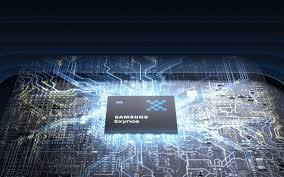
Unlike these materials, the HPB used in the Exynos 2600 is made of copper, which has a thermal conductivity of about 400 W/m·K. This is 500 to 1000 times better at transferring heat than the polymer materials used in substrates, DAF, or EMC. As a result, heat from the AP die quickly dissipates from the package, keeping temperatures lower at the source and helping maintain strong performance. This performance improvement is shaped not only by the materials but also by the evolution of the package’s design and development.  

From Challenges to Breakthroughs: The Development Journey Shaping the Future of Samsung’s Mobile Packaging 

To improve heat transfer from the AP die to the HPB, the new package design cut the DRAM package size by about half. It also adjusted both the overall package height and AP package thickness. These changes are intended to improve the thermal path without significantly increasing the package size.  

Because of the asymmetric placement of the DRAM, Samsung reconfigured the AP DRAM interface. The overall chip and package architectures were also redesigned for performance and reliability. They pre-validated HPB thermal reduction through multi-perspective simulations. Target performance was achieved and sustained using root cause analysis and progressive optimization across materials, processes, and product stages. This progress was supported by close teamwork among departments.  

Mobile processors must perform better while staying small. As a result, designing packages to manage heat will become even more important for stable AP performance. The HPB-based package shows how changing the heat transfer path can solve these problems.  

By developing the HPB, Samsung Electronics has gained important technical know-how, testing methods, and a solid approach to team collaboration. With this foundation, the company plans to keep improving AP Packaging to deliver better performance, thermal stability, and spatial optimization in future mobile devices.

Source: Introducing a New Package Architecture for Improved Thermal Efficiency in Mobile Application Processors 

The Buzz 

  • Microsoft has introduced Azure Local Disconnected Operations, Microsoft 365 Local, and Foundry Local—allowing large AI models and productivity tools to run fully offline, as detailed on Microsoft’s official blog.  
  • Organizations can now run multi-modal AI models on NVIDIA hardware within their own secure environments, ensuring full compliance and security without any cloud connection.  
  • The Microsoft 365 productivity suite, including Exchange, SharePoint, and Skype for Business, can now run completely offline through at least 2035.  
  • Defense, government, and other regulated sectors that were previously restricted by compliance rules can now access enterprise AI infrastructure, improving accessibility and enabling innovation.  

Microsoft’s three new sovereign cloud updates let enterprises run large AI models, productivity software, and cloud infrastructure fully offline. This enables high-tech privacy and total data control for regulated sectors. Azure Local, Microsoft 365 Local, and Foundry Local with NVIDIA GPU support empower organizations to securely deploy advanced AI on-premises.  

Microsoft is transforming secure Enterprise AI by allowing large language models and productivity suites to run offline, ensuring strong data privacy and operational control without a cloud connection.  

Azure Local Disconnected Operations are now available, allowing organizations to set up critical infrastructure using Azure’s management tools without any external connections. All management, policy enforcement, and workload execution occur within the customer’s environment. This is a significant change for defense contractors handling classified work or for financial institutions operating in jurisdictions with strict data residency laws.  

The availability of Azure Local Disconnected Operations represents a breakthrough for organizations that need control over their data without sacrificing the power of the Microsoft Cloud. Gerard Hoffman, CEO of Proximus Luxembourg, told Microsoft in a statement, “For Luxembourg, where digitalized sovereignty is not simply a principle but a key necessity, this model offers the strength, autonomy, and trust our market expects.”  

Productivity is just as important as infrastructure. Microsoft 365 Local Disconnected now provides Exchange, SharePoint, and Skype for Business servers fully within customers’ own environment, with promised support through at least 2035. Teams can collaborate, share files, and communicate without any data leaving their network. Customers have full control over access, compliance, and data protection.  

The biggest news is that Foundry Local can now run large-scale AI models on-site. Foundry Local is a set of AI tools that operate entirely within an organization’s own network. Microsoft is adding NVIDIA GPUs so organizations can run computationally intensive AI tasks without connecting to external networks. This update means highly secure organizations can have local, advanced AI capabilities while ensuring strict privacy and compliance.  

The technical architecture is straightforward: In connected mode, a central management component, the control plane, runs in a Microsoft Cloud region and sends configuration and monitoring commands to local, customer-owned servers. In disconnected mode, the control plane itself runs as a virtual machine on the customer’s infrastructure, directly managing Foundry Local, Microsoft 365 Local, and Azure Local without any data or communication reaching Microsoft’s external clouds. The user experience for configuring, monitoring, and updating these services stays the same, whether systems are online, offline, or fully air-gapped.  

Azure Local and Microsoft 365 Local are now globally available in disconnected mode, with Foundry Local’s large AI models offered to qualified compliance-driven customers.  

Digital Sovereignty Roles are patterning worldwide. Microsoft is designed to meet real customer needs, be independent of external connections, and ensure guaranteed continuity.  

Foundry Local is built to handle large models and GPU needs. Microsoft provides support for setup, updates, and work while customers retain full control over their data and hardware.  

The competitive landscape is shifting. While Amazon Web Services offers Hot Posts and Google Cloud provides distributed cloud, neither lets customers run large AI models in completely disconnected, secure environments as Microsoft does. Microsoft leverages its experience with on-premise products like Exchange and SharePoint to give organizations an offline operations and scalable AI advantage.  

In industries such as defense, intelligence, health care, and critical infrastructure, and in certain jurisdictions, this opens up AI capabilities that were previously off-limits. A defense contractor can now run the same multimodal models used in commercial settings, just air-gapped inside a classified facility. A European bank can deploy large language models for internal tools without data crossing borders or touching external networks.  

This setup also addresses operational complexity. Organizations no longer need separate management systems, different governance rules, or split architectures for online and offline workloads, and can achieve consistent management. Whether systems are online, sometimes connected, or always offline, simplifying operations and enhancing efficiency  

Douglas Phillips, President and CTO of Microsoft Specialized Clouds, leads the engineering effort behind these capabilities. His team is responsible for bringing Azure, Microsoft’s adaptive cloud portfolio, and the Microsoft 365 Collaboration Suite to customers with sovereignty, security, edge, and compliance requirements that standard cloud offerings can’t address.  

These changes affect more than just Microsoft customers. This level of secure AI sets a new standard for what businesses can expect from cloud providers. It shows that advanced AI can be used without giving up data control, regulatory compliance, or operational independence.  

Microsoft’s sovereign cloud expansion fundamentally changes what’s possible for enterprises operating under strict compliance regimes. By enabling large AI model deployment, full productivity sockets, and cloud infrastructure to run completely disconnected from external networks, the company is opening up AI capabilities to sectors that were previously locked out by regulatory limitations. The question now isn’t whether sovereign AI is technically feasible. Microsoft just proved it is. The question is how quickly competitors respond and how fast regulated industries adapt these capabilities to close the AI gap within their commercial counterparts.

Source: Microsoft Sovereign Cloud Goes Fully Offline With AI Support 

Key Details 

  • Boston Dynamics launches immediate production of the humanoid Atlas robot.  
  • In 2026, the rover will be deployed at Hyundai and Google DeepMind, with additional customers anticipated the following year.  
  • Atlas will be trained with new AI-based models to handle many industrial tasks, starting with the automotive industry.  

Boston Dynamics, a leader in mobile robotics, introduced the product version of its new Atlas robot at the Consumer Electronics Show in Las Vegas. The fully electric humanoid was shown during Hyundai’s CES Media Day, which also included a live demo. It is the latest Atlas prototype and a lively dance performance by the well-known Spot Robots.  

Production of the new Atlas robots will begin immediately at the company’s Boston headquarters. All units for 2026 are already spoken for, with fleets set to ship to Hyundai’s Robotics Metaplant Applications Center (RMAC) and Google DeepMind soon. More customers will be added in early 2027.  

For more than 30 years, Boston Dynamics has been building some of the world’s most advanced robots, said Robert Playter, the company’s CEO. This is the best tool we have ever built. Atlas is going to change the way the industry works and make its mark. It will be the initial step toward a long-term goal we have dreamed about since we were children. Useful robots can walk into our homes and help make our lives safer, more productive, and more fulfilling.  

Atlas is an enterprise-grade humanoid robot capable of handling many tasks. From moving materials to filling orders, it learns from new tasks quickly, adapts to evolving environments, lifts heavy loads, and works independently with little supervision. It keeps working at a steady, reliable pace and does not need to stop when its battery runs low. Instead, it will find a charging station, swap its own batteries, and return to work.  

The robot connects easily to manufacturing systems such as MES (Manufacturing Execution System) and WMS (Warehouse Management System), as well as other industrial software, via Boston Dynamics’ Orbit software. Once one Atlas robot learns a new task, that skill can be shared instantly with the whole fleet.  

Atlas operates autonomously via remote or with a tablet. It has 56 degrees of freedom. A 2.3-meter reach lifts up to 50 kg, is water-resistant, and works from -22°C to 40°C.   

Safety features include human detection and fenceless guarding (protecting people without physical barriers), with workflow integration via barcode or RFID (radio-frequency identification).  

“Our new Atlas is the most production-friendly robot we’ve got,” said Zach Jackowski, GM of Atlas at Boston Dynamics. This generation of Atlas uses fewer unique parts, and every component is made to fit with automotive supply chains. With support from Hyundai Motor Group, we will reach the highest reliability and economies of scale in the industry.  

Along with launching Atlas at CES, Boston Dynamics announced a new partnership with Google DeepMind. They plan to use Google DeepMind’s advanced base models to improve Atlas’s cognitive abilities. The company also shared that Hyundai Mobis will supply Atlas actuators. Both organizations will work together to build an efficient supply chain and speed up actuator development and production.  

Hyundai Motor Group holds a majority stake in Boston Dynamics. The company is preparing to deploy tens of thousands of Boston Dynamics robots in its manufacturing facilities. Hyundai also announced a $26 billion investment in its U.S. operations. This includes plans for a new robotics facility with an annual capacity of 30,000 robots.  

To learn more, visit www.bostondynamics.com.  

About Boston Dynamics. 

Boston Dynamics leads the world in developing and deploying highly mobile robots that handle tough industrial and safety challenges. Our robots have advanced mobility, dexterity, and intelligence, enabling automation in hard-to-reach or unsafe environments such as factories, power plants, construction sites, warehouses, and distribution centers.  
 
Our portfolio includes three robots:  

  • Spot, a four-legged robot for industrial inspections and public safety  
  • Stretch, a robot that moves boxes for logistics and retail  
  • Atlas, our electric humanoid platform, is now in development.

Source: Boston Dynamics Unveils New Atlas Robot to Revolutionize Industry

Apple has introduced MacBook Neo, a new laptop designed to bring the Mac experience to more people at an affordable price. MacBook Neo features a durable aluminum body and comes in four colors: Blush, Indigo, Silver, and Citrus. Its 13-inch Liquid Retina display offers sharp images and supports 1 billion colors. Powered by the A18 Pro chip, MacBook Neo manages everyday tasks such as web browsing, streaming, photo editing, creative projects, and AI features with ease. It is up to 50% faster for daily tasks and up to 3 times faster for on-device AI tasks compared to the best-selling PC with the latest Intel Core Ultra 5, with up to 16 hours of battery life. Users can work or play all day on a single charge. The 1080p FaceTime HD camera and dual microphones help users look and sound their best, while side-firing speakers with Spatial Audio provide clear, immersive sound. The Magic Keyboard and large multi-touch trackpad make typing and navigation comfortable and precise. MacBook Neo runs macOS Tahoe and includes built-in apps such as Messages, Pages, Calendar, and Safari. Smooth integration with iPhone, Apple intelligence, and support for third-party apps. Starting at $599 or $499 for education, MacBook Neo is Apple’s most affordable laptop yet. Pre-orders begin today, and it will be available starting Wednesday, March 11.  

“We are incredibly excited to introduce MacBook Neo, which delivers the magic of the Mac at a breakthrough price,” said John Ternus, Apple’s Senior Vice President of Hardware Engineering. “Built from the ground up to be more affordable for even more people, MacBook Neo is a laptop only Apple could create. It features a durable aluminum design in four beautiful colors, a brilliant Liquid Retina display, Apple Silicon-powered performance, all-day battery life, a high-quality camera and audio, and the intuitive power features of macOS. There is simply no other laptop like it.”  

Beautiful And Durable Aluminum Design 

The MacBook Neo features a carefully crafted aluminum design for durability. Its soft, rounded corners give it an elegant look and a comfortable feel. Weighing only 2.7 lb, it is easy to carry in a backpack or bag. MacBook Neo adds personality and style to daily use. It comes with four colors:  

  • Blush  
  • Indigo  
  • Silver  
  • Citrus  

These colors also appear on the Magic Keyboard in lighter shades and in new wallpapers, creating a unified and colorful look.  

Stunning 13-inch Liquid Retina Display 

The 13-inch Liquid Retina Display provides a sharp 2400 x 1600 resolution, 500 nits of brightness, and support for one billion colors, surpassing the brightness and sharpness of most PC laptops in this price range. The anti-reflective coating helps maintain clarity and comfort in various lighting conditions, whether you are watching movies, editing photos, or in a video call.  

Apple Silicon Powered Performance 

The MacBook Neo runs on the A18 Pro Chip, enabling everyday tasks like browsing, writing, streaming, and photo editing to run fast and smoothly. You can easily switch between apps such as Messages, WhatsApp, Canva, Excel, and Safari on the top-selling PCs with the latest Intel Core Ultra 5, compared to the top-selling PCs with the latest Intel Core Ultra 5. MacBook Neo is up to 50% faster for daily use and for more demanding tasks. It’s up to three times faster for on-device AI and twice as fast for photo editing. The five-core GPU delivers great graphics. For games and creative projects, the 16-core neural engine powers Apple Intelligence features and AI tasks like summarizing notes or cleaning up photos, while keeping your data safe. Plus, MacBook Neo is fanless, so it stays completely silent.  

All-day Battery Life 

Thanks to Apple Silicon, the MacBook Pro delivers up to 16 hours of battery life on a single charge. This reliability makes it well-suited for work or play, whether in class, at a coffee shop, or on the move.  

Magic Keyboard and New Multi-touch Trackpad 

The MacBook Neo comes with Apple’s Magic Keyboard for comfortable, precise typing. The large, multi-touch trackpad lets you click, scroll, swipe, and pinch anywhere on its surface. If you choose the model with Touch ID, you can log in quickly and securely and easily approve purchases with Apple Pay.  

1080P Camera, Dual Speakers, and Mics 

The MacBook Neo’s 1080p FaceTime HD camera uses advanced image processing for sharp, vibrant video calls. Dual microphones block background noise for a clear voice during meetings. Side-firing speakers with spatial audio and Dolby Atmos deliver immersive sound whether watching movies, listening to music, or working in GarageBand.  

Essential Connectivity 

MacBook Neo features two USB-C ports for connecting accessories or an external display. Both ports can be used for charging. MacBook Neo also includes a headphone jack for audio. Wi-Fi 6E delivers fast wireless connectivity, and Bluetooth 6 enables and ensures reliable connectivity for peripherals and accessories.  

Powerful Productivity with macOS 

MacOS is Apple’s easy-to-use and powerful operating system for Mac. With built-in apps like Safari, Photos, Messages, and FaceTime, you can get started right away. Apple Intelligence features, such as writing tools and live translation, are built into macOS to make everyday tasks smarter and easier. You also get strong privacy and security, including top-level encryption, virus protection, and free automatic security updates.  

Flawless integration with iPhone 

If you use an iPhone, you can take advantage of continuity features in MacOS to make switching between your iPhone and MacBook Neo easy.  

  • Handoff lets you start a task on your MacBook Neo and finish it on your phone.  
  • Universal clipboard lets you copy and paste between devices.  
  • With iPhone mirroring, you can see and use your iPhone right on your MacBook Neo.  
  • If you are new to a Mac, you can use your iPhone to quickly and securely transfer your settings, files, photos, passwords, and more.  

Built With The Environment In Mind 

MacBook Neo is Apple’s lowest-carbon MacBook yet, helping the company move closer to its goal of being carbon-neutral by 2030. It uses 60% recycled materials, the highest of any Apple product. This includes 90% recycled aluminum and a battery made with 100% recycled cobalt. The enclosure is made with a process that uses half as much aluminum as standard methods. MacBook Neo is built using 45% renewable electricity, such as wind and solar, throughout the supply chain. It also meets Apple’s strict standards for energy efficiency and safe materials. The paper packaging is made entirely from fiber and is easy to recycle.

Source: Say hello to MacBook Neo 

Xcode 26 introduces powerful local AI capabilities by leveraging base models on the Neural Engine for secure on-device AI processing. This reduces reliance on cloud services. Developers can now benefit from inline code suggestions, automated test and documentation generation, and integration with third-party models.  

Below are the main AI features and improvements introduced in Xcode 26, setting the stage for enhanced development workflows. 

  • On-device AI power: base models, which are foundational artificial intelligence algorithms, now run locally, enabling fast, secure processing on Apple Silicon chips.  
  • Intelligent Coding Tools: Xcode 26 offers in-line code generation and debugging tools that automatically generate and test code as you work, improving developer efficiency.  
  • Model flexibility: developers can use local models (AI systems processed on their computer) or connect to third-party providers such as ChatGPT and Claude, which are external AI services, directly within the editor.  
  • Model training: fine-tune on-device models with local data—meaning training the AI using information on your device—to enable apps to learn specialized tasks and improve intelligence.  
  • Performance optimization: algorithms such as Lexicographical_compare, a tool for sorting data by character order, now execute faster, and vector computation (calculations on lists of numbers) has improved.  
  • Enhanced tools: this update brings improved localization catalogs and new resources for developing AI models.  

With these updates, you can build apps that are faster, smarter, and more private, unlocking the full potential of the Apple ecosystem.  

Xcode 26 comes with Swift 6.2 and SDKs for:  

  • iOS 26  
  • iPadOS 26  
  • tvOS 26  
  • WatchOS 26  
  • MacOS Tahoe 26  
  • VisonOS 26  

You can debug on devices running:  

  • iOS 15 or later  
  • tvOS 15 or later  
  • watchOS 8 or later  
  • visionOS  

To use Xcode 26, your Mac needs to run macOS Sequoia 15.6 or newer.  

Enhance your workflow with a Coding Intelligence tool to write code, create tests and documentation, fix errors, refactor, and navigate projects. Xcode now supports ChatGPT, Claude, and API keys for providers using the Chat Completions API or a local model on Apple Silicon Macs.  

  • You can use natural language instructions to work with code in the coding assistant. The assistant gathers information relevant to your current code, remembers past conversations, and lets you attach files for more context.  
  • Coding Tools deliver actions to generate documentation, explain code, create previews and playgrounds, and edit inline.  
  • Predictive code completion, a feature that suggests how to finish writing code based on context, is faster and uses more code contexts, all locally on your Mac.  

Also in Xcode 26: 

  • The ‘#’ playground macro is a command that lets you debug and experiment with code in real time in the preview panel, which visually displays code output as you write.  
  • One Composer makes it easier to create icons from one design. You can adjust depth, add dynamic lighting, and customize icons for default dark and mono modes.  
  • Tabs have been redesigned to make navigation easier. You can now use tab navigation and pin files to keep them in view.  
  • Compilation caching stores data from previous builds, so build times are faster, especially when switching between code branches (different versions of your project) or performing clean builds, which means compiling everything from scratch.  
  • New Instruments helps you analyze your app’s:  
  • Performance  
  • Processor  
  • Trace records capturing every function call made by the app.  
  • Swift UI Profiles help you monitor Swift UI Views. Power Profiler measures how your app uses Battery and creates Heat. CPU Counters help you find and fix slow parts of your code.  
  • Swift Concurrency Debugging now monitors execution across asynchronous (async) functions, which are tasks that run at the same time, and threads (sequences of tasks handled separately by the processor). It allows clear types of concurrency ways in which multiple tasks operate at once and helps you see the properties and relationships for each task in your code.  
  • String catalogs help organize and manage localization, which is the translation of your app into different languages. They use type-safe Swift symbols special labels that prevent errors so you can reference strings directly in code, support auto-complete for string lookup, and give AI-generated comments using on-device processing.  
  • Voice control now lets you dictate Swift code using syntax-aware recognition, which is an input system that understands the structure of the language and automatically formats your code as you speak.  

General. 

New features. 

  • Hang and Launch Diagnostics now include trending insights. These highlight issues that have become more common across the last four adversions and provide further context on their impact. Look for the flame icon in the source list to spot this data. See when an issue started. Emphasize Performance Fixes in New App Versions (135376723). There is a new setting for how function names appear in the C++ frames plugin.cplusplus.display.function-name-format. By default, this displays the entire function name but can be customized to drop various parts of a function signature (e.g., return type, scope qualifiers, etc.). see FUNCTION FUNCTION-NAME-FORMATS-FOR-NO-DETAILS)  
  • LDB now marks the version base name by default when showing C++ frames—a backtrace is a report showing the call sequence of functions leading to a certain point in code.  

Xcode 26 

Turn your ideas into reality using Generative Intelligence powered by your preferred large language model. The coding assistant lets you interact with your code using natural language. With coding tools, you can quickly write documentation, fix issues, and make changes directly in your code. Use the playground macro to preview your known UI code. The redesigned tab experience makes it easier to move through your files. Plus, improved eye localization catalogs help you reach more users worldwide. Building on these powerful tools, Xcode introduces additional ways to optimize your workflow and app performance.  

Instruments. 

Optimize your app for Apple Silicon using two new hardware-assisted tools, Instruments:  

  • Processor Trace  
  • and CPU Counter  

Use the new SwiftUI instrument to observe how changes in your app’s data affect SwiftUI. View updates to these performance insights. Complement the enhanced automation capabilities found in XCUI automation tests.  

XCUI Automation Tests 

Now you can record, run, and manage XCUI automation tests directly in Xcode. Test plan configurations let you replay your XC test UI tests across many locales, device types, and system conditions. Review your results in the Xcode test report and download screenshots and videos from test runs as you refine your testing and development. Xcode’s new design resources simplify design asset management, starting with Icon Composer.  

Icon Composer 

Icon Composer helps you create layered icons using Liquid Glass from a single design for iPhone, iPad, Mac, and Apple Watch. The new multi-layer icon format lets you adjust Liquid Glass properties, preview dynamic lighting effects, and add annotations for different appearance modes. Icon Composer works smoothly with X-Core and lets you export a flattened icon for marketing or communication.

Source: Xcode 26 Release Notes