In this fast-paced world, communication plays a vital role in evry step of life.so for staying connected we should have a portable charger or a power bank for keeping our device charged on the go. Whether you might be a regular traveler or a busy IT professional or just someone who is using multiple devices, choosing one of the best power banks makes a huge difference in one’s routine. 

This article 2026 buyers guide will help you understand clearly regarding the key aspects like mAh capacity, Fast charging technology, USB-C versus Lightning connections, travel-friendly options, and airline safety rules.  

Understanding mAh Explained 

 The capacity of a power bank is usually measured in milliampere hours (mAh). This number or symbol indicates how much charge the power bank can store and subsequently deliver to your devices. For instance, a 10,000mAh power bank can charge a typical smartphone about 2-4 times easily, depending on the phone’s battery size.  

For travel, a good balance is around 20,000mAh, as it offers multiple charges without being too messy. Extremely high capacities such as 25,000mAh or more are suitable for longer trips which may be capable for multiple devices but may be heavier and subject to airline restrictions.  

Fast Charging Technologies 

Fast charging is vital features of modern portable chargers to reduce time. Most of the power banks include support for USB Power Delivery (PD) with their USB-C ports, offering fast charging capability for devices such as smartphones, tablets, and even some laptops. Fast charging reduces the time it takes to recharge a device significantly compared to normal 1A or 2A outputs.  

When you are purchasing a power bank, one should always concentrate on USB-C PD support with an output rating of at least 18W or more for effective speed charging. 

USB-C vs. Lightning 

Choosing between USB-C and Lightning mainly depends on your device’s ecosystem. USB-C is a standard one that supports fast charging facility and adoptes across Android phones, laptops and tablets. It provides faster data transfer and power delivery comparatively to the older USB’s. Lightning, proprietary to Apple devices, is still in common usage for iPhones and some iPads.  

However, many newer Apple devices also support USB-C. For versatility and future-proofing, it is generally recommended to get a power bank with USB-C ports, but if you use Apple products heavily, a power bank that supports Lightning or includes adapters will make charging easier.  

Best Power Banks of 2026 

Some of the best-performing power banks in 2026 are: 

  • EcoFlow RAPID Pro: Known for exceptional speed, smart power management, and versatility with a slightly larger form factor, ideal for heavy device users. 
  • Anker Prime 26,000mAh: Provides top-notch charging speed, intelligent design, and the capability to charge multiple devices, which all make it a true representative of a modern power bank. 
  • AOHI Future Starship Pro: A compact 10,000mAh power bank balancing portability and laptop-level charging performance.  
  • Baseus EnerGeek GP12: A travel-friendly 20,800mAh option featuring up to 145W total output, excellent for high wattage charging in a compact size. 

Meanwhile, the balance of reliability and capacity also keeps the Anker PowerCore series and RAVPower models popular.  

Best Travel Chargers and Airline Safety Rules 

When traveling, it’s preferable to choose a power bank that complies with airline safety regulations. Most airlines allow power banks up to 100Wh, usually about 27,000mAh for a 3.7V battery in cabin luggage. Power banks or portable chargers with capacities above this limit may require airline approval or may not be allowed onboard.   

Note that power banks should not, for obvious safety reasons, be packed in checked luggage. Lightweight and mid-capacity power banks, such as models in the range of 10,000 to 20,000mAh, are suitable for travel since they provide ample power without being overly bulky or infringing on airline limits. Support for fast charging is good for quick power-ups during short layovers or transit times.  

Additional Features to Look For 

  • Multiple output ports enable simultaneous charging of multiple devices. 
  • Pass-through charging allows you to charge the power bank and devices at the same time. 
  • Built-in cables for convenience and reduction of cable clutter. 
  • LED indicators showing the remaining charge. 

Conclusion 

To conclude, always choose a durable, compact design for on-the-go use in the long term. Picking the best portable or power bank for 2026, Have a clear glance your device compatibility, capacity which needs in mAh, long-lasting fast charging features, the different kind of connections, Travel requirements, and considering airline safety. From Eco Flow to Anker, AOHI, and Baseus, these brands offer excellent options for various needs, ensuring you stay powered wherever you go. 

FAQ’s 

1. How is the capacity of a power bank measured? 

A. Capacity of a power bank is measured in milliampere hours. 

2. What is the limit that airlines allow power banks according to its regulations? 

A. Most airlines allow power banks up to 100Wh, usually about 27,000mAh for a 3.7V battery in cabin luggage. 

3. Mention a few best power banks of 2026? 

A. Here are few best power banks to opt in 2026 EcoFlow RAPID Pro, Anker Prime 26,000mAh, AOHI Future Starship Pro, Baseus EnerGeek GP12. 

If you are someone who watches flicks and sports on your Amazon Fire Stick using those free, not so legal apps pay attention. Amazon’s pushing out a big Fire TV update that goes after privacy streaming and sideloaded software. This is a pretty big deal for them. 
So, your Fire Stick 4K Max or Fire TV Cube might start blocking those unofficial apps, or you might see warnings like Harmful Apps Disabled. 
No, it’s a mistake. It’s a part of Amazon’s Fire OS 8 (Vega OS) update. Let’s check out in this article what’s going on, why is Amazon doing it, and what it all means for you if you’re a firestick user. 

Why Your Amazon Fire Stick is Blocking Some Apps 

Amazon claims it’s doing this to keep users safe, but there’s probably more to it. For a while now, Fire TV devices have been used to install apps from outside their store, like Cinema HD, Kodi builds, or Bee TV. These let people watch pirated or unlicensed content. These apps usually come from unofficial sources and could have malware, trackers, or adware. 
 
According to some sources, what is claimed by Amazon: 

“We care about the customer’s security. We’re going to block apps that show illegal streaming or are risky to install from outside our app store.” 
But that’s not the entire thing. Amazon is said to be working with ACE (Alliance for Creativity and Entertainment), which is a group that fights piracy and is supported by companies like Netflix, Disney, and Warner Bros. They have made a list of piracy apps that Fire TV will now find and shut down automatically.  
So, if an app on your Fire Stick suddenly stops working, now you know what is actually happening. 

How Fire TV Knows About Your Sideloaded Apps 

Amazon isn’t just stopping downloads; the Fire OS 8 update checks out the apps you’ve already got. 
Here’s what the system looks for: 

  • Apps that get content from blacklisted places. 
  • Apps asking for permissions like piracy tools do. 
  • Apps that set off Amazon’s bad app filters. 
  • Apps that have the same signature as apps in a piracy list. 

If they find something, the apps are shut off, or you get a warning to uninstall. Some users say they keep getting an Update Error or App Disabled message, even on older versions. The difficult part? Once you update, you can’t go back. 

Where the Update is Starting Off 

The Fire TV update isn’t everywhere yet, but it will be soon.  
From what people are saying and what has been leaked: 

  • It started rolling out in Germany and France earlier in the month. 
  • The UK and US should be next, probably by the end of November or early December 2025. 
  • India, Canada, and Australia might get it by early 2026. 

This gradual rollout lets Amazon check if their detection is right before updating everything. Just so you know this changes things everywhere. 

What This Means for Fire Stick Owners 

Good news, most of you won’t see any changes, especially if you mainly use official streaming apps like Prime Video, Netflix, Disney+, or Hulu. 
But for those of you who like to tweak your Fire Stick, this update is a game changer.  
Here’s what to expect: 

  • Sideloading Limits: 
    It’ll be harder to install APKs from outside sources. 
  • App Problems: 
    Some third-party apps you already have might stop working. 
  • Update Control: 
    If you turn off automatic updates, you might miss out on new features or security fixes. 
  • How it Runs: 
    OS 8 (Vega OS) has a new look, better recommendations, and watches over apps more closely. 

How to Keep Your Fire Stick Safe After the Update 

Even though they’re going after privacy apps, you can still enjoy your Fire TV without worry if you do these things: 

  • Use the Official App Store 
    The Amazon Appstore has gotten way bigger as it even has free apps like Pluto TV, Tubi, and Freevee. They’re totally legal and have ads. 
  • Use a Good VPN (Smartly) 

If you use a VPN to keep your information private (not for privacy), use well-known ones like NordVPN or ExpressVPN. Stay away from weird, free VPNs as they usually do the thing Amazon’s trying to stop. 

  • Check Your APK Files 
    If you need to sideload for real reasons (like testing a beta version), always check your APKs with something like VirusTotal before you install them. 
  • Don’t Block Updates 
    Some youtubers say to block updates through the developer app, but this could break your warranty or stop you from getting important security fixes. 

Great Legal Streaming Options for Your Fire Stick 

If you can’t get into your usual apps, here are some official choices that are free and have lots of features: 

Category App Why It’s Awesome 
Movies & TV Series Tubi, Pluto TV, Freevee  Totally legal, Supported by Ads, and Classic + Trending Offers. 
Live Sports EPSN, Hotstar, DAZN  Streams that are reliable and looks good. 
High Quality Content Netflix, Disney+, HBO Max Works great with Alexa voice and commands. 
Local Content MX Player, SonyLIV, Zee5 Best for local TV shows and films. 
Biographies YouTube, CurosityStream Ideal for learning and specialized content. 

 
With these, you can still get a great entertainment setup without any worries. 

What to Do If Your App Isn’t Working 

So, your favorite app is acting up after the Fire OS 8 update? Here’s what you can try: 

  • Restart Your Device 
    This can fix simple glitches. 
  • Reinstall the App 
    If you got it from the Appstore, try reinstalling it. 
  • Check Your Region 
    Some apps only work in certain countries. 
  • Contact Amazon 

They can tell you if the app should even be working. 

  • Find a New App 
    If it’s gone because it was unsafe or illegal, it’s best to find a different one. 

What This Means for Streaming 

Amazon’s move means big changes are happening in streaming. Platforms are starting to get tough on apps that aren’t quite legit.  

  • Apple’s iOS app checks are already super strict. 
  • Google TV and Roku are making their rules for outside apps stricter too. 
  • Now Fire TV is doing the same with Vega OS. 

Basically, everyone in the industry wants better security, compliance, and a good name. But this might mean less control for users, mainly if they like to customize things. Still, Amazon makes a good point. Piracy isn’t just bad for the studios; it can also put users with cybersecurity issues. Things like stealing data or harmful ads mean free can be risky. 

Conclusion 

If you stick to the apps Amazon provides, you’re good. Things should get better with quicker updates and a safer look. But, if you’ve been installing apps from outside sources, you might want to change things up. 
The Fire OS 8 update is a big deal because Amazon cares more about safety, following the law, and keeping things under control. You still have some freedom, but only with Amazon’s consent. 
If you seriously want your old setup back or if you want to Sideload, check out Google TV or NVIDIA Shield. For now, they’re more open. Just keep in mind that this won’t last forever. 

Like someone on Reddit the other day said, 
“The time for installing whatever you want is done. It’s time to stream smart and legally.

Accordingly, the OnePlus 15 is finally officially set to raise the bar for Android flagships in 2025. Blending cutting-edge technology with subtle refinements, the device aims to cater to both enthusiasts and everyday users. Here’s a Article that breaks down featuring the OnePlus 15’s specifications, new features, and how it compares to rivals like the OnePlus 14 and Samsung Galaxy S25.  

Overview:  

OnePlus 15 Design and Key Highlights the OnePlus 15 continues the company’s legacy of premium craftsmanship, featuring a flat LTPO AMOLED panel and a minimalist design made from materials like Gorilla Glass Victus 2 and an aluminum alloy frame. The rear camera module has been redesigned both for style and function, with color options ranging from classic matte black to a striking glacier blue. 

Display: LTPO AMOLED 165Hz Panel Specs 

Up front sits a 6.78-inch LTPO AMOLED display, carrying a 1.5K (1272 x 2772 pixels) resolution and a battery smooth 165Hz refresh rate. The panel is flat for a modern touch, supports HDR10+, and peaks at 1,800 nits for stellar sunlight visibility. It also has an in-display ultrasonic fingerprint sensor for quick unlocking.  

Performance:  

Snapdragon 8 Elite Gen 5 & RAM Under the hood, Qualcomm’s latest Snapdragon 8 Elite Gen 5 chipset leads the charge, backed by up to 16GB LPDDR5X RAM and UFS 4.0 storage options, topping out at 1TB. Benchmark leaks indicate record-breaking performance, ensuring seamless multitasking, gaming, and AI operations. And the new triple-chip architecture means consistent high framerates even during intense gaming sessions. 

Camera: Triple 50MP Setup Details 

Photography is a main highlight, with the OnePlus 15 featuring a triple 50MP Hasselblad rear camera system: 

  • 50MP Wide: LYT-808 sensor, f/1.6, OIS 
  • 50MP Ultra-wide (JN5, f/2.0) 
  • 50MP Telephoto (3.5x optical, OIS) 

Expect advanced AI processing, Hasselblad color tuning, and support for 8K video. Up front, a 32MP wide-angle selfie camera provides crisp results, though heavy selfie users may prefer the OnePlus 14’s 50MP front shooter.  

Battery & Charging:  

  • 7,300mAh + 120W The OnePlus 15 pushes the limits with a 7,300mAh silicon-carbon battery, promising multi-day endurance.  
  • Charging is ultra-fast thanks to a 120W wired solution, while 50W wireless charging is also supported.  
  • The battery is designed to maintain over 80% health after four years and can operate unfailingly in extreme cold. 

Software: Android 16 (OxygenOS Based) Features 

Right out of the box, the OnePlus 15 runs OxygenOS 16, based on Android 16. It features a host of AI-driven enhancements, including smart battery optimization and advanced privacy tools, and offers four years of major OS updates. OxygenOS is known for striking a great balance between speed and customizability; the OnePlus 15 now comes with new gesture controls.  

Connectivity: 5G, Wi-Fi 7, Bluetooth 6.0 

It’s connectivity is with wide 5G band support, Wi-Fi 7 for blazing-fast wireless, and Bluetooth 5.2. Users also get NFC, eSIM capabilities, and a robust GPS suite, making it ready for the next generation to be connected to tech experiences.  

Price & Availability:  

Global and India Pricing the OnePlus 15 launches globally from November 13, 2025. Base models will start at around $899 in the US. Indian pricing should be around ₹69,999 for the 12GB/256GB variant. For those higher configurations pushing 16GB of RAM and 1TB of storage, that premium starts reaching the higher-end prices-but still competitive against Samsung and Apple. 

Should one upgrade to OnePlus 15 in 2025? 

The 2025 OnePlus 15 stands apart from the crowd with its ultra-smooth, flat LTPO AMOLED display running at 165Hz, an imposing Snapdragon 8 Elite Gen 5 processor, a large battery, and a seriously improved camera system. Its extended options for connectivity, plus fast charging, make it outpace many rivals, while its pricing strategy is one of the boldest on the market, making even the top-of-the-line configuration enticing similar Samsung and Apple offerings. If selfies are not of the utmost importance to you, the OnePlus 15’s undeniably next-level Android experience makes upgrading genuinely worthwhile this year. 

Guess what? Samsung Smart Things and Apple Siri are now friends. Starting with SmartThings update in November 2025, if you have an iPhone or Apple Watch, you can boss around your SmartThings work with Siri. It’s cool for homes that have both Apple and Samsung gadgets. 
So, yeah. You can tell Siri good night, and SmartThings will dim the lights, lock up, and change the temperature. No need to even touch your Samsung phone. 
This is pretty great if you’re using both iPhone and Galaxy phones at the same time. 

SmartThings Update: Siri Shortcuts & Apple Watch Control 

The SmartThings update for November 2025 focuses on making things easy across different platforms. Now, if you’re on iOS, you can use Siri to start your SmartThings routine with just your voice.  
Here’s what in the update: 

  • Siri shortcuts now work with SmartThings routines. 
  • You can control SmartThings devices using your Apple Watch. 
  • The SmartThings iOS app has a fresh look and runs better. 
  • Better automation between iOS, Galaxy devices, and smart TVs 

This update basically closes the gap between Samsung’s smart setup and Apple’s smart home features. Now, you don’t need a bunch of apps or hubs. 
So, if you have a Samsung Thermostat and an iPhone, or a Galaxy Fold running your smart home while your partner uses an Apple Watch, this update puts everything under one control. 

How to Setup Siri with SmartThings Practices on iOS 

Setting up Siri to work with your SmartThings features on iOS is easier than you might think, and that’s why this update is cool. 
Here’s What You Do: 

  • Update SmartThings 
    First, make sure SmartThings app is up to date (version 3.4.2. or newer). This gives you Siri Shortcuts and Apple Watch Control. 
  • Make a Routine 
    Open the SmartThings app, hit Routines then Create Routine. 
  • Add a Siri Shortcut 
    When your routine is set, Tap Add to Siri. It will ask you to say a phrase for Siri, like Movie Time or Morning Startup. 
  • Test it Out 
    Say your phrase like Hey Siri, Movie Time, and Smart Things should start the routine right away. 
  • Apple Watch Control 
    Open the SmartThings app on your Apple Watch, now you can start routines, check sensors, control things without your phone which is great when you’re busy. 

In just a few minutes, you can turn your iPhone or Apple Watch into a remote for your whole smart home, making everything work together easily. 

Apple Watch Works with SmartThings: Here’s How 

Now you can control your lights, plugs, cameras, thermostats, and even door sensors using your Apple Watch with SmartThings on iOS. 

The SmartThings Watch App Let’s You: 

  • Quickly get to your favorite devices with widgets. 
  • Use Siri shortcuts to run your SmartThings routines with your voice. 
  • Get notifications for motion sensors and security features. 
  • Smart Trick: Stack shortcuts by mixing Apple’s HomeKit with SmartThings routines to make things simpler.  
    For example, say: Hey Siri, movie night, 
    and your Apple TV and Samsung Smart Bulbs will sync and coordinate with each other right away. 

What This Means If You’ve Got Both iPhones and Galaxy Phones at Home 

For a long time, it’s been a pain for smart home fans when Apple and Samsung don’t get along. If someone at home has an iPhone and another has a Galaxy phone, it’s hard to control the smart gadgets that you share. But that has now changed. Because SmartThings now works with Siri, homes that use both iOS and Android can finally act like one big happy and smart family. 

Check this out for better understanding: 

  • Your partner can just tell Siri on their iPhone 15 Pro to run the morning routine. 
  • Both phones will update and do what you asked right away no matter what brand it is. 
  • This isn’t just easier; it’s trying to make smart homes work better across different brands, which is something technical fans have wanted for ages. 

Samsung wants SmartThings to work with everything, not just Galaxy features. By letting iPhones in on the fun, they’re trying to become the go for all smart homes then the thing that connects everything, not just Samsung things. 

Things to Keep in Mind 

Like with any big update, there are a few things to remember: 

  • Device Needs 
    To use Siri, you’ll need an iPhone with iOS 17.2 or newer, or an Apple Watch with watchOS 10 or later. 
  • Where It’s Available 
    This feature is starting in the U.S., U.K., South Korea, and some countries in the European Union. It should be available in more places around early 2026. 
  • What Works 
    Right now, it only works with SmartThings devices that can run Routines (like lights, plugs, thermostats, and sensors). 
  • Needs Internet 
    Siri needs to be on the internet to work. It can’t control your home network through HomeKit without connection just yet. 
  • Even with these few small issues, it works pretty well and should get better with more integrations in later updates. 
     

Why This Integration Is a Big Deal 

This team-up between Samsung and Apple isn’t just about making things easier; it’s changing the smart home system. For ages systems like Apple HomeKit, Google Home, and SmartThings haven’t played well together. But people want to be in charge, keep things simple, and have features that work together. 
By adding Siri Shortcuts to SmartThings, Samsung gets that smart homes have a lot of different devices. People like to mix and match brands to get the best features, and not to get stuck with only one brand. 
This is a big move towards making all smart home features work together, especially with Matter, which should make everything connect without a hitch. 

What’s Next for Smart Home Control Across Different Gadgets 

The way SmartThings and Siri are now working together suggests cool features are coming for smart homes that use different platforms.  
Here’s what could happen: 

  • Smarter Automation Using AI 
    Samsung has been adding AI to SmartThings, like keeping an eye on energy use and guessing your routines. If Siri gets involved, expect things to get even smarter and adapt to what you do every day. 
  • Better Matter 2.0 Working Together 
    Later SmartThings updates might improve how well it works with Matter 2.0, Then features from Apple, Google, Amazon, and Samsung could all play nicely together without any glitches. 
  • Cooperation Among Voice Assistants 
    Think about a world where Siri, Bixby, and Alexa can chat to each other easily. They could each do different tasks based on what’s going on and what device you’re using. It’s definitely possible. 
  • More Countries and Customization 
    Samsung will probably support more countries and languages by 2026. That way, people can use voice commands in their own languages, and not just English. 
  • Better Privacy and Data Rules 
    If more devices work together, it’s important to be responsible. Samsung and Apple will probably concentrate on keeping your voice and data private, secure, and anonymous. 
     

In Conclusion: A Seamless Smart Home 

The Samsung SmartThings Siri feature isn’t easy; it shows how far smart homes have come. It proves giant tech companies can work together for users. Samsung lets people run SmartThings with Siri and control devices with Apple Watch. They are breaking down barriers between systems that didn’t work together. If you have different devices, this means more choices, fewer apps, and smarter homes that just work. 
The future of smart homes isn’t just about one company. It’s about whoever makes technology feel like a human, together, and simple to use. Samsung and Apple just got us closer with the November 2025 SmartThings update. 

Huawei is heading back to Europe with some AI tech for small businesses. It looks like they are trying to get past just selling phones and other gadgets. 
At a recent Huawei Connect 2025 Madrid Launch, Huawei talked about their plan to make it easier for European small businesses to get up to speed with computers and technology. They want to give these businesses access to technology that’s easy to use, even if they don’t have a giant IT department. 

Why Europe’s SMEs Are a Big Deal 

Europe has got over 25 million small and medium-sized businesses. In some places, there are more than 99% of all companies. They’re super important for the economy, but lots of them have trouble with technology. It’s often too complicated, expensive, and all over the place. 
Huawei gets this. That’s why they’re changing their Europe plan to tackle the issue. Instead of just selling hardware, they’re focusing on easy bundles and platforms. They want to get rid of the problems that stop many SMEs from getting better technology. 
The Huawei eKit is a big part of this change. It’s a package deal that’s supposed to be fast and easy to use. The core of Huawei’s new plan for SMEs is the 4+10+N model. This setup is there to make buying, setting up, and running things simpler. 

Here’s the Lockdown on Huawei eKit’s 4+10+N: 

Basically: 

  • The 4 means they’ve got four main things covered: networks, computers, data storage, and cloud technology. 
  • The 10 is for Ten common situations you see in small businesses like office, stores, schools, hospitals, and other institutions. 
  • And N for everything else as it’s open, so you can add whatever you need from other companies. It keeps everything flexible for the future. 

The point is to find your situation, get it set up quickly, and grow as you go. If you’re a small or medium business in Europe and you want to develop fast and dependably, this way of doing things might be better than trying to use a solution that’s only good for big companies. 

Smarter Technology for Small Businesses: Huawei’s AI & Collaboration Tools 

Technology should be easy, right? Huawei’s idea for small businesses is all about keeping things simple but smart. 
Huawei’s SME AI gives small businesses built-in intelligence. Think of smarter routing, easy setup, and collaboration tools made for smaller teams. Their new routers put routing, switching, and wireless together, cutting down on hassle for IT people. The built-in AI can find problems, make things run better, and even fix issues itself. Basically, it’s a network that helps you out before things go wrong. 
Plus, Huawei AI collaboration tools help your team work better, no matter where they are. Cloud conferencing, messaging, and AI-run meetings are all part of the package. Even if they are working remotely or doing a mix of office and remote work. They can use online meetings, combined messaging, and AI to help run things smoothly. Basically, it’s a fresh take on productivity for small businesses. 

Easy Deployment: Simple SME Models 

Small businesses often struggle with complicated vendor systems, compatibility issues, and dealing with multiple contracts. Huawei is addressing this with its simplified SME deployment models. 
At Connect 2025, they showed off packages with pre-configured hardware and software. Installers can get these up and running fast, skipping the usual vendor for coordination headaches. Think quick install guides, easy to learn dashboards, central monitoring to keep things running smoothly. By combining hardware (routers, switches, and wireless) and adding smart tech (AI) into the system, Huawei is making its small businesses tools super easy to use in Europe. 

Why This is a Big Deal for Businesses in Europe 

  • Gets Value Fast: Small and Medium-sized Enterprises can get up and running in hours or days, not weeks. 
  • Keeps costs down: Fewer systems, simpler setup, and less worrying. 
  • Ready for what’s next: With cloud, AI, modular options, businesses are no longer stuck with traditional systems. 
  • Supporting Local Help: Huawei focuses on European partners, so you get support in your language, local knowledge, and help with following the rules. 

For small and medium-sized businesses owners doing it all, technology should help, not stress you out. Huawei’s changed way of doing things addresses that need. 

What to Look for Next 

Huawei is coming back into the European small businesses’ strategy.  
Here’s what everyone will be looking for: 

  • Speed of Distribution: How Fast? Will the eKit bundle get to businesses quickly? Will partners set it up without problems? 
  • Ecosystem: Will the N ecosystem work with others, or only with Huawei technology? 
  • Trust and Security: Europe has strict data rules. Can Huawei provide secure systems that follow regulations? This will be important for businesses to accept it. 
  • Competition: Big companies like Cisco, HPE, and Dell will fight back. Can Huawei still get ahead? 
  • Results: In the end, the big question is: Will small and medium businesses in Europe really get gains in productivity, savings, and expansion from Huawei’s push? 

If everything flows, this could be a game changer for technical use by small and medium businesses all over Europe. 

Conclusion 

Huawei’s comeback in Europe is not just a sentimental thing. It’s a fresh start. By putting its energy into solutions for small to medium-sized businesses, Huawei isn’t just pushing out products; it’s giving these businesses what they need: technology that is simpler to use, smarter, and can grow with them. 
With Huawei eKit, AI teamwork, routers for smaller groups, and setups made to be quick, Huawei’s making a play to be a big deal in helping small to medium-sized businesses get digital. 
For many small businesses around Europe, this could be a big chance to get technology that’s within reach, helpful, and made exclusively for their requirements. 

As 2025 draws to a close, the tech world is abuzz with anticipation for upcoming smartphones in 2026. This year is expected to bring about significant changes and notable launches that will shape the next generation of mobile technology. Whether it’s speed, camera innovation, display quality, or foldable designs, the upcoming mobiles in 2026 are sure to impress. Here’s an article which dives deep at the most-awaited next flagship phones that you’ll want to watch out for. 

Samsung Galaxy S26 Ultra: A New Benchmark for Android Flagships 

It will be one of the standout upcoming phones in 2026: the Samsung Galaxy S26 Ultra, launching globally in January. The device comes equipped with a large 6.9-inch Dynamic LTPO AMOLED display featuring a 144Hz refresh rate and up to 3,000 nits of brightness, providing an uncompromising visual experience even in scorching sunlight. Powering the beast is the Snapdragon 8 Elite Gen 5 chipset, or possibly the Exynos 2600 in select markets, paired with up to 16GB of RAM and 1TB of storage.  

The quad-camera setup, headlined by a 200MP primary sensor, also features a 50MP ultra-wide lens, a 50MP periscope telephoto lens for 5x zooming, and a 10MP telephoto lens for 3x zoom. On the front, a 12MP under-display camera is located, providing an unobstructed screen surface. The 5,000mAh battery has 60W wired and 25W wireless charging. The device runs One UI 8 based on Android 16, offering enhanced AI features and over seven years of software updates to keep future proof. In terms of design, the Galaxy S26 Ultra features a titanium frame and Gorilla Glass Armor 2, providing durability with a premium feel. 

iPhone 17 Pro Max: Another Triumph of Apple 

Apple’s iPhone 17 Pro Max, coming in late 2026, will probably push the boundaries of computational photography and performance with the A18 Bionic chip. One can also expect it to feature a 120Hz ProMotion display with brighter HDR and an enhanced color accuracy, along with an improved periscope of zoom lens for much better telephoto shots. 

Running iOS 18, the 17 Pro Max will focus on user-friendly software improvements such as better battery management. Of course, Apple’s famous ecosystem integration and excellent software support will still be top-notch, providing a seamless user experience across devices. 

Google Pixel 10 Pro: Pure Android Excellence 

The Google Pixel 10 Pro is highly expected to continue Google’s tradition of clean software and class-leading computational photography. It will probably contain the Tensor G4 chipset for improved AI performance, a silky-smooth 6.7-inch OLED display with a 120Hz refresh rate, and a versatile camera array perfect for any lighting conditions. 

Expect timely Android 16 updates, some really cool exclusive Google features, and polished multitasking capabilities, all reasons why it will stay as a go-to for Android purists who make software and camera capabilities a priority. 

OnePlus 16 Pro: Speed and Elegance Combined 

The OnePlus 16 Pro will marry blistering speed with a sophisticated design. This phone is expected to boast a 6.8-inch LTPO AMOLED 165Hz display and be powered by the latest Snapdragon 8 Gen 3 or newer chipset, supported by up to 16GB of RAM. 

The Hasselblad-tuned triple camera system promises natural color reproduction and refined imaging features. The 5,000mAh battery supports ultra-fast 150W wired and 50W wireless charging for minimal downtime. OxygenOS 16, based on Android 16, will provide seamless user experience with rich customization and enhanced connectivity through Wi-Fi 7 and Bluetooth 6.0. 

Foldable Phones 2026: The Future of Form Factors 

Exciting new developments in 2026 will include foldable phones, with Samsung leading the way. The successor to the Galaxy Z Fold 5 is expected to be thinner, more durable, and feature next-generation foldable AMOLED displays that support 120Hz refresh rates and innovative privacy display technology. 

Worth-the-Wait Mobiles Coming Up in 2026 

  • Samsung Galaxy S26 Ultra: 6.9-inch 144Hz AMOLED, Snapdragon 8 Elite Gen 5, 200MP quad camera, 5,000mAh battery. 
  • iPhone 17 Pro Max: Apple’s A18 Bionic, periscope telephoto camera, 120Hz ProMotion display, iOS 18. 
  • Google Pixel 10 Pro: Tensor G4 chipset, advanced computational photography, 6.7-inch OLED, Android 16. 
  • OnePlus 16 Pro: 6.8-inch 165Hz AMOLED, Snapdragon 8 Gen 3, Hasselblad cameras, 5,000mAh with 150W charging. 
  • Xiaomi 16 Ultra: 6.7-inch AMOLED, 200MP main camera, 150W fast charging, MIUI 16. 

Why You Should Wait for Upcoming Phones in 2026 

The arrival of these next flagship phones in 2026 means upgrading your smartphone to enjoy the best innovations in display, superior camera systems, superfast processors, and future-proof software updates. Integrated Wi-Fi 7, Bluetooth 6.0, AI-enhanced features, and improved battery technologies will see these devices offer longer usability and top-tier performance uncompromised. 

Samsung’s SmartThings just got a fresh upgrade. Now you can boss around your Samsung smart home using Siri on your iPhone or Apple watch. Imagine telling Siri to dim the lights, lock up, or start off your Movie Night scene. Sounds good, right? This guide will show you how to get Siri working with Samsung SmartThings. We will cover what you need and fix any problems that might run into you.  
It’s super simple for you, we promise! 

Introduction: Why Connect Siri with SmartThings 

Before, if you had both an iPhone and Samsung SmartThings, using them together was a pain. You need different apps: HomeKit for Apple and SmartThings for your connected home setup. 
But now, SmartThings works with Siri Shortcuts, so those problems are gone. Now you can make things happen in SmartThings just by talking to Siri on your iPhone or Apple Watch. 
What this gets you: 

  • iPhone users can tell SmartThings what to do without lifting a finger. 
  • Apple Watch users can control everything right from the wrist. 
  • Families with both iPhones and Galaxy devices can finally get along. 

Basically, linking Siri and SmartThings makes everything easier. You get the smart features of Apple’s voice control and the flexibility of Samsung’s gadgets all in one. 
What You Will Need 

Here’s what you should have for setting up SmartThings with Siri: 

Necessities Specificities 
SmartThings App Newest Version (v3.4.2 or higher) from the App Store. 
iPhone or iPad It needs to be running iOS  
SmartThings Account Make sure it’s all aligned with your Samsung details. 
Peaceful Devices Like lights, plugs, thermostats, locks, etc. 
Good Internet Connection Your iPhone and SmartThings Hub need to be on the same Wi-Fi. 
Apple Watch (Optional) If you want to control things from your wrist, make sure it’s on watchOS or later. 

 
Got all that? Great! You’re ready to link Siri to Samsung SmartThings and start bossing your smart home around with your voice. 
Step 1: Update SmartThings App on iPhone 

First, you need to update your SmartThings app on your iPhone. 

  • Go to the App Store. 
  • Look up SmartThings. 
  • If there’s an Update button, tap it. 

Make sure you’re on version 3.4.2. Or later. That version has the Siri Shortcuts thing, which came out in the November 2025 update. 
After you update, open the app and sign in to your Samsung account. If you already use SmartThings for your lights or other devices, you’re already partly done. 

Step 2: Enable Siri Shortcuts for SmartThings routine 

Secondly, let’s get Siri Shortcuts working with your SmartThings device as this is what lets your boss your Samsung smart home using your voice. 

  • Open the SmartThings app on your iPhone. 
  • Hit the Routines tab. 
  • Pick a routine you want Siri to handle and say, Goodnight or Movie night. 
  • Tap Add to Siri. 
  • Say a phrase that comes to you. Say something like, Hey Siri, I’m back from work. 

After you do that, Siri will know what you mean and start off your SmartThings routine right away. 
Additional Tip: Keep your phrases short and sweet. Siri works best when it can nail commands like Movie Time or Lights Out. 

Step 3: Create or Import SmartThings Routines 

If you’re just getting started with SmartThings, here’s how to make some recent automation before you link it up with Siri. 

  • Open SmartThings, go to Routines, and tap +Add Routine. 
  • Pick what starts the routine like a time, when it senses movement, or when you turn it on yourself. 
  • Then add what you want to do: 
  1. Turn the lights on or off. 
  1. Change the thermostat. 
  1. Lock or unlock doors. 
  1. Turn on the TV or speakers. 

For example, you can make a morning routine that flips on the lights, gets the coffee going, and warms up the house, all with one Siri command. 
If you’ve already got routines set up, you can just pull them into your Siri Shortcuts. 

Step 4: Add Siri Trigger Phrases 

Now we have come to the fun part that is teaching Siri what to do. 

  • Go to your routine section in the SmartThings app. 
  • Tap Add to Siri again (if you have not already). 
  • Record the phrase you want to use. 

Here are few ideas: 

  1. Hey Siri, Goodnight: This turns off the lights and locks the doors. 
  1. Hey Siri, Gaming Time: This turns on your LED lights and lowers the blinds. 
  1. Hey Siri, Start Work: This turns on your monitor and sets the temperature. 

You can even use more than one phrase for the same thing. That’s useful if people in your family want to use different commands. 

Step 5: Test and Fix Problems 

After you set up your commands, give your Siri SmartThings setup a try. Just say your command out loud like, ‘Hey Siri, movie night.’ See how fast SmartThings react. 
If it doesn’t work, check these things: 

  • Make sure the routine is actually in Siri. 
  • Confirm that both devices are on the same Wi-Fi network. 
  • Be sure Siri can access SmartThings (go to Settings> Siri & Search> SmartThings> Allow Siri) 

If Siri still isn’t responding, delete the routine shortcut and add it back. Sometimes, re-syncing the SmartThings app after an update fixes small issues. 

Bonus: Control SmartThings from Your Apple Watch 

The best thing about using SmartThings with Siri is that you can handle your whole house right from your wrist. 
Here’s How It Works: 

  • Make sure your Apple Watch has watchOS 10 or later. 
  • Put the SmartThings app on your watch or open it if it’s already there. 
  • See your list of routines. 
  • Tap a routine or just ask Siri on your watch to start it. 

For example: Say you’re leaving and don’t lock up. Just tell Siri, goodnight on your watch, and your SmartThings lock will lock right away. 
This makes using your smart home way easier, mostly when you don’t have your phone handy. 

Tips on Managing an Apple and Galaxy Home 

These days, lots of homes have both iPhones and Galaxy phones because maybe one person likes Apple and the other likes Samsung. But with SmartThings Siri Shortcuts, that’s not a problem.  
Here’s how to make it work: 

  • Shared Routines 
    Set up SmartThings routines that everyone can use, whether they are using Siri on iPhone or Bixby/Google Assistant on Galaxy. 
  • Same Controls 
    Both kinds of phones can use the SmartThings account, so everything stays in sync. 
  • Matter Compatability 
    The new update works with Matter devices. This means your Apple HomeKit device and SmartThings features can play together nicely. 

Everyone Gets a Say: Family members can even set up their own Siri commands for the same routine, so everyone is happy. 
This cross-platform thing is where smart homes are headed towards, where it doesn’t matter what brand, you like. 

How to Fix the Common Problems 

Even the best setups can have issues. Here’s how to troubleshoot normal SmartThings Siri setup problems: 

  1. Siri Says, Can’t Find the Shortcut 
  • Reopen SmartThings. 
  • Delete the shortcut. 
  • Re-add it under Routines then tap Add to Siri. 
  • Use the same words you recorded earlier. 
  1. SmartThings Routines are not working? 
  • Make sure your devices are online on SmartThings. 
  • Check if Automation Permissions are on your iPhone Settings. 
  • Restart the SmartThings Hub and your iPhone. 
  1. Apple Watch isn’t syncing Routines? 
  • Make sure SmartThings is on your watch. 
  • If Apple Watch isn’t syncing, try re-pairing it again. 
  1. Are Voice Commands Too Slow? 
  • Make sure your Wi-Fi connection is better. 
  • Don’t use similar phrases for different routines. 
  1. Region Restrictions 
  • Still works in the U.S., U.K., South Korea and some European Union countries. 
  • It should be everywhere by 2026. 

Conclusion 

Being able to tell Siri to manage SmartThings isn’t just easier; it gives you an idea of where homes are heading open, easy to use, all about you. This setup finally makes it possible to link Siri to Samsung SmartThings, which brings together two big tech groups. With Siri shortcuts, Apple Watch working with it, and more Matter support coming.  
It shows that a smart home that works across different brands is actually becoming real. If you haven’t already, update your SmartThings app and start making your own setup now. The best smart home is not about sticking to one brand; it’s about how well everything just fits together. 

FAQs 

Common Setup Problems and Easy Fixes: 

Do I need a Galaxy phone to use SmartThings with Siri? 

No. You just need the SmartThings app on your iPhone (iOS 17.2+) and devices that work with SmartThings. Galaxy phones are cool, but not a must.

Can I control the SmartThings feature with Apple’s Home App? 

Not straight away. Siri talks to SmartThings using Shortcuts, not HomeKit. Devices using Matter might work across both systems later, though. 

What if everybody in the house wants slightly different phrases to activate? 

It’s easy. Each iPhone user can record their own phrase to start off with routine. SmartThings will know who’s who.

What about iPads and MacBooks? 

Yes, iPad on iPadOS 17.2+ works with SmartThings shortcuts. Mac might be next once Apple adds full Siri Shortcuts support for MacOS in 2026. 

Does it work without an internet connection? 

As of now, you need the internet. Offline Siri control might come in a SmartThings update in the future.

Nvidia’s CEO, Jensen Huang, has made a strong statement that’s got everyone talking again about China and AI. He’s warning that if the US puts too many limits on AI, it could actually hurt us in the long run. 

Huang says China’s AI atmosphere is moving quick. If we stop selling them advanced AI chips, it might just give them the chance they need to pass us in AI development. With the US and China so hard in technology, Huang’s words make you think about how things like AI development, chip rules, and who gets to sell where you could change who’s charge of AI around the world. 

Jensen Huang thinks China Will Beat US in AI Dominance 

At a recent event, Jensen Huang said that China is super close to the U.S. in AI race. He’s worried about the new rules that stop NVIDIA from selling its best Blackwell and Hopper GPUs to China because those chips are super important for the new AI data centers. 

Huang thinks blocking NVIDIA’s GPU sales to China might backfire. He said if we said don’t sell them, they will just find another way, and maybe even get ahead of us. Huang is worried that these chip export rules could cut American companies off from from the huge AI market in China and weaken their position in the world of AI. 

Nvidia and China: The Two Way Reliance 

NVIDIA is the big player in AI chips, owning about 80% of the market. China has been a major source of money for them. But, if the current restrictions stay in place, NVIDIA’s sales in China could drop a lot by 2025. Chinese companies are already starting to make their chips. The U.S. government thinks these export restrictions are important for security. Still, NVIDIA’s CEO, Huang, thinks cutting China off could hurt the U.S. The ban stops big Chinese tech companies from getting NVIDIA’s best chips, so they’re working harder to create their chips. 
Huang wants a better balance between trade and coming up with things. He says that blocking things off pushes people to create their devices. 

Position of China’s Developer Community in AI Expansion 

China’s AI developer community has grown up fast lately, thanks to a ton of government cash, lots of people, huge amounts of data. Chinese developers are keeping pace with, and sometimes even beating, Western innovation in areas from AI robots to big language models. 

Beijing has been serious about AI for a while now, and it’s showing. Chinese chip companies like Birentech, Cambricon, and Hygon are making GPUs that might be as good as NVIDIA’s best. This increasing AI innovation is exactly what Huang is warning about. If the USA cuts China off from American chips, it might actually speed up China’s ability to do it all themselves. 

In between the US-China AI Conflict 

The US and China are battling it out over AI technology, and it’s not just about chips. It’s a fight for those who get to be on the top in AI. Since 2019, the US has put restrictions on selling AI chips, especially to big Chinese tech and supercomputer companies. The newest rules stop NVIDIA from selling some of its best GPUs like the A100, H100, and the soon to come B100 to China. 

The US wants to slow down China’s advanced computer and AI training. But some think this could backfire. It might just push China to get better at making their own technology, which could make them stronger and more self-reliant in AI. NVIDIA is stuck in between. They’ve had to change their chips, like making the H20 and L20, just to be able to sell them to China. But these versions aren’t as good as the originals, so Chinese companies might not want them as much. 

Reverse Engineering and the Blackwell Talk 

Some people worry that if we sell fancy chips to China, they might reverse engineer them. China’s pretty good at copying things and making it better, so NVIDIA might not be the top in AI forever. But Huang thinks that trading openly helps everyone. He said if Chinese companies get their chips, they will stick with the global gang. If they are cut off, they will just make their things really quick. 
It’s sort of like what Tesla did in China back in the day. Letting them build cars locally got more people driving electric cars around the world. Huang seems to think that AI could be the same way. If everyone works together, AI will get better for all of us, instead of helping just one side win. 

AI Chips, Cloud Support, and Who’s Got the Power 

The AI competition isn’t just about the fastest chips; it’s about who controls the things that make AI work. Cloud based bigshots like Amazon, Google, and Microsoft basically run the world’s computer power, and most of the AI work runs on NVIDIA graphics card. 
Meanwhile, Chinese companies like Alibaba and Huawei are trying to catch up. They are building huge centers and making their own AI helpers to be less reliant on US-made technology.  
This cloud-based growth is super important because AI needs more than just good chips. It also needs computers that can grow, ways to move data around, and power saving setups. China has been investing a lot of money into these areas. 

How Export Bans are Changing AI 

We’re already seeing how export bans are changing AI. American companies aren’t making as much money in China anymore, and Chinese startups are throwing tons of cash at researching and developing AI chips. Some people think that AI hardware market in China could jump 30% each year until 2025 because they’re trying to do things on their own. 
Looking ahead, these restrictions could split the world’s AI resources into two separate groups one mainly in the US and the other in China. If that happens, it might slow down new ideas and make things more expensive for AI creators everywhere. 
An industry expert said, the risk is that we end up with two totally separate AI worlds. Fresh thinking happens when ideas can move freely, not when they are kept apart. 

The Future of AI Together 

Even though things are tense, Huang is all for countries working together on AI. He thinks tech’s future should be about teamwork, not fighting. In his 2025 AI event, he said, AI is like the next big thing in industry and it’s too huge for just one country to control. He thinks that if the US and China share ideas, they could make quicker progress in things like computers, robots, and understanding the climate. Both countries want to make progress in these spaces. 
It might be tough to make this happen since politicians are getting more stubborn. The US doesn’t want to lose its lead in AI, and China wants to be able to do its own technology. 

A Wake-Up Call for US Politicians 

Huang’s words should make Washington sit up and take notice. He’s saying China will take the lead in AI, and he wants politicians to rethink what could happen if we keep isolating ourselves through trade. NVIDIA has always done well because of open markets and working with other countries. If they cut off access to one of their biggest markets, it doesn’t just hurt their income; it also means they might lose their spot as the tech leader to the rivals. 
The point is pretty simple: new ideas need new openness to grow. Whether the US listens or just keeps adding limits, it will show who really becomes the AI leader in the next ten years. 

Think of the AI race with China as a long game. It’s less about who gets there and more about who can keep leading through constant improvements. Huang, saying we need balance, shows how tricky it is to handle security, the economy, and new ideas when everything is linked together. 
As the tech war between the US and China heats up, it will be tough to find a compromise. Both countries need to compete but also work together to make sure AI is developed in a good way. 
Finally, whether we’re talking about limiting AI chip exports or working together on AI globally, the choices we make will change not only how AI grows but also the future of all technology. 

Shopping for a laptop in 2025 and feeling lost? All those choices, specs, and reviews can be a lot. You’re not the only one thinking that way. 

Whether you are in school, at work, or gaming, getting a great laptop in India this year is about finding the right mix of performance, how easy it is to carry, and cost. The laptops this year make things simpler. 

With the quick Intel Ultra chips, nice OLED screens, and some amazing deals on Amazon and Flipkart, there are a lot of bargains out there right now. So, before you buy, check out this article to the top laptops in India for 2025.  

Picking the Perfect Laptop in 2025 

Before we get started, remember these three key things: the screen, the processor, and how long the battery lasts. These things really make or break your entire laptop experience. 

If you’re a student or an employee at an office, battery life and how easy it is to carry around should be one of the primary focuses. Now, if you’re into design, coding, or video editing, you will want a screen with a fast refresh rate, and at minimum an Intel i5 or AMD Ryzen 7 processor. And finally, for gamers, the graphics card, refresh rate, and how well it cools itself are more critical. 

Top Laptops for Student & Office Use in India (2025) 

These laptops give great performance, battery life, and look good.  

  1. Samsung Galaxy Book 4 

Price: Around ₹53,000 
Processor: Intel 13th Gen i5 (10 Crores, 12 Threads) 
RAM: 16GB DDR4x 
Storage: 512GB SSD 
Display: 15.6 Inch Full HD, 300 nits 
Battery: Upto 12 Hours 

Why Get It: Its light (1.5 Kg) boots up fast and has a great screen. Great for students or anyone who works long days. 

Tip: Keep an eye out for deals on Flipkart. Also, Samsung likes to throw in the free MS Office. 

  1. Acer Aspire Go 14 

Price: ₹50,000 
Processor: Intel Ultra 5 125H 
RAM: 16GB Gen DDR5 (Expandable) 
Storage: 512GB Gen 4 SSD 
Display: 14-inch Full HD+IPS 
Battery: Upto 10 Hours 

The Acer Aspire Go 14 is a solid all-round device.  It’s a good choice if you need something reliable for everyday work under ₹1 Lakh. 

  1. Motorola Motobook 

Price: ₹52,000 
Processor: Intel Ultra 5 210H 
RAM: 16GB DDR5 
Storage: 512GB SSD 
Display: 14-inch 2.8K OLED, 500 nits 
Battery: 8 Hours 

Motorola jumping into laptops? Who knew about this. The Motobook has a bright OLED screen and its pretty speedy. This makes it great for designers and content creators. Plus, it looks good without costing you a fortune. 

  1. Asus ExpertBook B1 

Price: ₹52,000 
Processor: Intel i5-13420H 
RAM: 16GB DDR5 
Storage: 512GB SSD 
Display: 15.6-inch Full HD 
Battery: Super Durable (Military Grade) 

If you travel a lot or just need a laptop that won’t break, the Asus ExpertBook is just amazing. It’s super tough and can handle a lot of work at once. It’s made for getting down into business. 

  1. Asus Vivobook S14 

Price: ₹57,000 
Processor: Intel i5-13420H 
RAM: 16GB DDR5 
Storage: 512GB SSD 
Display: 14-inch Full HD+, 300 nits 
Battery: 10 Hours 

The Vivobook S14 is good looking, feels nice, and has enough power for both students and professionals. If you can spend a bit more, it’s a great choice for now. 

Where to Find the Best Laptop Deals in 2025 

Finding a great deal is not just about comparing specs; it’s also about getting the timing down. 

Here’s where you could look for the best laptop deals in 2025 in India: 

  • Amazon India 

They usually have upto 40% Off during Republic Day, Prime Day, and their Great Indian Festival Sales. 

  • Flipkart 
    Look out for the package deals with MS Office and extra warranty. 
  • Brand Websites 
    Samsung, HP, Asus, and Lenovo usually give students discounts and trade in deals all year round. 

When shopping online in India make sure to check on the below mentioned points: 

  • Warranty and service center location. 
  • If you can add more RAM or SSD later. 
  • What real time users are saying about battery life (don’t just blindly trust the official numbers). 

Which Laptop You Should Buy in 2025 

  • For School/Office work: Samsung Galaxy Book 4 OR Acer Aspire Go 14 
  • Business Purpose: Asus ExpertBook B1 
  • Creative Tasks (Editing/Design): Motorola Motobook 
  • All-Rounder Laptop: Asus Vivobook S14 

These are some of the best laptops you can buy in India in 2025, with great specs, good brand reputations, and awesome prices online. 

Last Few Words 

If you want something which is strong, light weight, or a budget friendly laptop, 2025 is the best time to invest on a laptop in India. 

With new market requirements like AI processors and better visual screens, brands like Acer, Asus, Samsung are trying to change what you can get with your money. Plus, with greater sales on Flipkart and Amazon, finding a laptop that works for you and your wallet is easy.  

So, keep track of them, try to see the price differences in different platforms both online and offline, and buy the laptop before it is out of stock. As, in 2025 your laptop is more than just a means of work, it’s your partner for whatever you do. 

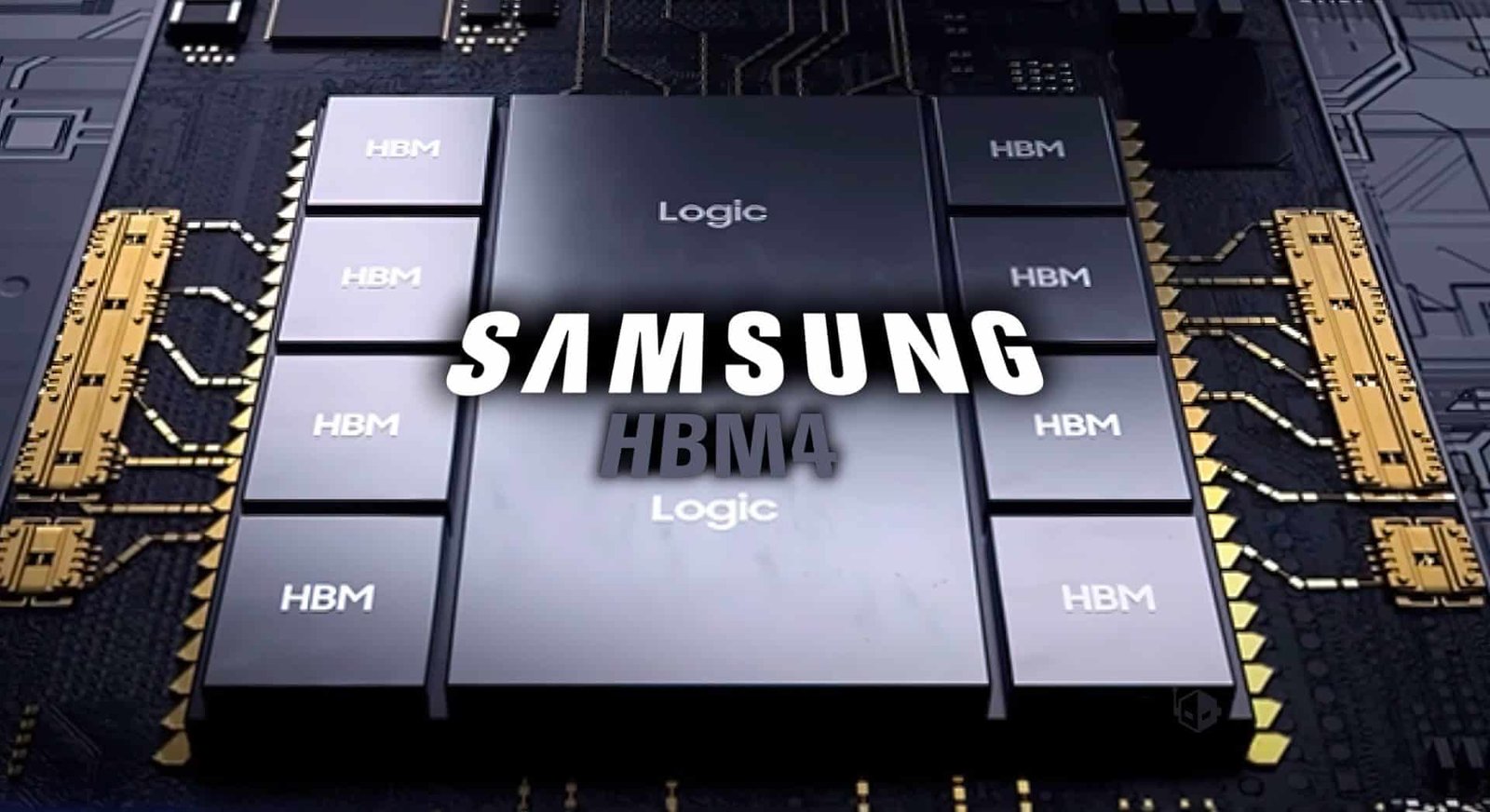
The future of chip making is here, and it’s running on 50,000 NVDIA GPUs.  

Samsung and Nvidia are teaming up to build a high performing AI Megafactory. People are already saying this is the beginning of a huge AI-powered change for industries. This will really change how chips are made and designed. 

This new NVIDIA Samsung AI factory is not just a place where things are built. It’s a smart setup with AI, robots, and new chip ideas all come together. 

NVIDIA’s AI Factory: What’s Up with the Samsung Partnership 

So, Samsung and NVIDIA have been working together for more than 25 years, and now they’re powering things up. They’re planning to build this huge semiconductor factory powered by AI. The idea is to use AI in every part of Samsung’s chip-making procedure. 

Instead of using regular automated systems, the factory will be like a smart manufacturing center. It will analyze things closely, guess what is coming, and tweak production as it goes. 

One of the Samsung employees said it’s like a living, learning factory. It can understand lots of data and change how things are done to make things work faster and better. 

Basically, this NVIDIA Samsung AI factory is a big jump into the whole industry 4.0; it’s where digital intelligence will run physical factories. And the main thing above all? Over 50,000 NVIDIA GPUs. 

The Role of 50,000 GPUs in Action 

This AI factory runs on some serious power: NVIDIA’s top of the line GPU clusters. We’re talking about 50,000 GPUs that won’t just run on deep learning. They will also manage simulations in real-time, predict when machines need fixing, and improve production across Samsung’s plants. 

Digital Twins and Omniverse 

Samsung engineers can build digital twins of entire chip factories with NVIDIA’s omniverse and QERX. These virtual copies mimic real-world situations right down to the tiniest things. 

This helps engineers: 

  • Try out new ways of building chips without stopping the real factory. 
  • Guess when gear will break down before it happens. 
  • Fine tune chip designs and processes to get the most out of everything. 

Think of it as a stimulation that could really shake things up in the semiconductor world. 

AI Chip Making: A Clever Way 

Making chips the old way is super hard. Lots of information can mess with how many chips you get, how well they work, and how much they cost. Samsung’s AI factory changes by using smart computers and live data at every step. 

Faster Chip Design with NVIDIA Software 

One of the toughest parts of making chips is lithography, where you burn the design onto silicon. 

Samsung is speeding this up big time, much like 20 times faster with NVIDIA’s CUDATHO software. This helps engineers tweak designs faster and get more good chips. When things move faster, we get chips sooner. 

AI Learning as It Goes 

Every sensor, robot, and camera in the plant sends information to AI systems powered by NVIDIA. These systems can spot problems right away. This AI learning system makes sure each new set of chips is better than the last, without people even having to tell them what to do. 

Basically, Samsung is not just about using robots; it teaches them how to think for themselves. 

Robots Meets AI 

It’s not just about chips anymore. Samsung wants to see NVIDIA’s AI power to change how factories work with robots and automation. 

Robots that Can Think 

Samsung’s planning to use RTX Pro 6000 Blackwell Server Edition GPUs with Jetson and Thor modules. This should let robots think, learn, and react instantly. 

With this kind of AI, robots can: 

  • Learn new things super-fast. 
  • Move with perfect accuracy, without needing to be constantly reprogrammed. 
  • Work with people safely. 

Think of it as the start of AI-controlled robots, mixing robotics, edge computing, and brain thinking all powered by NVIDIA’s GPUs. 

Chip Factory Automation Gets a Boost with Industry 4.0 

In Industry 4.0, data is super important, and Samsung’s new AI factory is like a gold mine for it. 

The factory will put data from chip design, equipment, and quality checks into one AI system. This system will figure things out as they happen. Because of this, Samsung can guess how many chips they will get, handle energy use, and cut down wasted time at its factories all over the place. 

Smooth Global Setup 

The AI factory setup will be added to Samsung’s big chip plants, even the new one in Taylor, Texas. This will make sure everything is connected digitally.  

With this Samsung can test out production ideas everywhere, make the most of the supply lines, and be sure chips are good no matter where they are made. 

What’s Next for AI Chips? 

The future of making chips isn’t just about making them smaller, its about making the whole process matter. 

Samsung wants to make a complete AI-powered system for chips, from memory to packaging. They are working with NVIDIA’s GPUs to lead the way in AI-enriched chip making, where machines don’t just do what they are told but find better ways to do things themselves. 

Megatron: AI for the Factory 

Samsung already uses its own AI models in a variety of devices. Now, with their Megatron setup, they plan to use similar smart technology for their factories. 

These models will: 

  • Quickly sum up information from all over the factory. 
  • Help teams around the world talk to each other in different languages. 
  • Figure out the best ways to improve how things are made. 

This change will turn factories into smart setups that can make decisions on their own. 

The Market Impact and What’s Next 

A New Bar for Competition 

The NVIDIA and Samsung team up is probably going to shake up the $600 billion semiconductor biz. By mixing AI brains into making chips, both companies are setting a new standard for getting things done faster and better, making more features, and coming up with brand new ideas. 

Other companies like TSMC, Intel, and GlobalFoundries will probably do the same thing, investing alot of money into AI systems, so they don’t fall behind. 

But Samsung’s early advantage helped by NVIDIA’s GPUs and stimulation work might let them lead the way in AI for making semiconductors for years. 

What It Means for Other Industries: 

Besides semiconductors, this deal could change things in other areas: 

  • Telecoms: With smarter mobile networks and better computing at the edge. 
  • Industrial Robotics: Through robots that learn on their own. 
  • Sustainability: AI could help cut down on wasted energy when things are made. 

As these new ideas get better, the line between AI and how things are made will keep getting blurry as it will make manufacturing processes more intelligent. 

Why this Factory is a Big Deal 

The AI factory made by NVIDIA and Samsung isn’t just a big deal for those two tech companies as it’s a look at what the future of factories could be. 

It includes all the main things in today’s modern factories: computers that talk to each other, machines that can guess what will happen next, and equipment that can quickly change to do things better. By collaborating Samsung’s way of making things with NVIDIA’s smart computers, this big factory could be a way for other factories to make things in the future. 

As computers get better at doing factory work, factories won’t just be places to make things; they will be places where machines will learn to make things in a better way. 

Summing Up: The Start of Smart Factories 

Samsung’s Megafactory being built with NVIDIA’s 50,000 GPUs, is a big point in the history of computer chips. 

From making chips with AI to computers controlling chip factories and robots, this is a big step towards factories that can run on their own using information. 

As this project keeps going, one thing is obvious: 

The NVIDIA Samsung AI factory isn’t just about making chips faster as it’s more about making the future a smarter method.