



To sum up: 

  • Intel is working with Saimemory to create Z-Angle Memory (ZAM), a new type of DRAM that stacks RAM chips vertically to boost memory density.  
  • According to PC World, prototypes should be ready by 2027, and the technology could be available for sale by 2030. ZAM may offer a high-bandwidth alternative to HBM for AI servers.  
  • The new technology builds on Intel’s Foveros chip stacking and is designed to reduce power consumption while keeping up with the rising memory demands of AI.  

Intel has introduced the prototype of Z-Angle Memory (ZAM), which it is developing together with Saimemory, a SoftBank subsidiary.  

According to WCCFT Tech, Intel did not have working samples at Intel Connection Japan 2026. However, the event focused on how ZAM could save energy and reduce heat compared to traditional high-bandwidth memory (HBM). It aimed to attract more investment and partners.  

While many people look for affordable DDR memory, large data center companies have brought up most of the available HBMs. This change has led memory makers to focus more on HBMs, affecting the supply of consumer products such as DDR5, DiMMS, and NVMe/SSDs. Intel and Saimemory hope to change this in the future and create new revenue opportunities for Intel, which was a major memory manufacturer until the 1980s.  

At the Japan event, Intel featured key leaders, including Joshua Fryman, CTO of Intel Government Technologies, and Makoto Onho, CEO of Intel Japan. Alongside Saimemory representatives, they represented the new ZAM prototype and explained how its design differs from traditional memory. The memory is stacked vertically and uses Z-Angle copper interconnects that run connections diagonally through the memory stack. This design is said to improve heat flow by creating a central thermal pillar in the chips.  

ProWatch explains that ZAM is built to overcome the heat issues found in traditional flat memory designs. Thanks to its vertical stacking and thermal features, ZAM could offer higher capacity modules than HBM, use less power, and run cooler. It may also cost less to make, but that has not been proven yet.  

Intel is mainly investing in the project, but ZAM will use Intel’s next-generation DRAM bonding (NGDB) technology. This should help ZAM combine the benefits of HBM and traditional DRAM with better energy efficiency. Intel says operations are targeted to begin in Q1 2026, with prototypes in 2027 and commercialization by 2030.  

This step also shows Intel moving away from making only chips and becoming more involved in design. Its US factories want to bring in more third-party design and manufacturing work, and ZAM is another way for Intel to use its technology to create products for other companies.  

All of this follows major layoffs under the new CEO, Lip Bu-Tan, who has managed an integrated relationship with the White House. The government eventually took a 10% stake in Intel.  

Sources:Client Computing 

Intel Shows Off Vertical ‘Z-Angle’ Memory, Promises Big Thermal Boost  

In February 2025, Samsung is focusing its strategy on the Galaxy S25 series, shifting from offering AI as separate features to making it a personal and adaptive core of the device.  

This move toward personal AI includes several important updates:  

  • Agentic AI capabilities: The new system introduces AI agents that can act on behalf of the user. For instance, you can ask the AI to find direct flights to New York and send them to a friend, and it will handle this across multiple apps as a single step.  
  • Contextual Awareness: Galaxy AI learns your habits and anticipates what you need, so you don’t have to ask. Features like Now Brief give you daily highlights and useful tips based on your schedule.  
  • AI Native OS Integration: With one UI 7, Samsung has built AI agents more deeply into the operating system. Rendering interactions feel more natural and human-like.  
  • Hardware Accelerated Intelligence: The Galaxy S25 uses the Snapdragon 8 Elite chip, which boosts NPU performance by 40%. This helps the phone handle demanding AI tasks, like editing videos in real time or generating images, all on the device without needing the cloud.  
  • Privacy First Personalization: To protect your personal data, Samsung has introduced the Personal Data Engine. It keeps sensitive information inside Knox Vault, so third-party apps cannot access it.  

Would you like to learn more about the AI camera features or how this personal AI system works with Samsung’s home appliances? Kindly continue reading for more information.  

Samsung unveiled the next generation of AI-powered experiences with Galaxy AI at Galaxy Unpacked 2025 in San Jose, California.  

On July 22, Samsung Electronics announced the Galaxy S25 series, featuring major hardware upgrades and new AI-driven features. These updates help users to be more creative, connect with others, and handle daily tasks more easily.  

The Galaxy S25 series is more than just a smartphone. Galaxy AI aims to make daily experiences more personal and natural through smart, human-like interactions.  

The Galaxy S25 series has established a new standard of mobile AI innovation through an AI OS we built from the ground up, said TM Roh, President and Head of Mobile experience Business at Samsung Electronics, during his keynote address. Thanks to One UI 7 and its integrated AI agents, users can effortlessly enjoy an increasingly personalized, intuitive, and natural mobile experience than ever before.  

Samsung Newsroom Explored How the Galaxy S25 Series Is Changing How People Use Technology with Its Easy-to-Use Features.  

New Ways to Get Things Done: Smarter Adaptive AI 

The Galaxy S25 series comes with improved AI powered by a new One UI 7 operating system. This update adds tools that simplify daily tasks. For example, Now Brief learns your habits and shows updates like exercise translations and music on your lock screen, so you don’t need to switch between apps.  

AI Select is a new feature in the Galaxy S25 series found in the Edge panel. It works like a personal assistant, quickly summarizing long articles or helping with creative tasks like making colorful images with Drawing Assist.  

With One UI 7, the Galaxy S25 series uses AI that understands speech, images, and text. You can control features with simple voice commands. For example, saying “my eyes are tired” turns on the blue light filter, and asking for a specific photo helps you find it in the gallery app.  

Circle-to-Search can now recognize music playing on your screen without needing a separate app.  

While watching YouTube videos, you can use voice commands like “List the places mentioned in this video and save it as a note.” Galaxy AI, powered by Google’s Gemini, will save the location directly to Samsung Notes.  

The Galaxy S25 series includes a personal data engine developed with Oxford Semantic Technologies that learns your preferences and routines to keep your data safe. It also uses C2PA standards to support honesty and privacy in today’s AI-focused world.  

Samsung is partnering with third-party app developers and AI providers to keep improving Galaxy AI and lead in secure AI innovation.  

New Ways To Play: Power Performance, And Great Visuals 

The Galaxy S25 series runs on the Snapdragon 8 Elite 4 Galaxy Processor, which is much faster and more efficient. It delivers:  

  • 40% better NPU performance  
  • 37% better GPU performance  
  • 30% better CPU performance  

than the previous model, powering its cutting-edge AI features.  

The Galaxy S25 series is designed for gamers, delivering new options for mobile gaming. Its Pro Scalar Display feature uses AI to reduce noise and enhance clarity, creating smoother, more immersive gameplay with Vulkan and Game Engine updates. Ray tracing performance is 40% better, making graphics even more impressive.  

Heat dissipation is another highlight, with a vapor chamber about 40% larger than before. This upgrade guarantees more efficient heat management even during demanding gaming sessions.  

Additionally, the Galaxy S25 series offers longer battery life and speedier charging. Wireless charging speeds have increased to 25W, up from 15W, and the charging time for the 5000mAh battery has been halved from 2 hours to 1.  

The Galaxy S25 Ultra features premium durability, with a new glass-ceramic cover and a stronger display protected by Corning Gorilla Glass 2.  

New Ways to Create: Harnessing the New Camera Possibilities with AI 

The Galaxy S25 series changes mobile photography with its improved ProVisual Engine, bringing new AI camera features. The AI now captures fine details, such as hair texture and sparkle in someone’s eyes, making every photo look more vibrant and lifelike.  

Thanks to better AP performance, the series improves night photography, producing clearer photos in low light. The Galaxy S25 Ultra also features a 50 MP ultra-wide-angle camera, giving you a wider view of landscapes and group photos.  

Video creation is also improved with new AI-powered editing tools. For example, the audio eraser removes unwanted sounds from your videos, helping you capture special moments more clearly.  

New Ways To Stay Healthy: AI For Smarter Health Management 

Samsung Health uses AI to track and analyze key health data, including sleep, heart health, diet, and exercise. This information provides personalized tips to improve your well-being.  

In the future, Samsung Health plans to offer comprehensive health solutions that let you easily manage your health at home.  

Samsung Health also aims to support psychological well-being by adding tools for stress and mental health management. The goal is to become a complete solution for the body and mind.  

New Ways to Manage Homes: The Future of Smart Ecosystems 

Galaxy AI and SmartThings make home management easier through a connected smart ecosystem powered by AI for automation and personalization. SmartThings and Bixby adjust your home to fit your daily routines using voice commands and data from wearables to make life more convenient.  

Galaxy AI and SmartThings now help you care for your family and pets at home. For example, you can check on your pets remotely and even turn on the TV to keep them company. Samsung is also working on pet health care services, like connecting you to pre-vet consultations.  

Samsung is one of the first members of the Connectivity Standards Alliance. The company works with the Alliance to support and promote Matter, a standard for smart home and IoT devices that helps make sure everything works together, is easy to use, and stays secure.  

Efforts For Sustainability: Pursuing A More Circular Approach To The Latest Galaxy Smartphones 

Samsung continues to prioritize sustainability by working to lower its environmental impact. By 2030, the company plans to use at least one recycled material in every part of every mobile product. In addition, the Galaxy S25 will be the first Galaxy smartphone to include recycled cobalt sourced from batteries of previously used Galaxy devices through the circular battery supply chain, with each Galaxy S25 battery featuring at least 50% recycled cobalt. These efforts represent Samsung’s larger goal of exploring how technology can improve people and the planet, creating an equilibrium between innovation and environmental accountability.  

Galaxy Unpacked 2025 ended with a teaser video showing the slimmer yet powerful Galaxy S25 Edge. The preview raised excitement about what innovations Samsung will reveal next. January’s Galaxy Unpacked 25 showcase is in the video below. Stay tuned to the Samsung newsroom for complete coverage of the event and an in-depth look at how the Galaxy S25 series and Galaxy AI are molding the future of mobile innovation.  


Source: [Galaxy Unpacked 2025] Highlights From Galaxy Unpacked: A New Era of AI Integration 

OpenAI plans to retire GPT-4o and several related models on Feb 13, 2026. After this change, GPT-5.2 will become the primary model for professional and creative users, underscoring the company’s focus on personalization and giving users greater control.  

GPT-4o’s Role and User Attachment 

Since its launch, GPT-4O built a loyal user base thanks to its present tone and creativity. Many writers, marketers, and researchers used it for brainstorming and storytelling with OpenAI. When OpenAI first planned to retire it, strong user feedback led to a brief return and influenced the design of GPT-5 features.  

Models Being Phased Out 

OpenAI says GPT-4O, GPT-4.1, GPT-4.1 mini, and O4 mini will all be retired. The company notes that fewer people use these models now that newer ones are available, leading to their retirement. OpenAI can focus on developing a smaller stack of more versatile models for more users.  

Gpt-5.2 And Enhanced Personalization 

GPT-5.2 is now the main model for creative writing, casual chats, and decision-making. Users can easily change the mood, warmth, and enthusiasm of responses without special prompts. OpenAI wants ChatGPT to seem more personal and technically advanced. The update also makes the model more flexible and less likely to refuse tasks, especially for creative work.  

Important Facts And Exams 

  • GPT-4o will be officially retired on February 13th, 2026.  
  • GPT-5.2 is positioned as OpenAI’s default professional model.  
  • Model retirement helps reduce maintenance and focus on innovation.  
  • Feedback directly influenced the design of GPT-5’s features.  

Broader AI Policy and Safety Measures 

This change is part of OpenAI’s wider policy updates, such as new age prediction tools to protect users under 18. These steps seek to keep minors safe while giving adults more control over AI responses. OpenAI says the launch of GPT-5.2 is part of its long-term plan to make both AI more capable and easier to use.  

Source:OpenAI Retires GPT-4o, Makes GPT-5.2 New Professional Standard 

Tech giants and critical infrastructure operators are moving quickly to adopt post-quantum cryptography (PQC). Even though large-scale quantum computers may still be years off, they could eventually break today’s encryption. This urgency is driven by the “Harvest Now, Decrypt Later” (HNDL) strategy, in which attackers steal encrypted data today and decrypt it later using quantum technology. For the power grid, this means long-term data, secure communications, and control systems are already at risk.  

Here are the main reasons for this transition:  

  1. The Harvest Now Decrypt Later Threat. 

Nation-state actors are already gathering and storing encrypted data (such as communications, intellectual property, and operational logs) for later decryption.  

  • Long-lived data: power grid data, including SCADA system logs and infrastructure, often needs to be protected for decades.  
  • Retroactive risk: Information encrypted today could become vulnerable in the next 10-20 years, so current defenses may not be enough for long-term security.  
  1. Vulnerability of Current Infrastructure. 

Current grid security mostly uses RSA and elliptic curve cryptography (ECC). These methods are at risk from quantum algorithms such as Shor’s algorithm, which can factor large numbers much faster than classical computers.  

  • Hired Control Systems. If attacked, Control Systems could be accessed without permission, leading to the execution of fake commands, power surges, or widespread failures.  
  • IoT Vulnerabilities: Modern smart grids use thousands of IoT devices and sensors that are hard to update, making them likely targets for future attacks.  
  1. The Long Time Frame For Transition 

Switching to PQC is not a quick fix. It is a complex, expensive process that can take years.  

  • Extensive inventory: Organizations need to identify all locations where cryptography is used in their systems before they can make changes.  
  • Legacy systems: Many operational technology (OT) systems in the energy sector have lasted 20 years or more, making them difficult to update.  
  • Crypto agility: Tech companies like Google and Microsoft are focusing on it, meaning building systems that can quickly switch to new PQC algorithms as standards change.  
  1. NIST Regulations and Regulatory Pressure 

The US National Institute of Standards and Technology released the first set of PQC standards in 2024 (FIPS 203, 204, and 205), providing companies with a clear roadmap.  

  • Regulatory deadlines: organizations must meet. New rules that require quantum-safe algorithms by 2030-2035.  
  1. Forward Looking By Measures By Tech Leaders 

Major tech companies are already integrating PQC into their services:  

  • Google: Implemented PQC in Chrome’s test builds and internal VPNs.  
  • IBM & Microsoft are offering Quantum-Safe plans and testing PQC algorithms in their cloud services, such as Azure and IBM Cloud.  
  • Industry alliances: The Linux Foundation launched the Post-Quantum Cryptography Alliance (PQCA) to develop open-source software, with members including AWS, Cisco, and NVIDIA.  

To summarize, this switch is urgent because the time-critical data that must remain secure overlaps with the expected arrival of quantum machines.  

What Is Post-Quantum Cryptography, And Why Is It Necessary? 

Post-Quantum Cryptography is a set of cryptographic methods built to resist attacks from quantum computers. These future computers will be able to solve problems that are impossible or extremely difficult for today’s technology.  

Many of the cryptographic methods we use now, including RSA, ECC, and DH, are at risk from quantum algorithms such as Shor’s. A powerful enough quantum computer could break these protections in just hours or even minutes.  

Quantum computers like these are not widely available yet, but experts within post-quantum cryptography agree they will arrive eventually. Michal Mosca, a well-known quantum cybersecurity researcher, explains that if X is how long your data needs to stay safe and Y is how long it takes to update your systems, you should start before X + Y = the arrival of a quantum computer.  

This matters now because of the Harvest Now Decrypt attacks. In these cases, attackers gather encrypted data today, expecting to one day have quantum computers powerful enough to unlock it.  

This means that private information, such as healthcare records, intellectual property, and government messages, could be at risk long after you believe it is secure.  

We are not alone in facing this challenge. The World Economic Forum predicts that 20 billion digital devices will need PQC upgrades or replacements over the next 10 to 20 years. Still, it is important to act with haste.  

Meta Title (60 characters): 
Why Tech Giants Are Moving to Post-Quantum Crypto 

Meta Description (160 characters): 
Tech giants race to adopt post-quantum cryptography to protect grids and data from future quantum attacks and “harvest now, decrypt later” threats. 

Source:Why Your Business Needs Post-Quantum Cryptography: Insights from Industry Experts 

Microsoft is now managing AI as a connected, secure ecosystem rather than as separate tools like Co-Pilot. The main challenge is moving from basic user-driven bots to autonomous AI agents that work with company data and follow strict IT rules.  

Here is a summary of the main challenges, changes from Microsoft Ignite 2025, and recent updates.  

  1. The Shift: From Co-Pilot to Agent Tech AI 360 

Before, Co-Pilot was mostly a chatbot in Word or Teams that answered direct prompts; Microsoft is focusing on Agent Tech AI.  

  • Before: You would ask Co-Pilot to summarize a document.  
  • Now: a specialized agent in Word, Excel, or PowerPoint can manage complex multi-step tasks using context.  
  • Work IQ Layer: The new feature analyzes employee work patterns, meetings, and data to offer context-aware suggestions.  
  1. Governance: Secure By Design (The Big Change) 

The biggest change is that Co-Pilot Studio and Microsoft Purview now help move AI from risky, unmanaged use to controlled, compliant, and governed automation.  

  • Unified control plane: Microsoft now offers a central system for registering, managing, monitoring, and running AI agents, including those from open source and third-party sources.  
  • Data sovereignty: Companies can now use bring-your-own storage (BYOS) to keep their data in their own Azure environment rather than with the AI vendor.  
  • Access Control: AI agents now follow Microsoft 365 permissions and sensitivity labels from Purview, which helps prevent leaks of sensitive HR or M&A data.  
  • Shadow IT prevention: IT managers can now track and manage agents created by citizen developers to stop unauthorized AI tools from spreading.  
  1. Key Differences in the New Era 
Feature Old Co-Pilot (2023-2024)  New unified AI 360/Agentic (2025-2026).  
Primary unit.  Chatbot/Assistant  Specialized agents (Word, Excel, etc.)  
Workflow  Reactive (do prompt it responds)  Proactive/Autonomous (agentic)  
Governance  Decentralized/Limited.  Centralized via Purview/Studio  
Context  Single document/conversation  Work IQ (entire org context)  
Security.  permission-based Zero Trust + Data Sovereignty (BYOS)  

Summary Of What Changed 

A new era is about establishing trust and compliance. Microsoft is helping businesses move beyond the novelty of AI so AI agents can be trusted to work on their own, under the same security rules as employees.  

  • For users: Co-Pilot is getting easier to use with voice interactions and simple actions like triage my inbox.  
  • For IT and leadership: The focus is on tracking agent behavior, meeting EU AI requirements, and showing ROI through secure, well-managed deployment.  

A Connected System, Not Disparate Tools 

These capabilities are not just separate BOTS. They work together in connected, context-aware workflows by linking real-time signals, understanding what is happening, and taking action where it matters most. This helps teams spot issues sooner, fix them faster, and keep improving their cloud setup during development, migration, and operations. The result is not simply fewer tools but a smoother process where people, data, and automation work as one system.  

Governance And Human Monitoring By Design 

Agentic cloud operations are designed for machine-critical systems where governance and control are essential. Azure Co-Pilot includes governance at every level, so organizations can set boundaries, apply policies consistently, and keep clear oversight. Features like “bring your own storage” (BYOS) for conversation history give customers more control by keeping their data within their own Azure environment, which helps ensure sovereignty, compliance, and visibility on their own terms. Microsoft’s Responsible AI principles guide all on this, so autonomy and safety grow together. Every action taken by an agent follows existing policy, security, and RBAC controls. Actions can always be reviewed, traced, and audited, so manual supervision stays at the center of automated workflows.  

Operating With Confidence As The Cloud Evolves 

As cloud environments become more dynamic and complex, operational models need to keep up with Azure Co-Pilot and Agentic Cloud Operations. Microsoft helps organizations run mission-critical environments faster, with greater clarity, and with greater control. This gives teams the confidence to move forward as the cloud continues to evolve.  

Source:Agentic cloud operations: A new way to run the cloud 

Samsung Electronics, a global Olympic and Paralympic partner, shared its plans to make the Milano-Cortina Winter Games more connected by bringing mobile innovation and Galaxy AI to the event experience.  

People now experience the Olympic and Paralympic Games in new ways, not just at one venue but through a single broadcast. This is especially true for Milano-Cortina 2026, which spans many locations. Samsung aims to use technology to bring athletes, fans, and the Olympic community closer together during the games by supporting key operations such as:  

  • Delivering new views with Opening Ceremony Live Broadcast Integration with the help of Olympic Broadcasting Services (OBS). Galaxy 25 Ultra will be used during the Opening Ceremony to capture fresh viewpoints alongside traditional broadcast cameras, broadening coverage and fitting smoothly into production workflows.  
  • Making on-site communication easier for volunteers: Some volunteers will use Galaxy devices with interpreters powered by Galaxy AI to talk easily with athletes, officials, and visitors. Since translations happen directly on the device, communication stays quick and reliable across many locations of Milano-Cortina 2026.  
  • To support officiating and competition monitoring, Samsung monitors will be used at short-track speed skating events, providing high-quality displays to support event operations.  
  • Supporting fans’ devices charged with Samsung charging stations: Samsung will provide charging stations so people can keep their devices powered during long event days, helping everyone stay connected throughout the games.  
  • Bringing athletes’ media and partners together at Samsung House: Samsung will set up a special hub where people can experience the company’s Olympic technology, share stories, and connect during the games.  

At the heart of Samsung’s role at Milano-Cortina 2026 is a clear ambition: to connect athletes and fans in every moment and help remind everyone that the Olympic Games are about people, said Stephanie Choi, EVP and Head of Mobile Marketing Center, Mobile Experience (MX) Business at Samsung Electronics. As the way viewers today watch, share, and experience the Olympic and Paralympic Games continues to change, mobile technology plays an increasingly important role in helping athletes, fans, and communities stay connected and get closer to the action, the emotion, and each other.  

Opening Ceremony Live Broadcast Integration to Deliver Dynamic Perspectives 

To enhance the opening ceremony, Galaxy devices will be used throughout the live broadcast setup, thanks to the Galaxy S25 Ultra’s portability, camera quality, and 5 G. These smartphones will be placed next to regular broadcast cameras in spots like above the field in the stands. And at athlete entrances, they will record real-time on-site views without interrupting the usual broadcast processes.  

Beyond the devices themselves, Samsung is working closely with the International Olympic Committee (IOC) and Olympic Broadcast Services (OBS) to help ensure Galaxy-based capture integrates seamlessly into the overall live broadcast environment.  

The opening ceremony at San Siro Stadium will host over 75,000 spectators on February 6 as more than 3,500 athletes from over 90 countries enter to start the Olympic Winter Games by teaming up with OBS and using Galaxy Devices. Samsung will help connect people in the stadium with millions watching around the world.  

The Olympic Games constitute a celebration of human excellence and unity, bringing athletes and audiences together around the world, said Tiannis Exarchos, CEO of OBS. The opening ceremony embodies that spirit, and through our partnership with Samsung, we can gain dynamic perspectives that complement our core broadcast coverage through dedicated mobile storytelling. The way millions of fans experience the games on their smartphones. Viewers feel closer to the energy and emotion of this historic moment.  

Supporting Volunteers’ Operations and Game Time Experience 

Beyond the opening ceremony, Galaxy Technology will help daily operations proceed smoothly at Milano-Cortina 2026 across all venues and locations.  

Some volunteers at the Olympic Games will use Galaxy devices with Interpreter powered by Galaxy AI to help them communicate easily with athletes’ officials and visitors in different languages. Since translation happens on the device, conversations are quick and smooth, allowing volunteers to focus on the games, welcoming, and being friendly.  

As we prepare for the most geographically widespread Winter Games in history, the role of technology shifts from a simple tool to the essential fabric holding our vision together, said Andrea Varnier, CEO of Milano-Cortina 2026. Samsung innovation is fundamental in bridging the distances between our venues, transforming the vast Milano-Cortina 2026 territory into a single unified arena. Their state-of-the-art solutions do more than support our operations; they change how the world perceives the spirit of the games, making certain that the human bond remains at the core of this digital evolution.  

Galaxy charging stations in stadiums across host cities will help spectators keep their devices charged during long event days. This support helps everyone stay present and enjoy the special moments that only happen every four years.  

In the competition menus, Samsung technology will support officiating and operations. Samsung monitors will be used at short-track speed skating events to provide high-quality displays for event staff.   

Source:Samsung Connects Athletes and Fans to Milano Cortina 2026 Moments With Mobile Innovation 

In early 2026, NASA ramped up its push to move space technology into the private sector by issuing notices of intent to grant exclusive patent licenses for new inventions. As featured in the spin-off 2026 publication, this effort enables private companies, including startups, to secure exclusive or shared rights to NASA-patented inventions, sparking a rush to commercialize these technologies.  

Key 2026: Patent Licensing Developments 

NASA’s Technology Transfer Program is looking for partners to help bring new inventions to market:  

  • In February 2026, NASA said it planned to give Outpost Technologies Inc. (Huntsville, Alabama) an exclusive license for a ruggedized, miniaturized infrared camera system for aerospace environments (US patent 11622062B1).  
  • In January 2026, NASA announced plans to grant exclusive or shared licenses to World AI LLC (Conover, North Carolina) for patents covering damage detection systems and methods for mapping anomalies in uniform materials.  
  • Encourage commercialization. The initiative grants startups a no-upfront payment policy for the first 3 years. Standard royalties are collected only after product sales begin.  
  • This is the 50th edition of NASA’s Spin-off, which features 20 technologies ready for commercialization in its Spin-offs of Tomorrow section. These are part of a larger portfolio of more than 1,300 patents available for licensing.  

2026 Gold Rush Technology Areas 

These available technologies cover a range of sectors and aim to bring space innovations into everyday use:  

  • Advanced materials and manufacturing include high-temperature alloys such as GRX 810 and 3D-printed metal alloys.  
  • AI and software offerings feature machine learning, data analytics, and self-driving navigation systems for robotics.  
  • Sensors and instrumentation include high-rate, delay-tolerant networking software and specialized imaging systems.  
  • Aerospace and Defense Technologies feature airless, super-elastic Metl tires engineered for the 2026 Fetch rover, as well as specialized coatings and cryogenic non-pneumatic alloys.  

How The Licensing Process Works 

  • NASA publishes notices of intent in the Federal Register, which opens a period for public comments or objections. For example, some cases allow comments until February 26, 2026.  
  • Companies can negotiate exclusive rights to certain patents for specific uses.  
  • Agencies are required to create a commercialization plan and report on their progress toward practical application.  

Along with the planned 2026 launches, such as the Sunrise mission and the Nancy Grace Roman Orbital Telescope. These efforts are accelerating the private-sector commercialization of space technologies.  

NASA is offering start-up companies the opportunity to license patented NASA technology without upfront costs. The start-up NASA initiative helps start-ups tackle two common challenges: raising money and securing intellectual property rights.  

NASA’s technology transfer program was created to help high-tech businesses grow and support American innovation. Startups can choose from over 1,200 patented NASA technologies, including materials, coatings, sensors, aeronautics, and instrumentation.  

The startup NASA initiative uses our state-of-the-art research and development, so entrepreneurs can take that research and some risks to create new products and services, said David Miller, NASA’s chief technologist.  

It is easy to find licensed technologies. NASA has set up an online patent portfolio with 15 categories, each containing patents protected under US government law. After choosing a technology, startups can complete and submit an application on the website.  

The license is free, but start-up companies need to follow these guidelines:  

  • This offer is only available to companies created specifically to commercialize NASA technology.  
  • No upfront payment means NASA does not charge initial licensing fees, and there are no minimum fees for the first three years.  
  • When the company begins selling a product, NASA will collect a standard net royalty fee payment first, with the rest supporting NASA’s technology transfer and advancement efforts.  
  • This announcement is for Non-Exclusive Licenses, so other companies can also apply to use the technology for commercial purposes. If a startup wants more exclusive rights, NASA is open to negotiation.  
  • Companies that obtain these licenses must comply with all federal licensing laws and NASA policies. This includes making a commercialization plan and reporting on their progress toward practical use.  

To learn more about this program, visit http://www.technology.nasa.gov/startup. 
 

Source:NASA Offers Licenses of Patented Technologies to Start-Up Companies 

The physical AI home, a key trend at CES 2026, signals a shift as artificial intelligence moves from digital screen-based users, such as chatbots, into the real three-dimensional world.  

Now, robots and smart devices can sense, understand, and interact with their surroundings to help with household chores.  

Key Aspects of Physical AI Home: 

  • Physical AI combines Generative AI with sensors, cameras, and robotics so that machines can understand, predict, and act in the real world as events unfold.  
  • Just as Generative AI helped machines learn to communicate, Physical AI is now teaching them to perform physical tasks like cleaning, tidying, and managing household chores.  

Key Home Applications 

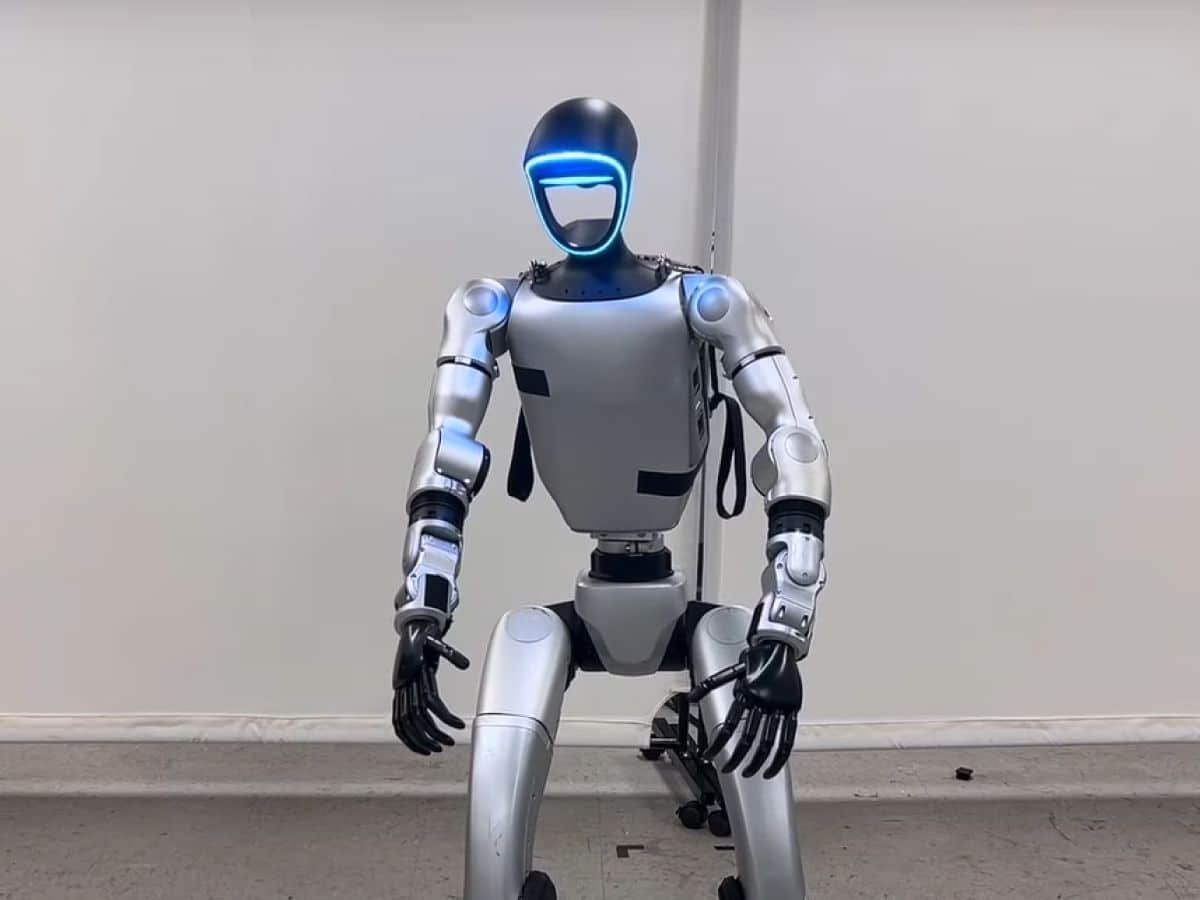
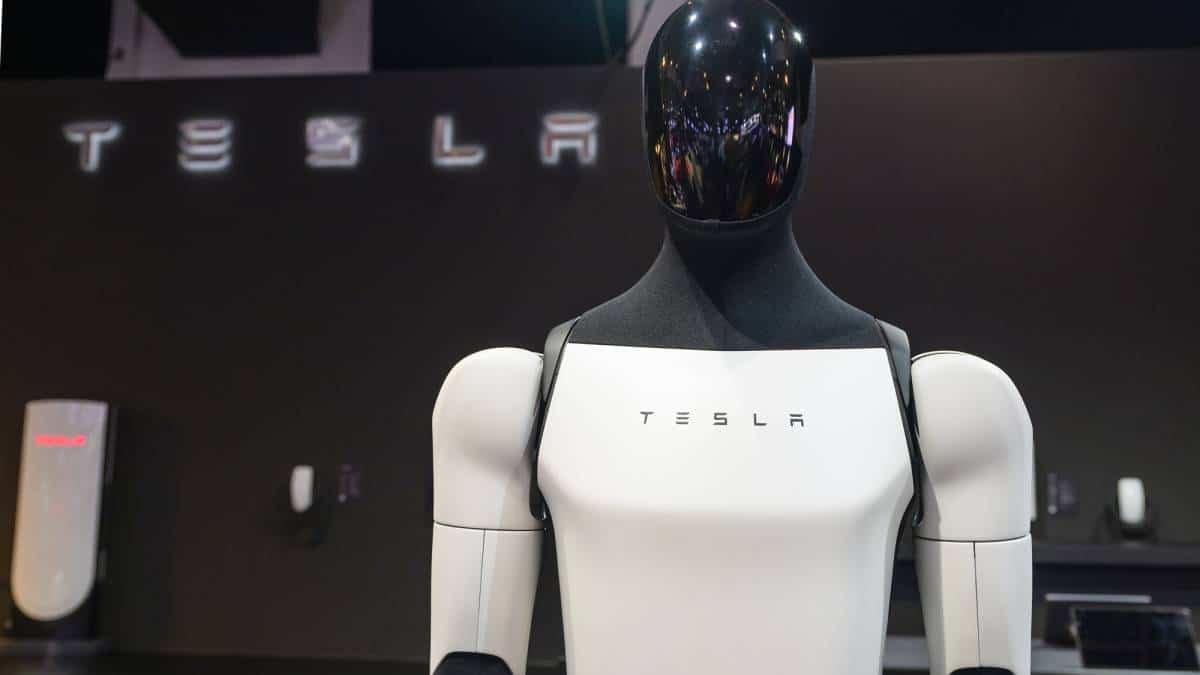
  • Humanoid robots can now fold laundry, make breakfast, and serve drinks.  
  • Advanced smart appliances use built-in sensors to adjust lighting, save energy, and learn your habits as you use them.  
  • New robot lawn mowers and yard systems can operate without boundary wires, using LiDAR and cameras to navigate and avoid obstacles.  

Robotics-based models now enable robots to operate in changing, unpredictable environments rather than following fixed routines.  

Companies train robots in virtual environments, called digital twins, before deploying them in the real world. This makes the process much safer and more efficient.  

The 2026 Tipping Point: 

What was once a niche or lab experiment is now reaching a turning point in 2026 as technology and buyer demand finally meet. Investment is booming, with billions of dollars going to robotics start-ups, and big tech companies like NVIDIA competing to lead in AI for robots.  

Challenges and Outlook 

Even with this progress, there are still major challenges, such as the high cost of building humanoid robots ($20,000+) and the need to make them safer and more reliable. Still, experts think these AI systems will soon become everyday tools, not just novelties.  

Samsung’s first home AI orchestrator goes into mass production this week, marking a big shift away from using apps or voice commands in households. This new device, called the AI Home Companion Hub (internally), serves as the main control center for Samsung’s 2026 Bespoke AI system. At the center of this mass production ramp-up is a multi-chiplet device powered by the newly unveiled Qualcomm DragonWing AI chipset.  

Unlike previous smart-things hubs that merely acted as bridges, the orchestrator features on-device large language models (LLMs) and Vision AI. This allows the system to see and understand the home environment in real-time, coordinating between appliances without relying solely on cloud processing.  

At Samsung’s First Look event at CES 2026, the company said the orchestrator’s main goal is to create a zero-housework home using data from Galaxy Wearables, Bespoke AI appliances, and Vision AI TVs. The orchestrator can manage the home on its own.  

  • For laundry, the Bespoke AI Air Dresser automatically lines up based on the fabric types identified by the AI laundry combo.  
  • In the kitchen, it uses AI vision inside to track grocery expiration dates and suggest meal plans based on family health data from Samsung Health.  
  • It also adjusts lighting, humidity, and temperatures to match your circadian rhythm and sleep data from the Galaxy Ring or Watch.  

Flawless Integration via HBM4 and SmartThings 

Samsung’s timing for mass production lines up with the start of HBM4 high bandwidth memory production, which gives the orchestrator the speed it needs to handle many AI tasks at once. This hardware enables it to manage up to 500 million connected devices worldwide on the SmartThings network, including third-party Matter-compatible devices.  

Security and Agentic Privacy 

A key feature of these units is the Knox Matrix security layer. Since the orchestrator handles sensitive tasks, such as hiring someone through Thumbstack to fix a dishwasher leak, Samsung uses hardware-level encryption. Every decision the orchestrator makes is recorded in a blockchain. It is a cloud-based system, so users can see exactly what happened while they were away.  

Availability and Global Rollout 

With high-volume manufacturing now that Samsung is making these devices in large numbers, the Home AI Orchestrator should be available worldwide by late Q1 2026. The first shipments will go to North America and Europe, where there is strong demand for energy-saving, AI-powered home solutions. With its goal of 800 million AI-powered devices by the end of the year, the Home AI Orchestrator serves as the defining piece of hardware that turns a collection of small gadgets into a single thinking companion.  

Source: Samsung To Unveil New AI-Connected Living Lineup at CES 2026 

Tech emergencies can be to anyone at any time, whether if a laptop gives a technical issue during any important project, or any of the smartphone is suddenly dead during a family vacation. Or if a house network is disrupting just before any important office meetings. In US, where more than 90% of households who depend on functioning tech for their livelihood, entertainment, and living, such events are not only frustrating but can also cause serious disruptions to productivity and peace of mind.  

Lets dive deep into the article for the tech emergency checklist. 

Why Preparation Matters 

Preparation matters because the tech problems lead to a great disturbance in work, family and finances in the US. So, the checklist helps in avoiding downtime and also many unusual mistakes such as hardware malfunctioning. Transforming potential chaos into tiny mistakes can be corrected. 

Essential Tools Inventory 

Stock these basics for any tech crisis. Keep them accessible in a dedicated kit. 

Item Purpose Recommended Options 
External hard drive (1TB+) Data backup Western Digital My Passport   
USB flash drive (128GB) Quick file transfer SanDisk Extreme Pro 
Portable power bank (20,000mAh) Device charging Anker PowerCore   
Multi-tool screwdriver set Hardware repairs iFixit Pro Tech Toolkit 
Ethernet cable (CAT6) Wired network fallback Amazon Basics 10ft 
Bootable USB (Windows/Mac) System recovery Created via official tools 

These items cost under $150 total and cover 80% of home emergencies. 

Data Backup Strategies 

Data backup is a critical process that helps to safeguard against permanent loss in the event of device failure, and the 3-2-1 approach ensures that you have three copies of your data on two different media types, with one copy being offsite.  

For your incremental backups, you can use native software such as Windows Backup or Time Machine on Macs, and you can set up automations to external hard drives or cloud storage such as OneDrive or iCloud. To complement this, you should perform weekly full backups by copying your critical files such as documents and photos to external hard drives, and you should test restores every quarter. 

Backup Type Frequency Storage Options Pros Cons 
Local (External Drive) Daily/Weekly HDD/SSD Fast, private Physical theft risk 
Cloud (OneDrive/Google) Real-time Internet-based Offsite, accessible Subscription fees, bandwidth 
Hybrid (Both) Continuous Combined Redundant protection More setup time   

Common Device Failure Diagnosis 

Diagnosis identifies issues before escalating panic. Start with simple checks. 

Firstly, power problems like verifying cables, outlets and the batteries, so then test on another power sources. Secondly, overheating comes then clean vents with compressed air, use hard surfaces. Lastly, run disk cleanup and check the task manager windows 

Symptom Quick Diagnosis Steps Likely Cause Fix Time 
Won’t turn on Check power button, cable, LED lights Dead battery/outlet 5 mins 
Blue screen/crash Boot in Safe Mode; scan for malware Software conflict 15-30 mins   
No Wi-Fi Restart router; forget/rejoin network Driver issue 10 mins 
Strange noises Inspect fans/hard drive Hardware failure Call pro if persistent 
Frozen screen Force restart (Ctrl+Alt+Del) RAM overload 2 mins   

Network Outage Response 

US citizens are mostly dependent on the internet for streaming, business calls, and smart home devices. To resolve the issue systematically, one should begin with the standard modem/router reset, where one disconnects both devices for 30 seconds and then turns on the modem first after reconnecting it to power and then the router once its lights are stable.  

As a temporary fix, one should use a mobile hotspot with the data connection on the phone. Finally, to document any outage at the ISP level, use their official app or a real-time status checker like Down Detector. 

Outage Type Immediate Action Tools Needed Expected Downtime 
Home Wi-Fi Power cycle equipment None 5 mins 
ISP-wide Check status sites Phone data 1-4 hours 
Device-only Update drivers Ethernet cable 10 mins   

Software and Update Protocols 

Outdated software invites vulnerabilities. Automate where possible. First, Enable auto-updates for OS, apps, and antivirus. Use tools like Windows Update or Mac App Store. Lastly, scan weekly with free options like Malwarebytes. 

Platform Update Method Frequency Extra Step 
Windows 11 Settings > Update & Security Automatic Restart weekly 
macOS Sonoma System Settings > General Automatic Check monthly   
Android/iOS Settings > Software Update Auto Clear cache bi-weekly 
Browsers Chrome/Firefox auto Daily Enable notifications 

Patch Tuesday (Microsoft’s monthly release) aligns with US business cycles. 

Hardware Troubleshooting Steps 

Physical issues demand caution to avoid warranty voids. Mostly observe the safety like error lights or the beeps without disassemble. Then perform external tests with another devices. Remove extra RAM. 

Hardware Issue Checklist When to Seek Help 
Laptop screen black External monitor test If no signal 
Desktop no POST Reseat RAM/CPU cooler Persistent beeps   
Phone won’t charge Clean port, try cable Battery swelling 
Printer offline Firmware update Jammed paper path 

Security Incident Protocol 

Ransomware or breaches require isolation first. 

  • Disconnect from the internet immediately. 
  • Change passwords from a clean device. 
  • Run full antivirus scans. 
Incident Level Response Priority Contacts 
Suspicious popup Close tabs, scan None 
Locked files (ransomware) Isolate, backup restore FBI IC3 hotline   
Unauthorized access Password reset, monitor Credit freeze via Equifax 

Report to FTC at identitytheft.gov for US residents. 

Family Emergency Drills 

Practice each month with family members. Practice scenarios such as “phone is dead during the storm.” 

  • Assign tasks: One person handles backups, another handles networking. 
  • Responses should take less than 10 minutes. 
  • Review and update checklist after drill. 
Drill Scenario Duration Success Metric 
Data recovery 15 mins Files accessible 
Full outage 20 mins Alt communication up 
Device swap 10 mins Work resumes   

Builds confidence for real events. 

Long-Term Prevention Plan 

  • Make habits a part of your routine. 
  • Full system audits quarterly. 
  • Annual hardware upgrades. 
  • Review insurance for tech protection (such as AppleCare+). 
Month Task Responsible 
January Backup test, inventory update All 
April Software deep clean Tech lead 
July Drill + router firmware Family   
October Security audit Individual 

Consistency averts 90% of emergencies. 

By incorporating this tech emergency checklist into your life,being proactive with data backups, diagnosis checks, having the right tools on hand, and practicing drills with your family, you can ensure that downtime is kept to a minimum, safeguarding your work, memories, and connectivity in the always-connected US lifestyle. Begin today by taking an audit of your system, setting up your first backup, and running a test drill. 

FAQS 

1. What should I put in a minimum tech emergency kit? 

Add basics such as an external hard drive for data storage, a portable power bank, USB drives, a multi-tool screwdriver set, Ethernet cables, and bootable recovery USBs. These address most device failure issues and cost less than $150 combined. 

2. How can I properly implement the 3-2-1 backup solution? 

Keep three copies of your data on two types of media, and one of these copies should be offsite or in the cloud. For instance, you can use an external hard drive for daily backups and OneDrive for real-time cloud syncing to safeguard against data loss. 

3. What are the initial steps for device failure diagnosis? 

Begin with power, overheating, and performance analysis using tools such as Task Manager. Consult symptom charts for immediate solutions such as safe mode starts or malware scans before seeking professional help. 

4. How can I be ready for a network outage in my home? 

You can power cycle your modem and router, use a mobile hotspot, and check the status of your ISP on websites such as Down Detector. You should have Ethernet cables on hand for wired backups. 

5. Why should I conduct family tech emergency drills? 

Simulating drills every month helps you develop the habit of acting quickly, assign responsibilities, and make sure that all members of your family can recover data or restore your network in less than 20 minutes.

Source-  

📋 Checklist | Don’t Panic Protocol 

Handling Tech Emergencies with Confidence: Solving Issues Like a Pro | Blog // ITECS 

The IT Emergency Toolkit: What Every Business Should Have Ready – Tier3 Solutions 

Your digital emergency preparedness checklist – For Your Life

In today’s rapidly changing digital environment, software updates promise improved security, bug corrections, and additional functionality, but they often go away with failed update messages or update stuck situations that can interfere with productivity and make devices inoperable. Whether you are a Windows  expert in New York struggling with a problematic feature update, a Mac artist in California experiencing Sonoma update reversal issues, or an Android fan in Texas struggling with OTA update problems, millions of Americans are impacted every month. 

This article gives you the solutions you need to take back control without tech support or data loss. 

Diagnosing Update Stuck Issues 

When the updates get hung up at 0%, 99%, or at the infinite wheel of death, check the background processes first. The Windows Update is hung up because of third-party antivirus software, while the macOS update is hung up on transitions from Ventura to Sequoia because of APFS volume errors. 

Almost here the update stuck issue on Android is most commonly related to Google Play Services overload, a force stopping it through Settings fixes 70% of issues. Furthermore, only iOS users experience the issue after the iOS 18 update due to cellular data limits. 

Symptom Platform Quick Diagnostic Steps 
Stuck at 0% Windows Run sfc in admin CMD 
Frozen progress bar macOS Disk Utility > First Aid 
Endless reboot Android Boot to recovery mode 
Spinning wheel iOS Volume up/down + power for recovery   

Windows Rollback Procedures 

For Windows, rollback will reinstate the earlier version in the first 10 days after a feature update. Go to Settings > Update & Security > Recovery > Go back to the previous version if update failed after a system reboot. 

Secondly comes the safe mode – hold power, tap restart in safe mode, ultimately the rogue apps cause update stuck. Then google enables A/B seamless updates with the automatic rollback on the boot failure after 72 hours of time span. 

Step Action Command/Tool Notes 
Entering safe mode Press Shift during reboot → Troubleshoot > Advanced > Startup Settings Disables non-essential drivers/services for troubleshooting  
Remove recent updates in safe mode msconfig or DISM Dism /Online /Cleanup-Image /RestoreHealth repairs corrupted components  
Manual rollback for cumulative updates PowerShell Get-Hotfix | Remove-Hotfix targets specific KB patches  
Enterprise snapshot solution RollBack Rx Creates full drive snapshot pre-update for instant reversion  
Rollback Method Time Required Best For 
Built-in Go Back 30-60 mins Feature updates 
System Restore 15-45 mins Driver/KB patches 
RollBack Rx Pro Under 5 mins Enterprise fleets   
DISM Reset 20-90 mins Corrupted components 

macOS Safe Mode and Rollback 

The Sonoma update is unsuccessful, then one can start your Mac in Internet Recovery mode (Option + Command + R keys) and reinstall using the terminal command: software update -fetch-full-installer – full-installer-version 14.5. Temporarily disable SIP to force the update of stubborn drivers: csrutil disable in recovery mode. 

Targeting the Disk Mode helps Mac users to share disks for manual file reversal with no requirement for a complete wipe. 

Here is the tabular form of mac recovery option 

macOS Recovery Option Key Combo Use Case 
Safe Mode Shift Test extensions 
Recovery Cmd + R Reinstall OS 
Internet Recovery Opt + Cmd + R No bootable drive 
Target Disk Data salvage   

Android Rollback Techniques 

Android rollback is awesome with custom recoveries like TWRP on stock ROMs, while stock ROM users have no choice but to use a factory reset. Update failed on Pixel/Samsung: Boot to recovery mode (Power + Vol Down) and perform OTA sideload. 

Safe mode removes misbehaving apps, causing the update to be stuck. Google Fiets allows A/B seamless updates with automatic rollback on boot failure after 72 hours. 

Device Safe Mode Entry Rollback Tool 
Pixel Hold Power > Restart Factory Images via ADB 
Samsung Vol Down + Power Odin with stock firmware 
OnePlus Hold Vol Down Local upgrade APK 
Generic Power + Vol Up/Down TWRP restore   

iOS Update Fixes and Rollback 

ios does not give any direct rollback, but the DFU mode restores the minimum updates on failed devices. which connects to Finder, enables a fast Start emergency rollback restores betas by deleting profiles. 

Safe mode equivalent: Airplane mode + no SIM during update. 

iOS Error Fix Method Data Loss Risk 
Verify failed Remove beta profile Low 
Stuck extracting DFU + IPSW Medium 
Beta rollback Configurator 2 Low 
Jailbreak detect Alt + Restore   High 

Enterprise Rollback Best Practices 

In american companies, failed update rollbacks across fleets require the use of Hexnode or PDQ. Pre-update snapshots with Reboot Restore Rx automatically revert on reboot. 

Use canary rollouts: Roll out to 5% of devices first. Hexnode’s playbook temporarily stops policies during rollout, capping problematic patches. 

Tool Key Feature Pricing Tier (2026) 
Hexnode UEM Rapid patch pause $1-6/device/mo 
RollBack Rx Server Sector snapshots $50/user/yr 
PDQ Deploy Vulnerability revert $1,300/100 nodes 
Horizon Reboot Restore Auto-baseline $7/PC/yr   

Prevention Strategies 

Always schedule the updates outside of the hours through WSUS for windows domain and the Windows update cache needs to be cleared weekly. 

Enable auto-backups: Time Machine hourly, Google One daily. 

 Tracking through Event Viewer filters for KB numbers before deployment. 

Prevention Step Frequency Impact 
Cache clear Weekly High 
Driver update Monthly Medium 
Snapshot backup Pre-update Critical 
Canary test Every patch   High 

Troubleshooting Advanced Cases 

Solving more complex issues such as boot loops on an update stuck on Windows requires platform-specific methods to quickly stabilize the system. On Windows, Automatic Repair can be accessed through recovery options, and the Command Prompt can be used to execute bootrec to repair the boot sector. 

Issue Platform Solution Steps Notes  
Boot loops after update stuck Windows Automatic Repair > Command Prompt: bootrec /fixmbr Restores boot sector; run in recovery 
NVRAM flush macOS Recovery mode (Cmd + R) > reset password utility Clears firmware variables post-update 
Multi-OS dual-boot issues All Run chkdsk /f on all partitions via admin CMD Fixes file system errors across drives 
Enterprise fleet rollbacks SCCM/AD Deploy automated rollback scripts overactive Directory groups Scales to thousands of endpoints  

In conclusion, addressing the failed update or the stuck problems using rollback and safe mode which builds the US natives the power to quickly stabilize their required devices on Windows, macOS, Android, and iOS. By focusing on diagnostics, utilizing native recovery options, and implementing enterprise-level prevention techniques such as snapshots and canary testing, you can ensure seamless updates instead of experiencing endless mess. 

FAQS 

Q1: What is the first step in dealing with a failed update on Windows? 

When the update failed error message appears on Windows, boot in safe mode by rebooting with Shift, then go to Settings > Update & Security > Recovery > Go back. Flush the update cache using Command Prompt (to avoid loops, since file corruptions are responsible for 60% of problems. 

Q2: How do I access safe mode on macOS to resolve update stuck errors? 

Start with Shift to boot macOS in safe mode, which disables third-party extensions that lead to update stuck freezes. From there, use Disk Utility First Aid or Time Machine for rollback, which is perfect for Sonoma or Sequoia freezes that don’t affect data. 

Q3: Can I rollback an Android update that’s causing issues? 

Yes, boot Android to recovery mode (Power + Vol Down) and sideload the previous OTA or factory image via ADB for rollback. For update failed cases, safe mode (long-press Power > Restart) identifies app culprits; Pixels auto-rollback after 72 hours via A/B partitions.  

Q4: What’s the safest way to fix iOS update failed errors? 

Remove beta profiles in Settings > General > VPN & Device Management, then retry via Finder with an IPSW file (Alt-click Update). For severe update stuck, use DFU mode (rollback equivalent) but back up first avoids full erase in 80% of cases.  

Q5: How do enterprises handle mass update failed scenarios? 

Use tools like Hexnode or PDQ for bulk rollback and pause deployments mid-failure. Pre-update snapshots via RollBack Rx revert fleets instantly; canary testing on 5% of devices catches bad patches early, minimizing US business downtime.

Source-  

The Patch Rollback Playbook: Recovering from Bad Updates 

Understanding Rollbacks in Software Development – Harness IO 

 Master Rollback Windows After Bad Update Solutions Horizon DataSys Corporation