Mobile technology is changing fast as the line between smartphones and wearables blurs. In early 2026, Google introduced the Android 17 secure companion API to unify wearable security. This update is more than a minor change for developers and manufacturers. it sets a new standard for biometric authentication in the Android ecosystem.  

The Problem of Peripheral Trust 

Until recently, connections between an Android device and a wearable such as a smart ring, augmented reality (AR) glasses, or a fitness tracker used loose protocols. Bluetooth, a short-range wireless technology, and Ultra Wide Band (UWB), a technology for accurate device positioning, provided the connection. Trust was managed by the wearable itself, sometimes poorly. The lack of consistency led to security gaps, especially as wearables began handling tasks such as payments, door unlocking, and accessing health records independently.  

The Android 17 Secure Companion API shifts the core trust point to the phone’s secure hardware. With a unified handshake, biometric checks on wearables are as secure as those on the phone itself, closing security gaps. AI wearables are no longer the weak link in digital security.  

Technical Architecture of the Secure Companion API 

The API uses Android 17 Strongbox, a secure hardware module for storing cryptographic keys, for remote biometric checks. The wearable sends an encrypted (encoded for security), salted (a random value added for greater security) biometric hash (a digital fingerprint of biometric data) to your phone.  

The host device, usually your phone, then performs the verification within its Trusted Execution Environment (TEE), which is a secure area of the main processor. If the signatures match, the host issues a short-lived trust token (a temporary digital credential) to the wearable, authorizing specific actions for a set duration. The architecture ensures that sensitive biometric templates are never permanently stored on the wearable itself, which is often more susceptible to physical tampering or theft than a smartphone.  

The API also adds a feature to maintain identity continuity. You stay logged in as long as your wearable is near your phone and in contact with your skin. If you remove a smart ring, the API cancels all trust tokens immediately. You need to re-authenticate with your biometrics.  

Standardized Biometrics for a Multimodal World. 

What makes the Android 17 secure companion API stand out is its flexibility. By 2026, biometrics will be more than just fingerprints. Now, things like how you walk or the rhythm of your voice can also be used to identify you.  

By providing a standardized interface, Google is enabling specialized hardware manufacturers to plug into Android’s security stack without having to write their own, often buggy, middleware. Whether a developer is working with a high-end medical-grade sensor or a consumer-grade gesture controller, the Secure Companion API provides a consistent set of calls to request authentication, check trust status, and handle secure key exchanges. This level of standardization is accepted to accelerate the adoption of invisible security, in which devices recognize who you are based on how you interact with them.  

Supporting The Next Generation Of AI Wearables 

The API release aligns with the AI wearable boom of late 2025, which brought more personal agents. These need access to emails, financial, and security systems. Without a standard for identity, agents remain limited to simple tasks.  

Thanks to the Android 17 Secure Companion API, AI-powered devices can now handle important tasks. For example, AR glasses could approve a wire transfer after checking your retinal scan, or a smartwatch could assign a legal document using your heart rate gun verified by your phone. This is the usefulness of a secure, standardized API.  

Privacy and the Zero-Knowledge Framework 

Privacy advocates have long raised concerns about the centralization of biometric data. In response, Google has implemented a zero-knowledge proof (ZKP) system in the secure companion API. This ensures that when your wearable and phone communicate, they verify your identity without exchanging raw biometric data. By keeping users’ biological data private and secure, Google aims to build trust, the trust necessary for the long-term success of AI wearables.  

Implementation and Developer Adoption 

For developers migrating to the secure companion API, it is designed to be relatively painless. The API works with Jetpack Compose for Wear and provides simple tools for managing complex cryptographic steps. Companies have reported significant reductions in development time. Offloading security logic to the Android OS allows companies to focus on core products, such as better health tracking, more immersive augmented reality, or more responsive AI agents. The API includes a compatibility layer for older hardware, so devices built in 2024 and 2025 can gain some of the security benefits of Android 17 through software-emulated trust zones.  

The Road Ahead: Toward a Passwordless Future 

The release of the Android 17 Secure Companion API is a big move toward a passwordless future. As our devices get smarter and more personal, we won’t need to rely on passwords anymore.  

In the next few years, the Secure Companion API is expected to support multi-device orchestration. You could log in once on your watch. That trust would extend to your tablet, laptop, and smart card. All would be managed by your Android 17 phone.  

Conclusion: A New Standard For Digital Intimacy 

By standardizing biometric authentication for AI wearables, Google is setting a clear standard for the wearable AI era, recognizing that security must be strong, unified, and privacy-focused.  

For developers, security researchers, and tech fans, the message is clear: old-isolated security models are gone. Now, there is a unified, hardware-backed, privacy-focused standard that will shape mobile technology for years to come. Android 17 is far more than an update. It sets the rules for the new era of wearable AI.

Source:  Android XR Bulletin—March 2026 
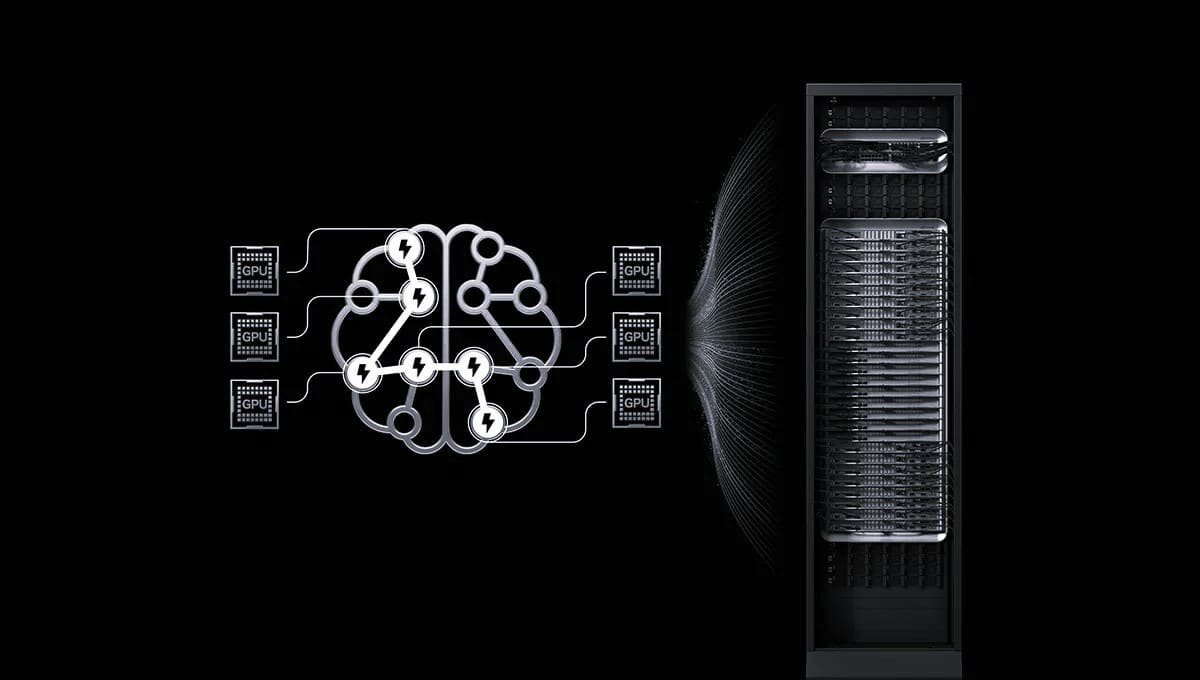
Apple Metal 4 now provides native low-latency neural scheduling for Mac GPUs, enabling developers to integrate AI features more efficiently.  

Developers can now run Core ML models directly on the GPU alongside graphics and compute workloads. Notable features include:  

  • MTL4Macmachinelearning  
  • command encoder  
  • integrated tensor support  
  • improved synchronization  

These enhancements allow AI workloads to operate independently of the CPU.  

Here are some important updates in Metal 4 for AI and Graphics 

  • Native Neural Scheduling with MTL4 Machine Learning Command Encoder Machine Learning Inference can be integrated into the rendering pipeline.  
  • Tensor support: The API and Metal Shading Language now have built-in Tensor support, making machine learning workflows smoother.  
  • Optimized workflow: machine learning compute and rendering instructions can now be combined, reducing requirements for CPU-side synchronization.  
  • Game Porting Toolkit 3.0: This version adds experimental Metal IFX integration and supports more instruction sets.  
  • Game Porting Toolkit 3.0: This version adds experimental Metal IFX integration and supports more instruction sets.  

In summary, Metal 4 is designed for Apple silicon Macs and delivers advanced AI-powered graphics.  

With Metal 4, you can now run Core ML models efficiently as part of your Metal workflow. This helps when your app needs to use model output in a Metal context, for example, rendering a scene or running a compute task. To add machine learning inference, convert your Core ML model into a MetalML package during development. Then use that package in a machine learning encoder at runtime.  

Your app can handle rendering, compute, and machine learning tasks in a single command buffer, with no CPU wait or extra sync. When you run Core ML models on the GPU, your app sends inputs from a compute pass and quickly uses outputs from a machine learning pass.  

Metal 4 adds new tensor types, which are multi-dimensional arrays used for machine learning model data. The Digital Sharing language now includes tensor operators and features such as cooperative tensors. This lets your shader code work with tensor data in parallel at any GPU stage.  

Discover Metal 4 

Metal 4 is designed to fulfill the demands of today’s applications. Its simpler API helps you get the best performance on Apple Silicon with less overhead and enhanced resource management. Compilation is now clearer and faster, with new options to reduce runtime compilation.  

Metal 4 now fully supports machine learning, including native tensor support in the API and the Shading Language. You can add machine learning to your Metal application by running large networks from the command line or by adding inference operations immediately into your shader code.  

Metal 4 additionally extends the MTL device that you already use today. You can incrementally adopt features that will most help your app or game in the order you need them.  

Metal 4 Games 

Create modern games that work well on all Apple devices. Metal 4 helps you handle large sets of resources more efficiently. With new sparse resource placement, you can better utilize system memory. Also, use familiar APIs to quickly port your games from other platforms to Metal.  

The latest Metal compiler updates give you fine-grained control over shader compilation. Use a dedicated context to adjust the quality of service and ensure optimal performance. Quickly compile pipelines ahead of time to reduce run-time delays and share compilation results across render pipelines using a common Metal IR for faster development and testing.  

Go Further With MetalIFX And Ray Tracing 

Benefit from improved upscaling with integrated denoising for higher quality, sharper renders at high resolutions. Achieve higher frame rates using new frame interpolation, resulting in smoother animation without sacrificing visual quality.  

Ray tracing now uses intersection function buffers for more flexible indexing, simplifying porting ray tracing code to Metal. Flags for acceleration structure builds let you choose between faster intersection computation or smaller memory footprints, optimizing performance for your specific needs.  

Metal 4 Machine Learning 

You can now add machine learning to your metal application. Tensors are a native resource type for working with data. You can encode machine learning commands into the same Metal command buffers and use the same barriers to sync work on large networks. You can also embed inference directly into your shaders with Metal Performance Primitives, which are optimized for all Apple platforms.  

Game Porting Toolkit 3 

Evaluate even more gains with an expanded instruction set, sparse resources, and experimental support for Metal IFX upscaling, denoising, and frame interpolation. Build and debug your app remotely from Microsoft Visual Studio. Supercharge your HLSL shaders with access to Apple GPU features such as:  

  • frame buffer fetch function constants  
  • intersection function buffers  

using the Metal shader converter, and for access to all Metal APIs from C++ using Metal CPP.

Source: What’s new in Metal 

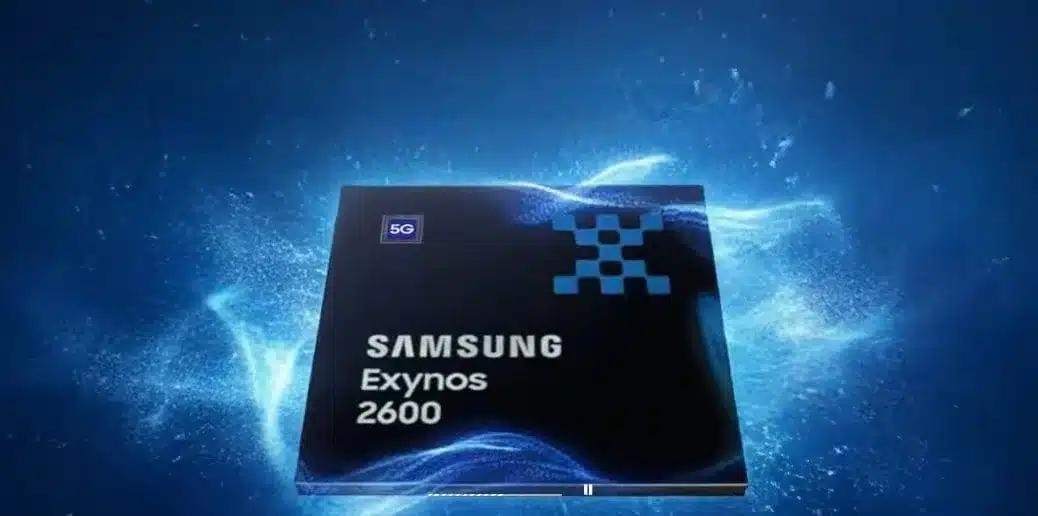
Reports from late 2025 and early 2026 show that Samsung is mass-producing the Exynos 2600 with its 2nd-generation 2NM gate-tolerant (GAA) transistor technology. Wells have improved to 50-60%. This progress means the chip can be used in the Galaxy S26 series, helping Samsung rely less on Qualcomm.  

Volume Production & Yield Status 

  • Yield improvements: Samsung’s 2nm (SF2) reportedly started low (around 30% in early 2025) but increased steadily to ~40% by mid-2025 and reached 50-60% by the end of 2025, according to various reports.  
  • Samsung officially began mass production of the Exynos 2600 in the last quarter of 2025. By early 2026, reports showed yields were stable enough for the Exynos 2600 to be used in the Galaxy S26 and S26 Plus models, while the Galaxy S26 Ultra is expected to use Qualcomm’s Snapdragon chips.  
  • Initial production was about 15,000 wafers, and capacity is expected to grow as yields get better.  

New GAA Transistor Technology (SF2) 

The 2NM GAA process is a significant advancement, delivering measurable improvements in both power efficiency and performance compared to Samsung’s previous 3NM GAA process. For example, the 2NM process reduces energy consumption and increases chip operational speed compared to the 3NM variant.  

  • Reports indicate the 2NM GAA process offers approximately a 5% performance improvement and 8% better power efficiency over the 3NM GAA process, making the newer node notably more efficient in real-world applications.  
  • Specifically, the SF2 node provides up to a 12% increase in performance, 25% improvement in power efficiency, and 5% reduction in chip area compared to Samsung’s earlier 3NM nodes (SF3), offering tangible advantages for manufacturers and end users.  
  • Advantage: Samsung is using its early experience with GAA technology, first introduced at 3nm, to stabilize the 2nm more quickly than before. Substack+32600 is designed to power the Galaxy S26 series in select markets (likely Europe and Korea), while the S26 Ultra is expected to continue using Qualcomm’s Snapdragon chips.  
  • Achieving a 50 to 60% yield marks substantial progress for Samsung, but the company remains behind TSMC, which reports 2NM process yields of 60 to 70%. Samsung aims to stay competitive by offering lower prices.  
  • Future outlook: If yields continue to rise, reaching 70% in 2026, Samsung could win back major foundry orders from big clients like Qualcomm.  

Samsung is advancing its semiconductor technology with the Exynos 2600, built using the company’s 2NM gate-all-around (GAA) process. Recent reports state that the trial production run achieved a 30% yield. While this represents a milestone for Samsung, it is still below TSMC’s 2NM yield, which is reported at about 60%.  

Why This Matters For Samsung 

The semiconductor industry is very competitive, and manufacturing efficiency directly affects profitability and cost management. Even though Samsung is still behind TSMC, reaching a 30% yield is a clear improvement, especially after its earlier difficulties with 3nm production. Higher yields mean more working chips per wafer, reducing unit costs and potentially improving profit margins. While 30% is still below the 70% that big customers like Qualcomm and MediaTek expect, it shows that Samsung’s semiconductor division is moving in the right direction, both financially and technically.  

Samsung’s Foundry business has struggled to gain the trust of major clients due to previous yield issues, particularly with its 4nm and 3nm nodes. Now the 2NM process offers the company a chance to rebuild its reputation. If yields continue to improve, Samsung could secure orders for flagship mobile processors, AI chips, and high-performance computing components in the near future.  

Exynos 2600, A Game Changer 

The Exynos 2600, also known as Ulysses, is expected to power Samsung’s next flagship devices and could help the company increase revenue through more premium smartphone sales. Right now, Samsung uses Qualcomm’s Snapdragon 8 Elite in its Galaxy S25 series, so improving its own chip production could lower supplier costs and boost overall profitability by reducing its reliance on outside vendors.  

Samsung has been trying to make its Exynos processors more competitive by improving power efficiency, thermal management, and overall performance. The 2NM GAA process brings major upgrades over the previous generation, offering higher transistor efficiency and greater performance per watt. Samsung’s progress in chip manufacturing could also impact AI, automotive, and data-center technology, not just smartphones. As the need for fast, power-efficient processors grows, producing advanced chips at scale will be key to Samsung’s long-term success.  

Difficulties and Opportunities 

Although reaching a 30% yield is meaningful progress, Samsung still faces significant challenges before it can compete directly with TSMC in large-scale chip production. The company needs to:  

  • Improve Yield Efficiency: Achieving 70% yield is necessary to secure bulk orders from major tech companies.  
  • Strengthening client trust, surmounting past production setbacks, and exhibiting consistency will help attract major customers.  
  • Expand production capacity: ensuring that its facilities are ready for mass production without compromising quality will be vital for scaling up.  
  • Advance GAA Technology: While Sachin is the head of TSMC, it must improve its GAA implementation to fully realize the benefits.  

Despite these challenges, Samsung’s ongoing investment in semiconductor research and infrastructure shows its determination to compete at the top level.  

What’s Next? 

Samsung plans to start mass production of its 2nm SF2 process in the second half of 2025. SF2 offers a 12% performance boost, 25% better power efficiency, and uses 5% less area compared to SF3. These technological upgrades could help Samsung compete for premium contracts, increase sales, and improve its financial position in high-end smartphones and advanced computing sectors.  

If Samsung can raise its yield to match TSMC’s, it could become a strong competitor in the foundry market again and win back market share. The company’s long-term aim is to become a player in semiconductor manufacturing, competing with TSMC and even Intel in the years ahead.  

While Samsung has a long way to go before its 2nm process becomes a commercial success, achieving a 30% yield is a step in the right direction. If the company continues upgrading its technology and manages costs and investments effectively, it may soon rival TSMC and secure major chip manufacturing contracts.  

The semiconductor competition is still ongoing, and with rapid technological progress, Things could start to favor Samsung. Keep watching as the race for semiconductor leadership continues.

Source: Samsung’s Exynos 2600 Hits 30% Yield on 2nm Process–A Step Toward Closing the Gap with TSMC 

Anthropic has updated its agentic development capabilities with the transition from the Claude code SDK to the Claude agent SDK in early 2026, providing native, advanced multi-agent orchestration designed for enterprise workflows. This SDK enables developers to build systems in which a central orchestrator agent delegates complex multi-step tasks to specialized sub-agents.  

Key Features of the Claude Agent SDK and Multitasking Routing  

The updated SDK supports building, deploying, and managing complex agentic workflows.  

  • Native Multi-agent Orchestration: The framework enables the construction of hierarchies in which Claude Opus powers a main agent for delegating tasks to specialized subagents.  
  • Persistent and autonomous: Unlike stateless API calls, the SDK operates a long-running process that can manage complex workflows, maintain conversational state across multiple queries, and execute demands in a persistent shell environment.  
  • Model Context Protocol (MCP) integration: agents can seamlessly connect to external tools, data sources, and Internet databases, facilitating interoperability in enterprise environments.  
  • Agent teams/subagents: the system supports agent teams (experimental as of early 2026), which allow multiple Claude code sessions to collaborate on shared tasks, with a lead session directing the workflow.  
  • Production-Grade Controls: Includes built-in guardrails for granular permissions, allowing listing and working directory isolation.  

Enterprise AI Focus  

The shift to the Claude agent SDK supports the creation of specialized agents for various business domains.  

Specialized roles:  

  • Co-op Development of legal assistance  
  • Financial advisors and customer support bots  
  • Codebase automation: Code agents capable of understanding and editing entire codebases, running bash commands, and managing git work trees  
  • Integration with Enterprise Tools: The SDK supports integration with platforms like GitHub and allows for private plug-in marketplaces to enhance enterprise control.  

Technical Details And Availability  

  • Languages: available for both Python and TypeScript  
  • Migration developers are encouraged to migrate from Claude Code SDK to Cloud Agent SDK.  
  • Commands: new agents. New agent SDK commands allow for defining workflows as code and managing multi-agent systems.  

Cloud now has research capabilities that allow it to search across the web, Google Workspace, and any integrations to accomplish complex tasks.  

The journey of this multi-agent system from prototype to production taught us critical lessons about system architecture, tool design, and prompt engineering. A multi-agent system consists of multiple agents (LLNs) working together in a loop, each using tools autonomously. Our research feature involves an agent that plans a research process based on user queries and then uses tools to create parallel agents that search for information simultaneously. Systems with multiple agents introduce new challenges in agent coordination, evaluation, and reliability. This post breaks down the principles that worked for us. We hope you will find them useful to apply when building your own multi-agent systems.  

Benefits of a Multi-agent System  

Research work involves open-ended problems where it is very difficult to predict the required steps in advance. You can’t hard-code a fixed path for exploring complex topics, as the process is inherently dynamic and path-dependent. When people conduct research, they tend to update their approach as discoveries emerge continuously and follow leads during the investigation.  

This unpredictability makes AI agents particularly well-suited for research tasks. Research demands the flexibility to pivot to or explore tangential connections as the investigation unfolds. The model must operate autonomously for many turns, making decisions about what directions to pursue based on immediate findings. A linear one-shot pipeline cannot handle these tasks.  

The essence of search compression: distilling insights from a vast corpus. Sub-agents facilitate compression by operating in parallel with their own context windows, exploring different aspects of the question simultaneously before condensing the most important tokens for the lead research agent. Each sub-agent also provides separation of concerns, distinct tools, prompts, and exploration trajectories, thereby reducing path dependency and enabling thorough, independent investigations. Once intelligence reaches a threshold, multi-agent systems become a virtual means of scaling performance. For instance, although individual humans have become more intelligent over the last 100,000 years, human societies have become exponentially more capable in the information age because of our collective intelligence and ability to coordinate. Even generally intelligent agents face limits when operating as individuals. Groups of agents can accomplish far more.  

Our internal evaluations show that multi-agent research systems excel, especially for breadth-first queries that involve pursuing multiple independent directions simultaneously. We found that a multi-agent system with Claude Opus 4 as the lead agent and Claude Sonnet 4 sub-agents outperformed single-agent Claude Opus 4 by 90.2% on our internal research eval. For example, when asked to identify all the board members of companies in the information technology S&P 500, the multi-agent system found the correct answers by decomposing the task into sub-agent tasks. In contrast, the single-agent system failed to find the answer through slow sequential searches.  

Meta agent systems work mainly because they have spent enough tokens to solve the problem. In our analysis, three factors explain 95% of the performance variance in the BrowseComp evaluation (which tests the ability of browsing agents to locate hard-to-find information). We found that token usage alone explains 80% of the variance, with the number of toll calls and the model choice as the other two explanatory factors. Finding validates our architecture, which distributes work across agents with separate context windows to increase parallel reasoning capacity. The latest Claude models act as large efficiency multipliers for token use, with upgrading to Claude Sonnet 4 yielding a larger performance gain than doubling the token budget on Claude Sonnet 3.7. Multi-agent architectures effectively scale token usage for tasks that exceed the limits of single agents.  

There is a downside: in practice, these architectures burn through tokens fast. In our data, agents typically use about 4x as many tokens per chat interaction, and multi-agent systems use about 15x as many tokens per chat. For economic viability, a multi-agent system requires tasks whose value is high enough to cover the increased performance cost. Further, some domains that require all agents to share the same context or involve many dependencies between agents are not well-suited to multi-agent systems today. For instance, most coding tasks involve fewer truly parallelizable tasks than research, and LLM agents are not yet great at coordinating and delegating to other agents in real time. We’ve found that multi-agent systems excel at valuable tasks that involve heavy parallelization in handling information beyond single-context windows and interfacing with numerous complex tools.  

Architecture Overview for Research  

Our research system uses a multi-agent architecture with an orchestrator working pattern, where a lead agent coordinates the process while delegating to specialized sub-agents that operate in parallel.  

When a user submits a query, the lead agent analyzes it, develops a strategy, and spawns sub-agents to explore different aspects simultaneously. As shown in the diagram above, the sub-agents act as intelligent filters by iteratively using search tools to gather information (in that case, on AI agent companies in 2025) and then returning a list of companies to the lead agent so it can compile the final answer.  

Traditional approaches to retrieval-augmented generation (RAG) rely on static retrieval. That is, they fetch a set of chunks that are most similar to an input query and use these chunks to generate a response. In contrast, our architecture uses a multi-step search that dynamically finds relevant information, adapts to new findings, and analyzes results to formulate high-quality answers.

Source:How we built our multi-agent research system 

NVIDIA CUDA Deep Neural Network Library (cuDNN) is a GPU toolkit for deep neural networks. The latest update optimizes implementations of key operations, including forward and backward convolutions  

  • attention  
  • matrix multiplication  
  • pooling and normalization  

How cuDNN Works 

  • Accelerated Learning: cuDNN uses computational kernels that leverage tensor cores when appropriate, delivering top performance for compute-bound operations. It also uses heuristics to select the optimal computational kernel for each problem size.  
  • Fusion Support: cuDNN fuses compute-bound and memory-bound operations for common fusion problem patterns. It builds computational kernels at runtime. For specialized patterns, it leverages pre-optimized computational kernels.  
  • Expressive op graph API command users represent computations as graphs of tensor operations. cuDNN provides both a direct C API and an open-source C++ front-end API, with most users starting with the front-end API.  

This Guide Covers Installing And Using The CuDNN Front End And Back End 

The NVIDIA cuDNN Deep Neural Network Library is a GPU toolkit for deep learning, offering optimized versions of common cuDNN operations such as:  

  • Scaled dot Production attention  
  • Convolution including cross-correlation  
  • Matrix Multiplication  
  • Normalizations, Softmax, and Pooling  
  • Arithmetic, Mathematical, Relational, and Logical Point-wise Operations  

In addition to delivering fast operations, cuDNN lets you use flexible multi-operational fusion patterns for improved performance. This approach enables you to maximize the capabilities of NVIDIA GPUs for key deep-running tasks.  

cuDNN enables you to express both single-operation and multi-operation computations as operation graphs. You can build these graphs using the following API layers.  

  • Python front-end API  
  • C++ front-end API  
  • C backend API  

NVIDIA cuDNN Python and C++ frontend APIs present a user-friendly, high-level programming model suitable for most scenarios, abstracting much of the complexity of lower-level GPU operations.  

Select the NVIDIA cuDNN backend API if you need access to routines not supported by the front-end APIs or if your application requires a pure C interface.  

Key Features 

Deep Neural Networks 

Deep learning neural networks are used in computer vision, conversational AI, and recommendation platforms. They have enabled advances such as self-driving cars, smart voice assistants, and NVIDIA GPU-accelerated frameworks that help train these models much faster, cutting training time from days to just hours.  

cuDNN provides more libraries for fast, low-latency inference with deep neural networks. It works in the cloud, on embedded devices, and in self-driving cars.  

  • CuDNN accelerates key compute-bound operations, such as attention training, convolution, and matrix multiplication, while optimizing memory-bound operations, such as attention, decode, pooling, and normalization, through advanced fusions and heuristics.  
  • Optimized Memory Bound Operations like:  
  • Attention  
  • Decode  
  • Pulling  
  • Softmax  
  • Normalization  
  • Activation  
  • Pointwise  
  • Tensor Transformation  
  • Visions of Compute-Bound and Memory-Bound Operations  
  • Runtime Fusion Engine to generate kernels at runtime for common fusion patterns  
  • Optimizations for important specialized patterns like fused attention  
  • Heuristics to choose the right implementation for a given problem size  

CuDNN Graph API and Fusion 

The cuDNN Graph API lets you describe and optimize common deep learning computation patterns by organizing operations as nodes and tensors. By treating edges in a data flow graph as first-class citizens, the API enables better performance, easier optimization, and greater flexibility for model developers than handling operations individually.  

You can use the cuDNN Graph API through the recommended Python or C++ frontend APIs, which provide high-level access. For legacy applications or when Python or C++ is not suitable, use the low-level C backend API for more direct control.  

  • Flexible fusions of memory-limited operations into the input and output of matmul and convolution  
  • Specialized fusions for patterns like attention and convolution with normalization  
  • Support for both forward and backward propagation  
  • Heuristics for predicting the best implementation for a given problem size  
  • Open source Python/C++ frontend API  
  • Serialization and deserialization support  

Ethically, the media sees trustworthy AI as a shared responsibility. We have established policies and practices to support a wide range of AI applications when using a model. Under our terms of service, developers should work with their teams to ensure the model meets industry needs and prevents misuse. misuse.  

Please report security vulnerabilities of NVIDIA AI concerns here.

Source: NVIDIA cuDNN 

OpenAI released an updated tool search API (Application Programming Interface, which allows different software to communicate) in March 2026. This update lets GPT agents (automated AI programs that act independently on tasks) find and load tool definitions as needed, saving tokens and enabling complex workflows to run more efficiently.  

Building on this, GPT 5.4 allows agents to handle larger tool sets and to dynamically select the required tools without upfront loading.  

Key Features and Capabilities 

This tool search upgrade aligns with other recent responses and API enhancements, all aimed at building stronger, more reliable AI agents.  

Main features include:  

  • Dynamic tool loading allows models to load large tool schemas only when needed, reducing initial token use and costs for tool-heavy apps, while supporting enhanced agentic workflows for multi-step tasks and improved accuracy through relevant tool selection and reasoning.  
  • Enhanced Agentic workflows. The system enables agents to plan, execute, and verify multi-step tasks more efficiently across different apps and data sources. Tools such as Web and File Searcher, and computer use enable them to access real-time information, analyze documents, and control computer interfaces.  
  • Better accuracy: by using relevant tools and improved reasoning. Agents select tools and complete tasks more accurately per internal benchmarks.  
  • Custom Tools Support: Developers can now make custom functions, namespaces (distinct naming systems for tools to avoid conflicts), or MCP (Multi-Channel Processing) servers searchable, allowing agents to connect with third-party services and private databases.  

Consequently, the update moves the API toward more sophisticated, long-running agent applications. Agents now enjoy more independence and can serve as reliable digital workers.  

In a related move, on Tuesday, OpenAI launched tools that let developers and businesses create AI agents automated programs powered by OpenAI’s models and frameworks to complete tasks independently.  

OpenAI’s new Responses API lets businesses build custom AI agents to search the web, review files, and browse websites. It will replace the Assistant API, which is scheduled to retire in early 2026.  

Interest in AI agents has increased in recent years, even though the tech industry still struggles to clearly define them or demonstrate their limitations. For example, earlier this week, the Chinese startup Butterfly Effect went viral for its new AI agent platform, Manus, but users soon found it did not deliver many of the company’s promised capabilities, highlighting new challenges with reliability and functionality.  

These developments increase expectations for OpenAI to deliver AI agents that reliably solve industry challenges and perform in real-world environments.  

It’s pretty easy to demo your agent, Oliver Godement, OpenAI’s product lead, told TechCrunch in an interview. Creating an agent is pretty hard, and getting people to use it is even harder.  

Earlier this year, OpenAI added two AI agents to ChatGPT Operator, which browses websites for you, and Deep Search, which creates research reports. While these tools demonstrated agent technology, they did not achieve full independence and still require significant improvement in reliability and autonomy.  

Now, with the responses of API, OpenAI is offering the building blocks behind its AI agents. Developers can use these to create their own apps similar to Operator and conduct deep research. Open AI works; this will lead to more independent-feeling AI applications than existing now. OpenAI hopes developers can tap into the same AI model (in preview) under the hood of its ChatGPT search tools, GPT-4O Search and GPT-4O Mini Search. The models can browse the web for answers to questions, citing sources as they generate replies.  

OpenAI reports that GPT-4-0 search and GPT-4-0 mini search are highly accurate on OpenAI’s Simple QA test for factual question answering. GPT-4-0 search scored 90%, and GPT-4-0 mini search scored 88%, while GPT-4.5 scored 63%.  

The responses API includes a file search utility that quickly scans company databases to retrieve information (OpenAI claims it won’t train models on these files). Developers can also use OpenAI’s Computer Using Agent (CUA), an AI that simulates mouse and keyboard actions, to automate tasks such as data entry and app workflows.  

Enterprises can optionally run the CUA (Computer Using Agent) model, which is being released in Research Preview, locally on their own systems. OpenAI said: “The consumer version of the CUA available within Operator can only take actions on the web.”  

It is important to note that the Responses API does not resolve all technical issues facing AI agents. While AI-powered search tools outperform traditional AI models in accuracy—unsurprisingly, as they can retrieve the correct answer, web search does not solve the hallucination problem. For example, GPT-4O Search still gets 10% of factual questions wrong.  

Beyond accuracy, AI search teams also tend to struggle with short navigation queries, such as ‘Lakers’ scores today’. Recent reports suggest that ChatGPT’s citations aren’t always reliable.  

OpenAI also acknowledges that the CU8 model is not yet reliable for automating operating system tasks and may make mistakes.  

However, OpenAI says these agent tools are still in the early stages and that the company is continually working to improve them.  

OpenAI is also launching an open-source agents SDK, giving developers tools to connect models, safeguards, and track agent activity. The SDK builds on OpenAI’s strong framework for managing multiple agents.  

Godement said he hopes OpenAI can bridge the gap between AI agent demos and products this year, and that, in his opinion, agents will be the most impactful application of AI. This repeats a proclamation made by OpenAI CEO Sam Altman in January that 2025 is the year AI agents enter the workforce.  

OpenAI’s newest tools show a clear shift: the company now prioritizes real usefulness and enterprise value over spectacle.

Source: OpenAI launches new tools to help businesses build AI agents 

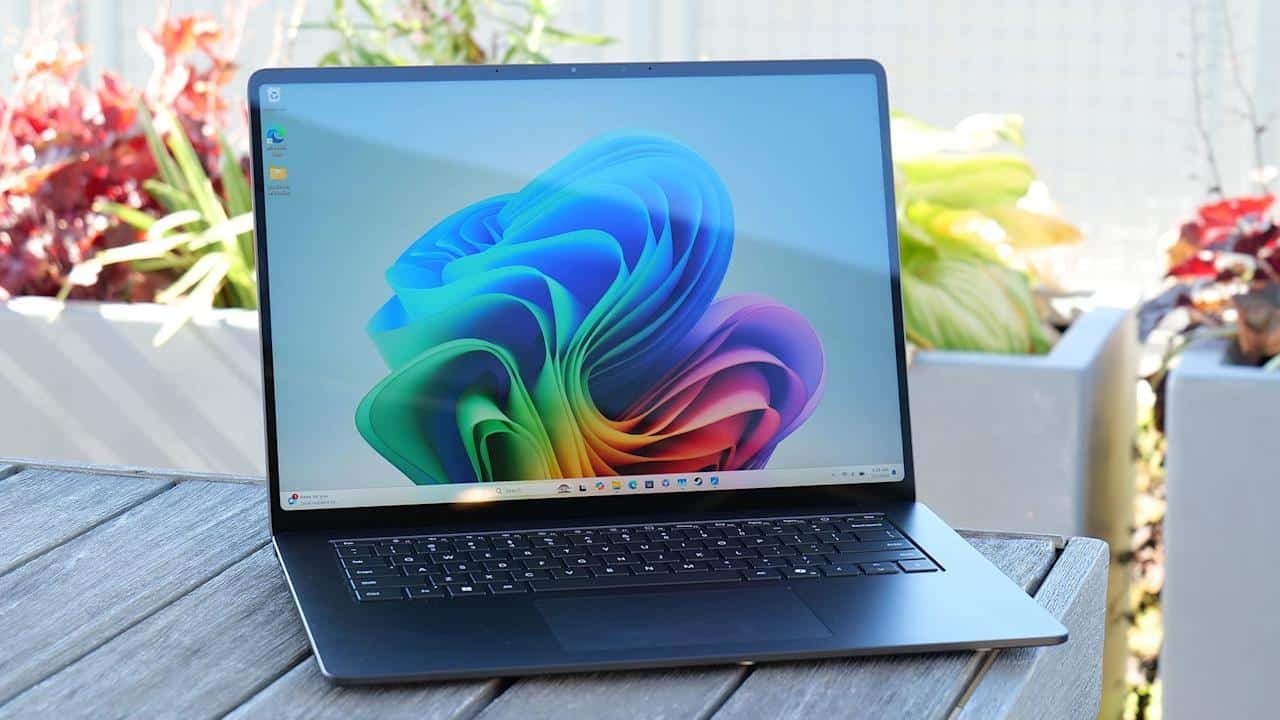
In today’s busy world, learning laptop battery tips is vital if you are constantly on the go with your laptop, whether you are an employee or a student who needs to stay awake all night to finish an assignment. With these proven laptop battery tips and effective battery saving tips, you can now enjoy your laptop not just for hours but even for an entire day, as proven by various laptop models such as Dell XPS and MacBook Pro. 

The seven laptop battery ways presented in this article have been proven effective and offer actionable advice for improving laptop battery life based on real-world tests and the advice of industry experts. 

Lower Screen Brightness 

Your laptop’s screen tends to be the biggest power hog, using up to 40 percent of the battery when on full brightness. Turning it down to 50 percent or less can extend runtime by an average of at least 1-2 hours in our testing with both Windows and Mac laptops. Turn on auto-brightness or use the keyboard shortcuts to quickly dim it further. 

Scenario Brightness Level Tested Battery Gain 
Office Work (Word, Email) 30-50% +1.5 hours   
Video Streaming 40% +45 minutes   
Idle Browsing 20-30% +2 hours   

Set sleep mode after 5 minutes of inactivity to compound savings screensavers alone waste power.  

Activate Battery Saver Mode 

“Battery Saver” is a built-in function that limits background activity and reduces the speed of the CPU, saving 20-30% battery life. On Windows, it lowers the screen brightness and temporarily stops device synchronizing; on a Mac, Low Power Mode achieves the same result. These are quick settings to improve battery life on a laptop instantly. 

Dell and HP laptops for real-world tests indicate 7-9 hours with a 6-hour baseline for mixed usage. 

Mode OS Power Reduction 
Battery Saver Windows 11 25%   
Low Power macOS Sonoma 30%   
High Performance (Avoid) Both -15% drain 

Flip it on for unplugged sessions lasting over two hours.  

Manage Background Apps 

Running applications in the background are battery drain culprits, such as Cloud Syncs, Updates, and numerous tabs in our browsers, even though we are not actively engaged in them. On average, having too many applications running on our laptops can reduce our battery life by as much as 15-25%, but closing them will give us more resources for use in our essential applications. In reality, tests have proven closing Chrome tabs from 15 to 5 can give you an additional 1-2 hours of usage time. 

App Type Drain Rate Tip 
Multiple Chrome Tabs High (30%) Limit to 5-7   
Cloud Sync (OneDrive) Medium (15%) Pause when unplugged 
Antivirus Scans High (20%) Schedule for plugged-in 

Disable startup apps in Settings > Apps for lasting battery saving. 

Disconnect Peripherals 

USB devices like mice, storage disks, and chargers consume power even when idle, up to 10% per port. Removing them adds 30-60 minutes of test time for mid-range laptops. Bluetooth connections have some power leakage; Airplane Mode is the solution for full isolation. 

Device Power Draw Runtime Boost 
External Mouse 0.5W +20 min   
USB Drive 2.5W +45 min 
Webcam (Built-in) 1W Disable in Device Mgr   

Prioritize wired keyboards only when needed.  

Update Software and Drivers 

Old OS/drivers may not have power optimizations 2025, Windows updates added 12% increase to efficiency, running checks every month, Windows Update/Mac Software Update, new firmware for your battery chargers can better calibrate their usage cycles. 

Lenovo devices in real-world tests succeeded in reaching 8 hours of post-update compared to only 6 hours of pre-patch. 

Update Type Benefit Frequency 
OS Patches 10-15% gain Monthly 
GPU Drivers Reduces idle drain Quarterly   
BIOS/Firmware Balances cells As notified 

Restart weekly to clear glitches shortening life.  

Optimize Usage Habits 

High-resource apps such as gaming and video editing will cut battery life in half; try to keep usage light with these apps. In real-world tests, text editors are preferred over full office suites due to 20% savings from using Notepad instead of Word. Avoid full charge-discharge cycles with 20-80% charging for lithium-ion batteries. 

Task Battery Use/Hour Battery Saving Swap 
Web Browsing 15% Edge over Chrome   
Photo Editing 40% Mobile apps 
4K Video 50% 1080p or pause   

Use dark mode in apps OLED screens to save 10-20% on black pixels.  

Proper Battery Maintenance 

The battery care and maintenance of a laptop lithium-ion battery are vital in getting the most out of its overall battery life, as its battery usually lasts for 300-500 charge cycles. It’s always important, if possible, that a battery be kept between 20 and 80 percent, as this zone, called the “sweet spot,” can potentially extend the battery’s overall life by as much as 50 percent, rather than a battery being either completely charged or completely discharged. 

Unused laptops can always be stored at a 50 percent charge in a cool environment that’s below 77 degrees F and 25 degrees C in order to maintain battery quality, as a battery stored in this manner retains 90-95 percent health after one year compared to 70-80 percent for a battery stored in a hot, 100 percent charge environment. 

Regular calibrations and health checks also help improve performance; once a month, it is advisable to drain the battery to 0% and charge it to 100% uninterrupted. 

Habit Long-Term Impact Test Result 
20-80% Cycling +500 cycles 3 years vs. 2   
Cool Storage Minimal fade 95% retention   
Avoid Heat Prevents swelling Safer runtime 

Track health via Windows Battery Report via powercfg /battery report. 

These laptop battery tips combined yield 20-50% more runtime in daily US scenarios like remote work or campus use. Tests on 2025 models confirm up to 12 hours total. Short-term quick wins will be ensured by prioritizing 2-3. Changing your habits, not hardware swaps, is where you’ll see sustainable improvements in how to improve laptop battery results. 

To conclude, those who apply these seven laptop battery tips for better performance in their daily lives may witness a dramatic change, transforming shutdowns into seamless all-day operations for US professionals and students. From reducing screen intensity to enabling savers and using apps wisely, to regular maintenance for longer-term use, the cumulative effect of these tips results in 20-50% longer runtime as per tests, ensuring longer operation without recharging the device.  

FAQS 

1. How far will these tips realistically take me in extending laptop battery life? 

These seven tips combined often have bought about 20-50% more runtime on this laptop, and real-world tests have shown gains from 6 hours to 10-12 hours on modern Dell, HP, or Apple models during mixed use like browsing and office work. 

2. Should I have my laptop always plugged in, or should I use a power saver mode? 

Try not to always charge it to 100%, as that will degrade the battery; use the battery saver mode for sessions when you are unplugged for more than two hours, since doing so reduces power consumption by 20-30% without compromising performance in essential applications like email and documents. 

3. The question remains, what can one do right now to make the battery in one’s laptop last longer?  

Lower the brightness of the screen to 30-50% and close unnecessary browser tabs. These provide 1-2 hours of extra time immediately, according to user tests, far outpacing the other tweaks for instant battery saving. 

4. Are these laptop tips relevant to Windows laptops and Mac laptops? 

Yes, techniques such as enabling Low Power Mode for macOS or Battery Saver for Windows 11, as well as widely applicable behaviors such as unplugging devices, can increase efficiency by up to 10-30%. 

5. How often should I calibrate or check my laptop battery health?  

Calibrate each month by draining it completely to 0%, then charging it up to full, and make it generate a battery report weekly using Windows powercfg Mac software to monitor its capacity, a discipline that sustains a retained charge of 95%. 

Source –   

9 Tips for Longer Laptop Battery Life 

How to Increase Laptop Battery Life | PCMag 

How to get the best battery life from your Windows or Mac laptop | ZDNET 

How to improve your Windows laptop’s battery life | ZDNET 

To American college students balancing tuition increases, dorm living, and part-time work, finding the best laptops for students with a price tag of less than $600 means getting great performance without the high price to go along with it. The best laptops offer students the power they need to get through Zoom calls, Google Docs sessions, and coding projects, while also focusing on durability to withstand the backpack lifestyle across the US. Let’s dive deep into the article. 

Top Picks Overview 

Our choices are designed with models that perform well with student workloads such as multitasking with 8GB+ RAM, fast SSD storage, and long battery life. These devices also provide good build quality for backpack commutes and spills. 

These budget laptops provide good specs for writing essays, virtual classes, and editing videos, with an emphasis on build quality. 

Rank Model Price Processor RAM/Storage Key Strength 
1 Lenovo IdeaPad 3i $450 Intel Core i3-1115G4 12GB/256GB SSD Multitasking power   
2 Acer Aspire 3 $206 Intel Core i3 8GB/128GB SSD Budget Windows speed   
3 ASUS Vivobook 16 M1605 $550 AMD Ryzen 5 8GB/512GB SSD Large display productivity   
4 HP ProBook 650 G2 (Refurb) $200 Intel Core i5-6300U 8GB/256GB SSD Enterprise build quality   
5 Dell Inspiron 15 $600 Intel Core i5 16GB/512GB SSD Premium display at limit   

Detailed Reviews 

Lenovo IdeaPad 3i: Best Overall 

This is an exceptional laptop that tops our best laptops for students list. It has 12GB RAM for 15+ tabs and video calls. The 15.6″ touchscreen display is handy for notetaking. The WiFi 6 connection is stable enough for dorms. The build quality is solid, with a durable design that can handle daily carries. 

The battery has an 8-10-hour runtime, which is enough for full class days. At $450, it is a top cheap laptop for general majors. 

Acer Aspire 3: Ultimate Value 

This budget laptop is priced at an affordable $206 and still manages to run Windows 11 with Intel Core i3 and an SSD that boots in under 10 seconds. Perfect for writing essays and doing research, the laptop is also lightweight, weighing under 4 pounds with its thin design. The build also features reinforced hinges. 

This laptop is great for freshmen on a budget, according to Acer Aspire 3 reviewers. 

ASUS Vivobook 16 M1605: Display King 

The 16″ screen is great for split-screen study with Ryzen 5 processors for efficient multitasking. The 512GB SSD storage is great for dealing with large files, and the lightweight design makes it perfect for commuters. The build is made of solid plastic, which provides good build quality. 

This laptop is perfect for visual subjects such as design or data analysis. 

HP ProBook 650 G2: Durable Refurb 

Business-class construction quality is evident in the refurbished condition, where the metal-strengthened frame has endured the rough handling of the campus. The Core i5 processor quickly runs spreadsheets, and there are many ports to connect with projectors. At $200, it’s the toughest cheap laptop option. 

Dell Inspiron 15: Power Edge 

Having a maxed-out budget of $600, 16GB RAM can handle heavy applications such as coding or photo editing. The display is also very vibrant, which is great for long coding sessions because it won’t strain the eyes. It also has good build quality, including a spill-resistant keyboard, which is great for coffee drinkers. 

Best suited for: Engineering or business students. 

Build Quality Comparison 

Strong build quality separates lasting cheap laptops from disposables. We evaluated chassis flex, hinge durability, and drop resistance. 

Model Chassis Material Hinge Durability (Cycles) Weight (lbs) Spill Resistance Score (/10) 
Lenovo IdeaPad 3i Reinforced plastic 20,000+ 3.8 Yes 8.5   
Acer Aspire 3 Plastic alloy 15,000 3.9 Partial 7.5   
ASUS Vivobook 16 Matte plastic 25,000 4.1 Yes 8.0   
HP ProBook 650 G2 Metal/plastic 30,000+ 4.0 Full 9.5   
Dell Inspiron 15 Aluminum lid 25,000 4.2 Yes 9.0   

HP leads in build quality, mimicking premium durability at budget prices.  

Performance Benchmarks 

Student tasks demand quick boots and app switching. Here’s Geekbench data for multitasking. 

Model Single-Core Score Multi-Core Score SSD Speed (MB/s) Browser Tabs (Stable) 
Lenovo IdeaPad 3i 1,200 4,500 1,800 20+   
Acer Aspire 3 1,100 3,800 1,500 15   
ASUS Vivobook 16 1,400 5,200 2,200 25   
HP ProBook 650 G2 1,300 4,200 1,600 18   
Dell Inspiron 15 1,500 6,000 2,500 30   

Higher multi-core scores mean smoother Zoom + docs sessions. 

Battery and Portability 

Long battery powers all-day classes without outlets. 

Model Battery Life (Hours) Weight (lbs) Dimensions (inches) Charge Time (80%) 
Lenovo IdeaPad 3i 9 3.8 14.2 x 9.3 x 0.7 1.5 hrs   
Acer Aspire 3 7.5 3.9 14.0 x 9.2 x 0.7 1.8 hrs   
ASUS Vivobook 16 8 4.1 14.2 x 10.0 x 0.7 1.6 hrs   
HP ProBook 650 G2 8.5 4.0 14.6 x 9.9 x 0.9 2 hrs   
Dell Inspiron 15 10 4.2 14.1 x 9.3 x 0.7 1.4 hrs   

Lighter models fit small backpacks easily.  

Buying Guide for Students 

Prioritize specs like 8GB RAM, SSD, and WiFi 6, and webcam for students to ensure a smooth experience. Test the build quality to ensure its durable and consider refurbished products from trusted sources like Best Buy and Amazon but always check the deal on these sites to ensure price accuracy. 

The following table will help you choose a laptop by simplifying the process based on student requirements and testing the build quality in stores. 

Student Type Recommended Model Key Reasons Priority Specs 
High schoolers Acer Aspire 3 Basics like essays and browsing 8GB RAM, SSD, affordable  
College commuters Lenovo IdeaPad 3i Portability and all-day battery WiFi 6, lightweight build, minimal flex  
STEM majors Dell Inspiron 15 Heavy multitasking and coding 16GB RAM option, fast processor  
Budget maxers ASUS Vivobook 16 Large screen and storage SSD over HDD, good webcam for classes 

Key Features Matrix 

Feature Lenovo IdeaPad 3i Acer Aspire 3 ASUS Vivobook 16 HP ProBook Dell Inspiron 15 
Screen Size 15.6″ Touch 15.6″ 16″ FHD 15.6″ 15.6″ FHD 
Webcam 1080p 720p 720p 720p 1080p 
Ports USB-C, HDMI USB-C, HDMI USB-C x2, HDMI VGA, DP, USB-C USB-C, HDMI, SD 
OS Windows 11 Windows 11 Windows 11 Windows 10/11 Windows 11 
Warranty 1 Year 1 Year 1 Year 90 Days Refurb 1 Year  

Abundant ports reduce dongle needs.  

Why Choose Under $600? 

These are the best laptops for students as they offer 80% of the performance of a $1000 laptop at half the price. Budget can now be allocated to books. The quality of these laptops means they last more than 3 years, unlike low-quality ones. Great for U.S. students as their tuition fees are increasing. 

Finally, for US students seeking the best laptops for students under $600, these affordable laptops provide the best bang for the buck with excellent build quality and performance suited for the demands of students. 

FAQs 

1. What are the best laptops for students that cost less than $600? 

The best cheap laptops for students include Lenovo IdeaPad 3i, Acer Aspire 3, ASUS Vivobook 16, HP ProBook 650 G2, and Dell Inspiron 15. These cheap laptops for students offer great performance and quality. 

2. Do I need to consider RAM and storage while looking for cheap laptops for students? 

You should consider at least 8 GB RAM to run applications like Zoom and other documents on the best cheap laptops for students. The best option would be to go for a solid-state drive instead of a hard disk drive to get the best results on the best cheap laptop for students. 

3. How important is the quality of cheap laptops for students? 

The quality of the cheap laptops for students matters a lot, especially considering that students may carry them around and spill things on them. The best option would be to go for the HP ProBook, which offers the best quality and can be considered the best cheap laptop for students. 

4. Which laptop is best suited for college commuters? 

Lenovo IdeaPad 3i is one of the best laptops for students, with features like 9-hour battery life, 3.8 lbs lightweight design, and WiFi 6 technology. It has good build quality, which can withstand daily commutes for college commuters. 

5. Are refurbished laptops worth buying under $600? 

Yes, there are several good options, such as the HP ProBook 650 G2, which has good build quality and can be upgraded from reliable sources. This can be a good option for US students who want a good laptop on a tight budget. 

Source –  

The Best Cheap Laptops We’ve Tested for 2026 | PCMag 

The Best Laptops We’ve Tested for College Students in 2026 | PCMag 

Best laptops for students: 6 great picks for every major and budget | Tom’s Guide 

The best cheap laptops under $500 in 2025: Expert tested and reviewed | ZDNET 

In the ever-accelerating world of 2026, discovering the top laptops for your needs involves focusing on power, mobility, and value specifically designed for American professionals, students, and gamers alike. Whether you’re searching for the top work laptops that can easily handle tough spreadsheets and video conferencing without even sweating, the best student laptops designed for campus toting with amazing battery life, or the most high-performance laptops specifically designed for gaming sessions.  

This article helps you choose from premium work laptops, reliable student laptops, and more with detailed comparisons. 

Top Overall Picks 

At the top of the list of the best laptops 2026 are those offering a balance of power, portability, and cost for the average US consumer. The Lenovo ThinkPad X1 Carbon Gen 13 Aura Edition excels as a laptop for professionals due to its lightweight carbon construction and high-quality screen. The Asus Zenbook S 16 has strong performance and a great screen, making it a great all-around device. 

Model CPU RAM/Storage Battery Life Price Range (USD) Best For 
Lenovo ThinkPad X1 Carbon Gen 13 Intel Core Ultra 7 258V 32GB/1TB SSD 12+ hours $1,800-$2,200 Work pros   
Asus Zenbook S 16 AMD Ryzen AI 32GB/1TB SSD 10 hours $1,400-$1,700 Daily versatility   
Apple MacBook Air M4 Apple M4 16GB/512GB SSD 18 hours $1,100-$1,500 Battery-focused users   

These selections prioritize US availability at retailers like Best Buy, Amazon, and Lenovo.com, with strong warranties and support.  

Best Work Laptops 

Work laptops in 2026 for US office workers and remote pros are all about reliability, security, and battery life. The Lenovo ThinkPad X9 15 Aura Edition leads the pack with its high-end ultraportable laptops for productivity. The ASUS Vivobook 16 offers budget laptops for general productivity. 

Features include fingerprint readers, TPM 2.0, and keyboards for all-day typing 

Model Weight Ports Security Features Battery Life Price (USD) 
Lenovo ThinkPad X9 15 Aura 3.3 lbs 2x USB-C, HDMI Fingerprint, TPM 2.0 14 hours $1,600   
Lenovo ThinkPad X1 Carbon Gen 13 2.4 lbs Thunderbolt 4, USB-A IR camera, vPro 12 hours $2,000   
ASUS Vivobook 16 M1605 4.1 lbs USB-C, HDMI Fingerprint 10 hours $700   

These handle Microsoft Office, Zoom calls, and light multitasking smoothly, with US business-grade support.  

Best Student Laptops 

The emphasis of student laptops is on cost, portability, and battery life, which is needed in US schools. Acer Swift 16 AI has a beautiful OLED screen and is under 3.5 pounds. 

Tough designs survive the backpack test, with 8+ hour battery life through a day of classes. 

Model Screen Weight Battery Life Price (USD) Durability Notes 
Acer Swift 16 AI 16″ OLED 3.4 lbs 10 hours $1,000 Metal chassis   
Acer Aspire Go 15 15.6″ IPS 3.9 lbs 9 hours $500 Spill-resistant keyboard   
ASUS Vivobook 16 16″ IPS 4.1 lbs 10 hours $700 MIL-STD tested   

Available widely at US stores like Walmart and Amazon, these offer great value for college budgets.  

Gaming Laptops Highlights 

These gaming laptops claim to deliver a high frame rate with the help of the dedicated GPU. These laptops are targeted at gaming enthusiasts in the US. 

ASUS ROG Zephyrus G14 and G16 are the top announcements of 2026, promising the right blend of gaming and portability. 

The battery life of the laptop should be optimized during the travel process, and the cooling system should be effective during gaming sessions. 

Model GPU Refresh Rate Battery Life (Gaming) Price (USD) Key Strength 
ASUS ROG Zephyrus G14 RTX 5070 120Hz OLED 6-8 hours light use $1,800 Portable gaming   
ASUS TUF A14 Strix Halo Radeon RX 165Hz 7 hours $1,500 Value performance   
ASUS ProArt P16 RTX 4070 120Hz 5 hours gaming $2,000 Creator-gamer hybrid   

shop these laptops from Newegg or Best Buy for US deals, and they should be future proofed for updates of games such as Cyberpunk 2077.               

Cross comparison  

Here is a clear comparison provided in tabular form  

Category Top Model Price (USD) CPU/GPU RAM/Storage Battery Life Weight Best For US Users 
Student Laptops Acer Swift 16 AI $1,000 Intel Core Ultra / Integrated 16GB/512GB SSD 10 hours 3.4 lbs Campus portability, note-taking, streaming pcworld+1 
Student Laptops ASUS Vivobook 16 $700 AMD Ryzen 5 / Integrated 16GB/512GB SSD 10 hours 4.1 lbs Budget durability, MIL-STD tested  
Work Laptops Lenovo ThinkPad X1 Carbon Gen 13 $2,000 Intel Core Ultra 7 / Integrated 32GB/1TB SSD 12 hours 2.4 lbs Remote pros, security (TPM 2.0), typing comfort pcmag+1 
Work Laptops Lenovo ThinkPad X9 15 Aura $1,600 Intel Core Ultra / Integrated 32GB/1TB SSD 14 hours 3.3 lbs Business multitasking, vPro support  
Gaming Laptops ASUS ROG Zephyrus G14 $1,800 AMD Ryzen AI / RTX 5070 32GB/1TB SSD 6-8 hours light 3.6 lbs Portable high-FPS gaming, OLED 120Hz  
Gaming Laptops ASUS TUF A14 Strix Halo $1,500 AMD Ryzen AI / Radeon RX 32GB/1TB SSD 7 hours 4.2 lbs Value gaming, 165Hz display  

Battery Life Champions 

The battery life remains a key factor for mobile users in the US. The MacBook Air M4 has good battery life for 18 hours of work or study without being plugged in. Lenovo Yoga Slim 9i has good battery life and works well even with 20+ tabs. 

Both of these devices are above average and were tested in real-world US conditions. 

Model Real-World Battery Charge Time (0-50%) Use Case Price (USD) 
Apple MacBook Air M4 18 hours video 30 min Work/Student $1,249   
Lenovo Yoga Slim 9i 14 hours mixed 45 min Multitasking $1,500   
Acer Swift 16 AI 10 hours heavy 40 min Campus $999   

Premium and Budget Comparison 

Compare across budgets for best laptops 2026. 

Category Top Pick Starting Price (USD) CPU/GPU RAM/Storage Standout Feature 
Premium (> $1,500) Dell XPS 16 $2,000 Intel Ultra/RTX 32GB/1TB Stunning display   
Mid-Range ($800-$1,500) Asus Zenbook S 16 $1,400 Ryzen AI 32GB/1TB Build quality   
Budget (< $800) Acer Aspire 3 $500 Ryzen 5 16GB/512GB Everyday reliability   

Premium options suit demanding US pros; budgets fit students.  

Buying Tips for US Shoppers 

Tip Category Key Advice Why It Matters 
Price & Deals Check prices, warranty (1-3 years), and trade-in options at Apple or Best Buy. Ensures best value and easy upgrades for US buyers. pcworld+1 
Display Choice opt for OLED or IPS displays for vibrant color accuracy. Improves visuals for work, study, and media in 2026.  
Performance Specs Prioritize 16GB+ RAM for multitasking; RTX 40/50-series GPUs for gaming; Intel Ultra or AMD Ryzen AI for work/student tasks. Handles modern apps, AI tools, and games smoothly.   
Battery Life Verify ratings; aim for 10+ hours real-world use. Supports all-day mobility without constant charging.  
Availability Shop peak post-CES 2026 at Amazon, Best Buy, Micro Center. Secures latest stock and US-exclusive deals.  

In a nutshell, the best laptops 2026 provide US buyers with unparalleled options for work laptops, student laptops, gaming powerhouses, and battery life standouts, meeting all their needs from student commutes to professional deadlines and gaming thrills with unparalleled performance and value. Whether you are looking for a light and portable Lenovo ThinkPad X1 Carbon for work dominance, a budget-friendly Acer Swift 16 AI for student laptops, or a light and portable ASUS ROG Zephyrus G14 for gaming power, you are covered. 

FAQS 

1. What are the best laptops for work professionals in 2026? 

The best laptops for professionals are Lenovo’s ThinkPad X1 Carbon Gen 13 and X9 15 Aura Edition, featuring compact design, long-lasting batteries, and security features such as TPM 2.0 and fingerprint readers, suitable for professionals in the US. 

2. Which laptops offer the best value for students in 2026? 

Acer’s Swift 16 AI and ASUS’s Vivobook 16 are top picks for students, providing a great balance of affordability ($500-$1,000), robust build, spill-resistant keyboards, and long-lasting batteries for up to 9-10 hours, perfect for students. 

3. Which laptops offer the best gaming performance, battery, and portability? 

ASUS’s ROG Zephyrus G14 and TUF A14 feature powerful RTX 5070 graphics, high-resolution displays, and long-lasting batteries for up to 6 hours, making them perfect for gaming and travel, weighing less than 4.5 lbs. 

4. What is the price range for best laptops 2026 for different budgets? 

Budget laptops under $800 – Acer Aspire 3, Mid-range laptops $800-$1,500 – Asus Zenbook S 16, Premium laptops over $1,500 – Dell XPS 16; Trade-ins and 1 to 3-year warranties available at US retailers. 

5. Where to buy these laptops in the US for the best deals? 

Buy laptops on Amazon, Best Buy, or Micro Center after CES 2026 for the best deals. 

Sources-  

The Best Laptops We’ve Tested (February 2026) | PCMag 

The 11 best laptops of CES 2026 | Tom’s Guide 

Readers’ Choice: The Best and Worst Laptop Brands for 2026, Ranked by You | PCMag 

Best Laptops of 2026: Top Picks Tested by CNET – CNET 

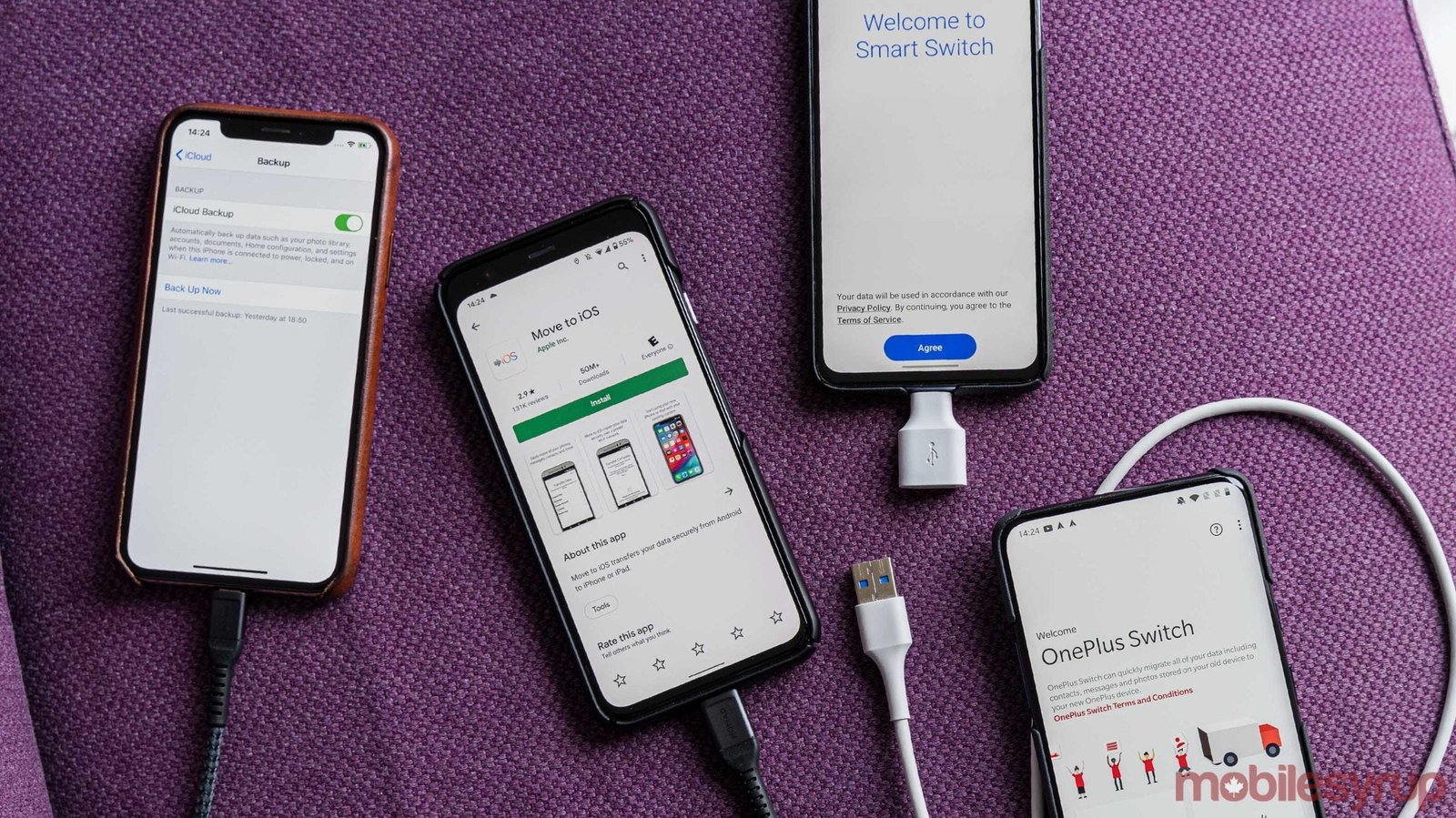
Transferring data to your new phone is a seamless experience that will ensure you do not lose any of your precious memories or WhatsApp chat history during the transition. Be it transferring contacts from Android to iOS or moving from one iOS version to another, the built-in features of Google or Apple’s Quick Start ensure the job is easy. Let’s get into the article. 

Before You Start: Prep Your Old Phone 

No matter which direction you’re switching, preparation makes everything smoother. 

First, make sure your old phone is fully backed up. Connect to Wi-Fi and plug it into power. Updates can take time, and interruptions create headaches. 

Second, update both phones to the latest operating system version. Compatibility issues often happen when one device is running outdated software. 

Third, gather your login credentials. You’ll likely need: 

  • Apple ID and password 
  • Google account email and password 
  • App-specific logins 
  • Two-factor authentication access 

If possible, disable two-factor authentication temporarily until the transfer is complete or ensure you have a backup verification method. 

Android to iPhone: Step-by-Step 

Switching from Android to iPhone is common in the U.S., especially among users entering the Apple ecosystem for the first time. 

Apple makes this process relatively smooth using the Move to iOS app. 

Step 1: Download “Move to iOS” on Your Android Phone 

On your Android device, download the official Move to iOS app from the Google Play Store. 

This app securely transfers: 

  • Contacts 
  • Message history 
  • Photos and videos 
  • Email accounts 
  • Calendars 
  • Web bookmarks 

It does not transfer apps directly, but the iPhone will suggest App Store equivalents. 

Step 2: Start iPhone Setup 

  • Turn on your new iPhone and begin setup. 
  • When you reach the “Apps & Data” screen, select “Move Data from Android.” 
  • Your iPhone will generate a one-time code. 

Step 3: Connect Both Devices 

  • Open Move to iOS on your Android phone and enter the code displayed on your iPhone. 
  • The two devices will connect over a private Wi-Fi network created by the iPhone. 
  • Select the data you want to transfer and wait. Large photo libraries can take 30–60 minutes. 

Keep both phones plugged in and near each other during the transfer. 

Step 4: Sign Into Your Apple ID 

Once the transfer finishes, complete the iPhone setup and sign in to your Apple ID. Your contacts, messages, and photos should now appear. 

What Doesn’t Transfer Automatically? 

Some items require manual setup: 

  • WhatsApp chats (use WhatsApp’s built-in transfer tool) 
  • Two-factor authentication apps 
  • Music stored outside streaming apps 
  • Certain Android-only apps 

You may need to redownload apps from the App Store and log in again. 

iPhone to Android: Step-by-Step 

Switching from iPhone to Android is also common, especially with premium Android devices offering strong hardware value. Most major Android brands in the U.S. now offer guided transfer tools during setup. 

Step 1: Back Up Your iPhone 

Before switching, ensure your iPhone is backed up to iCloud. 

Go to Settings > Tap your name > iCloud > iCloud Backup > Back Up Now. 

Even though you’re switching platforms, having a backup protects you in case something goes wrong. 

Step 2: Start Android Setup 

Turn on your new Android phone. During setup, select the option to copy apps and data. You’ll be prompted to connect to your old phone. 

Step 3: Connect Using Cable (Recommended) 

Most Android devices now support direct cable transfers from an iPhone. Using a Lightning-to-USB-C cable (or adapter), connect your iPhone to your new Android phone. This method is faster and more reliable than wireless transfer. Sign in to your Google account when prompted. 

Step 4: Select Data to Transfer 

You can typically transfer: 

  • Contacts 
  • Messages 
  • Photos and videos 
  • Calendar events 
  • Some apps (Android equivalents suggested) 

Large photo libraries may take time, so keep devices plugged in. 

Step 5: Turn Off iMessage 

Before removing your SIM card from your iPhone, go to: 

Settings > Messages > Turn off iMessage 

Also disable FaceTime. If you skip this step, you may miss text messages after switching. 

iPhone to iPhone: The Easiest Transfer 

If you’re staying within Apple’s ecosystem, the process is very streamlined. With the Quick Start feature, setting up the phone can be done almost complex-free. Place your new iPhone close to your older iPhone, and you should see a message pop up asking if you’d like to use your Apple ID to set up the new device. Follow the simple instructions provided and either choose to do a direct device-to-device transfer or to restore from an iCloud backup. 

In most cases, device-to-device transfers take less time than restoring from iCloud and will keep apps in the same arrangement as they had been on the previous iPhone. 

Android to Android: Also, Seamless 

Google offers a similar process for Android users. When setting up your new Android device, choose to copy apps and data from your old phone. You can transfer wirelessly or with a cable. Sign in to your Google account and choose what to restore. Contacts, messages, apps, and even Wi-Fi passwords often transfer automatically. 

Transferring Photos and Videos Separately 

If you prefer manual control, cloud services work well. For iPhone users, iCloud Photos automatically syncs media. For Android users, Google Photos backs up images and makes them accessible on any device. If switching platforms, using Google Photos as a middle ground is often the easiest way to ensure your entire photo library moves smoothly. 

Transferring Text Messages 

Text message transfer is one of the most sensitive areas for users. Apple’s Move to iOS transfers SMS history when switching from Android. When switching to Android, most built-in transfer tools move SMS data during setup. However, RCS chats and iMessage threads may not carry over perfectly. 

Business users who rely heavily on messaging should double-check important conversations before wiping their old device. 

What About Apps? 

Apps do not transfer directly across platforms. 

Instead: 

  • iPhone suggests iOS versions of Android apps 
  • Android suggests Play Store versions of iOS apps 
  • You’ll need to log in again on most apps. 

Make sure you know your passwords before switching. Password managers like iCloud Keychain or Google Password Manager can help but may require reauthentication. 

Common Problems and Fixes 

Sometimes transfers stall or fail. 

If that happens: 

  • Restart both devices 
  • Ensure both are connected to a strong Wi-Fi 
  • Keep devices plugged in 
  • Disable VPNs during transfer 

If the process fails repeatedly, reset the new phone and start setup again.  

When to Factory Reset Your Old Phone 

Only after you’ve verified that your: 

  • Photos successfully transferred to the new phone 
  • Contacts show up on the new device 
  • Messages can be viewed on the new device 
  • Applications have been installed and are functional on the new device 

After checking these, you should remove your sim card, sign out of all accounts, and then do a factory reset to preserve your private information. 

Final Takeaway 

It’s now easier than ever to transfer data from one phone to another in 2026, including from Android to iOS and vice versa. Apple and Google both offer guided tools to assist you with transferring your data. Just keep in mind the importance of being prepared before beginning your data move: back everything up first, ensure that your device’s software is up-to-date, and make certain that you know all of your login information.  

If you are upgrading a phone in the U.S., there are three major pitfalls to watch out for: forgetting to remove iMessage from your old phone; losing access to your two-factor authentication; and trying to reset your old device too quickly. Take your time, read through each step of the data transfer process carefully, and then verify all of your data before you wipe anything off your device. 

FAQs  

1. What is the easiest way to transfer data to a new phone? 

The easiest method is using the built-in setup tools from Apple or Google. iPhone users can use Quick Start, while Android users can use the “Copy Apps & Data” feature during setup. These tools guide you step-by-step and transfer most data automatically. 

2. Can I transfer everything from Android to iPhone? 

Most core data transfers successfully using Apple’s Move to iOS app, including contacts, messages, photos, and calendars. However, some apps, WhatsApp chats (unless using WhatsApp’s official transfer tool), and two-factor authentication apps may require manual setup. 

3. How long does it take to transfer data to a new phone? 

Transfer time depends on the size of your data, especially photos and videos. For most users, it takes 30 minutes to 2 hours. Large media libraries can take longer, particularly over Wi-Fi. 

4. Do I need Wi-Fi to transfer data? 

Yes, in most cases. Wireless transfers require a stable Wi-Fi connection. Some Android devices allow faster transfers using a cable, which is often more reliable for large amounts of data. 

5. What happens to my apps when switching phones? 

Apps don’t transfer directly between platforms. Instead, your new phone suggests compatible versions from the App Store or Google Play Store. You’ll need to download them again and log in. 

Source link:  

Upgrading Made Easy: How to Automatically Set Up Your New iPhone | PCMag 

Transferring Data Between Android and iPhone Is About to Get Easier 

How to transfer data from Android to Android | TechRadar