




News Summary

Leading companies in robot-brain development, industrial and surgical robots, and humanoid innovation are using NVIDIA technology to develop and deploy physical AI at scale.

NVIDIA has introduced Cosmos, world models AI systems that create and simulate digital environments for robots to learn in and ISAAC simulation frameworks, software tools that allow users to design, test, and train robots virtually. The new ISAT GR00TN models offer improved training for intelligent robot behavior.

Collaborative alliances are transforming platform integrations into concrete industry results, including precise electronics assembly, autonomous construction, and AI-powered automation for manufacturers of all sizes.

At GTC, NVIDIA announced new partnerships with the Global Robotics Community and introduced new ISAAC Simulation Frameworks, as well as Cosmos and ISAAC GR00T open models to support next-generation intelligent robot development, training, and deployment.

Industry leaders are leveraging the N-Media platform to advance robotics innovation.

Physical AI has arrived. Every industrial company will become a robotics company, said Jensen Huang, founder and CEO of NVIDIA. NVIDIA’s full-stack platform spanning computing, open models, and software drive frameworks is the foundation for the robotics industry, uniting a worldwide ecosystem to build the intelligent machines that will power the next generation of factories, logistics, transportation, and infrastructure. Yeah, sure.

Testing the World’s Largest Robotic Fleets

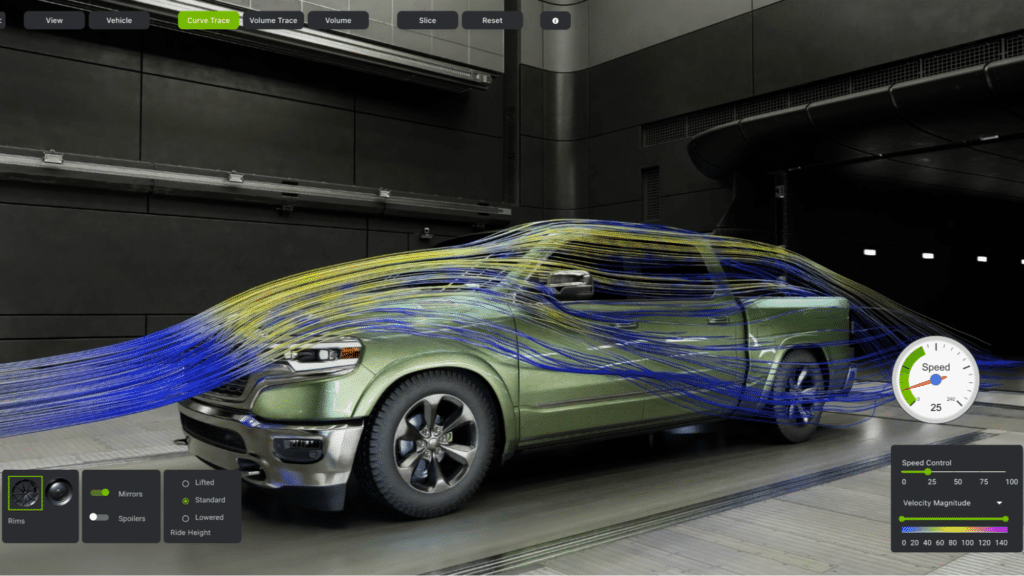
As industrial robotics relies more on AI, manufacturers need accurate, high-quality simulations to design, test, and refine systems before deployment.

FANUC, ABB Robotics, Yaskawa, and KUKA, with over 2 million robots installed globally, use NVIDIA Omniverse libraries and ISAAC simulation frameworks within their virtual environments. commissioning tools. These tools allow companies to develop and test complex robotic applications and production lines using accurate digital replicas known as digital twins. The firms are also incorporating NVIDIA Jetson modules, which are AI processors, into their robot controllers to deliver real-time AI on the production line.

Creating Robot Brains for Any Type of Robot

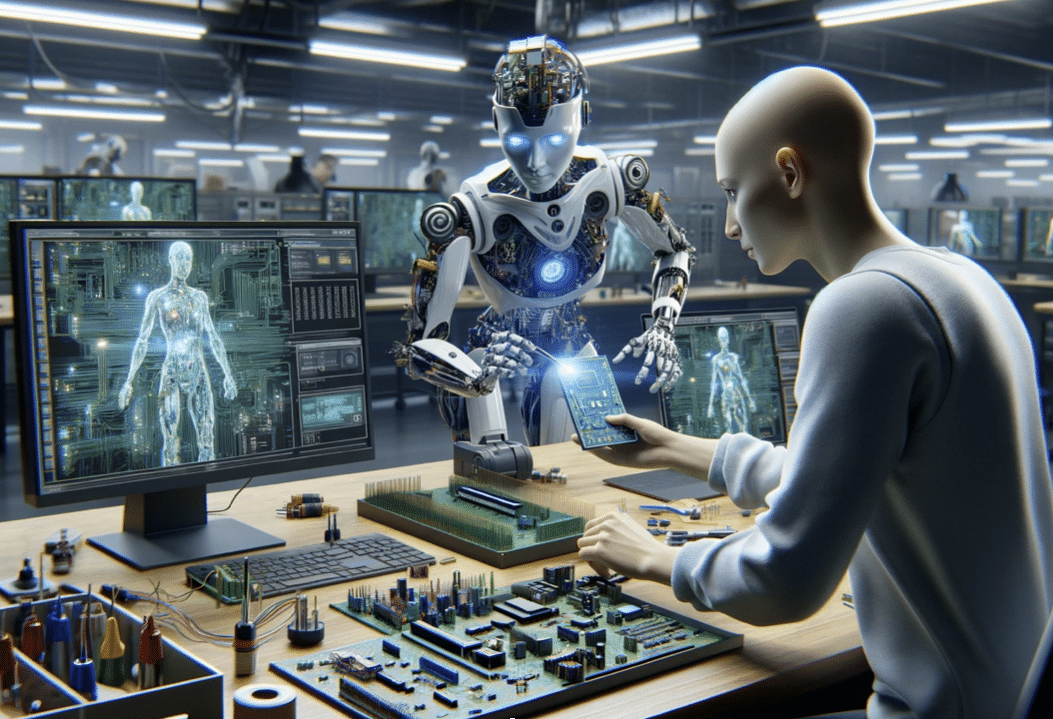
Robotics is evolving from single-task machines to adaptable systems that maintain the accuracy and dependability required by industry. Accomplishing this requires robots to process information more like humans, enabling them to perceive, decide, and act independently. Developers like Field AI and Skild AI are creating general-purpose robot brains with NVIDIA, Cosmos World models for data, and ISAAC simulation frameworks to test their systems. This lets any robot learn new tasks with little extra training. WorldLabs uses ISAAC SIM to test its generative world models, and Generalist AI uses Cosmos to generate synthetic data.

NVIDIA has announced Cosmos 3, the first world foundation model to combine synthetic world creation, vision reasoning, and action simulation. This advancement will accelerate the development of general robot intelligence for multi-faceted environments, paving the way for the next generation of humanoid robots.

Building humanoid robots remains a major challenge in robotics. Replicating human mobility, dexterity, and reasoning requires integrating advanced AI perception and real-time control into safe, reliable, and self-governing systems that can withstand adversaries, such as 1x. Agibot Agility, Agile Robots, Boston Dynamics Figure, Hexagon Robotics, Humanoid, Menti, and Neura Robotics are building the next generation of humanoids using Cosmos World Models. ISAAC SIM and ISASC Lab to accelerate the development and validation of their robots. NVIDIA has announced ISAC Lab 3.0 in early access, enabling faster, larger-scale robot learning on NVIDIA DGX-class infrastructure. Built on the new Newton Physics Engine 1.0 and the NVIDIA PhysX Software Development Kit, it adds multi-physics simulation and enhanced support for complex dexterous manipulation.

Agibot, Humanoid, LG Electronics, Neura Robotics, and Noble Machines use NVIDIA ISAC GR00TN models to speed up industrial deployment of their humanoids. NVIDIA announced that GR00T-N1.7 is available in early access with commercial licensing, offering generalized robotic skills, including advanced dexterous control and production-ready deployments.

During his GTC keynote, Huang reviewed GR00TN2, a next-generation robot foundation model based on Dream Zero research built on a new world action model. GR00TN2 enables robots to complete new tasks in unfamiliar environments more than twice as often as leading vision-language-action models scheduled for release by year-end. GR00TN2 currently ranks first on Malmo Spaces and Robo Arena for generalist robot policies.

These systems are powered by the NVIDIA Jetson Thor robotic computing platform, enabling developers to transition from simulation training to field deployment faster with greater speed, intelligence, and reliability.

Expanding physical AI to healthcare robotics

Healthcare yields a significant opportunity for physical AI. However, using autonomous systems in surgery, imaging, and hospitals requires infrastructure that meets the strictest safety and regulatory compliance standards.

CMR Surgical is using the Cosmos H simulation platform to train and validate the robotic intelligence for its Versius surgical system prior to clinical deployment. Johnson & Johnson MedTech is using Isaac SIM and Cosmos-based post-training workflows to train and validate systems for the Monarch urology platform. Medtronic is exploring NVIDIA, IGX, and Thor to deliver machine-critical exactness and functional safety in surgical robotic systems.

A Global Catalyst for Robotic Innovation

NVIDIA is building an open, unified platform that enables users to design, train, test, and deploy physical AI solutions. This model fosters collaboration within the robotics sector and streamlines scaling real-world integrations.

Supporting The Next Generation Of Physical AI Innovators

NVIDIA wants to make physical AI tools available to everyone, whether you are part of a new startup or the worldwide open source community.

The NVIDIA Inception Program is a global startup incubator with over 40,000 members. It gives robotics innovators access to NVIDIA’s open physical AI stack. Members like Bedrock Robotics, Dexterity AI, Flexicon, Lightwheel, Rivr, Standardbots, Vention, and World Labs receive technical support, powerful computing resources, and opportunities to interact with key robotics partners and customers.

NVIDIA is also working with Hugging Face to integrate ISAAC and GR00T into the LeRobot open-source framework. This partnership brings together NVIDIA’s 2 million robotics developers and Hugging Face’s 13 million AI builders worldwide, helping accelerate open-source robotics development.

Source: NVIDIA and Global Robotics Leaders Take Physical AI to the Real World 

A recent ChatGPT update from March 2026 lets you upload more files at once, so you can analyze more documents together.  

Here Are the Main Changes for File Analysis 

  • You can now attach up to 20 files per message, with double the previous word limit.  
  • The update supports more text and code files, like logs and configs.  
  • Using Cmd+A or Ctrl+A now selects only transcript content, not interface elements, simplifying management.  
  • These updates are now available on Free, Plus, and Pro plans and work on the web, iOS, and Android.  

2026 File Analysis Limits By Plan 

  • ChatGPT free: You can upload up to three files each day.  
  • ChatGPT Plus: Upload up to ~80 files every 3 hours (10 per message, 512 MB each, rolling 3-hour window).  
  • ChatGPT Pro/Enterprise: Unlimited uploads (no per-message limit; 40 per project in some setups; 512 MB per file).  

These changes, plus cloud options, simplify document analysis.  

The number of files you can upload to ChatGPT depends on your subscription. Free users can upload 3 files/day; Plus, users can upload about 80 files in 3 hours; and Pro users have no cap.  

This guide explains file upload limits for each 2026 plan, including message, daily, and size restrictions.  

ChatGPT File Upload Limits 2026 

Plan  Price.  Files you can upload.  Per message.  
Free.  $0  3 files / Day  Three files  
Go.  $5.50 per month  Extended more than free.  Ten files.  
Plus  $20 per month.  80 files / 3 hours.  10 files  
Pro.  $200 per month.  Unlimited.  Unlimited  
Team  $25/user/month.  ~80 files / 3 hours  10 files  
Enterprise  Custom.  Negotiable.  Negotiable.  

ChatGPT Free: 3 Files Per Day 

With ChatGPT’s free plan, you can upload up to 3 files each day. This differs from paid plans, which may offer higher upload limits. Don’t worry, the limit resets every 24 hours, so you’ll get a fresh start tomorrow.  

  • Daily limit: three files total.  
  • Per message: up to 3 files.  
  • Each file can be up to 512 MB.  
  • Reset every 24 hours.  

If you reach this message, you will see it. You’ve reached your file upload limit. Don’t worry, our guide has quick steps to help you fix this error.  

ChatGPT Plus: ~80 Files per 3 Hours 

ChatGPT Plus, at $20 per month, gives you a much higher upload limit.  

  • Plus: About 80 files allowed per 3-hour rolling window.  
  • Each message can contain up to 10 files.  
  • File size: 512 MB per file.  
  • The 3-hour window gradually refreshes upload limits.  

How the Rolling Window Works 

Plus’s rolling window means uploads refresh gradually over time, not just once daily.  

  • Example: Upload at 2 pm, refresh by 5 pm.  
  • Older uploads expire over time, freeing space for new files.  
  • Uploads refresh bit by bit over time; you don’t have to wait for a full reset.  

The 10-File-Per-Message Limit 

Even with Plus, attach up to 10 files per message. For big projects, upload in batches across several messages.  

Chat GPT Pro: Unlimited Uploads 

ChatGPT Pro ($200 per month) is the only plan that enables truly unlimited file uploads; Free and Plus have distinct caps.  

  • Upload limit: unlimited, subject to abuse guard rails.  
  • No practical limit per message.  
  • Each file can be up to 512 MB.  
  • Additional perks, unlimited GPT-5.2, and advanced reasoning features.  

At $200 per month, $2400 per year, Probe is perfect for power users and professionals who want to use AI to their heart’s content. No limits.  

File size limits (all plans) 

File type  Maximum size.  
Documents, PDF, DOCX, TXT etc.  512 MB  
Images: PNG, JPG, GIF, WEBP  20 MB  
Spreadsheets, XLSX, CSV.  50 MB  
Text content  ~2 million tokens.  

Supported File Types 

ChatGPT accepts these file formats.  

  • Documents: PDF, DOCX, DOC, PPTX, PPT, TXT, RTF, ODT.  
  • Spreadsheets, XLSX, XLS, CSV.  
  • Code JS, KS, PY, Java, C, C++, Go, Rust, Ruby, PHP, and more  
  • Images: PNG, JPG, JPEG, GIF, WEBP.  
  • Data, JSON, XML, HTML.  

How To Upload More Files Than Your Limit 

If ChatGPT’s limits are getting in your way, here are some options you can try.  

Option 1: Combine Files Recommended 

The best workaround is to merge multiple files into a single file before uploading. ChatGPT counts the number of files, not the total number of items in them. So a single large file with 100 documents still counts as a single upload.  

One file does this automatically.  

  • Go to onefileapp.com  
  • Upload your files or folders or import from GitHub.  
  • Download the combined output as a single file.  
  • Upload the combined file to ChatGPT to keep all your content in one easy-to-access spot.  

This method works with any plan, even the free version. Combine 100 files into a single file, upload it, and let ChatGPT analyze them all together seamlessly.  

Option 2: Upgrade Your Plan 

  • Free to Plus $20 per month increases your limit from 3 files per day to about 80 files every 3 hours.  
  • Plus 2 Pro at $200 per month gives you truly unlimited uploads.  

Option 3: Batch Your Uploads 

If you have a plus or pro, upload your files in groups of 10 across several messages; mention your earlier uploads in your prompts to keep the context.  

If your plan limits the number of files you can upload, try combining them into a single file before uploading. This method works with any plan and is free.  

Source: How Many Files Can You Upload to ChatGPT? (2026 Limits)

Apple’s upcoming 50th anniversary on April 1, 2026, centers on celebrating its core belief: technology that empowers people.

Apple CEO Tim Cook published a letter Thursday titled 50 Years of Thinking Different. He wrote, 50 years ago, in a small garage, a big idea was born. Apple was founded on the simple notion that technology should be personal, a belief that was radical at the time and changed everything.

Cook’s letter highlights Apple’s founding goal of thinking differently and improving lives. While he doesn’t mention Steve Jobs by name, Cook ends with a job sort. “The people crazy enough to think they can change the world are the ones who do.”

Another Apple website shares a glimpse of the company’s anniversary plans, first hinted at by Cook in an internal employee meeting.

In the coming weeks, Apple and its global community will celebrate the company’s 50th anniversary, commemorating the creativity, innovation, and impact that people around the world have made possible with Apple technology.

While these announcements describe a celebration period spanning several weeks before and after April 1, 2026, it is typical for Apple to keep detailed plans secret, even for a milestone anniversary.

While Apple is known for looking forward, this milestone offers a special moment to contemplate the journey that has brought the company here to celebrate the people and communities who have thought differently with us and to honor the abiding values that continue to guide our work, the post said.

Apple announced it will celebrate its 50th anniversary and reaffirm its vision of innovation that transforms how people connect, create, and experience the world.

Since April 1, 1976, Apple has believed progress comes from challenging conventions and imagining new possibilities. This mindset has produced products and services that changed industries and improved lives, from the Apple II to MacBooks to iPhone, iPad, Apple Watch, Apple Vision Pro, and services like the Apple Store, Apple Music, Apple Pay, iCloud, and Apple TV. Apple merges technology and design to help people do more.

This anniversary is a chance to reflect on Apple’s journey, honor the community, and share its vision and guiding values.

To celebrate the milestone, CEO Tim Cook posted a letter on Apple.com reflecting on Apple’s history and values and honoring the people who have shaped the company over the past 50 years.

Apple and its global community will commemorate 50 years, highlighting the creativity, innovation, and impact enabled by Apple’s technology.

Thinking differently has always been at the heart of Apple, said Tim Cook, Apple’s CEO. It is what has driven us to create products that empower people to express themselves, to connect, and to create something wonderful. As we celebrate 50 years, we are deeply grateful to everyone who has been included in this journey and who keeps inspiring what comes next.

Apple believes technology alone is not enough; merging it with the liberal arts and a human touch gives products meaning. This principle guides Apple, from developing Apple Intelligence to designing with privacy, accessibility, and the environment in mind.

As Apple marks this anniversary, it doubles down on its commitment to innovation that improves lives and shapes the world.

Microsoft is using artificial intelligence to address pressing challenges in US water infrastructure, focusing on leak detection, cybersecurity, and data analytics. These efforts drive the company’s commitment to becoming water-positive by 2030 returning more water to the environment than it uses while building community resilience against growing water-related risks.  

These are some keyways Microsoft is using AI in the water sector:  

  • AI-Powered Leak Detection: Microsoft is working with FIDO tech to use AI that listens for and finds water leaks in pipe networks. This technology is being used through Water United in the Colorado River Basin to help save water and improve efficiency.  
  • Water Security and Cyber Security: Microsoft is helping strengthen the cybersecurity of US water utilities through the Water Utilities Pilot Program. The goal is to protect critical water services from growing cyberattacks.  
  • AI for Water Management (NASA Partnership): Microsoft is working with NASA to use AI tools, including Azure AI and Water Copilot, to analyze complex data from the North American Land Data Assimilation System (NLDAS-3). This helps decision-makers, such as state water agencies, manage water risks and detect contamination.  
  • Data Center Water Optimization: AI development consumes significant water for cooling, but Microsoft is working to reduce its impact by building new data centers with zero-water-cooling systems. These centers use closed-loop systems to use less water.  

Main Project Focus Areas 

  • Arizona/Colorado River Basin: Microsoft is supporting the Las Vegas Valley Water District and other regions facing severe water shortages.  
  • Infrastructure repair. Microsoft is using AI to find small leaks, which can help prevent future water shortages.  

These projects aim to make US water systems more resilient by using AI to protect infrastructure and the environment from droughts and other climate threats. The goal is to ensure reliable water access and safeguard communities.  

Communities across North America face serious challenges like water shortages, flooding, and changing agricultural conditions. Recent reports show that extreme weather, especially drought, is causing major agricultural losses, while flooding remains one of the most damaging and expensive natural disasters. These problems hurt infrastructure, disrupt economies, and hit vulnerable communities the hardest. Because of this, decision-makers such as state water agencies, farmers, and urban planners need timely, detailed information to anticipate risks and adapt.  

NASA has developed advanced hydrology and land-surface datasets, enabling progress in drought warning systems, environmental planning, and research. However, many potential users find them difficult to access and use due to the specialized knowledge required.  

NASA and Microsoft are teaming up to make these conclusions easier to access by using AI agents powered by Microsoft Azure, OpenAI Service, and Microsoft Foundry. After the success of the Earth co-pilot demonstration, NASA’s Hydrological Sciences Lab is now developing a multi-agent co-pilot. This tool aims to help more scientists, researchers, and policymakers work with and learn from these detailed datasets.  

The Usability Gap 

Many organizations, such as state water agencies, emergency managers, agricultural planners, and research teams, struggle not with getting data but with having the expertise to use it. Hydrology datasets contain detailed information across many variables, each with its own units, resolutions, and processing steps. To understand things like soil moisture, drought, or flood indicators, you often need a strong background in hydrology and remote sensing.  

This complexity slows scientific analysis and limits the extent to which hydrological data can be used. Useful insights that could help communities prepare for drought, manage water supplies, or predict floods often remain out of reach due to technical barriers. The challenge is to keep the science accurate while making the information easier to explore, understand, and use.  

A Copilot for Hydrology 

To solve this problem, NASA and Microsoft have worked together on a new multi-agent AI system that lets users interact with hydrology datasets using simple everyday language. This system builds on the NASA Earth co-pilot architecture they developed earlier, bringing trusted science, user-focused AI, and scalable cloud technology to hydrology.  

Instead of browsing complex manuals or writing custom code, users simply ask the system questions like “what’s the risk?” or “show me” or “Drop stress indicators across the southern plains.” When a user asks a question, the co-pilot breaks down the request by identifying key hydrologic terms in the query, locating the relevant datasets, and determining which variables are needed. It then runs geospatial searches, interprets scientific data, and generates results in the form of maps, charts, and explanations. This process enables users to interact with the system as if they were consulting a knowledgeable hydrologist, streamlining data analysis, and making complex workflows more intuitive.  

This approach makes it much easier for people to use NASA’s hydrology datasets. Now, planners, water managers, scientists, and agricultural analysts can quickly access information that previously required significant technical expertise.  

NLDAS 3: A New Era of Water Intelligence 

At the core of this new system is the North American Land Data Assimilation System Version 3 (NLDAS-3), one of NASA’s most advanced hydrology datasets. NLDAS-3 provides hourly data at a 1 km resolution across North and Central America, covering over 20 years of observations. Combining satellite data with advanced land-surface and hydrological models provides a detailed, continent-wide view of the water cycle.  

With NLDAS3, users can examine changes in rainfall and temperature, track soil moisture and groundwater, monitor runoff and flood conditions, assess snowpack and snowmelt trends, and analyze vegetation health and evapotranspiration over time. Because it is so detailed, this dataset is extremely useful for drought monitoring, flood risk assessment, emergency planning, farming planning, and managing water resources.  

NLDAS 3 offers continuous, high-resolution information across many regions and years. Organizations can use it to assess risks and make informed decisions. When combined with the AI copilot, scientific data becomes actionable insights for a wider audience.  

Azure AI Behind the Scenes 

The Hydrology Copilot runs on a modern Azure AI and data system designed for scientific work. Azure Synapse Analytics organizes and indexes hydrology datasets, such as NLDAS 3, making them easy and fast to search. This lets users look at decades of environmental data or current conditions in just seconds.  

Azure AI Search enables the system to understand hyermology concepts and connect them to the appropriate variables and processes. Indexing NASA’s scientific documents and metadata ensures that answers are based on reliable information.  

All these parts work together in Microsoft Foundry, which manages language models, multi-agent workflows, and retrieval-augmented generation pipelines. The result is a system that combines NASA’s hydrology science with Microsoft’s AI to create a smooth conversational experience.  

An Appeal to Action 

Water shortages, flooding, and changes in agriculture will continue affecting our environment and economy throughout the 21st century. To address these problems, we need to understand how water conditions change using clear, fast, and accurate information.  

NASA has advanced hydrology datasets. Microsoft, with Azure AI, helps make these datasets more accessible and impactful for users.  

This collaboration is a critical step to democratize access to hydrology insights, empowering communities to plan for the future with actionable information. As AI and cloud technology advance, transforming scientific data into impactful action will become even more effective.  

If you want to see how Azure AI can help your organization use NASA’s Hydrology data for environmental resilience and water planning, contact our team. Together we can turn data into useful insights and build a stronger future for everyone.

Source:  Microsoft and NASA apply AI agents to key hydrology data, deepening our understanding of Earth 

For a long time, the biggest obstacle to autonomous last-mile delivery has been something as ordinary as the front porch step. Sidewalk robots and self-driving vans have improved at navigating neighborhoods. But getting from the curb to the front door has been a real challenge. Now, new developments in Seattle and other testing centers show real progress. Amazon is testing stair-climbing robots for home deliveries, moving from simple wheels to robots with legs or fabric designs that can finally handle the stairs and levels found in today’s homes.  

The hardest part of the last 50 feet isn’t just about having enough power. It’s about how the robot sees and balances itself as it climbs stairs with a 15-pound package. A robot has to manage its center of gravity and map the surfaces it is working on in real time. Stairs are much trickier than flat sidewalks because they are uneven and require the robot to move more flexibly. Amazon’s newest prototypes, developed through its work with cutting-edge robotics companies and its own Proteus and Sparrow projects, are built to go beyond what the old six-wheeled robots could do.  

The Mechanical Evolution of the Delivery Fleet 

To climb stairs, robots need new designs. Most delivery bots today use high-traction wheels suited for flat ground but can’t handle a 7-inch step. The latest bots being tested use different approaches: some have a triple- or star-wheel setup for rolling over obstacles, while others use two or four legs to walk up stairs.  

With four-legged designs like those used in industrial inspection, these robots can maintain three points of contact with the ground at all times. This extra stability is important for handling uneven stone steps at each joint. Let the robot crouch and shift its weight, so the package stays level as it climbs. This helps prevent the contents from shifting, a problem with earlier delivery robots.  

Sensor Fusion And The Geometry Of The Porch 

The second key to stair-climbing robots is how they sense their surroundings. To move safely up stairs, a robot needs to know the depth, height, and stability of each step. Amazon’s test robots use sensors like solid-state LiDAR, stereo depth cameras, and ultrasonic proximity sensors to build accurate maps.  

The robot’s onboard AI uses a process called semantic segmentation, which means the software separates and identifies different objects in its camera images, distinguishing between a solid step and something temporary like a toy or a pet. By combining data from all its sensors, the robot builds a 3D map of the area it needs to climb. Even if it encounters a loose board or a slippery surface, its path-planning software will look for another route or adjust the hardness of its steps to avoid slipping. This kind of awareness is necessary for working in homes in which every entryway is different.  

Addressing the Social and Regulatory Setting 

As Amazon tests stair-climbing robots for home deliveries, there are issues beyond the technology. Having a moving legged machine on private property raises questions about privacy and people’s comfort with them. To help with this, the robots are made to look friendly with rounded edges, gentle lighting, and quiet sounds to avoid making people uneasy.  

From a legal perspective, being able to climb stairs could help these robots follow local rules. Many cities worry about sidewalk robots blocking people walking by or allowing people to get onto homeowners’ private paths more quickly. Amazon can reduce the time the robot spends in public spaces. Also, placing packages right at the door instead of at the bottom of the steps helps prevent package theft since deliveries are less visible from the street.  

The Role Of Edge Computation And The AWS Backbone 

Stair climbing takes a lot of computing power. Every step requires the robot to make thousands of calculations per second to maintain its balance. To avoid draining a battery too quickly, Amazon uses a hybrid computing approach. Basic motor control and obstacle avoidance are handled right on the robot’s own processors, so there is no delay in response.  

More complicated navigation and long-term planning are handled by Amazon’s AWS Cloud. When a robot discovers a new building layout, it sends a compressed version of the data to the cloud. This information helps improve the navigation system for all the robots. Over time, the whole fleet gets smarter as they share what they’ve learned about different ports and stair designs. This shared knowledge will help autonomous delivery grow from small tests to a worldwide service.  

Efficiency And The Carbon Footprint Of The Last Mile 

Air-climbing robots aren’t just making things easier. They’re also about saving money on the last part of the delivery. The last mile is the most costly and most important part of getting packages to people, and it uses smaller electric robots that can complete deliveries independently. Amazon can reduce the number of delivery vans waiting on neighborhood streets.  

These robots are meant to be sent out from hub vans or small local centers. One man can serve as a base for about a dozen robots, which handle the final leg of the delivery while the driver manages the main route. This teamwork combines human decision-making and robots’ steady work, making deliveries more efficient and sustainable.  

Concluding With a Stride Into the Unknown 

As these metallic couriers master the verticality of our world, we might soon see the old days of ground-only robots as a thing of the past. Picture a time when the doorbell rings, not after footsteps but after the steady work of a machine that climbs your stairs as easily as it moves across a warehouse floor. Over time, these robots could become a normal part of our neighborhoods, quietly waiting for the path to clear and moving up our steps with steady patience. Maybe one day a robot will not only deliver your package to the top of the stairs but will pause for a moment, its sensors taking in the view of a city where every doorway is within reach. Is Amazon using the same industry-standard power-to-weight ratios to ensure gas-type stair-climbing units can handle 10-hour shifts without charging?  

Source- Amazon News 

Some things, like your messages, company files, or government secrets, should stay private. Mobile phones can pose a real privacy risk by storing sensitive information such as government IDs, bank details, health records, and work documents.  

Samsung aims to address these risks with the Galaxy S26 Ultra’s Privacy Display, a feature on Ultra models that makes your screen hard to view in public. It offers quick, simple privacy, but does it deliver? Here’s what to know.  

New Display Tech At Work 

Privacy Display is a hardware feature that protects your on-screen information from prying eyes. It’s built right into the screen at the pixel level. Samsung’s technology uses narrow pixels and controls how light spreads. When you look straight at the screen, everything looks normal, but from the sides, the screen dims so much that it almost looks off. This means people behind you won’t be able to snoop on your data.  

Unlike plastic screen covers, a privacy display can be toggled off or on instantly. Just swipe down from the top of the screen to activate it. Additional customization is available. You can use a password pattern or PIN to turn it on, or set it to work only with certain apps, such as your work email.  

There are two modes to match your privacy needs: Maximum Privacy Protection fully hides your screen, so sensitive information like banking details remains just for your eyes, while Partial Screen Privacy conceals only the notification bar, letting you preview messages without exposing them to others. These options give you tailored protection for different situations.  

I tried Privacy Display at Galaxy Unpacked, and it worked just as promised. The screen dimmed so much from the side that I couldn’t read it at all. When I used the phone normally, I couldn’t even tell the feature was on. My experience didn’t change.  

At this point, Samsung hasn’t said if or when Privacy Display will come to other devices. Still, if you often try to read sensitive information in private, this feature means you won’t have to hide it anymore.  

While Privacy Display is currently only on the Ultra, all three phones offer many other privacy features, ensuring comprehensive protection across the lineup.  

A Closer Look at Knox Security 

Many of the S26’s privacy features rely on Knox, Samsung’s built-in security system. The Knox vault protects your personal data, biometric information, and more, keeping your most sensitive information safe and separate from the main system. It works a lot like Google’s Titan M2 security chip to offer extra peace of mind.  

Call Screening checks incoming calls to help you avoid potential spam or scams. Privacy Alerts warn you when apps try to access your data without permission, helping you keep control. Private Album lets you lock and hide photos or images, so only you can see them.  

The new AI features are designed with your privacy in mind. The personal data engine encrypts all your personal info and keeps it in the Nux world. This allows features like Nounmudge to recommend actions based on your messages while making sure your data stays safe and protected.  

Ultimately, whether you want to hide your screen in public or keep your personal info safe from AI, Samsung says its Galaxy phones cover it all. We will further test Privacy Display and other privacy features in our full review, so stay tuned.  

Source: I Put the Galaxy S26 Ultra’s Privacy Display to the Test. It Seriously Feels Like Spy-Level Tech 

Apple has introduced AirPods Max 2, featuring enhanced active noise cancellation, richer sound quality, and advanced smart capabilities in the iconic over-ear design. Powered by the H2 chip, AirPods Max 2 adds adaptive audio, conversation awareness, voice isolation, and live translation. These innovations expand possibilities for podcasters, musicians, and creators. Features now include studio-grade audio recording and a camera remote control.  

You can order AirPods Max from the store starting March 25 at midnight in Starlight Orange, Purple, and Blue. They will be available early next month.  

With the incredible performance of Edge 2, AirPods Max are upgraded with up to 1.5x more effective ANC. This gives you the ultimate all-day listening experience, said Eric Treski, Apple’s Director of Audio Product Marketing. The sound quality is remarkably clean, rich, and acoustically detailed. Combined with capabilities like personalized Spatial Audio, AirPods Max 2 deliver a profoundly absorbing experience.  

Active Noise Cancellation Gets Even Better  

With the H2 chip and refined audio algorithms, AirPods Max 2 delivers active noise cancellation that is up to 1.5 times more effective, reducing disruptive sounds like airplane engines or commuter trains for an improved listening, working, or calling environment.  

A new digital signal processing algorithm, tailored for the H2 chip and AirPods Max microphone array, provides a more natural-sounding transparency mode. This allows users to remain aware of their surroundings and nearby conversations without audio distortion.  

Highest Fidelity Listening Experience  

The AirPods Max 2 features a high-dynamic-range amplifier for clearer audio while maintaining its signature sound. Upgraded spatial audio technology improves instrument separation, delivers crisper bass, and refines mid- and high-frequency responses for a more accurate listening experience.  

When connected with the included USB-C cable, AirPods Max 2 support 24‑bit/48-kHz lossless video and audio. This is for music, movies, and games. Having this high-quality, low-latency audio lets music creators use AirPods Max throughout their professional music workflow in Logic Pro and other apps with the USB‑C cable. AirPods Max are the only headphones that let musicians create and mix in personalized spatial audio with head tracking.  

Lower wireless audio latency improves the gaming experience with AirPods Max. In game mode, games on iOS, macOS, and iPadOS feel increasingly responsive and immersive.  

Intelligent features come to AirPods Max. 

 The H2 chip introduces a suite of intelligent features, making AirPods Max 2 easier and more intuitive to use. Adaptive audio dynamically adjusts noise cancellation and transparency in real time based on changes in surroundings. Conversation awareness detects your speech, automatically lowering content volume and background noise so you can converse easily.  

Live translation uses Apple intelligence to help you communicate with people who speak different languages by translating your conversation in real time.  

Voice isolation applies to audio technology to prioritize your voice during calls, making your sound clearer by blocking out background noise.  

With the camera remote feature, you can take photos and/or start and stop video recording from a distance. Just press the digital crown while using the Camera app or supported third-party camera apps on your iPhone or iPad. Studio-quality audio recording enables interviewers, podcasters, singers, and creators to capture content with improved clarity and more natural-sounding vocals. 

Loud sound reduction automatically detects and lowers the volume of loud environmental noises, helping protect your hearing while maintaining audio quality.  

Personalized volume automatically adjusts your listening experience over time based on your preferences.  

With Siri Interactions, you can respond to Siri Announcements by nodding your head for yes or gently shaking your head for no, making it easy and private.  

AirPods Max 2 And The Environment  

Apple 2030 is the company’s plan to become carbon neutral across its entire business by the end of this decade by cutting emissions from materials, electricity, and transportation. AirPods Max 2 uses 100% recycled rare-earth elements in all magnets, 100% recycled polyester in the ear cushions, and 100% recycled board plating with tin solder on all Apple-designed circuit boards. The paper packaging is made entirely from fiber and can be easily recycled.

Source-  Apple introduces AirPods Max 2 

⁠ 

Samsung has launched a new AI-powered meal-planning feature for its bespoke AI Family Hub+ refrigerators. This tool automates kitchen tasks and aims to reduce food waste.  

This feature, known as AI Vision Inside, uses an integrated camera to detect items entering and leaving the fridge. It monitors expiration dates and recommends recipes based on available ingredients.  

Here Are Some Highlights of the New AI Features 

  • The enhanced ingredient detection as of March 2024: AI vision can recognize more than 33 types of food, such as fresh fruits and vegetables.  
  • Personalized meal planning. The system works with Samsung Food to create recipes that match your preferences and dietary requirements, such as vegan or dairy-free options.  
  • The refrigerator monitors inventory and generates shopping lists for depleted items. These lists can be managed using the 32-inch touchscreen on the SmartThings app.  
  • Food management: the system tracks how much you use and, when items expire, it sends reminders so you can use produce before it goes bad.  
  • Future integration: Samsung plans to connect Samsung Food with Samsung Health by late 2023 to 2024. This will let the fridge suggest recipes based on your health data, such as your BMI and calorie goals. These features are part of Samsung’s broader at-home AI strategy and are available on select 2024 and 2025 Bespoke/Family Hub refrigerator models.  

The 2024 software updates for Samsung’s Family Hub are now available for owners. These updates make it easier to organize your favorite apps and add new video streaming options. The Samsung Bespoke four-door flex refrigerators with AI Family Hub + and AI Vision inside now also feature improved AI food recognition and the Tap View screen sharing feature.  

AI Food Tracking on Bespoke 4 Door Flex With AI Family Hub and AI Vision Inside 

With this update, the AI Vision Inside camera can now recognize over 30 types of food, including fresh fruits and vegetables. You can check what’s in your fridge from your phone or by swiping or tapping the Family Hub screen. AI Vision Insight tracks what food you add or remove and suggests recipes based on what you have. These improvements make meal planning and shopping easier, and you can find inspiration from thousands of recipes in the Samsung Food Community.  

Additionally, Bespoke 4-door Flex models with Family Hub and AI inside include Tap mode. Just tap your Samsung Galaxy device on the Family Hub to display content instantly. You can display a shared recipe on your fridge’s live screen or keep watching your favorite show while you cook, even with seamless on-screen access to the apps you use most. The update offers a customizable app dock, letting you pin up to 6 apps to the bottom of your fridge’s display. You will no longer need to exit the screen you are viewing to search for the app you want, just tap the icon to open it in one quick step.  

The 2024 update also includes a dedicated YouTube app on the Family Hub screen, making it easier to access your account and stream your favorite videos.  

Your Most Powerful Home Appliance 

Since its launch in 2016, Family Hub has changed what a refrigerator can do. With smart features, easy connectivity, and a modern design, it’s more than a fridge. You can control your smart home, enjoy entertainment in the kitchen, manage daily tasks and schedules, and plan meals easily.  

The built-in SmartThings Hub lets you connect your Family Hub to other smart appliances and devices so you can manage everything from your fridge’s screen. You can use voice control with Bixby or Alexa, adjust your thermostat, get client notifications, and see or talk to visitors at your front door with the Ring doorbell. You can also use SmartThings Energy to track your energy use, set goals, and receive alerts when you are close to your monthly target.  

Family Hub offers many entertainment apps. You can stream music and shows with Spotify and YouTube and watch live TV with Samsung TV+. The picture-in-picture feature lets you check social media updates while keeping content playing as you move between screens and multitask in the kitchen.  

How to Update Your Family Hub? 

The 2024 software updates for Family Hub Refuge Rater will be available this July when the update is ready in your area. You’ll get a notification on your fridge’s screen that the new features are available; they will be installed once you accept the terms and finish the update.  

To learn more about Samsung’s innovative line of SmartThings Family Hub refrigerators, visit samsung.com.

Source:  Samsung’s Most Intelligent Fridge is Getting Smarter with Family Hub™ for 2024 Update 

Apple has announced new accessibility features for later this year. Eye tracking will let users control their iPad or iPhone using just their eyes. Music haptics will help deaf or hard-of-hearing people experience music through ear vibrations. the iPhone’s Tactic Engine. Vocal shortcuts will let users perform tasks using custom sounds. Vehicle motion cues may help reduce motion sickness in moving vehicles. More features are coming to Vision OS. These updates use Apple’s hardware, software, and AI to further Apple’s commitment to accessible projects.  

“We believe deeply in the revolutionary power of innovation to enrich lives,” said Tim Cook, Apple’s CEO. “That’s why for nearly 40 years, Apple has championed inclusive design by embedding accessibility at the core of our hardware and software. We’re continuously pushing the frontiers of technology, and these new features reflect our long-standing promise to deliver the best possible experience to all of our users.”  

Sarah Herrlinger, Apple’s Senior Director of Worldwide Accessibility Policy and Initiatives, said each year we make significant progress in accessibility. These new features will impact a wide range of users and provide new ways to communicate, control devices, and interact with the world.  

Eye Tracking Comes to iPad and iPhone 

Eye tracking, designed for people with physical disabilities, uses the front-facing camera for quick setup. Data is securely stored on the device using machine learning.  

In addition to seamless navigation, eye tracking is another upcoming feature that bridges to the next advancement. Music haptics enhance accessibility for people who are deaf or hard of hearing.  

Music Haptics Make Songs More Accessible 

Building on music haptics, Apple is also introducing new features to support a wide range of speech abilities, creating a cohesive suite of accessibility enhancements.  

New Features for a Wide Range of Speech 

Alongside these speech accessibility options, Vehicle Motion Cues addresses motion sickness among users traveling in vehicles, providing visual indicators to make device use more comfortable during motion. This addition builds on Apple’s comprehensive accessibility approach.  

Artificial intelligence has the potential to improve speech recognition for millions of people with atypical speech. “So, we are thrilled that Apple is bringing these new accessibility features to consumers,” said Mark Hasegawa-Johnson, the principal investigator of the speech accessibility project at the Beckman Institute for Advanced Science and Technology at the University of Illinois Urbana-Champaign. The Speech Accessibility Project was designed as a broad-based, community-supported effort to help companies and universities improve the effectiveness of speech recognition. And Apple is among the accessibility advocates who made the Speech Accessibility Project possible.  

Vehicle Motion Cures May Have Reduced Motion Sickness 

CarPlay will soon include new accessibility features such as voice control, color filters, and sound recognition. Voice control lets users navigate CarPlay and control apps using only their voice. Sound recognition can alert deaf or hard-of-hearing drivers and passengers to car horns and sirens. Color filters help people who are colorblind by making the CarPlay interface easier to see, and bold text is also available for better visibility.  

Accessibility Features Coming to VisionOS 

This year, VisionOS adds system-wide live captions, helping users, including those who are deaf or hard of hearing, follow spoken dialogue in conversations and app audio. Live captions for FaceTime make connecting and collaborating with people easier. Apple Vision Pro now lets users move captions during immersive video and supports more made-for-iPhone hearing devices and cochlear processors. Additional updates improve or reduce transparency, smart invert, and dim flashing lights for people with low vision or those sensitive to bright or flashing lights. Existing features like VoiceOver, Zoom, and Color Filters provide blind or low-vision users access to spatial computing, while Guided Access supports cognitive disabilities.  

Users can control Vision Pro with their eyes, hands, or voice and use accessibility features such as Switch Control, Sound Actions, and Dual Control for people with physical disabilities. Founder of Equal Accessibility LLC. As someone born without hands and unable to walk, I know the world was not designed with me in mind. So, it’s been amazing to observe that Vision Pro just works its proof of the power and importance of accessible and inclusive design.  

Additional Updates 

  • VoiceOver will offer new voices, flexible Voice Rotor, custom volume control, and customizable keyboard shortcuts on Mac.  
  • Magnifier will add a new Reader Mode and quick access to Detection Mode via the Action button.  
  • Braille users get improved Screen Input with faster control, Japanese support, multi-line Braille via the Dot Pad, and more table options.  
  • For users with low vision, Hover Typing displays larger text in the user’s preferred font and color when typing in a text field.  
  • For users at risk of losing their ability to speak, a personal voice will be available in Mandarin Chinese. Users who have difficulty pronouncing or reading full sentences can create a personal voice using short phrases.  
  • For non-speaking users, Live Speech will use categories and be compatible with Live Captions.  
  • For users with physical disabilities, the Virtual Trackpad for AssistiveTouch lets them control their device using a small area of the screen as a resizable trackpad.  
  • Switch Control will let iPhone and iPad cameras recognize finger-tap gestures as switches.  
  • Voice Control will support custom vocabularies and difficult words. 

SourceApple announces new accessibility features, including Eye Tracking, Music Haptics, and Vocal Shortcuts 

An AI agent’s advice led to internal exposure of meta-sensitive data, highlighting ongoing AI challenges at tech firms.  

After a Meta employee internally asked for help with an engineering problem, an AI agent responded with a solution. Following this advice exposed a significant amount of confidential user and company data to engineers for two hours.  

Although no user data was mishandled, a Meta spokesperson emphasized that a human could also give erroneous advice. The incident, first reported by The Information, triggered a major security alert at Meta. According to the company, this response demonstrates how seriously it takes data protection, suggesting both the gravity of the breach and Meta’s focus on accountability.  

This breach follows several recent high-profile AI-related incidents in US tech companies. For instance, last month, the Financial Times reported two Amazon outages tied to its internal AI tools.  

More than six Amazon employees later told The Guardian that the company’s rushed effort to embed AI in every part of its operations led to major mistakes, messy code, and lower productivity.  

The technology driving these incidents, called agentic AImeaning AI systems that can take actions, make decisions, and operate with a level of autonomy to accomplish goals, has changed quickly in recent months. In December, new features in Anthropic’s AI coding tool, Claude Code, drew attention for its ability to book theater tickets, manage personal finances, and even grow plants on its own.  

Soon after OpenClaw appeared, this viral AI personal assistant worked with agents like Claude Code but couldn’t act on its own. For example, it could trade millions of dollars in cryptocurrency or handle large volumes of user emails. These abilities led to a lot of talk about AGI, or Artificial General Intelligence, which means AI capable of performing many tasks usually done by humans.  

In the weeks since, stock markets have been volatile amid concerns that AI agents could harm software companies, disrupt the economy, and take over jobs from people.  

Tarek Nseir, a co-founder of a consulting company, said incidents at Meta and Amazon indicate that both are still testing how agentic AI fits into their organizations.  

They are not really stepping back from these things and actually taking an appropriate risk assessment. If you put an entry-level intern on this stuff, you would never give that entry-level intern access to all your critical, high-severity HR data, He said.  

He added, “The vulnerability was clear in hindsight. This is Meta being bold and experimenting at scale.”  

Jameson O’Reilly, a security specialist who focuses on building offensive AI, said AI agents introduced a certain kind of error that humans did not, and this may explain the incident at Meta.  

A human knows the context of a task, the implicit knowledge that one should not, for example, set the sofa on fire to trigger a run, delete a little-used but critical file, or take an action that would expose user data downstream.  

For AI agents, this is more complicated. They have context windows, a sort of working memory that holds instructions, but these lapses lead to errors.  

A human engineer who has worked somewhere for two years or so, with an accumulated sense of what matters, what breaks at 2 am, what the cost of downtime is, and which systems touch customers. The contact context lives in them, in their long-term memory, even if it is not at the front of their mind, O’Reilly said.   

The agent, on the other hand, has none of that unless you explicitly include it in the prompt, and even then, it fades unless it is in the training data.  

Nseir said more mistakes are inevitable as AI agent use expands.

Source:  Meta AI agent’s instruction causes large sensitive data leak to employees