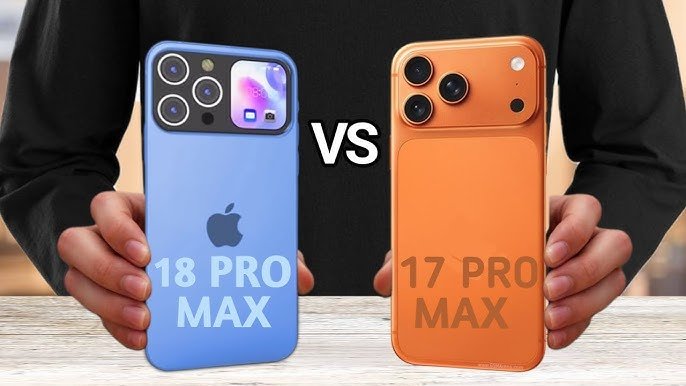
iPhone 18 Pro and iPhone 17 Pro deliver Apple’s latest Pro-level innovation, but meaningful differences determine if upgrading makes sense for most users. This article provides a complete breakdown of important areas to help you decide based on your requirements. 

Design Changes 

Both phones retain Apple’s high-quality titanium design and IP68 rating, which provides durability and a slim design measuring approximately 8.3mm thick. The iPhone 18 Pro reduces the Dynamic Island by 35% thanks to under-display Face ID technology, making way for a cleaner 6.3-inch edge-to-edge LTPO OLED display with 3000 nits of brightness. The iPhone 17 Pro also provides a solid 120Hz Pro Motion display, but does not offer the notch cut, which enhances immersion for video and gaming content. 

Weight remains close to 204g on both phones, with Desert Titanium available only on the latest iPhone. If bezels and screen real estate are a concern, the iPhone 18 Pro has a slight advantage without increasing size. 

Performance Jump 

The iPhone 18 Pro’s A20 Pro processor on a 2nm process leads the iPhone 17 Pro’s A19 Pro processor on a 3nm process, increasing CPU performance by 20% and GPU performance for smoother ray tracing in games. Both have 12GB RAM and support AI capabilities in iOS 19’s Live Translate feature seamlessly, but A20’s AI engine performs better for on-device processing. 

Feature iPhone 17 Pro iPhone 18 Pro 
Chipset A19 Pro (3nm)   A20 Pro (2nm)   
RAM 12GB   12GB   
GPU Gains Strong baseline   +20% over A19   
AI Engine Capable   Enhanced dedicated   

Daily tasks feel identical unless you’re maxing benchmarks or heavy editing skip upgrade if on iPhone 17 Pro.  

Camera Differences 

Cameras are where Pro models are defined, and the iPhone 18 Pro raises the bar with a 48MP tetraprism telephoto camera (8x optical zoom) compared to the 12MP 5x system in the iPhone 17 Pro, with variable aperture for improved low-light shooting. The primary 48MP cameras are the same, but the iPhone 18 introduces macro precision and AI cinematic shooting modes, which are excellent in 4K 120fps video recording. 

Front-facing 18MP selfie cameras are identical on both models and have good stabilization. The biggest improvement for pro photographers is for Pro users. 

Camera Aspect iPhone 17 Pro iPhone 18 Pro 
Rear Setup 48+48+12MP (8x tele)   48+12+12MP (improved tele)   
Telephoto 5x optical   8x tetraprism   
Video 4K 120fps   Enhanced AI modes   
Aperture Fixed   Variable   

Battery holds at 5000mAh equivalents, but A20 efficiency yields 2 extra hours of screen time on iPhone 18 Pro. 

Display Specs 

Look for 120Hz refresh and Ceramic Shield on both 6.3-inch displays, with resolutions around 2800×1300. iPhone 18 Pro’s thinner Dynamic Island and LTPO adjustments impact 1-120Hz with smoother battery life. No size increases, so ergonomics are the same as before. 

Battery and Charging 

iPhone 17 Pro supports up to 33 hours of video playback with 40W wired charging (50% in 20 minutes) and 15W MagSafe. iPhone 18 Pro matches the storage but brings back the reverse wireless charging feature and improved power efficiency with the chip, extending beyond 10 hours of actual usage with heavy tasks. 

Charging iPhone 17 Pro iPhone 18 Pro 
Wired 40W, 50% in 20min   35W MagSafe-tuned   
Wireless 15W   15W + reverse   
Battery Life 33hr video   +2hr efficiency   

Storage and Pricing 

iPhone 17 Pro begins at 256GB of storage to 2TB, starting at around $1,099 (base 128GB rumors). iPhone 18 Pro raises the price to $1,199 for the same storage options (128GB/512GB/1TB). 

US consumers, see carrier discounts can help with this payment. 

Storage Options iPhone 17 Pro iPhone 18 Pro 
Base 256GB   128GB   
Max 2TB   1TB   
US Price ~$1,099   ~$1,199   

Who Should Upgrade 

Content creators and photographers will see the most likely see the advantages that they can obtain from the camera and AI advancements in the iPhone 18 Pro. Telephoto alone which justifies the iPhone 18 Pro for professionals. For consumers with the iPhone 17 Pro? Wait, as performance equality and decent battery life mean no need to rush. 

User Type Upgrade? Reason 
Pro Photographer Yes   8x tele, variable aperture   
Gamer/Editor Maybe   A20 GPU, AI tools   
Casual User No   Minor gains vs cost   
iPhone 16 or Older Yes   Full ProMotion, efficiency   

Trade-in values peak now Apple’s program covers up to $650 off iPhone 17 Pro toward 18.  

Conclusion 

To conclude, the iPhone 18 Pro offers prominent improvements over the iPhone 17 Pro, mostly in camera flexibility, the efficiency of the A20 chip, and a more refined Dynamic Island design, which will be best for serious photographers and tech-savvy users who are looking for the best that technology has to offer. Nevertheless, for the average user of the already capable iPhone 17 Pro, the improvements may not be worth the additional expense, making it a wise hold until your line of work requires the best telephoto capabilities and AI improvements that the iPhone 18 Pro offers. 

This iPhone buying article emphasizes Apple’s take on the Pro comparison level evolution, not revolution, so identify your needs and trade-in value to determine if the iPhone 18 Pro is worth the upgrade for your daily drive in 2026. 

FAQS 

1. Is the camera in the iPhone 18 Pro an improvement over the iPhone 17 Pro? 

Yes, the 8x tetraprism telephoto camera and variable aperture are better for pros, offering improved zoom and nighttime photography. 

2. Does the A20 processor in the iPhone 18 Pro make it noticeably faster than the A19 in the 17 Pro? 

It’s 20% faster for gaming and AI, but not noticeably so for general use. 

3. Should consumers with the iPhone 17 Pro upgrade to the iPhone 18 Pro? 

No, minor tweaks such as the Dynamic Island reduction aren’t worth the $100 price increase. 

4. How does the battery life in the iPhone 18 Pro compare to the 17 Pro? 

The iPhone 18 Pro has 2 hours of extra battery life due to the A20 processor’s efficiency and reverse charging, which charges as fast as 40W wired charging. 

5. What’s the biggest difference in design between the iPhone 18 Pro and the 17 Pro? 

Dynamic Island is 35% smaller due to under-display technology.

Source 

iPhone 18 vs iPhone 17: Full Upgrade Guide and Apple Comparison for 2026 Buyers 

Apple Iphone 17 Pro Vs Apple Iphone 18 Pro Comparison by Price, Specifications, Features & Review (HT Tech) 

Apple iPhone 18 Pro: Comparison suggests 35% smaller Dynamic Island than on iPhone 17 Pro – NotebookCheck.net News 

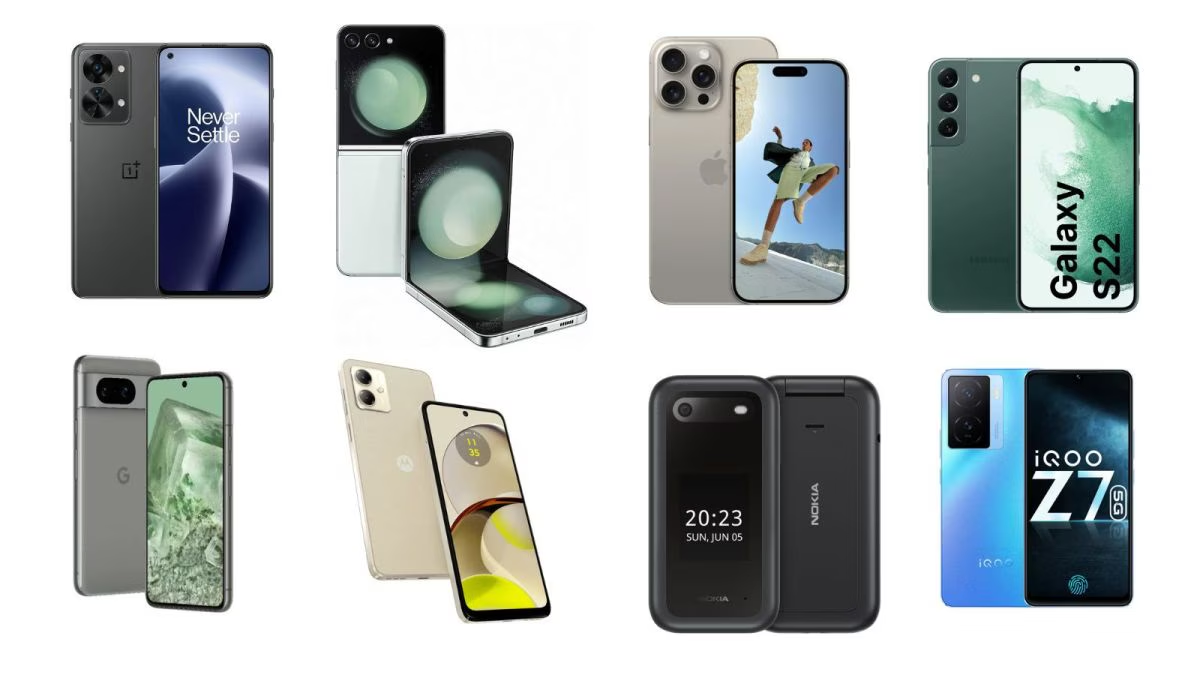
Walk into any US carrier store and it’s clear that big phones still dominate the shelves, but compact smartphones are no longer an afterthought. In 2026, smaller phones have quietly evolved from niche options into fully capable flagships. Devices under 6.3 inches now ship with top-tier processors, advanced camera systems, brighter OLED displays, and years of guaranteed software updates, without the compromises that once defined “small” phones. 

Apple, Samsung, Google, and select Chinese manufacturers have all doubled down on compact designs that fit better in pockets, work comfortably with one hand, and appeal to users who value usability as much as raw specs. For US consumers tired of oversized slabs, bulky cases, and screen fatigue, these phones strike a rare balance: flagship-level performance in a size that actually feels practical. Below are some of the best compact phones in 2026 that you can actually buy. 

Samsung Galaxy S25 

Equipped with a fast processor, great cameras, and seven years of software and security updates, you get tremendous outcomes for your buck along with a comfortably pocketable size. 

Pros 

  • Smaller form factor with slim bezels 
  • Snapdragon 8 Elite for Galaxy chipset with 12GB RAM 
  • New and improved Galaxy AI features 
  • One UI update is fresh, fun, and genuinely great 
  • Refined design with Gorilla Glass Victus 2 on front and back 

Cons 

  • Lacks UWB support 
  • Relatively small 4,000mAh battery 
  • Slow 25W wired charging speeds 

Galaxy S24 

The Galaxy S24 is one of the best last-gen compact phones thanks to its handy size and great software. It’s nearly as powerful as the S25 and has the same set of cameras. 

Pros 

  • Compact 120Hz AMOLED display 
  • Long software support 
  • Snapdragon 8 Gen 3 processor 
  • Strong battery life 

Cons 

  • Inconsistent camera performance 
  • 25W charging is starting to feel slow 

Google Pixel 9a  

Retailing for under $500, the Pixel 9a boasts outstanding camera tech, the same processor found in the Pixel 9 and Pixel 9 Pro, and a sleek and compact design. 

Pros 

  • Fantastic battery life 
  • Bright and vivid display 
  • Lots of access to Gemini AI features 
  • Seven years of OS and security updates 
  • Wonderful Macro Focus photos 

Cons 

  • There isn’t much on-device AI 
  • Charges very slowly 

Google Pixel 10 

The Google Pixel 10 might not seem particularly impressive over a Pixel 9 at first glance, but the changes to the design, the larger battery, and its new AI features kind of make up for the increase in price. The Pixel 10 has similar dimensions to the Pixel 9, so it’s compact and sleek though a tad thicker with a wider camera bar. 

Pro 

  • Convenient built-in Qi2 support via Pixelsnap 
  • Upgraded telephoto lens 
  • Long battery life, fast charging 
  • Excellent AI features 

Cons 

  • Still lacks some Pro features 
  • Not ideal for gaming 
  • Display isn’t as eye-friendly as more premium options 

Sony Xperia 5 IV 

Sony Xperia 5 IV has a compact OLED display, which enables creators to operate its manual camera controls. This system includes front-facing speakers that deliver audio optimized for watching movies and taking photographs. 

Pros 

  • Easy to handle with one hand and fits in pockets. 
  • A large 5,000 mAh battery provides long-lasting, all-day power. 
  • Includes a 3.5mm headphone jack and supports wireless charging 

Cons 

  • Users report overheating during 4K video recording 
  • The Camera Pro app requires manual adjustments 
  • Shorter lifespan for major Android OS updates compared to competitors 

Samsung Galaxy Z Flip 6 

Galaxy Z Flip 6 is a pocket-friendly model that provides flagship-level performance. It also offers improved durability, better cameras, and practical multitasking through its refined cover display. 

Pros 

  • Fantastic performance 
  • Refined design matches the Galaxy S24 series 
  • Clean software with seven years of support 
  • Fun and useful Galaxy AI features 
  • Official rating for dust resistance 

Cons 

  • No telephoto lens 
  • More expensive 
  • Limited cover screen experience out of the box 

Asus Zenfone 11 

Asus Zenfone 11, with its 5.9-inch display, near-stock Android experience, and flagship processor and strong thermal control, remains a favourite among users who value performance. 

Pros 

  • Equipped with the Snapdragon 8 Gen 3 chipset 
  • Useful for high-end gaming and multitasking 
  • 2-day battery life with normal use 
  • Features a bright 144Hz AMOLED display 

Cons 

  • It struggles to match top-tier competitors like Samsung or Google 
  • The optical, under-display sensor can be less accurate 

Motorola Razr 

Enjoy the best of both worlds for less than you’d pay for a traditional phone with this snazzy device that folds out to reveal a 6.9-inch screen. But when it’s closed, you get a super-compact size and a useful 3.6-inch external screen for accessing basic tasks. 

Pros 

  • Compact, durable form factor 
  • Available in fun colors, textures 
  • Satisfying, titanium-reinforced hinge 
  • Long battery life, fast charging 
  • Solid 50MP main camera sensor 
  • Cover screen is useful for basic tasks 

Cons 

  • Some critical Moto AI features don’t run on device 
  • Processor occasionally lags 
  • Limited software support 
  • Rear camera lenses are dust and fingerprint magnets 

OnePlus 13 Mini 

OnePlus 13 Mini achieves 120Hz display capability through its Snapdragon processor, which delivers high-speed performance. The Plus 13 Mini device offers two features: rapid battery charging and the standard OxygenOS user interface. 

Pros 

  • Comfortable grip for one-handed use 
  • Equipped with the powerful Snapdragon 8 Elite chipset 
  • Strong performance for gamers 

Cons 

  • Less immersive for media consumption 
  • Struggle to dissipate heat during prolonged gaming sessions 

Google Pixel 7a 

The Google Pixel 7a is a top-tier compact smartphone, featuring a 6.1-inch display, flagship Tensor G2 performance, and an excellent camera in a manageable, one-handed form factor. 

Pros 

  • Excellent Tensor G2-powered features 
  • Strong performance 
  • Water-resistant 

Cons 

  • Battery does not last all day 
  • Only three years of OS update support 
  • Only 90Hz display 

Which One is Good for You? 

Those who prefer the smaller screen experience can still choose from a fantastic selection of both new and previous-gen devices. This includes both standard bar-style phones as well as foldables that give you a tiny screen for glanceable information and a bigger one only when you really need it. 

When it comes to our performance, the Galaxy S25 is an easy choice with the latest Snapdragon 8 Elite SoC powering it, and excellent software support from Samsung promising seven years of Android updates. Compared to the Samsung Galaxy S24, the S25 has increased RAM right from the base variant and is slimmer and lighter. 

The Google Pixel 9a may not be what everyone considers “small” but it has amazing specs across the board, comes in at a price that’s more than reasonable. 

If you want a foldable, you can’t go wrong with the Samsung Galaxy Z Flip 6. But consider the Galaxy Z Flip 7 if you don’t mind something a smidge better, noting that it’s also much thinner, too.  

Final Thoughts 

The resurgence of compact flagships displays changing user preferences. As phone screen sizes grew, many buyers began prioritising comfort and daily usability over a larger display alone. Advances in chip efficiency, battery technology, and camera software have removed most technical limitations once associated with smaller devices. 

FAQs  

1. What screen size qualifies as a compact phone in 2026? 

Most compact phones today feature displays under 6.3 inches, offering better one-handed usability without major feature compromises. 

2. Which compact phone offers the best overall performance? 

The Samsung Galaxy S25 stands out with its Snapdragon 8 Elite chipset, refined design, and long-term software support. 

3. Which compact phone has the best camera quality? 

Google Pixel models, especially the Pixel 9a and Pixel 10, are known for their excellent computational photography and camera consistency. 

4. Do compact phones compromise on battery life? 

Modern compact phones benefit from efficient processors and improved battery technology, allowing many to deliver all-day battery life. 

5. Who should consider buying a compact smartphone? 

Compact phones are ideal for users who value comfort, portability, one-handed use, and flagship features without carrying a bulky device.

Ref: Compare smartphones- Galaxy S25 Ultra, Galaxy S24 Ultra. 

Google Pixel 10a Pre‑order 18 February.

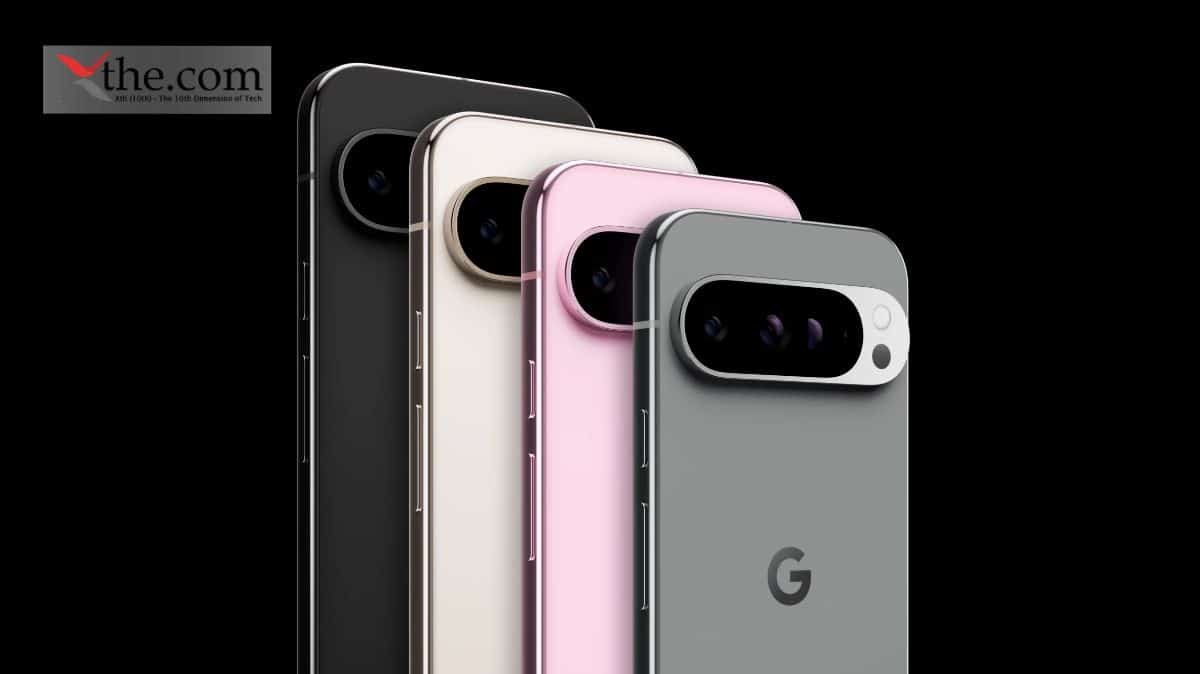
In the United States, Google’s Pixel smartphones sit alongside Apple’s iPhone and Samsung’s Galaxy lineup as one of the most recognizable names in the mobile market. The Pixel A-series has earned a loyal following among US consumers by offering strong cameras, clean Android software, and aggressive pricing. But nearly a decade after the first Pixel launch, questions are starting to surface. With incremental hardware updates, familiar designs, and rising prices, critics are beginning to wonder whether Google’s once-innovative A-series is losing its momentum compared to other Android alternatives.  

In this article, we examine the evolution of the Pixel A-series, assess whether Google is running out of ideas, and explore what the lineup needs to stay competitive in the US smartphone market. 

Evolution of Pixel A phones 

There have been 19 different Google Pixel generations with the newest generation. Google Pixel was the first phone in the Pixel line, launching in October 2016. At the time, this was one of the first smartphones to take advantage of USB-C, with the device also packing in a 12.3 megapixel camera. 

Google Pixel 2 was released in October 2017 with some significant improvements to the camera system, including support for optical image stabilization. 

The Google Pixel 3 made many noticeable changes for users. First, the bezels surrounding the display were drastically slimmed down compared to both Google Pixel and Google Pixel 2. As a result, the resolution of the screen was also made higher, with an increase of 12.5% and a shift to a 5.5″ display. 

Google offered mid-range smartphones to the market, with the Google Pixel 3a in 2019. It was a cheaper companion to the flagship Google Pixel 3. 

Google Pixel 4 was focused much more on internals. Google improved the refresh rate of the display to 90Hz, and there were numerous upgrades made to the camera system such as a 2x optical zoom. Pixel 4a made huge improvements with display brightness, delivering a peak brightness of 796 nits – an 83% increase over Pixel 4. 

Google Pixel 5 made battery life a major priority, providing a 4080mAh battery that delivered almost 50% more battery life per charge over Google Pixel 4. The Google Pixel 5 and Pixel 5a almost look identical next to each other, but the 5a actually sports a slightly bigger display of 6.34″. 

Google introduced a fresh design with Pixel 6 in October 2021. Despite all the new technology integrated inside the device, Pixel 6 actually launched for $100 less than Pixel 5. The Google Pixel 6a launched later than most other a models, arriving in late July 2022. This smartphone cut the 90Hz refresh rate of Google Pixel 6 to 60Hz, in addition to the RAM from 8GB to 6GB. 

Google Pixel 7 was a minimal upgrade, while at least still refining some of the Pixel’s most used features. Launched in October 2022, the Pixel 7 brought an improved fingerprint sensor, a redesigned camera bar, and better performance. 

Google Pixel 7a was launched on May 10, 2023. It brought a 64MP main camera and kept the 90Hz refresh rate and 8GB of RAM. The 7a is a bit smaller than the Pixel 7 despite still retaining a similar screen size. 

Google made its first major shakeup to the Pixel lineup in 2023 with Google Pixel Fold. This foldable phone features a huge 7.6″ display when folded open, with a standard display on the outside so you can use it like any normal smartphone. 

Google Pixel 8 was a decent upgrade from the Pixel 7 line, with some major features being a peak brightness of 2000 nits and a refresh rate of 120Hz. Google Pixel 8a was launched on May 14, 2024. This model dropped the Gorilla Glass Victus, opting for Gorilla Glass 3 on the display. While both have an OLED display and sport similar performance, the real difference was in the cameras. 

Google Pixel 9 was launched in August 2024. This broke from a years-long tradition of launching new Pixel flagship models in October. The Google Pixel 9 Pro Fold features a foldable display that builds off the 2023 Pixel Fold. The display is now taller and thinner, allowing for a bigger screen on the device. 

The Google Pixel 9a features a 6.3-inch Actual display that is 35% brighter than its predecessor and is powered by the Google Tensor G4.  

The new Pixel 10, Pixel 10 Pro, and Pixel 10 Pro XL were released on August 28. These new phones also featured the more powerful Tensor G5 chip and come with some UI updates as well. 

Why Upgrades Feel Small 

The recent Google Pixel models have some of the weakest speakers compared to Samsung and Apple. They are not quite up to the mark for a $1,000 smartphone. Almost every other phone in this price range, including the iPhone 17 Pro Max, Samsung Galaxy S25 Ultra, and even the OnePlus 15, offers better speakers than the Pixel 10 Pro. The upcoming models should have improved speaker quality, with louder output, clearer sound, and better audio depth.  

Google Pixel smartphones are known for their camera processing and post-capture AI work. When you take a photo on a Pixel phone, you generally know what to expect, regardless of lighting or location. Low light, harsh light, or night shots usually result in evenly lit images with natural-looking colors and restrained processing. 

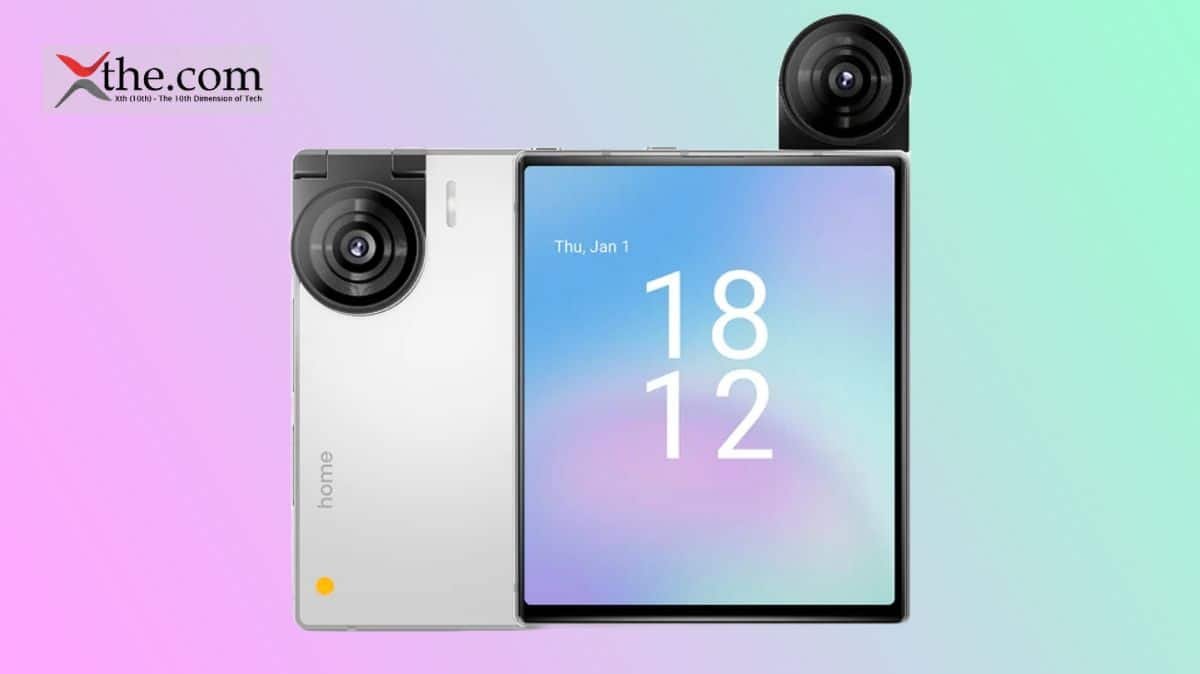
Other smartphone brands, like Oppo, Vivo, and Xiaomi, have taken bigger risks with advanced camera hardware, modular camera attachments, and more aggressive processing improvements. 

As a result, Google’s camera experience has begun to feel somewhat stagnant. Whether Google tackles it by reworking the camera pipeline from the ground up or by offering users more customization options, such as color profiles or stronger control over shadows and highlights, this is something that needs attention. 

While 2025 was a strong year for Google in catching up to other flagships with the Pixel 10 series, the company’s mid-range A-series lineup fell a bit behind. 

From Pixel 9a, Google has taken a completely different direction. The Pixel 9a debuted with an extremely minimal design, dropping the camera bar identity that defined Pixel phones. 

Should Google Change Pricing Strategy 

Despite offering a large battery at an aggressive price, Google removed much of the device’s charm. Other aspects also did not feel like meaningful upgrades compared to competing phones in the same price range. The Pixel A-series should offer more than just an entry-level Pixel experience, develop a clear identity of its own, and improve in key areas, especially processor and display. 

What Google needs to fix 

The upcoming Pixel 10a may offer largely the same experience that Pixel 9a provided. While Pixel UI is smooth and functional, it lacks a distinct identity in the crowded Android landscape. Most modern Android phones offer a fluid experience out of the box, so the Pixel’s core strength is lost in the noise.  

Samsung’s One UI, on the other hand, has a visually pleasing UI and offers features like Secure Folder, S Pen, Edge panel, and more that are immediately noticeable and appealing. 

While Google earned a reputation for stellar still photography, its video recording capabilities consistently lag behind the competition. This is a major weakness that Google needs to address. 

The Tensor CPU has been one of the biggest weaknesses of the Pixel series. While it excels at AI tasks and enables unique Pixel features, it hasn’t caught up with Apple’s A-series chips or Qualcomm’s Snapdragon flagships in performance efficiency. 

Final Thoughts 

While Google has made progress in expanding Pixel availability, it still lags behind the reach of Apple and Samsung. This limited availability is an obstacle to the Pixel becoming a mainstream device. Google must also forge stronger relationships with carriers worldwide to ensure wider distribution and competitive pricing. 

FAQs 

1. How has the Pixel A-series evolved over the years? 

It began as a budget-friendly alternative to flagship Pixels but has gradually shifted toward offering a toned-down version of the main Pixel experience. 

2. Are Pixel phones still strong in camera performance? 

Pixel phones continue to deliver reliable photography, but competitors now offer more advanced hardware and creative flexibility, making Google’s approach feel conservative. 

3. How does Google’s pricing strategy affect the Pixel A-series? 

Rising prices without corresponding feature upgrades have made the A-series less competitive against similarly priced Android alternatives. 

4. How does Pixel UI compare to other Android skins? 

While smooth and clean, Pixel UI lacks the distinct features and visual customization offered by skins like Samsung’s One UI. 

5. What improvements does Google need to make in future Pixel A phones? 

Google needs to focus on better performance efficiency, stronger video recording, clearer product identity, and meaningful display upgrades.

Ref: Google Pixel 10a Pre‑order 18 February. 

Google Pixel 10 series Ask more of your phone

Welcome to the Google Pixel Help Community

In this evolving world, if we observe google Messages and WhatsApp are the top Android messaging apps in 2026, each excelling in different ways for US users who value seamless texting or cross-platform chats. 

This article provides a detailed breakdown to help in deciding according to their requirements. Let’s understand the core setup, RCS vs WhatsApp, and grab knowledge on group chat tools, privacy, and encryption. 

Core Setup 

Google Messages are pre-installed on most of the Android phones, making it the default choice for RCS conversations with other Android users. WhatsApp needs to be downloaded, but it can be easily synchronized across iOS, Android, and the web. 

Both services offer end-to-end encryption, but Google Messages requires RCS support from carriers, while WhatsApp offers it universally. 

Feature Parity Breakdown 

RCS in Google Messages has closed many gaps with WhatsApp by 2026, adding high-res media and reactions, yet WhatsApp leads in group scale and calls. 

Feature Google Messages (RCS) WhatsApp Winner 
High-res photo/video sharing Yes, up to original quality on RCS Compressed, but 2GB files Google Messages   
Typing indicators & read receipts Yes, on RCS; basic SMS fallback Always on Tie 
Custom reactions/emojis Any emoji + animations Limited emoji set Google Messages   
Voice/video calls Via Google Meet integration (up to 100) Built-in, up to 32 group WhatsApp   
File sharing limits RCS-limited; good for media 2GB any type WhatsApp   
Desktop access Web version (RCS needed) WhatsApp Web (full) WhatsApp   
Scheduling messages Yes, easy hold-to-schedule No native Google Messages   

RCS vs WhatsApp 

RCS in Google Messages offers a great facility for messaging purpose such as iMessage for Android, whereas, WhatsApp only depends on internet connectivity. 

Aspect RCS (Google Messages) WhatsApp 
Core Functionality Rich chats (high-res media, reactions) without data plans on supported carriers like Verizon, AT&T, T-Mobile Internet-only messaging; no SMS fallback  
Connectivity Wi-Fi or cellular via carriers; widespread US support Data or Wi-Fi required always 
Encryption End-to-end standard since 2024 for mixed Android groups End-to-end on all chats by default  
Strengths Ideal for domestic US texting; 1.5B global adoption by late 2025 Global polish for international calls and businesses  
Limitations Less refined for business or cross-platform international use No carrier integration; data-dependent   

Privacy and Encryption 

Both apps primarily prioritize security, but their approaches differ when it comes to US privacy concerns. 

Aspect Google Messages WhatsApp 
Encryption E2EE on RCS chats; SMS unencrypted E2EE all chats by default   
Data collection Google scans for spam on-device Meta collects metadata; opt-out backups 
Scam protection AI flags job/package fraud Basic reporting; no on-device ML 
Disappearing messages Yes, timed deletion Yes, customizable   

Google Messages edges out for US users, using on-device AI to block spam without uploading to the cloud. WhatsApp’s encryption is reliable, but backups to Google Drive can expose data unless disabled. 

Group Chat Tools 

Group chats are quite strong in both, but WhatsApp is better at handling larger and more disorganized groups. 

•Google Messages: Supports 256 members, has descriptions, polls, but only has basic admin functionality; RCS encryption is standard. 

•WhatsApp: Supports 1,024 members, has rich previews, announcements, and Secure also community nesting for large groups such as family or work purpose team groups. 

For sports enthusiasts in the US, the features of WhatsApp (such as group calls for 32) are better; Google Messages are better suited for smaller groups with effects such as screen bursts. 

Android Messaging Apps Context 

Amongst all the android options, here are the actual pay google messages leads as the stock app, ruling out Samsung Messages or Textra in RCS rollout. WhatsApp dominates cross-platform, with around 2.5 billion users ensuring contacts to stay connected. In the US, where 80% use Android, Messages carrier integration makes it frictionless for quick texts.  

Which App Suits Which Users 

Select based on your US lifestyle, pure Android texting, or global connectivity. 

User Type Best Choice Why 
Android-only texter Google Messages Free RCS perks, no app switch   
iOS/Android mixed groups WhatsApp Universal access, no carrier dependency 
Privacy-focused Google Messages Less metadata tracking   
Business/international WhatsApp Catalogs, large groups, calls   
Customization lovers Google Messages Bubble colors, Photomoji   
Frequent callers WhatsApp Seamless HD group video 

Android purists love Messages integration with Gemini AI for summaries; WhatsApp users stick to web stability. 

Performance and Battery 

Google Messages consumes less battery power on Wi-Fi (RCS optimized), great for long US commutes. WhatsApp consumes more battery power during calls but transmits data in a compressed form for poor network coverage. Both support the 2026 AI capabilities such as editing messages without delay on mid-range devices. 

Aspect Google Messages (RCS) WhatsApp Winner 
Battery Usage Lower on Wi-Fi/cellular; RCS data optimization Higher during video calls; compression helps on poor networks Google Messages 
Performance Speed Fast message editing and AI features on mid-range phones Smooth HD group video; occasional lag in massive groups Tie 
Data Consumption Minimal for texts/media via carriers Efficient compression but data-only Google Messages 
Handling Load Excellent for daily US texting marathons Strong for international or call-heavy sessions Depends on use 

Conclusion 

To conclude, in 2026, RCS standardization will push Google Messages closer to parity, especially with Apple’s partial support. WhatsApp evolves with Meta AI chats, but regulatory scrutiny in the US favors Google’s carrier-backed model. 

FAQS 

1.Do you think WhatsApp is more secure than RCS? 

Yes, WhatsApp currently provides end-to-end encryption between the business partner and the user, which is ideal for privacy-conscious use cases. RCS provides transport-layer encryption with carrier verification, with plans for end-to-end encryption. Many regulated businesses use RCS in combination with CPaaS governance to support audit and retention requirements. 

2.Do WhatsApp uses RCS? 

No. WhatsApp is an over-the-top messaging app that uses its own protocols and encryption.  

3. Which is best in 2026 for business? 

RCS is best for businesses that want without any app or interactive messaging. WhatsApp offers secure and conversational messaging. SMS is good for time being for highly secure info like OTPs. 

4. Which channel is most cost effective? 

SMS is most cost effective compared to WhatsApp and RCS. 

5. What do you think is the actual difference between SMS, RCS and WhatsApp Messaging? 

The major variation that comes in is the engagement what each channel offers. RCS and WhatsApp offer rich media support and 2-way conversations. SMS only allows texts, no internet needs.

Source –  

WhatsApp Vs. Google Messages: Which Chat App is Better? 

RCS vs WhatsApp vs SMS: Best Business Messaging in 2026 

RCS vs WhatsApp in 2025: Choosing the right channel – Infobip 

Considering Switching from WhatsApp to Google Messages: Seeking Insights! : r/GoogleMessages 

Compare Google Messages vs. WhatsApp in 2026

The smartphone market in the United States has gone through waves of bold innovation, from oversized displays and foldables to minimalist designs. While large-screen phones continue to dominate store shelves, a growing number of users are once again craving smaller and pocket-friendly devices that are easier to use one-handed and less distracting.  

In this article, we explore whether compact phones are making a real comeback, comparing the Ikko MindOne Pro’s minimalist approach with the evolving cover-screen experience on modern flip phones and what this shift could mean for the future of mobile design. 

Do People Prefer Compact Phones?  

According to a recent market study, a vast amount of smartphone users are keen to buy a compact device as long as it performs like the powerful flagship phones. And you could say the same about the models such as  Samsung Galaxy S25, the Pixel 9 and even the new Xiaomi 15 models. 

The consumers prefer a phone with a 6 to 6.5-inch display which is the ideal for a handy, powerful device.  

Compact Phones vs Small Phones  

This compact device for digital minimalists is effectively a smartphone that’s been stripped of the most addictive features. On the Light Phone, there is no app store, and thus, no any other endless feeds. There are simply tools like maps, a music player, a messaging feature, and of course, a phone. They should be easy to hold, pocket-friendly, and aesthetically cool-looking. All are valid points, but they could still feel an incredibly niche, more so than small phones. 

The small phones address a major consumer’s need, i.e., one-handed usability, which made them a bit appealing, somewhat more useful than slim phones. Besides, small phones, due to their form factor, naturally excel in providing a better in-hand feel and pocket-friendliness. Therefore, between the slimmer form factor and larger screen, or better pocket ability and one-handed use, most would choose the latter. 

The “cover-screen-only concept” refers to a, often user-driven or experimental, approach to using foldable phones (like the Samsung Galaxy Z Flip series) primarily or exclusively via their outer display, rather than unfolding the device for the main screen. This concept aims to minimize screen addiction, reduce distractions, and utilize the device as a “miniature,” specialized phone for quick tasks. 

Is Battery Important for Compact Devices? 

The sudden hype around compact phones is also because of the new silicone carbon technology that has helped with making batteries denser, which means a 6,000mAh unit can now be fit into a frame that measures under 8mm. These changes are most likely going to help brands develop a smaller device with powerful traits and no compromise on the battery life. 

Evolution of Modern Foldable Devices 

Folding phones are supposed to adapt to your needs: Start with the smaller screen for basic tasks, like checking notifications, and then switch to the bigger screens for writing emails and watching videos.  

Samsung Galaxy Fold hit the market in 2019, are smartphones with bendable screens. You can fold them in half and put them in your pocket. That first Galaxy Fold was huge, heavy, cost nearly $2,000, and looked like it would snap in half the first time you used it. When folded, the tiny display on the front was not enough screen. When unfolded, the device became a creased tablet and too much screen. 

Samsung released the $2,000 Galaxy Z Fold 7, which is effectively the same size and thickness of iPhone 15 Pro but opens up to reveal an 8-inch screen, which is about the size of an iPad Mini.  

The company also released the $1,100 Flip 7, which is 4.1 inches of screen folded up but becomes a full-sized smartphone when unfolded. Motorola has a similarly futuristic flip phone, the Razr Ultra, and Oppo has a comparable folding phone, the Find N5. Huawei sells the Mate XT, a phone that folds twice. Dubbed a “trifold,” this form factor is basically a tablet that folds up like a brochure. Even Apple is reportedly working on a folding iPhone. 

Will iKKO’s MindOne Pro AI Smartphone Change the Scenario 

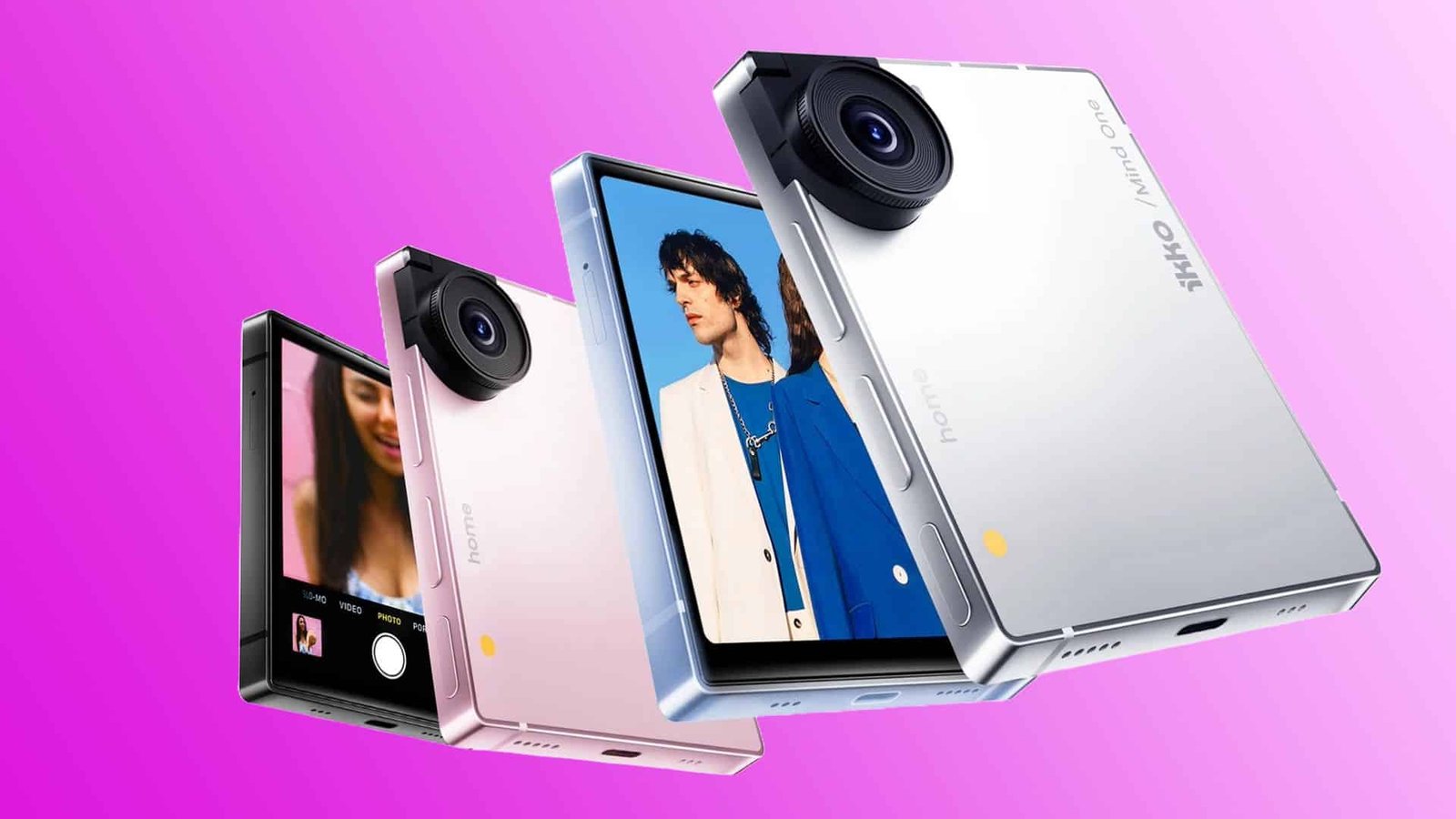
The company behind high-performance in-ear monitors and the award-winning ActiveBuds has launched its most ambitious product yet: iKKO’s MindOne Pro AI smartphone. This ultra-compact Android phone combines built-in AI tools, free global internet access, and a dual operating system. Its body is not much bigger than a credit card.  

The tiny MindOne Pro measures 86 x 72 mm (3.39 × 2.83 in) and is 8.9 mm (0.35 in) thick. It can easily fit in the palm of your hand or a small pocket. This fully functional Android 15 smartphone features a sharp 4.02-inch AMOLED display, a rotating 50-MP Sony camera, and a surprising amount of performance packed into its slim frame. 

One of the standout features is NovaLink, which is iKKO’s custom vSIM (virtual SIM) system. It provides built-in, SIM-free global internet for AI functions in more than 60 countries. The company is yet to provide the list of the countries. This means, users can access tools like Google Maps or translation without a dedicated SIM or having to connect to Wi-Fi or signing up to a local plan. This becomes very handy, if you have ever tried to use Google Lens to translate signs only to find your eSIM has run out of data, and there is no Wi-Fi around.  

MindOne Pro houses a 2,200-mAh battery, which iKKO claims offers up to 16 hours of video playback and, with the Snap-In Expansion Case, users get an extra 500 mAh. The phone itself doesn’t have any in-built audio jacks besides the one provided by the extension case, wireless connectivity comes via Bluetooth 5.2, and there are built-in stereo speakers.  

Will Smartphone Brands Follow the Trend? 

Apple and Samsung are planning sleek, premium devices, while others focus on more practical devices. 

Xiaomi 15 is one such option already out there but seems when it comes to the flagships, people would prefer to go for brands like Apple and Samsung.  

OnePlus and Vivo are being highly rumoured to launch their compact phones in India which means we could see more Snapdragon 8 Elite or Dimensity 9000 series phones coming at a more accessible price for the buyers. The OnePlus 13T is a definite sign of things to come in 2025 and most likely in the next few years. 

Final Thoughts 

The renewed conversation around small phones is driven by practicality, evolving technology, and changing user priorities. As smartphones grew bigger and heavier, a quiet demand for comfort, one-handed usability, and reduced digital overload kept building.  

Foldables show how versatility can coexist with size, while cover-screen-only usage hints at a more mindful way of interacting with our devices. Meanwhile, ultra-compact phones like the MindOne Pro challenge the idea that small automatically means compromised. With denser batteries, efficient chipsets, and AI-driven software, compact phones are no longer technologically disadvantaged. 

Small phones may not dominate the market again, but they are undeniably carving out a meaningful, modern comeback. 

FAQs 

1. Are small phones really making a comeback? 

Yes, growing demand for one-handed usability, better pocketability, and digital minimalism is pushing brands to rethink compact phone designs. 

2. Why do users prefer smaller or compact smartphones? 

Many users find them easier to use with one hand, more comfortable to carry, and less distracting compared to large-screen devices. 

3. Do flip phones replace the need for compact slab phones? 

Not entirely. Flip phones offer versatility, while compact slabs provide instant usability without hinges or folding mechanisms. 

4. How important is battery life in compact smartphones? 

Battery life is crucial, and advancements like silicon-carbon batteries now allow smaller phones to offer strong endurance. 

5. Will major brands like Samsung, Apple, or Xiaomi adopt smaller phone designs? 

While flagships remain large, brands are experimenting with compact models and foldables, indicating growing interest in smaller form factors. 

CES 2026 was packed with flashy announcements, AI buzzwords, and concept devices competing for attention, making it hard to tell which products truly pushed boundaries and which simply followed trends. Amid that noise, one of the most unexpected standouts came from iKKO, a brand better known in the US audiophile community for its high-performance in-ear monitors and the award-winning ActiveBuds. With the MindOne Pro, iKKO steps into unfamiliar territory, introducing an ultra-compact Android smartphone that feels like something major phone makers would never risk building.  

Roughly the size of a credit card, the MindOne Pro blends built-in AI tools, free global internet access, and a dual operating system into a form factor that challenges the idea that smartphones need to be big to be powerful. 

iKKO’s MindOne Pro AI Smartphone Features 

The tiny MindOne Pro measures 86 x 72 mm (3.39 × 2.83 in) and is 8.9 mm (0.35 in) thick. It can easily fit in the palm of your hand or a small pocket. This fully functional Android 15 smartphone, features a sharp 4.02-inch AMOLED display, a rotating 50-MP Sony camera and a surprising amount of performance packed into its slim frame. 

Its 4.02-in square screen is protected by sapphire glass, a supremely scratch-resistant material that outperforms the Gorilla Glass covering most phone faces. The screen features an AMOLED (Active Matrix Organic Light-Emitting Diode) display, which is a type of OLED technology commonly observed in larger and more advanced display systems. It delivers solid blacks and vibrant color without draining the battery. 

While the MindOne Pro has a fully functional touchscreen, users wanting more have the option of purchasing the extra Snap-In Expansion Case, which locks on a small keyboard below the phone. This magnetic accessory adds the QWERTY keyboard, as well as a DAC, 3.5-mm audio jack, and an extra battery, without dramatically increasing the size or weight of the phone. 

Its camera system, which features an impressive sensor, optical image stabilization (OIS) and wide f/1.88 aperture, looks strong on paper, though analysts are still waiting on real-world photo samples. 

Features of MindOne Pro 

While iKKO hasn’t revealed the display’s resolution, its AMOLED tech suggests it offers a crisp, bright display. It is ideal for reading and taking and viewing photos and video, with the screen easy to see in bright sunlight. The single-lens 50-MP camera is decent for high-resolution captures, sits flush against the unit, but can flip up to instantly to switch to selfie/vlogging mode. 

MindOne Pro Connectivity 

One of the standout features is NovaLink, which is iKKO’s custom vSIM (virtual SIM) system. It provides built-in, SIM-free global internet for AI functions in more than 60 countries. The company is yet to provide the list of the countries. This means, users can access tools like Google Maps or translation without a dedicated SIM or having to connect to Wi-Fi or signing up to a local plan. This becomes very handy, if you have ever tried to use Google Lens to translate signs only to find your eSIM has run out of data and there is no Wi-Fi around.  

For broader use, vSIM data top-ups are available in more than 140 countries, and there is also a nano-SIM slot for traditional mobile use. MindOne Pro also features 4G+ connectivity in order to preserve battery life and make real-world roaming more viable.  

Battery, Bluetooth, & Storage 

MindOne Pro houses a 2,200-mAh battery, which iKKO claims offers up to 16 hours of video playback and, with the Snap-In Expansion Case, users get an extra 500 mAh. The phone itself doesn’t have any in-built audio jacks besides the one provided by the extension case, wireless connectivity comes via Bluetooth 5.2, and there are built-in stereo speakers.  

Storage-wise, users will get 8 GB of RAM and 256 GB of storage within the hardware, which is also equipped with a USB-C port for charging. 

Ikko MindOne Pro Crowdfunding 

While IKKO Mind One Pro has piqued the industry’s curiosity with its crowdfunding efforts. The Hong Kong based company has raised over HK$11.5 million on Kickstarter. Backers will be able to reserve a phone for $299 and up, and devices are expected to begin shipping “as early as October 2025,” according to the July 2025 report. 

One other thing to keep in mind though is that the Kickstarter price is said to include a 40% discount off the eventual retail price. So if you aren’t willing to shell out $299 for a quick and unproven smartphone from a company that specializes in audio products, then you may have to pay $499 or more to get your hands on one after crowdfunding ends. 

MindOne Pro Pricing 

Right now, the MindOne Pro is available in jet black, pearl white, sky blue or blush pink, in the range starting from $369 ($130, or 26%, off retail price). Users will also get phone and accessories (screen protector, charging cable, manual), a one-year warranty and an option to add the magnetic extension case, choose from five colors, for $79. 

Who Will Love MindOne Pro? 

Designed for users who want a functional smartphone without the overwhelm, MindOne offers a focused and minimalist experience. It has a capable unit without the constant pings, scrolls and distractions of the mini computers most of us have in our hands right now. 

One major highlight of the device is its dual operating system. The MindOne Pro runs both full Android, with all your usual apps and services. It supports iKKO custom-built, lightweight AI OS, a streamlined second operating system for tasks like translation, transcription, voice-to-text documenting, and summaries. In demos, it looks sleek and functional. It has some handy features like a text translator that appears to perform a whole lot better than Google Lens. 

Final Thoughts 

MindOne Pro is not a phone trying to compete with the latest Samsung or Apple devices. Instead, the MindOne Pro offers a focused, functional alternative for travelers, creatives, and anyone who wants to carry smart tools, rather than distractions. iKKO will be shipping worldwide, with an estimated delivery by December if all goes to plan. There’s free standard shipping for most regions. 

FAQs 

1. How small is the MindOne Pro compared to regular smartphones? 

It measures just 86 × 72 mm and is 8.9 mm thick, making it significantly smaller than even the smallest mainstream smartphones. 

2. What makes the MindOne Pro’s display unique? 

It features a 4.02-inch AMOLED screen protected by sapphire glass, offering high scratch resistance and vibrant visuals in a compact form. 

3. How does the global internet feature work? 

The NovaLink vSIM system provides built-in, SIM-free internet access for AI features in over 60 countries, with paid data available in more than 140. 

4. What camera features does the MindOne Pro offer? 

It uses a rotating 50-MP Sony camera with optical image stabilization, allowing quick switching between rear and selfie modes. 

5. Who is the MindOne Pro best suited for? 

It’s ideal for travelers, creatives, and users seeking a distraction-free smartphone focused on utility rather than constant notifications.

Reference:

This Tiny, Crowdfunded Smartphone Promises Free Internet Access For AI Tools

CES 2026 live: all the news, announcements, and innovations from the show floor and beyond

Dolby brings to life how people watch, listen and enjoy their favorite entertainment. With 4K HDR TVs and immersive audio gaining popularity at home, streaming platforms have been racing to provide more HDR10, Dolby Vision and Dolby Atmos content to enjoy. However, few of the many platforms currently available continue to expand their 4K HDR library with immersive audio. Let’s take a look at the streaming platforms which are embracing the change. 

Netflix Dolby Vision 

To access the latest titles, all you need is a Netflix Premium subscription and a device enabled with Dolby Vision. Choose from a ton of titles including Outer Banks, Bridgerton, Emily in Paris, Manifest and more! Available titles will display the Dolby Vision badge next to their description. On Cast TVs, a Dolby Vision badge will appear on the loading screen. 

Watching Netflix shows in Dolby Vision is simple. First, you should make sure your TV is enabled with Dolby Vision. There’s a bunch on the market from many leading brands, including TCL, Sony, and LG. Users should make sure that they have updated the TV’s firmware to the latest version. 

You can stream Dolby Vision films and series using Dolby Vision-enabled gaming consoles or set-top boxes. Subscribers should use high-quality HDMI cables to connect to their devices. Streaming wirelessly from your mobile device to a TV enabled with Dolby Vision with Chromecast is also an option. 

Windows PCs with the Windows 10 or 11 Netflix app, or the Microsoft Edge browser, can stream Netflix in Dolby Vision when connected to a monitor enabled with Dolby Vision. For Mac owners, the streaming service can be accessed via the Safari browser, as long as your device is enabled with Dolby Vision.   

Both Dolby and Netflix recommend an internet connection speed of at least 15 megabits per second to stream titles available in Dolby Vision at Ultra HD 4K resolution. To enjoy Netflix content in Dolby Vision, you will need to have things set up to deliver the best possible experience. You will need: 

  • A Netflix Premium Plan 
  • A streaming device enabled with Dolby Vision 
  • A smart TV enabled with Dolby Vision 
  • A steady internet connection speed of 15 megabits per second or higher 
  • Make sure streaming quality is set to High 

Disney Plus Atmos 

Dolby Atmos is available all over Disney+ on a range of titles, from classic movies to brand new content fresh out from Disney studios or even third-party content. You can enjoy a variety of spatial sound experiences with your Disney+ subscription wherever you are, whenever you like.  

Most new titles are likely to have Dolby Atmos on Disney+. As well as bringing new dimensions and more life to the next generation of animation, documentaries, educational entertainment, and movies, Disney+ unlocks historical moments for all ages. 

It shed new light on their creative process, personal interactions, and, finally, the breakup of the Fab Four. Viewers are transported into Apple Studios with the band with a little help from Dolby Vision and Dolby Atmos. 

Disney+ adds new titles in Dolby Atmos on a regular basis, so you can discover new content optimized for the best possible audio experience in the comfort of your own living room, home cinema, or even on the go. 

Watching Disney+ content in Dolby Atmos is simple. You just need a subscription to Disney+ and a way to experience Dolby Atmos sound: a TV enabled with Dolby Atmos, a soundbar, or a speaker setup enabled with Dolby Atmos. While you scroll through the catalogue of available content, just look for the Dolby Atmos badge in the information listing. 

 You can also use a compatible gaming console like the Xbox S/X series or a set-top box to stream Dolby Atmos content on Disney+. Make sure you use high-quality HDMI cables to connect your devices. You can also stream wirelessly from your laptop or mobile using, for example Chromecast or Air Play. 

You can try all the Guardians of the Galaxy movies, Avengers, any of the other Marvel movies, Avatar 1 and 2, the newer Star Wars episodes, The Mandalorian, Ashoka, the new Indiana Jones, most all the Pixar titles, as well as many of the modern Disney Animation titles like Frozen 1 and 2, Moana, Lightyear, and Strange World to name a few. 

Peacock HDR 

Dolby Laboratories, a leader in immersive entertainment experiences, and NBCUniversal has recently announced that Peacock will be the first streaming platform to embrace Dolby’s full suite of advanced picture and sound innovations. This first-of-its-kind technology integration marks a major milestone in streaming entertainment. 

There’s nothing like an experience in Dolby. With Dolby Vision, colors burn brighter, details look crisper, and contrast runs deeper, so you will never miss the emotion in a pivotal scene or the intensity of a game-changing play.  

With Dolby Atmos, sound moves above and all around you, putting you at the heart of the story and the height of the action, making every explosion more intense, every game day more thrilling, and every moment more memorable. From the most intimate and emotional moments to the biggest, loudest plays, Dolby brings you closer to the stories and moments you love. 

Built on decades of Dolby audio leadership, Dolby AC-4 is Dolby’s most advanced and efficient audio codec to date. It delivers crystal-clear sound with up to 50% greater efficiency than traditional codecs. Dolby AC-4 offers new personalization and dialog enhancement features and unlocks the highest audio fidelity possible while using a fraction of the bandwidth of traditional codecs. 

Subscribers enjoy exclusive and critically acclaimed Originals; blockbuster and award-winning recent films from Universal Pictures, DreamWorks Animation, Illumination, and Focus Features; America’s premier live sports and events, including the Olympic and Paralympic Games, the NFL, Premier League and the NBA; live daily news. 

The platform also has an expansive library of beloved films and TV shows, including “The Office” and 50 years of “Saturday Night Live” episodes. Built on powerful technology, Peacock is an engaging entertainment destination with interactive, innovative features that bring NBCUniversal’s fan-favorite content to life at home and on the go. 

Final Thoughts  

Dolby Laboratories, a leader in immersive entertainment experiences, has launched Dolby Vision 2 in 2025. It is a groundbreaking evolution of its industry-leading picture quality innovation. Dolby Vision has pushed picture quality forward as the gold standard for premium HDR. Dolby Vision 2 is designed specifically to meet the evolving opportunities of television experiences today, serving as one piece of Dolby’s broader mission to advance picture quality across all entertainment and devices, from the biggest to smallest screens. 

Dolby Vision captures every visual detail of your favourite Netflix shows with captivating colours, sharper contrasts, and richer details. It does this by bringing darker darks and brighter brights to your screen. sometimes all at once. Based on your service and device, it unlocks the full potential of HDR technology by dynamically optimising the image quality to deliver mesmerizing visuals every time. 

“At Dolby, we’re building technologies and partnerships that make premium experiences accessible to all, expanding how and where audiences can enjoy their favorite content,” said John Couling, Senior Vice President of Entertainment at Dolby Laboratories. “From the living room to the car and beyond, we’re bringing visions to life for creators across film, music, sports, and social, reimagining how people see, hear, and feel entertainment.” 

Dolby Vision 2 is supported by a redesigned and powerful image engine. This new engine, when combined with Dolby Vision’s extensive content ecosystem, unlocks even more out of your TV. This is fueled by a robust content pipeline spanning today’s most popular movies and TV shows, weekly live sports broadcasts, and an expanding library of games, all in Dolby Vision. 

FAQs 

1. Which streaming services support Dolby Vision in 2026? 

In 2026, major platforms like Netflix, Disney+, and Peacock support Dolby Vision on select titles, provided you have a compatible device and subscription plan. 

2. Do I need a special subscription to watch Dolby Vision content on Netflix? 

Yes. To stream Dolby Vision on Netflix, you need a Netflix Premium plan, along with a Dolby Vision. enabled TV or streaming device and a stable high-speed internet connection. 

3. What devices are required to stream Dolby Vision and Dolby Atmos? 

You’ll need a Dolby Vision–enabled TV, compatible streaming device (smart TV, set-top box, gaming console), and for Atmos, either a Dolby Atmos–enabled TV, soundbar, or speaker system. 

4. Does Disney+ support both Dolby Vision and Dolby Atmos? 

Yes. Disney+ supports Dolby Vision and Dolby Atmos on a wide range of titles, including Marvel, Star Wars, Pixar, Disney Animation, and major blockbuster films. 

5. Why is Peacock’s adoption of Dolby technologies important? 

Peacock is the first platform to adopt Dolby’s full suite of picture and sound innovations, enhancing live sports, movies, and originals with premium visuals and immersive audio.

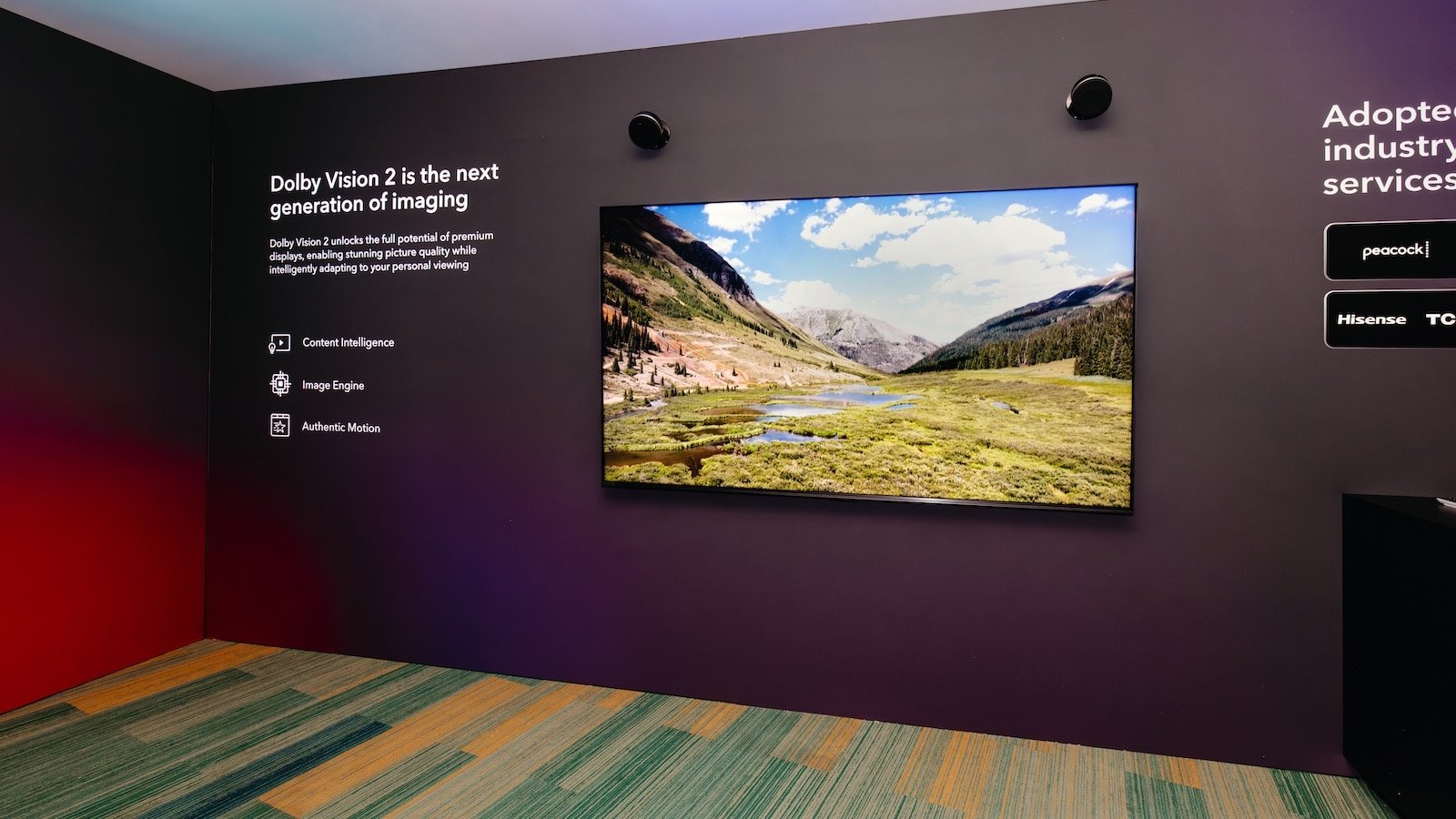
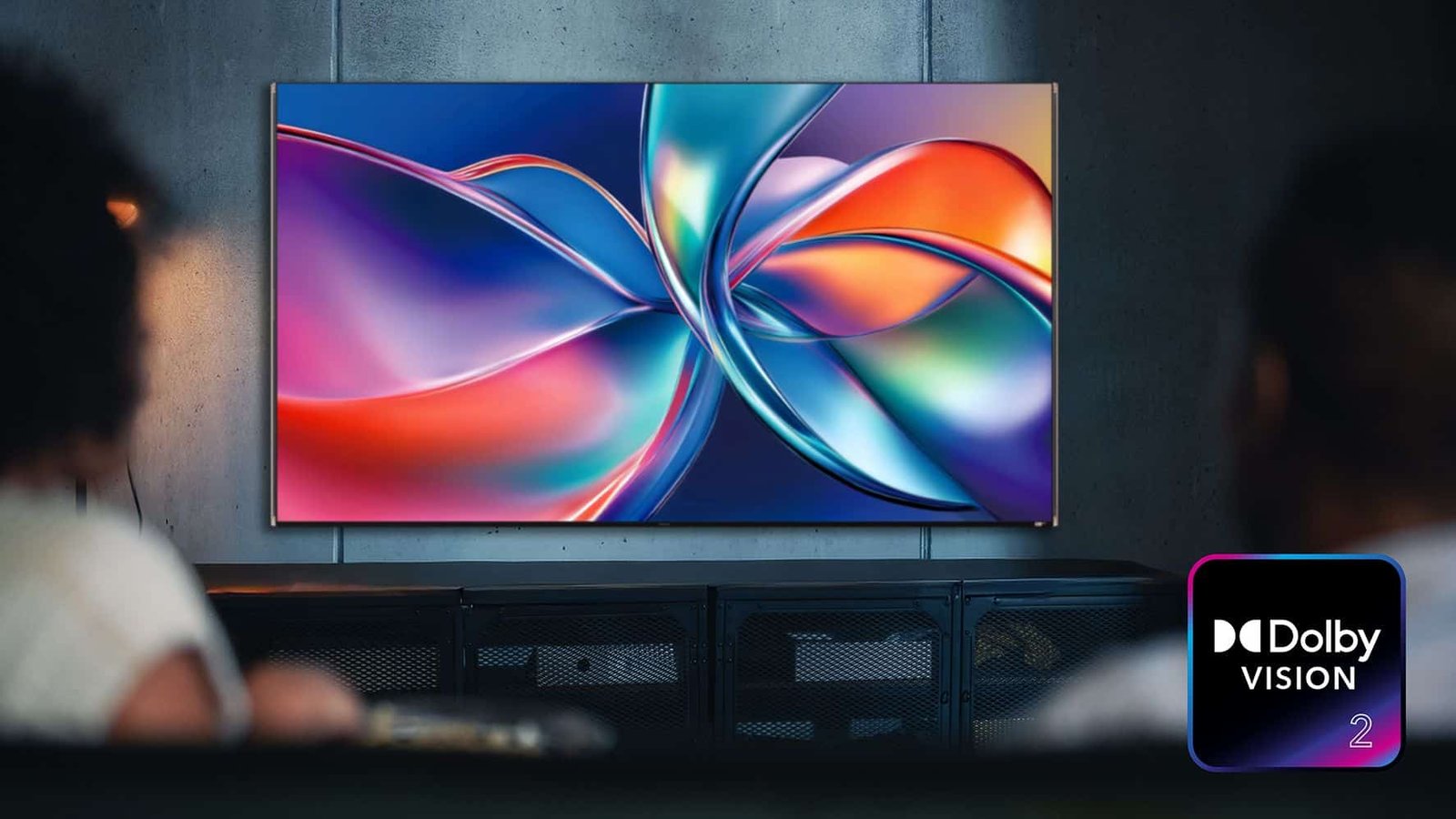
Dolby Laboratories, a leader in immersive entertainment experiences, has launched Dolby Vision 2 in 2025. It is a groundbreaking evolution of its industry-leading picture quality innovation. Recently, the tech giant has announced that Peacock will be the first streaming giant to adopt this new technology. Let’s take a look at the future of visual experience with Dolby Vision 2 and Peacock. 

What is Dolby Vision? 

For over a decade, Dolby Vision has pushed picture quality forward as the gold standard for premium HDR. Dolby Vision 2 is designed specifically to meet the evolving opportunities of television experiences today, serving as one piece of Dolby’s broader mission to advance picture quality across all entertainment and devices, from the biggest to smallest screens. 

“We’ve reached an inflection point where TV technology has dramatically changed while artists continue to demand even more innovative tools,” said John Couling, Senior Vice President, Entertainment at Dolby Laboratories at the time of the launch. “Dolby Vision 2 redefines how we think of Dolby Vision to unleash the full capabilities of modern TVs while giving artists unprecedented opportunities to push their creative boundaries further than ever before,” he added. 

Dolby Vision 2 is supported by a redesigned and powerful image engine. This new engine, when combined with Dolby Vision’s extensive content ecosystem, unlocks even more out of your TV. This is fueled by a robust content pipeline spanning today’s most popular movies and TV shows, weekly live sports broadcasts, and an expanding library of games, all in Dolby Vision.  

What is so Special about Dolby Vision 2? 

Dolby Vision 2 brings dramatically improved picture quality to mainstream TVs, delivering the core next-generation capabilities made possible through the new Dolby Image Engine and Content Intelligence. 

Content Intelligence has introduced new tools to bridge the creative suite to the viewer’s living room. This foundation allows Dolby Vision 2 to authentically and automatically optimize your TV to deliver a more captivating picture.  

And with AI capabilities, Dolby Vision 2 will intelligently adapt to give the best presentation of the content fine-tuned for your device and viewing environment. Building on Content Intelligence, Dolby Vision 2 has also introduced new tone-mapping that takes advantage of modern TV improvements.  

Today’s TVs are brighter and more colorful than ever. With bi-directional tone mapping, creators now have new controls that let them make the most of these enhanced displays. This allows high-performance TVs to deliver higher brightness, sharper contrast, and deeply saturated colors while preserving the artist’s creative vision. 

Dolby Vision 2 Max delivers the best picture on the highest performing TVs, adding additional premium features designed to utilize the full capabilities of these displays. 

Peacock’s Adoption Plan for Dolby Vision 2  

Dolby Laboratories, a leader in immersive entertainment experiences, and NBCUniversal has recently announced that Peacock will be the first streaming platform to embrace Dolby’s full suite of advanced picture and sound innovations. This first-of-its-kind technology integration marks a major milestone in streaming entertainment. 

“Peacock is raising the bar for what streaming entertainment can be with Dolby,” said John Couling, Senior Vice President of Entertainment at Dolby Laboratories. “This partnership reflects our vision to push the boundaries of live sports and entertainment, delivering experiences that truly stand apart. With Dolby, Peacock stands as the premier destination for viewers who expect nothing less than exceptional entertainment at home,” he added. 

“We deliver the most compelling content with the highest quality experience and unparalleled reliability on Peacock,” said David Bohunek, Senior Vice President of Global Video Engineering at NBCUniversal. “Our partnership with Dolby ensures that whether our subscribers are streaming a thrilling playoff game, the latest Universal blockbuster, or a critically acclaimed Peacock Original, they’re experiencing it exactly as creators intended with breathtaking picture and immersive sound that brings every moment to life.” 

Why does it Matter? 

As Peacock delivers on its mission as the ultimate fan-first entertainment destination, it is also preparing to adopt the next generation of Dolby innovation. The adoption will bring Dolby’s unmatched combination of sight and sound innovation to Peacock’s wide-ranging portfolio of blockbuster movies, acclaimed originals, and marquee live sports and events. 

There’s nothing like an experience in Dolby. With Dolby Vision, colors burn brighter, details look crisper, and contrast runs deeper, so you will never miss the emotion in a pivotal scene or the intensity of a game-changing play.  

With Dolby Atmos, sound moves above and all around you, putting you at the heart of the story and the height of the action, making every explosion more intense, every game day more thrilling, and every moment more memorable.  

From the most intimate and emotional moments to the biggest, loudest plays, Dolby brings you closer to the stories and moments you love. 

Built on decades of Dolby audio leadership, Dolby AC-4 is Dolby’s most advanced and efficient audio codec to date. It delivers crystal-clear sound with up to 50% greater efficiency than traditional codecs. Dolby AC-4 offers new personalization and dialog enhancement features and unlocks the highest audio fidelity possible while using a fraction of the bandwidth of traditional codecs. 

About Peacock 

Peacock is the streaming home of NBCUniversal, one of the world’s leading media and entertainment companies. Fans can stream thousands of hours of culture-defining entertainment, sports and news, including current seasons of NBC and Bravo series, such as the “Law & Order” and “Real Housewives” franchises. 

Subscribers also enjoy exclusive and critically acclaimed Originals; blockbuster and award-winning recent films from Universal Pictures, DreamWorks Animation, Illumination, and Focus Features; America’s premier live sports and events, including the Olympic and Paralympic Games, the NFL, Premier League and the NBA; live daily news., 

The platform also has an expansive library of beloved films and TV shows, including “The Office” and 50 years of “Saturday Night Live” episodes. Built on powerful technology, Peacock is an engaging entertainment destination with interactive, innovative features that bring NBCUniversal’s fan-favorite content to life at home and on the go. 

Final Thoughts 

Hisense was the first TV brand to announce it will bring Dolby Vision 2 to its lineup of premium televisions, such as RGB-MiniLED TVs. This was complemented by the leading French media and entertainment company CANAL+, which has also announced its commitment to support Dolby Vision 2. 

Your ability to enjoy every last bit of Peacock’s new Dolby-enriched sports experience will depend on what equipment you have in your AV set up. Your TV should support Dolby Vision or ideally Dolby Vision 2. The majority of TV and audio brands already support many of Dolby’s picture- and sound-enhancing features. Although the number of products featuring the full spectrum of Dolby enhancements seems likely to increase rapidly now that all these Dolby features are available from a single content source. 

FAQs  

1. How is Dolby Vision 2 different from standard Dolby Vision? 

Dolby Vision 2 introduces a redesigned image engine, advanced tone-mapping, and AI-driven optimization that adapts content to your TV and viewing environment for a more immersive experience. 

2. Why is Peacock adopting Dolby Vision 2 important? 

Peacock is the first streaming platform to adopt Dolby Vision 2, setting a new benchmark for streaming quality across movies, TV shows, and live sports with superior picture and sound fidelity. 

3. Will all Peacock content support Dolby Vision 2? 

Peacock plans to roll out Dolby Vision 2 across select blockbuster movies, original content, and live sports, with broader support expected over time. 

4. How does Dolby Vision 2 improve live sports viewing? 

Dolby Vision 2 enhances live sports with brighter visuals, sharper details, improved motion handling, and richer colors, making fast-paced action clearer and more immersive. 

5. Is Dolby Vision 2 combined with Dolby Atmos audio? 

Yes. Peacock’s adoption includes Dolby Vision for visuals and Dolby Atmos for immersive sound, delivering a complete cinematic experience at home.

Whether you’re shopping for an entry-level set or a premium OLED, Samsung has a TV for nearly every price range, screen size, and viewing style. That said, not every model is created equally. The best Samsung TVs stand out by delivering the right balance of picture quality, smart features, and overall value. 

Samsung releases a fair share of new models every year, so if you find yourself searching the internet for the best Samsung televisions, you might become overwhelmed by the number of options. We can help narrow down your options to find the best Samsung television for your needs and budget. 

Samsung TV Buying Guide 

What is LED?  

LED stands for light-emitting diode and simply refers to the backlight that lights up your TV. But not all LED TVs are created equal – the technology around them varies, and so too will your picture quality. This is why OLED and QLED TVs are seen as superior displays. With standard LED TVs, you’ll find big differences not only in the number of LEDs but the quality of each LED. This can lead to big differences in colour, contrasts, and the brightness of pictures you see on TV. 

What is an OLED TV? 

OLED stands for organic light-emitting diode. Unlike standard LED TVs, which use a backlight to produce colours, OLEDs produce both light and colour from a single diode or pixel. Their ability to be self-illuminating means they produce ‘real’ blacks. Deeper blacks allow for higher contrasts and richer colours, which in turn leads to a more natural and realistic image.  

This innovation means that OLED TVs no longer need a separate backlight and instead produce bright, colourful pictures from individually operated pixels. 

What is Neo QLED? 

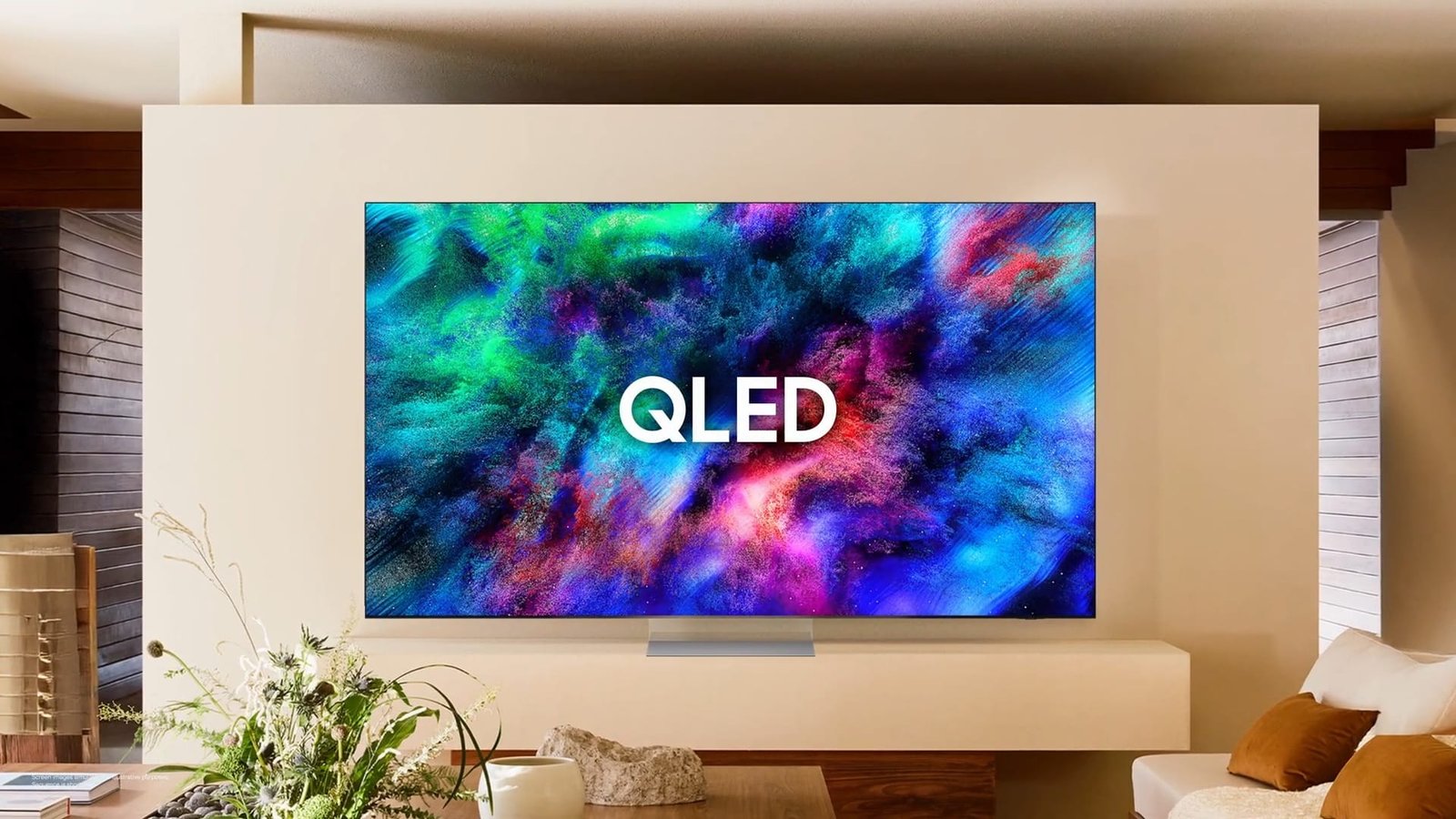
Samsung Neo QLED technology is an advancement of Samsung’s QLED technology. Samsung’s Neo QLED range boasts Quantum Mini LEDs. These are only 1/40th of the size of traditional LEDs – approximately the size of a grain of sand. These lights are expertly controlled, so you get better contrast and detail across the screen.  

And, since their size means the TV can fit more Mini LEDs in, Neo QLED TVs have a higher brightness level and exceptional picture quality on every inch of the screen. The light from Quantum Dots is now even more efficient, allowing Neo QLED TVs to be brighter, richer and more colour accurate compared to previous models 

Neo QLED vs OLED: Which is better? 

Both come with their own unique benefits, so really it comes down to personal preference and what you value most out of a TV. Here is a quick rundown of how the two display technologies differ. 

Best Samsung TVs in 2026 

Samsung S95F OLED 

The Samsung S95F OLED is the best Samsung TV. Like any OLED, you get unrivaled black levels, so blacks are deep and inky in a dark room. Since it uses a QD-OLED panel, you also get incredibly bright and vibrant colors that can’t be matched by traditional WOLED displays. A lot of OLED models don’t fare well in bright rooms, but this TV is the only OLED on the market that features a matte screen coating.  

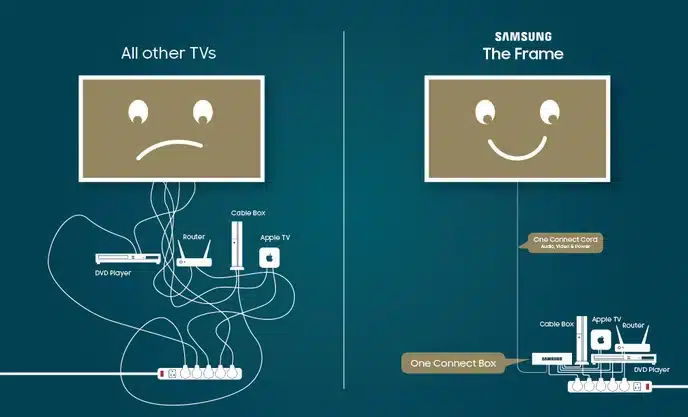
Reflections are almost invisible on this TV, so overhead lights and even direct light sources facing the screen are non-factor. Combined with its amazing peak brightness, visibility isn’t an issue at all on this TV. Another positive is that it has a very wide viewing angle, so it’s great for group settings. It comes with Samsung’s unique Slim One Connect Box, which gives you quick access to the inputs when the TV is wall mounted and offers versatility for your setup. 

The TV is also equipped with a plethora of modern gaming features like four HDMI 2.1 ports, 4k @ 165Hz, and VRR, making it a great option for pairing with modern consoles and gaming PCs. It also has nearly instant pixel transitions, so motion is crisp and clear.  

In addition to that, it has exceptionally low input lag for a responsive feel. Home theater enthusiasts may be put off by Samsung’s lack of Dolby Vision and DTS audio passthrough, but if you can live without those features, the S95F is one of the best TVs on the market. 

Samsung S90F OLED 

Samsung S90F OLED comes in, which is the best Samsung TV in the upper mid-range category. Being a QD-OLED, you still get the same perfect black levels and similarly vibrant colors as its older sibling. You also get impressive HDR brightness, so HDR content is impactful. Unfortunately, the TV isn’t nearly as bright in SDR as the S95F, and it’s not nearly as good with reflection handling due to its glossy coating, so there are some visibility issues in bright rooms.  

Still, you can watch TV and not be distracted by glare in moderately lit rooms. You also get the same wide viewing angle as the more expensive model, so it’s great for wide seating arrangements. 

Despite not offering 165Hz support, you can still game in up to 4k @ 144Hz with VRR on any of its four HDMI 2.1 ports. The TV has the same nearly instant pixel transitions and low input lag, so you get a sharp and smooth gaming experience.  

Like any Samsung TV, it doesn’t support Dolby Vision or DTS audio passthrough, but it still offers HDR10+. If you’re considering this TV, just keep in mind that only some sizes have a QD-OLED panel, and even that varies by region. 

Samsung S85F OLED 

If you want an OLED, but the two picks above are out of your price range, consider the Samsung S85F OLED. It’s not as bright as the Samsung S90F OLED, and it caps out at 4k @ 120Hz, but outside of that, the two TVs are remarkably similar. You still get the perfect black levels, vivid colors, wide viewing angle, and the nearly instant response times QD-OLEDs are known for.  

Even though the TV isn’t as bright as its more expensive siblings, you can still watch SDR content in a room with a few lights on and not be distracted by reflections. There’s a larger disparity in HDR brightness compared to the other two Samsung OLEDs, so highlights in dark scenes and entirely well-lit scenes don’t pop out as much, but you still get a decently impactful HDR experience. 

Some PC gamers might feel like they’re missing out by not having a 144Hz refresh rate, but the TV still offers four HDMI 2.1 ports capable of 4k @ 120Hz with VRR, so the TV is fully compatible with the features offered by modern consoles.  

Unfortunately, like the S90F, there’s a catch. In North America, only the 55-inch and 65-inch models use a QD-OLED panel, whereas the larger options utilize a normal WOLED panel. The rest of the world gets a WOLED panel throughout all size options. You can determine what type of panel it has by looking at the model code. 

Samsung QN80F 

Samsung QN80F is the best lower mid-range Samsung TV. It’s a lot brighter than the Samsung S85F OLED in SDR, so it overcomes more glare in a well-lit room. Although the Samsung has local dimming to help deepen blacks, you don’t get anything close to the inky blacks you get from OLEDs, and there’s haloing around highlights.  

It has about the same HDR brightness as the S85F, but since its contrast ratio is much lower and it doesn’t display as wide a range of colors, HDR content doesn’t look as good on it. The TV’s viewing angle is pretty narrow, so it’s not as good for wide seating arrangements as the OLEDs above. 

Fortunately, it has HDMI 2.1 bandwidth, up to 4k @ 144Hz, and VRR, so it pairs excellently with modern gaming consoles. The TV’s input lag is low on this model, but pixel response times are a lot slower than they are on OLEDs, so fast motion is a bit blurry. Like almost any Samsung model, it supports HDR10+, which helps HDR content look as good as it can on this model 

Samsung Q7F 

The Samsung Q7F is the best budget Samsung TV available. Samsung doesn’t release many budget models anymore, and the ones they do release tend to have mediocre image quality. That’s the case here, as the Q7F doesn’t have local dimming to help deepen blacks, which leads to dark scenes looking washed out. The TV is also too dim to handle much glare at all in a room with the lights on, so it’s best suited for a dimly lit environment.  

Its lack of brightness also means that HDR content looks underwhelming, since highlights don’t stand out like they should. Colors are also more muted on this TV, and the image lacks vibrancy. Like the Samsung QN80F, it has a narrow viewing angle, so it’s best viewed from directly in front of the screen. 

Unfortunately, this is a 60Hz TV that’s pretty bare-bones in terms of gaming features. It doesn’t have VRR to reduce screen tearing, and motion is blurry due to its slow pixel response times. However, 4k @ 60Hz gaming has decently low input lag, so at least gaming feels responsive.  

You still get HDR10+, which makes HDR content look a bit better, but that format doesn’t save this TV from looking underwhelming. If you really want a budget Samsung TV, it’s not the worst choice, but most people are better off shopping for a budget model from brands like TCL and Hisense. 

What Makes Samsung TVs Special? 

Samsung’s high-end models are some of the best TVs we’ve tested. They don’t excel in just one category; they’re well-rounded and offer great performance for various uses. 

Perform well in dark and bright environments. 

Their QLED TVs, especially those with VA panels, have high contrast and get bright, so they’re good for dark and bright rooms. 

Samsung is a leader in gaming features, and even their mid-range models have variable refresh rate (VRR) and ALLM support. 

Downsides of Samsung TVs 

Uniformity issues. 

Samsung models typically don’t have the best gray uniformity and have some dirty screen effect, which could get distracting during sports or PC use. 

TVs can be costly, and may not offer good value. 

Samsung’s high-end TVs can get costly, so while they provide the best performance, they may not have the best value compared to other brands. There are often cheaper TVs that you can get with no compromises. 

Few budget models. 

Although Samsung used to offer a wide range of budget models, in recent years, they’ve really scaled down their budget lineup. Their budget models typically aren’t worth buying when you can get better picture quality and performance from companies like Hisense and TCL. 

No Dolby Vision or DTS audio support. 

Although Samsung has their own dynamic HDR format in HDR10+, none of their TVs support the more widely used Dolby Vision format. They also don’t include support for advanced DTS audio formats, which are prevalent in physical media. 

What You Should Know Before Buying a Samsung TV? 

Samsung’s lineup covers everything from budget to high-end models. As a rule of thumb, the higher the number, the better it is, although sometimes the improvements aren’t worth it. Samsung releases four main TV lineups, and they use a consistent naming scheme for the top three lineups, which makes it very easy to understand what you’re buying simply by looking at the model number. 

Samsung uses the prefix ‘Q’ to denote their mid-range QLED models, and the last letter of these models also reflects the model year. They introduced the Mini LED lineup in 2021, denoted by the prefix ‘QN’ in the model name, like the Samsung QN90D. Their entry-level models follow a slightly different naming structure in 2025, with a single ‘Q’ used to identify their lower-end options. For example, the Q7F is a normal LED model without features like local dimming. 

Both OLED and Neo QLED displays have incredible colour accuracy, volume and brightness making them excellent choices. Each TV will have its own display specs. If you’re seeking a brighter image with a higher level of contrast between light and dark areas onscreen, it’s worth looking for TVs that have a vast colour gamut (that is the spectrum of colours) and HDR technology. Neo QLED in particular has high HDR brightness levels and a wide HDR range. 

Final Thoughts  

Samsung TVs are versatile and can provide good-to-excellent picture quality. Samsung introduced their new Neo QLED TV lineup in 2021, which is an improvement on their more traditional QLED lineup as it introduces Mini LED backlighting. When combined with the quantum dot layer, their high-end TVs provide great picture quality.  

Along with Sony, they also released the first QD-OLED TV in 2022 to compete with LG’s OLED lineup, which improves color vibrancy over traditional WOLED panels. Samsung has continued to improve this QD-OLED technology over the past few years, and their high-end OLEDs are still equipped with QD-OLED panels. 

FAQs  

1. Which is the best Samsung TV to buy in 2026 overall? 

The Samsung S95F OLED stands out as the best overall Samsung TV in 2026, offering exceptional picture quality, gaming features, and performance in both dark and bright rooms. 

2. What is the main difference between Samsung OLED and Neo QLED TVs? 

OLED TVs use self-lit pixels for perfect blacks and contrast, while Neo QLED TVs use Mini LED backlighting for higher brightness and better performance in well-lit rooms. 

3. What is Neo QLED technology and how is it better than QLED? 

Neo QLED uses Quantum Mini LEDs that are much smaller and more precisely controlled than traditional LEDs, resulting in better contrast, brightness, and picture uniformity. 

4. Does Samsung support Dolby Vision on its TVs? 

No, Samsung TVs do not support Dolby Vision. Instead, they use HDR10+ as their dynamic HDR format across most models. 

5. What should I check before buying a Samsung TV? 

Consider room lighting, viewing habits (movies, gaming, sports), panel type (OLED vs Neo QLED), refresh rate, HDR support, and whether the model offers features like HDMI 2.1 and VRR.


The Samsung Wireless One Connect technology solves the problem of messy TV installation by eliminating the cables connecting the TV to the other devices. The technology allows you to place the One Connect Box out of sight up to 10 meters away within the same room. It is therefore the best technology for use within the house, considering it supports high-end TV designs while resolving issues such as connectivity and delay. 

Lets dive into this article to understand how wireless TV connections work. 

What is Samsung Wireless One Connect? 

Samsung wireless is one that connects in an advanced iteration of the brands to connect at a box, then comes the upgraded to wireless HDMI TV transmission. Unlike other wired variants of One Connect products, where a proprietary slim cable is employed to collect a group of HDMI, USB, and power ports, the RF model truncates uncompressed 4K, 8K, and 8K/120 signals through an electromagnetic wave employing WiFi 7 technology and omni-directional tech. 

This obviously involves connecting gaming systems, Blu-ray machines, sound systems, and even set-top boxes to this compact box, before linking them wirelessly to Samsung TVs that support this connection. This should be noted to be separate from Samsung’s Zero Connect concept, an outdated wireless connection that was part of its portfolio for years but lacked the finesse that this connection enables 

Key benefits include: 

  • Cleaner room design, as there are no wires visibly snaking to the TV.  
  • Allows for the flexible placement of boxes behind furniture and inside cabinets with minimal metal obstruction. 
  • It works with the TV’s multiple HDMI inputs and provides eARC functionality to send audio signals back to your soundbar. 

How Samsung Wireless One Connect Works 

The system operates through the use of the transmitter-receiver model. To understand the operations of the system, the following is a step-by-step explanation: 

  • Power Up: Connect the provided C-type power adapter to the Wireless One Connect Box and TV.  
  • Pairing Mode: The box’s LED starts to blink blue on its own or can be initiated by pressing the “Pair” button for 3 seconds. 
  •  Position the box within a distance of 10 meters in line of sight 
  • TV Setup: Navigate the TV menu to Settings > All Settings > Connections > Wireless One Connect > Set Up. Make sure the box is detected it will pair immediately.  
  • Connect Devices: Connect HDMI sources to the box, which normally includes 4 HDMI 2.1, USB, Ethernet, optical.  
  • Signal Transmission: It utilizes 60GHz wireless, like WiGig, or even WiFi 7. The TV is effortlessly received and played on. 
Step Action TV Menu Path LED Indicator 
1 Power both devices N/A Solid white (standby) 
2 Enter pairing Hold Pair button 3s Blinking blue 
3 Scan on TV Connections > Wireless One Connect N/A 
4 Connect sources HDMI/eARC ports on box Solid blue (connected) 
5 Troubleshoot Device Care > Self Diagnosis Yellow/Red (weak signal)  

Supported TV Models and Compatibility 

Not all Samsung TVs support Wireless One Connect it’s exclusive to flagship 2025+ models. Primary compatibility focuses on 8K Neo QLEDs for 8K@120Hz wireless transmission. 

Model Series Year Resolution Key Features Wireless One Connect Version 
QN990FW 2025 8K WiFi 7, Omni-directional Full (up to 8K@120Hz)  
LS03FW (The Frame) 2025 4K/8K Art mode integration Compact box, HDMI 2.1 
QN900D/990D 2024 8K Wired fallback Upgradeable via box YouTube  
S95D (QD-OLED) 2025 4K Gaming focus Partial (4K@144Hz)  

Requires same-room placement; USB cameras must connect directly to TV USB-C. Older wired One Connect. 

Latency Concerns and Performance 

Latency is a concern for gamers, considering that this would introduce very minimal delay. 

Factors affecting latency:  

  • Distance(obstacles): Optimal below 5m; each wall adds 5-10ms.  
  • Resolution: 8K@120Hz may push some limits, at least risking anomalies.  
  • Interference: Avoid microwaves/2.4GHz WiFi. 
Scenario Avg Latency Suitable For Mitigation 
4K@60Hz Movies <5ms All users Standard setup  
4K@120Hz Gaming 10-15ms Casual Game Mode on 
8K@120Hz 15-25ms Enthusiasts Clear LOS, firmware update 
With obstacles +10ms N/A Reposition box 

Samsung’s self-diagnosis tool flags issues; yellow/red LEDs prompt relocation. Power-saving mode (white LED after 30min idle) auto-reconnects.  

Pros, Cons, and Comparisons 

Pros: 

The advantage offered by the Samsung Wireless One Connect in modern television setups cannot be overstated. Not only does it ensure aesthetic freedom with a box that has been made 62% smaller compared to previous versions, but it also comes with all the ports such as 4 HDMI 2.1 with eARC support, Ethernet, and USB, all in one place to facilitate all the connections such as gaming consoles and soundbars. The set itself comes with a future-proof setup with the first implementation of wireless 8K capability. 

Cons: 

On the other hand, a drawback of this feature is its extravagant price that reaches up to $600 or $400. It also only works within a certain room and accomplishes nothing when it comes to wired cables. Not only that, it also imposes an increased latency that could impact competitive users differently than wired cables. 

Compared to alternatives: 

Feature Samsung Wireless One Connect Samsung Zero Connect (Older) Standard HDMI 
Wireless Range 10m same room 10m Wired only 
Max Resolution 8K@120Hz 4K@60Hz Unlimited 
Latency Low (10-20ms) Medium Zero 
Cost High Medium Low  

Vs. competitors like Sony’s wireless prototypes: Samsung leads in bandwidth. 

Setup Tips and Troubleshooting 

For best results: 

  • Avoid enclosed cabinets. 
  • Update TV firmware via Settings > Support. 
  • Factory reset: Hold Pair 10s.  

Common issues: 

Issue LED Color Fix 
No connection Red Reposition <10m 
Weak signal Yellow Clear obstacles 
Pairing fails Blinking blue >30s Power cycle both 
High latency N/A Enable Game Mode  

Why Choose Samsung Wireless One Connect? 

This technology combines aesthetics and functionality, making it suitable for mounting a TV or an open living space concept. Though there are questions regarding its latency, it is a gamechanger for the remaining 95% of people looking for a completely wireless experience of HDMI TV Bliss. Future models coming in 2025 make this a great upgrade for die-hard Samsung enthusiasts. 

FAQS 

1. What is Samsung Wireless One Connect? 

A compact box which can wirelessly send HDMI video as well as audio signals directly to compatible Samsung TVs. 

2. How does Samsung Wireless One Connect work? 

Connect devices to the box via the ports on the back, pair it with the TV through the settings menu via a blinking blue light on the box, and then beam the signal up to 10m distance through WiFi 7 technology. 

3. Which TV models support it? 

Mainly 2025+ series such as Neo QLED QN990F or The Frame LS03F, but firmware may be available for older versions of the QN900D. 

4. Are there latency concerns for gaming? 

Yes, 10 to 20 ms added delay okay for casual use/game movies, but pros use wired HDMI; use Game Mode and Line Of Sight. 

5. What are the main pros and cons? 

Pros: Sleek 62% smaller design, full HDMI 2.1 ports, 8K wireless. Cons: Expensive, $400-600, only works in a room