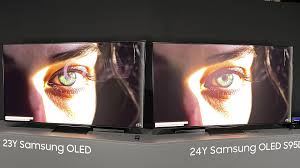
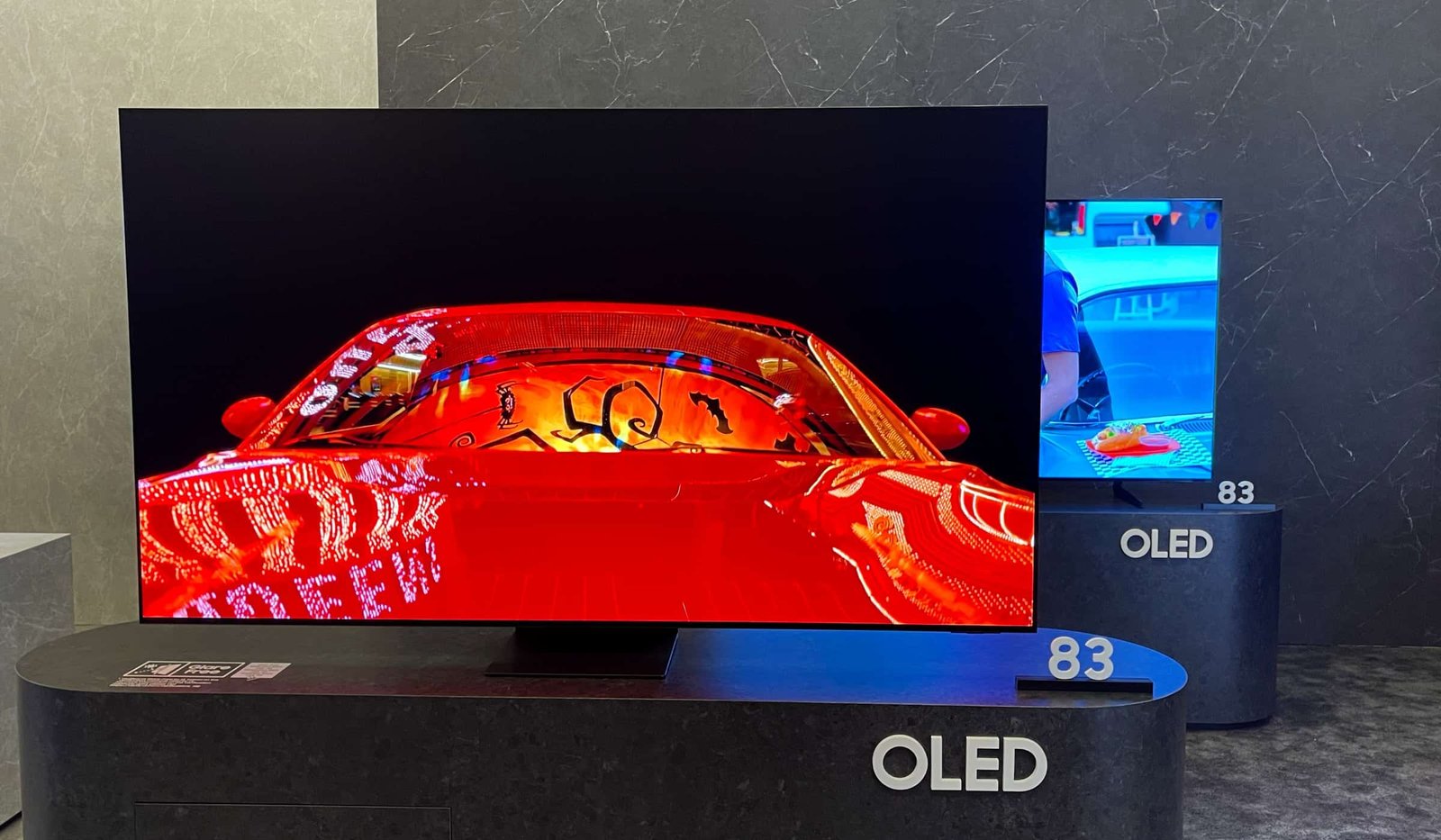
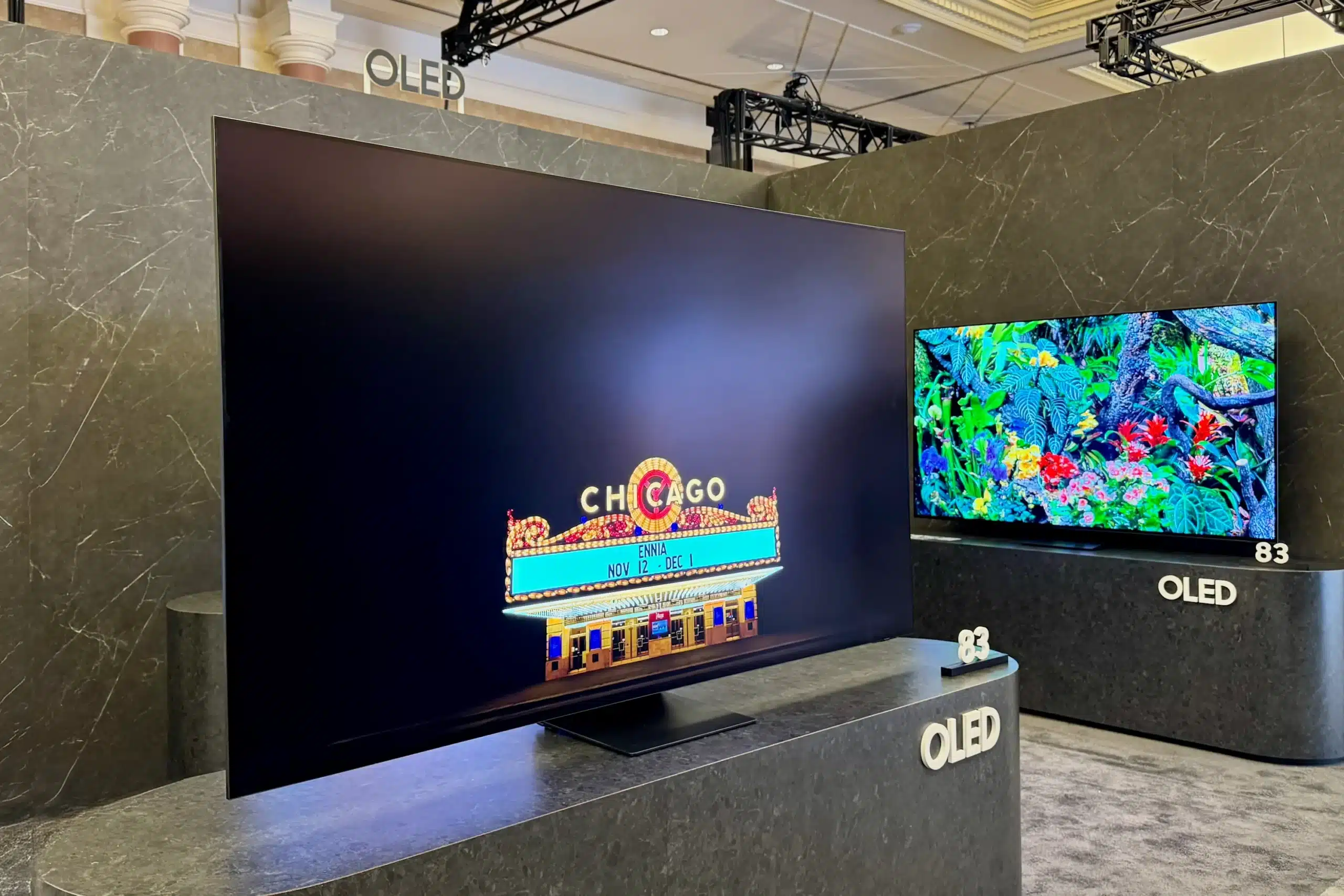
Samsung’s OLED Glare Free is an innovative solution to revolutionize the viewing experience through its sharp reduction in screen glare on OLED technology, making OLED ideal for bright American living rooms and homes across the US and beyond. 

Let’s dive deep into the article for better understanding on What is Samsung OLED Glare Free technology and how does it work? 

Core Technology Explained  

Samsung OLED Glare Free features an exclusive matte coating solution on QD-OLED devices, which was initially used on the S95D lineup released in 2024. Samsung’s OLED Glare Free features an analogous hard coating layer on its QD-OLED devices that contain minute textures on the surface, effectively scattering incident light and turning sharp reflections into blurry and soft haze. This is different from traditional matte coating solutions due to its maintenance of OLED’s color depth and brightness, as seen in its compatibility with HDR content 

The tech was initially branded as “OLED Glare Free” before it advanced to “Glare Free 2.0” in 2025 models such as the S95F. It achieves a 30% increase in brightness while reducing glare by a significant amount. Samsung offers it along with Quantum Dot to deliver Pantone certification in terms of color accuracy while maintaining it without losing contrast or saturation. 

How It Works Step-By-Step 

The basic rules of optics tell us that light reflection in TV sets is caused when light hits a glossy or shiny TV screen and tends to bounce back towards us in straight reflections when there is sunlight or ambient light in the room 

Layer 1: Base Coat Made from Hard Coating. This is an ultra-thin and sturdy coating material that attaches to the OLED display while providing protection from scratches and transmitting light waves. 

Layer 2: Micro-Pattern Etching “Nanoscale ridge patterns diffuse rays at various angles, reducing specular reflections by as much as 75 percent in tests.”  

Layer 3: Brightness Optimization QD-OLED emitters continue to produce peak output (?+ > 1,600 nits), thus neutralizing possible diffusion  

Result: Reflections change from bright images to dim glows, even in direct lamps and windows. 

Reflection Handling Mechanism Traditional Glossy OLED Samsung OLED Glare Free 
Direct Light Bounce High (sharp mirrors) Low (diffused haze)  
Off-Axis Viewing (70°+) Persistent glare Noticeable but dim  
Brightness Impact N/A None (QD-OLED boost)  
Color/Contrast Preservation N/A 100% retained  

Real-Room Testering Insights 

In homes with open layouts and naturally present sunlight, 70% of OLED display users suffer from glare, according to existing surveys. TechRadar conducted a series of tests on these displays compared to others that used artificial sunlight. They compared these displays to the Glare Free models and found that while there were reflections on other OLED displays, those rendered dark scenes almost invisible. 

Tom’s Guide CES demo verified, as OLED TVs from prior years featured sharp reflections of lights, while S95D TV showed a softening of reflections as a “very dim white light” that could be useful in sports viewing in a bright room, in news programs, etc., in a kitchen, sunroom, etc., that could otherwise create a distraction for viewers. 25% more reduction of reflections in 2025 upgraded S95F TV, verified by UL Solutions, represents 

Limitations: Extreme side angles greater than 80 degrees show hazy details; not completely hidden as ideal lab setups. 

Real-Room Scenario Standard OLED Performance Glare Free Performance Improvement 
Living Room Lamps Strong edge reflections Barely visible  70% reduction 
Window Sunlight Full mirror effect Diffused glow  75% less glare 
Kitchen Overhead Washed-out blacks Pure blacks intact  Eye comfort up 
Evening Mixed Light Moderate distraction Optimal clarity  25% better (2025) 

OLED Vs Mini-LED Comparison 

OLED stands out in pure black levels because of pixel lighting, but it traditionally struggles in very glossy spaces but 2,000+ nits’ brightness, along with semi-matte display panels, make Mini LED LCDs suitable spaces, until Samsung picked up the pace. 

 Now the Samsung OLED “Glare Free” surpasses almost all mini-LEDs in reflection management but tops them in contrast – infinite vs. “blooming”. For raw peak brightness in HDR pops, mini-LEDs hold the edge, but the Samsung oled excels for viewing angles and motion. 

Feature Samsung OLED Glare Free Mini-LED (e.g., Samsung QN90D) Winner for U.S. Homes 
Glare Reduction 75%+ diffusion  50-60% via matte  OLED Glare Free 
Black Levels Perfect (pixel-off)  Excellent, some bloom OLED 
Brightness (Peak) 1,600-2,000 nits  2,000-3,000 nits Mini-LED 
Bright Room Use Now excellent  Strong historically Tie 
Cost (65-inch) $2,500-$3,500  $1,800-$2,500 Mini-LED 
Burn-In Risk Low with safeguards  None Mini-LED 

For American households binge-watching Netflix in lit dens, Glare Free recommends OLED over. 

Models Featuring the Tech 

Samsung released OLED Glare Free in 2024’s S95D (55 inches – 77 inches), which continued in 2025 with S95F, featuring Vision AI and 165Hz modes. More affordable models, such as S90D, also exist, featuring lighter versions 

Model Series Launch Year Key Upgrade Sizes (inches) Price Range (USD) 
S95D 2024 Original Glare Free  55, 65, 77 $2,200-$4,000 
S95F 2025 Glare Free 2.0 +30% bright  55-83 $2,800-$5,500 
S90D 2024 Partial anti-glare  55-83 $1,800-$3,200 
Future 2026 2026 AI-enhanced layers  TBD TBD 

All of them also support 4K at 144Hz for PS5/Xbox, Dolby Vision competitors 

Benefits for the Everyday US Viewers 

This tech is perfect for busy families with tailgate gatherings with overhead lighting, kids’ TV programs during the day, and Sundays filled with the big game. This display helps prevent eye strain with minimized squinting, according to UL. This display uses power efficiency that is typical of OLED displays. They have warranties against panel defects. 

Its competitors, such as LG’s MLA OLED, have Vanta Black AR, which is good but less diffuse than Samsung’s option. Samsung is also the best option for an anti-reflection TV in a bright 

Future Outlook 

Expect greater AI integration with dynamic glare adaptation by 2026. Combined with increasing QD-OLED panel brightness, OLED will be considered standard in high-end U.S.-based configurations, competing with projectors on ease of use. Early adopters praise as a real-world testing verifies it’s not a gimmick. 

FAQS 

1. What is Samsung OLED Glare Free technology? 

A matte-like coating on QD-OLED panels that scatters light to eliminate reflections while preserving perfect blacks and vibrant colors. 

2. How does Samsung OLED Glare Free work?  

It uses a hard coating with micro-pattern etching to diffuse incoming light rays by up to 75%, turning sharp glare into faint haze. 

3. What are real-room testing results for glare reduction?  

Tests show 70-75% less distraction from lamps or sunlight compared to standard OLEDs, ideal for bright U.S. living rooms. 

4. How does OLED Glare Free compare to Mini-LED?  

It matches Mini-LED bright-room performance with superior infinite contrast and no blooming, winning for mixed lighting. 

5. Which Samsung models feature OLED Glare Free? 

 Flagships like the 2024 S95D and 2025 S95F with Glare Free 2.0, plus lighter versions in S90D series.

Samsung started CES 2026 with a bang by introducing an incredibly large Samsung 115-inch lineup, consisting of a high-end Samsung Neo QLED 2026 and a trendy Samsung the Frame 98-inch television set, aiming to elevate home entertainment experience with innovative Mini LED technology and artificial intelligence. This television set is perfectly suited for cinema enthusiasts and people who are into gaming, and who want a luxurious experience in their own homes. 

Samsung at 115-Inches a behemoth of a best samsung TV offering 8K resolution as part of the Neo QLED TV set, while the Samsung The Frame at 98-Inches is suitable for art enthusiasts as it has the functionality of acting as art on the walls, while not compromising on performance, while other specifications, who the TV is aimed at, what room size would be suitable, what the cost would be, would come later in the article. 

Key Specifications Comparison 

Feature Samsung 115-inch Neo QLED 2026 Samsung The Frame 98-inch 2026 
Screen Size 115 inches 98 inches 
Resolution 8K (7680 x 4320) 4K (3840 x 2160) 
Panel Technology Neo QLED (Mini LED) QLED with Matte Display 
Peak Brightness 3000 nits 2000 nits 
Refresh Rate 144Hz (VRR, FreeSync Premium Pro) 120Hz (VRR support) 
HDR Support HDR10+, Dolby Vision IQ, HLG HDR10+, HLG 
Processor NQ8 AI Gen 3 Neural Quantum 4K Processor 
Audio 90W 6.2.2-channel Dolby Atmos 70W 4.2.2-channel Object Tracking Sound+ 
Connectivity Samsung 115-inch Neo QLED 2026 Samsung The Frame 98-inch 2026 
HDMI Ports 4 (2x HDMI 2.1) 4 (HDMI 2.1) 
USB Ports 3 3 
Wireless Wi-Fi 7, Bluetooth 5.4 Wi-Fi 6E, Bluetooth 5.2 
Smart Platform Tizen OS 2026 with AI Hub Tizen OS with Art Store 
Gaming Features Game Bar 2026, 4K@144Hz Auto Game Mode, Cloud Gaming 

Standout Features and Innovations 

The Samsung Neo QLED 2026 model stands out with a high number of dimming zones, clocking in at more than 20,000, which promises precise contrast and prevents “bloom” in dark scene viewing. Additionally, Samsung’s Real Depth Enhancer 2.0 feature utilizes AI technology to “build in layers” with 3D-like depth, making explosions and other scene highlights “pop” in an action film or MMO-style gaming experience. 

Samsung The Frame 98-inch – Enjoy an evolving design with a flexible bezel to match your home decor by choosing from a collection of wood, metal, or fabric designs, paired with an anti-glare matte finish that replicates the look of real canvas art. Stream 2500+ art pieces from Samsung’s Art Store (subscription ~$5/month). Both TVs come equipped avec Vision AI to adjust the picture to suit the lighting conditions of the room. 

Innovation Benefit on Samsung 115-inch Neo QLED 2026 Benefit on Samsung the Frame 98-inch 2026 
AI Upscaling 8K Neural Quantum boosts SD to 8K 4K AI upscales streaming to near-native 
Sound Tech SpaceFit Sound Pro calibrates to room Voice Amplifier 2 enhances dialogue 
Eco Features 25% less power via AI efficiency Flush wall-mount reduces depth by 20% 
Smart Home Matter/Thread hub, Bixby/Alexa/Google One Connect Box hides cables 

Who Are These TVs For? 

Not every home needs a Samsung 115-inch TV, but they’re game changers for specific users. Here’s a breakdown: 

TV Model Ideal User Profile Why It Fits 
Samsung 115-inch Neo QLED 2026 Home theater enthusiasts, gamers, sports fans Massive scale for shared viewing; pro gaming specs 
Samsung The Frame 98-inch 2026 Design-conscious homeowners, art collectors Blends into decor; lifestyle over raw power 
Both Tech-savvy families in large homes Family movie nights with AI personalization 

“The Samsung Neo QLED 2026 TV set is for those who crave immersion, for example, those who are into blocking parties or media rooms.” On the other hand, “The Samsung The Frame 98-Inch TV set is for those who are minimalist at heart and can’t stand seeing a black screen.” 

Room Size Needs and Installation Tips 

TV Size Minimum Viewing Distance Ideal Room Dimensions (LxW) Ceiling Height Recommendation 
115-inch Neo QLED 12-15 feet (3.7-4.6m) 25×20 feet (7.6×6.1m) min 10+ feet (3m) 
98-inch The Frame 10-13 feet (3-4m) 20×18 feet (6×5.5m) min 9+ feet (2.7m) 

Pro tip: For exact calculations, use the Samsung Wall Mounting Optimizer app. At ~150kg, this Samsung 115-inch TV will require professional installation. 

Pricing and Availability 

Samsung hasn’t finalized expected pricing, but leaks and historical trends point to premium tags. US MSRPs below; add 20-30% for India. 

Model Expected US Pricing India Estimate (₹) Launch Timeline 
Samsung 115-inch Neo QLED 2026 $25,000-$30,000 ₹22-27 lakhs Q2 2026 
Samsung The Frame 98-inch 2026 $12,000-$15,000 ₹10-13 lakhs Q1 2026 

Various options are available for funding these services, similar to Samsung Care+, which covers 5 years for 10% of the total product cost. Pre-orders begin after CES, with bundles that include 

Why CES 2026 Matters for Samsung Fans 

It is evident that Samsung is dominating the premium TV space, as it is launching bigger and smarter TVs compared to LG and Sony. Samsung’s 115-inch TV is a new definition of ‘big screen,’ and Samsung’s The Frame 98-inch is the new ‘luxury.’ If upgrading, check the dimensions before buying, as these aren’t suitable for apartment living! Stay tuned for our hands-on reviews. CES 2026 demonstrates that TVs are evolving from devices into smart companions. 

Conclusion 

To conclude, Samsung’s 115-inch Neo QLED and 98-inch The Frame TVs, as announced at CES 2026, are redefining what home entertainment means with unprecedented scale, AI technology, and stylish vibes for a whole new level of 2026 luxury viewing, whether it’s a theater or an art gallery. 

FAQS 

1: What sizes are the new Samsung TVs launched at CES 2026? 

A: Samsung introduced the huge 115-inch Neo QLED 2026 and fashion 98-inch Frame 2026. 

2: What are the major technologies in the Samsung 115-inch Neo QLED? 

 A: 8K Mini LED with 3000 nits brightness, 144Hz refresh, and NQ8 AI Gen 3 processor. 

 3: How does the Samsung the Frame 98-inch serve as art? 

 A: With a matte display, customizable bezels, and 2500+ Art Store pieces, it becomes wall art when idle. 

 4: How much are these TVs expected to cost?  

A: 115-inch Neo QLED, from around 25,000 USD; 98-inch The Frame, starting at around 12,000 USD, launching Q1-Q2 2026.  

 5: Who are these TVs best suited for? 

A: 115-inch for gamers and home theatre enthusiasts in extra-large rooms; The Frame for the design-minded user that wants their taste to be conveyed in an understatedly luxurious way.

Samsung’s mid-range OLED display, the S90H OLED, has just raised the bar at CES 2026 with the introduction of Glare Free 3.0 technology, making high-end glare-reduction capabilities accessible to the masses without the hefty price tag of its flagship cousins. 

OLED Glare Free technology marks a shift in the S90H series as matte surfaces in high-end TVs now suppress reflection levels by 40% without compromising to OLED contrast and colors. They range in screens from 42 to 83 inches, using QD-OLED (55 to 77 in) and the Tandem WOLED technology in others to boost luminance by 15% over 2025 models. US buyers on a tight budget will find good use in the 165Hz gaming capability and AI intelligence in the S90H series, apart from those with glossy screens. 

S90H OLED Key Specifications 

The Samsung S90H OLED balances premium features with mid-range appeal, now enhanced by Glare Free across the board. 

Feature Specification Details Benefit for US Users 
Panel Type QD-OLED (55″, 65″, 77″); Tandem WOLED (others) Vivid colors, low burn-in risk  
Sizes 42″, 48″, 55″, 65″, 77″, 83″ Fits apartments to home theaters 
Refresh Rate 165Hz native with VRR Smooth PS5/Xbox gaming  
Brightness Boost 15% over S90F (~2,200 nits peak) Handles mixed room lighting better 
Anti-Glare Glare Free 3.0 matte coating Daytime sports without distractions 
HDR Support HDR10+ Advanced, HLG Creator-optimized dynamic range  
Connectivity 4x HDMI 2.1, Wi-Fi 7, eARC Future-proof for next-gen consoles 

Anti-Reflection Explained: Glare Free 3.0 

How anti-reflection coating actually works:  

Glare Free 3.0 diffracts incoming light scattered in the matte finish, cutting down glare from windows or lamps by 40% compared to a glossy display without affecting blacks, which can be a problem with simpler matte coatings. It’s essential to retain the contrast of the OLED display.   

For US households with south-facing windows, this tech transforms the entire viewing experience. 

S90H vs S90F: Upgrade Comparison 

Weighing an upgrade? OLED Glare Free tips the scales for many but compare specs head-to-head. 

Aspect S90F (2025 Mid-Range) S90H OLED (2026) Worth Upgrading If… 
Screen Finish Glossy Glare Free 3.0 matte Bright rooms dominate your setup  
Brightness (Peak) ~1,900 nits ~2,200 nits (15% brighter) HDR content looks dim now 
Refresh Rate 144Hz 165Hz You’re a competitive gamer 
Panel Options Mostly QD-OLED QD-OLED + Tandem WOLED Need 42″ or 83″ sizes 
HDR Formats HDR10+ HDR10+ Advanced (AI FRC) Motion blur bugs you in action 
Price Est. (65″) $2,000 (on sale now) $2,500-$3,200 (launch) Budget allows $500 premium 

S90H edges out for versatility, but S90F deals make it tempting if glare isn’t your issue.  

Gamers vs Movie Fans: Who Benefits Most? 

  • Gamers vs movie lovers differ in their preferences for speed and input lag for gamers, contrast for movie lovers but S90H OLED caters to both with special features. 
  • For Gamers (PS5, Xbox Series X owners): 
  • 165Hz VRR, ALLM, Nvidia G-Sync, AMD FreeSync Premium Pro reduce tearing. 
  • There are four HDMI 2.1 ports that support 4K/165Hz with 
  • Super Ultrawide Game View and AI Auto Game Mode are optimized on the fly. 
  • Glare Free is a great addition to well-lit gaming rooms, as it reduces eye strain during long gaming sessions. 

For Movie Fans (Netflix, Blu-ray enthusiasts):  

  • Infinite contrast ratio with perfect blacks is excellent in dark areas. 
  • HDR10+ Advanced employs AI for scene-by-scene tone mapping. 
  • Filmmaker Mode and Real Depth Enhancer maintain director’s intent. 
  • Anti-reflection coatings provide quality that is not affected by room lighting. 
User Type Top S90H Win Potential Drawback Upgrade Verdict 
Gamers 165Hz + low lag Matte may alter vibrant HDR Yes, if from 144Hz TV 
Movie Fans Glare-proof blacks Slight grain in total dark Yes, for mixed lighting rooms 

Gamers gain fluidity; fans get reliability making S90H a crowd-pleaser.  

Room Lighting Scenarios and Performance 

Room lighting dictates S90H’s value test your space against these common US setups. 

Lighting Condition S90F Glossy Performance S90H Glare Free Advantage Recommendation 
Dark Home Theater Excellent blacks Equal, minor texture No upgrade needed 
Dim Living Room Good, some reflections Vastly improved clarity Strong yes 
Bright Daytime (Windows) Washed out, distracting 40% less glare, sharp HDR Essential upgrade 
Sports Bar Setup Heavy glare from overheads Consistent visibility Gamechanger 

In sunny states like Texas or California, Glare Free seals the deal for most.  

Pricing, Availability, and Final Verdict 

Expect US launches mid-2026 at Best Buy, Amazon, and Samsung.com, with competitive mid-range pricing. 

Size (inches) Est. Launch Price Vs S90F Discounted Price Best For 
55″ $1,800-$2,200 $1,500 Apartments, secondary rooms 
65″ $2,500-$3,200 $2,000 Family living rooms 
77″ $3,500-$4,200 $2,800 Home theaters 
83″ $5,000+ $4,000+ Large spaces 

Conclusion 

To conclude, the Samsung S90H OLED TV stands out as a strong mid-range option with its revolutionary Glare Free 3.0 technology, providing an unparalleled level of anti-reflection capabilities that greatly enhance the viewing experience in bright US living rooms while maintaining the OLED TV’s hallmark contrast and color richness.  

As a gamer seeking the 165Hz refresh rate or a movie buff requiring a stable HDR experience in changing lighting conditions, the 15% brightness improvement and flexible panel choices provide a compelling reason to upgrade from the S90F, particularly with expected price points that will likely beat out flagships without compromising essential future-proofing elements such as four HDMI 2.1 inputs and seven-year Tizen support. In any case, if glare is a problem in your current sports, streaming, or gaming activities, the S90H OLED TV is worth the upgrade; otherwise, look for 2025 sales and wait for next year’s advancements. 

FAQS 

1. What are the latest updates on the Samsung S90H OLED? 

 The Samsung S90H OLED series gets a boost with the addition of Glare Free 3.0, 15% brighter panels with a peak brightness of 2,200 nits, and 165Hz refresh rates in the mid  

2. How does OLED Glare Free improve viewing?  

It scatters light to reduce reflections by 40%, which helps to maintain the contrast of OLED screens in bright room lighting conditions without blurring blacks. 

3. Is an upgrade from S90F necessary for gamers? 

Yes, for 165Hz VRR, G-Sync, and low-lag gaming in a lit room. 

4. Who will benefit most from this technology gamers or movie?  

Gamers enjoy seamless 4K performance, while movie buffs appreciate glare-free HDR image consistency regardless of the lighting conditions in the room.  

5. When and how much for US S90H OLED? 

 Probably the launch in mid-2026 at Best Buy/Amazon; 65″ estimated price $2,500-$3,200, and a $500 premium over S90F sales.

Samsung’s flagship OLED lineup has long been a benchmark for stunning picture quality and cutting-edge features, and the latest comparison between the Samsung S95H and its predecessor, the S95F, highlights just how quickly TV tech evolves.  

Samsung announced its new TV lineup for the year 2026. It includes QLED TVs, Lifestyle-series TVs, Neo QLED TVs, OLED TVs, Micro RGB TVs, and Micro LED TVs.  

Samsung’s S95H OLED, which debuted at CES 2026, is over a third brighter than before. The S95F now arrives with claims of higher brightness, smoother visuals, and smarter tech. But does this upgrade translate to better value, or is the S95D still the wiser purchase? Let’s take a close look and help you make a choice that suits your needs and your wallet. 

In this article, we break down the key differences, improvements, and innovations between these two premium sets, helping you decide which OLED TV delivers the best value, performance, and future-ready experience for your home entertainment setup. 

S95H Features  

A Samsung representative revealed that the S95H features technology that prevents burn-in, allowing it to display static images without distortion. The S95H is also the first Samsung OLED TV to offer access to the Samsung Art Store, featuring a selection of up to 5,000 images. This combination of features would make the TV more attractive to people who want a Frame-type TV. 

The new bezel is all-metal and replaces the S95F’s separate media connect box by enabling four HDMI inputs onboard. People can also add an extra Wireless One Connect box for a total of up to eight inputs. Additionally, the TV is designed to sit flush against the wall using the Zero Gap Wall Mount. 

The S95H is also the first Samsung OLED TV to offer access to the Samsung Art Store, featuring a selection of up to 5,000 images. This combination of features would make the TV more attractive to people who want a Frame-type TV. 

The Samsung S95H also supports gaming, featuring VRR up to 165Hz, FreeSync Premium Pro, Nvidia G-Sync and the Samsung Game Bar. 

When paired with the increase in brightness, this TV has the potential to be even better than the S95F. Pricing, sizes and availability are yet to be announced, but as it’s a premium TV, it won’t come cheap. 

Samsung says the S95H is up to 35% brighter than the previous model. 

Pros 

  • Improved brightness over predecessor 
  • Optional HDMI expansion is a game-changer (literally) 
  • Feature-packed in both hardware and software 

Cons 

  • Styling won’t suit everyone 
  • Wireless One Connect box isn’t included 
  • Requires further testing 

Analysts hope that Samsung sticks to the pricing of its predecessor, and while a price decrease would be nice. 

Other features of all these four OLED TVs include AI Energy Mode, Alexa, AirPlay 2, Bixby, Click To Search, Live Translate, Matter Hub, Microsoft Copilot, MultiView, Perplexity, Smart View, Samsung Health, Samsung TV Plus, SmartThings Hub, and Storage Share. 

Gaming enthusiasts will appreciate the presence of AI Auto Game Mode, Samsung Gaming Hub, ALLM, AMD FreeSync Premium, Game Bar, Mini Map Zoom, Nvidia G-Sync Compatible, Super Ultrawide GameView, and VRR. 

Words from Samsung  

“Earning VDE’s Real Black certification is proof of our commitment to taking OLED technology to new heights,” said Hoon Seol, Vice President and Head of CE Division at Samsung Electronics Germany. “We look forward to bringing more customers the opportunity to experience world-class picture quality with the deepest blacks and color clarity.” 

“VDE’s ‘Real Black’ certification is awarded only to displays that excel in our most demanding evaluations,” said Ansgar Hinz, the Chairman and CEO of VDE. “Samsung’s OLED stood out for its ability to maintain rich, accurate blacks across a wide range of lighting environments from home theaters to brightly lit living rooms. This achievement reflects both technological excellence and a commitment to delivering consistent picture quality in real-world conditions.” 

Samsung S95F Features 

Samsung’s S95F OLED earned praise for pushing brightness even further, while also delivering strong HDR results. Consumer Reports also noted its built-in Dolby Atmos speaker system, which gives it better-than-average sound straight out of the box, something that’s often a weak point for ultra-thin TVs 

Expected Price Range 

55-inch: $2,499 / £2,499 / N/A 

65-inch: $3,399 / £3,399 / AU$5,295 

77-inch: $4,499 / £4,299 / AU$7,995 

83-inch: $6,499 / £6,799 / AU$9,995 

Samsung claimed that the S95H will be 35% brighter than the S95F, which we measured at 2,135 nits peak brightness. That indicates the S95H may hit over 2,800 nits, easily making it the brightest OLED TV on the market. 

The S95H has undergone some design changes from its predecessor. It will have a new metal frame for wall mounting. The biggest change, however, is the removal of the One Connect Box used for the Samsung S95F. The One Connect is an external box that houses connections for external devices such as game consoles and soundbars, and it links to the TV using a single fiber optic cable. 

It seems odd that Samsung has removed this feature from the S95H, instead putting connections onto the rear of the TV, but Samsung confirms you can optionally add its Wireless One Connect Box, a wireless version of the One Connect box that beams video and audio signals losslessly to the TV. Interestingly, you can use both the Wireless One Connect Box and the TV’s ports, meaning there’s up to 8 HDMI 2.1 ports on offer for those with plenty of source devices. 

Final Thoughts  

The S95H will be the first OLED TV to support Samsung’s Art Mode, which was first introduced in Samsung’s The Frame TVs and then migrated to its new QLED and Neo QLED models in 2025. Art Mode displays artworks when the TV is in standby. A basic set of images is provided, and a paid subscription gives you full access to the more extensive collection in Samsung’s Art Store. 

Samsung’s 2026 flagship OLED might just have accidentally outshone the company’s latest and greatest display technology. 

FAQs  

1. What is the main difference between Samsung S95H and S95F? 

The biggest differences are brightness, design, and connectivity. The S95H is claimed to be up to 35% brighter, introduces Art Mode, and removes the standard One Connect box in favor of onboard ports with optional wireless expansion. 

2. Does the Samsung S95H support Art Mode? 

Yes. The S95H is the first Samsung OLED TV to support Art Mode and access the Samsung Art Store, allowing it to display artworks when not in use, similar to The Frame TV. 

3. Has Samsung removed the One Connect Box on the S95H? 

Yes. Unlike the S95F, the S95H no longer includes the wired One Connect Box, but users can optionally add Samsung’s Wireless One Connect Box for expanded connectivity. 

4. How many HDMI ports does the Samsung S95H have? 

The S95H has four HDMI 2.1 ports onboard and can support up to eight HDMI ports when paired with the optional Wireless One Connect Box. 

5. Does the Samsung S95H improve burn-in protection? 

Yes. Samsung says the S95H includes enhanced burn-in prevention technology, allowing it to handle static images more safely over long periods.

Samsung caused a stir at the CES 2026 event by launching the most technically advanced series of the Samsung 2026 OLED TVs, which were led by innovative ‘Glare Free’ technology offering unmatched clarity. New features of 2026 are Improved QOLED technology from Samsung Display, dual WOLED technology from LG Display, and elimination of reflections in bright living rooms. 

Based on the successes achieved in 2025, Samsung TVs now incorporate Glare-Free 3.0 coating in their major models to help reduce distractions from ambient light, essential for sports lovers in the afternoon or movie enthusiasts in well-lit rooms. Powered by Tizen OS 10.0 with its smart features, consisting of seven years of updates, Vision AI Companion, as well as compatibility with Alexa, Bixby, and SmartThings, these TV sets act as major hubs in contemporary US households. Major highlights at the CES included their gaming capabilities with 165Hz VRR and four HDMI 2.1. 

Samsung 2026 OLED TV Models Overview 

The Samsung OLED 2026 lineup broadens options with a size range of 42 to 83 inches, combining QD-OLED technology with vibrant colors and WOLED with a price point. The following are details of the main lineup. 

Model Key Panel Tech Sizes (inches) Refresh Rate Brightness Boost vs 2025 Standout Feature 
S99H QD-OLED (most), Tandem WOLED (83″) 55, 65, 77, 83 165Hz 35% brighter Metal bezel design, Wireless One Connect  
S95H QD-OLED (most), Tandem WOLED (48″,83″) 48, 55, 65, 77, 83 165Hz 35% brighter Zero Gap Wall Mount, Art Mode sammobile+1  
S90H QD-OLED (55-77″), Tandem WOLED (others) 42, 48, 55, 65, 77, 83 165Hz 15% brighter Glare Free 3.0 mid-range option  
S85H WOLED 48, 55, 65, 77, 83 100/120Hz Not specified Affordable entry-level OLED  

Such specs emphasize Samsung’s efforts to provide versatility with the S99H being the high-end smartphone designed particularly for cinematic and gaming enthusiasts. 

OLED vs 2025 Models: Key Upgrades 

Samsung OLED TVs of 2026 are an improvement over the past models due to innovations in the display technology and the use of anti-glare features. Even compared to the S95F and S90F of the previous year, the newer version performs better. 

Feature 2025 Models (e.g., S95F/S90F) 2026 Models (e.g., S99H/S95H) Improvement Impact for US Viewers 
Peak Brightness ~2,000 nits Up to 2,700 nits Better HDR in bright rooms  
Glare Reduction Basic matte Glare Free 3.0 Crystal-clear Super Bowl viewing  
Refresh Rate Up to 144Hz 165Hz native Smoother 4K gaming  
Panel Mixing Mostly QD-OLED QD + Tandem WOLED options Larger sizes without burn-in risk  
Audio Formats Dolby Atmos, OTS Adds Eclipsa Audio, HDR10+ Advanced Immersive spatial sound  

OLED vs 2025 models shows Samsung prioritizing brightness and reflection control, addressing common complaints from US reviewers about daytime usability.  

Glare Free Tech: Gamechanger Explained 

Glare Free 3.0 follows Samsung’s CES 2026 announcement with advanced matte coatings that scatter light without softening image sharpness. Unlike traditional glossy screens, it cuts reflections by up to 40% in tests, ideal for sun-exposed US homes from California to New York. That’s pretty great when combined with peak brightness jumps-the S99H reaches 2,700 nits in 10% windows-to ensure HDR content pops even near windows. 

That includes all major Samsung 2026 OLED TVs except the budget S85H, and CES demos showed the tech displaying sports and movies flawlessly under stage lights. It means families streaming Netflix or NFL games can spend less time adjusting settings and more time enjoying themselves. 

Full Feature Set Across the Lineup 

Each and every one of the 2026 Samsung OLED TV models offers superior connectivity and smart features catering to US consumers’ needs: 

Gaming: AI Auto Game Mode, Nvidia G-Sync, AMD FreeSync Premium, Game Bar 4.0, ALLM, Super Ultrawide GameView. 

Audio: 360 Audio, Adaptive Sound PRO, Object Tracking Sound+, Q-Symphony, Dolby Atmos. 

Connectivity Features: 

  • 4x HDMI 2.1 
  • Wi-Fi 7 
  • Bluetooth 5.3 
  • AirPlay 2 

These make the lineup more uniform, with seven-year OS updates giving them a long product life cycle, which is a rarity in today’s cutthroat US market. 

Sizes and Pricing Expectations 

Availability will be available in the US later in the year, in 2026, and in typical apartment to home theater systems in the US, and the price will be TBA, although rumors out of CES have all of the major analyst outfits projecting that the cost will be as hown in tabular form. 

Size (inches) Flagship (S99H/S95H) Est. Price Mid-Range (S90H) Est. Price Entry (S85H) Est. Price 
48-55 $2,000-$3,000 $1,500-$2,200 $1,200-$1,800 
65 $3,500-$4,500 $2,500-$3,200 $2,000-$2,500 
77 $4,500-$5,500 $3,200-$4,000 $2,800-$3,500 
83 $6,000+ $4,500+ $4,000+ 

Forecasts are based on 2025 market trends and CES market positioning; look for availability at consumer electronics stores such as Best Buy. 

Conclusion 

With the innovations of the Samsung 2026 line of OLED TVs, most notably with the inclusion of the innovative Glare Free technology, the boundaries of the programming and viewing experience of the future continue to be expanded and stretched and continue to amaze and astonish us with the endless possibilities that continue to grow and develop with every passing day. 

In the US, the launch of these lines of innovative TVs will be the key to the masses being able to enjoy the brighter and glare-free viewing experience offered by 

FAQS 

1. What are the different models available in Samsung’s line of 2026 OLED TVs introduced during CES 2026? 

Four flagship models, S99H, S95H, S90H, and S85H, were launched by Samsung. These products vary from high-end devices in their QD-OLED panels in S99H and S95H to the relatively cheaper WOLED screens in S85H ranging in size from 42 to 83 inches. 

2. What is the significance of the new Glare Free technology in the Samsung 2026 OLED TVs? 

Glare-Free 3.0 has the latest matte finishes that suppress glare by up to 40% while upholding the sharp image. This is the best feature in most TV versions, ideal for sport or movie time during the day in sunlit US homes, beating the standard glare-reducing technology in 2025 TVs. 

3. What’s new in 2026 compared to Samsung’s 2025 OLED models? 

There are different from Samsung’s models in the most notable improvements are in the panels, featuring 35% increased brightness, peaking at 2,700 nits, 165Hz refresh rates, and the use of QD-OLED/WOLED panels in larger TV sizes. Other improvements include the use of Vision AI, Tizen OS support for up to seven years, and more HDMI 2.1 ports 

4. When can I purchase the 2026 Samsung OLED TVs and what will be their price points? 

Launches are expected later in 2026 through Best Buy and other consumer electronics retailers. Prices start at 1,200 dollars for entry-level 48-inch S85H variants and top 6,000 dollars and above for 83-inch flagships, assuming current CES patterns and positioning.  

5. Are Samsung 2026 OLED TVs good for gaming, and what features support this function?  

Yes, they shine with 165Hz VRR, four HDMI 2.1 inputs, Nvidia G-Sync, AMD Free Sync, and AI Auto Game Mode. Gamers playing PS5 and/or Xbox can benefit from the low latency, Super Ultrawide GameView, and high brightness settings for 4K gaming.

News Summary:  

  • The Rubin platform integrates hardware and software design to reduce inference token costs by up to 10x and decrease GPU requirements for MOE model training by 4x compared to the NVIDIA Blackwell platform.  
  • NVIDIA Spectrum X, Ethernet, Photonics, and Switch Systems provide five times greater power efficiency and uptime.  
  • The new NVIDIA Inference Context Memory Storage Platform, powered by NVIDIA BlueField-4 storage processor, accelerates agent AI reasoning.  
  • Microsoft’s next-generation Fairweather AI super factories featuring NVIDIA Vera Rubin NVL72 rack-scale systems will scale to hundreds of thousands of NVIDIA Vera Rubin superchips.  
  • CoreWeave is among the first to offer NVIDIA Rubin managed through CoreWeave Mission Control to ensure flexibility and performance.  
  • NVIDIA has expanded collaboration with Red Hat to deliver a complete AI stack optimized for the Rubin platform, including Red Hat Enterprise Linux, Red Hat OpenShift, and Red Hat AI.  

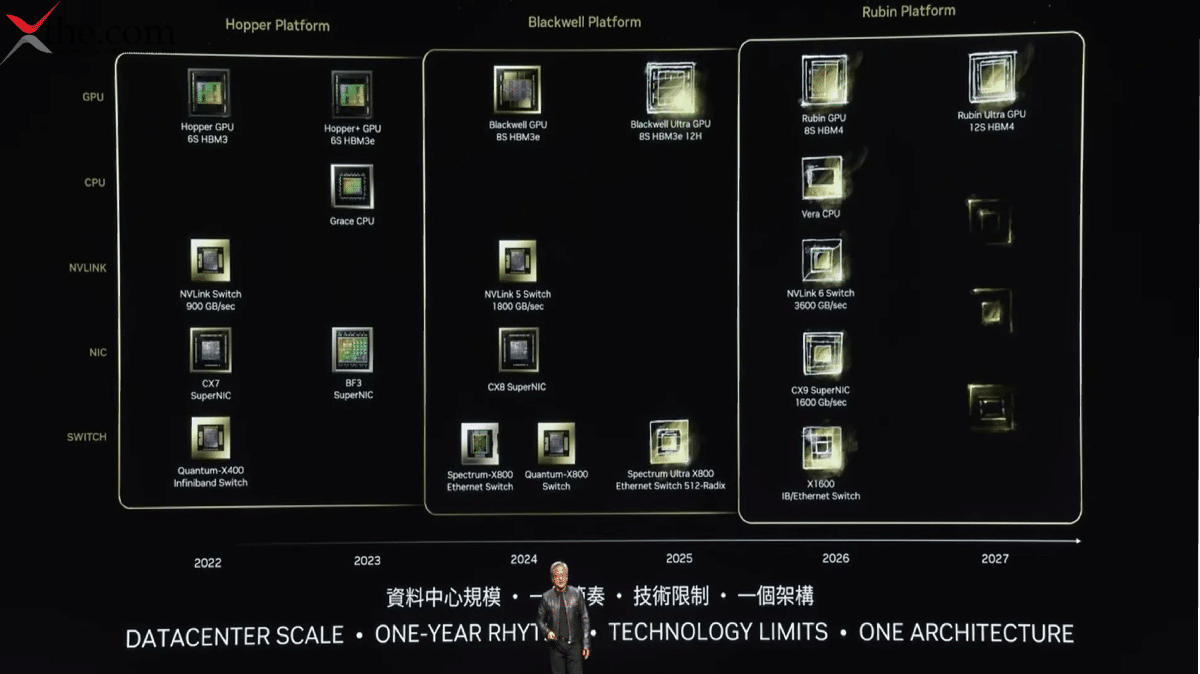
NVIDIA launched the NVIDIA Rubin Platform, which includes six new chips designed to deliver a high-performance AI supercomputer. Rubin sets a new standard for building, deploying, and securing large-scale AI systems at lower cost, accelerating mainstream AI adoption.  

The Rubin platform applies integrated code design across six chips:  

  1. NVIDIA Vera CPU  
  1. NVIDIA Rubin GPU  
  1. NVIDIA NVLink 6 switch  
  1. Media Connect X 9 supernic  
  1. Media Blue Field for DPU  
  1. NVIDIA Spectrum 6 Ethernet switch  

to reduce training time and inference token costs.  

Rubin arrives at exactly the right moment as AI computing demand for both training and inference is going through the roof, said Jensen Huang, founder and CEO of NVIDIA. With our annual cadence of delivering a new generation of AI supercomputers and extreme co-design across six new chips, Rubin takes a giant step towards the next frontier of AI.  

Named for Vera-Florence Cooper Rubin, the pioneering American astronomer whose discoveries transformed our understanding of the universe, the Rubin Platform features the NVIDIA Vera-Rubin NVL72 rack-scale solution and the NVIDIA HGX Rubin NvL8 system.  

The Rubin Platform introduces five innovations:  

  1. The latest NVIDIA, NVLink  Interconnect technology  
  1. Transformer Engine  
  1. Confidential Computing  
  1. RAS engine  
  1. NVIDIA VERA CPU  

These progressions accelerate agentic AI, advanced reasoning, and large-scale M.O.E model inference at up to ten times lower cost per token than the NVIDIA Blackwell Platform. Rubin also trains M.O.E models with 4x fewer GPUs, further accelerating AI adoption.  

Broad Ecosystem Support 

Leading AI labs, cloud service providers, computer manufacturers, and startups expected to adopt Rubin include: Amazon Web Services (AWS), Anthropic, Black Forest Labs, Cisco, Cohere, CoreWeave, Cursor, Dell Technologies, Google, Harvey, HPE, Lambada, Lenovo, Meta, Microsoft, Mistral AI, Nebius, Nscale, OpenAI, OpenEvidence, Oracle Cloud Infrastructure (OCI), Perplexity, Runway, Supermicro, Thinking Machines Lab, and xAI.  

Sam Altman, CEO of OpenAI, says intelligence scales with compute. When we add more compute models, we get more capable, solve harder problems, and make a bigger impact on people. The NVIDIA Rubin platform helps us keep scaling this progress. So advanced intelligence benefits everyone.  

Dario Amodei, Co-Founder and CEO of Anthropic: The efficiency gains in the NVIDIA Rubin platform represent the kind of infrastructure progress that enables longer memory, better reasoning, and more reliable outputs. Our cooperation with NVIDIA helps power our safety research and our frontier models.  

Mark Zuckerberg, Founder and CEO of Meta: NVIDIA’s Rubin platform pledges to deliver the next change in performance and effectiveness required to deploy the most advanced models to billions of people.  

Musk, Founder and CEO of xAI: NVIDIA Rubin will be a rocket engine for AI. If you want to train and deploy frontier models at scale, this is the infrastructure you use. Rubin will remind the world that NVIDIA is the gold standard.  

Satya Nadella, Executive Chairman and CEO of Microsoft: We are building the world’s most powerful AI super factories to serve any workload anywhere with maximum performance and effectiveness. With the addition of NVIDIA, Vera, and Rubin GPUs, we will authorize developers and organizations to create, reason, and scale in entirely new ways.  

Engineered to Scale Intelligence 

Agentic AI reasoning models and advanced video generation workloads are expanding computational capabilities. Multi-step problem-solving requires models to process, reason, and act along extended token sequences. The Rubin platform meets these requirements with five key technologies.  

  • 6th generation Nvidia NV-Link: Provides high-speed GPU-to-GPU communication for large MOE models. Each GPU delivers 3.6 TB of bandwidth, and the Vera Rubin Nvl72 rack offers 260 TB of built-in network bandwidth. Compute accelerates collective operations while new features improve serviceability and resiliency. The NVLink 6 switch supports efficient AI training and inference at scale.  
  • NVIDIA Vera CPU: designed for Agentic Reasoning, NVIDIA Vera is a power-efficient CPU for large-scale AI operations. It features 88 custom Olympus cores, full ARMv9.2 compatibility, and high-speed NVLink C-to-C connectivity. Vera provides strong performance, bandwidth, and capability for contemporary data center workloads.  
  • NVIDIA Rubin GPU: The 3rd generation transformer engine with hardware-accelerated adaptive compression enables Rubin GPU to deliver 50 petaflops of NVFP4 compute for AI inference.  
  • Third-generation NVIDIA Confidential Computing, Vera Rubin NVL72, is the first rack-scale platform to offer it, upholding data security across CPU, GPU, and NVLink domains. This protects both large proprietary models and training and inference workloads.  
  • 2nd Generation RAS engine: the Rubin platform spanning GPUs, CPUs, and NVLink includes instant health checks, fault tolerance, and preemptive maintenance to boost system performance. That modular, cable-free tray design enables up to 18x faster assembly and servicing than Blackwell.  

AI Native Storage And Secure Software-Defined Infrastructure 

The NVIDIA Rubin introduces the NVIDIA Inference Context Memory Storage Platform, an AI-native storage solution created to scale inference context to gigascale.  

Powered by NVIDIA Bluefield, the platform permits efficient sharing and reuse of key-value cache data across AI infrastructure. This improves responsiveness and throughput and supports predictable, power-efficient scaling of agentic AI.  

As AI factories adopt bare-metal and multi-tenant deployment models, preserving robust infrastructure control and isolation is essential.  

BlueField4 presents the Advanced Secure Trusted Resource Architecture (ASTRA). This system-level trust framework provides a single secure control point for provisioning, isolating, and operating large-scale AI environments without impairing performance.  

As AI applications advance towards multi-term agentic reasoning, organizations must manage and share significantly larger volumes of inference context across users, sessions, and services.  

Different Forms for Different Workloads 

NVIDIA Vera Rubin NVLink 72 is a unified, secure system that integrates 72 NVIDIA Rubin GPUs, 36 NVIDIA Vera CPUs, NVIDIA NVLink 6, NVIDIA Connect X9 Super NIX, and NVIDIA BlueField for DPUs.  

NVIDIA will also offer the HGX-Rubin NVL8 platform, a server board that connects 8 Rubin GPUs via NVLink to support x86-based generative AI platforms. HGX-Rubin NVL8 accelerates training, inference, and scientific computing for AI and high-performance computing workloads.  

NVIDIA DJX SuperPod provides a reference architecture for large-scale deployment of Rubin-based systems integrating DGX Vera Rubin NVL 72 or DGX Rubin NVL8 systems with NVIDIA Bluefield 4 DPUs, Connect X9 Super NICS, InfiniBand, networking, and Mission Control software.  

Next Generation Ethernet Networking 

Advanced Ethernet networking and storage are critical to sustaining data center performance, efficiency, and cost-effectiveness in AI infrastructure.  

NVIDIA Spectrum 6 Ethernet is the next generation of AI networking Ethernet. Designed to scale Rubin-based AI factories with greater efficiency and steadfastness. It features 200G super-DES communication circuitry, co-packaged optics, and AI-optimized fabrics.  

Based on the Spectrum 6 architecture, SpectrumX Ethernet/Photonics co-packaged optical switch systems provide 10x greater reliability, 5x longer uptime, and 5x better power efficiency for AI applications, maximizing performance per watt compared to traditional methods. Spectrum XGS Ethernet technology, part of the SpectrumX platform, allows facilities separated by hundreds of kilometers or more to operate in a single AI environment.  

Together, these inventions define the next generation of NVIDIA Spectrum X Ethernet Platform, engineered through close codesign with Rubin, the Rubin supporter, massive-scale AI factories, and a-GPU environments.  

Rubin Readiness 

NVIDIA Rubin is now in full production. Rubin-based products will be available from partners in the second half of 2026.  

AWS, Google Cloud, Microsoft, and OCI will be among the first cloud providers to deploy Vera-Rubin-based instances in 2026, along with NVIDIA Cloud Partners, CoreWeave, Lambda, Nebius, and Nscale.  

Microsoft will deploy NVIDIA/Vera/Rubin/NVL72 rack-scale systems in its next-generation AI datacenters, including future FairWeather AI super factory sites.  

Rubin Platform will provide the foundation for Microsoft’s next-generation cloud AI capabilities by delivering high efficiency and performance for training and inference workloads. Microsoft Azure will offer an optimized platform to help customers accelerate innovation across enterprise research and consumer applications.  

CoreWeave integrates NVIDIA Rubin-based systems into its cloud platform starting in the second half of 2026. Its platform accommodates multiple architectures, allowing customers to adopt Rubin for training, inference, and agentic workloads.  

CoreWeave and NVIDIA will support AI innovators in employing Rubin’s progress in reasoning and MOE models. CoreWeave will continue to provide the performance, reliability, and scale needed for production AI throughout the life cycle with CoreWeave Mission Control.  

Cisco, Dell, HPE, Lenovo, and Supermicro are also expected to deliver a range of servers based on Rubin products.  

AI labs such as Anthropic, Black Forest, Cohere, Cursor, Havi, Meta, Mistral AI, OpenAI, Open Evidence, Perplexity, Runway, Thinking Machines Lab, and xAI plan to use the NVIDIA Rubin Platform to train larger models and provide long-context, multi-modal services systems with lower latency and lower cost than previous GPU generations.  

Infrastructure, software, and storage partners, including AIC, Canonical, Cloudian, DDN, Dell, HPE, Hitachi, Vantara, IBM, NetApp, Nutanix, Pure Storage, Supermicro, SUSE, Vast Data, and WEKA, are collaborating with NVIDIA to design next-generation Rubin infrastructure platforms. The Rubin platform represents NVIDIA’s third-generation rack-scale architecture and includes more than 80 NVIDIA MGX ecosystem partners.  

Unlock this density: Red Hat today announced an expanded collaboration with NVIDIA to deliver a complete AI stack optimized for the NVIDIA/Rubin platform, powered by Red Hat’s hybrid cloud portfolio, including Red Hat Enterprise Linux and Red Hat OpenShift. These solutions are used by the vast majority of Fortune Global 500 companies. 

Source: https://nvidianews.nvidia.com/news/rubin-platform-ai-supercomputer 

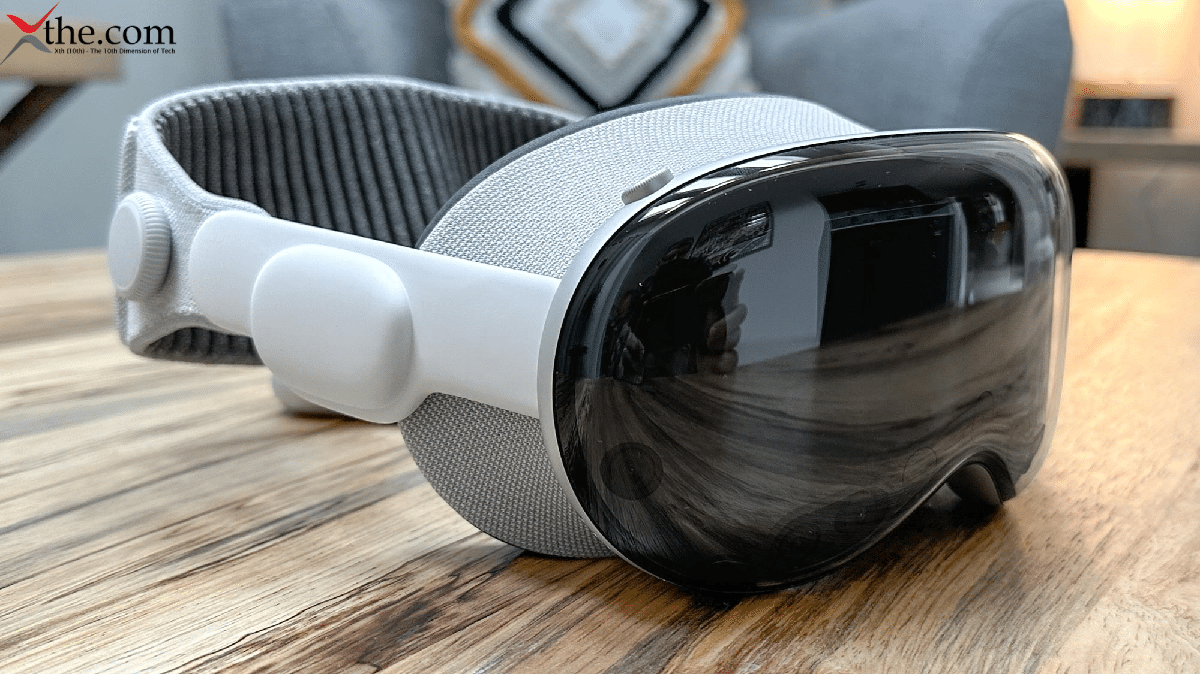
The Apple Vision Pro marked Apple’s initial entry into the emerging AR/VR market in 2024. While the device was expensive and considered underdeveloped by some, it showed significant potential for upcoming innovation.  

Recent reports suggest that Apple is developing two Vision Pro models simultaneously:  

  1. The anticipated Vision Pro 2  
  1. A more affordable consumer-focused model, which may be named Vision Air (though this has not been confirmed)  

It is clear that a Vision Pro successor is in development, and Apple is still committed to extended reality (XR) technology.  

Following Apple’s annual WWDC event in June 2025, a new Vision OS update was announced, but no new hardware was announced. In October 2025, reports indicated that Apple had paused development on future Vision Pro models. The company is reportedly focusing on augmented reality via Apple Glasses, an unusual shift in its product strategy.  

Please read our Vision Pro review to learn more.  

This page will be updated with the latest information on the potential Apple Vision Pro 2. Please check back regularly for updates.  

What we know so far:  

  • Vision Pro 2 will be upgraded to the Apple M5 processor.  
  • Vision Pro 2 will get Apple Intelligence.  
  • The device will retain the same design and price as the original Vision Pro.  

Jump to:  

  • Release date   
  • Price   
  • Head strap and comfort   
  • Hand tracking   
  • Eye tracking and controllers   
  • Storage   
  • Design   
  • Display   
  • Battery   
  • Features and software  

Release Date 

Mixed reports about when Apple will release its next spatial computing device, and it seems Apple has not made a final decision yet.  

The most recent report coming from trusted Apple insider Mark Gurman claims that the Apple Vision Pro 2’s release has been pushed back to sometime between late 2025 and spring 2026.  

This means we could be waiting for at least another year, or possibly longer, for the Apple Vision Pro 2 as Apple decides on its upcoming moves.  

Some rumors suggest that an Apple Vision Pro Lite could arrive sooner. This version would be simpler and more affordable than the initial version. Still, these rumors are unconfirmed, so it’s best to be cautious.  

In April 2025, online leaks suggested the Vision Pro 2 might launch sooner than expected. While there was little information on its technical or financial features, the Vision Pro 2 could be released alongside the Apple iPhone 17, which may happen as early as September 2025.  

Price 

The first Apple Vision Pro launched at a very high price of $3,500. This is well above what AR/VR fans usually pay, especially since the popular Meta Quest 3 headset costs $500 and offers more experience.  

The price was also more than most tech fans were willing to pay, so the Vision Pro sold fewer units than Apple expected.  

It’s normal for a first-generation advanced product to be expensive. However, the Vision Pro faced tough competition from much cheaper devices and lacked standout apps and users, which hurt its success.  

Will the Apple Vision Pro 2 cost less? So far, no reliable rumors or leaks have shown a lower price. Apple will likely keep the price at $ 3,500, the same as before.  

Head Strap and Comfort 

Apple tried to make its Mixed Reality headset stand out in two main ways:  

  1. Calling it a spatial computer  
  1. Giving it a unique head strap design  

This strap wraps around the back of the user’s head rather than going over the top, as with most headsets.  

While the head strap looked better, it was uncomfortable because the headset’s front-heavy weight rested on the user’s face. The Vision Pro is also quite heavy, weighing 650 grams.  

To address this, Apple included both the better-looking but less comfortable Solo Knit Band and a Dual Loop Band with the Vision Pro. The dual-loop band goes over the user’s head and spreads the weight more evenly, similar to other headsets.  

For the Apple Vision Pro 2, we will likely see the same two head straps, unless Apple decides to switch to a traditional headset band and goes around both the back and top of the user’s head. This option may look less unique and be a bit bulkier, but it would be much more comfortable.  

Hand Tracking, Eye Tracking, and Controllers 

The Apple Vision Pro 2 will rely on eye tracking and hand tracking, like its predecessor, for user input. In our Apple Vision Pro review, we were impressed with its accuracy, especially since this technology was already ahead of the competition on Apple’s first attempt.  

I must mention the lack of controllers in the first Apple Vision Pro. While eye and hand tracking made it simpler and more futuristic, the absence of controllers does not bode well for AR/VR gaming. Gaming is the driving force behind every other AR/VR headset on the market.  

While 3rd parties have already released controllers for Vision Pro, Apple might introduce its own in the future as an optional gaming accessory. This is pure speculation, but it would make sense. We will keep you updated if any news on official Apple Vision Pro controllers appears.  

Storage 

Apple Vision Pro 2 will likely come with the following storage options:  

  • 256 GB of storage for $3,499.  
  • 512 GB of storage for $3,699.  
  • 1 TB of storage for $3,899.  

These are speculations based on the storage options of the first Apple Vision Pro, as there is currently no reason to expect changes in that area.  

Apple is known for a significant price increase on storage upgrades. So, a price of nearly $4,000 for a 1TB Apple Vision Pro 2 is not out of the question.  

Is the Apple Vision Pro 2 likely to be the best and most immersive way to watch content in AR and VR? The need for Mohs storage depends on whether the user streams content online or downloads it to the handset. If it is the latter, Mohs storage will be in demand.  

Like any modern flagship product, the Apple Vision Pro 2’s storage will not be expandable via a microSD card. So, the storage option you buy will be the one you have for the device’s lifetime.  

Design 

Reliable sources such as Mark Gurman say the Apple Vision Pro 2 will likely retain the same design as the first model, despite internal changes and upgrades.  

We can expect the same premium, though a heavy build featuring glass on the front and metal on the sides. The external battery, which must be connected to the headset at all times, is also made of metal.  

For reference, the first Apple Vision Pro weighs about 650 grams. We do not expect the Vision Pro 2 to be any lighter, partly because of those premium build materials.  

We can also expect the same lenticular display upfront, showing either:  

  • The user’s eyes when they are using the pass-through and seeing their surroundings through the headset’s cameras  
  • An abstract, colorful pattern when they are fully immersed in virtual reality  

Similarly, we expect the same array of complex cameras and sensors around the headset used for hand tracking, tracking the user’s real-life environment, and displaying it in pass-through mode.  

On the top right of the headset, the scroll wheel, akin to Apple’s Watch Crown, will also return, letting the user switch between Pass-through (Mixed Reality) and VR mode.  

Display 

Like its predecessor, the Apple Vision Pro 2 is expected to feature micro-OLED displays, one for each eye, with a resolution of 3600 x 3200 pixels per eye and a refresh rate of up to 100Hz.  

The display specs on the first Vision Pro were already cutting-edge and likely a big reason for its high price. Apple not upgrading them yet is reasonable and expected.  

Battery 

The Apple Vision Pro 2 is expected to use the same external battery as its predecessor, which must be always connected to the headset via a magnetic cable to function. The external battery also connects the headset to a wall outlet, enabling indefinite use.  

Apple Vision Pro battery (included with the headset and available as an additional spare for $200) is a 3166 mAh battery.  

After testing, it lasted about two hours on a single charge. There is no reason to expect that the Apple Vision Pro 2 will have a longer battery life unless Apple uses a more efficient processor. Even then, any increase would likely be insignificant.  

Features and Software 

Multiple features are expected for the Apple Vision Pro, including Apple Intelligence, which was not available on the first Vision Pro. Apple Intelligence is Apple’s answer to the AI trend and will bring a more conversational Siri and useful AI additions to the Vision Pro’s software.  

The Mac Virtual Display feature will return, allowing Apple Vision Pro 2 users to smoothly connect the headset to their MacBook and get a virtual portable 5K display.  

Currently, on the 1st-gen Apple Vision Pro, this feature supports only one virtual display. We can speculate that the Apple Vision Pro 2 will have the processing power to offer two or even three, but for now, this is unconfirmed wishful thinking.  

In terms of software powering the Apple Vision Pro, that would likely be Vision OS 3. It’s a spatial computing operating system developed by Apple specifically for AR/VR and is based on iPadOS.  

When launching the headset, the user gets a honeycomb array of icons for their apps, as well as a side menu for things like changing their virtual environment.  

The current version of Vision OS 2.2 still lacks the complete App Library found on iPhone, iPad, Android devices, and even the Meta Quest headset. Apple has gone a long way in adding apps, experiences, and games. Before Vision OS 3 and Apple Vision Pro 2 launch, we have yet to see how this develops. 

Source:https://www.phonearena.com/apple-vision-pro-2-release-date-price-features-news 

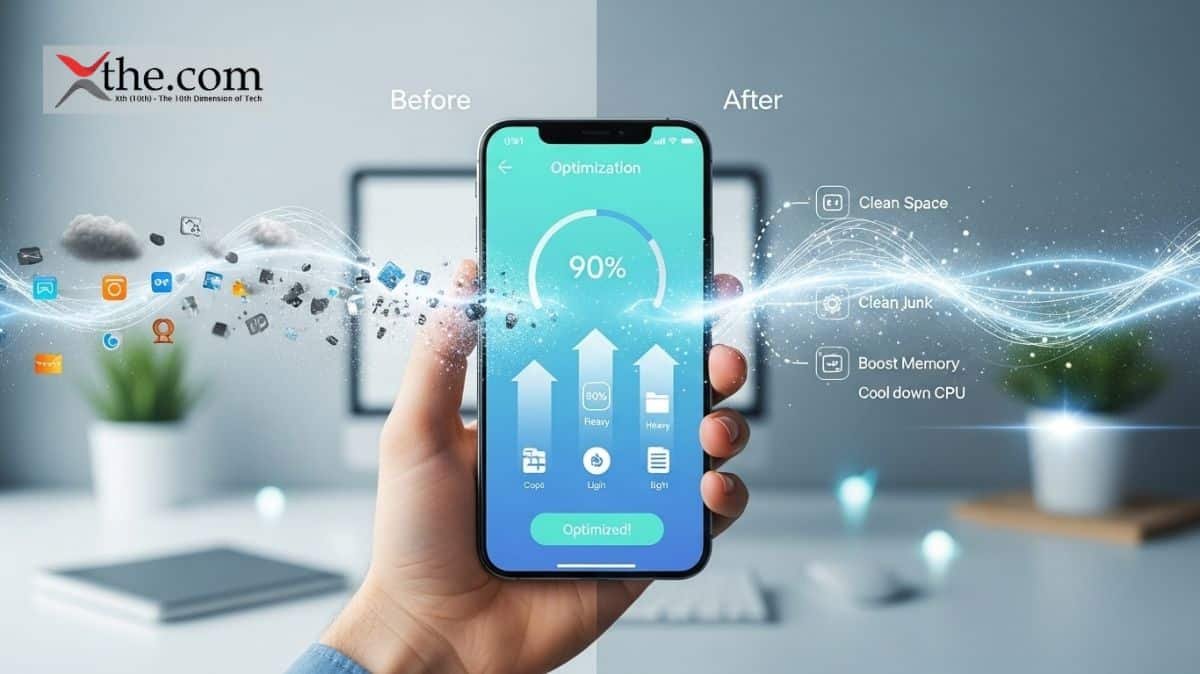
Smartphone buzz is in your own hands now, which can be picked and packed with promise. Its out of box this time the cluttered mess like a slow buffering apps and the data chaos from the old phone. Incase whether your are moving from Android to iphone on just reducing the daily driver, In this smartphone article provides a clear glance on how to tackle with data transfer seamlessly ,master the battery optimization, storage cleanup, how about handling switching platforms, and it unlocks the peak performance through smart phone optimization. 

No technology is needed just we can go with straightforward steps, and pro tables for quick reference where the real word tweaks that stick. From unboxing to ultra smooth scrolling, you would be building phones that lasts all day, which files through the task,and feels custom built for the user , so now let’s get into the flow rather than confusion. 

1. Initial Setup Guide: Nail the First Boot 

So firstly unbox, then power on the Wi-Fi is done? No, that takes an hour. So here is the smart setup which guides us through the choices that pays off for years. 

Android vs iOS Setup Comparison: 

Step Android (Pixel/Samsung) iOS (iPhone) Pro Tip 
Data Transfer Google One backup → Restore Quick Start (wireless/cable) Use same Wi-Fi network 
Accounts Google → Add Samsung/etc. Apple ID → iCloud Enable 2FA immediately 
Customization Always On Display, gestures Widgets, Focus modes Disable unused (e.g., Bixby) 
Security App permissions → Biometrics Face ID → Passcode Strong PIN > patterns 

Quick Setup Workflow: 

  • Restore data from cloud backup without any hiccups. 
  • Update the Os/apps immediately9Settings>System>Updates). 
  • Set battery saver triggers, the dark mode default. 
  • Time saved: 30 minutes of fumbling.  
  • Result: Phone feels yours from minute one. 

2. How to Transfer Data: Android ↔ iPhone & Beyond 

So, in case you are looking at switching platforms? Dont get sweat it. Modern tools make it easy on how to transfer data with no more confusion like contact,photos,apps,whatsApp chats. 

Data Transfer Methods Table: 

Method Works For Speed Cost Best For 
Google Drive/One Android → Android/iPhone Wireless, 15-60min Free (15GB) Contacts, photos, apps 
Move to iOS Android → iPhone Cable/wireless, 20min Free Full platform switch 
Samsung Smart Switch Samsung ↔ Any USB/Wi-Fi, 10-30min Free Galaxy users 
iCloud → Google iPhone → Android Manual/cloud, 30min Free Selective transfer 
Third-party (AnyTrans) Any → Any USB, 5-20min $40/year WhatsApp, large files 

Step-by-Step procedure: Android to iPhone 

  1. Firstly,download “Move to iOS” on old Android during the iphone setup 
  1. Secondly, connect both to power as well as the Wi-Fi and then scan code.  
  1. Select data (15GB free) and watch the 50GB transfer in 25 minutes.  
  1. WhatsApp? Backup in the app  
  1. Restore post transfer. 

3. Battery Optimization: All-Day Power Hacks 

The battery life is the restless companion in our tech driven routines. So its all about demanding smarter rather than brute-force charging. Furthermore the life goal is all day power hacks is not all about all-day power hacks is not about the more minutes out of a one time charging, and also comes the design into the picture which is expected to be smoother for routine where the software, hardware and useer behaviour works in harmony. Starts with a realistic baseline that knows your device typically on screen on time and identifies the apps which drives power most aggressively. This is the awareness which ensures your tweaks instead of applying generic solutions that may be a waste of effort. 

Now in the first and foremost thing in line is efficient software.Most importantly keep your operating systems and apps upto date then the developers continually optimizes the process  and also the memory management. Dim or shorten screen brightness for a adaptive level, start enabling the dark mode if possible, and reduce the screen refreshing rate which high performance is not needed.as per the neccesity limit the background activity for apps which do not require constant updates. Consider disabling live widgets opting static,esstential information, battery feature like sleep mode, smart charging, and optimized charging timelines and easy to wear and tear while preserving capacity over time. 

The charging strategies are the craft. Frequently, little charges are generally gentler on lithium-based cells than the battery hits the rock bottom and there is full charging repeatedly. Aim to avoid charging past 80% for daily use when possible, and keep temperatures moderate during charging heat accelerates wear. If your device supports optimized charging schedules, trust them to balance readiness with longevity. Portable power banks can be lifesavers but choose models with smart chips that pause charging when the battery is full or near full, minimizing heat and stress. 

Battery Drain Culprits & Fixes: 

App/Service Avg Daily Drain Fix Savings 
Social Media (FB, Insta) 25-35% Limit background refresh 15-20% 
Google Maps/Location 15-20% Precise → Battery saving 10% 
Display 30% 60Hz → Adaptive, dark mode 20% 
Bluetooth Devices 8-12% Auto-off after 5min idle 8% 
Always-On Display 5-10% Schedule off 10PM-7AM 6% 

Android Battery Workflow: 

First go to settings, then the battery and then the usage, and next click on top offenders. Here are the developers options according to the background limits. Moreover, adaptive battery on to learn Ai on going with your habits. 

  • IOS is bit Low Power Mode auto-triggers 
  • According to a Shortcuts app for custom automation. 

4. Storage Cleanup: Free Up 10GB+ Instantly 

Storage cleanup is the breathing room. Phones choke at 80% full, causing lag spikes and crashing into the city. 

Storage Hog Killers Table: 

Category Avg Space Used Cleanup Method GB Freed 
Old Photos/Videos 20-50GB Google Photos “Free up space” 15GB 
Downloads/Cache 5-15GB Files app → Clear cache 8GB 
Unused Apps 10-25GB Sort by size → Uninstall 12GB 
WhatsApp Media 5-20GB Manage Storage → Bulk delete 10GB 
iOS Offload N/A Settings > App Size → Offload 5GB 

Universal Cleanup Routine (15 mins): 

  1. Just go to the Photos app and then Select 100 combination of duplicates (Google Lens helps). 
  1. Settings > Storage → “Free up space” wizard. 
  1. CCleaner/Smart Cleaner apps for cache blast. 
  1. Move to the cloud: 15GB Google Photos free forever. 

The Switching Platforms Bonus is to be a Clean slate, then transfer only essentials. 

Post-cleanup: 128GB phone feels like 512GB. 

5. Phone Optimization: Speed Boost Masterclass 

Unwind your phone’s hidden velocity with having goal tweaks that lag and reclaim snappiness. Moreover, the speed is not just the raw hardware, it’s just the symphony of software smarts disciple, and the habit hacks, which begin with audting your storage and delete bloated apps unused photos to the external drives, and clear caches via built in tools. Aim for at least for 20% free space, everything from app launches to multitasking. 

Here, the hardware allies amplify gains. Then disable visual effects like live wallpapers, reduced haptic feedback intensity, and the high-performance streams are only for gaming. Furthermore, using wired charging over wireless to sidestep heat-induced throttling. For power users, are just consider a factory reset as a nuclear refresh, it’s necessary to back up first. Track progress with benchmark apps like Geek bench. Consistent mastery turns sluggish slogs into seamless sprints your phone, reborn. 

Phone optimization is a combination of RAM management and smart habits. Restore factory-fresh speed. 

Speed Optimization Checklist: 

Tweak Android iOS Performance Gain 
RAM Management Developer → 4x background limit App Library auto-close +25% multitasking 
Animations Developer → 0.5x scale Reduce Motion ON Snappier UI 
Startup Apps Disable 10+ non-essentials N/A (iOS handles) +15% boot speed 
Storage <80% full <90% full Prevents lag 
OS Updates Monthly security patches iOS 18.2+ +10% efficiency 

Advanced Hacks: 

  • Android: ADB commands disable system bloat (XDA forums). 
  • iOS: Reset All Settings (keeps data). 
  • Benchmark before/after: Geekbench scores jump 15-20%. 

Gaming boost: Game Booster apps, 90Hz+ displays. Result: Scrolling buttery, apps launch instantly. 

6. Switching Platforms: Android ↔ iOS Survival Guide 

Switching platforms data loss? Myth. Here’s your battle plan. 

Platform Switch Roadmap: 

From → To Must-Do Apps Data Types Time Gotchas 
Android → iOS Move to iOS, WhatsApp Everything 30min Some widgets lost 
iOS → Android Google One, Smart Switch Contacts/photos 45min iMessage → RCS 
Samsung → Pixel Smart Switch Full ecosystem 20min One UI → stock 
iPhone → Pixel Google apps pre-install Seamless 25min Best experience 

Post-Switch Checklist: 

  • Test banking apps.  
  • WhatsApp verification codes arrive within 5 minutes.  
  • Customize gestures/home screen day 2.  
  • 90% of users report a “smoother” feel post-switch with proper phone optimization. 

90% of users report “smoother” feel post-switch with proper phone optimization. 

7. Maintenance & Long-Term Optimization 

The true mastery lies beyond quick fixes like its in the quite disciple of maintaince that ensures your phone which is thriving for years, not just months, prominently long term optimization treats your gadget like a high- performance engine likewise the regular tune ups which prevents breakdowns, and indeed extends the lifespan, maintains the peak efiiciency. Starts with a monthly ritual and backup everything to cloud or the external drives, than the deep- cleans torage by archiving old files, start with a monthly ritual: back up everything to cloud or external drives, then deep-clean storage by archiving old files, uninstalling forgotten apps, and wiping caches. Factory resets every 6-12 months to act as a full-system reboot, erasing digital cruft that accumulates invisibly. 

Hardware care demands foresight. Protect against heat and moisture with cases and avoidance of direct sun; extreme temps warp batteries and throttle chips. Calibrate batteries annually by full discharge-charge cycles, and store spares at 50% charge in cool, dry spots. Screen protectors and tempered glass guards against micro-scratches that invite dust in progress. Keep it flying with monthly rituals. 

Monthly Maintenance Table: 

Task Frequency Tools Time 
Full Backup Monthly Google/iCloud 10min 
App Audit Quarterly Sort by usage 15min 
Battery Health Monthly AccuBattery/diagnostics 5min 
Security Scan Weekly Built-in + Malwarebytes 3min 
iOS Reset Biannual Settings > General > Reset 20min 

Battery Health Targets: 85%+ capacity after 500 cycles = winning. 

8. Troubleshooting Quick Fixes 

When your phone gets activated in freezing mid-scroll,drains the battery overnight or refusing to transfer data and which leads to panic yields to precision. There are quick fixes which restore sanity in minutes, which indeed creats a bridging to deeper repairs. Always prioritize the “restart ritual”may be a power off for 30 seconds, then roboot. This flushes RAM, kills rogue processes, resolves 70% of glitches without data loss. First and foremost, os, force restart which holds power + volume down. 

Battery Drains and Overheating 

So firstly suspecting the app culprits, which dive deep into the settings where battery to spotlight offenders like the trending social media refreshers. Moreover stop the background activity.Toggle off always –on display, high refreshes the rates low to the rates 60HZ and location always.if overheating where there is power off in the cool spot heat through performance and then increase swells batteries. If there is quick charge fix which has a switch to airplane mode during top- ups and down. Wipe cache partition via recovery mode (Android) or offload apps (iOS). 

Connectivity Woes (Wi-Fi, Bluetooth, Calls) 

What if the Wi-Fi drops? Forget the network, just rejoin with th correct password, click the areoplane mode in 10 seconds. Then how about the bluetooth pairing fails? Unpair all the devices, restart and then which stays within 10 feet. Incase if there is no signal, then eject sim or reinstert it or dial ##4636##(Android) for phone info resetting. Cross- platform transfers stall? Enable both devices on the latest OS, same wifi, and use the wired USB if wireless is lagging. 

App Crashes and Setup/Transfer Hiccups 

There is a Scream permission called storage, which includes camera access. Moreover, Clear app data as a last resort. New setup: freezes. Skip Wi-Fi, connect an Ethernet adapter if available, or boot into recovery. Data transfer aborts? Pre-backup to cloud, transfer in chunks, and avoid low battery (<50%). iOS to Android? Google is one that bridges gaps reliably. 

Common Issues Table: 

Problem Fix Priority 
Lag/Freezes Clear cache partition (recovery mode) Urgent 
Overheating Disable 5G → LTE during gaming High 
Battery Drain Airplane mode 10min → Battery Usage High 
Storage Full Files > Cleanup suggestions Medium 
App Crashes Clear app data → Force stop Medium 

Nuclear Option: Factory reset after full backup ,last resort, 95% fix rate. 

Conclusion 

To conclude, here is the complete smartphone article on how to get the guidense for the seamless setup guide, bulletproof on how to transfer the data and the battery optimization, storage cleanup, and confidential switching platform. Here are the tabular forms in the content which provide the reference on the workflow on which the users can stick. 

That laggy phone is now an all-day position comes with the pick one fix today like the battery tweaks gives quickest wins, Go now make it all yours right now. 

FAQS 

1: How do I set up a new smartphone quickly?  

A: Firstly power on, and connect to wifi, sign in with your Google , enable biometrics where skip bloatware during the wizard. 

2: What’s the fastest data transfer method?  

A: Fastest data transfer is iOS Quick Start or Android’s Wi-Fi transfer for contacts,photos, and apps in under 30 minutes. 

3: How to instantly boost phone speed?  

A: There free 20% storage,update apps/OS, cache clears and halves animation scales the options.  

4: What are key daily optimization habits?  

A: Dim brightness, use dark mode, batch notifications, and limit background apps/location services.  

5: How to maintain long-term phone health?  

A: Monthly deep clean and updates; annually factory reset, calibrate battery, and replace at 80% capacity.

Artificial intelligence is a specific branch of computer science concerned with replicating the thought process and decision-making ability of humans through computer algorithms. Your smartphone uses AI, as do services like digital assistants, chatbots, social media websites, and much more. Many home electronics also use AI, such as robot vacuum cleaners or security systems. And, of course, there are classic examples of auto-navigation and robotics.   

In this article, we will discuss on AI in everyday technology. 

How Can You Make Your Workplace Smarter? 

Productivity apps are the bane of the app world. Productivity tools do this not just by focusing on simplifying routine tasks, but also by making collaboration and project management much easier for teams. This is especially useful so that no matter where any individual is, they can remain in contact with the rest of their team and provide the latest updates and information that everyone needs. The following are the smarter way to arrange your workplace in modern day. 

MicroPC 2 

MicroPC 2 by GPD is a compact computing tool that combines a rugged exterior with a fully functional keyboard and numerous ports. It is small enough to slip into a jacket pocket, and powerful enough to run diagnostics, write code, or manage networks on the move. It has a sturdy and hefty design, which makes it a dependable companion for anyone. 

The device provides a tactile typing experience and a sharp display. It is ideal for IT professionals, engineers, or anyone who needs serious computing muscle in a pint-sized package. 

Almo 

Almo by Geonwoo Kang turns handwritten notes into living reminders. It helps your natural writing to get alarms. Almo helps users to set intentions and track tasks without breaking flow.  

Its smooth interface helps you write down thoughts and set reminders. The system syncs with your digital calendar. 

Portable Monitor  

2026 has become a massive year for portable monitors. Whether you are a remote worker, digital nomad, designer, student, or someone who simply wants more screen real estate without carrying a bulky setup the 2026 portable monitor market has evolved like never before. 

Monduo Pro Duo Display 

It transforms your laptop into a triple-screen workstation. This premium and lightweight build is suitable for productivity. It has a USB-C single cable setup, which makes it travel-friendly. For multitaskers, entrepreneurs, editors, and remote workers, the Monduo Pro Duo offers unmatched efficiency and performance, making it the best overall pick. 

Xebec Tri-Screen 3 

The Xebec Tri-Screen 3 remains a top competitor for portable monitors. It offers a clean design, strong reliability, and solid portability. It is a great choice for users wanting a simple tri-screen setup. 

ASUS ZenScreen 2026 

ASUS continues to dominate the single-screen segment with upgraded 2026 models. ASUS ZenScreen provides crisp FHD and QHD resolution. It has lightweight panels with solid color accuracy. This monitor is suitable for students, travelers, and everyday laptop users. 

Portable Keyboards 

Logitech MX Keys Mini Wireless Keyboard 

The Logitech MX Keys Mini Wireless Keyboard has standard travel keyboard features, it charges with USB-C, so you don’t need a different cable, connects to up to three devices for seamless switching between your laptop and tablet, and has a backlight that you can turn off. The battery lasts for months without the backlight, but it’s a handy feature to ensure your partner or friends can sleep without the light on if you’re hoping to work into the night. It measures 11.65 inches on the long end (29.59 centimeters). 

Lofree Flow84 Keyboard 

The Lofree Flow84 Keyboard has low-friction POM switches for smooth strokes. Users can customize and hot-swap the key switches, which makes this one of the most personalizable keyboards on this list. You can connect up to three devices; it has a white backlight and RGB sidelights, and it charges using a USB-C cable.  

It weighs 594 grams (1.3 pounds) and has a volume of 68.75 cubic inches. 

A smarter workspace thrives on tools that adapt to your habits, travel seamlessly, and bring clarity to daily routines. The best gadgets and devices blend into the background, boosting efficiency. The right technology elevates every detail of your workflow. We have curated a collection of productivity gadgets for smoother work in the year. 

What Are the Best Productivity Apps? 

Todoist 

Todoist is one of the best-known to-do list apps, and for good reason  it’s simply a joy to use, with a treasure trove of helpful functions, such as progress tracking, unlimited reminders, and organizational features that make managing multiple projects a breeze, including color coding and 150 filter views. It’s compatible with Apple, Android, Windows, and Linux, as well as automation programs like Zapier and IFTTT. It gets regular updates and has a strong, clear privacy policy, with daily automatic data backups, data encryption, and no ads. 

TickTick 

TickTick stands out from our other picks because its free plan is much more comprehensive. Like Todoist, TickTick offers pretty much everything you could need to organize a variety of workflows, including useful functions like a Pomodoro timer. It’s available on all major operating systems and works with a wide range of integrations. 

Best Productivity Apps for Students  

As a student, you know just how overwhelming the daily responsibilities can be. So, we’ve searched out the best apps for student productivity to help you turn your phone from a distraction into a powerful tool for learning 

GoodNotes 

GoodNotes offers everything you need to take, organise, and access your notes effortlessly. It keeps everything organised with notebooks and folders, making it easy to structure your lecture notes, revision materials, and research. GoodNotes is perfect for students who want the flexibility of digital notetaking with the natural feel of handwriting, plus the organisation tools to stay on top of their studies. 

Notion  

Notion is the most versatile student productivity app because of the sheer number of ways you can view a single database. Do you want to create a table containing the topics you’ve discussed so far for your chemistry class? Sure. You can then add the date to see it on calendar or timeline view. Or add photos and check out the gallery view. Often, using Notion feels like you’re designing your own completely unique app optimised to your own needs. 

Best Health Apps  

If you prefer to work out from home or don’t want to pay for a costly gym membership, personal trainer or fitness classes, then a more affordable workout app can support you as you figure out you’re at-home exercise plan. The best part is that many of these apps can be tailored to your personal goals, favorite exercises, and even the equipment you already have on hand. To help you find the best workout app, here are some of the most popular ones to see which are worth helping you reach your fitness goals. 

Nike Training Club 

Nike Training Club offers various workout programs, including bodyweight exercises, high-intensity interval training, cross-training, yoga, core exercises and expert health tips from Nike trainers to keep you on track. The workouts are easy to follow because there are video demonstrations of each exercise, along with the allotted time you should spend on each one. This prevents you from losing track during your workout and mentally prepares you for the next exercise. The app also connects to your Apple Watch to provide health metrics such as your heart rate and logs your activities. The best part of this app is that it’s free and provides access to numerous resources, whether you’re a beginner or more advanced.  

Future 

Future app connects you to an elite personal fitness coach who checks in regularly, provides feedback and customizes workouts for you. They take into account your fitness level, goals and even the equipment available to you. It is a great option if you want the convenience of a personal trainer in your own home. There are plenty of coaches on this app with numerous years of experience in their respective fields. To get the most out of the experience, users are recommended to wear an Apple Watch or a compatible Android wearable, which provides detailed information to your coach so they can track your progress and adjust your plan as needed. 

AI Smart home Setup 

No matter what kind of home you have, there’s a smart gadget that can help make your life easier. Smart tech with sensors, tracking, scheduling, remote control and app management offer innovative advantages, as long as you pick the right device for you.   

Best smart speaker 

Amazon Echo Studio 

Amazon’s newest smart speakers come with spatial audio and other sound enhancements, which are especially noticeable in the powerful Echo Studio. With the Alexa app, this smart speaker can connect to a wide variety of services, from your favorite music streaming option to Uber, food delivery apps and more. Alexa can also connect with many smart home devices and control them with a voice command, including lights, locks and smart plugs. You can even pair two Studios and connect them to a compatible TV for theater sound. 

Best smart plug 

TP-Link Kasa Smart Plug Mini 

You can find a lot of smart plugs out there. TP-Link’s Kasa Mini is our favorite. It includes a single outlet that connects to your network via Wi-Fi. The app is well-designed and lets you program the plug to turn on or off on a schedule or even based on your location. It works with Google Home and Alexa, and it doesn’t cover the adjacent outlet on a standard two-outlet wall fixture. 

Best Smart Display for Google Assistant 

Google Nest Hub Max 

The Nest Hub Max will show you your spoken commands so you know Google heard you correctly, it can deftly walk you through a recipe from popular cooking websites and it works seamlessly with Google-supported smart home cameras and video doorbells to display their camera feeds onscreen. You can use it as a side browsing screen, a home control hub or anything else you need. 

Best Outdoor Floodlight Camera 

Eufy S330 Floodlight Camera 

Eufy has been making some really impressive security cameras lately, like the Eufy S350, and the Eufy S330 Floodlight Camera is just as great. It has all of the things we want from an outdoor security camera, such as extremely bright floodlights, crystal clear video, smart tracking and compatibility with all three major voice platforms.  

With its 3,000 lumens of power, you can illuminate your entire backyard. It’s also dimmable, which is useful if you still want your neighbors to like you. What might be a negative for some is the requirement for the Eufy S330 Floodlight Camera to be hardwired. With as many smart features and powerful lights, constant power is a must. If you can make the power needs work, this is a fantastic option for your outdoor space and you won’t need to pay for a subscription to use all the features. 

Best Smart Leak Detector 

Eufy Water Sensor 

Leak detectors occupy a small but important role in the smart home, sending phone alerts and activating sirens when they detect pooling or dripping water. These tiny devices can fit nearly anywhere, like under sinks or behind toilets, and have batteries that can last for years. They’re often part of security systems, but we’ve tested stand-alone versions like this Eufy model that only needs a HomeBase to work, as well as this solo model from SwitchBot. Either way, they are excellent gadgets for your home toolkit. 

Best Smart Air-quality Monitor 

SwitchBot Meter Pro CO2 

SwitchBot’s air quality monitoring tracks temperature, humidity and CO2 levels right out of the box. You can put it anywhere you like to get fast readings, and connect it to the app to adjust settings, choose the update frequency and see if you’d like to get phone alerts. You can put it in your kitchen to see how your gas stove affects the air quality, mount it in a sun room or greenhouse, put it by the fireplace and much more, depending on your needs. 

Best Smart Lock 

Yale Assure Lock 2 

Smart locks are one of the simplest, most effective ways to get started with home security. People like this Yale lock for its wealth of access options, including an app, Apple Watch, and keypad. Features like auto-locking and temporary passes for guests make the lock even more useful. 

Note that you will need a separate module to enable Wi-Fi for this lock, which is pretty important for remote control. If you don’t want anything extra, plenty of other smart locks have Wi-Fi built in, including retrofit models that are easier to install on your current deadbolt. 

AI Smartphone 

Smartphones may look familiar on the surface in 2026, yet the technology inside is taking a decisive leap forward. AI-native processors, new connectivity layers and advanced display systems are turning everyday devices into powerful personal platforms with enterprise-level capabilities. Let’s take a look how AI will change the smartphone. 

An AI phone is a type of smartphone that has hardware and software specifically designed for AI to run directly on the phone. Unlike traditional forms of AI, which typically rely on cloud-based computing for the majority of their processing, modern AI phones utilize very powerful mobile chipsets with added neural processor units (NPUs), which allow them to learn from their users in real-time, respond faster, and maintain better user privacy. 

How AI Is Transforming Smartphone Cameras? 

Artificial intelligence has significantly benefited camera technology. Cameras using artificial intelligence are now able to evaluate images in real time, automatically adjusting things like exposure, colour balance, and focus. More accurate portrait photography with improved edge-detection and natural background blur have resulted from the use of artificial intelligence. 

Smarter Battery Management with AI 

Battery life has always been a concern for smartphone users, and AI is finally providing a practical solution. AI phones in 2026 intelligently monitor usage patterns and adjust power consumption accordingly. Apps that are rarely used are restricted in the background, while frequently used apps get priority resources. Charging has also become smarter. 

Challenges and Concerns Around AI Phones 

Despite the advantages, AI phones also raise concerns. Data privacy remains a major topic, as AI systems rely on user data to learn and adapt. Manufacturers claim that on-device processing reduces data sharing, but transparency remains crucial. There is also the challenge of dependency. As smartphones become more intelligent, users may rely heavily on automated decisions, raising questions about control and digital well-being. 

AI has become a part of our daily lives and continues to change how we live our life today. Smartphones that have been enhanced by AI today have become increasingly intelligent, efficient, secure, and personalised due to artificial intelligence. The advancements in areas such as photography, battery life, usability, and security are changing the way the average consumer interacts with their phones. 

Final Thoughts 

In manufacturing, AI-powered robots can perform complex assembly tasks with precision, boosting production rates and reducing defects. 

FAQs 

1. What are productivity apps and how do they help? 

Productivity apps help users manage time, organize tasks, set goals, and stay focused, making daily work and study routines more efficient. 

2. Are free productivity apps effective? 

Free versions often provide essential features that are effective for daily use, while premium plans offer advanced tools for deeper customization. 

3. What makes a smartphone an “AI phone” in 2026? 

AI phones are designed with advanced on-device intelligence, including AI-driven photography, voice assistants, predictive suggestions, real-time translation, and adaptive system optimizations that enhance everyday use. 

4. Do AI features work without an internet connection? 

Many AI phones in 2026 use on-device AI for core tasks (like camera enhancements and predictive typing), so they still perform intelligently even offline, though some features may require internet for cloud-based processing. 

5. How do AI phones improve camera performance? 

AI phones use machine learning to recognize scenes, optimize settings, reduce noise, stabilize footage, and even suggest creative compositions, resulting in better photos and videos without needing professional skills.


Laptops come in different sizes, with varying features, and at different prices. With so many choices than ever, it can be downright puzzling to pick the right laptop. Here’s the guide before you purchase the right one for you. Here are the main components to keep an eye on. 

Now lets dive deep into the article. 

CPU 

The “brains” of your computer, the processor, has a huge influence on performance, but depending on what you want to do, even the least expensive model may be good enough.  

Computer processors comprise super-tiny rows of super-tightly fitted semiconductor materials that make up transistors, measured in nanometers, which amplify or switch electronic signals at extreme speeds. These clusters of transistors make up a processor’s cores, each tailored for specific types of data processing, such as central processing (user-based PC interactions), graphics processing (displayed images), and neural processing (AI-based algorithmic functions). These cores are arranged together on a die, sliced from a wafer of silicon-based semiconductor material. 

Every processor works on an underlying design called an instruction-set architecture (ISA). This blueprint determines how the processor understands computer code. Since developers write operating systems and applications to work on a particular architecture most efficiently, this is probably the most critical decision point regarding your next processor. 

Apple M1, M2, M3, and M4: Apple’s custom silicon, the ARM-based M1, M2, M3, and M4 chips set a new standard for a balance of raw performance and endurance that is only now being challenged. Opt for the Pro or Max variants if you need even more power for tasks like content creation or programming. 

Qualcomm Snapdragon X, X Plus, and X Elite: Qualcomm’s new ARM-based chip is grabbing a lot of attention as the only currently shipping chip in Copilot+ PCs. While it isn’t ideal for gaming, it offers excellent productivity performance and strong battery life for Windows laptops. 

Intel Core Ultra Series 2 CPUs: Intel’s second generation of Core Ultra CPUs are upping the ante with more powerful multithreaded performance for a wide variety of tasks, while still delivering excellent AI performance and battery life. 

Intel 14th Gen CPUs: Intel’s 14th Gen Meteor Lake processors are its latest and we’ve reviewed several laptops with these chips already. If you are in the market for a Windows laptop, the AI tech built into the new Intel Core Ultra CPUs combined with the impressive performance and battery life we’ve seen on many is hard to beat. 

Intel 13th Gen CPUs: Intel’s 13th Gen Raptor Lake processors are a few generations old but still power some new laptops on the market. Unless you are getting a fantastic deal or a budget laptop. 

AMD Ryzen AI CPUs: AMD takes another performance leap for general computing tasks and AI with its Ryzen AI 300 series chips. If you need strong performance in a Windows laptop, these chips are hard to beat. 

AMD Ryzen 8000: AMD’s answer to Intel’s Core Ultra chipset, the Ryzen 8000 series features a similar focus on AI enhancements, we are still waiting to get an AMD Ryzen 8000 laptop in to review but will update once we see how it stacks up against the competition. 

AMD Ryzen 7000: The Ryzen 7000 chips from AMD are just rolling out now, so we are still waiting to get laptops with them in our labs for texting, but the company claims we can expect a roughly 78% boost to CPU performance at the top end. If it can still maintain its excellent battery life along with it that will be incredibly compelling. 

RAM 

Some sub-$250 laptops come with only 4GB of RAM, but you want at least 8GB on even a budget system and ideally 16GB for a primary laptop in 2025. Even for most power users, 32GB is more than enough, while 64GB and above is reserved for professional power users or high-end gamers. Laptops are going to 128GB of RAM and beyond in 2025; if you need that much RAM, you will know it. 

Storage (SSD)  

As important as the speed of your CPU is the performance of your storage drive. Actual hard drives have no place in a laptop in 2025, so stick to a solid-state drive (SSD). 

Sub-$250 laptops often use eMMC memory, which is technically solid-state but not faster than a mechanical hard drive, so if you have the choice of bumping up to an SSD from eMMC on even a budget laptop, it will have a considerable impact. 

Display 

Laptops are usually categorized by their display sizes: 

11 to 12 inches: Maximum portability, but outside of cheap laptops and detachables we rarely see this size class as new materials and slimmer bezels made the next size class easily portable as well. 

13 to 14 inches: This is the sweet spot for many laptop users as it gives you enough screen real estate while typically weighing 3 pounds or less and easily fitting in any laptop bag. Opt for one of the best 14-inch laptops if you are looking for the best of both worlds in terms of screen size and portability. 

15 to 16 inches: 15-inch laptops used to be the most common size, usually weighing between 3 and 5.5 pounds, but 16-inch laptops like the MacBook Pro 16 are rising in popularity. Consider these sizes if you want a larger screen and do not plan to carry your notebook around too often. 

17 to 18 inches: If your laptop is basically a desktop, that you only occasionally pick up and go. A 17-inch laptop or 18-inch laptop could provide you with the power you need to play high-end games or do workstation-level tasks. 

13 to 14-inch screens offer the best balance between usability and portability. Larger screens are fine if your laptop spends most of its time on a desk, and smaller models are great for kids. 

If you’re spending over $700, shoot for these minimum specs: 

CPU: Intel Core Ultra 5, AMD Ryzen 5, Qualcomm Snapdragon X Plus, Apple M3 

Screen resolution: 1920 x 1080 

RAM: 16GB 

Storage: 128GB SSD 

If you’re spending over $1,000, shoot for these minimum specs: 

CPU: Intel Core Ultra 7, AMD Ryzen 7, Qualcomm Snapdragon X Elite, Apple M4 

Screen resolution: 1920 x 1200 

RAM: 16GB 

Storage: 256GB SSD 

Chromebooks are excellent options for kids and students or as secondary laptops, but their functionality keeps growing, so if web browsing, content consumption, and light productivity are all you want, don’t rule them out. If you need access to more powerful software and hardware, then the best Windows laptops or best MacBooks offer plenty of functionality; which platform you prefer is a matter of personal taste 

Connectivity 

If you need to use your laptop on the go, consider buying a 4G LTE laptop or 5G laptop. You’ll have to pay for a data subscription plan, but this will allow you to access the internet away from a router. If you want a laptop with the latest and greatest connectivity options, Wi-Fi 7 is it. However, Wi-Fi 6e is still excellent and far more common. Keep in mind that you also need a Wi-Fi 6e or Wi-Fi 7 router in order to actually enjoy the benefits of that performance boost. 

GPU 

There’s a lot to consider when it comes to performance, but the place to start is with graphics cards. A gaming laptop needs a discrete GPU to be ready for 3D gaming, and typically, that means choosing from something in Nvidia’s RTX lineup. The latest options, the RTX 50-series, have been launching throughout 2025, which include the RTX 5090, 5080, 5070, 5070 Ti, 5060, and 5050. 

The RTX 5090 (24 GB), 5080 (16 GB), and 5070 Ti (12 GB) all received additional VRAM over their predecessors in the RTX 40-series, whereas the RTX 5070, 5060, and 5050 are all stuck with just 8 GB. That means for certain game performance, the upgrade from the RTX 5070 to the 5070 Ti is bigger than the 5060 to the 5070. It’s also important to remember that these laptop GPUs do not correspond with the desktop versions in terms of specs. 

Final Thoughts  

Selecting a laptop takes careful thought. Remote work, online classes, and constant digital activity have made reliability a must-have. Stores overflow with brands promising top performance, leaving decisions confusing and stressful. Your laptop is only as good as the company that stands behind it. Accurate and timely technical support is paramount. The best laptop fits your needs, not the highest specs. Students may value battery life and durability over raw performance. Creatives need powerful processors and high-quality displays. Business users focus on security and support. Think about how the laptop will actually be used. A gaming laptop is wasted on simple browsing. A basic laptop frustrates a power user. 

FAQs  

1. What is the most important factor to consider when choosing a laptop? 

Your intended use is the key factor. Performance needs vary widely between students, professionals, gamers, and casual users. 

2. How much RAM do I really need in 2026? 

For most users, 16GB of RAM is ideal. Budget users can manage with 8GB, while power users may benefit from 32GB or more. 

3. Is SSD storage necessary for modern laptops? 

Yes. SSDs are essential for fast boot times, smooth performance, and overall responsiveness. Traditional hard drives are no longer suitable. 

4. Are Chromebooks good enough for students and everyday tasks? 

Yes. Chromebooks are excellent for web browsing, online learning, and light productivity, especially for students and secondary use. 

5. When should I consider a gaming laptop with a dedicated GPU? 

If you plan to play modern 3D games or perform graphics-intensive tasks, a laptop with an NVIDIA RTX-series GPU is recommended.