Yes, Guys. It’s Happening! Fortnite OG Season 7 is back on December 11, 2025, and people are all hyped up. Epic Games finally said what everyone’s been hearing about: the awesome winter season from 2018 is back. Think about icy mountains, show, and cool old battle pass outfits. If you’ve been playing Fortnite for a while, this is more than just an update. It’s like going back to when Fortnite was at its best. 
So, let’s check out what’s up with the Fortnite OG update: what’s new, what’s coming back, and why it could be the best Fortnite season in ages. 
 

What’s the Update on Fortnite OG New Season 

The Fortnite OG update brings back Chapter 1, Season 7, which a lot of people think was the best ever. Epic Games is really trying to bring back that awesome winter 2018 vibe.  

Here’s a Quick Look at what’s back: 

  • Coming Out: December 11, 2025 
  • Going Away: Probably mid-February 2026 (guessing based on the usual schedule) 
  • What’s It’s About: Winter survival, snowy areas, and battles in the sky 

Some people who dig into the game’s files found it hinting at Project Iceberg. Looks like the frozen island will creep closer to the main island before the season starts just like in Chapter 1. 
There will be some new updates as well. Fortnite OG Season 7 uses Unreal Engine 5.4. This means better looking graphics, more real snow, and better lighting. So, your old favorite map will look better than before. 

Map & How to Play: Snow is Back 

This Fortnite season is all about the Fortnite map 2026. It’s pretty much the 2018 winter map brought back to life but with some more updates. 

Popular Sports are Back: 

  • Polar Peak 
    This frozen fortress is back in the southwest. 
  • Happy Hamlet 
    This snowy town is west of Lucky Landing. 
  • Frosty Flights 
    It has it’s hangars and runaways for planes. 
  • Viking Village 
    It’s under the snow now as part of the icy look. 
  • Greasy Glove (Frozen) 
    It’s frozen in ice again for players to look around. 

Someone who leaked information said that The Block will take over Risky reels, where players can put their builds every few weeks. It might be the spot for new ideas this season, almost like the first creative mode. 

Playing the Game 
The X-4 Stormwing planes are back so players can battle in the sky. Zip lines are still here. Epic might bring back the Infinity Blade for a short time. Let’s hope it isn’t too strong this time. People are talking about the Ice Storm event coming back, which could cover the entire map in snow before Christmas. That would be like what happened in 2018. 

Weapons and Items Returning 

Fortnite’s bringing back some classic gear in the OG update. If you’re all about those old-school weapons and items, get ready for these to return: 

  • Suppressed Sniper Rifle 
  • Scoped Revolver Pistol 
  • Infantry Rifle (the old kind) 
  • Boom Box (they’ve tweaked it, so it doesn’t last as long) 
  • Bottle Rockets 
  • Chiller Grenades 
  • Sneaky Snowman 

Also, Epic might bring back the Driftboard later in the season, maybe around 7.40 or so. People are hoping they fix the bugs that made it hard to control back in 2018. 

Rewards, Skins & the Original Battle Pass 

This season’s Fortnite OG Pass is bringing back some skins from Chapter 1 plus some cool, updated versions.  
Here’s what is been confirmed as coming back or strongly rumoured: 

  • Lynx 
  • Zenith/Ozenith 
  • Powder 
  • Onesie 
  • Sergeant Winter 
  • Trog 
  • The Ice King 

Apparently, Epic is playing around with these classic skins, giving them updated looks and maybe even some reactive features. 

What Fans Can Look Forward To: 

The 14 Days of Fortnite Challenges are making a comeback with daily quests and XP rewards. Christmas presents will drop as loot, and they’ll have rare or legendary passes inside. 
Remixes of classic lobby music, like Festive, Disco Fever, and Twist. Epic might also be adding new customization packs, like music mixing or holiday emotes to keep things interesting for everyone. 

Events, Challenges and Creative Add Ons 

The 14 Days of Fortnite event is coming back with the OG season. Expect challenges, free cosmetics, and companions like Merry Munchkin pet. 

We might also see: 

  • Secret loading screens with hidden XP clues. 
  • Mini-quests around the map to get bonus levels. 
  • Players made creations replacing The Block every few weeks. 

Epic improvements to Fortnite Creative 2.0 could also be big this season. Creators might also be able to recreate Chapter 1 for locations and events on the OG map. 

When Does the Fortnite OG Season 7 End? 

Fortnite OG Season 7 kicks off on December 11, 2025, and should end around mid-February 2026, if they stick to the usual 9–10-week thing.  
Epic might stretch it a bit if something like the Ice Storm or the Cube Revival happens before Season 8. 
 

What People Are Saying: Old School Meets New 

Social media is buzzing. People are calling this the real Fortnite OG comeback, hoping it brings back the feeling that it’s been missing. 
Even people who quit playing during Chapters 4 and 5 are saying they will be back just to see Polar Peak again. Basically, if Epic can mix nostalgia with a good playing experience, this season could be just huge. 
 

How It Runs: Fixes and Known Issues 

Epic is still working on the current season, and they are still fixing bugs on the Season 6 map, like lighting problems and issues with the quad crashers. According to the leaks, the quad crashers can’t fly right now, but they should be fixed before December. The new Vega Engine system should also make load times faster, so the OG maps run smoother on consoles and PC. 
 

Bonus: Play OG Fortnite Right Now 

Can’t wait for December? You can play old Fortnite versions using Project Era: a fan project that recreates classic seasons. It’s not official, but it lets you play Chapter 1’s maps and mess with weapons and events before the official OG update drops. 

Conclusion 

Fortnite’s OG Season 7 is coming on the 11th of December, so get ready for snow, planes, and Polar Peak. It’s the best part of old Fortnite, but with updated graphics and smoother gameplay. 
With the map, classic weapons, and returning skins, it could be the best season of the year.  
So, plan with your friends, dust off those emotes, and get ready to drop back into the good old days.  
Because this winter, Fortnite’s bringing back the magic. 
 

Hey gamers! Black Friday and Cyber Monday are bringing some seriously awesome deals on gaming laptops. It doesn’t matter if you want something super powerful, easy to carry, or a real beast to replace your desktop. This guide points out laptops that will seriously improve your experience. 
We’ve checked out the best deals in each type, noted proven price drops, and added tips to help you find real discounts, so you get the most for your money. Now, let’s jump in. 

What’s Different About the 2025 Cyber Weekend Gaming Deals 

This year, the gaming laptop world is booming. With things like AI CPUs and super quick OLED screens, the newest laptops are not only stronger but also smarter. Stores are giving discounts on average, high-end, and even ultra-expensive laptops to pull in shoppers during Black Friday and Cyber Monday. 
If you’ve been waiting to upgrade, now is the time. These real deals won’t be around for long, and with some laptops having discounts as big as 35% to 40%, it’s a great chance to upgrade without missing anything. 

High Ranking Gaming Laptops of 2025 

Here’s a breakdown of some killer discounts on gaming laptops this year, from the heavy hitting replacements to power-packed portables. 

  1. Alienware 18 Area-51: Desktop Power, Laptop Body 
  • Screen: Huge 18-inch screen with fast refresh rate. 
  • Power: CPU & GPU as strong as desktop, but you can carry it around. 
  • Cooling: Super-cool system with fans and vapor chambers. 
  • Why get it: Crank every setting to the max without problems. 

This laptop is for anyone who wants a full-on desktop experience they can take anywhere. It looks cool with its design and lights, and it won’t miss a beat while playing games. 

  1. Asus ROG Zephyrus G16: Power that’s Easy to Carry 
  • Screen: 16-inch screen with a fast refresh rate and great colors. 
  • Power: Strong CPU/GPU combo that’s perfect for a slim design. 
  • Cooling: Cools well, with liquid metal and fans. 
  • Battery: Lasts much longer than you’d expect for gaming laptops. 

The Zephyrus G16 is great if you travel a lot or need a laptop for both gaming and creative work. It’s thin and light but doesn’t sacrifice power, and it stays cool when working hard. 

  1. HP Omen Max 16: A Good Pick for the Price 
  • Screen: 16-inch screen with a fast refresh rate. 
  • Power: High-end mobile GPU & CPU. 
  • Cooling: Stays cool with smart airflow.  
  • Why Get It: Adjust settings, play with lights, and keep things running smoothly. 

HP’s Omen Max 16 looks good and has the muscle to back it up. Its software lets you adjust fan speed and lighting to keep things humming. 

  1. Lenovo Legion 9i Gen 10: Top of the Line 
  • Screen: High-res screen with a fast refresh rate. 
  • Power: The newest CPUs & GPUs. 
  • Cooling: Liquid Cooling keeps it running at top speed. 
  • Why Get It: The best laptop for serious gamers and creative types. 

The Legion 9i Gen 10 is about pushing what a gaming laptop can do, using the latest technology and high-quality materials. 

  1. Asus Zephyrus G14: Small but Mighty 
  • Screen: 14-inch screen with high resolution and a fast refresh rate. 
  • Power: Mobile CPU & seperate GPU. 
  • Cooling: Liquid metal and special fans. 
  • Portability: Light and easy to carry. 

Even though it’s small, the G14 is surprisingly powerful. It’s great for students and anyone who needs a gaming laptop that isn’t too heavy. 

  1. Alienware 16X Aurora: Power Without the Bulk 
  • Screen: 16-inch screen with a fast refresh rate.  
  • Power: Good CPU/GPU combo. 
  • Cooling: Special cooling system with vapor chambers. 
  • Design: Classic Alienware look with lights you can change. 

This one’s great if you want a decent size without losing too much power. The Aurora 16X can handle long game times with no problem. 
 

  1. Lenovo Legion Pro 5 Gen 10: Works Well and Lasts 
  • Screen: 16-inch QHD, fast refresh rate. 
  • Power: Good GPU/CPU, great for big games. 
  • Cooling: Keeps cool with its special system. 
  • Keyboard: Good keyboard that responds well. 

Known for its great reliability, this laptop is a good deal for gamers who are serious. 
 

  1. Razor Blade 16: Top Quality 
  • Screen:16-inch OLED, fast refresh rate, colors pop up. 
  • Power: Best CPU & GPU combo. 
  • Cooling: Vapor chamber system for being him. 
  • Design: Made of aluminum, lights for each key. 

The Blade 16 is a high-end laptop that’s also good for creative work. It’s for gamers and creators who want something fancy and powerful. 
 

  1. Lenovo Legion 7i 16: Looks Cool and Works Great 
  • Screen:16-inch OLED, fast refreshing. 
  • Power: Intel CPU+ NVIDIA GPU. 
  • Cooling: Smart cooling for best performance. 
  • Keyboard: Feels good to type on with lights. 

The Legion 7i 16 is a great gaming experience that looks professional and great if you want top-notch performance in a cool-looking package. 
 

  1. Asus ROG Strix SCAR 18: Like a Desktop 
  • Screen:18-inch, high resolution and refreshing. 
  • Power: Most Powerful GPU/CPU you can get. 
  • Cooling: Big vapor chamber + lots of fan + special metal. 
  • Keyboard: Fast Keys. 

Scar 18 is the best of everything. If you want to play games like you’re on a desktop, this laptop delivers, with lots of power, cooling, and fancy design. 

How to Actually Find Good Cyber Monday Deals 

With all the sales going on, it’s important to know what’s really a deal and what’s just a fake discount. Here’s what to look for: 

  • Check the Price History 
    Sites like CamelCamelCamel show you prices on places like Amazon. 
  • Compare prices everywhere 
    Look at Amazon, Best Buy, Walmart, and Newegg to see which has the deal. 
  • Find bundles and card deals 
    Sometimes a small discount can get a lot better if you get a card or trade something in. 
  • Stick to Well-Known Brands 
    Brands like Alienware, Asus, Lenovo, HP, Razer, and MSI are ones to look for. 
  • Check Reviews and Ratings 

Don’t just buy something simply because of the discounts. 
 

When to Buy or Wait 

  • Buy Now 
    If it’s 2024-2025 model with 20-40% off, and you need it now, get it. 
  • Wait 
    If you want the newest 2026 stuff or high-end models, you might want to wait. 

If you’re a gamer, prices during Black Friday and Cyber Monday 2025 are when you’ll find the best prices until around the middle of 2026. 
 

Conclusion 

Cyber Monday 2025 is a great time for gamers to find deals. No matter if you are into super light laptops, awesome gaming setups, or desktop replacements, these Black Friday and Cyber Monday gaming laptop sales are real and worth checking out. If you compare prices closely, stick to well-known brands, and know what you are looking for, you can find a laptop that will last for a long time and not cost you too much.  

Don’t want too long though stuff sells out quick! 
Go get these gaming laptops now before they are gone! Click the links, compare costs, and pick the one that works for you and your gaming style. Have fun gaming and saving money! 

In this quick moving world, there is constantly growing technology ,2026 is shaping up to be a year which looks more tech enthusiast and makes upgrading’s in technology wise. This article provides an understanding of the very best tech gadgets that 2026 has to offer. These trending gadgets and future tech set to revolutionize the way people live their routine from smart home devices and wearables using AI to eco-friendly innovations. 

Smart Home Devices: The Rise of Intelligent Living 

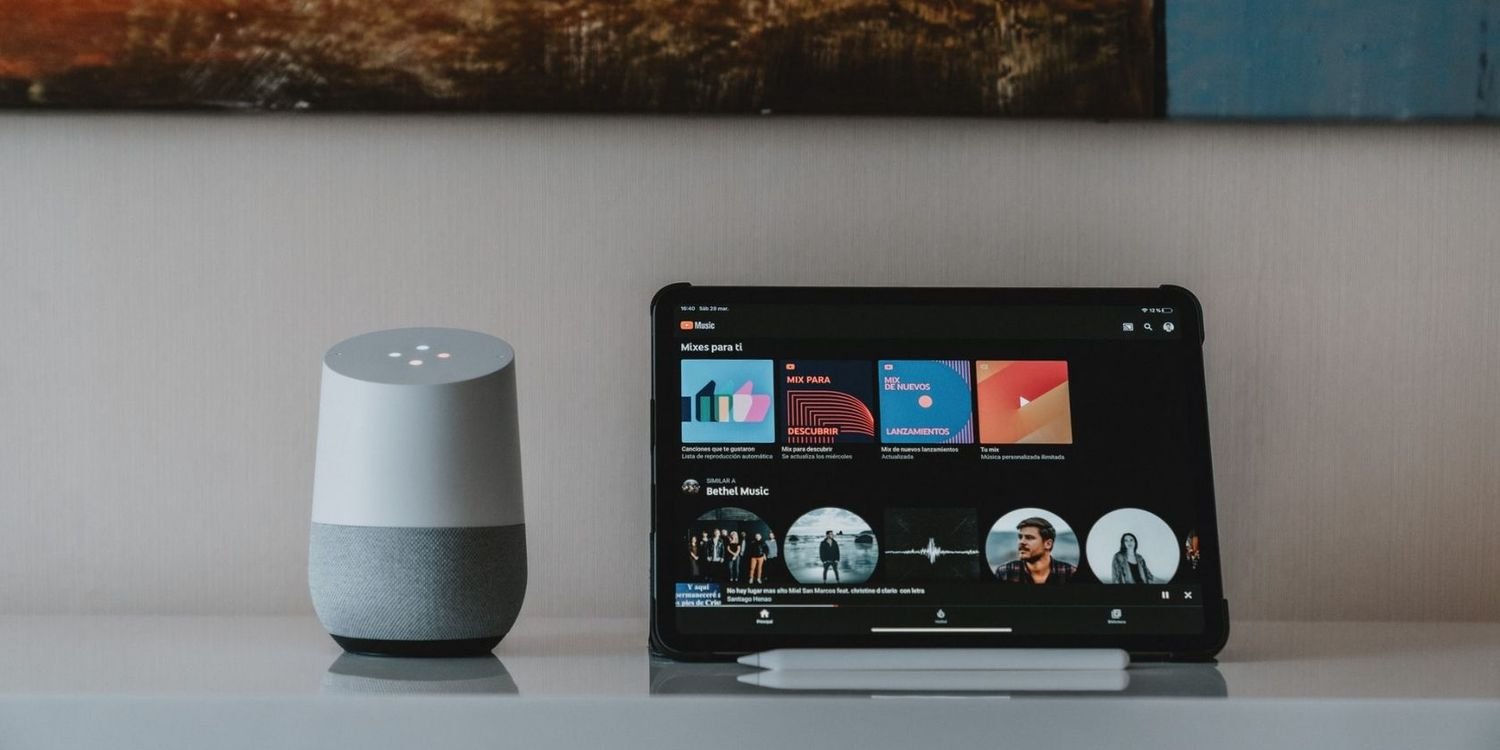
In 2026 Smart home devices will be evolved into intelligent systems that anticipate your needs seamlessly. Where devices like smart speakers, thermostats, lighting, and security systems communicate and adapt without manual input.  

For instance, AI-powered assistants can recognize your routines and moods, automatically adjusting settings to optimize comfort and energy usage. Products from Apple, Google, and Samsung integrate privacy-focused AI to personalize these devices without compromising data security.  

Wearables & AI Tools: Personal Tech Revolution 

Coming in 2026, wearables are no longer just fitness tracking devices, but AI companions that track your health, provide real-time analytics, and serve as personal assistants in every sense. They probably come with advanced biometric sensors and satellite GPS for health tracking. AI-equipped wearables coach you personally for your mental wellbeing and ensure there are seamless digital calendars and communication platforms. Apple’s A17 Pro or Qualcomm’s Snapdragon X Elite chips, combined with AI chips, will make devices smart and fast this year, thanks to real-time local processing with low power usage.   

Eco-Friendly Gadgets: Green Tech Innovations 

Eco-friendly gadgets are the most important gadgets for this environment. In 2026 eco-friendly gadgets comes into picture, like solar-powered phone chargers, biodegradable phone cases, and energy-efficient smart appliances are in fashion. This kills most of the waste materials and minimizes electronic waste. This may sacrifice fashion, but this helps in growing responsibility towards our environment. 

Editor’s Tech Wishlist: Must-Have Picks 

  • Belkin 3-in-1 Magnetic Foldable Wireless Charger: Quickly charge multiple devices with this sleek, foldable design that’s perfect for the clutter-free desk or on the go. 
  • Sony WH-1000XM6 Headphones: Industry-leading noise cancellation, combined with multipoint connectivity and quick charging, cuts distractions anywhere.  
  • Ultra Insta360 Go Camera: A compact 4K camera with magnetic mounts, for hands-free shooting. It’s ideal for active lifestyles and content creation. 
  • Samsung Galaxy Z Fold7: A foldable phone that perfectly amalgamates smartphone convenience with tablet productivity, featuring a durable flexible display and advanced cameras.  
  • Eight Sleep Pod 5 Core: AI-powered smart mattress offering sleep temperature regulation and health monitoring throughout the night. 

Gadgets Trending to Watch 

Beyond the core smart home and wearable tech, 2026 ushers in other advances that include AR glasses, which replace the traditional screen to offer heads-up displays and hands-free interactions; AI-powered domestic robots that will save time by mowing lawns and cleaning pools; foldable, flexible tech in laptops and tablets is affordable and durable, enhancing portability. 

Future Tech 2026: What’s Next? 

  • AI: Truly speaking, with devices that understand tone, mood, and context to proactively assist users, Makes users routine easy. 
  • Connectivity: Early testing of 6G telecommunication promises ultra-fast speeds with virtually nil latency. 
  • Foldable Displays: As flexible tech hits maturity, it make easy to handle and can take anyware ,make it pocket friendly.  

To conclude, the best tech gadgets of 2026 include more intelligent, eco-friendly, to increase user experience in every circle of life. Whether upgrading your smart home, investing in AI-driven wearables, or exploring green tech, 2026 will be the year to embrace innovation that looks as cool as it performs. 2026 stays ahead with trending gadgets, build your own future-tech arsenal with these exciting options and editors’ picks. 

In this fast-paced world, communication plays a vital role in evry step of life.so for staying connected we should have a portable charger or a power bank for keeping our device charged on the go. Whether you might be a regular traveler or a busy IT professional or just someone who is using multiple devices, choosing one of the best power banks makes a huge difference in one’s routine. 

This article 2026 buyers guide will help you understand clearly regarding the key aspects like mAh capacity, Fast charging technology, USB-C versus Lightning connections, travel-friendly options, and airline safety rules.  

Understanding mAh Explained 

 The capacity of a power bank is usually measured in milliampere hours (mAh). This number or symbol indicates how much charge the power bank can store and subsequently deliver to your devices. For instance, a 10,000mAh power bank can charge a typical smartphone about 2-4 times easily, depending on the phone’s battery size.  

For travel, a good balance is around 20,000mAh, as it offers multiple charges without being too messy. Extremely high capacities such as 25,000mAh or more are suitable for longer trips which may be capable for multiple devices but may be heavier and subject to airline restrictions.  

Fast Charging Technologies 

Fast charging is vital features of modern portable chargers to reduce time. Most of the power banks include support for USB Power Delivery (PD) with their USB-C ports, offering fast charging capability for devices such as smartphones, tablets, and even some laptops. Fast charging reduces the time it takes to recharge a device significantly compared to normal 1A or 2A outputs.  

When you are purchasing a power bank, one should always concentrate on USB-C PD support with an output rating of at least 18W or more for effective speed charging. 

USB-C vs. Lightning 

Choosing between USB-C and Lightning mainly depends on your device’s ecosystem. USB-C is a standard one that supports fast charging facility and adoptes across Android phones, laptops and tablets. It provides faster data transfer and power delivery comparatively to the older USB’s. Lightning, proprietary to Apple devices, is still in common usage for iPhones and some iPads.  

However, many newer Apple devices also support USB-C. For versatility and future-proofing, it is generally recommended to get a power bank with USB-C ports, but if you use Apple products heavily, a power bank that supports Lightning or includes adapters will make charging easier.  

Best Power Banks of 2026 

Some of the best-performing power banks in 2026 are: 

  • EcoFlow RAPID Pro: Known for exceptional speed, smart power management, and versatility with a slightly larger form factor, ideal for heavy device users. 
  • Anker Prime 26,000mAh: Provides top-notch charging speed, intelligent design, and the capability to charge multiple devices, which all make it a true representative of a modern power bank. 
  • AOHI Future Starship Pro: A compact 10,000mAh power bank balancing portability and laptop-level charging performance.  
  • Baseus EnerGeek GP12: A travel-friendly 20,800mAh option featuring up to 145W total output, excellent for high wattage charging in a compact size. 

Meanwhile, the balance of reliability and capacity also keeps the Anker PowerCore series and RAVPower models popular.  

Best Travel Chargers and Airline Safety Rules 

When traveling, it’s preferable to choose a power bank that complies with airline safety regulations. Most airlines allow power banks up to 100Wh, usually about 27,000mAh for a 3.7V battery in cabin luggage. Power banks or portable chargers with capacities above this limit may require airline approval or may not be allowed onboard.   

Note that power banks should not, for obvious safety reasons, be packed in checked luggage. Lightweight and mid-capacity power banks, such as models in the range of 10,000 to 20,000mAh, are suitable for travel since they provide ample power without being overly bulky or infringing on airline limits. Support for fast charging is good for quick power-ups during short layovers or transit times.  

Additional Features to Look For 

  • Multiple output ports enable simultaneous charging of multiple devices. 
  • Pass-through charging allows you to charge the power bank and devices at the same time. 
  • Built-in cables for convenience and reduction of cable clutter. 
  • LED indicators showing the remaining charge. 

Conclusion 

To conclude, always choose a durable, compact design for on-the-go use in the long term. Picking the best portable or power bank for 2026, Have a clear glance your device compatibility, capacity which needs in mAh, long-lasting fast charging features, the different kind of connections, Travel requirements, and considering airline safety. From Eco Flow to Anker, AOHI, and Baseus, these brands offer excellent options for various needs, ensuring you stay powered wherever you go. 

FAQ’s 

1. How is the capacity of a power bank measured? 

A. Capacity of a power bank is measured in milliampere hours. 

2. What is the limit that airlines allow power banks according to its regulations? 

A. Most airlines allow power banks up to 100Wh, usually about 27,000mAh for a 3.7V battery in cabin luggage. 

3. Mention a few best power banks of 2026? 

A. Here are few best power banks to opt in 2026 EcoFlow RAPID Pro, Anker Prime 26,000mAh, AOHI Future Starship Pro, Baseus EnerGeek GP12. 

Accordingly, the OnePlus 15 is finally officially set to raise the bar for Android flagships in 2025. Blending cutting-edge technology with subtle refinements, the device aims to cater to both enthusiasts and everyday users. Here’s a Article that breaks down featuring the OnePlus 15’s specifications, new features, and how it compares to rivals like the OnePlus 14 and Samsung Galaxy S25.  

Overview:  

OnePlus 15 Design and Key Highlights the OnePlus 15 continues the company’s legacy of premium craftsmanship, featuring a flat LTPO AMOLED panel and a minimalist design made from materials like Gorilla Glass Victus 2 and an aluminum alloy frame. The rear camera module has been redesigned both for style and function, with color options ranging from classic matte black to a striking glacier blue. 

Display: LTPO AMOLED 165Hz Panel Specs 

Up front sits a 6.78-inch LTPO AMOLED display, carrying a 1.5K (1272 x 2772 pixels) resolution and a battery smooth 165Hz refresh rate. The panel is flat for a modern touch, supports HDR10+, and peaks at 1,800 nits for stellar sunlight visibility. It also has an in-display ultrasonic fingerprint sensor for quick unlocking.  

Performance:  

Snapdragon 8 Elite Gen 5 & RAM Under the hood, Qualcomm’s latest Snapdragon 8 Elite Gen 5 chipset leads the charge, backed by up to 16GB LPDDR5X RAM and UFS 4.0 storage options, topping out at 1TB. Benchmark leaks indicate record-breaking performance, ensuring seamless multitasking, gaming, and AI operations. And the new triple-chip architecture means consistent high framerates even during intense gaming sessions. 

Camera: Triple 50MP Setup Details 

Photography is a main highlight, with the OnePlus 15 featuring a triple 50MP Hasselblad rear camera system: 

  • 50MP Wide: LYT-808 sensor, f/1.6, OIS 
  • 50MP Ultra-wide (JN5, f/2.0) 
  • 50MP Telephoto (3.5x optical, OIS) 

Expect advanced AI processing, Hasselblad color tuning, and support for 8K video. Up front, a 32MP wide-angle selfie camera provides crisp results, though heavy selfie users may prefer the OnePlus 14’s 50MP front shooter.  

Battery & Charging:  

  • 7,300mAh + 120W The OnePlus 15 pushes the limits with a 7,300mAh silicon-carbon battery, promising multi-day endurance.  
  • Charging is ultra-fast thanks to a 120W wired solution, while 50W wireless charging is also supported.  
  • The battery is designed to maintain over 80% health after four years and can operate unfailingly in extreme cold. 

Software: Android 16 (OxygenOS Based) Features 

Right out of the box, the OnePlus 15 runs OxygenOS 16, based on Android 16. It features a host of AI-driven enhancements, including smart battery optimization and advanced privacy tools, and offers four years of major OS updates. OxygenOS is known for striking a great balance between speed and customizability; the OnePlus 15 now comes with new gesture controls.  

Connectivity: 5G, Wi-Fi 7, Bluetooth 6.0 

It’s connectivity is with wide 5G band support, Wi-Fi 7 for blazing-fast wireless, and Bluetooth 5.2. Users also get NFC, eSIM capabilities, and a robust GPS suite, making it ready for the next generation to be connected to tech experiences.  

Price & Availability:  

Global and India Pricing the OnePlus 15 launches globally from November 13, 2025. Base models will start at around $899 in the US. Indian pricing should be around ₹69,999 for the 12GB/256GB variant. For those higher configurations pushing 16GB of RAM and 1TB of storage, that premium starts reaching the higher-end prices-but still competitive against Samsung and Apple. 

Should one upgrade to OnePlus 15 in 2025? 

The 2025 OnePlus 15 stands apart from the crowd with its ultra-smooth, flat LTPO AMOLED display running at 165Hz, an imposing Snapdragon 8 Elite Gen 5 processor, a large battery, and a seriously improved camera system. Its extended options for connectivity, plus fast charging, make it outpace many rivals, while its pricing strategy is one of the boldest on the market, making even the top-of-the-line configuration enticing similar Samsung and Apple offerings. If selfies are not of the utmost importance to you, the OnePlus 15’s undeniably next-level Android experience makes upgrading genuinely worthwhile this year. 

As 2025 draws to a close, the tech world is abuzz with anticipation for upcoming smartphones in 2026. This year is expected to bring about significant changes and notable launches that will shape the next generation of mobile technology. Whether it’s speed, camera innovation, display quality, or foldable designs, the upcoming mobiles in 2026 are sure to impress. Here’s an article which dives deep at the most-awaited next flagship phones that you’ll want to watch out for. 

Samsung Galaxy S26 Ultra: A New Benchmark for Android Flagships 

It will be one of the standout upcoming phones in 2026: the Samsung Galaxy S26 Ultra, launching globally in January. The device comes equipped with a large 6.9-inch Dynamic LTPO AMOLED display featuring a 144Hz refresh rate and up to 3,000 nits of brightness, providing an uncompromising visual experience even in scorching sunlight. Powering the beast is the Snapdragon 8 Elite Gen 5 chipset, or possibly the Exynos 2600 in select markets, paired with up to 16GB of RAM and 1TB of storage.  

The quad-camera setup, headlined by a 200MP primary sensor, also features a 50MP ultra-wide lens, a 50MP periscope telephoto lens for 5x zooming, and a 10MP telephoto lens for 3x zoom. On the front, a 12MP under-display camera is located, providing an unobstructed screen surface. The 5,000mAh battery has 60W wired and 25W wireless charging. The device runs One UI 8 based on Android 16, offering enhanced AI features and over seven years of software updates to keep future proof. In terms of design, the Galaxy S26 Ultra features a titanium frame and Gorilla Glass Armor 2, providing durability with a premium feel. 

iPhone 17 Pro Max: Another Triumph of Apple 

Apple’s iPhone 17 Pro Max, coming in late 2026, will probably push the boundaries of computational photography and performance with the A18 Bionic chip. One can also expect it to feature a 120Hz ProMotion display with brighter HDR and an enhanced color accuracy, along with an improved periscope of zoom lens for much better telephoto shots. 

Running iOS 18, the 17 Pro Max will focus on user-friendly software improvements such as better battery management. Of course, Apple’s famous ecosystem integration and excellent software support will still be top-notch, providing a seamless user experience across devices. 

Google Pixel 10 Pro: Pure Android Excellence 

The Google Pixel 10 Pro is highly expected to continue Google’s tradition of clean software and class-leading computational photography. It will probably contain the Tensor G4 chipset for improved AI performance, a silky-smooth 6.7-inch OLED display with a 120Hz refresh rate, and a versatile camera array perfect for any lighting conditions. 

Expect timely Android 16 updates, some really cool exclusive Google features, and polished multitasking capabilities, all reasons why it will stay as a go-to for Android purists who make software and camera capabilities a priority. 

OnePlus 16 Pro: Speed and Elegance Combined 

The OnePlus 16 Pro will marry blistering speed with a sophisticated design. This phone is expected to boast a 6.8-inch LTPO AMOLED 165Hz display and be powered by the latest Snapdragon 8 Gen 3 or newer chipset, supported by up to 16GB of RAM. 

The Hasselblad-tuned triple camera system promises natural color reproduction and refined imaging features. The 5,000mAh battery supports ultra-fast 150W wired and 50W wireless charging for minimal downtime. OxygenOS 16, based on Android 16, will provide seamless user experience with rich customization and enhanced connectivity through Wi-Fi 7 and Bluetooth 6.0. 

Foldable Phones 2026: The Future of Form Factors 

Exciting new developments in 2026 will include foldable phones, with Samsung leading the way. The successor to the Galaxy Z Fold 5 is expected to be thinner, more durable, and feature next-generation foldable AMOLED displays that support 120Hz refresh rates and innovative privacy display technology. 

Worth-the-Wait Mobiles Coming Up in 2026 

  • Samsung Galaxy S26 Ultra: 6.9-inch 144Hz AMOLED, Snapdragon 8 Elite Gen 5, 200MP quad camera, 5,000mAh battery. 
  • iPhone 17 Pro Max: Apple’s A18 Bionic, periscope telephoto camera, 120Hz ProMotion display, iOS 18. 
  • Google Pixel 10 Pro: Tensor G4 chipset, advanced computational photography, 6.7-inch OLED, Android 16. 
  • OnePlus 16 Pro: 6.8-inch 165Hz AMOLED, Snapdragon 8 Gen 3, Hasselblad cameras, 5,000mAh with 150W charging. 
  • Xiaomi 16 Ultra: 6.7-inch AMOLED, 200MP main camera, 150W fast charging, MIUI 16. 

Why You Should Wait for Upcoming Phones in 2026 

The arrival of these next flagship phones in 2026 means upgrading your smartphone to enjoy the best innovations in display, superior camera systems, superfast processors, and future-proof software updates. Integrated Wi-Fi 7, Bluetooth 6.0, AI-enhanced features, and improved battery technologies will see these devices offer longer usability and top-tier performance uncompromised. 

Samsung’s SmartThings just got a fresh upgrade. Now you can boss around your Samsung smart home using Siri on your iPhone or Apple watch. Imagine telling Siri to dim the lights, lock up, or start off your Movie Night scene. Sounds good, right? This guide will show you how to get Siri working with Samsung SmartThings. We will cover what you need and fix any problems that might run into you.  
It’s super simple for you, we promise! 

Introduction: Why Connect Siri with SmartThings 

Before, if you had both an iPhone and Samsung SmartThings, using them together was a pain. You need different apps: HomeKit for Apple and SmartThings for your connected home setup. 
But now, SmartThings works with Siri Shortcuts, so those problems are gone. Now you can make things happen in SmartThings just by talking to Siri on your iPhone or Apple Watch. 
What this gets you: 

  • iPhone users can tell SmartThings what to do without lifting a finger. 
  • Apple Watch users can control everything right from the wrist. 
  • Families with both iPhones and Galaxy devices can finally get along. 

Basically, linking Siri and SmartThings makes everything easier. You get the smart features of Apple’s voice control and the flexibility of Samsung’s gadgets all in one. 
What You Will Need 

Here’s what you should have for setting up SmartThings with Siri: 

Necessities Specificities 
SmartThings App Newest Version (v3.4.2 or higher) from the App Store. 
iPhone or iPad It needs to be running iOS  
SmartThings Account Make sure it’s all aligned with your Samsung details. 
Peaceful Devices Like lights, plugs, thermostats, locks, etc. 
Good Internet Connection Your iPhone and SmartThings Hub need to be on the same Wi-Fi. 
Apple Watch (Optional) If you want to control things from your wrist, make sure it’s on watchOS or later. 

 
Got all that? Great! You’re ready to link Siri to Samsung SmartThings and start bossing your smart home around with your voice. 
Step 1: Update SmartThings App on iPhone 

First, you need to update your SmartThings app on your iPhone. 

  • Go to the App Store. 
  • Look up SmartThings. 
  • If there’s an Update button, tap it. 

Make sure you’re on version 3.4.2. Or later. That version has the Siri Shortcuts thing, which came out in the November 2025 update. 
After you update, open the app and sign in to your Samsung account. If you already use SmartThings for your lights or other devices, you’re already partly done. 

Step 2: Enable Siri Shortcuts for SmartThings routine 

Secondly, let’s get Siri Shortcuts working with your SmartThings device as this is what lets your boss your Samsung smart home using your voice. 

  • Open the SmartThings app on your iPhone. 
  • Hit the Routines tab. 
  • Pick a routine you want Siri to handle and say, Goodnight or Movie night. 
  • Tap Add to Siri. 
  • Say a phrase that comes to you. Say something like, Hey Siri, I’m back from work. 

After you do that, Siri will know what you mean and start off your SmartThings routine right away. 
Additional Tip: Keep your phrases short and sweet. Siri works best when it can nail commands like Movie Time or Lights Out. 

Step 3: Create or Import SmartThings Routines 

If you’re just getting started with SmartThings, here’s how to make some recent automation before you link it up with Siri. 

  • Open SmartThings, go to Routines, and tap +Add Routine. 
  • Pick what starts the routine like a time, when it senses movement, or when you turn it on yourself. 
  • Then add what you want to do: 
  1. Turn the lights on or off. 
  1. Change the thermostat. 
  1. Lock or unlock doors. 
  1. Turn on the TV or speakers. 

For example, you can make a morning routine that flips on the lights, gets the coffee going, and warms up the house, all with one Siri command. 
If you’ve already got routines set up, you can just pull them into your Siri Shortcuts. 

Step 4: Add Siri Trigger Phrases 

Now we have come to the fun part that is teaching Siri what to do. 

  • Go to your routine section in the SmartThings app. 
  • Tap Add to Siri again (if you have not already). 
  • Record the phrase you want to use. 

Here are few ideas: 

  1. Hey Siri, Goodnight: This turns off the lights and locks the doors. 
  1. Hey Siri, Gaming Time: This turns on your LED lights and lowers the blinds. 
  1. Hey Siri, Start Work: This turns on your monitor and sets the temperature. 

You can even use more than one phrase for the same thing. That’s useful if people in your family want to use different commands. 

Step 5: Test and Fix Problems 

After you set up your commands, give your Siri SmartThings setup a try. Just say your command out loud like, ‘Hey Siri, movie night.’ See how fast SmartThings react. 
If it doesn’t work, check these things: 

  • Make sure the routine is actually in Siri. 
  • Confirm that both devices are on the same Wi-Fi network. 
  • Be sure Siri can access SmartThings (go to Settings> Siri & Search> SmartThings> Allow Siri) 

If Siri still isn’t responding, delete the routine shortcut and add it back. Sometimes, re-syncing the SmartThings app after an update fixes small issues. 

Bonus: Control SmartThings from Your Apple Watch 

The best thing about using SmartThings with Siri is that you can handle your whole house right from your wrist. 
Here’s How It Works: 

  • Make sure your Apple Watch has watchOS 10 or later. 
  • Put the SmartThings app on your watch or open it if it’s already there. 
  • See your list of routines. 
  • Tap a routine or just ask Siri on your watch to start it. 

For example: Say you’re leaving and don’t lock up. Just tell Siri, goodnight on your watch, and your SmartThings lock will lock right away. 
This makes using your smart home way easier, mostly when you don’t have your phone handy. 

Tips on Managing an Apple and Galaxy Home 

These days, lots of homes have both iPhones and Galaxy phones because maybe one person likes Apple and the other likes Samsung. But with SmartThings Siri Shortcuts, that’s not a problem.  
Here’s how to make it work: 

  • Shared Routines 
    Set up SmartThings routines that everyone can use, whether they are using Siri on iPhone or Bixby/Google Assistant on Galaxy. 
  • Same Controls 
    Both kinds of phones can use the SmartThings account, so everything stays in sync. 
  • Matter Compatability 
    The new update works with Matter devices. This means your Apple HomeKit device and SmartThings features can play together nicely. 

Everyone Gets a Say: Family members can even set up their own Siri commands for the same routine, so everyone is happy. 
This cross-platform thing is where smart homes are headed towards, where it doesn’t matter what brand, you like. 

How to Fix the Common Problems 

Even the best setups can have issues. Here’s how to troubleshoot normal SmartThings Siri setup problems: 

  1. Siri Says, Can’t Find the Shortcut 
  • Reopen SmartThings. 
  • Delete the shortcut. 
  • Re-add it under Routines then tap Add to Siri. 
  • Use the same words you recorded earlier. 
  1. SmartThings Routines are not working? 
  • Make sure your devices are online on SmartThings. 
  • Check if Automation Permissions are on your iPhone Settings. 
  • Restart the SmartThings Hub and your iPhone. 
  1. Apple Watch isn’t syncing Routines? 
  • Make sure SmartThings is on your watch. 
  • If Apple Watch isn’t syncing, try re-pairing it again. 
  1. Are Voice Commands Too Slow? 
  • Make sure your Wi-Fi connection is better. 
  • Don’t use similar phrases for different routines. 
  1. Region Restrictions 
  • Still works in the U.S., U.K., South Korea and some European Union countries. 
  • It should be everywhere by 2026. 

Conclusion 

Being able to tell Siri to manage SmartThings isn’t just easier; it gives you an idea of where homes are heading open, easy to use, all about you. This setup finally makes it possible to link Siri to Samsung SmartThings, which brings together two big tech groups. With Siri shortcuts, Apple Watch working with it, and more Matter support coming.  
It shows that a smart home that works across different brands is actually becoming real. If you haven’t already, update your SmartThings app and start making your own setup now. The best smart home is not about sticking to one brand; it’s about how well everything just fits together. 

FAQs 

Common Setup Problems and Easy Fixes: 

Do I need a Galaxy phone to use SmartThings with Siri? 

No. You just need the SmartThings app on your iPhone (iOS 17.2+) and devices that work with SmartThings. Galaxy phones are cool, but not a must.

Can I control the SmartThings feature with Apple’s Home App? 

Not straight away. Siri talks to SmartThings using Shortcuts, not HomeKit. Devices using Matter might work across both systems later, though. 

What if everybody in the house wants slightly different phrases to activate? 

It’s easy. Each iPhone user can record their own phrase to start off with routine. SmartThings will know who’s who.

What about iPads and MacBooks? 

Yes, iPad on iPadOS 17.2+ works with SmartThings shortcuts. Mac might be next once Apple adds full Siri Shortcuts support for MacOS in 2026. 

Does it work without an internet connection? 

As of now, you need the internet. Offline Siri control might come in a SmartThings update in the future.

Shopping for a laptop in 2025 and feeling lost? All those choices, specs, and reviews can be a lot. You’re not the only one thinking that way. 

Whether you are in school, at work, or gaming, getting a great laptop in India this year is about finding the right mix of performance, how easy it is to carry, and cost. The laptops this year make things simpler. 

With the quick Intel Ultra chips, nice OLED screens, and some amazing deals on Amazon and Flipkart, there are a lot of bargains out there right now. So, before you buy, check out this article to the top laptops in India for 2025.  

Picking the Perfect Laptop in 2025 

Before we get started, remember these three key things: the screen, the processor, and how long the battery lasts. These things really make or break your entire laptop experience. 

If you’re a student or an employee at an office, battery life and how easy it is to carry around should be one of the primary focuses. Now, if you’re into design, coding, or video editing, you will want a screen with a fast refresh rate, and at minimum an Intel i5 or AMD Ryzen 7 processor. And finally, for gamers, the graphics card, refresh rate, and how well it cools itself are more critical. 

Top Laptops for Student & Office Use in India (2025) 

These laptops give great performance, battery life, and look good.  

  1. Samsung Galaxy Book 4 

Price: Around ₹53,000 
Processor: Intel 13th Gen i5 (10 Crores, 12 Threads) 
RAM: 16GB DDR4x 
Storage: 512GB SSD 
Display: 15.6 Inch Full HD, 300 nits 
Battery: Upto 12 Hours 

Why Get It: Its light (1.5 Kg) boots up fast and has a great screen. Great for students or anyone who works long days. 

Tip: Keep an eye out for deals on Flipkart. Also, Samsung likes to throw in the free MS Office. 

  1. Acer Aspire Go 14 

Price: ₹50,000 
Processor: Intel Ultra 5 125H 
RAM: 16GB Gen DDR5 (Expandable) 
Storage: 512GB Gen 4 SSD 
Display: 14-inch Full HD+IPS 
Battery: Upto 10 Hours 

The Acer Aspire Go 14 is a solid all-round device.  It’s a good choice if you need something reliable for everyday work under ₹1 Lakh. 

  1. Motorola Motobook 

Price: ₹52,000 
Processor: Intel Ultra 5 210H 
RAM: 16GB DDR5 
Storage: 512GB SSD 
Display: 14-inch 2.8K OLED, 500 nits 
Battery: 8 Hours 

Motorola jumping into laptops? Who knew about this. The Motobook has a bright OLED screen and its pretty speedy. This makes it great for designers and content creators. Plus, it looks good without costing you a fortune. 

  1. Asus ExpertBook B1 

Price: ₹52,000 
Processor: Intel i5-13420H 
RAM: 16GB DDR5 
Storage: 512GB SSD 
Display: 15.6-inch Full HD 
Battery: Super Durable (Military Grade) 

If you travel a lot or just need a laptop that won’t break, the Asus ExpertBook is just amazing. It’s super tough and can handle a lot of work at once. It’s made for getting down into business. 

  1. Asus Vivobook S14 

Price: ₹57,000 
Processor: Intel i5-13420H 
RAM: 16GB DDR5 
Storage: 512GB SSD 
Display: 14-inch Full HD+, 300 nits 
Battery: 10 Hours 

The Vivobook S14 is good looking, feels nice, and has enough power for both students and professionals. If you can spend a bit more, it’s a great choice for now. 

Where to Find the Best Laptop Deals in 2025 

Finding a great deal is not just about comparing specs; it’s also about getting the timing down. 

Here’s where you could look for the best laptop deals in 2025 in India: 

  • Amazon India 

They usually have upto 40% Off during Republic Day, Prime Day, and their Great Indian Festival Sales. 

  • Flipkart 
    Look out for the package deals with MS Office and extra warranty. 
  • Brand Websites 
    Samsung, HP, Asus, and Lenovo usually give students discounts and trade in deals all year round. 

When shopping online in India make sure to check on the below mentioned points: 

  • Warranty and service center location. 
  • If you can add more RAM or SSD later. 
  • What real time users are saying about battery life (don’t just blindly trust the official numbers). 

Which Laptop You Should Buy in 2025 

  • For School/Office work: Samsung Galaxy Book 4 OR Acer Aspire Go 14 
  • Business Purpose: Asus ExpertBook B1 
  • Creative Tasks (Editing/Design): Motorola Motobook 
  • All-Rounder Laptop: Asus Vivobook S14 

These are some of the best laptops you can buy in India in 2025, with great specs, good brand reputations, and awesome prices online. 

Last Few Words 

If you want something which is strong, light weight, or a budget friendly laptop, 2025 is the best time to invest on a laptop in India. 

With new market requirements like AI processors and better visual screens, brands like Acer, Asus, Samsung are trying to change what you can get with your money. Plus, with greater sales on Flipkart and Amazon, finding a laptop that works for you and your wallet is easy.  

So, keep track of them, try to see the price differences in different platforms both online and offline, and buy the laptop before it is out of stock. As, in 2025 your laptop is more than just a means of work, it’s your partner for whatever you do. 

Looking for a great gaming laptop this year? You are in great luck. The newest ones are super powerful, look cool, and really deliver when you’re playing games. No matter if its fast-paced shooters or huge open world games. Whether you want the absolute best or one that gives you the most for your money, here’s how to find the perfect one. We will also point out some models that look just awesome. 

What to look for in a Gaming Laptop 

  1. Graphics are the Key 

Want to play those big AAA games looking for their best? Get a laptop with a dedicated Nvidia RTX graphics card. They are usually called RTX Laptops and packed with some serious power. Like one of the many reviews said, “Good gaming laptops are not cheap, but the best ones can handle any AAA game.” 

  1. Money Matters 

It’s harder to find gaming laptops under $1,000, but they are still out there in the market. The MSI Katana 15HX, for instance, caught our eye because it plays games at 1080p well without costing a fortune. 

  1. Looks and Staying Power 

Pay attention to the screen (fast refresh rate, good resolution), if you can add more memory or storage later, how well it cools down, and how well it is made. One guide mentioned that “getting the right amount of power in a portable package is what matters most.” 

  1. For India Specific 

Looking for gaming laptops under 1 Lakh INR? Do the conversion and see what is available locally. You might have to give up some top end specs to get the best market price. 

  1. AAA Game Power 

If you are into big, story-driven open world games, you will need a machine that can run them at high settings with smooth gameplay, so make sure it has a good graphics card and processor. 

Top Gaming Laptop Deals 2025 

Are you serious about buying your gaming laptop this year? Then, check out these models. Just heads up the exact specs can change depending on where to buy the product: 

  • ASUS TUF A16 Gaming Laptop: ₹89,990 (ASUS shop IN + others) 
  • ASUS Gaming V16 2025 Gaming Laptop: ₹86,990 (Amazon India + others) 
  • ASUS TUF F16 FX677VU Gaming Laptop: ₹70,990 (Amazon India + others) 
  • HP VICTUS Gaming Laptop: ₹77,990 (Reliance Digital + others) 
  • ASUS TUF Gaming A15 Laptop: ₹65,999 (Amazon India + others) 
  • Lenovo LOQ Gaming Laptop: ₹73,990 (Vijay Sales + others) 
  • ASUS Gaming V16 2025 Gaming Laptop (Different Version): ₹86,990 (Amazon India + others) 
  • HP Victus Gaming Laptop (Different Version): ₹77,990 (Reliance Digital + others) 

Here’s a Quick Look: 

A reliable 16-inch machine that balances power and price. Great for gaming and everyday work. 

Built keeping in mind the future. It has good graphics options, nice screen, and should last for a while. 

A cheaper 16-inch gaming laptop that’s good for starters. 

A dependable, mid-priced option from a brand people trust. 

A smaller 15-inch laptop that’s cheaper but can still handle big games if you are ok with some trade offers. 

A solid, reliable laptop that gives you what you need without all the extras. 

The last two are just different versions. They might have spec changes or be slightly better. 

Why 2025 Gaming Laptops are Better 

According to various reviews on online forums, the best gaming laptops 2025 have better graphics cards, bigger screens with faster refresh rates, more memory and storage, and improved cooling system. 

Basically, you can get a gaming laptop in 2025 that can play the latest games, and it won’t necessarily break the bank. 

Finding the Correct Fit for Your Wallet: 

  1. Under ₹ 1 Lakh (or $1,000) 

If you’re trying to stay under ₹ 1 Lakh in India or $1,000 in the US, get a good 1080p laptop with a decent mid-range RTX graphics card (like an RTX 4060 or 4050). You might have to turn off some settings or forget about 4K, but you can still play demanding games. For example, the MSI Katana 15 HX with an RTX 5050 is around $999. 

  1. For Some Serious AAA Games 

If you want to play big open-world games with high settings (1440p, fast, refresh rate, etc.) spend a bit more. Look for RTX laptops with an RTX 4070 or higher. The Gigabyte Aorus 16X gives you that kind of performance without costing a lot. 
 

  1. Portability Vs Power 

You need something that you can carry every day? Consider lighter 14-inch models like the ASUS TUF Gaming A14, as pointed out by some data. 

How long does it last, and can you upgrade it? Don’t forget about RAM and SSD slots, cooling, and screen quality. These things matter a lot in the long run and will eventually decide how many years your laptop stays relevant. 

Final Judgement 

When you’re shopping for a 2025 Gaming Laptop, Keep in mind of these points: 

  • Get an RTX Laptop: It means serious graphics power. 
  • What do you want to do with it: Just play games casually or go all-about with the highest settings? 
  • Set a budget: Under ₹1 Lakh or $1,000 gets you in the door, but better performance costs more. 
  • Think about the screen, build quality, and if you can upgrade it, because you will want to use it for more than just gaming. 

Lastly, we hope you get the best out of the best offers before 2025 ends. 

Looking for a cheap laptop in 2025? You’re not the only one. Since fancy laptops cost so much, most students, workers, and everyday users want something affordable that still works well. 

Lucky for you, 2025 has some awesome options for you. These machines mix power, portability, and usefulness without costing a ton. Whether you need laptops under ₹50,000 in India (2025) or under $500 worldwide, we’ve got you. 

Let’s check out the best budget laptops of 2025 that offer great performance at prices that won’t empty your pockets. 

Lenovo IdeaPad Slim 3X: Nice Feel & Good Price 

Looking for a laptop that feels more expensive than it is? Check out the Lenovo IdeaPad Slim 3X. This thing is thin and light, great for everyday use like writing papers, watching videos, surfing the web, and doing all the office work. 

Check it Out: 

  • Intel Core i5 processor (newest one) 
  • Battery lasts all day 
  • Comfortable keyboard for typing alot 
  • Thin and easy to carry 

 Price: About ₹50,000/$600 
Get It: You want a great experience but don’t want to spend a fortune. 
Skip It If: You want to play a serious game or edit videos. 

In short: Great for students and people who need a laptop that’s fast and easy to take with them, without breaking the bank. 

Apple MacBook Air (M1): Still a Great and Cheap Mac in 2025 

Do you think MacBook is too pricey? The MacBook Air M1 is still a top pick if you want something that doesn’t break the bank in 2025. You can find it for less than $700 (₹58,000), and it is even cheaper when there is a sale. 

What’s Cool About it: 

  • Apple’s M1 Chip still beat most Windows laptops at this price. Amazing battery which lasts upto 15 hours.  
  • MacOS runs great. 
  • Light and looks elegant. 

Price: Less than $700/About ₹60,000 (Often on Sale) 
Get It If: You want something that lasts, or you’re a student or work in an office. 
Skip It If: It does not have many ports, and you can’t upgrade it. 

The Bottom Line: The MacBook Air M1 is still the best for the money when it comes to being reliable, fast, and having a great battery life. 

Acer Nitro V15: Budget Friendly Gaming Partner 

If you’re someone who’s a gamer, then Acer Nitro V15 is for you. It costs less than $800 (about ₹65,000 when on sale) and you get a dedicated RTX 3050 graphics card. It is the best choice for anyone who loves gaming, even if you’re streaming or just playing for some relaxation. 

What’s Different About it: 

  • Good Cooling System 
  • Choice for Intel Core i5 or AMD Ryzen 5 
  • NVIDIA RTX 3050 GPU 
  • 140Hz screen, so look and feel is butter smooth 

Price: Around $800/₹65,000 
Buy It If: You need the best budget friendly gaming laptop in 2025 with good strength. 
Don’t Buy It If: The airing system can get rowdy, and it’s not recommended if you need something light. 

The Bottom Line: Perfect for gamers and students who need a single device for school and games. 

Lenovo Flex 5i Chromebook Plus: Smart, Simple, and Won’t Break Your Savings 

If you want a cheap laptop that just gets the job done, check out the Lenovo 5i Chromebook Plus. Chrome OS keeps it speedy and safe, and you can flip it around to use as a tablet, which is cool for students or anyone who just wants to chill. 

What’s Cool About It: 

  • Inter Core i3 processor 
  • Touchscreen that flips (tablet + laptop in one) 
  • Battery lasts a long time (upto 10 hours) 
  • Quite easy to carry around 

Price: About $450 /Around ₹40,000 
Get It If: You want a smooth Chrome OS experience and its great with Google features and watching videos. 
Maybe Not If: You need to run really demanding software or play serious games. 

The Bottom Line: For under $500, this is a great laptop, especially for everyday work, online classes, and getting work done. 

Acer Aspire Go 15: Recommended Progress for You 

If you’re looking for a very cheap laptop that will do all the work for you, review the Acer Aspire Go 15. It’s not more than $300 (₹25,000 to ₹30,000), so it’s perfect for surfing through the search engines, writing research papers, streaming, and day to day tasks. 

What You Get: 

  • 15-inch Full HD screen 
  • Intel Pentium/AMD Athlon CPUs 
  • 10+ Hours of Battery 
  • Lots of ports: USB-A, USB-C, HDMI, and headphone jack. 

Price: Under $300/₹30,000 
Get It If: You just need a laptop for basic usage. 
Skip It If: You Need Serious Power. 

The Lowdown: If you want a reliable, cheap laptop in 2025 and don’t want to break the bank, go for this one. 

Picking a Cheap and Good Laptop in 2025 

Before buying keep these points in mind: 

  1. Processor:  
    Get an Intel Core i3/i5 or AMD Ryzen 5 for good performance. 
  1. RAM 

You need atleast 8GB to do many things at once. 

  1. Storage 

SSDs are quicker than HDDs, and 256GB should be your lowest limit. 
 

  1. Battery 

Try to find one that lasts 8+ hours, or all day at work. 

  1. Screen 

A Full HD (1920X1080) screen will look sharp and clear. 

Last Few Words 

Getting a decent and cheap laptop in 2025 means finding good value, not setting it for junk.  

Some laptops like Lenovo IdeaPad Slim 3X, or the Acer Nitro V15 provide something very unique based on what your requirement is and how much amount you’re willing to spend. 

Whether you want a top performing laptop within ₹50,000 in India 2025, or a laptop within $500 anywhere else, the factors depend completely in the combination of price, performance, and power. Making them affordable options for 2026 as well.