Apple has announced new accessibility features for later this year. Eye tracking will let users control their iPad or iPhone using just their eyes. Music haptics will help deaf or hard-of-hearing people experience music through ear vibrations. the iPhone’s Tactic Engine. Vocal shortcuts will let users perform tasks using custom sounds. Vehicle motion cues may help reduce motion sickness in moving vehicles. More features are coming to Vision OS. These updates use Apple’s hardware, software, and AI to further Apple’s commitment to accessible projects.  

“We believe deeply in the revolutionary power of innovation to enrich lives,” said Tim Cook, Apple’s CEO. “That’s why for nearly 40 years, Apple has championed inclusive design by embedding accessibility at the core of our hardware and software. We’re continuously pushing the frontiers of technology, and these new features reflect our long-standing promise to deliver the best possible experience to all of our users.”  

Sarah Herrlinger, Apple’s Senior Director of Worldwide Accessibility Policy and Initiatives, said each year we make significant progress in accessibility. These new features will impact a wide range of users and provide new ways to communicate, control devices, and interact with the world.  

Eye Tracking Comes to iPad and iPhone 

Eye tracking, designed for people with physical disabilities, uses the front-facing camera for quick setup. Data is securely stored on the device using machine learning.  

In addition to seamless navigation, eye tracking is another upcoming feature that bridges to the next advancement. Music haptics enhance accessibility for people who are deaf or hard of hearing.  

Music Haptics Make Songs More Accessible 

Building on music haptics, Apple is also introducing new features to support a wide range of speech abilities, creating a cohesive suite of accessibility enhancements.  

New Features for a Wide Range of Speech 

Alongside these speech accessibility options, Vehicle Motion Cues addresses motion sickness among users traveling in vehicles, providing visual indicators to make device use more comfortable during motion. This addition builds on Apple’s comprehensive accessibility approach.  

Artificial intelligence has the potential to improve speech recognition for millions of people with atypical speech. “So, we are thrilled that Apple is bringing these new accessibility features to consumers,” said Mark Hasegawa-Johnson, the principal investigator of the speech accessibility project at the Beckman Institute for Advanced Science and Technology at the University of Illinois Urbana-Champaign. The Speech Accessibility Project was designed as a broad-based, community-supported effort to help companies and universities improve the effectiveness of speech recognition. And Apple is among the accessibility advocates who made the Speech Accessibility Project possible.  

Vehicle Motion Cures May Have Reduced Motion Sickness 

CarPlay will soon include new accessibility features such as voice control, color filters, and sound recognition. Voice control lets users navigate CarPlay and control apps using only their voice. Sound recognition can alert deaf or hard-of-hearing drivers and passengers to car horns and sirens. Color filters help people who are colorblind by making the CarPlay interface easier to see, and bold text is also available for better visibility.  

Accessibility Features Coming to VisionOS 

This year, VisionOS adds system-wide live captions, helping users, including those who are deaf or hard of hearing, follow spoken dialogue in conversations and app audio. Live captions for FaceTime make connecting and collaborating with people easier. Apple Vision Pro now lets users move captions during immersive video and supports more made-for-iPhone hearing devices and cochlear processors. Additional updates improve or reduce transparency, smart invert, and dim flashing lights for people with low vision or those sensitive to bright or flashing lights. Existing features like VoiceOver, Zoom, and Color Filters provide blind or low-vision users access to spatial computing, while Guided Access supports cognitive disabilities.  

Users can control Vision Pro with their eyes, hands, or voice and use accessibility features such as Switch Control, Sound Actions, and Dual Control for people with physical disabilities. Founder of Equal Accessibility LLC. As someone born without hands and unable to walk, I know the world was not designed with me in mind. So, it’s been amazing to observe that Vision Pro just works its proof of the power and importance of accessible and inclusive design.  

Additional Updates 

  • VoiceOver will offer new voices, flexible Voice Rotor, custom volume control, and customizable keyboard shortcuts on Mac.  
  • Magnifier will add a new Reader Mode and quick access to Detection Mode via the Action button.  
  • Braille users get improved Screen Input with faster control, Japanese support, multi-line Braille via the Dot Pad, and more table options.  
  • For users with low vision, Hover Typing displays larger text in the user’s preferred font and color when typing in a text field.  
  • For users at risk of losing their ability to speak, a personal voice will be available in Mandarin Chinese. Users who have difficulty pronouncing or reading full sentences can create a personal voice using short phrases.  
  • For non-speaking users, Live Speech will use categories and be compatible with Live Captions.  
  • For users with physical disabilities, the Virtual Trackpad for AssistiveTouch lets them control their device using a small area of the screen as a resizable trackpad.  
  • Switch Control will let iPhone and iPad cameras recognize finger-tap gestures as switches.  
  • Voice Control will support custom vocabularies and difficult words. 
Source: Apple announces new accessibility features, including Eye Tracking, Music Haptics, and Vocal Shortcuts 

An AI agent’s advice led to internal exposure of meta-sensitive data, highlighting ongoing AI challenges at tech firms.  

After a Meta employee internally asked for help with an engineering problem, an AI agent responded with a solution. Following this advice exposed a significant amount of confidential user and company data to engineers for two hours.  

Although no user data was mishandled, a Meta spokesperson emphasized that a human could also give erroneous advice. The incident, first reported by The Information, triggered a major security alert at Meta. According to the company, this response demonstrates how seriously it takes data protection, suggesting both the gravity of the breach and Meta’s focus on accountability.  

This breach follows several recent high-profile AI-related incidents in US tech companies. For instance, last month, the Financial Times reported two Amazon outages tied to its internal AI tools.  

More than six Amazon employees later told The Guardian that the company’s rushed effort to embed AI in every part of its operations led to major mistakes, messy code, and lower productivity.  

The technology driving these incidents, called agentic AImeaning AI systems that can take actions, make decisions, and operate with a level of autonomy to accomplish goals, has changed quickly in recent months. In December, new features in Anthropic’s AI coding tool, Claude Code, drew attention for its ability to book theater tickets, manage personal finances, and even grow plants on its own.  

Soon after OpenClaw appeared, this viral AI personal assistant worked with agents like Claude Code but couldn’t act on its own. For example, it could trade millions of dollars in cryptocurrency or handle large volumes of user emails. These abilities led to a lot of talk about AGI, or Artificial General Intelligence, which means AI capable of performing many tasks usually done by humans.  

In the weeks since, stock markets have been volatile amid concerns that AI agents could harm software companies, disrupt the economy, and take over jobs from people.  

Tarek Nseir, a co-founder of a consulting company, said incidents at Meta and Amazon indicate that both are still testing how agentic AI fits into their organizations.  

They are not really stepping back from these things and actually taking an appropriate risk assessment. If you put an entry-level intern on this stuff, you would never give that entry-level intern access to all your critical, high-severity HR data, He said.  

He added, “The vulnerability was clear in hindsight. This is Meta being bold and experimenting at scale.”  

Jameson O’Reilly, a security specialist who focuses on building offensive AI, said AI agents introduced a certain kind of error that humans did not, and this may explain the incident at Meta.  

A human knows the context of a task, the implicit knowledge that one should not, for example, set the sofa on fire to trigger a run, delete a little-used but critical file, or take an action that would expose user data downstream.  

For AI agents, this is more complicated. They have context windows, a sort of working memory that holds instructions, but these lapses lead to errors.  

A human engineer who has worked somewhere for two years or so, with an accumulated sense of what matters, what breaks at 2 am, what the cost of downtime is, and which systems touch customers. The contact context lives in them, in their long-term memory, even if it is not at the front of their mind, O’Reilly said.   

The agent, on the other hand, has none of that unless you explicitly include it in the prompt, and even then, it fades unless it is in the training data.  

Nseir said more mistakes are inevitable as AI agent use expands.

Source:  Meta AI agent’s instruction causes large sensitive data leak to employees 

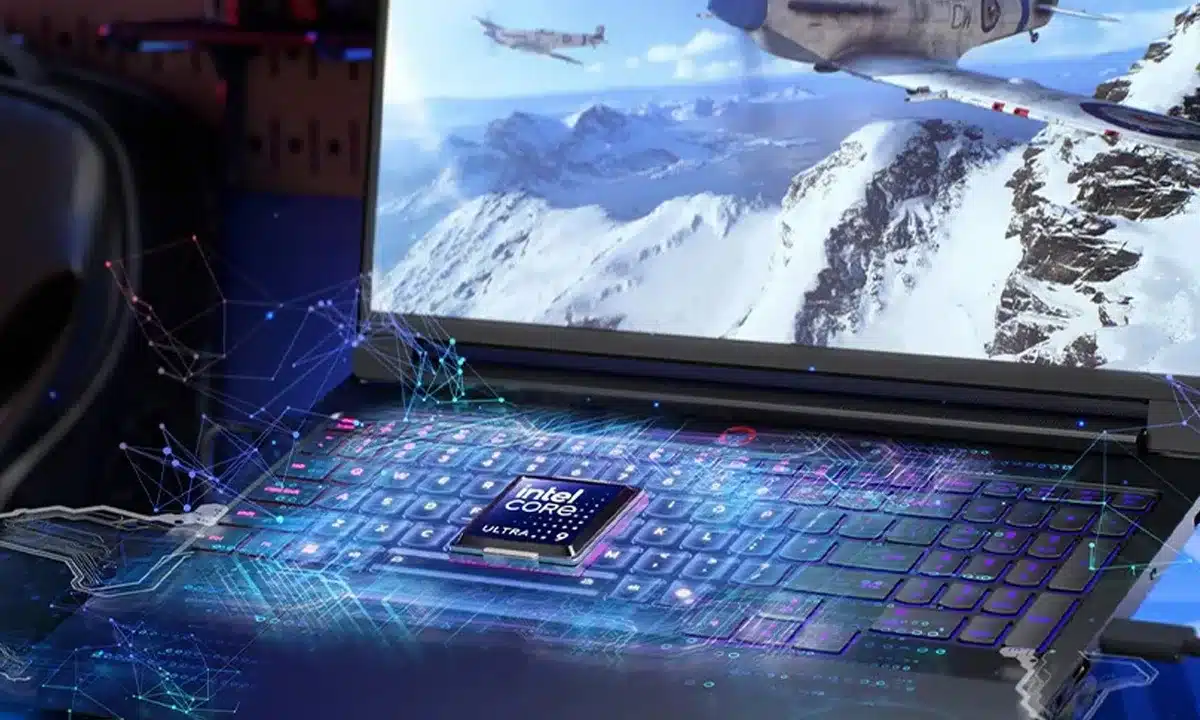
Intel has unveiled its latest flagship desktop processor, the Core i9-14900KS, setting a new standard for out-of-the-box speed since its March 2024 release.  

The Special Edition Processor targets high gaming and content-creation workloads, reinforcing Intel’s desktop market leadership.  

Key Features Of The Intel Core I9-14900KS 

  • Max Turbo Frequency: 6.2 GHz with Intel Thermal Velocity Boost  
  • Features 24 cores: 8 performance, 16 efficient, supporting 32 threads for multitasking.  
  • Enjoy up to 15% better gaming and 73% faster content creation performance than prior models.  
  • Intel application optimization delivers up to 11% performance boosts in supported games. Compatible with Z790 and Z690 motherboards.  

Context and Availability 

  • The Intel Core i9-14900KS is available as a boxed processor or in prebuilt systems from OEM partners, with prices starting at $699.  
  • Continues the special edition line after the previous 6.0 GHz i9-13900Ks.  
  • Thanks to its incredible high speeds, Intel recommends pairing this processor with a high-performance cooling system.  

This powerhouse processor joins Intel’s 14th Gen desktop family, built for enthusiasts who demand the ultimate in desktop performance.  

Intel has announced the full specs and availability of the 14th-gen Intel Core i9-14900KS processors, once again pushing CPU speeds to new heights and keeping its spot as the world’s fastest desktop processor with a max turbo frequency of up to 6.2 GHz right out of the box. These processors offer high-end gaming and creative performance for desktop users who want maximum power.  

The Intel Core i9-14900KS demonstrates the capabilities of Intel’s 14th Gen processors. Extreme PC fans, especially gamers and creators, can now enjoy its record-breaking 6.2 GHz speed for an elevated desktop experience.  

Roger Chandler, Intel Vice President and General Manager, Enthusiast PC and Workstation Segment, Intel Client Computing Group.  

The unlocked i9-14900KS takes the Intel Core 14th Gen desktop processors to their fastest speeds yet. It builds on last year’s 6.0 GHz Core i9-13900KS, which set a record-breaking speed. The i9-14900KS has 24 cores, 32 threads, and 36 MB of Intel’s Smart Cache. This delivers strong performance for gaming and content creation that desktop enthusiasts expect from Intel’s latest processors.  

With Intel Core 14th Gen 14900KS, gamers can see up to 15% better performance versus the previous generation. This is thanks to its fast speeds and Intel’s Application Performance Optimization (APO) feature. Content creators can also benefit from up to 73% better efficiency in demanding tasks like 3D production and multitasking compared to competitors.  

Key features and capabilities of the i9-14900KS include:  

  • Up to 6.2 GHz max turbo frequency with Intel Thermal Velocity Boost, delivering top desktop speeds.  
  • 24 cores: 8 Performance cores and 16 Efficient cores, 32 threads  
  • 150W base power, 36MB Intel Smart Cache, and 20 PCIe lanes (16 Gen 5.0, 4 Gen 4.0).  
  • The i9-14900KS now supports expanded Intel APO, offering up to 11% faster performance in supported games. Intel is adding APL support to more titles, bringing the total to 14 games.  
  • Supports up to 192 GB DDR5-5600 MT/s or DDR4-3200 MT/s memory  
  • Works with Z790 and Z690 motherboards for the best gaming and content-creation experience. Update to the latest BIOS.  

This special edition processor will be available starting March 4, 2024, with a recommended price starting at $699. You can find it at retailers worldwide as a boxed processor or in systems from Intel’s channel and OEM partners.

Source: Intel Core 14th Gen i9-14900KS Powers Desktop PCs to Record-Breaking Speeds 

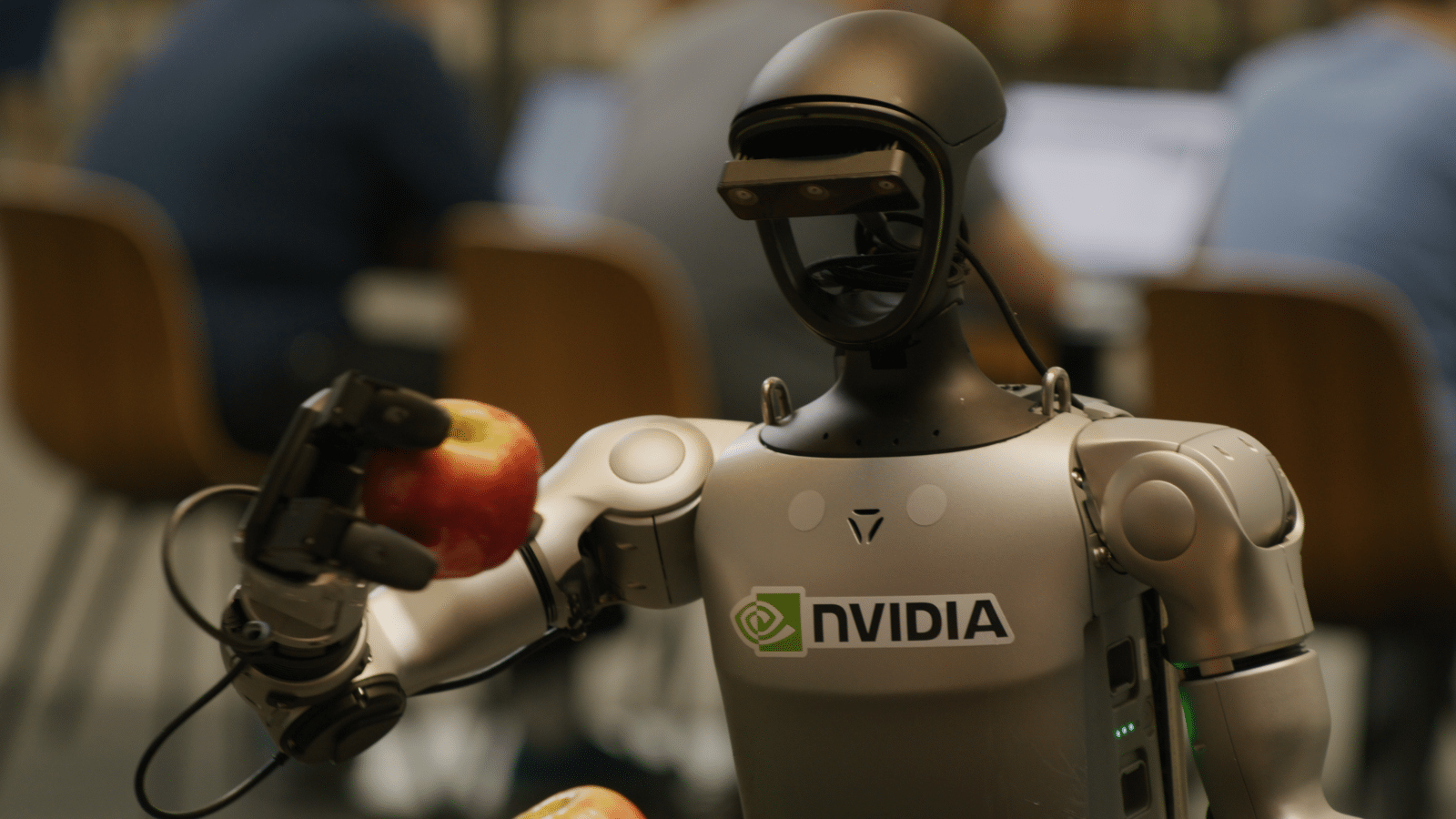
NVIDIA is launching a unified platform to advance intelligent home and humanoid robots, driving innovation in the field.  

Building on this central platform, the ISAC GR00T-N1 Foundation model is fundamental. It enables robots to think, learn, and act more like humans.  

Announced at GTC and CES 2025–2026, these updates are meant to help robots handle more than just basic tasks, enabling them to manage complex, changing household chores.  

Main Features Of NVIDIA’s Robot AI System 

  • Isaac GR00T-N1 model is the first open, fully customizable foundation model for general humanoid reasoning and serves as the primary control system.  
  • The robot AI features two subsystems: one for fast, instinctive responses similar to immediate human reflexes and another for more considered, deliberate decision-making, akin to human logical thinking.  
  • The Jetson Thor Computing Platform is dedicated to powering humanoid robots; it leverages the Blackwell GPU to deliver the processing power needed to run complex AI models on the robot itself, enabling real-time interaction and decision-making.  
  • ISAC Lab (formerly ISAC SIM) is a virtual training environment where robots practice new skills in simulated digital worlds before using them in real life, helping ensure better performance and safety. (SIM: Simulation)  
  • Newton Physics Engine is designed to improve physical realism; it was developed with Google DeepMind and Disney Research to heighten a robot’s ability to accurately interact with and manipulate objects in its environment.  

With these features established, we can now consider what future home robots will be able to accomplish. 

With the new AI system, home robots will be able to   

  • Understand and act, robots can follow complex instructions like “tidy the house” and figure out the steps needed to complete the task without being programmed for every single movement, learned from humans through the high-safety GR00T Blueprint.  
  • Robots can acquire new skills by observing humans perform tasks and generate substantial training data to accelerate their learning and adapt to environments.  
  • The system enables robots to handle new situations such as handling different objects, navigating unknown areas, and managing multi-step tasks.  

Industry Adoption 

NVIDIA is partnering with numerous firms to deploy these technologies, including 1x Technologies, Figure AI, Boston Dynamics, Agility Robotics, and LG Electronics. These partners are using Jetson Thor and ISAC GR00P to develop robots for both consumer and industrial applications.  

By enabling broader collaboration, the goal is to move from specialized robotic arms to general-purpose humanoid robots that can work safely alongside humans in homes and factories.  

NVIDIA has introduced a range of new technologies to boost the development of humanoid robots. This includes NVIDIA ISAC GR00T-N1, the world’s first open, fully customizable foundation model designed for general-purpose humanoid robots. reasoning and scales.  

Other technologies in the lineup include simulation frameworks and blueprints, such as the NVIDIA ISAAC GR00T blueprint, which helps generate synthetic data. There is also Newton, an open-source physics engine developed by Google DeepMind and Disney Research, specifically for building GR00T-N1, the first in a customizable model series available to developers, with pre-training to help address global labor shortages on people.  

The age of generalist robotics is here, said Jensen Kwan, founder and CEO of NVIDIA, with NVIDIA ISAAC GR00T N1 and new data-generation and robot learning frameworks. Robotics developers everywhere will open the next frontier in the age of AI.  

Looking closer at how GR00T N1 supports the developer ecosystem, we see distinct advances for the community 

The GR00T-N1 Foundation model uses a dual-system design inspired by how people think. System 1 acts quickly, like human reflexes or intuition. System 2 takes a slower, more careful approach for deliberate decision-making.  

System 2 in the model uses a vision-language model AI that connects images and text to understand its surroundings and instructions, then plans actions. System 1 takes these plans and turns them into robot movements, learning from both human-guided data and synthetic data made using NVIDIA Omniverse (a simulation software suite).  

GR00T-N1 can handle a variety of common tasks, for example, grasping moving objects with one or both arms and passing items from one arm to the other. It can also manage complex multi-step tasks that need a longer context and a mix of skills. These abilities are useful for tasks such as material handling, packaging, and inspection.  

Developers and researchers can further adapt GR00T-N1 for specific robots or tasks using real or synthetic data.  

During his GTC keynote, Huang showed One X’s humanoid robot performing household tidying tasks autonomously using a policy trained with GR00T-N1. This demonstration resulted from an AI training partnership between 1X and NVIDIA, highlighting how GR00T-N1 enables 1X robots to gain autonomy in complex tasks.  

The future of humanoids is regarding adaptability and learning, said Brent Barnidge, CEO of One X Technologies. While we develop our own models, NVIDIA’s GR00T-N1 provides a significant boost to robot reasoning and skills. With minimal post-training data, we fully deployed on Neo-Gamma, promoting our mission of creating robots that are more than tools rather, companions capable of assisting humans in valuable, immeasurable ways.  

Other top humanoid developers with early access to GR00TN1 include Agility Robotics, Boston Dynamics, Menti Robotics, and Neura Robotics. This partnership enables these companies to accelerate the development and testing of humanoid capabilities using NVIDIA’s technology.  

NVIDIA, Google DeepMind, and Disney Research focus on Physics 

NVIDIA is working with Google Deep mind and Disney Research to create Newton, an open-source physics engine. Newton will help robots learn to deal with complex tasks more accurately.  

Newton is built on the NVIDIA Warp framework and will be optimized for robot learning. This collaboration enables the engine to work with simulation tools such as Google DeepMind’s MuJoCo and NVIDIA Issac Sim. The companies also plan to let Newton use Disney’s physics engine, which should advance robotic simulation accuracy across partner platforms.  

Google, DeepMind, and NVIDIA are also working together on MuJoCo Warp, which should speed up robotics machine learning tasks by over 70 times. This partnership provides developers with Google DeepMind’s open-source MJX library and faster access to advanced simulation for robot training.  

Disney Research will be among the first to use Newton to advance its robotic character platform, powering next‑generation entertainment robots such as the expressive Star Wars–inspired BDX droids that joined Huang on stage during his GTC keynote.  

The BDX droids are just the beginning. We’re committed to bringing more characters alive in ways the world hasn’t seen before, and this cooperation with Disney Research, NVIDIA, and Google DeepMind is a key part of that vision, said Kyle Laughlin, senior vice president at Walt Disney Imagineering Research and Development. This alliance will allow us to create a new generation of robotic characters that are more expressive and engaging than ever before and connect with our guests in ways that only Disney can.  

NVIDIA, Disney Research, and Intrinsic have also announced a new partnership to develop   

OpenUSD pipelines and best practices for handling robotics information workflows are intended to facilitate more efficient interoperable data management among robotics partners.  

More Data to Advance Robotics Post-Training 

Robots need large, varied, and high-quality datasets to develop, but collecting this data is expensive for humanoid robots. Real human demonstration data is limited to how much a person can do in a day.  

To help solve this problem, NVIDIA announced the ISAC GR00T blueprint for synthetic manipulation motion generation, built on Omniverse and NVIDIA Cosmos transfer-world–based models. This blueprint enables developers to generate large amounts of synthetic motion data for manipulation tasks using only a few human examples.  

With the first parts of the blueprint, NVIDIA created 780,000 synthetic motion paths in just 11 hours. That equals 6,500 hours or 9 months of human demonstration data. By mixing this synthetic data with real data, NVIDIA improved GR00T N1’s performance by 40% compared to using only real data.  

To provide better training data, NVIDIA is releasing the GR00T-N1 dataset as part of a larger open-source physical AI dataset now available on HuggingFace.  

Availability 

The NVIDIA GR00T N1 training data (robot learning data) and evaluation scenarios can now be accessed on HuggingFace and GitHub two online platforms for sharing software and datasets. The NVIDIA ISAC GR00T Blueprint is available as an interactive demonstration on build.nvidia.com and as a downloadable resource on GitHub. 

Source: NVIDIA Announces Isaac GR00T N1 — the World’s First Open Humanoid Robot Foundation Model — and Simulation Frameworks to Speed Robot Development 

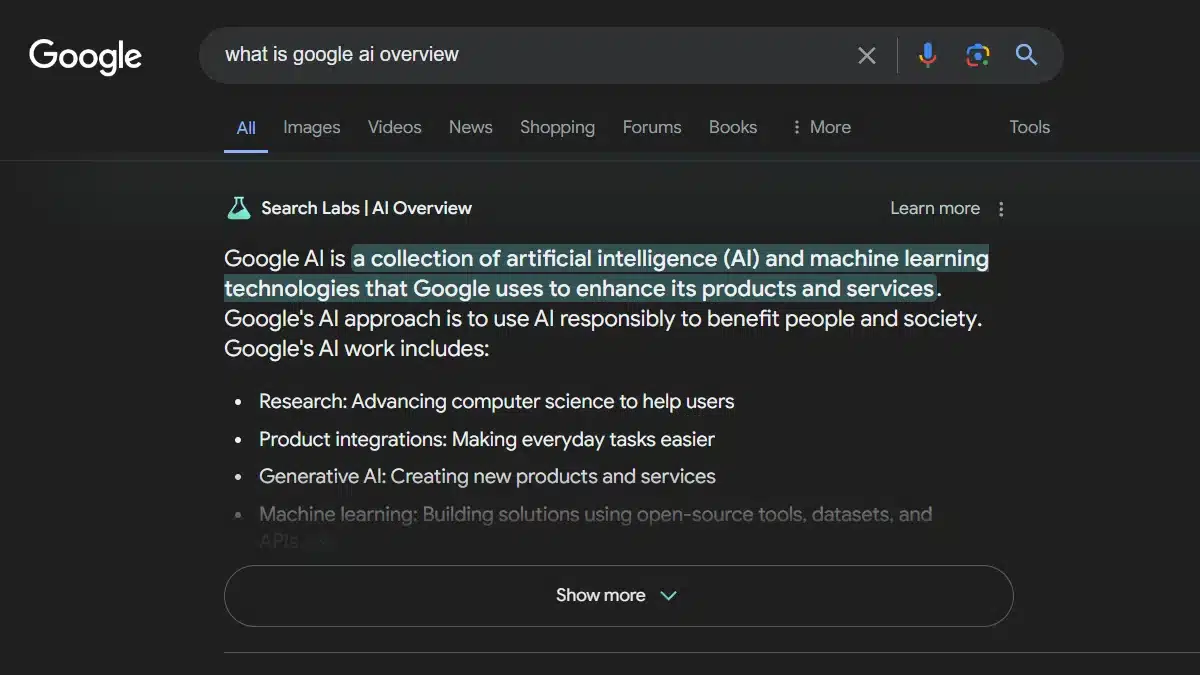
Google is making AI overviews central to its search, but an increasing number of users are seeking ways to avoid or disable this feature due to concerns about accuracy, diminished visibility for independent sites, and a preference for traditional link-based results.  

This guide explains why users are opting out of AI results and explores the most effective strategies to minimize or avoid them in Google search results.  

Reasons Users Are Turning Off AI Results 

  • Early versions of AI overviews became known for giving risky or strange advice, like telling people to eat rocks or put glue on pizza; this showed the AI sometimes can’t tell facts from jokes.  
  • Less visibility for original sources: AI summaries often move regular websites and trusted links lower on the page, which means creators get less direct traffic.  
  • Unwanted summaries: Many people prefer to see the original sources right away rather than a summary, so they see the AI part as an extra step. They don’t need personalization that compromises privacy.  
  • AI personalization often relies heavily on tracking and profiling, which privacy-focused users may want to avoid.  

Ways To Turn Off Or Avoid AI In Google Search 

Google doesn’t have a simple permanent switch to turn off AI overviews, but there are a few workarounds:  

  • To use the -AI query trick, type your search as usual and add “-AI” to the end (for example, “recipe for bread -AI”). This prompts Google to skip the AI summary and show regular search results instead.  
  • To use the web filter, search as you normally would. After results appear, look for the “Web” option (usually under “More”). Click it to show only traditional text links and remove AI summaries or other extras from the results.  
  • Browser extensions: You can install tools like “Hide AI Overviews” or “uBlock Origin” in Chrome to automatically hide AI-generated content.  
  • To create a Google web search engine that avoids AI overviews, go to Chrome settings, add a new search engine, and enter this URL: https://www.google.com/search?q=%s&udm=14. Use this as your default to show only traditional web results.  
  • Signing out or using Incognito mode: if you use Google while signed out or in Incognito mode, there is less tracking, which can sometimes result in fewer AI-generated summaries.  

Despite the backlash, Google says AI overviews are meant to be a main feature like Knowledge Balance, and they are still rolling them out to more users.  

Google’s new AI overviews greatly change how search works by instantly providing summarized answers at the top of results. While this aims to save time, it has reduced publishers’ web traffic, led to factual mistakes, and, for me, feels intrusive.  

With AI products, it can be difficult to determine whether the displayed results are final versions or just tests. This has led users to explore ways to remove these overviews from search results. Although there is no official off switch, some workarounds can reduce the frequency of Google’s AI answers.  

Trick Google Into Removing AI 

Of all the ways to remove AI overviews from Google, this is my favorite because it’s easy and always works. Just use the not (-) operator in your search to exclude certain things. For example, if you search “who owns Facebook”, you will see an overlay.  

But if you add something like hyphen AIs to your search, the AI overview disappears from the results. This doesn’t mean Google made a special switch for this. Instead, the modifier just confuses Google’s algorithm, so the AI overlay doesn’t appear. When I tested it, adding random characters like -i or -efewg worked too, and I think -ai is the most fun.  

Switch Back To Web Results. 

When Google launched AI overviews, it also added a new web filter for search results. This filter brings back classic results. If AI snippets bother me, I click the web filter under the search bar. If you don’t see it, click More and select it from the menu. Once you choose the web filter, the AI overview disappears from the results.  

Sadly, I can’t see this as the default for all search engines, so I have to pick the tab whenever Google shows an AI result, which is almost every time now. This filter isn’t a complete fix it’s just for web links, like the image filter is for images. When you use it, you won’t see YouTube review snippets, just like you don’t see web links.  

Use A Proxy Site (Or Create Your Own). 

When you click the web tab, Google adds a code to the URL to show just web links. But you can do this by adding &UDM=14 to the search results URL. If that’s too much work, use the proxy site UDM14.com, which acts like a Google search bar without AI overviews. Remember, a proxy site may see your queries, so consider privacy.  

If you don’t want to take that risk, you can set up your own default web search. Go to the website with instructions. Open a new Chrome or Firefox tab. Search for anything. Tap the ellipsis menu, choose Settings > Search engine, and then pick Google Web from the recently visited list. I did this on my Android phone, and it worked.  

I also decided to set it up on my laptop, which works a bit. I set it up on my laptop too, though the stats are a little different. I went to Settings → Search engine → Manage search engines, then clicked Add next to Site search. Chrome asked for a name (Google Web) and a shortcut (web), but the key part was adding the base URL google: search?q=%s&udm=14 to the URL box. After that, I found Google Web in the list, clicked the three-dot icon, and chose Make default. This only gives me web links in the results and no AI overviews in sight; however, keep in mind that this also means no multimedia links. If I can’t find what I’m looking for, I can use the Videos or News tabs. I can even hit the All filter to get back to the AI-filled version of Google. If there are any results, I might be missing. 

Source: I Tricked Google Into Removing AI Overviews. Here’s How I Did It 

ChatGPT now lets users upload and analyze multiple files in a single conversation. This feature, primarily for Plus and Enterprise users, supports cross-document analysis, data merging, and understanding across different file types, including PDFs, Excel, CSV, and text files.  

You can upload up to 10 files per conversation or GPT session, with each file up to 512 MB, and most CSV or spreadsheet files are limited to about 50 MB. There is a 2-million-token limit per document.  

  • Each file can be up to 512 MB. However, CSV and spreadsheet files are often limited to about 50 MB each. There is also a 2-million-token limit per document.  
  • ChatGPT uses Python code to perform tasks such as merging datasets, creating visualizations, and comparing data across files.  
  • You can upload files from your computer, Google Drive, or Microsoft OneDrive.  
  • ChatGPT generates interactive tables and charts in the chat, which can be adjusted to facilitate data exploration.  

Common applications include comparing data from multiple PDF reports or research papers.  

  • It is also possible to combine and analyze data from several Excel spreadsheets.  
  • Another common use case is summarizing long documents to highlight key insights.  

There are some limitations to consider: this feature is currently available mainly to ChatGPT Plus and Enterprise users.  

  • There are limits on file uploads. For example, you can upload up to 80 files every 3 hours. There are also limits on total storage per user or organization.  
  • Content you upload may be used to improve the models. You can manage this in your settings. Enterprise and API users have stronger privacy protections.  

Now that we’ve covered the basics of uploading and analyzing, let’s look at what you can actually do with your data in ChatGPT. 

With ChatGPT, you can turn uploaded data into static or interactive tables and charts.  

  • ChatGPT creates an interactive table view for you to scroll and explore your data.  
  • After uploading a file, ChatGPT can select the ideal chart type, or you can specify one.  
  • You can adjust your interactive charts and add summaries to explain your findings.  
  • Using reasoning models to run regressions, chart business metrics, and try scenario simulations.  

After exploring data capabilities, you might wonder which file types are supported. Here’s what you can use with ChatGPT. 

ChatGPT can analyze data uploaded in a variety of file formats, including Excel, comma-separated values (CSV), PDF, and JSON.  

You can also upload the latest versions of your files directly from Google Drive, Microsoft OneDrive Personal, and Microsoft OneDrive (including SharePoint).  

To help you get the best results when analyzing spreadsheets in ChatGPT, here are some useful tips to follow.  

Do: 

  • Include descriptive column headers in the first row.  
  • Use plain language for column headers, avoiding acronyms and jargon.  
  • Use one row per record.  

Don’t: 

  • Include multiple sections and tables in a single spreadsheet.  
  • Include empty rows or columns.  
  • Include images that contain critical information.  

Next, let’s explore how ChatGPT analyzes and visualizes your data using charts.  

ChatGPT uses pandas for data analysis and matplotlib for charts. Click View Analysis after exploring the data to see how these tools were used.  

How Can I See the Analysis by Default? 

After using ChatGPT to examine or visualize your data, click the “view analysis” link at the end of the response.  

At the top of the model, you can toggle “always show details” to have the analysis window open by default after each response. Locally, you can click “copy” to copy the code to your clipboard and paste it into your code editor.  

If you are interested in interactive charts, here’s how to get started.  

After creating a chart, click “Switch to interactive chart” in the top-right corner.  

When you choose this option, the graph updates to an interactive version if the chart type supports interactivity. Only certain chart types, such as bar, pie, scatter, and line, support interactivity. To switch back to a static graph, select “Switch to Static Chart” at the top-right of the graph.  

Which Chart Types Are Interactive? 

Currently, only bar, pie, scatter, and line charts are interactive, while the rest produce a variety of non-interactive charts, including histograms, scatter plots, box plots, box-and-whisker plots, heat maps, area charts, radar charts, tree maps, bubble charts, and waterfall charts.  

How Many Files May I Analyze at Once? 

  • Upload up to 10 files per conversation.   
  • You can attach up to 20 files to a GPT as knowledge. ChatGPT can use these files if Code Interpreter is turned on for that ChatGPT.  

Each file can be up to 512 MB. CSV files and spreadsheets have a 50 MB limit, depending on row size.  

ChatGPT can assist with files that are too large for typical spreadsheet programs.  

How Do I Delete Files I Upload? 

Uploaded files are deleted after a set of time, depending on your plan. Delete files from certain chats or GPTs if you reach your limit.  

What’s Going On Under the Hood? 

When you upload structured data, ChatGPT looks at the first few rows to determine the layout and data types. Ask questions about your data. ChatGPT performs the following steps.  

  • Access the uploaded data in a code execution environment.  
  • Write the Python code to process the data and produce the required analytical output.  
  • Execute code and examine the results.  
  • Integrate the results into the response you see in the chat window.  

ChatGPT can perform mathematical and statistical analysis by both writing and running code. To view the generated code, click the blue [>_] link at the end of a message.  

How Does ChatGPT Know How to Analyze Data? 

A key feature of ChatGPT is its ability to perform complex analysis from natural-language prompts. The model was trained on many data-analysis tasks, including example datasets, questions, and code analysts used to answer them. This training helps ChatGPT generate new code and use specialized Python libraries for complex tasks.  

How Does ChatGPT Execute Code? 

When analyzing data, ChatGPT runs in a secure, preloaded environment with hundreds of Python libraries. ChatGPT writes code to import and use these libraries. The environment accesses files attached to the prompt for interacting with uploaded structured data. It can also access files retrieved for GPT actions.  

When ChatGPT writes code in response to the input, it sends the code to the environment to run. It can see the results, including any errors, and automatically fix code problems.  

The ChatGPT code environment cannot make network requests. Code runs separately from the rest of the ChatGPT platform, which keeps the feature safe.  

When data is analyzed for the first time, a new code environment is created. The environment is available only in that conversation and is deleted after 13 hours of inactivity.  

What Are Some Applications Outside of Data Analysis? 

ChatGPT’s core environment is for structured data, but its ability to write and run code lets you use it for many tasks beyond data analysis.  

  • Applications include file manipulation and generation.  
  • Thematic analysis of structured data and text documents  

ChatGPT is trained in many programming tasks and can find creative ways to use the code environment to get things done. 

Source: Data analysis with ChatGPT 

WhatsApp will launch strict account settings in early 2026 to block scams, phishing, and malware. This mode provides journalists and activists with additional protection against online threats.  

Key Features Of The New Security Update 

  • Strict account settings (Lockdown Mode): When this mode is enabled, media from unknown senders is blocked, link previews are disabled to keep your IP address private, and calls from people not in your contacts are silenced.  
  • Safety overview: When someone outside your contacts adds you to a group, see who created the group, how many people joined, and safety tips before viewing messages.  
  • Device Linking Warnings: If a device requests to connect to your WhatsApp account, you will receive a warning if the request seems suspicious. This alerts you to possible attempts to hijack your account.  
  • Advanced chat privacy: This setting stops others from exporting your chats, taking screenshots of your conversations, or downloading media shared in your chats.  
  • Automatic unknown-media blocking: WhatsApp will automatically block files, images, and videos sent from numbers not saved in your contacts. This default action prevents malicious files from reaching your device.  

How to Activate Enhanced Protection 

To enable these features, open Settings, tap Privacy, select Advanced, and turn on each switch for the protection tools. For added security, set a 6-digit PIN in Account settings.  

These updates support Meta’s efforts to combat scams. Over 6.8 million accounts were recently banned for malicious activity. Meta will also add SIM binding, which requires an active SIM card to use an account and helps trace users.  

As digital scams increase, WhatsApp’s Safety Overview helps prevent you from being added to untrustworthy groups by showing important details when someone you don’t know adds you.  

The feature launches this week and aims to make group invitations clearer and less disruptive. If someone you don’t know adds you to a group, you will see important details about the group, such as who created it, how many people are in it, and some safety tips before any messages appear. You can leave the group right away or, if it seems familiar, check the chats. Notifications will stay muted until you make a choice.  

This update is part of WhatsApp’s continuing efforts to protect users from fraud.  

WhatsApp Bans Scam Center-Linked Accounts 

WhatsApp and Meta’s security teams are working to shut down large criminal scam centers, many based in Southeast Asia. These groups are often run by organized crime and use forced labor. In the first half of this year, WhatsApp and Meta banned over 6.8 million accounts linked to these scams, frequently stopping them before they could fully operate.  

Recently, OpenAI, Meta, and WhatsApp teamed up to stop a scam in Cambodia. The scammers used ChatGPT to write messages that led people to a WhatsApp chat, which later moved to Telegram, before asking for money to be sent to a cryptocurrency account. They tried to build trust by offering fake jobs like getting paid to like videos.  

Stay vigilant against scams think before replying, especially to messages from unknown numbers offering money.  

Take proactive steps: review your contacts and privacy settings immediately to protect yourself.  

To stay safer on WhatsApp, make use of its built-in security features. Do a privacy checkup to control who can contact you and see your online status, and turn on two-step verification to protect your account. If you get a questionable message, use the block and report option right away. You can also turn on Silence Unknown Callers to avoid scam calls, and always use the official WhatsApp app to prevent using fake or harmful versions.

Source:  WhatsApp launches ‘Safety Overview’ tool, bans 6.8 million scam centre-linked accounts 

The Buzz 

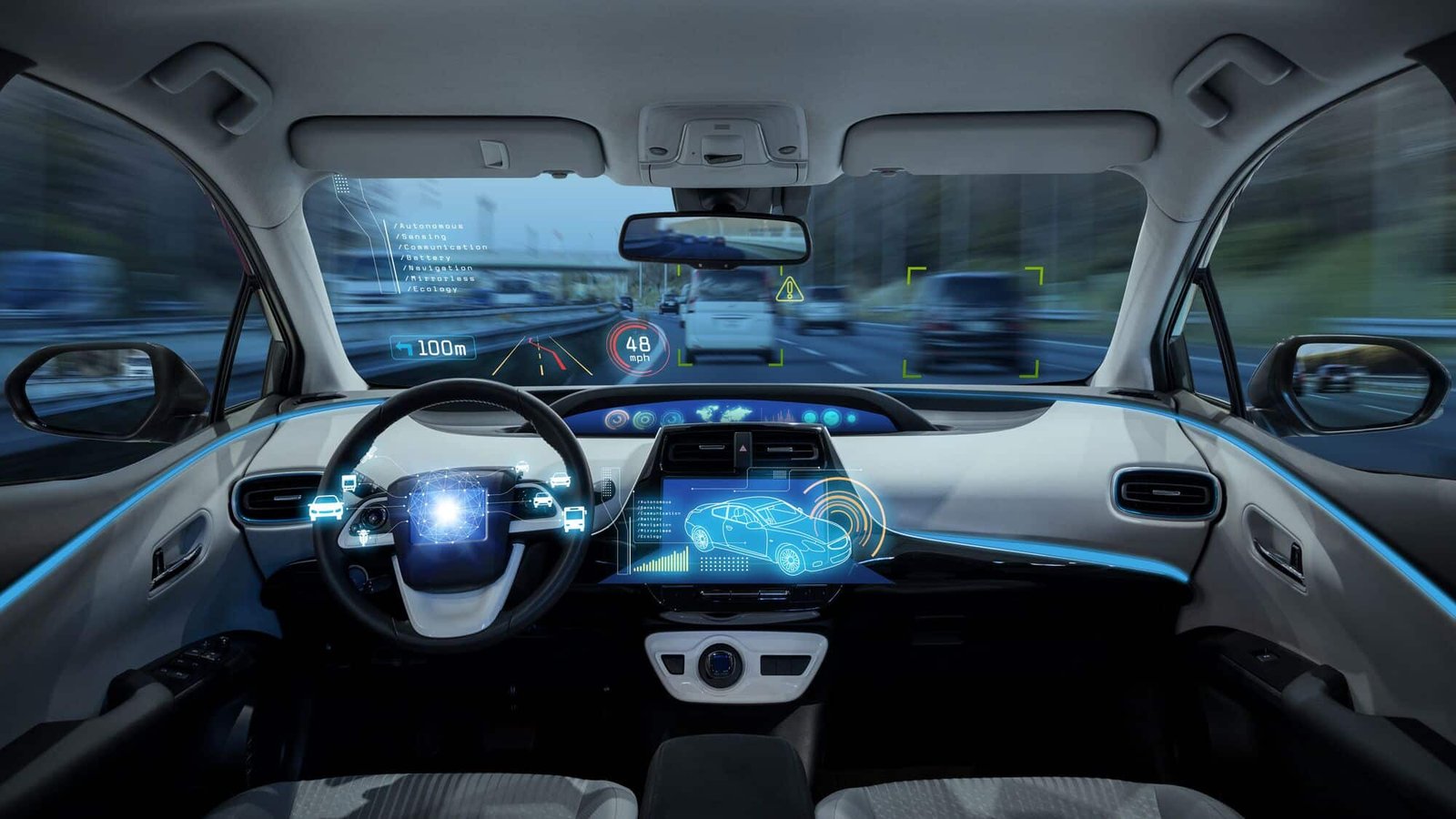
  • Amazon and Nvidia are joining forces to transform in-car AI, developing assistants that go far beyond current technology.  
  • Their technology will allow assistants to understand group conversations about what is happening around the car.  
  • The partnership combines Amazon’s experience with conversational AI and NVIDIA’s automotive computing platform to help car makers offer more advanced in-car experiences.  
  • This move shows that competition in automotive AI is heating up as tech giants compete to lead the connected car market.  

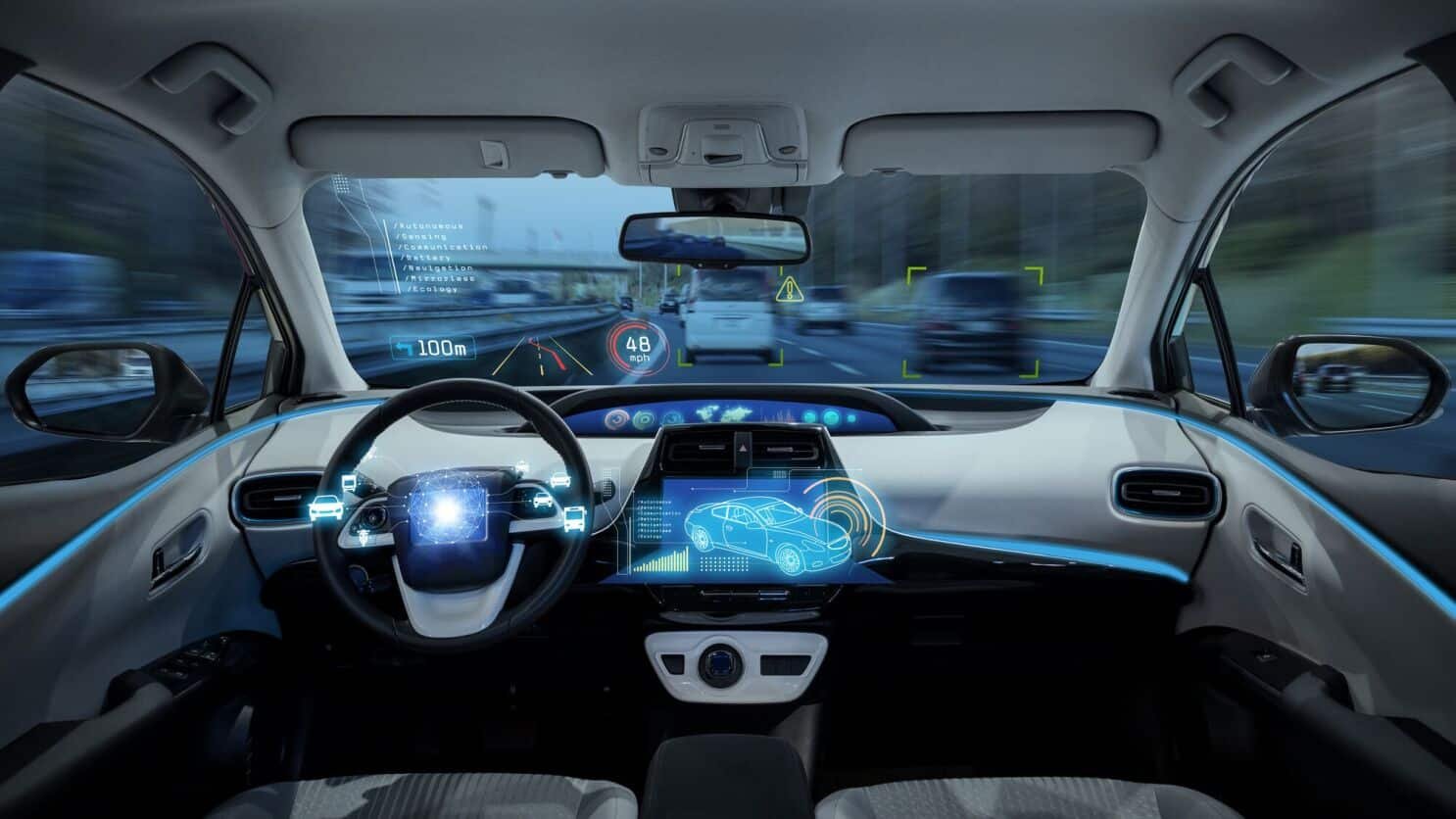
Amazon and Nvidia have announced a major partnership to build next-generation AI assistants for cars, setting a new benchmark for the industry. Their goal is to create technology capable of understanding group conversations and interpreting the environment, moving well beyond today’s simple voice commands. This could transform driver-passenger interaction by bringing home-assistant-level conversational intelligence to cars.  

Amazon and Nvidia announced today that they are teaming up to bring advanced conversational AI to cars. Their partnership aims to create AI assistants that can follow conversations among multiple people and understand what is happening outside the car, not just respond to simple voice commands something most automakers have not yet achieved.  

This cooperation combines Amazon’s experience with conversational AI, developed through Alexa’s presence in millions of homes, with NVIDIA’s strength in automotive computing. For years, automakers have struggled to create voice assistants that feel natural, often relying on systems that only respond to exact commands. This partnership could help solve that problem.  

According to Amazon’s announcement, the technology will enable vehicles to understand information from multiple speakers simultaneously. This means a family discussing dinner plans would have the AI assistant naturally join the conversation, suggest restaurants based on the discussion, and direct them to the chosen location without anyone issuing a direct command. The system would also examine visual and sensor data from around the vehicle, potentially warning of approaching cyclists or recommending lane changes based on traffic patterns.  

The automotive AI market is now a major area of competition for big tech companies. Apple worked for years on its car project before shelving it, while Google is still expanding Android Automotive into cars from General Motors and Volvo. Tesla has created its own AI system focusing more on self-driving features than on voice assistants.  

NVIDIA’s drive platform powers many premium vehicles. Adding Amazon’s AI gives automakers a ready solution, likely speeding adoption of advanced features.  

Major technical challenges remain, such as speaker differentiation and real-time processing of sensor data. NVIDIA’s chips handle this directly in the car, releasing delays and privacy concerns.  

For Amazon, this expands its AI reach into the automotive market, while Alexa is already in some vehicles. This new product aims to add more advanced features beyond current offerings.  

This partnership reflects the shift toward software-defined vehicles, making feature updates easier to implement. It offers traditional automakers a faster path to catch up with innovators like Tesla.  

No financial terms or customers were disclosed, but technology may appear first in premium vehicles by 2027 or 2028, following auto industry adoption patterns.  

The Amazon-NVIDIA partnership denotes a big step in the race for leadership in Automotive AI. By joining Amazon’s conversational skills with NVIDIA’s computing power, they are giving automakers something they have struggled to create: truly smart in-car assistance. If the technology works as promised, it could change how we interact with cars, making them feel more like helpful co-pilots than machines. The real test will be when automakers put these systems into cars and drivers see if the AI can manage real-world conversations and driving. For now, this partnership shows that Connected Car Innovation is accelerating as tech giants try to control the software even if they never make the cars themselves.

Source:  Amazon and NVIDIA Team Up on AI Assistants for Cars 

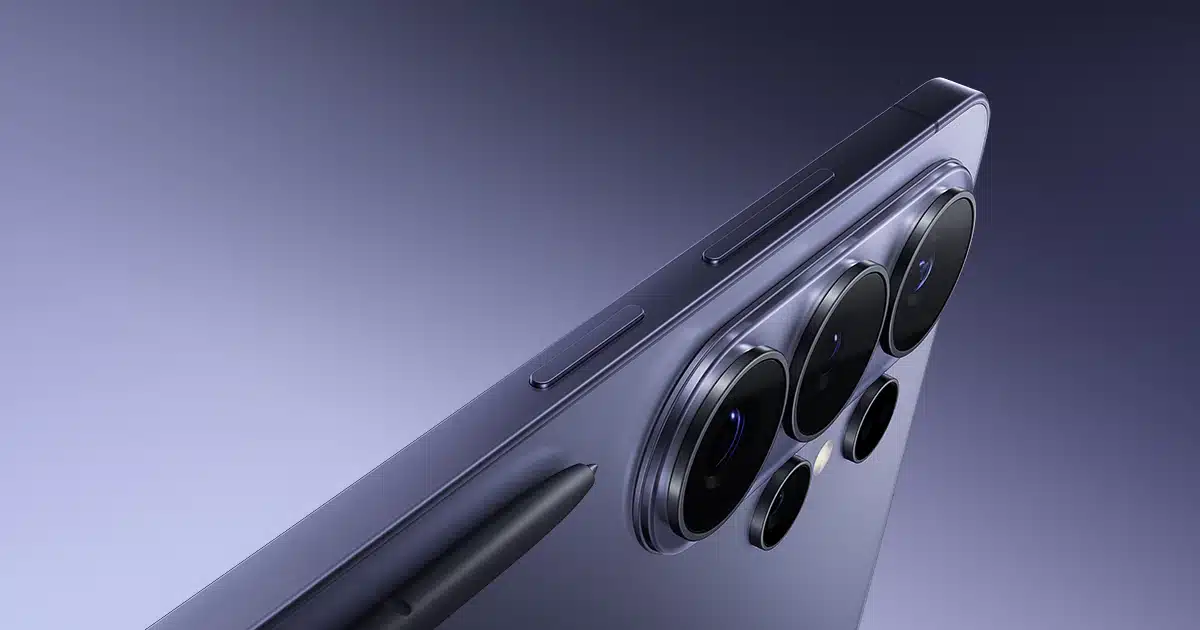
The most important stage of smartphone development happens not in Seoul’s design studios but in North Camera’s specialized testing labs. As of March 2026, sector reports show that Samsung is testing the Galaxy S26 Ultra camera in US labs. This step highlights the company’s focus on capturing Western lighting and a range of skin tones. These labs at strategic Hub technology centers provide regulated settings needed to fine-tune the ProVisual engine before production.  

For both mobile photography fans and hardware engineers, this testing phase is important because for the 200MP sensor design, the US labs use sophisticated instruments such as lux meters, spectral analyzers, and motion simulation rigs to recreate scenes ranging from a dark jazz club in New York to the bright sunlight of the Arizona desert.   

The Evaluation Of The 200 MP Isocell Architecture 

The main feature of the Galaxy S26 Ultra is still its 200-megapixel primary sensor, but the version being tested in US labs is a big step forward. It now uses a hexagonal-squared pixel-binning method, allowing the sensor to combine data from 36 nearby pixels in low light. This creates a super-pixel that captures more light than any previous mobile sensor.  

In US imaging labs, engineers use color checkers and resolution charts to ensure the high pixel count does not introduce unwanted noise or shimmering. The lab setting helps Samsung adjust sub-pixel crosstalk, ensuring that the electrical change from one pixel does not leak into the next. This constitutes a common challenge when fitting 200 million photodiodes into a small sensor.  

Turning the Periscope Zone for Atmospheric Reality 

The main sensor handles most wide-angle photos. The dual telephoto system sets the Ultra apart. The S26 Ultra is now being tested with a 50MP 10x periscope lens and a 50MP 3x portrait lens. Testing in the US is especially important for the 10x zoom. Haze and heat shimmer can affect long-distance shots, making tests essential.  

Engineers in the US use long-distance optical ranges to fine-tune the dual optical anti-shake system. They simulate hand tremors to improve how physical OIS and digital EIS work together. The aim is to ensure a 100x space-zoom photo taken at a national park is as steady and clear as one taken in a lab. The process takes thousands of hours of real-world data analysis.  

Pro Visual Engine and AI Power Dynamic Range 

Modern photography is equally about code as it is about glass. The ProVisual modern photography relies on software as much as hardware. The Pro Visual Engine, powered by the Snapdragon 8 Elite Gen 5 NPU, controls every photo taken during current lab tests. Samsung is focusing on object-aware HDR. This feature lets the camera recognize objects like faces, pets, and neon signs and adjust the exposure for each. These boots can create scenes with extreme contrast, such as a person standing in a dark room next to a window overlooking a bright city street. The S26 Ultra must be able to preserve detail in the room’s dark shadows without blowing out the highlights on the street outside. The labs use automated bots to take thousands of photos under different light temperatures, allowing the AI to learn how to balance white point and saturation across a massive dataset of Western visual tastes.  

Video Excellence 8K 60fps and Beyond 

The S26 Ultra is set to raise the bar for mobile video with 8K recording at 60 frames per second and full HDR10+ support. US labs let a key test zone assess how the device handles heat during long video sessions. High-resolution video generates a lot of heat, so Samsung starts testing in US environmental chambers to help ensure the phone keeps performing well during events like graduations or sports games. The labs also help improve audio. With the Audio Zoom feature and six high-quality microphones, the S26 Ultra can focus its audio on the subject. Engineers use acoustic chambers to remove wind noise and background sounds. This lets the software pick out a human voice even in a busy stadium.  

Information Privacy and Security in the Cloud AI 

As Samsung adds more generative AI features to its camera app, such as moving objects or changing lighting after a photo is taken, data security becomes even more important. US labs test how well on-device processing compares to cloud processing. Samsung wants to keep sensitive image data secure and clear on devices. The labs test the hardware encryption for any weaknesses.  

The secure image metadata feature is also being tested. It adds a cryptographic watermark to every AI-edited photo, so viewers can tell whether a photo has been altered by generative tools. This disclosure is important for concerns about regulations in the US and the EU.  

Closing Thoughts: The Road to the Global Launch 

The news that Samsung is testing the Galaxy S26 Ultra camera in US labs indicates the device is in its final polishing stage, leveraging North America’s cutting-edge imaging centers. Samsung is ensuring its flagship phone meets the needs of global users. From the 200MP sensor’s technical accuracy to the ProVisual Engine’s creative features, every part is being checked to keep the Samsung S26 Ultra at the top of mobile photography. Further testing in these labs will serve as the foundation for the final firmware updates for those who demand the absolute best in image technology. The results of these tests will be visible in every pixel of every photo taken when the device finally hits the shelves.

Source: Samsung Tests Galaxy S26 Ultra Camera in US Labs 

Key Takeaways 

  • Amazon and NVIDIA are developing multimodal AI assistant technology to improve Alexa Custom Assistant for car use and help car manufacturers deploy it.  
  • This technology is designed to make in-car conversations with AI smarter by incorporating context and environmental awareness.  
  • When you combine the assistant with advanced in-car AI models, the system responds quickly and communicates smoothly.  

Amazon and NVIDIA are developing a solution for car manufacturers. It enables them to use Amazon’s Alexa Custom Assistant (ACA) on the NVIDIA Drive AGX Automotive Computing Platform. The system includes a range of AI models that handle requests right in the car. Alexa Custom Assistant lets automakers build branded voice assistants using Alexa Plus. Automakers can also link their AI agents to the system.  

The new technology uses two methods: processing happens in the car for faster responses, and cloud-based features handle activities like streaming music, booking services, and controlling smart home devices. This partnership helps automakers combine Amazon’s Alexa custom assistant with NVIDIA Drive AGX and AI tools. Using these, they can build assistants that understand natural conversation and context.  

Alexa Custom Assistant Is Always Ready to Help 

Automakers are telling us they want their vehicles to act as smart assistants, understanding passengers the way passengers understand each other through conversation, context, and awareness of the world around them. They want a customized and pleasant experience from the home to the car and back,” said Anes Hodzic, Vice President of Amazon Smart Mobility. Through our work with NVIDIA, we’ve seen the extraordinary capabilities of its technology when paired with Amazon’s Alexa custom assistant, enabled by a multi-model, multi-agent technology stack on the edge and in the cloud. We’re so excited about its potential for auto owners and the opportunity to keep improving customer perception of a smart car.  

AI That Understands Your Surroundings 

The vehicle cabin is the most demanding AI inference environment in consumer technology. It needs real-time speech, vision, and language models, along with multimodal reasoning, all running locally. Strict privacy requirements must be met by combining Amazon’s conversation AI with NVIDIA’s accelerated computing. We can deliver an in-vehicle experience that is both intelligent and private. “This is exactly what automakers need to deploy AI that their customers can trust,” said Rishi Dhall, Vice President of Automotive at NVIDIA.  

Alexa + Capabilities Available to Customers Through Alexa Custom Assistant 

With NVIDIA Drive AGX, Alexa Custom Assistant connects to the cloud. It offers a wide range of features and handles customer tasks. Cloud-based features let users access Alexa plus existing options in ACA. This includes music streaming, smart home controls, shopping, and booking services all through the automaker’s branded system.  

This partnership aims to give car makers access to multimodal intelligence. It offers both in-car and cloud processing with its current infotainment systems. The technology is expected to be ready for automakers to test in early 2027.  
Source: https://www.aboutamazon.com/news/devices/amazon-nvidia-car-ai-assistant-collaboration