Productivity apps are the bane of the app world. Productivity tools do this not just by focusing on simplifying routine tasks, but also by making collaboration and project management much easier for teams. This is especially useful so that no matter where any individual is, they can remain in contact with the rest of their team and provide the latest updates and information that everyone needs. 

Best Productivity Apps 

Todoist 

Todoist is one of the best-known to-do list apps, and for good reason  it’s simply a joy to use, with a treasure trove of helpful functions, such as progress tracking, unlimited reminders, and organizational features that make managing multiple projects a breeze, including color coding and 150 filter views. It’s compatible with Apple, Android, Windows, and Linux, as well as automation programs like Zapier and IFTTT. It gets regular updates and has a strong, clear privacy policy, with daily automatic data backups, data encryption, and no ads. 

TickTick 

TickTick stands out from our other picks because its free plan is much more comprehensive. Like Todoist, TickTick offers pretty much everything you could need to organize a variety of workflows, including useful functions like a Pomodoro timer. It’s available on all major operating systems and works with a wide range of integrations. 

Things 3 

Things 3 is a powerful to-do list and task management app, but it isn’t available on Windows or Android devices. For individuals who exclusively use Apple devices, it offers plenty of organizational options (including tags, task prioritization, and task statuses) without being overwhelming. Compared with our other picks, its natural-language input is more limited, and it lacks location-based reminders and many collaborative features. But its thoughtful, clean interface made it just as easy and enjoyable to use as Todoist, and at times more of a pleasure to work with. 

Trello 

Trello is a smartly designed and popular service for managing, organizing and sharing everything from simple to-dos to major project management tasks. Getting started is as easy as dragging cards onto a Trello board. Cards can represent single tasks, with priorities and deadlines attached. But they can also be more substantial checklists, with attached files and pictures, containing hyperlinks to point somewhere else. Trello has plenty of collaboration tools to help you manage your projects, and a stack of ingenious features to ensure it’s user-friendly.  

Bitrix24 

Bitrix24 provides a vast suite of powerful business tools: collaboration, instant messaging, telephony, project management, document handling, scheduling, employee management, and more. Bitrix24’s unusually generous free account supports 12 users and includes 5GB storage, but if you need more, the Plus account offers more features. 

Best Apps for Students  

As a student, you know just how overwhelming the daily responsibilities can be. So, we’ve searched out the best apps for student productivity to help you turn your phone from a distraction into a powerful tool for learning 

GoodNotes 

GoodNotes offers everything you need to take, organise, and access your notes effortlessly. It keeps everything organised with notebooks and folders, making it easy to structure your lecture notes, revision materials, and research. GoodNotes is perfect for students who want the flexibility of digital notetaking with the natural feel of handwriting, plus the organisation tools to stay on top of their studies. 

Notion  

Notion is the most versatile student productivity app because of the sheer number of ways you can view a single database. Do you want to create a table containing the topics you’ve discussed so far for your chemistry class? Sure. You can then add the date to see it on calendar or timeline view. Or add photos and check out the gallery view. Often, using Notion feels like you’re designing your own completely unique app optimised to your own needs. 

Notability 

Notability is created explicitly for your iPad because the emphasis is on sketches and hand-written notes using your Apple pencil. Such is the smoothness of its ink that you forget you’re writing on a digital platform! You’ll have total freedom on what to write and draw and where. Complete freedom in writing is especially essential in subjects such as maths and chemistry. Writing a formula in Maths is way quicker than finding the right symbol to type it. The same goes for chemistry. 

Clockify 

Clockify grabs the idea of clocking on and off for a shift and runs with it. It is a very simple tool, but that’s precisely what will make it so appealing to people – after all, if you’re busy with work, you don’t to be overwhelmed with a complex tool for tracking what you’re doing! Clockify integrates with Trello, Asana, Jira, Todoist and more, and you can use the website and apps to view details reports and breakdown of how you have spent your time. 

Google Drive 

You can think of Google Drive as your personal, virtual school bag. You can store your files and documents online for fast collaboration with your group mates. But do you know you can store over 100 different file types? Think PDFs, Microsoft Office files, and the like. It also makes it simple to access your files from multiple devices. Are you memorising definitions while on the run? No problem! Pick up your phone and scroll through the file you uploaded from your laptop.  

Best Health Apps  

If you prefer to work out from home or don’t want to pay for a costly gym membership, personal trainer or fitness classes, then a more affordable workout app can support you as you figure out you’re at-home exercise plan. The best part is that many of these apps can be tailored to your personal goals, favorite exercises, and even the equipment you already have on hand. To help you find the best workout app, here are some of the most popular ones to see which are worth helping you reach your fitness goals. 

Nike Training Club 

Nike Training Club offers various workout programs, including bodyweight exercises, high-intensity interval training, cross-training, yoga, core exercises and expert health tips from Nike trainers to keep you on track. The workouts are easy to follow because there are video demonstrations of each exercise, along with the allotted time you should spend on each one. This prevents you from losing track during your workout and mentally prepares you for the next exercise. The app also connects to your Apple Watch to provide health metrics such as your heart rate and logs your activities. The best part of this app is that it’s free and provides access to numerous resources, whether you’re a beginner or more advanced.  

Future 

Future app connects you to an elite personal fitness coach who checks in regularly, provides feedback and customizes workouts for you. They take into account your fitness level, goals and even the equipment available to you. It is a great option if you want the convenience of a personal trainer in your own home. There are plenty of coaches on this app with numerous years of experience in their respective fields. To get the most out of the experience, users are recommended to wear an Apple Watch or a compatible Android wearable, which provides detailed information to your coach so they can track your progress and adjust your plan as needed. 

Strava 

If you’re looking for an app that tracks your running mileage, Strava is your best bet. It can be used interchangeably for cycling and other workouts as well. The app is GPS-powered and turns any Apple or Android phone into a detailed performance monitor. It connects to heart rate monitors and various popular GPS devices, such as an Apple Watch, Garmin, Fitbit or a Suunto watch. It also connects you to friends on the app who can cheer you on or comment on your posts that get uploaded to your Strava feed after your workout. If you prefer to keep your data and running routes private, you can also make those changes through your settings via the app. One of the newer safety features on the Strava app is called the Beacon, which lets you share your location in real time with an emergency contact.  

Sweat 

This app was co-founded by popular Australian personal trainer Kayla Itsines. It was created with women in mind, and at the time, it served as a platform to access Itsines’ HIIT workout plans, but it has since evolved. In 2021, Sweat was acquired by iFit (an interactive global health and fitness technology company), giving the app more exposure via its existing members and internationally. Now you have access to various workout programs that can be done at home or in the gym, such as yoga, strength and Pilates, all taught by different women personal trainers. The app also offers meal plan options if you’re looking for healthy recipe ideas.  

Final Thoughts  

By incorporating these tools into your daily routine, you’ll be able to gain control over your schedule, reduce stress, and ultimately achieve success. So why not embrace the technology and use it to your advantage? With the right apps, you can make the most of your time and reach your full potential 

FAQs 

1. What are productivity apps and how do they help? 

Productivity apps help users manage time, organize tasks, set goals, and stay focused, making daily work and study routines more efficient. 

2. Can productivity apps improve focus and reduce distractions? 

Yes, many apps include focus timers, reminders, and app-blocking features that help users concentrate and minimize distractions. 

3. Are health and wellness apps useful for daily routines? 

Health apps support physical and mental well-being by tracking fitness, sleep, nutrition, and mindfulness practices, promoting healthier habits. 

4. Are free productivity apps effective? 

Free versions often provide essential features that are effective for daily use, while premium plans offer advanced tools for deeper customization. 

5. How can students choose the right app for their needs? 

Students should consider their goals, ease of use, compatibility with devices, and whether the app supports study planning and organization.
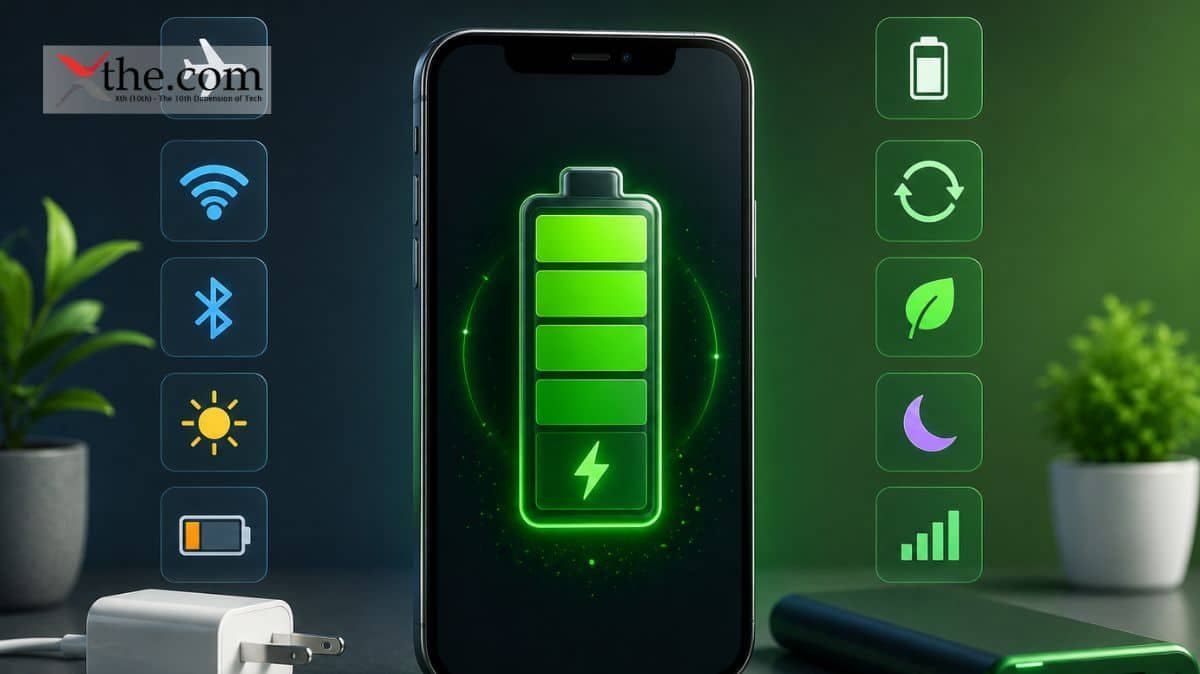
Battery dropping too fast? There are several methods for conserving battery life. If your phone is struggling to keep up with your work schedule, here are a few ways to keep the device powered all day, and then some. The following list highlights the most effective, easiest, and quickest tweaks to improve device longevity. 

Performance Tips 

Turn off the always-on display 

One of the biggest battery drainers for any smartphone is the always-on display. Companies regularly say that this display setting only drains about 1% to 2% an hour, it’s always way more. It may be nice to glance at your phone while it sits on a table to check the time, but it’s probably not worth sacrificing battery life. 

Open the Settings app and locate the Lock Screen portion. You’ll likely find this portion in the main Settings list or under “Display.” From there, locate the option to “always show info” or a simple toggle to enable the Always on Display. Either way, turn the option off and check to make sure your screen goes completely blank when you lock it. 

Activate Battery Saver 

The feature makes sweeping changes across your device’s software, like limiting visual effects, restricting apps in the background, and turning on dark mode if it isn’t already on.  

Android phones come with a Battery Saver function, although it may be referred to by different names. On Galaxy phones, for example, it’s called Power Saving mode. Others may refer to it as low-power mode. Be sure to visit your phone manufacturer’s support website for help on your model. 

On Pixel phones, go to Settings > Battery > Battery Saver. You can also choose a schedule for when the feature will activate or turn off automatically. On Galaxy phones, go to Settings > Battery and Device Care > Battery. Flip the toggle switch next to Power Saving to activate the feature. 

Enable Adaptive Battery 

There’s a handy feature built into Androids called Adaptive Battery, and it’s available on most devices. Adaptive Battery can automatically manage your phone’s performance and efficiency in the background using special processes to extend your battery life. 

Go to Settings > Battery > Adaptive preferences and check to ensure “Adaptive battery” is enabled. 

Adjust your display brightness and sleep time 

Modern phones have plenty of brightness, and it’s sometimes unnecessary to have the brightness level so high when you are only scrolling Instagram or checking your email.  

Swipe down once or twice from the top of your phone’s display to visit the quick settings menu. You’ll see a slider with a picture of a sun or other source of light next to it. Drag the slider to the left to decrease your brightness. To reduce the time it takes for your phone to sleep, go to Settings > Display and change “Screen timeout” to anything below a minute. 

Switch to dark mode 

Over the past few years, many midrange and budget Android phones have followed their flagship brethren by adopting OLED displays. The technology allows individual pixels to dim or completely shut off when not in use. This feature is far more beneficial for battery life than traditional LCD screens with one big backlight. 

Go to Settings > Display on your Android phone. There, you’ll find the option to switch between a light and dark theme and to have dark mode turn on automatically at a certain time of day. It is advised to keep dark mode turned on all the time to maximize battery life. 

Turn off keyboard sounds and haptics 

If you have sound and haptic feedback enabled, your battery may suffer because your phone needs to make a series of vibrations and noises every time you tap a letter.  

Open the Settings app and locate “Language and input.” This section is where your keyboard settings live. Find the section where you get to choose your default keyboard, then tap the gear icon next to it to manage settings. If you’re a Gboard user (like most people), you’ll then go to Preferences > Keypress and disable “Sound on Keypress” and “Haptic feedback on Keypress.” 

Turn off “Hey Google” detection 

If your phone is constantly listening to you to say, “Hey, Google,” chances are your battery is draining away. Your microphone is active, waiting to hear you say those two magic words that trigger the digital assistant, and it takes a fair amount of energy to run that process all day. 

Open the Google app on your phone and tap your profile picture in the top-right corner. Then, visit Settings > Google Assistant > Hey Google & Voice Match and flick off “Hey Google.” Now your phone will only trigger the Assistant if you hold down the power button or via another method. 

Reduce your screen’s refresh rate 

Phone screens have gotten really good over the past few years, thanks partly to the faster refresh rates manufacturers have implemented. Whether it’s 90Hz, 120Hz, or even faster, increasing the times a screen refreshes helps make animations, scrolling social media, and everyday interactions feel smoother and more responsive. Unfortunately, a high refresh rate also means increased battery usage. 

Open the Settings app and navigate to the Display section. Here, you will find the settings to configure your refresh rate. Most smartphones call the feature something different; Google labels it “Smooth Display,” while Samsung calls it “Motion smoothness.” Find the setting associated with the refresh rate and revert to the standard rate. Your screen will likely seem a bit choppier as a result, but that’s completely normal. It simply means it is operating at 60Hz, the speed at which even the best phones used to run a few years ago. 

Use low-power mode 

Low-power mode can vary slightly from one Android phone to another, but the general premise remains the same. This mode disables certain features in the background, limits app refreshes, lowers your screen brightness, reduces the refresh rate, and more to conserve battery life in a pinch. 

There are several ways to enable low-power mode on your Android phone, but the most common method is to swipe down twice from the top of your screen to access quick settings and then tap the battery shortcut. The shortcut should resemble a battery with a plus sign or a similar symbol. You will then receive a notification that low-power mode (or whatever it’s called on your phone) has been enabled. You can follow the same steps to disable this mode. 

Avoid bright sunlight 

Mobiles use lithium-ion batteries, which work best at just below room temperature. Bright sunlight will not only warm up your phone and make the battery less efficient but also increase the screen brightness to make it easier to see. Both sap the battery. Do yourself a favour and find some shade. 

Charging Habits 

Don’t charge your phone all the way up 

Most of us leave our phones charging overnight, but this could actually harm their batteries. That’s because if you always leave your phone plugged in once it reaches 100 per cent charge, the battery will diminish over time. You won’t notice any difference in the short term. But after years or even just months, its lifespan will be shortened considerably. Experts recommend somewhere between 40% and 80% if you want the battery to stay in good condition for the duration of your phone’s life. 

Buy a portable charger 

If you are going to be charging little and often, or you’re taking a trip somewhere away from mains plugs, it pays to take a portable charger with you. 

Final Thoughts  

Unless you use your phone as an alarm clock, turn it off when you go to sleep. Switch it off when you’re underground as well, as trying to find a signal eats through battery life.  

If your phone feels hot to the touch, the battery could be on its way out. Swapping in a new one could add years to its life and make your phone last much longer between charges. Improving a smartphone’s battery can significantly boost its performance. 

FAQs 

1. What is the best charging habit to improve smartphone battery life? 

Charging your phone between twenty and eighty percent instead of letting it hit zero or one hundred helps extend battery lifespan. 

2. Should I use fast charging all the time? 

Fast charging is convenient, but frequent use can generate heat, which may reduce battery health over time. 

3. Does closing background apps really save battery? 

Yes, limiting background apps reduces unnecessary processing and power drain, especially on older devices. 

4. Can battery saver mode improve performance and battery life? 

Battery saver mode limits background activity and reduces power usage, making it effective during long usage hours. 

5. Does keeping Wi-Fi, Bluetooth, and GPS on drain the battery faster? 

Yes, turning off unused connectivity features when not needed helps reduce constant power consumption.

In today’s fast-paced digital world, getting a new smartphone is exciting. However, the thought of transferring all your data from the old device to the new one can be daunting. Fortunately, with the advent of cloud services and enhanced connectivity features, moving data between Android and Apple devices has become easier than ever. This blog simplifies the process, showing you how to transfer your important contacts, messages, photos, and files smoothly and securely. 

Before you begin 

  • On your Android device, make sure Wi‑Fi is turned on, and plug your new iOS device and your Android device into a power source. 
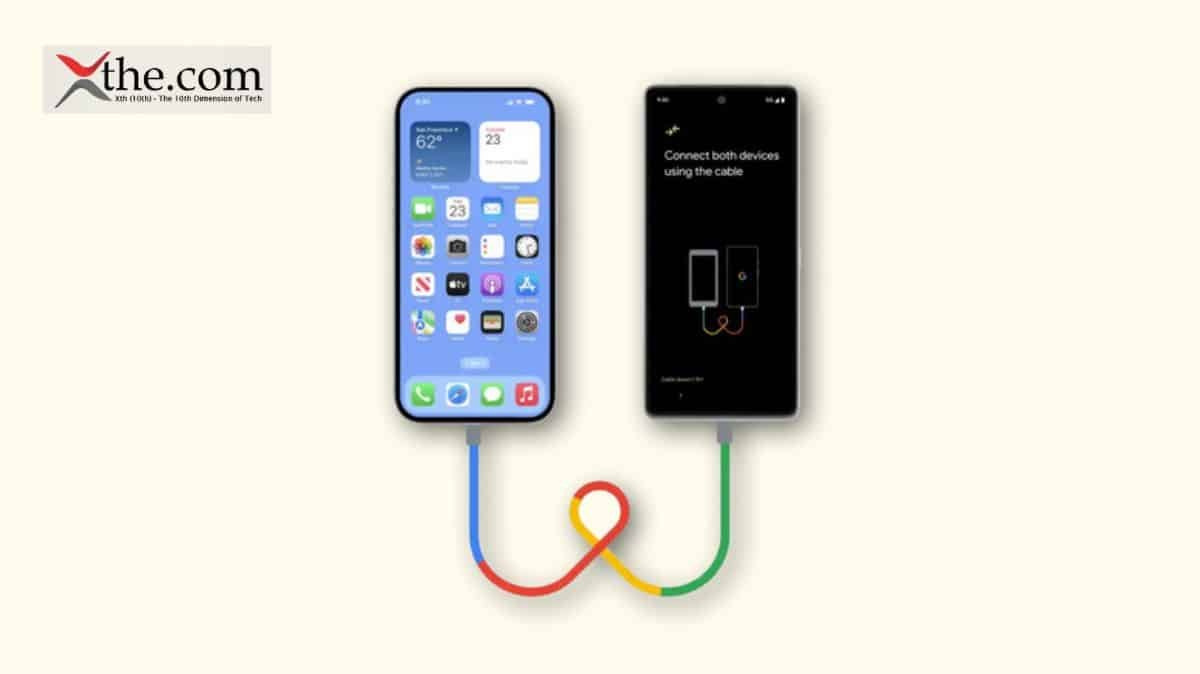
  • Alternatively, you can also use a USB-C cable to directly connect your Android device and your iPhone for a faster transfer. 
  • Make sure the content you’re moving, including what’s on your external Micro SD card, will fit on your new iOS device 
  • If you want to transfer your Chrome bookmarks, update to the latest version of Chrome on your Android device. 

Android to iPhone  

Get started on your Apple device 

  • Turn on your new Apple device and place it near your Android device. 
  • On your Apple device, follow the onscreen setup instructions. 
  • On the Quick Start screen, tap Set Up Without Another [Apple] Device, then continue to follow the onscreen instructions. You may be asked to activate your eSIM. 

Tap Move Data from Android 

Look for the Transfer Your Apps & Data screen. Then tap From Android. (If you’ve already finished the setup process, you need to erase your iOS device and start again. If you don’t want to erase, just transfer your content manually) 

Open and set up the Move to iOS app 

On your Android device, open the Move to iOS app. If you don’t have the Move to iOS app, you can tap the QR code button on your new iOS device and scan the QR code using the camera on your Android device to open the Google Play Store. 

To start using the Move to iOS app: 

  • Tap Continue. 
  • Read the terms and conditions that appear, then tap Agree to continue. 
  • Tap Automatically Send or Don’t Send to choose how to share app data with Apple. 
  • Tap Continue and enable Location permissions if necessary. 
  • Tap Continue and enable Notification permissions if necessary. 
  • Wait for a code 

On your iOS device, tap Continue when you see the Move from Android screen. Then wait for a 10-digit or 6-digit code to appear. If your Android device displays an alert stating that you have a weak internet connection, you can ignore the alert. 

If you don’t receive a six-digit code, find out how to reset your device and generate a six-digit code 

  • Use the code 
  • Enter the code on your Android device. 

Connect to a temporary Wi-Fi network 

Your iOS device will create a temporary Wi-Fi network. When asked, tap Connect to join that network on your Android device. Then wait for the Transfer Data screen to appear. 

Choose your content and wait 

On your Android device, select the content you want to transfer – from Contacts and SMS messages to Call History or audio files – and tap Continue. 

Then – even if your Android device shows that the process has been completed – leave both devices alone until the loading bar that appears on your iOS device has finished. Keep your devices near each other and plugged into a power source until the transfer has been completed. The whole transfer can take a while, depending on how much content you’re moving. 

Transfer your phone number and SIM or eSIM 

As you move from your Android device, you can activate your phone number and SIM or eSIM on your iPhone or iPad. You may be directed to your network provider’s website to finalise this activation. 

Make sure you leave both devices alone until the transfer has finished. For example, on your Android device, the Move to iOS app should stay onscreen the whole time. If you use another app or get a phone call on your Android device before the transfer has finished, your content won’t be transferred. 

On your Android device, turn off apps or settings that may affect your Wi-Fi connection, like the Sprint Connections Optimiser or the Smart Network Switch. Then find Wi-Fi in Settings, touch and hold each known network, and forget the network. Then try the transfer again. 

  • Restart both of your devices and try again. 
  • On your Android device, turn off your mobile data connection. Then try the transfer again. 

iPhone to Android 

You can use a USB cable between your iPhone and Android, or a specific manufacturer app, to transfer content from iPhone to Android during the initial setup of the Android device; however, these methods are not suitable for an Android that has already been set up. 

If your Android has already been set up, skip to the other sections of this guide to find out how to select exactly what content you want to transfer from iPhone to Android. 

Transfer content directly from iPhone to Android using a USB cable 

  • Turn on both devices and ensure they are charged. 
  • On the new Android device, tap Start to begin the setup. 
  • Follow the on-screen prompts to transfer your SIM card from iPhone to Android and connect to your Wi-Fi network. 
  • Connect the iPhone to the Android with your USB cable (and adaptor if required). 
  • Tap “Trust” if prompted for permission. 
  • Sign into your Google Account (or create one if you don’t already have one). 
  • On the Android, select the content types you want to copy from iPhone to Android. 
  • Tap “Copy”. 

Transfer Photos and Videos from iPhone to Android with TouchCopy 

  • Download TouchCopy on your computer and run it. 
  • Connect your iPhone to TouchCopy using USB or Wi-Fi, and select the “Photos” section. 
  • Click “Save to PC” or “Copy to Mac”. This will also copy any videos on your device. 

How to Transfer Contacts from iPhone to Android with Contact Transfer 

  • Launch Contact Transfer on your Windows 10 or 11 PC and choose “iOS Device” as your source, and “Android Device” as your Destination. Click Continue. 
  • Then connect your devices to your PC. Check out the guide for how to connect your devices with Contact Transfer using USB and Wi-Fi. Then click Continue. 
  • Select the contacts that you wish to copy from your iPhone. You can select all the contacts by clicking the “All” checkbox. 
  • Click Transfer! 

Android to Android 

  • Connect both phones wirelessly. 
  • Turn on your new and existing Android phones to transfer data from one phone to another. 

Your new Android phone will give you instructions right on the screen to connect your old device and transfer data from your phone. 

  • Turn on your Android device 
  • Turn on your Android device and tap Start. 

Tip: You can change your phone’s language or vision settings now if needed. 

Step 2: Connect to Wi-Fi or a mobile network 

  • To connect to Wi-Fi, choose from the list of available networks when prompted. 
  • To turn on your data network, insert your SIM card or download your eSIM from your carrier. 

Copy your apps & data 

  • To copy apps and data on your new Android device, tap Copy. 

It can be done with a cable, a stable Wi-Fi connection, and restoring data from Google One 

Troubleshooting Common Transfer Issues 

If you encounter any issue, such as Insufficient Storage Space, try these solutions: 

  • Go to Settings and check the storage on new devices. 
  • If the new device’s storage is full, consider expanding your storage plan or deleting unnecessary files 

Final Thoughts 

With your data transferred, it is time to enjoy your new device. Remember to prioritize the security of your personal information and to perform all the necessary setups so you can make the transition as seamless as possible. With these tips and tricks, moving into your new gadget will be easy. 

FAQs 

1. What data can be transferred from an old phone to a new one? 

You can transfer contacts, photos, videos, messages, apps, call logs, settings, and sometimes app data, depending on the transfer method and phone model. 

2. Do I need an internet connection to transfer data? 

Some methods, like cable-based transfers or phone-to-phone wireless transfer, don’t require internet, while cloud-based transfers need a stable connection. 

3. How long does data transfer usually take? 

The time depends on the amount of data and transfer method. Small transfers may take minutes, while large backups can take an hour or more. 

4. Will all apps transfer automatically to the new phone? 

Apps usually reinstall automatically, but you may need to log in again, and some app data may not carry over between platforms. 

5. Should I erase my old phone after transferring data? 

Yes, once you confirm all data has transferred successfully, factory reset your old phone to protect your privacy.

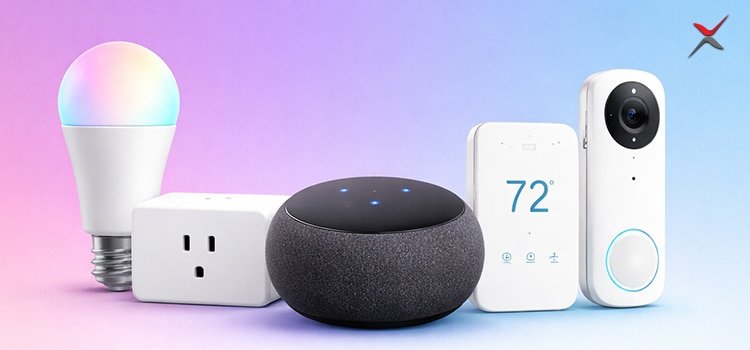
Matter compatible devices plays a prominent role in the unified smart home in 2026, letting the products from Google, Apple, Amazon, Samsung and all together with less vendor lock-in. To select the best matter devices 2026, one needs to understand how Matter and thread relate and follow a clear compatibility checklist before buying anything. 

This article provides understanding on the best matter-compatible devices 

Matter devices 2026: What they are 

Matter is the application-layer smart home standard that describes how the devices communicate with the security, interoperable way on all the brands. 

Key points for 2026: 

  • Matter runs over the existing IP networks is wifi or the ethernet and thread, so many devices you buy say “Matter over Wi‑Fi”. 
  • The promise of Matter devices 2026 is consistent setup, local control and cross‑ecosystem support.  
  • Not every “smart” device is Matter as usual, you specifically need the Matter logo on the box.  

Thread vs Matter: How they work together 

Here thread and matter are just into any competition, they are just meant to solve different layers of problems. 

  • Matter is the language device just to speak, and the application protocols are defined as features like dimming,locking,on/off, scenes. 
  • Thread is the network where many lower the power Matter devices to be utilized 

Thread vs Matter in practice: 

  • For instance, on some home-kit products one can have matter without wifi and without thread and also can have thread device without matter. 
  • Moreover, matter over thread brings lower power usage, its best in range, which is why most of the sensors and the smart devices are moving in that direction. 

Best Matter-compatible device categories in 2026 

Firstly, instead of one ‘best device”, just think in terms of must haves for the strong Matter smart home. 

1. Matter hubs and Thread border routers 

  • For the automation, sharing and remote access it acts as a matter controller. 
  • Secondly acts as the thread border router to ensure bridge thread mesh devices with ones IP network. 

Typical 2026 instances: 

  • Smart speakers and also the displays get ensured by major ecosystems that enable matter controller and thread border router support. 
  • High‑end Wi‑Fi routers and mesh systems that integrate Thread radios and expose Matter controller capabilities.  

Note: 

Without this enabled class of device, your Matter on thread products will not join your main network properly 

2. Matter smart bulbs and switches 

The foremost upgrade is lighting for matter devices 2026. 

Look for: 

  • So here comes the actual play native matter support, that is why your bulbs or switches can be controlled from multiple apps without cloud bridges. 
  • For the larger homes, matter on thread bulbs or inside wall switches to extend mesh and which improves coverage to the distant rooms.  

Typical use cases: 

  • Multiple brands of bulbs, for instance blending different ecosystems together, all are controlled through single automation engines via matter scenes. 
  • In-wall dimmers use Matter over thread for rock-solid local response time. 

3. Matter plugs and power strips 

Matter smart plugs create a low-risk entry into the ecosystem. 

Advantages: 

  • Instantly add Matter control to dumb appliances like lamps, fans or coffee machines.  
  • Energy monitoring models can feed unified power stats into your smart home dashboards.  

Choose: 

  • One can use matter over Wifi plugs for simplicity if they are close to the router. 
  • To strengthen the mesh for the near sensors, use matter over thread plugs. 

4. Matter thermostats, AC controllers and HVAC 

Climate control is increasingly Matter‑enabled by 2026.  

Advantages: 

  • The unified scheduling and presence which is based on automation across ecosystem instead of app-specific rules. 
  • The integration with matter occupancy sensors or window sensors over thread for proper energy saving routines. 

Note:  

Whether your thermostat supports matter natively or a firmware update which is clearly documented by the manufacturer. 

5. Security: Locks, sensors and cameras 

Security related matter devices needs extra scrutiny. 

  • Door locks: for the offline operation and the battery life matter over thread is favoured and ensured at least one nearby the thread border router for ensuring reliability. 
  • Contact, motion, leak and temperature sensors: low – powered thread sensors are unique which in return rises network resilience as most of the nodes join the mesh 
  • Cameras: as of mid‑2020s, many cameras still depend on ecosystem‑specific standards, verifying how they expose features via Matter.  

Compatibility checklist (before you buy) 

Use this compatibility checklist to ensure your 2026 Matter devices behave as promised.  

  1. Ecosystem support 
  • Always confirm your specified ecosystem for instance may be Apple Home, Google Home, Alexa, smart things etc., specifically on the lists matter supports the device category in which you are shopping. 
  • Have a eye on checking whether some advanced features remain specific ecosystem even in the basic control uses matter.  
  1. Logo and wording on the box 
  • Look for Matter logo plus clear wording such as“Matter over Thread”.  
  • Avoid devices which define only work with a specific ecosystem unless they include matter certification. 
  1. Thread vs Matter networking plan 
  • Mapping your home if else you have many batteries sensors, which support thread. 
  • Already you can notice that small apartments have strong wifi over matter.  
  1. Bridges and legacy gear 
  • Some brands only showcase the older non-matter devices via a bridge that appears as an accessory for a single matter. Look at the verification feature which actually passes through. 
  • When a matter is flexible only via bridge, just understand that direct local control will still depend on vendors hub being powered online. 

         5.  Security and privacy 

  • Get information about vendors support secure on boarding, encryption and local only operations which are possible, as matter is designed to reduce the cloud dependency.  
  • Review the vendor’s data‑handling policy for cloud features such as remote access, voice integration, Storage of videos. 

Quick comparison: Thread vs Matter 

Have a look on to the table for the clear understanding of the 2026 smart home network. 

Aspect Thread Matter 
Layer Network / transport (mesh over 802.15.4)  Application / device language and features  
Main purpose Connect low‑power devices in a resilient mesh  Make devices from different brands interoperate  
Typical devices Sensors, locks, small switches, plugs  Lights, plugs, locks, TVs, thermostats, more  
Power profile Optimised for battery and low power  Depends on underlying networks (Wi‑Fi, Thread, etc.)  
Internet requirement Local mesh, border router links to IP network  Can work locally; internet only for remote access  
Dependency relationship Often transports Matter traffic  Can run over Thread, Wi‑Fi, Ethernet  

Conclusion 

To conclude, As 2026 unfolds, Matter-compatible devices stand out as the smart home game-changer, promising seamless interoperability across ecosystems like Apple Home, Google Home, and Alexa while slashing vendor lock-in and setup headaches. By prioritizing our compatibility checklist, scanning for official logos, mapping Thread/Wi-Fi needs, and verifying controllers, you’ll dodge costly returns and unlock reliable automations that truly work.  

The future shines brighter with Matter: invest wisely today for a connected tomorrow that’s secure, scalable, and stress-free. 

FAQS 

1. What exactly is Matter, and why does it matter for 2026? 

Matter is an open standard enabling local cross-brand control—one app rules all, ditching fragmented ecosystems. 

2. Do all Matter devices work perfectly with every ecosystem? 

Basic controls yes, but advanced features like scenes may stay ecosystem-specific check your hub’s certified list. 

3. Thread or Wi-Fi, which Matter network should I choose? 

Thread for large homes with sensors (mesh range, low power); Wi-Fi for small spaces (simple, no extra router). 

4. Can I upgrade my old non-Matter devices to work with Matter? 

Yes, via manufacturer firmware updates or bridges that expose legacy gear as Matter accessories. Verify the vendor’s roadmap first—brands like Philips Hue and Nanoleaf lead with committed updates, but not all older models qualify. 

5. Is Matter truly secure for my smart home privacy? 

Absolutely, Matter mandates end-to-end encryption, secure onboarding (QR codes), and local control to cut cloud reliance. Still, review vendor policies for optional cloud features like remote access; prioritize brands with strong data protections like Eve or Aqara.

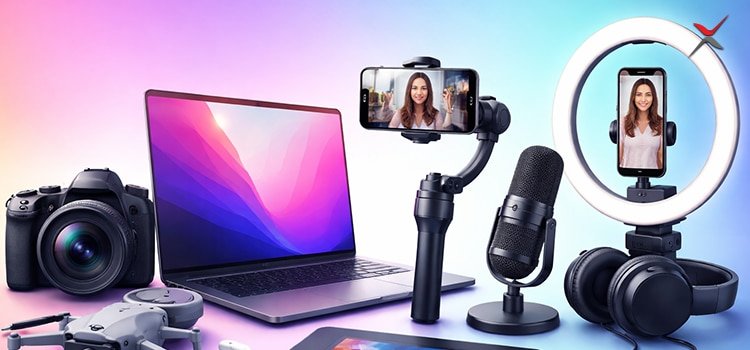
Nowadays creators live their entire lives by their tools, creators deliver AI workflows, portable microphones, app-controlled lights, and lightning-fast editing tools. Nowadays it’s all about creators ruling social media as the production powerhouse. From youtubers crafting viral vlogs to podcasters starting to build their audience like not the fake but true audience, the right gadgets mean the premium ones can get viral views and likes, also the AI driven editing tools avoid technical hurdles and establish the professional polish. As 2026 is on its way, these essentials ensure smarter integrations, which also helps in preparing high quality content. Whether you might be shooting on iPhone. 

The pro kit starts from $50 to $1000 predominantly; these get capture, edit and equally distribute content seamlessly. So now let’s build and learn about creators empire. This article equips youtuber,podcasters, photographers, people doing reels on Instagram. 

Audio Arsenal: Microphones That Capture Every Nuance 

The best wireless microphones can be a critical purchase in improving the quality of your video output. Audio matters arguably even more than the picture. YouTubers and other vloggers have discovered to their cost that few things make a viewer click away faster than bad-sounding audio. The good audio hooks get the viewers instantaneously. Here is the table format which provides microphone types, features, and costs. Creators use these micro phones for podcasts and shooting mobile vlogs and they will be using it for multi-purpose. 

Microphone Type Key Features Price Best For 
Shure MV7+ Hybrid USB/XLR Auto-leveling, touchscreen, Voice Isolation $279 Podcasts/streams 
DJI Mic 2 Wireless (2TX+RX) 32-bit float, 250m range, 6hr battery $349 Mobile vlogs 
Fifine AM8 Dynamic USB/XLR RGB, shock mount, gain knob $50 Budget Twitch 
Rode Wireless GO II Lavalier wireless 200hr standby, timecode sync $299 Multi-cam shoots 

Lighting Precision: Lights for Cinematic Quality 

Using one of the best ring lights is a quick, easy, and effective way to make your content look professional. Whether you’re taking selfies, vlogging, video conferencing, shooting professionally or you’re a make-up artist, a good ring light will help. 

As you might’ve guessed, ring lights cast a circular ring of light. Put one of the best phones or best cameras in the middle of the ring, and the effect is even lighting over your whole face in photos and video. You (or your subject) will also have a halo reflection in their eyes. 

Light Type Output/Specs Battery Life Price 
Elgato Key Light Air Panel (x2 kit) 1400 lumens/panel, 2900-7000K Desk-powered $220 
Lume Cube 2.0 Portable panel 2000 lumens, app control 120 min $130 
Neewer 18″ Ring Ring light 55W, 10 modes, phone holder Continuous $90 
Aputure Amaran 200x Bi-color LED 56,000 lux@1m, DMX AC-powered $350 

Capture Kings: Cameras + Stabilizers 

While in-body stabilization certainly helps, it simply can’t match the precision and steadiness of a dedicated physical gimbal. For anyone serious about video, it’s an investment that quickly proves its worth. 

Gimbals come into their own for run-and-gun shooting, where you and the camera are constantly on the move, tracking real subjects in real time. 

Camera/Stabilizer Sensor/Resolution Stabilization Weight Price 
DJI Osmo Pocket 3 1″ CMOS, 4K/120fps 3-axis gimbal 179g $550 
Sony ZV-E10 II 26MP APS-C Digital + IBIS 343g $900 
GoPro Hero 13 27MP, 5.3K/60fps HyperSmooth 6.0 158g $400 
DJI RS 3 Mini Gimbal (2kg payload) 3-axis 795g $280 

Editing Tools: Hardware + Software Powerhouse 

To make great videos for Facebook, Instagram, TikTok, YouTube, or even the big screen, you need more than a capable camera. you need the right editing software. 

Whether you’re looking for something for professional-grade work, or just an easy program to cut together home movies, I think there will be something on this list to suit you. My top pick currently is Adobe Premiere Pro, the flexible and powerful industry standard, but there are many viable alternatives. 

In 2025, the rise of the AI video editor is changing video creation forever. With powerful AI video editing tools, creators and marketers can now turn raw footage into polished content in minutes! From auto-captions to platform-specific edits, AI is reshaping how videos are made and shared. 

Unlike traditional editing software, AI video editors adapt to your workflow. This saves time, boosts quality, and gives small teams the same edge as big brands. For anyone creating digital content, these editors are no longer optional. They’re essential! 

Editing Tool Type Key Features Price Platform 
DaVinci Resolve 19 Software Neural cuts, Fairlight audio, Fusion VFX Free Mac/Win 
Loupedeck CT Controller Haptic dials, Premiere/LumaFusion $600 Desktop 
Elgato Stream Deck XL Macro pad 32 keys, OBS/lighting control $250 Streaming 
ASUS ProArt P16 Laptop AMD Ryzen AI, 4K OLED $2200 Mobile editing 

Storage + Power: Non-Stop Creator Tech 

The best cloud storage software is perfect for storing your data on a secure and safe server which will free up space on your device and keep your files safe from system crashes and hardware failure. Watching your phone or tablet steadily runs out of power when you’re nowhere near an outlet is stressful. But there’s an easy solution: a portable battery or power bank. They are available in various sizes and capacities and can include handy features such as fast charging and multiple ports.  

For something that does exactly one task, charging your device while you’re on the go, a portable charger has a lot of specs. There’s how much power your power bank can hold, how fast it charges your device, and the number of ports. Usually a high-capacity power bank will let you charge your device several times, but it’s often bigger and tends to cost more. An ultracompact charger may fit into a pocket, but in exchange you may get fewer ports. And wireless charging is convenient, but it’s also less efficient than using the ports. 

Dead batteries halt momentum. Anker 737 Power Bank (24,000mAh, 140W) GaNPrime charges laptops twice ($150). EcoFlow River 2 ($240) solar generator powers lights/microphones for 8 hours off grid. 

Power/Storage Capacity/Speed Durability Price 
Anker 737 24,000mAh, 140W GaN Laptop x2 charges $150 
Samsung T9 SSD 4TB, 2000MB/s Drop-proof $400 
EcoFlow River 2 256Wh solar generator Powers gear 8hrs $240 
SanDisk Extreme Pro 512GB SD, V90 8K burst $120 

WD Black P40 (2TB, IP67) survives fieldwork.  

Belkin 3-in-1 wireless charger keeps phone/watch/earbuds topped simultaneously. 

Accessories: The Glue for Pro Workflows 

  • Rode VideoMic NTG ($250) shotgun mic on gimbals.   
  • Manfrotto Element MII tripod ($130) for stable shots.  
  • Green screen kits from like Elgato ($160)   
  • There are always auto-chroma apps.  

Wireless chargers include the Belkin BoostCharge Pro 3-in-1 for phone, watch, or earbuds.  

Cable organizers are similar to Nomad Kevlar strands that prevent tangles. 

Audio + Video Accessories: Workflow Glue 

Here are the audio and video accessories  

Accessory Function Key Feature Price 
Rode VideoMic NTG Shotgun mic USB/XLR, 32-bit float $250 
Manfrotto Element MII Tripod Carbon fiber, 8kg load $130 
Elgato Green Screen Chroma backdrop Auto-tracking, collapsible $160 
Nomad Kevlar Cables Cable organizer Tangle-free, 240W $40 
  • Peak Design Capture Clip mounts cameras straps.  
  • Green screen + OBS virtual cam = studio anywhere. 

Creator Tech 2026: Future-Proof Trends 

  • AI editing tools are most likely Runway Gen-3, which can generate B-roll from prompts. 
  • Modular microphones swap capsules for instruments.  
  • Lights with LiDAR automap scenes.  
  • 8K cameras drop below $500. AR glasses preview edits in real-time. 

Sustainability surges: Recycled aluminum from Peak Design, solar-powered lights. 

Starter Kit vs Pro Kit: Budget Breakdown 

Kit Type Total Cost Items 
Starter Kit $800 total – Fifine AM8 mic ($50) 
– Neewer ring light ($90) 
– DJI Osmo Pocket 3 ($550) 
– CapCut Pro ($10/mo) 
– Anker 737 ($150) 
Pro Kit $3000+ – Shure MV7+ + PSA1 ($400) 
– Elgato Key Lights x2 ($220) 
– Sony ZV-E10 II + RS 3 Mini ($1200) 
– Loupedeck CT + Resolve Studio ($800) 
– Samsung T9 4TB ($400) 

Conclusion: 

To conclude, Creator Tech transforms the raw ideas into polished content like the powerhouse microphones, dynamics lights and the Ai editing tools that will be streamlining every step of your workflow. It might be in the budding stage of tiktoker or the seasoned film maker. Moreover, investing in this type of must have eliminated bottlenecks and elevates your output to the professional level. Anyways if you are planning to be a creator build your kit strategically, which can be tested relentlessly, and you can watch your audience grow 2026 waiting for this breakthrough. 

FAQS 

1. What’s the best microphone for creators at their beginners’ stage? 

The Fifine AM8 ($50) offers USB/XLR versatility, RGB lighting, and shock mount. 

2. Can you describe which lights gives a cinematic look on a budget? 

Neewer 18″ ring light ($90) with 55W LEDs, 10 modes, and phone holder rivals pro setups for content. 

3. How do editing tools like DaVinci Resolve saves time? 

Free neural engine auto-cuts, Fair light audio, and Fusion VFX handle 8K timelines with AI speed. 

4. What’s essential power gear for mobile creator tech? 

Anker 737 Power Bank (24,000mAh, 140W) charges laptops twice, keeping the microphone and lights off-grid. 

5. What creator tech trends should I watch for 2026? 

AI editing tools generating B-roll, modular microphones, LiDAR lights, and sub-$500 8K cameras.

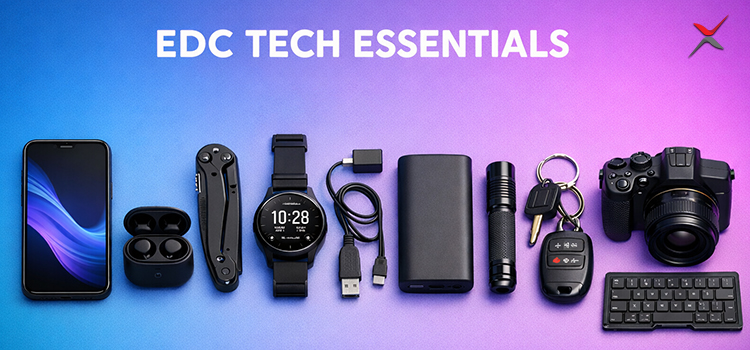
Nowadays in the world everyone is using mobiles and they are connected, so your everyday carry (EDC) gear describes how smoothly you are navigating daily chaos. EDC tech 2026 this will be taken to the next level, by entirely focusing on sleek, multifunctional devices that packs all the power in your pocket. So stop thinking much about bulky tech think on compact gadgets that are playing a prominent role in your life without weighing you down. It might be you are traveling, hiking or just surviving meetings, the perfect EDC tech essentials blend innovation with reliability. However, by 2026 we can expect to see AI integration, sustainable materials, and the ultra-portable designs that dominate the scene. 

This article provides a clear understanding of must-have EDC tech picks 2026, including the minitools which multitask like pros. This article covers on power, connectivity, utility, and safety, with picks vetted for durability and futureproofing. Let’s build your ultimate EDC kit. 

Power On the Go: Chargers for EDC Tech 2026 

Most prominent role is played by the battery life, nothing can kill the productivity like a dead battery, so the compact gadgets are for power top like in the EDC list. In EDC tech 2026, wireless charging and solar power would be the leading charge efficiently. 

Starting with the Anker Nano Power Bank series slimmer than a credit card at under 100g, it delivers 10,000mAh with 30W output via USB-C PD. Moreover, it’s Perfect for mini tools like earbuds or smartwatches, it instantly snaps to MagSafe iPhones. For futher 2026 upgrades, look at Anker’s Prime line with built-in AI optimizing charge speeds based on your device’s requirements. 

Secondly, Solar power alternatives which sparkle brighter for the outdoor enthusiasts. The Big Blue Solar power 28 packs foldable panels just into the palm sized pouch, which generates 28W under sunlight. You can pair it with a compact gadget like Zendure Mini Solar Bank, which stores all the energy for coming cloudy days. These mini tools ensure you are never light like that, weighing just 300g combined. 

Connectivity Kings: Keeping You Linked with Compact Gadgets 

To mention here Staying connected these days demands EDC tech that can fit anywhere. Compact gadgets like multi-port hubs and portable routers are game changers for hybrid workers. 

The Satechi USB-C Multiport Adapter V2 is EDC gold:  

Gadget Key Features Weight Use Cases EDC Tech 2026 Upgrades 
Satechi USB-C Multiport Adapter V2 HDMI, Ethernet, SD slots, 100W PD in aluminum shell 120g Stream 4K from phone to hotel TV; instant photo backups—ideal mini tools for creators on the move Rumored 8K version with Thunderbolt 5 for seamless laptop docking 
GlocalMe G4 Pro (Wireless Hotspot) Global 4G LTE (no SIMs), covers 200+ countries, 3900mAh battery (12 hours) 135g Turns any spot into an office—a true compact gadget Integrates 5G mmWave and satellite backup (Starlink-inspired) 
Bluetooth Trackers (Tile Pro or Apple AirTag) Locatable via ultra-wideband; slim wallet case option Not specified Keeps keys/bags trackable—mini tools that ping phone from 400 feet 2026 models add AR finders 

Smart Storage and Data: Mini Tools for the Digital Nomad 

Here is the essence of smart storage and data into mini tools for the digital nomad, making EDC tech 2026 storage extensible. 

Gadget Key Features Weight Use Cases EDC Tech 2026 Upgrades 
SanDisk iXpand Flash Drive Luxe Plugs into Lightning or USB-C, 256GB storage, auto-backup apps 8g  Sync photos mid-commute—pure mini tool magic – 
Samsung T7 Shield Rugged SSD 1TB capacity, IP65-rated (drop/dust-proof), 1050MB/s transfer via USB 3.2 Not specified Pro-level data hoarding and backups—EDC tech 2026 shrinks storage without compromise NVMe SSDs under 20g with end-to-end encryption via facial recognition 
UGREEN Revodok Pro (Multi-card Reader) Handles SD/microSD at 5Gbps speeds, fits in coin pockets Not specified Effortless backups with compact gadgets like SSDs and card readers – 
Nothing Ear (2) Wireless Earbuds ANC, 40-hour playtime, ChatGPT integration; doubles as health tracker (discreet heart rate monitoring) 4.5g per bud (case included) Rounds out audio EDC—compact gadgets for digital nomads – 

Utility Multipliers: EDC Tech 2026’s Swiss Army Knives 

EDC tech thrives on Adaptability where the mini tools with tech twist deal with entire 2026 lineups. Gerber’s Dime Extreme folds pliers, scissors, and a USB-C port into 2.2oz and fix a bike chain or charge earbuds on-site.Futhermore, Leatherman’s Arc multitool adds a premium USB drive (64GB) alongside with almost 20 functions, laser-etched for grip. For compact gadgets, the RovyVon Aurora A23 flashlight boasts 1000 lumens, red SOS mode, and wireless charging in a 23g keychain form. 

Also, Smart pens start evolving. Livescribe Echo 2 digitizes notes via Bluetooth, syncing to apps with audio playback. Just the pen-weight 30 grams, it can be used for routine office meetings or journaling as a mini tool. 

Knife lovers, can check the following: 

Gadget Key Features Weight Pairing Notes 
Benchmade Mini Bugout 1.97″ CPM-S30V blade, axis lock, reversible clip Under 1.85oz Knife lovers’ EDC essential 
Olight i1R 2 Pro Micro-Flashlight Compact flashlight for urban use Not specified Perfect compact gadget pairing with Mini Bugout 

Health and Safety: Wellness in Your Pocket 

EDC Tech 2026 is about to prioritize the well-being with compact gadgets which will be tracking predominantly emergencies. 

  • Oura Ring Gen4 (2026 preview) will be monitoring sleep, stress, VO2 max in 4g titanium band, does not require weekly charging, integrates Apple Health for AI insights. 
  • Whoop 5.0 strap Offers ECG and skin temperature tracking without any screen. 
  • Birdie personal alarm Blasts 130dB with LED strobe. 
  • She’s Birdie, the mini tools evolving with GPS to contacts. 
  • EDC tech 2026 nano-glucose monitors: Dexcom’s rumored sticker patches for discreet monitoring. 

Fashion Meets Function: Stylish EDC Tech Carries 

Frankly speaking, there is no EDC without the organization.  mostly the compact gadgets ask for pouches like the Bellroy Tech Kit and the holding cables, drives and banks in 150g. Where fashion meets its place are the designs of mobile wallets as the Qi chargers for the phones. Mini tools like Orbitkey Clip V2 provide a feature of organizing keys with tracker slots and also acts as a bottle opener. In 2026, which becomes a trend on modular systems. 

Why EDC Tech 2026 Matters: Future-Proof Your Carry 

EDC tech tools are not just a trending in 2026 but also, they would be evolving. Like the Ai predicting battery drain and sustainable, bamboo casing and 6G whispers, these compact gadgets are the mini tools to adapt to one’s life. Moreover, EDC builds resilience, a well-stocked pocket bank, and trackers as multipurpose tools. Testin the real scenarios, which will be updated on a regular basis. 

Conclusion: 

To conclude, EDC tech 2026 would be ruling in one’s routine with compact gadgets and mini tools which deliver power, connectivity, and safety for user’s pockets. To sum up, investing in these kinds of essentials builds resilience against modern chaos. 

Curate your kit now, future-proof your carry and thrive anywhere. 

FAQs 

1. What makes EDC tech 2026 different from previous years? 

It emphasizes AI integration, sustainable materials, ultra-portable compact gadgets, and mini tools like 5G hotspots with satellite backup. 

2. Which power bank is best for EDC tech 2026? 

The Anker Nano Power Bank (10,000mAh, 30W, under 100g) with MagSafe and AI charge optimization tops the list. 

3. How do Bluetooth trackers fit into EDC? 

Tile Pro or AirTag in slim cases use ultra-wideband to ping your phone from 400 feet, with 2026 AR finders coming. 

4. What’s a top mini tool for storage in EDC tech? 

SanDisk iXpand Flash Drive Luxe offers 256GB auto-backups in an 8g lipstick-sized body for Lightning/USB-C. 

5.  Why include health gadgets in EDC Tech 2026? 

Devices like Oura Ring Gen4 track sleep/stress/VO2 max in a 4g band, plus alarms like Birdie for safety.

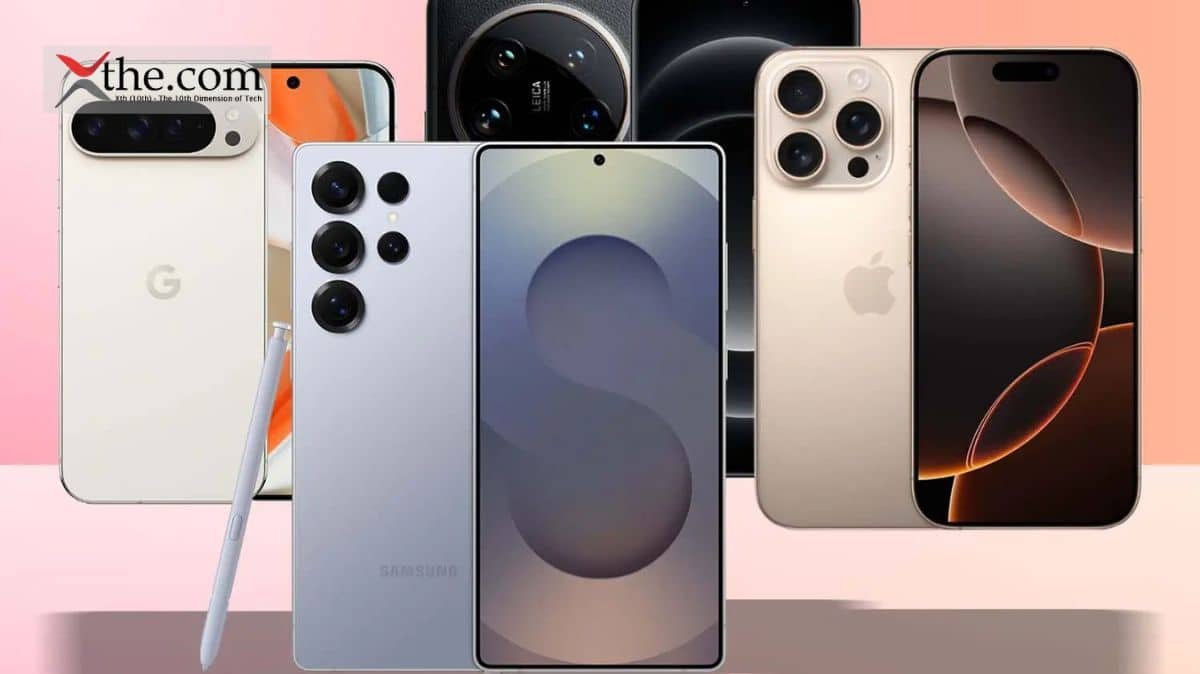
Artificial intelligence, or AI, is the phone world’s new favourite buzzword. Almost every upcoming phone has plans to incorporate machine learning and large language models in some form or another, and the first to do so are already on sale. But what are the best AI phones worth having? Let’s find out. 

Best AI Phone Overall 

The Samsung Galaxy S25 Ultra is as feature-stuffed as AI phones get right now. As well as having most of Google’s Gemini smarts, there’s a full contingent of Galaxy AI features too. It’s all tightly integrated into OneUI, which is more streamlined than ever and the phone itself is a true-blue flagship. 

Galaxy S25 Ultra AI Features 

Galaxy AI, Samsung’s suite of AI-enhanced software, debuted on the Galaxy S24 Ultra. With shortcuts and OS-wide tools instead of standalone apps, it is much smarter.  

AI Select 

It lives in a pop-out sidebar and lets you highlight text to activate Writing Assist, or images to generatively edit them. 

Writing Assist  

It is an evolution of the Chat assist tool baked into the S24 Ultra’s onscreen keyboard. It can create more professional-sounding copy for work, pepper sentences with hashtags for sharing on social media, or sprinkle in emojis for expressive texting. There are also options to summarise longer stretches of text, translate between languages, and check spelling and grammar on the fly. 

You’ll also find a transcription summarizer built into the voice recorder, which transcribes conversations on the fly (in multiple languages, to boot) and then creates a succinct synopsis in just a few taps. Real-time voice translation, for both phone calls and in person, also relies on AI to give speedy and accurate interpretation. It supports 13 languages at launch, with more expected to follow later. 

Now Brief and the Now Bar 

Now Brief and the Now Bar are all new for 2025. The former is a contextual hub that summarises useful info from your apps. Think sports scores, weather reports, commute traffic and upcoming calendar appointments. The latter simplifies that even further on your lock screen, a bit like Live Activities on iOS. 

Circle to Search 

There’s also Circle to Search; this Google-led tool isn’t exclusive to Samsung phones any more, but it works brilliantly with the S25 Ultra’s S Pen. Press and hold the home button (or gesture bar, if you’re using gesture controls) and draw a circle around anything onscreen. Machine learning recognises objects and locations in a flash, bringing up relevant Google searches, including where to buy the items in question. 

Samsung has also added AI to its image editor and photo gallery. It can remove unwanted reflections from glass and shadows from faces with a tap, delete or reposition objects anywhere in the frame, and generationally expand any images you’ve cropped too tightly. The AI camera elements are largely done post-shutter press, rather than before, but object detection does rely on machine learning. 

Instant Slow-mo 

Instant Slow-mo can create extra frames and inject them into your recorded video footage, creating a convincing effect even if your clips were only shot at 30fps. Just preview your video in the Samsung Gallery app, press and hold on the moment you want slowed down, and it’ll play back brilliantly smoothly. 

Samsung will likely bring most of these AI additions to the Galaxy Z Fold6, Flip6, Galaxy S24 and Galaxy S23 series, meaning you don’t need to upgrade to try them out. 

Pros 

  • AI offerings far more streamlined than previous efforts 
  • Flagship performance, display and build quality 
  • Very capable (if not class-leading) cameras 

Cons 

  • AI functions only free for first year 
  • As expensive as flagship phones get 

Best Apple AI phone 

The Apple iPhone 17 Pro Max ticks all the AI boxes, but in a typically Apple way. It’s all tightly integrated into each iOS 26 app, and has improved considerably since its initial introduction. 

Apple Intelligence 

Apple Intelligence admittedly had some teething problems. It didn’t arrive alongside the iPhone 16, and saw a staggered rollout across various territories. Apple had to roll back certain features because they were inaccurate, like the notification summaries that showed false headlines attributed to the BBC and other news sources. But a year later, iOS 26 has expanded its feature set significantly. 

Live translation is built into Messages, FaceTime, and the Phone app, working on the fly to eliminate language barriers; Image Playground now has baked-in ChatGPT support to generate images in custom styles based on text prompts, not just the ones installed by default from Apple; and Visual Intelligence is able to scan your screen now, inferring context to add things like appointments to your calendar 

This is all on top of the existing feature set. Writing Tools live in a contextual menu and lets you proofread or rewrite text selections or entire documents. It can summarise articles, reformat them into bullet points or tables, and directly call up ChatGPT through its Compose option. 

The Photos app has a Clean Up option similar to Google’s Magic Eraser. It also lets you search for specific pics or clips using natural language, then create Memories animations from the prompts. 

The Notes app can transcribe recordings, and summarise that transcription for quick reference later. The dialler app can do the same for calls (as long as you live somewhere it’s legal to record phone conversations). 

And Siri can phone a friend for more complex queries, by tapping into ChatGPT with or without a free or paid OpenAI account. 

Pros 

  • Ludicrously powerful with impressive battery life 
  • Impressive new camera smarts 
  • Incorporates AI throughout the OS in ways only Apple can do 

Cons 

  • Distinctive new design maybe not to all tastes 
  • Return to aluminium after years of tough titanium 

Best AI Phone for Photography 

While the Google Pixel 10 Pro XL might not have the outright best camera hardware of any phone, its image processing is phenomenal as are its AI abilities. Beyond generative edits, it can also analyse a scene in the camera app and suggest ways to change the composition for more impactful shots. 

On the software side, Gemini is now at the core of the Pixel experience.  

Gemini Live lets you have fluid, natural conversations with Google’s AI, complete with screen and camera sharing for real-time help. Magic Cue brings proactive intelligence into chats, calls and searches, surfacing exactly the right info at the right moment. Camera Coach guides you step-by-step to better photos, Auto Best Take ensures group shots look flawless, and 50MP Portrait Mode takes the highest-resolution portraits of any phone. 

Right now, its top features include a Summarise function in the voice recorder app. Open any recording, tap the Transcript button, then Summarise at the top; the phone will generate a bullet point synopsis, all on-device. 

Smart reply in Gboard uses AI to suggest responses to your WhatsApp, Line, and KakaoTalk chats – but only in US English right now, and as a developer preview. It should start rolling out more widely later this year. 

Circle to search is available to everyone, right now. Press and hold the gesture indicator (or onscreen home button if you have it enabled) and draw a circle around any onscreen text or image; your phone will then look it up on Google, using machine learning to recognise objects and locations with impressive speed and accuracy 

The Pixel 9 Pro can also create AI-generated wallpapers. It’s baked into Android 14, so will eventually be added to other manufacturers’ mobiles. You can pick from a bunch of themes, objects, materials and colours, with the phone creating a mix of convincing, surreal and clearly computer generated images. 

Naturally for a Pixel phone, the Pixel 9 Pro’s AI focuses heavily on photography. Magic Editor intelligently recognises objects when you tap them, letting you move them around the image or remove them entirely, with the phone filling in the gaps. The results can be genuinely impressive. 

Video Boost sends your recorded video footage off to the Cloud for AI-based processing. It enhances colour and lighting to an impressive degree, but it’s Google’s servers doing all the heavy lifting here, rather than your phone. 

Pros 

  • Flagship-worthy build and styling 
  • Consistently great cameras in all conditions 
  • Android’s AI upgrades a sign of things to come 

Cons 

  • Beaten on raw processing power by Snapdragon rivals 
  • Higher price makes rivals more tempting 

Best Affordable AI Phone 

The Nothing Phone 3a costs a quarter of the other phones listed here, but has raced ahead with a clever AI-powered central hub that stores and sorts all your notes, screenshots and saved links. It’s like a smart scrapbook for the 2020s. 

Phone 3a has all of Android’s usual AI-driven features, including Circle to Search and Gemini Live – but the Essential Space is unique to Nothing hardware. It’s a hub for all your screenshots, voice notes and web links, opened with a double-press of the dedicated button. Press the Essential key once and it’ll take a screen grab; hold it down and it’ll record a voice memo. 

AI then analyses each entry, pulling text from photos and making everything searchable. Voice recordings are transcribed automatically (with good accuracy, based on my testing). 

There’s also Essential Search, which dials into your calendar, contacts book, image gallery and apps list. You can use it for web searches, and it’ll answer natural language questions too. It’s a decent replacement for Android’s usual Google search widget, and is improving with each new update to NothingOS. 

Pros 

  • Mid-tier performance and battery for considerably less cash 
  • Familiar Nothing hallmarks like glyphs and widget-based OS 
  • Capable cameras for the money, with mature processing 

Cons 

  • Can’t match the 3a Pro for zoom clarity 

Final Thoughts  

Once upon a time, whenever a conversation involved AI on smartphones, it revolved around a specific feature on a certain device. Those days are long gone, as the AI buzzword is found practically every smartphone released in the past couple of years. While the phrase might be an overused buzzword, the reality is that there is such a thing as the best AI phone. 

FAQs 

1. What makes a smartphone an “AI phone” in 2026? 

AI phones are designed with advanced on-device intelligence, including AI-driven photography, voice assistants, predictive suggestions, real-time translation, and adaptive system optimizations that enhance everyday use. 

2. Do I have to pay for AI on my smartphone? 

Currently, most phone brands are in a “the first hit is free” phase: the various AI features are baked into each handset from the factory, with no need to pay extra upfront to access them. That’s rapidly changing, though: you might find tasks that need a lot of cloud-based processing, like image generation, require paid-for tokens.

3. How do AI phones improve camera performance? 

AI phones use machine learning to recognize scenes, optimize settings, reduce noise, stabilize footage, and even suggest creative compositions, resulting in better photos and videos without needing professional skills. 

4. Can I keep all AI processing on my phone, rather than the cloud? 

If you’re concerned about data security and don’t like the idea of algorithms storing your personal info somewhere in the online ether, most phones give you the option to restrict AI processing to on-device only. This may lock you out of certain features, and it may not be as quick to process, though it’ll vary between brands and apps. 

5. Do AI features work without an internet connection? 

Many AI phones in 2026 use on-device AI for core tasks (like camera enhancements and predictive typing), so they still perform intelligently even offline, though some features may require internet for cloud-based processing.

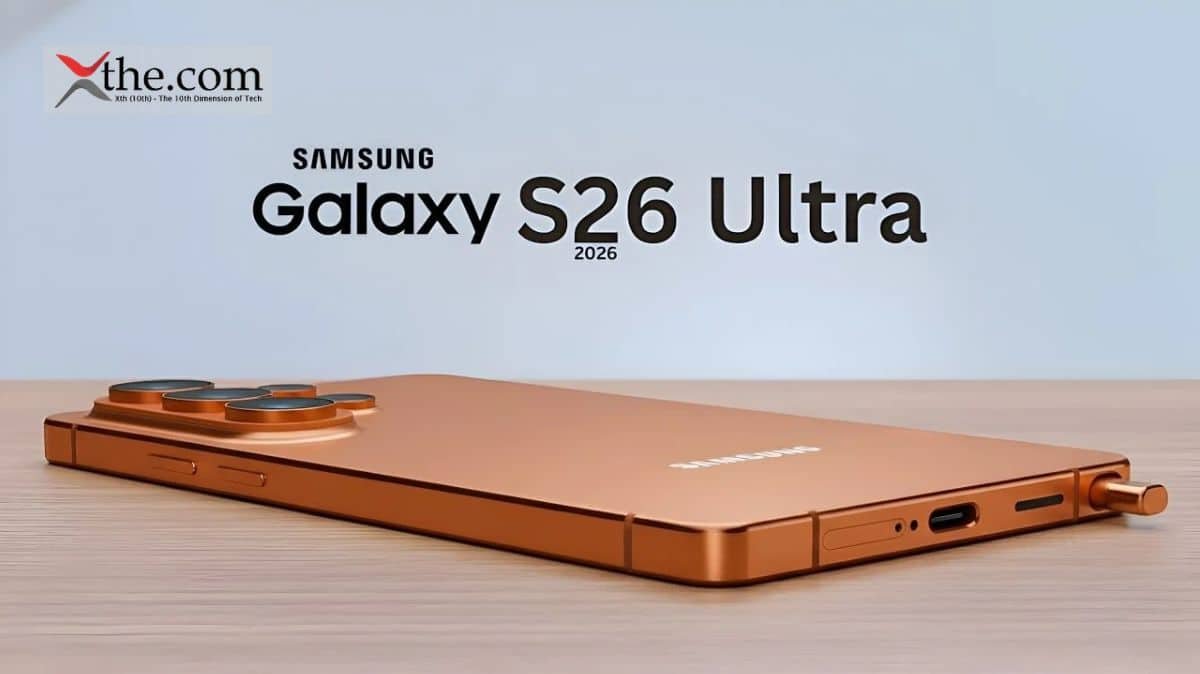
As we are in the late 2025, Samsung lovers are buzzing in and around on the galaxy S26 Ultra leaks hinting at the most ambitious yet. Building on S25’s titanium frame and there is Snapdragon dominance, early notice promises revolutionary updations in camera powers, The next gen AI chip, battery life,and the sleeker design. Slated for a January 2026 Unpacked reveal and early February launch at around ₹1,59,990, this titanium-clad beast promises a slimmer 8.2mm design, IP69 durability, a 5,500mAh battery with predictive smarts, and One UI 8 on Android 16 backed by seven years of updates. As rumors swirl from credible sources, the S26 Ultra could reclaim Samsung’s throne in the AI-driven smartphone race, blending raw performance with everyday magic. 

This article dives into the Galaxy S26 Ultra leaks, separating rumors from reality to understand 2026 flagship is a game changer. Expect bolder AI integration,pro-grade photography. here you go! 

Why Galaxy S26 Ultra Leaks Are Heating Up Now 
 

The annual cycle means Samsung’s annual cycle is the Galaxy S26 Ultra leaks surface earlier each year; fuels by the supply chain provide tips and regulatory filing. Unlike the S25’s iterative refresh, insiders point to a “bold pivot” amid competition from Pixel 10 and iPhone 17. So how about the primary focus then? Here a custom Ai chip od Apple A-series where the camera is pushing the boundaries 200Mp.whereas the rumored for Q4 2025, These are the predictions which are enabling the attention from trusted leakers like Ice Universe and Android Authority. 

Furthermore, the S26 Ultra aims to reclaim the camera supremacy lost to google, While battery addresses fan complaints about S25’s modest gains. Design evolves too thinner bezels, lighter materials, without ditching the S Pen love.  

Explosive Camera Upgrades in Galaxy S26 Ultra Leaks 

Camera remains to be the Samsung’s crown jewel and to be notices Galaxy S26 Ultra  evolution. The front camera which hits 400MP with under- display tech refined majorly for selfies that are majorly dedicated to compacts. What about Video, 8K at 120fps with gyro-EIS stabilization, plus new “AI Director” mode auto-edits clips.   

Camera Spec S25 Ultra S26 Ultra Predicted Key Upgrade 
Main Sensor 200MP HP2 200MP HP3 Stacked 40% better low light 
Ultrawide 50MP 50MP + Macro AF Versatile shooting 
Telephoto 3x 10MP 50MP Periscope Sharper portraits 
Telephoto 10x 50MP 50MP AI-Optimized 100x lossless zoom 
Front Camera 12MP 40MP Under-Display Studio selfies 
Video Max 8K 30fps 8K 120fps + AI Edit Cinematic pro 

These camera leaps position the S26 Ultra as a vlogging powerhouse. 

Next-Gen AI Chip: The Brain Powering Galaxy S26 Ultra 

  • Samsung AI chip: Exynos 2600 or Snapdragon 8 Gen 5, favoring custom “Galaxy AI 3.0” tensor unit. 
  • 45% faster on-device AI: real-time translation, photo edits, battery prediction. 
  • New: “Circle to AI Search” for instant summaries. 
  • Geekbench: ~3,200 single core (beats Snapdragon 8 Elite); 20% larger vapor chamber. 
  • Core features: 20-language call transcription, AR object recognition. 
AI Chip Feature S25 Ultra (Snapdragon 8 Elite) S26 Ultra Predicted 
Neural Cores 16 20+ Custom Galaxy Tensor 
On-Device GenAI Basic edits Full video generation 
Benchmark (Single) 2,800 3,200+ 
Cooling Standard VC 20% Larger Vapor Chamber 
New AI Tools Live Translate Circle to AI + AR Scan 

Power users will love how this AI chip which ensures the seamless multitasking without cloud lag. 

Battery and Design:  

Battery 

  • The capacity is defined as 5,500mAh with Ai- optimized for 20% for better endurance. 
  • Charging has the availability of 65W wired, 50W wireless; reverse charging is up to 15W. 
  • Real time optimization predicts usage  

Design 

  • Design plays a crucial role which is Slimmer 8.2mm profile, lighter titanium frame. 
  • Its build as IP69 rating, larger vapor chamber 20% bigger for cooling which is integrated with AI gestures 

Here are the battery specifications for S25 Ultra explained in a tabular format for clear understanding. 

Battery Spec S25 Ultra S26 Ultra Predicted Endurance Gain 
Capacity 5,000mAh 5,500mAh Si-Carbon +10% density 
Wired Charging 45W 65W 70% in 20 mins 
Wireless 15W 25W Qi2 Faster top-ups 
AI Optimization Basic Predictive drain 2.5 days use 
Design Element S25 Ultra S26 Ultra Predicted 
Dimensions 162.8×77.6×8.2mm 162x76x8.0mm (thinner) 
Weight 233g 215g Titanium 
Display 6.8″ 144Hz 6.8″ 144Hz Armor 3 
Durability IP68 IP69 + 50% Tougher Glass 
S Pen Standard Haptic Feedback 

These battery and design tweaks make it the most practical Ultra ever. 

Software and Ecosystem: One UI 8 on Galaxy S26 Ultra 

There is one UI 8 ships with Android 16, which we have been promising for 7 years according to the updates.  here the Galaxy AI gets pro mode for the custom agents, like scheduling via voice. Moreover, the integration with galaxy watches 7 and Buds 3 deepens the shared battery stats and AI health coaching, which is ensuring the tri-fold future. 

Feature Details 
Base OS Android 16 with One UI 8 (stable launch version) 
AI Integration Galaxy AI 3.0: Circle to AI Search, live transcription (20 languages), AR recognition 
Update Promise 7 years of OS + security updates (through 2033) 
New Tools Predictive battery AI, generative photo edits, real-time translation 
Ecosystem Perks Seamless Galaxy Watch/AI Buds sync; DeX enhancements for desktop mode 
Customization Adaptive themes, AI-driven app organization, gesture controls for S Pen 
Privacy Focus On-device processing for 95% of AI tasks; enhanced Knox Vault security 

Pricing and Release: What to Expect 

Galaxy S26 Ultra leaks the launches at January 2026 Unpacked; pricing starts from $1,299 for 256GB/12GB RAM. Early shopping will be saving money. 

Aspect Details 
Expected Announcement Late January 2026 at Samsung Galaxy Unpacked event. 
Availability/Sales Start Early February 2026 (global markets); March 2026 in some regions youtube+1  
Launch Location San Francisco, California (AI-focused event) youtube  
India Pricing Starting at ₹1,59,990 (base model, 256GB variant expected)  
US Pricing (Rumored) $1,299–$1,399 (similar to S25 Ultra, depending on storage)  
Global Pricing Range €1,449–€1,649 in Europe; premium flagship tier maintained  
Pre-Order Period Immediately after Unpacked (January 2026), with trade-in deals  
Potential Delays Q1 2026 window (Jan–March); strategic shift from holiday timing. 

Conclusion: 

To conclude, the Galaxy S26 Ultra paints a compelling picture of Samsung’s bold push into AI-dominated mobile innovation. Moreover, with the Exynos Extreme chip delivering 45% faster on-device processing, benchmark-beating scores, and enhanced cooling, this flagship confirms to redefine real-time features like Circle to AI Search, multilingual transcription, and AR recognition. These leaks signal Samsung’s intent to outpace rivals, which blends raw power with practical intelligence that could make routine tasks seamless and futuristic. 

With official confirmation expected in early 2026, the S26 Ultra stands poised to set new standards for premium Android devices, especially at its expected starting price of ₹ 1,59,990. While rumors should be taken with caution, the trajectory suggests a device that’s not just an incremental upgrade, but a genuine leap forward on potentially reclaiming Samsung’s edge in the high-stakes smartphone arena. 

FAQs 

1. When is the Galaxy S26 Ultra expected to launch? 

According to the announcements from January 2026 at Samsung’s Galaxy Unpacked event, with devices hitting shelves in early February 2026. 

2. What chipset will power the Galaxy S26 Ultra? 

Samsung’s AI-focused Exynos 2600 or Snapdragon 8 Gen 5, with leaks favoring a custom “Exynos Extreme” tensor unit for “Galaxy AI 3.0.” 

3. What are the rumored benchmark scores and cooling improvements? 

Geekbench single-core scores around 3,200 (surpassing Snapdragon 8 Elite), paired with a 20% larger vapor chamber for better heat management. 

4. What new AI features does it promise? 

There is the photo edits feature and the battery management and allows 45% processing like the real time translation, and AR object recognition. 

5. What’s the expected price for the Galaxy S26 Ultra? 

Starting around ₹1,59,990 in India, aligning with premium flagship pricing from recent models.

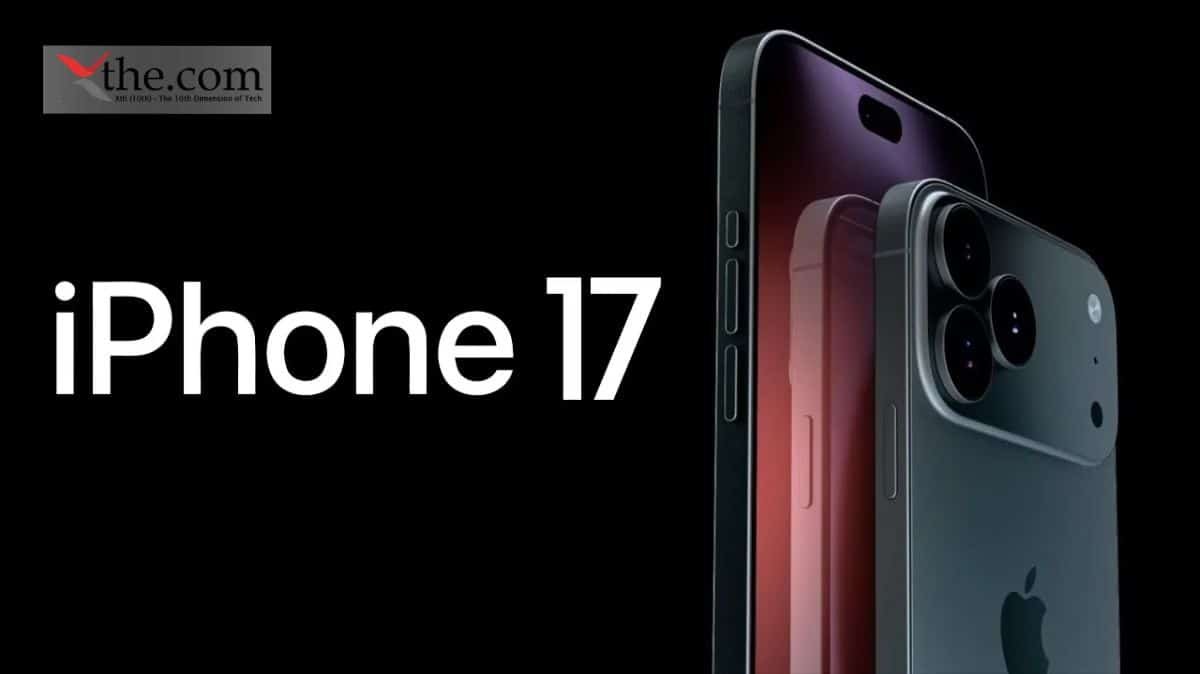
Apple’s latest iPhone 17 series launch provided the market with a new roster of premium devices. With sleek design, exciting features, and impressive camera upgrades, the models are currently available across major online and offline retailers. The base model iPhone 17 seemed like the best buy thanks to all its tasty upgrades. While the Pro models went pro-ier than ever before. And the iPhone Air seemed to be the pick for those that want a pretty phone. 

Let’s take a look at the most important upgrades and scope of improvements for Apple. This article also provides an idea if enthusiasts should buy this model or not. 

Advancements Like Never Before  

120Hz Refresh Rate 

It’s a long overdue upgrade, but the 120Hz refresh rate the iPhone 17’s display now supports makes such a huge difference. For years Apple refused to give its base flagship model this treatment, especially when this feature became more common amongst the best cheap phones around, like the Pixel 9a. 

Improvement in Screen Size 

At 6.3-inches, it’s slightly larger and sits in a sweet spot. It’s big enough to watch a quick YouTube video, but small enough that your hands don’t cramp after using it for long periods of time. The brightness is also very good. It provides 3000 nits in sunlight, which matches the Pro models. Users can read text outside without squinting. 

iOS 26 lock and home screen customizations 

Even though Liquid Glass takes credit for a lot of things with the way iOS 26 looks and feels, the level of customization it offers with the home and lock screens is awesome. Users can enable photo shuffle to constantly change lockscreen wallpaper with my photos. 

The iPhone screen comes alive with the depth effect. It gives the lock screen wallpaper a new 3D-like effect. Another exciting feature is the digital clock, which adapts its size depending on the wallpaper. These new additions make it feel personal. 

Camera Control  

Apple has kept the functions of the Camera Control unchanged from when the feature was introduced with the iPhone 16. Apple intends Camera Control to be as simple as possible, but the company should focus on “pro” mode that could be unlocked to give more controls for things like the shutter speed, ISO, aperture, and focus. 

Camera 

Camera-wise, the iPhone 17 is punching well above its weight. The 48MP main sensor, coupled with Apple’s excellent night mode, delivers brilliant results in low light. The night shots are not the grainy, smeary mess that used to get unless users hold it perfectly still. The Phone 17 consistently delivers excellent colour balance and quicker focus than the previous model. That said, it does stumble in terms of versatility. 

The iPhone 17 also gains an anti-reflective coating and a 3,000-nit peak brightness, compared to 2,000 nits on the iPhone 16. That should make it easier to see your phone in bright sunlight.  

Disadvantages  

Apple Intelligence 

Apple could have at least revealed a few new tricks since the phone’s release, but there’s been nothing. Apple’s rivals are outpacing it in every aspect of AI, from productivity-centric stuff to AI tools for photo editing. The iPhone 17 lacks the tools like how the Pixel 10 can make complex photo edits. Tools like that prove the time-saving abilities of AI, which is something I can’t say about Apple Intelligence at this point with the iPhone 17. 

iPhone 16 vs iPhone 17 

Some of the biggest changes between the iPhone 16 and 17 have to do with the display. Apple says it shrunk the borders around the screen on the iPhone 17, expanding the display from 6.1 inches on the iPhone 16 to 6.3 inches on the iPhone 17 without expanding its dimensions. The new Ceramic Shield 2 cover on the iPhone 17 offers 3x better scratch resistance, according to the company. 

Both the iPhone 16 and 17 have a 48-megapixel wide-angle camera. But the iPhone 17 upgrades the ultrawide camera from 12 megapixels on last year’s phone to 48 megapixels. The front-facing camera also gets an upgrade, going from 12 megapixels on the iPhone 16 to 18 megapixels on the iPhone 17. There’s a new Center Stage feature for the selfie camera that can automatically adjust from a portrait orientation to landscape to make sure everyone is in the shot. 

The iPhone 17 is supported by an A19 chip, which is an upgrade from the A18 chip in the iPhone 16. One key difference is that the iPhone 17 starts at 256GB, while the iPhone 16 started at 128GB. 

The iPhone 16 supports up to 22 hours of video playback, according to Apple, while the iPhone 17 bumps that up to 30 hours. Anecdotally, the iPhone 17’s battery lasts over a day, even after taking photos, scrolling through social media, watching videos, texting, sending emails and more. The same can be said about the iPhone 16, so you likely won’t feel a huge difference between the two when it comes to day-to-day activities. 

The iPhone 17 arrives with the upcoming operating system onboard, but you’ll also be able to download iOS 26 on the iPhone 16, as well as some older iPhones, once it becomes available publicly. That should help to stretch your battery life on either device. 

Like the iPhone 16, the iPhone 17 comes in a range of fun colors: black, white, mist blue, sage (a light green) and lavender. For comparison, the iPhone 16 is available in black, white, pink, teal and ultramarine. Both phones have an aluminum frame. 

What’s Common between iPhone 16 and iPhone 17? 

Both phones also support the Apple Intelligence suite of AI capabilities, which includes writing tools, image generators and notification summaries. Both the iPhone 16 and 17 have a Camera Control button on the side to quickly launch the camera, snap some shots and use Apple’s Visual Intelligence tool to learn more about what’s around you. 

Comparison between iPhone 16 and iPhone 17 

Feature iPhone 17 iPhone 16 
Display size, tech, resolution, refresh rate 6.3-inch OLED; 2,622 x 1,206 pixel resolution; 1-120Hz variable refresh rate 6.1-inch OLED; 2,556 x 1,179 pixel resolution; 60Hz refresh rate 
Weight 177 g (6.24 oz) 170 g (6 oz.) 
Mobile software iOS 26 iOS 18 
Camera 48-megapixel (wide) 48-megapixel (ultrawide) 48-megapixel (wide), 12-megapixel (ultrawide) 
Processor Apple A19 Apple A18 

Verdict 

The iPhone 17 costs $799, but it’s still a way better value because of the bigger upgrades, including a dual-camera system and that new Center Stage camera. The real improvement is the price-to-performance ratio. At $799, this is the most sensible buy Apple’s offered in years. You get the latest design, that silky-smooth display, proper battery life, and a capable camera.  

Final Thoughts  

Moving up the ladder, the iPhone 17 Pro is the one that wants to be taken seriously without going full pocket-boulder like its Max sibling. This might be Apple’s most balanced device this year. 

FAQs 

1. What are the key upgrades of the iPhone 17 compared to the iPhone 16? 

The iPhone 17 introduces improvements in processing power, camera capabilities, battery life, and possibly display technology — offering noticeable gains for power users. 

2. How does the iPhone 17 battery life compare to older iPhones? 

Early tests and reviews suggest the iPhone 17 offers modest improvements in battery endurance, especially during video playback and gaming, making it more reliable for all-day use. 

3. Is the price of the iPhone 17 justified? 

That depends on your needs — if you value the latest performance, camera tech, and ecosystem features, many find it worth the premium, though budget-friendly alternatives exist. 

4. How does the iPhone 17 perform for gaming and demanding apps? 

Thanks to a more powerful chipset and optimized graphics, the iPhone 17 offers smooth gaming, faster app loading, and better multitasking.

5. What’s new in iOS on the iPhone 17? 

The iPhone 17 ships with the latest iOS version, packed with features like enhanced privacy controls, better AR support, and refined system performance.

One of the best gifts one can give are the camera accessories for people who travel a lot can capture their holiday memories, from family gatherings or friend groups. In 2025 budget-friendly tripods, lights, and microphones deliver pro-level performance without breaking bank account, mostly ideal for smartphone shooters, mirrorless users, or vloggers. 

First and foremost, thing is the selection of accessories depends on portability, durability and the most prominent thing is ratings above 4.5 stars from Amazon, Whether the stabilizing shots with sturdy tripods or the brightening via LED lights, or its capturing crisp sound in the microphones, these picks will be transforming ameture gear into a very professional tool perfect photography gift 

This article provides a deep understanding on the the best options under $100, illumination, blending stability, audio clarity on the camera accessories gifts. 

Why Camera Accessories Gifts Excel as Photography Gifts 

Firstly, camera accessories gifts are one of the best gifts ever for the camera lovers. A reliable tripod which avoids from shaking hands, and footage during  low-light holiday aparties,also the clip-on lights ensures the quality of selfies or product shots. Lavalier microphones eliminate echo in the videos covered indoors, making these the requirements for content creators. 

In 2025 trends are multi-functionality on the tripods with smart phones. It offers color temperature control and microphones with noise reduction. All the picks are lightweight and compatible with iPhone, Android, Sony, canon and GoPro. Always the prices reflect current deals, often providing 20-30% off for holidays. 

Top camera accessories under $100 

Top camera accessories under $100 provides the required upgrades for the stability, storage and protection. Here is the table for below details. Specifications are highly recommended options for the options which are based on popularity and values. 

essential upgrades for stability, storage, and protection. The table below details specifications for highly recommended options based on popularity and value. 

Accessory Brand/Model Weight Key Specs Price Range Best Use 
Tripod AmazonBasics 60″ 3.2 lbs Max height 60″, load 6.6 lbs, quick-release plate youtube  $25 Travel, landscapes 
SD Card SanDisk Extreme 128GB 0.1 oz UHS-I V30, 160MB/s read, waterproof youtube  $20 Burst shooting, video 
CPL Filter K&F Concept 67mm 2 oz Reduces glare, multi-coated glass, slim frame youtube  $25 Outdoor color enhancement 
Camera Bag Lowepro Fastpack 1.5 lbs Water-resistant, padded dividers, 15L capacity youtube  $40 Daily carry, protection 
Wrist Strap Peak Design 2 oz Arca-Swiss compatible, quick-adjust anchor links youtube  $20 Secure handheld shooting 

Top Tripods: Essential Camera Accessories Gifts for Stability 

Tripods anchor any of the photography gifts lists, providing shaky free timelapses, and self-portraits, and the long exposure under $100 

1. UBeesize 67-Inch Phone Tripod ($25) 🔗

It’s the versatile aluminum alloy made and has approximately 67 inches with a universal phone holder, top tripod for mobile creators. 

2. Sensyne 72-Inch Tripod ($35) 🔗

This is heavy-duty with quick flip locks, with supports the load of 10lbs, its best for the hybrid shooters. 

3. Manfrotto PIXI Mini Tripod ($25) 🔗

Pocket sized table-top tripod, which is universal ¼ screw, perfect to travel companion. 

Recommended Tripod: 

Model Folded Length Max Height Weight Load Capacity Key Feature 
Ulanzi MT-08 12.5 in 57 in 2.5 lbs 6.6 lbs Carbon fiber legs, Arca-Swiss plate youtube+1  
K&F Concept TC3234 14 in 60 in 3.2 lbs 8 lbs Monopod conversion, quick-release youtube  
Manbily Carbon Mini 13 in 55 in 2 lbs 6 lbs Ultra-light, ball head for panoramas youtube  
Benro Slim Travel 12.6 in 56 in 2.4 lbs 8.8 lbs Premium build, twist locks youtube 

Best Camera Accessories Table 

Here in this table its clearly informed if you see, these accesories are best for landscape or for the video action photography and in the outdoor landscaps and for the people who are travelling as the daily routine. 

Accessory Approx. Price Key Benefits Best For 
AmazonBasics 60″ Tripod 🔗 $25 Supports 6-8 lbs, quick-release plate, aluminum legs for stability YouTube Landscape, long exposures 
SanDisk Extreme SD Card (128GB) 🔗 $20 High-speed burst shooting, weatherproof, UHS-I V30 rating YouTube  Video, action photography 
K&F Concept CPL Filter (67mm) 🔗 $25 Reduces glare, enhances colors, lens protection YouTube  Outdoors, landscapes 
Lowepro Camera Bag 🔗 $40 Water-resistant, padded dividers, adjustable straps YouTube  Travel, daily carry 
Peak Design Wrist Strap 🔗 $20 Secure grip, quick-adjust, Arca-Swiss compatible YouTube  Run-and-gun shooting 

Best Lights: Illuminating Camera Accessories Gifts 

The LED light vanish shadows, which makes them stellar photography gifts for both potraits and vlogs. 

1. Newer 2-Pack LED Video Lights ($40) 🔗

There are adjustable panels with 3200k-5600k temps and also 10% dimming pro lighting on the budget. 

2. Lume Cube Panel Mini ($70) 🔗

Compact 1.5×5-inch panel with app control and 2000 lumens, top lights for run-and-gun shooting.  

3. Ulanzi VL49 RGB Light ($20) 🔗

Pocket LED with 2500K-9000K and 800mAh battery and there is fun lights for creative effects.  

Top Microphones: Clear Audio Camera Accessories Gifts 

Microphones upgrade video sound, essential photography gifts for podcasters and filmmakers. 

1. Boya BY-M1 Lavalier ($20) 

Omni-directional clip-on with 20ft cable and the budget king for interviews.  

2. Comica CVM-VS08 Wireless Mic ($50) 

2.4GHz system with 50m range and noise reduction and the best wireless microphone under $100.  

3. Rode Video Micro ($59) 🔗

The Compact shotgun mic with shock mount and the clear directional audio for cameras.  

Budget Combo Picks: All-in-One Camera Accessories Gifts 

  • Sensyne 10-in-1 Kit ($60):  

It holds Tripod, ring light, phone holder and backdrops, and the ultimate starter photography gifts. 

  • Foto&Tech Universal Kit ($45):  

Tripod, light, microphone bundle for vloggers. 

Gifting Strategies for Photography Gifts 

User level: Beginners for the tripods, lights for portrait fans, Microphones for the video as the pro Verify mounts (1/4″, cold shoe). Add SD cards for completeness. 

The standout features are bluetooth remote and Adjustable temp and wireless 164ft ranges and the very wireless 164ft range. 

Top Picks Table: 

Category Top Pick Price Standout Feature 
Tripods UBeesize 67-Inch $25 Bluetooth remote 
Lights Neewer 2-Pack LED $40 Adjustable temp 
Microphones Comica CVM-VS08 $50 Wireless 164ft range 
Combo Sensyne 10-in-1 $60 All essentials 

Conclusion 
To conclude, the camera accessories under $100 revels the affordable gear which can predominantly enhance versatility, convenience and the image quality without breaking any bank. From essential staples like sturdy tripods and memory cards as the additions like lens cleaners and polarizers, these affordable tools empower people who are buget consicious. Moreover, the creators to experiment more boldly and capture better results. The key is choosing reliable, well-reviewed items that complement your existing kit and shooting style, ensuring you get the most value from every purchase. 

FAQs 

1. What should I look for in a budget camera bag? 

Always look for water-resistant materials, padded dividers and include adjustable straps in compact sizes from Amazon basics under $50 

2. Are third-party lenses worth it under $100, or should one focus on accessories instead? 

Focus on UV/CPL filters firstly; they offer better sharpness, protection, and value. 

3. Do affordable tripods provide stable support for heavier cameras? 

Yes, models like AmazonBasics 60-inch tripods support 6-8 lbs with aluminum. 

4. What can be under-$100 accessories deliver the best upgrade to image quality? 

CPL filters and high-speed SD cards like SanDisk Extreme reduce glare. 

5. How can I verify the compatibility of accessory gadgets with your camera model? 

Match mount/thread specs via retailer filters, B&H checkers, or Reddit forums.