Redmond, Washington  

It is unusual for a single licensing structure to change how an entire ecosystem works. This one could. 

Microsoft has introduced a major set of partner incentives that link Microsoft Partner Center updates to multi-year Copilot commitments. The financial impact is substantial enough to influence how enterprise technology buyers plan their AI adoption. Partners who sign multi-year agreements now qualify for a 15% discount tier, a figure that, applied across a mid-sized organization seat count, can represent six-figure annual savings. That is not a rounding error. That is a real budget impact, not just a small difference. 

The New Math Behind Microsoft Partner Center Updates 

For years, Microsoft’s partner ecosystem followed a simple incentive model: sell licenses, earn margins, and renew annually. The updated structure shifts the calculus significantly. Under the new framework embedded in the latest Microsoft Partner Center updates, partners who sign clients to multi-year Copilot agreements get tiered discounts starting at 15% for two-year terms, with more incentives for three-year deals. 

Take a multinational professional services firm with 3,000 Copilot seats. With standard pricing, a 15% reduction over two years is not simply a theoretical benefit. It can pay for more deployment resources, extra training, or simply help a budget-conscious IT team. In short, this incentive has a real impact. 

What stands out here is not just the discount, but the purpose behind it. Microsoft is not only aiming for short-term revenue. The multi-year commitment model is meant to secure adoption long enough for AI productivity gains to become clear and measurable within a company. This gives both partners and clients a reason to invest more deeply, not less. 

Copilot Licensing Promotions: Retire the Familiar Playbook 

The new Copilot licensing promotions come with another big change that may be even more disruptive for partners than the discounts: Microsoft is retiring the old Copilot training badges. The company has announced that the basic Copilot certifications, which many partners earned early on, are being replaced by a tougher certification track. 

The new certification is called the Agentic AI Business Solutions Architect. This credential shows a much higher level of technical and managerial skill. While the old badges showed basic knowledge of Copilot features, the new certification tests whether a partner can design, deploy, and optimize systems built on agentic AI architectures. These are AI systems that can make decisions on their own, handle multi-step tasks, and work across enterprise workflows without needing constant human input. 

This change is intentional. Microsoft is not just updating its training; it is raising the bar for its partners. Those with the Agentic AI Business Solutions Architect credential are ready to sell and support a much more complex product. For enterprise buyers, this difference is important as Copilot becomes more than just a productivity tool and starts to serve as a core part of operations. 

Why Agentic AI Architectures Change the Deployment Conversation 

The move toward agentic AI architectures is about more than just contract terms. Traditionally, enterprise AI has served as a tool for employees to complete tasks more quickly. Agentic systems are different. They initiate processes, coordinate across platforms, and execute workflows according to set rules. This reduces the need for people to handle routine tasks. 

For example, a legal department could use an agentic Copilot setup that monitors contract repositories, flags renewal dates, drafts summary memos, and sends them to the right lawyer, all without requiring a paralegal to start each step. A procurement team might use an agentic workflow to match purchase orders with supplier invoices in real time and automatically handle exceptions. These are not just future possibilities; Microsoft’s certified partners are already being trained to build these solutions. 

The Microsoft Copilot multi-license promotion and partner skilling updates directly support this shift. The multi-year discount gives organizations the financial space to set up agentic deployments the right way. These projects are not quick fixes. They need careful integration planning, governance, and ongoing improvement. In this context, a 15% discount on a two-year deal is less about saving money and more about giving teams the time to implement things properly. 

What Partners and Buyers Should Watch 

The competitive effects within the partner ecosystem are significant. Partners with the Agentic AI Business Solutions Architect certification will have different discussions with enterprise buyers compared to those with older credentials. Procurement teams considering Copilot deployments will start asking not only whether a partner has Copilot experience but also whether they can design autonomous workflows at scale. 

For buyers, the new Copilot licensing promotions mean they need to think more carefully before committing. Signing a two- or three-year agreement requires confidence in the deployment plan, the organization’s readiness, and the vendor’s stability. In these areas, having a partner with real expertise in agentic AI architectures is no longer only a bonus it is becoming a requirement. 

Organizations that see the Microsoft Partner Center updates as just a simple procurement step signing the multi-year deal, taking the discount, and carrying on as usual will probably miss out on most of the value. Those who use the licensing devotion to accelerate their agentic AI strategy can gain something the discount alone cannot offer: an operational advantage that grows stronger and more defensible over time. 

Microsoft has structured these incentives to reward exactly that kind of drive. Whether partners and their clients respond accordingly will define the next chapter of enterprise AI adoption.

Source: Microsoft Build 2026 
Mountain View, California  

Picture having a research analyst who never sleeps. This analyst monitors financial feeds at 3 a.m., keeps an eye on competitor product launches across social platforms, and delivers a structured briefing to your inbox by the time you pour your morning coffee without a single follow-up prompt from you. That is not a hypothetical anymore. That is what Google shipped at I/O 2026 on May 19, and the upgrade to Google Search upgrade powering it is more architecturally ambitious than most coverage has acknowledged. 

The Google Search Upgrade That Redrew the Rules 

For 25 years, Google Search worked in a simple way: you typed a query, the engine found results, and you clicked on them. This process was direct and happened in real time. You needed to be there, ask your question, and then decide what to do with the list of links you received. 

Gemini 3.5 Flash completely changed that approach. 

Liz Reid, Google’s VP and Head of Search, described the May 19 update as “the biggest upgrade to our iconic search box since its debut over 25 years ago.” But this description doesn’t entirely capture the scale of the changes. The new AI Mode Box is now a flexible input field that can take text, images, files, videos, and open Chrome tabs all at once. This is just the surface of a much bigger change. The real engine behind it is the Gemini 3.5 Flash, which powers the whole system. 

Google says Gemini 3.5 Flash offers “sustained frontier performance for agents and coding,” and made it the default model in AI Mode for everyone worldwide on the day it was announced. This model outperforms Gemini 3.1 Pro in coding and agent benchmarks, runs four times faster than similar models according to Google’s own tests, and has what Google DeepMind calls the “strongest agentic and coding” profile in the Flash series. Its speed and advanced reasoning are what make background search agents possible for power users and businesses. 

How Background Search Agents Actually Work 

The way Google’s new information agents work is more complex than the marketing suggests. They are not just improved Google Alerts. Traditional Alerts matched keywords and sent you links. Background search agents actually analyze and interpret information. 

Google says these agents are persistent AI processes in AI Mode that run in the background all day. They monitor topics you care about and send you summaries when something important happens, like a price drop, new content, or a change in a trend you follow. The key difference is that matching just tells you a keyword appeared, while reasoning agents explain why it matters, connect it to your interests, compare different sources, and decide if it’s worth your attention. 

Rather than just giving you a list of links, these agents compile information from multiple sources, explain its significance, compare viewpoints, and offer useful insights. Liz Reid, Google’s head of Search, gave an example: an agent that tracks market movements in a specific sector using set criteria and creates a monitoring brief. 

This system works by having Gemini 3.5 Flash run in a continuous, cloud-based loop. You set up an agent once in the AI Mode Box by choosing the topic, scope, and update frequency. The agent then works independently, constantly monitoring live web data, financial feeds, and social channels. When it finds something important, it creates a summary and sends you a notification. You get a briefing with links and can take action right from the alert, without needing to search again. 

For example, Google showed how a user can get updates whenever a favorite athlete announces a new sneaker collaboration. Elizabeth Reid called this “an intelligent, synthesized update, with the ability to take action.” If you apply this to an executive tracking competitors, a portfolio manager watching several sectors, or a small business owner monitoring supplier prices, the productivity benefits become real and practical. 

The AI Mode Box: More Than a Redesigned Search Bar 

The AI Mode Box is where you create and manage agents, and it now has many more features. The search box can expand to let you describe exactly what you need, is built to guess your intent, and helps you ask better questions with AI-powered suggestions that do more than just autocomplete. It can take text, images, files, videos, or Chrome tabs as inputs. 

This ability to handle different types of input is more than mere decoration. For example, if you are researching a supply chain problem, you can paste in a PDF contract, add a screenshot of a social media post about port congestion, and include a Chrome tab from a logistics news site. You can then ask the AI Mode Box to combine all this into a clear summary and set an agent to watch for updates. The AI Mode Box sends this complex request to Gemini 3.5 Flash, which processes everything at once instead of one by one. 

Autocomplete is now replaced by an AI-powered suggestion system that does more than just predict words it tries to understand your intent. Liz Reid showed this on stage: if you type “flights to Tokyo,” the box now suggests “compare Milan to Tokyo flights in May for two adults,” giving helpful context. This move from finishing words to guessing your goals is what’s driving more people to use it. AI Mode now has over a billion monthly users, and the number of queries has more than doubled each quarter since launch, hitting a record high last quarter. 

Google Search Gemini 3.5 Flash Background Search Agents Upgrade: Who Gets Access and When 

The Google Search Gemini 3.5 Flash background search agents upgrade is rolling out in tiers. The redesigned AI Mode Box and the switch to Gemini 3.5 Flash as the default model became available worldwide on May 19, 2026, in every country and language where AI Mode is already offered, and it’s free. 

To use information agents and Antigravity mini apps, you’ll need an AI Pro or Ultra subscription, which launches this summer. Agentic booking will be open to everyone in the U.S. The Generative UI will be free for all Search users. Personal Intelligence, which links Gmail and Google Photos to give personalized answers, has also expanded to nearly 200 countries and 98 languages, with no subscription needed. 

This tiered rollout is part of Google’s plan. The company is making the reasoning features available to everyone, but charging for the most advanced, always-on agent features through subscriptions. For businesses, Gemini 3.5 Flash is also available through Google’s Antigravity platform and the Gemini Enterprise Agent Platform, where it can be used in custom workflows beyond what regular Search users see. 

The Risk Calculus Behind Autonomous Search 

There are still challenges. Accuracy issues remain unresolved: AI-generated search results can be unreliable, and research from 2026 shows that generative search engines sometimes rely on AI-generated or low-quality sources. If an agent summarizes market movements incorrectly and presents it as a confident report, it creates a different kind of risk than a regular search result that a user reviews before making decisions. 

The European Commission is already watching. In April, the European Commission published measures under the Digital Markets Act requiring Google to share anonymized search data with rival search engines and AI chatbot providers, with a compliance deadline of July 27, 2026. The more Google’s search interface resembles a self-contained AI application, the sharper the regulatory scrutiny is likely to become. 

For executives and decision-makers, the optimal approach is simple: use agent-generated briefings as a starting point, not as the final answer. The speed and coverage are real benefits, but people are still responsible for what the agents report. 

What Comes Next for the Google Search Upgrade 

Google is also developing Gemini 3.5 Pro, which is already being used internally and will be released more widely next month. If Gemini 3.5 Flash offers almost Pro-level intelligence at high speed and low cost, the Pro version will raise the bar for what autonomous agents can do. This means future background search agents could not only monitor set topics, but also expand their focus as they notice related trends—a feature that is not available yet, but is now possible with the new architecture. 

The Google Search upgrade announced at I/O 2026 is just the beginning. It’s the first step in a bigger plan to make the world’s most-used search engine a constant, intelligent helper that works for you even when you’re not actively searching. 

Source: A new era for AI Search 

San Francisco, California 

Every procurement manager is familiar with the routine: a supplier quote arrives, someone enters the numbers into a purchase order, another person checks the supplier data, and a third approves the request. Often, this process takes so long that the best pricing window closes. According to McKinsey’s procurement benchmarking data, these delays cost enterprises about 6.7% of the total contract value due to process inefficiencies. Salesforce Agentforce is designed to eliminate these delays. However, the main question for enterprise buyers is not whether the technology works, but whether their organization is ready to use it. 

What Salesforce Agentforce Actually Does in Procurement 

Salesforce Agentforce became widely available in October 2024 and saw major updates in 2025. Unlike a simple chatbot added to a CRM, Atlas Reasoning Engine reviews supplier data, creates execution plans, and manages multi-step purchasing workflows without manual data entry at each step. The platform checks product catalogs, confirms pricing, validates supplier credentials, and routes purchase approvals, all within the Salesforce data environment that many companies already use for sales and service. 

The procurement application uses what Salesforce calls “background processing agents.” These agents handle lengthy tasks such as cross-referencing contracts, matching order items to approved vendors, and flagging discrepancies, all without requiring a person to review every decision. For B2B deal matching, the system uses Data Cloud to match purchase requests with existing supplier agreements in real time. 

Take a mid-size industrial distributor with 3,000 active SKUs and 200 suppliers. Before Salesforce Agentforce, a procurement analyst might spend two days checking supplier portals, modifying records, and getting approvals for a quarterly blanket order. With an autonomous agent managing data validation and routing, the same process can be completed in hours, and a complete audit trail is automatically logged. 

The Autonomous Procurement Systems Landscape: Where Agentforce Fits 

Autonomous procurement systems have existed in various forms for years, such as ERP automation, robotic process automation, and e-procurement portals. However, these usually require extensive customization and often do not work together without additional software. Agentforce stands out for its direct integration with the Salesforce data layer. If your contract data, supplier records, and approval workflows are already in Salesforce, the agent can use them right away. 

Salesforce’s 2025 purchase of Regrello, an AI-powered collaboration platform for manufacturing and supply chain, shows the company’s direction: building autonomous procurement systems that go beyond purchase orders to include supplier collaboration, production scheduling, and compliance documentation. The Apromore acquisition added process mining features, so the platform can now spot where human involvement slows down procurement before an agent is used to fix it. 

This is important because most enterprise AI projects fail due to poor data, not bad technology. As Salesforce CEO Marc Benioff said in 2025, “Without clean, connected, trusted data, there is no intelligence, only hallucination.” Procurement agents are only as reliable as the supplier master data they use. 

Which Company Profiles Are Ready 

Not every organization is ready to use the Salesforce Agentforce for procurement right away. Readiness depends on four main factors. 

Existing Salesforce Infrastructure 

Companies already using Sales Cloud or Agentforce Sales have the easiest path to procurement automation. The agent can access supplier records, contract details, and product catalogs directly, so no data migration is needed. Organizations using other CRM platforms will need to integrate their systems before autonomous agents can work with the accuracy needed for reliable B2B deal matching. 

Data Governance Maturity 

The Salesforce Agentforce autonomous procurement system buying guides that implementation partners now circulate consistently identify the same prerequisite: before an agent can check supplier data on its own, those fields must be clean, complete, and well-managed. If a distributor has duplicated vendor records or missing tax data, the agent will send exceptions instead of approvals. Investing in master data management should come before deploying the agent. 

Deal Volume and Repetition 

Salesforce Agentforce works best for companies with high-volume, repetitive procurement processes, such as standard purchase orders, catalog purchases, and routine contract renewals. A company handling 500 purchase orders per month with a set supplier list will see clear efficiency gains in just a few months. In contrast, a company making only 20 custom equipment purchases per year will not recover the implementation cost as quickly. With Agentforce’s Flex Credit pricing at $0.10 per action, organizations can estimate costs based on their actual transaction volume before opting for a full enterprise license. 

Regulatory and Compliance Tolerance 

Regulated industries such as financial services, healthcare, and government contracting face additional scrutiny before they can use autonomous contract processing. Salesforce has added compliance features to Agentforce for Financial Services, such as audit trails and approval workflow controls. Still, each organization’s legal and compliance teams must decide what the agent can do on its own and what still needs human approval. 

B2B Deal Matching at Scale: The Practical Mechanics 

Agentforce’s B2B deal-matching feature tackles a common procurement problem: the gap between what a company negotiates with a supplier and what it actually buys. Contract leakage, which means buying from a supplier at higher rates than agreed, averages 9% of addressable spend in complex organizations, according to Deloitte’s procurement data. 

In November 2025, Agentforce’s Commerce layer added Order Routing as a new feature. Agents can now automatically match incoming purchase requests with existing fulfillment agreements and routing rules. For retailers and distributors, the system checks real-time inventory against supplier commitments and selects the best fulfillment path based on availability and contract terms, without requiring a buyer to review each option. 

Agentforce uses a three-layer architecture. Data Cloud supplies the core supplier and contract data. The Agentforce platform handles reasoning and execution. Pre-configured domain agents manage procurement tasks like catalog management, order routing, and supplier validation. This setup reduces integration complexity that made earlier autonomous procurement systems costly to run at scale. 

What Executives Should Evaluate Before Deployment 

The Salesforce Agentforce autonomous procurement system buying guides from Salesforce’s partners in 2025 and 2026 all recommend starting with a workflow that has clear inputs, defined outputs, and a person as a backup if the agent encounters an exception. Case triage, knowledge retrieval, and lead routing are common starting points. For procurement, catalog-based purchase orders with established supplier relationships are the safest first step. In May 2025, introducing a Flex Credit system designed to let companies start with smaller implementations before committing to large-scale projects. Per-user licenses for Agentforce Sales now start at $125 per user per month, with enterprise agreements structured through the Agentic Enterprise License Agreement for organizations that want consistent budgeting. 

The real risk for companies using Salesforce Agentforce in procurement is not the agent making mistakes, since guardrails and escalation routes can be set up. The bigger risk is deploying before supplier data and process definitions are ready for autonomous execution. Companies that use process mining data to prepare their procurement workflows before deploying agents report faster results and fewer exceptions needing human help. 

The Competitive Window Is Narrowing 

Futurum’s 1H 2026 Enterprise Software Decision Maker Survey found that 73.7% of enterprise buyers are open to switching vendors between 2025 and 2028. This shows how flexible enterprise software choices still are, even as services like Agentforce become more popular. For procurement leaders, the main question is not if autonomous procurement systems will become standard they will. The real question is whether your organization’s data, governance, and Salesforce setup will let you benefit from these systems in the next 18 months, or if you will spend that time fixing data issues that should have been solved earlier. 

Companies with clean data, clear workflows, and realistic expectations for transaction volume will see Salesforce Agentforce reduce manual procurement work. Those without these foundations will end up managing a costly exception queue.

Source: Salesforce News 

Seattle, Washington 

You order a $1,200 laptop on a Monday afternoon. By Thursday, the tracking page says “delivery attempted,” but nothing shows up. There’s no notification, no package at your door, and no neighbor who signed for it. In the past, getting your money back meant making a phone call, waiting, and wishing for the best. That experience is quickly disappearing, and the change is happening faster than most people think. 

Amazon Delivery Protection has become one of the most advanced consumer safeguard systems in retail. If you’re buying electronics, expensive appliances, or items you need quickly, knowing how these protections work and when to use them can be the difference between losing $1,200 and getting a refund the same day. 

How Amazon Delivery Protection Actually Works 

Amazon’s main consumer safety net is the A-to-Z Guarantee. It covers both on-time delivery and item condition, letting customers file claims directly with Amazon when third-party sellers are involved. But that’s just the first layer. Amazon has added more safe shipping policies on top, creating a system that most buyers don’t fully understand. 

In 2021, Amazon improved the A-to-z Guarantee for U.S. customers by adding a simpler way to handle personal injury or property damage claims arising from defective products. In May 2024, this coverage was extended to Canada, the UK, and the EU. This is especially important for electronics buyers: if a faulty charger damages your laptop, Amazon now handles the claim directly, not just the seller’s return policy. 

Amazon also has a separate process for guaranteed delivery dates. If Amazon gives a delivery date and doesn’t even try to deliver by then, it refunds any shipping fees for that order. This isn’t just a nice gesture; it’s a promise built into the checkout process. 

The Automated Refund System: Where Speed Enters the Picture 

The biggest recent change in Amazon delivery protection is the move to proactive, automated solutions. In the past, shoppers had to start every claim themselves. Now, Amazon’s system regularly acts before you even notice a problem. 

As of November 1, 2024, Amazon began automatically reimbursing sellers for FBA items lost in its warehouses, with payments issued as soon as the loss is reported. For shoppers, this means faster solutions: when something is confirmed lost at the warehouse, the system signals it and starts the return process right away, without waiting for you to file a complaint. 

The Amazon delivery protection automated refund system, electronics category benefits most directly from this. A damaged OLED television or a missing graphics card triggers a faster resolution path because high-value electronics carry distinct SKU-level tracking throughout Amazon’s logistics network. Amazon’s map tracking system allows customers to follow the progress of selected shipped packages in real time, which means the platform’s internal telemetry not just customer reports, feeds into delivery verification. 

If a package scan shows something unusual, like a parcel stuck in a hub for 72 hours or a delivery confirmation without GPS proof, the automated refund system can flag the order on its own. You might get a refund prompt before you even realize there’s an issue. 

Safe Shipping Policies: What Electronics Buyers Need to Know 

If you’re buying expensive electronics, think of Amazon’s safe shipping policies as a useful tool, not just fine print. How quickly and completely your claim is resolved depends on a few key conditions. 

With the A-to-z Guarantee, you can file a claim after three days have passed since the latest estimated delivery date, or once tracking shows a delivery confirmation, whichever happens first. You also need to have contacted the seller at least 48 hours earlier and not received a response. For Prime orders shipped by Amazon, this process is much faster. Amazon’s automated refund system can initiate the resolution without involving the seller. 

The Amazon Extended Protection Plan, offered by Assurant for many devices, provides an extra layer of protection after delivery. It covers accidental damage such as drops, spills, and everyday handling, plus technical support by phone or at your home. This is important if you get a 65-inch TV delivered safely but accidentally damage it while setting it up. Transit insurance and post-delivery protection cover different situations, so mixing them up can leave you without coverage when you need it. 

For both sellers and buyers, the time to act on returns has shortened. Starting in October 2024, Amazon cut the claim window for fulfillment center issues from 18 months to just 60 days. If you wait too long to resolve a delivery problem, you could lose your chance to file a claim. This change rewards shoppers who pay attention and act quickly. 

When to File — and When the System Files for You 

Timing is where most shoppers make mistakes. Amazon’s delivery protection works best if you act within a short window, but the system is also starting to handle some issues automatically. 

If your electronics order is missing, the best time to take action is between three and seven days after the estimated delivery date. Before Day 3, Amazon usually sees delays as normal shipping issues. After Day 30, you can’t return most products. So, the ideal time to file a claim is between those dates. 

If your guaranteed delivery is late, go to “Your Orders,” pick the order, select “Problem with an order,” then “Shipping or delivery issues,” and finally “Shipment is late” to request a shipping fee refund. This process takes less than two minutes, and you don’t need to call customer service. 

For high-ticket electronics think professional camera bodies, gaming consoles, or commercial monitors the stakes are higher, and the documentation bar rises accordingly. Take a screenshot of the tracking page the moment an anomaly appears. Note the precise timestamp of the last carrier scan. These details feed directly into the Amazon delivery protection automated refund system and the electronics review process, accelerating resolution from days to hours. 

The Consumer Calculus Going Forward 

Amazon has invested heavily in its delivery network. In 2025, Amazon Logistics became the largest parcel carrier in the U.S., passing the Postal Service. This means Amazon controls more of the delivery process than any other retailer. While this gives the automated refund system more data to work with, it also means Amazon is more responsible when problems happen. 

Shoppers who treat Amazon delivery protection as a passive benefit leave value on the table. The smarter approach is to register every high-value electronics order in advance, confirm the guaranteed delivery date at checkout, and know the Day 3-to-Day 30 filing corridor by heart. The safe shipping policies exist not as safety nets for the unlucky, but as structured tools for knowledgeable buyers available to anyone willing to use them accurately. 

Source: Amazon News 

San Diego, California. 

Most drivers used to care about their car’s audio system only when comparing watt ratings on a factory Bose upgrade. That time is over. When Sony Honda Mobility introduced the AFEELA 1 at CES 2025 and then showed a production-ready version at CES 2026, they didn’t just offer a car with a better stereo. Instead, they revealed a vehicle built from the ground up as a listening environment, where Sony spatial audio is more than an add-on but a core part of every interior surface. 

This difference is more important than it might seem. 

How Sony Spatial Audio Became the Architecture, Not the Accessory 

For years, car makers saw sound systems as a premium extra, something added after the cabin’s shape was already set. Brands like Harman, Bose, and Bang & Olufsen did impressive work within those limits, finding the best places for speakers in spaces not built for good sound. Now, Sony says the real issue was the constraint itself. 

The AFEELA 1 uses a system called AFEELA Immersive Audio, with 20 speakers in the cabin, not counting extra ones in the seats. These are set up to create what Sony calls a 360-degree sound field. The key technology, Monopole Synthesis, lets the system place sounds like a singer, a string section, or the noise of a crowd anywhere in a virtual 3D space. According to Sony, this makes it feel as if the audio comes from beyond the car’s hood or above the roof. Here, Sony spatial audio is not simply an effect added later, but a tool for building the sound environment itself. 

Alongside this, there’s another unique system: AI-powered sound source separation. It takes regular two-channel stereo tracks and breaks them down into their parts with great accuracy. When you play a standard streaming song, the system separates vocals from instruments and background sounds, then places each one in space using Monopole Synthesis. The result is a concert-hall feel, even from music that wasn’t recorded that way. 

The Role of Automotive Sensor Integration 

This is where things get more interesting, as audio engineering and physical computing begin to converge. 

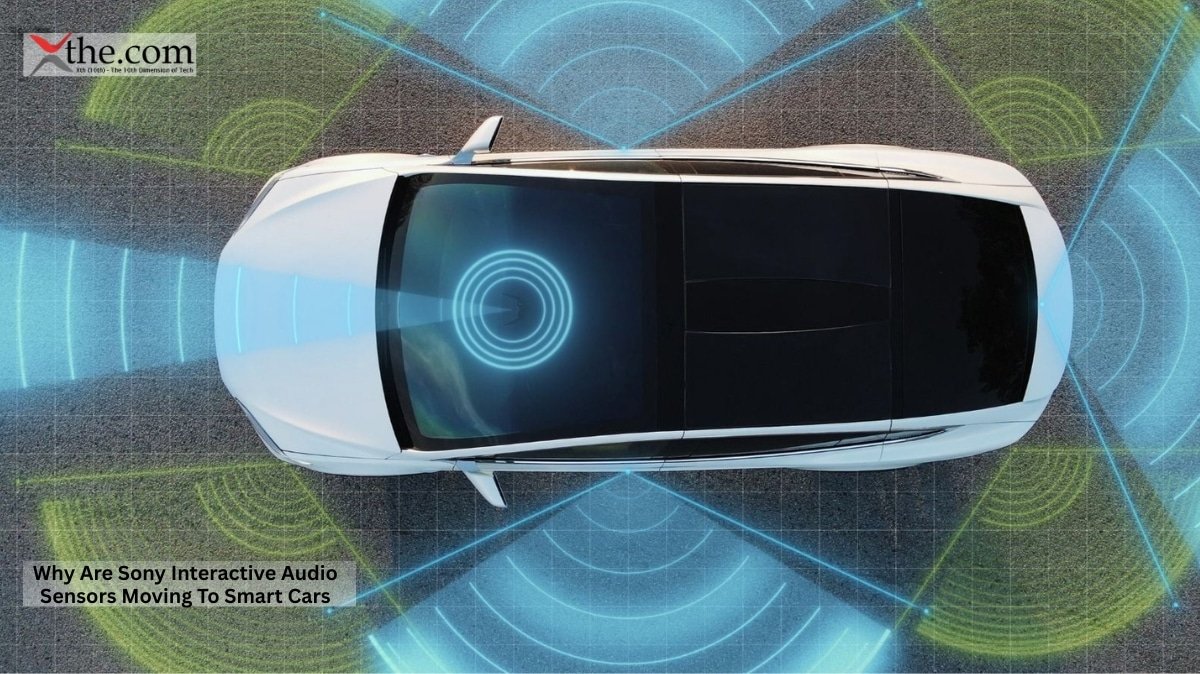
Automotive sensor integration enables adaptive spatial audio to work in a moving car. The AFEELA 1 has 40 sensors, including cameras, lidar, radar, and ultrasonic arrays, all managed by a powerful control unit. Most reports focus on how these sensors support safety features such as collision avoidance, self-parking, and lane-keeping. But the same network also supports the car’s interior intelligence systems. 

In cars, spatial audio systems use sensors and cameras to track each passenger’s head position, so the sound can be adjusted for everyone. In the AFEELA, this means the car is always aware of its interior such as seat positions, how many people are inside, and how the cabin is set up and adjusts the sound field accordingly. A driver alone on the highway has a different auditory experience than a passenger in the back seat watching a movie. The cabin isn’t a fixed space; the sensors make sure the audio system treats it as something that can change. 

At CES 2026, Sony’s semiconductor division showed off its SPAD LiDAR distance sensor (IMX479) and automotive image sensor (IMX623). Both help the car sense its surroundings in all directions, supporting safety features and enhancing its interior awareness. Sony’s sensing technology is designed to watch the vehicle’s environment in 360 degrees and spot hazards early. This approach to sensing also applies inside the car. 

Interactive Soundscapes and the Cabin as Content Platform 

Sony’s bigger goal isn’t just better audio. The company wants to turn the car’s cabin into a content platform, using interactive soundscapes to deliver new experiences. 

The AFEELA 1 launched with content partners like Spotify, Amazon Music, Audible, Dolby Atmos, and Polyphony Digital, the studio behind Gran Turismo. Polyphony’s role is especially interesting. Known for their detailed work on car sounds in games, they are now helping Sony Honda Mobility create the best e-motor sounds for the AFEELA. The car’s powertrain will feature sounds designed by the same team that perfected racing engine audio in video games. This is an interactive soundscape design brought into real life. 

Monopole Synthesis lets sounds be placed anywhere in a large virtual 3D space, making each seat feel surrounded by audio even as if speakers are at the front of the car or outside, with sound coming from all around. The “Zonal Sound” mode takes this further: people in different seats can listen to completely different things at the same time, thanks to speakers in the seats that keep audio separate. The driver can listen to music while a passenger in the back watches a movie, and neither one disturbs the other. 

This is the business idea behind interactive soundscapes: audio that changes based on the situation, the content, and where people are sitting, instead of playing the same mix for everyone. 

Sony’s Physical Computing Expansion and What the Auto Industry Should Watch 

Sony’s entry into automotive audio isn’t just about one product. It’s part of a bigger idea: that smart technology should move beyond screens and become part of our physical surroundings. 

AFEELA 1 is based on the idea of ‘Mobility as a Creative Entertainment Space,’ where the cabin is much more than just a way to get from one place to another. Sony’s long history with home theater, studio gear, and consumer audio from the first Walkman to today’s active noise-canceling headphones gives it a unique edge that most car suppliers can’t match. This heritage inspired AFEELA’s approach, making sound a key part of the journey rather than simply the endpoint. 

The Sony spatial automotive sensor integration systems architecture where cabin sensors, speaker arrays, AI processing, and content partnerships converge represents a meaningful departure from how automotive audio has historically been engineered. Classic strategies optimized a speaker arrangement inside a fixed acoustic environment. The AFEELA approach treats the cabin as a responsive system: sensors read it, AI models it, and the audio continuously adapts to it. 

For executives watching this space, the strategic risk is that Sony’s spatial-audio automotive sensor integration systems become a differentiating platform rather than a component. If the cabin experience becomes a meaningful factor in EV purchasing decisions and early reservation data from California suggests younger buyers weigh entertainment heavily then automakers without a comparable audio-sensor integration stack face a structural gap, not just a feature deficit. 

A Fresh Benchmark for In-Cabin Experience 

High-end cars have always tried to stand out with their interiors. Sony’s move from fixed audio setups to sensor-driven systems that constantly adjust a 360-degree sound environment sets a new technical standard that will be hard for others to match using traditional suppliers. 

The AFEELA 1 is set to be delivered in California in 2026, starting at about $45,000. This puts it in direct competition with mid-range Tesla, Rivian, and BMW EVs, none of which offer a similar audio system. If Sony’s in-cabin experience lives up to its promises, the company will show the auto industry that Sony spatial audio, when fully integrated with a car’s sensors, isn’t just a feature it’s the main attraction. 

Now, the competition to control the car’s interior as a sensory space is real. Sony has brought all its audio and semiconductor expertise into this fight.

Source: Sony Company News & Media Relations 

Menlo Park, California. 

Imagine landing at Rome’s Fiumicino Airport, getting into a cab, and receiving a street map printed only in Italian. There’s no smartphone signal and no time to type. When you look down, your glasses quietly get to work. Street names change from Italian to English, and arrows appear. You never need to touch your phone. This isn’t just a concept it’s the real interaction with the latest Ray-Ban Meta Glasses software. The technology behind it is more complex than most people realize. 

How Ray-Ban Meta Glasses Became a Navigation Device 

For most of their time on the market, Ray-Ban Meta Glasses were seen as lifestyle gadgets, a camera on your face, a speaker by your ear, and a stylish way to answer calls without using your phone. That view changed when Meta AI’s visual recognition feature was introduced. 

This change happened gradually. In April 2024, Meta released a software update that let users take a photo of a sign and ask Meta AI to translate it into English. By December 2024, Live AI will be available in early access, allowing the glasses to continuously see what the wearer sees. By April 2025, real-time map translation wasn’t simply a test it became a feature for everyone, supporting English, Spanish, French, and Italian. When Ray-Ban Meta Gen 2 launched in September 2025, it added German and Portuguese, and users could download language packs for offline use. 

The real change wasn’t just the number of languages. It was how the glasses process what you see in the real world. 

The Mechanics of Real-Time Map Translation 

Ray-Ban Meta Glasses uses a three-step process for instant map translation, and it works faster than most people expect. 

First, the built-in camera, now upgraded to 3K resolution in Gen 2, constantly captures what you see during a Live AI session. Instead of taking a single photo, it continuously streams video. The glasses don’t wait for you to ask they’re always watching. 

Second, the video stream goes to Meta AI’s processing system, which identifies words in the image, determines the language, and analyzes where the words are placed such as the position of words on a sign, the direction of arrows, or how a map legend is organized. This isn’t just regular text recognition. The system understands that layout gives meaning. For example, a word in the top-left corner of a transit map means something different than the same word in the middle of a route line. 

Third, and this is where the spatial overlay architecture matters, the translated output is routed back to the wearer without requiring them to look at a phone screen. On standard Gen 1 and Gen 2 models, translated speech plays through the glasses’ open-ear speakers and transcripts appear in the Meta AI app. On the Ray-Ban Display model, released for $799 in September 2025, translations appear as captions in the lower-right corner of the right lens, at 600×600 pixels with a 20-degree field of view. This lets the wearer read the translation right where they are already looking in the real world. 

This is what spatial overlay means in practice: information is attached to the real world rather than removed from it. The lens doesn’t replace your view; it adds helpful notes to it. 

Why Lag Was the Hard Problem 

Earlier attempts at wearable real-time map translation all struggled with the same problem: lag. By the time the system took a picture, sent it to a server, processed and translated the text, and sent it back, the user had already moved on. Maybe they missed a street corner or a train door closed. 

Meta’s engineers solved this in two ways. For tasks that require the cloud, they made the connection between the glasses and Meta AI’s servers faster, reducing delays during Live AI sessions. For offline situations, like airports with no signal or rural roads without data, users can download language packs so the glasses can translate locally. The Gen 2 model also has double the battery life eight hours instead of four, so longer navigation sessions are now possible. 

The 123.1 firmware update, released in early 2026, improved real-time map translation by adding 14 more languages, including Hindi, Arabic, and Russian. Now, you don’t have to download language packs for these new languages. Processing is still slower for newer languages than for established ones like Spanish and French, but the intent is clear: the system aims to make all text in your view readable, regardless of the language. 

Spatial Overlay Beyond Maps 

Using maps is the clearest example of spatial overlay, but the system does much more. The same technology that reads a street sign in Florence can also read a restaurant menu in Tokyo, a prescription label in São Paulo, or a highway exit sign in Berlin. 

The Ray-Ban Display’s in-lens caption feature, announced at Meta Connect 2025 by CEO Mark Zuckerberg, takes this idea further by working with spoken language. When someone speaks to you, captions appear in your lens, and the speaker doesn’t have to slow down or repeat themselves. Now, the spatial overlay isn’t just for text within your surroundings; it’s also linked to the person talking to you. 

For business travelers in new cities, the advantages are evident. Executives working in different language markets reading contracts, checking signs, or using transit systems abroad no longer need a separate device, an open app, or extra time to focus. The Ray-Ban Meta glasses‘ real-time map translation update removes these hindrances, making everything easier on the go. 

The Stakes for Wearable Computing 

The Bank of America Institute predicted that over 10 million AI glasses would ship in 2025, but Omdia later estimated the real number was closer to 5 million, with 10 million likely in 2026. This gap is due to obstacles in adoption, not doubts about what technology can do. 

The real-time map translation update for Ray-Ban Meta glasses is important because it helps close that gap. It gives everyday users a clear reason to wear glasses in places they might not have before, like a foreign city, an unfamiliar neighborhood, or when reading a document in another language. 

The glasses aren’t a complete navigation system yet. They don’t show turn-by-turn directions on the street in front of you like a car’s head-up display. However, the technology they use text recognition, location awareness, and in-lens displays makes the feature possible from an engineering standpoint. The foundation is set, and what happens next depends on how quickly the technology improves. 

When your glasses can read the world faster than you can check your phone, the phone starts to feel slow by comparison.

Source: Meta Newsroom 

Mountain View, California  

A hospital system operating across three continents cannot risk its patients’ genomic data being left unencrypted, even for a moment. The same goes for a European defense contractor running AI workloads on both AWS in Frankfurt and Google data centers in Warsaw. For both, the old idea of cloud security encrypting data at rest and in transit was never enough. As soon as the data was being processed, it was briefly exposed and vulnerable. Google Cloud Confidential Computing was created to solve this problem. The new architecture Google announced this month shows it is now addressing this issue even in clouds outside its own control. 

What Google Cloud Confidential Computing Actually Does 

The idea is simple, even if the technology behind it is complex. Google Cloud Confidential Computing protects data in use through hardware-based Trusted Execution Environments (TEEs). These are secure, isolated areas that stop unauthorized access or changes to applications and data during processing. Most organizations already encrypt data at rest and in transit. Google Cloud Confidential Computing tackles what experts call the “third gap”: encryption in use, which protects data during processing the stage where most past enterprise cloud breaches have happened. 

The hardware used here is important. Confidential VMs with AMD SEV-SNP provide additional security to help block attacks such as data replay and memory remapping. You can set these up on the N2D machine series without changing any code. This is a big deal. Security teams are much more likely to use hardware-level memory encryption if they do not have to rewrite their applications. 

The Multi-Cloud Problem No One Wanted to Admit 

Most Fortune 500 data security managers face a tough reality: their workloads are spread across several clouds, sometimes three or four, commonly due to acquisitions or compliance rules. At a 2025 infrastructure summit, the chief information security officer of a major German car supplier said her team managed encryption policies across AWS, Azure, and Google Cloud simultaneously. She called key harmonization across these platforms “the most expensive unsolved problem we have.” 

In the past, multi-cloud encryption meant keeping separate key systems, attestation models, and separate audit trails for each provider. The cross-sovereign shield problem is even more acute: organizations subject to EU data residency rules, US export controls, and emerging Asian sovereignty frameworks have to sometimes prove, cryptographically, that data processed in one region was never exposed in another. 

Google’s solution is built into the system, not just added on top. Confidential External Key Management uses Confidential Compute to put the key management endpoint in a tamper-proof environment inside Google Cloud. This gives organizations full control over their encryption keys and the rules governing their use, including where keys are stored and who can access them. Now, the key management endpoint itself is inside a TEE. Even the cloud provider, including Google, cannot access the keys or affect the workload. 

Cross-Sovereign Architecture: How the Shield Spans Competing Systems 

Google’s cross-sovereign shield framework is based on cryptographic isolation. Each participant encrypts their data with their own keys and controls how their data is used and which workloads can access it. The system is so secure that even the organization paying for the cloud service cannot change anything about the protected environment. 

This is especially important for enterprise data security managers who use Google Cloud Confidential Computing multi-cloud encryption keys. For example, imagine a pharmaceutical company working with a European partner on a joint drug trial. Each side keeps its data protected with its own keys. With Confidential Space, Google’s multi-party computation tool, both datasets are kept in the TEE, the analysis runs, and neither side ever sees the other’s raw data. Neither the operator nor the cloud provider can influence the outcome. 

Confidential Space with Intel Trust Authority is now available for everyone. It lets customers encrypt, verify, and scale their most sensitive AI and data activities without rewriting applications or sacrificing performance, even in strict regulatory settings. 

Multi-cloud encryption goes even further. Google Cloud Data Boundary lets customers set up a sovereign data boundary, decide where their data is kept and processed, and keep their encryption keys outside Google’s systems. This helps meet specific data access and control needs in any market. Unified hardware keys among different cloud providers are now a real, available product. 

What Enterprise Security Teams Should Evaluate 

The Google Cloud Confidential Computing multi-cloud encryption key setup raises three practical questions for any enterprise security director considering it. 

First, attestation portability. Can a TEE on Google hardware create a cryptographic proof that an auditor in another country will accept as evidence of data residency? The Intel Trust Authority integration, now available, is designed to make this possible. 

Second, performance cost. Intel TDX-powered C4 Confidential VMs can run production workloads with little performance loss. Live migration is now available, so Google Cloud can do hardware maintenance without stopping workloads or exposing encrypted memory. The performance hit that once made confidential computing hard for busy workloads is now much smaller with modern hardware. al computing to AI and ML workloads running on NVIDIA H100 Tensor Core GPUs, meaning the cross-sovereign shield now covers not just data analytics pipelines but also model weights, inference prompts, and intermediate activations, representing a new class of enterprise IP that requires protection. 

The Sovereignty Challenges Are More Severe Than They Appear 

People often see multi-cloud encryption as just a compliance requirement, but it is more than that. The organizations most affected by Google’s new system are those whose competitors already use federated learning across borders. Confidential federated learning enables multiple organizations to train AI models together while keeping sensitive data private. It brings the models to where the data is stored rather than moving all the data to one place, reducing the risk of data leaks. 

For example, a bank that can train a fraud detection model with three other banks without any of them seeing each other’s transaction records gains statistical power that solo competitors cannot match. This is not only about compliance; it is about obtaining a real competitive edge. 

Google Cloud Confidential Computing has evolved from a niche product for regulated industries into a general security tool that fits how enterprise computing really works today: spread out, using many vendors, across distinct regions, and facing more regulations. The cross-sovereign shield is not simply a new feature it shows that cloud security now needs to be proven, not just promised. Companies that invest in cryptographic attestation now will be much better prepared than those who wait.

Source: News, tips, and inspiration to accelerate your digital transformation 

Austin, Texas.  

Late on any weeknight, while most of the internet is quiet, thousands of automated scripts spread across the web with one goal: to collect as much proprietary content as they can before anyone notices. These aren’t the simple bots of the past. They switch between residential IP addresses, mimic human browsing habits, and use computer vision to get past CAPTCHA challenges. The main barrier stopping them from reaching your original content at scale is Cloudflare Bot Management, which just received a major upgrade. 

Cloudflare Bot Management Confronts a New Breed of Predator 

The threat has grown much faster than most security leaders expected. From July 2024 to July 2025, requests from GPTBot, which gathers training data for ChatGPT, increased by 147 percent. In the same period, requests from Meta-ExternalAgent, used to train Meta’s AI models, jumped by 843 percent. These aren’t small, unknown groups. They are large, well-funded tech companies systematically taking value from publishers, media organizations, and independent creators without paying for it. 

The business model is clear. As of June 2025, OpenAI’s crawl-to-referral ratio is 1,700 to one. Anthropic’s is 73,000 to one. For every page an AI crawler indexes, it sends back almost no visitors. The old relationship between search engines and publishers—where indexing brought traffic has basically ended. 

On July 1, 2025, Cloudflare became the first major internet infrastructure company to block AI scraping by default. Now, AI companies must get clear permission from any website before they can crawl it. This policy change was important, but it only affects bots that admit they are bots. The bigger challenge is stopping those who hide their identities. 

The Ghost Scrapers Nobody Sees Coming 

Modern scraping tools now use AI themselves. They rely on large language models to understand page content, use computer vision to solve visual puzzles, and apply reinforcement learning to navigate complex websites they have never seen before. Traditional firewall rules, such as blocking an IP address or flagging a user agent, are no longer effective against such adaptive bots. 

This is precisely the gap that Cloudflare’s newest behavioral analysis module targets. The Cloudflare bot management generative scraper defense update moves decisively away from static signature matching and toward per-customer anomaly detection. For each customer zone, behavioral detections ingest traffic data to build a continuously updated baseline of normal activity for that specific website. The system understands seasonality, recognizes traffic spikes from authentic marketing campaigns, and maps the typical pathways real users take through a site. Once that baseline is established, deviations become visible in a way they never were before. 

The scraping detection system looks at much more than just request headers. It tracks session paths, the order of requests, how users interact with dynamic page elements, and subtle client fingerprints, including JA4 fingerprints, all within each customer’s normal traffic patterns. Importantly, these models don’t need to read the actual page content. They focus on access patterns, not the substance, making them faster and easier to scale across Cloudflare’s millions of domains. 

Generative Scraper Defenses and the Evasion Arms Race 

Generative Scraper Defenses need to be advanced because attackers are always adapting. AI tools help both cybercriminals, and some AI companies build bots that evade controls such as location or IP blocking by changing their signatures or attack methods. Some bots now mimic human behavior well enough to bypass CAPTCHA challenges entirely. 

Take the example of Perplexity AI, which was publicly accused of impersonating real website visitors to scrape content from publishers like Wired. The value of large amounts of original content is higher than ever, and some AI companies are not open about their scraping. If a company worth billions is willing to hide its data collection, the financial incentive for less honest operators is even greater. 

Cloudflare’s answer is a feature called the “link maze.” This tool traps automated scripts in an infinite loop of fake links, wasting their computing power and helping Cloudflare spot their behavior for future blocking. The crawler protection rule can be configured to punish AI scrapers using the link maze, and it works alongside other controls such as automatic model updates and lightweight JavaScript detection. 

AI Traffic Safeguards as Infrastructure, Not an Add-On 

AI Traffic Safeguards are interesting because of where they work. Cloudflare operates at the network layer, so its protections start before any request reaches a website’s server. CEO Matthew Prince said the company blocked over 416 billion AI bot requests in the six months after the July 2025 default-block policy. This number isn’t about rare cases—it shows the scale of regular, large-scale data extraction that used to go unnoticed. 

Cloudflare also started a private beta for “Pay Per Crawl,” a marketplace where publishers can set their own prices and charge AI companies each time a page is crawled. This gives publishers a third choice beyond just allowing or blocking access. The system starts to address what many content leaders see as the main business problem of the AI era: value is created, but not always captured. 

For leaders at content-heavy companies—such as media, legal publishers, financial data providers, and SaaS documentation platforms—the impact goes beyond security. Cloudflare Bot Management is now a tool for protecting revenue. Every scrape that isn’t blocked could help train a competitor’s model, using your resources. 

A Standard That the Industry Did Not Know It Needed 

The wider significance of the Cloudflare bot management generative scraper defense update may be less about any single technical feature and more about the normalization of a new expectation: that content owners have enforceable rights over automated access to their work. 

Cloudflare’s security researchers are always working to spot and classify AI-related crawlers and scrapers across their network. They use both customer reports of bad bots and analysis from watching huge amounts of traffic. This crowd-sourced feedback, which helps update machine learning models automatically, is what makes their defense system active and responsive, not just a set of fixed rules. 

The next wave of ghost scrapers is already being built to get around today’s defenses. The real test for any security system isn’t if it can stop last year’s bots, but if it can spot new ones that haven’t been created yet. Cloudflare’s approach—using per-customer behavioral baselines and AI Traffic Safeguards at network scale—is the strongest solution the industry has seen so far. The big question is whether content owners will use it before the next wave arrives.

Source: The Cloudflare Blog 

Austin, Texas.  

Your gaming laptop runs Cyberpunk 2077 at 38 frames per second on Ultra RT settings. The visuals look amazing, but the gameplay feels choppy. You’ve maxed out your RAM, undervolted the GPU, and closed every background process. The problem isn’t your habits; it’s the hardware’s rendering limits. No amount of tweaking can create frames your system just can’t handle. 

This is exactly the problem AMD FidelityFX aims to solve. Right now, the latest version of this technology, the AMD FidelityFX FSR 4 frame generation update, is available for download through two channels that many gamers haven’t discovered yet. 

What AMD FidelityFX FSR 4 Actually Does 

Before you look for the software, it helps to know what makes this release different from earlier ones. AMD FidelityFX is a collection of AMD’s tools for improving graphics. The part responsible for FSR 4 Frame Generation has evolved from a simple upscaling method into a machine-learning inference engine. 

The frame generation engine uses machine learning algorithms trained on AMD Instinct GPUs to create high-quality extra frames using optical motion estimation and optical flow vectors. The system predicts how each pixel moves and looks, then combines this with motion-vector reprojection to produce a new frame between the originals. The model uses both timing and motion data to predict the color of each generated frame, so the result corresponds to the surrounding frames. 

This difference is important because older FSR 3 versions relied on analytical interpolation, which is essentially a mathematical guess. The new machine learning approach analyzes frame content through recognizing patterns it has learned, not just by following formulas. This change helps fix the issues that caused FSR 3 frame generation to appear blurry or ghosted during fast camera movements. 

Where to Find the AMD FidelityFX FSR 4 Frame Generation Update 

Channel 1: GPUOpen and the AMD FSR SDK 

The most direct route is AMD’s developer platform, GPUOpen. The AMD FSR “Redstone” SDK 2.3 is available for download directly through GPUOpen, with binaries and limited source also available on GitHub. 

The current SDK package, version 2.3, includes FSR 4 Frame Generation 4.0.1, FSR Upscaling 4.1.1, and Ray Regeneration 1.2. AMD FSR SDK 2.3 technologies are provided as prebuilt, signed DLLs to ensure stability and smooth updates, if the game allows it. For gamers who aren’t developers, having signed DLLs is important because AMD manages version integrity, so you aren’t using unsigned community patches. 

The GitHub repository GPUOpen-LibrariesAndSDKs/FidelityFX-SDK contains all public releases, with version history dating back to the FSR 2 era. In the Releases section, you’ll find the full SDK package and a smaller download with just the prebuilt DLLs. This is helpful if you want to add it to an existing game rather than use AMD’s sample projects. 

Channel 2: AMD Software Adrenalin Edition (The Automatic Path) 

Most end-users won’t need to touch a GitHub repository at all. With the AMD FSR “Redstone” SDK 2.3, future AMD Software: Adrenalin Edition driver releases can, by default, update the version of ML-based technologies used in-game. This ensures players experience the latest available technology without requiring game updates for each title. 

Specifically, games that have previously integrated AMD FSR 3.1.4 are eligible for automatic version upgrades to ML-powered AMD FSR Frame Generation 4.0.1 technology via future AMD Software: Adrenalin Edition releases on AMD Radeon RX 9000 Series GPUs, for DirectX 12 titles only. 

So, if you have a Radeon RX 9070 XT or another RX 9000 Series card and play a game that came with FSR 3.1.4 support, such as Cyberpunk 2077, God of War: Ragnarök, or Hogwarts Legacy, AMD’s driver can automatically upgrade the frame generation to the ML-powered version with the next Adrenalin update. You don’t need to patch the game—just update your driver. 

Hardware Requirements: Where Real-Time Upscaling Actually Runs 

Not every Radeon card supports every feature, so it’s important to check before downloading. 

FSR Frame Generation 4.0.0 needs Windows 11, DirectX 12 Agility SDK 1.4.9, and an AMD RX 9000 Series GPU or newer. The machine-learning version of FSR 4 Frame Generation only works on the RDNA 4 architecture at full quality. An analytical version of FSR Frame Generation, previously known as AMD FSR 3, is also included for backward compatibility with RDNA 3.5, RDNA 3, RDNA 2, and older GPUs. 

Regarding real-time upscaling, the requirements are a bit wider. AMD FSR Upscaling 4 needs an AMD Radeon RX 9000 or RX 7000 Series discrete GPU or better. On other hardware, the API will automatically use AMD FSR 3.1.5. This automatic fallback is important for ultra-thin gaming laptops. For example, a slim laptop with an RX 7600M XT gets ML upscaling without extra setup, but full ML frame generation still needs RDNA 4 hardware. 

The ML Engine Running Inside FSR 4 Frame Generation 

For gamers using compact or thermally limited setups, like a 13-inch gaming laptop or a mini-PC, the design of the FSR 4 engine is especially important. The system doesn’t place an extra load on the CPU when generating frames. Instead, it uses the GPU’s machine learning inference units, specifically RDNA 4’s AI accelerators, which work separately from the main shader tasks. 

AMD FSR Upscaling was trained on millions of high-quality images from modern games using large AMD Instinct GPU arrays. This training is done offline. When you play, the GPU runs the trained model as inference, which uses power differently than traditional rendering. The machine learning process doesn’t cause power spikes like native-resolution rendering does. It works via matrix multiplication rather than heavy pixel shading, so a thin-and-light laptop with a 65W TDP can maintain frame rates that would otherwise require 120W with native rendering. 

AMD FSR Upscaling reduces ghosting on moving objects and removes artifacts from uncovered surfaces relative to FSR 3.1. The machine learning algorithm also keeps particle system details clear, even when things are moving, and developers don’t need to add Reactive or Transparency masks. This is important for developers working on ultra-thin devices, since fewer integration steps mean faster release times and wider game support for handheld and slim laptops. 

The AMD FidelityFX FSR 4 Frame Generation Update: What’s New in SDK 2.3 

The latest public release, FSR SDK 2.3, adds several important improvements to the first FSR 4 launch. The AMD FSR “Redstone” SDK 2.3, released in Q2 2026, brings ML-based FSR Upscaling 4.1 to AMD Radeon RX 7000 Series (RDNA 3 architecture) discrete GPUs. This feature was previously only available on RDNA 4. 

The FSR Frame Generation 4.0.1 patch includes fixes for motion vector pre-processing within the generation rectangle and for the use of camera data in that pre-processing. These are important updates, not just cosmetic changes. Accurate optical flow vectors help the machine learning model predict motion between frames, especially during fast camera moves or in scenes with many particles. If the camera data is handled incorrectly, you get frame tearing; if it’s handled correctly, you get the smooth results the technology delivers. 

For Unreal Engine developers, AMD FSR 4 is available as a plugin for Unreal Engine versions 5.2 through 5.7. This range covers most commercial games currently being developed, so AMD FidelityFX is now a sensible option for studios working on both desktop and handheld PC platforms simultaneously. 

What Comes Next 

AMD appears to be working on its own Multi-Frame Generation technology for FSR, as shown by new ratio controls added to the FidelityFX SDK. This suggests there may soon be more than just a single fixed frame generation mode. Right now, the machine learning path is limited to doubling the frame rate. A ratio-based system would let gamers choose between 2x and higher multipliers based on their base frame rate and GPU capacity, a feature that AMD’s competitors already offer. 

The AMD FidelityFX ecosystem is growing from a simple upscaling tool into a complete AI rendering system. It now includes upscaling, frame generation, ray denoising, and radiance caching, all running in parallel, each trained separately and handled by dedicated inference hardware. For gamers with laptops or PCs that need to stay cool, this setup offers a more efficient way to achieve good performance rather than pushing for native-resolution frame rates with raw hardware power. 

You can get the software now. The driver is only a click away.

Source: AMD Community Updates 

Cupertino, California 

Your wrists get tired. After hours of pinching, tapping, and flicking through floating windows in mixed reality, even the most dedicated Apple Vision Pro users have noticed fatigue in their forearms. Apple is aware of this. The company’s recent regulatory filings, patents, and developer updates indicate it has been developing a solution that could change how professionals use spatial interfaces. 

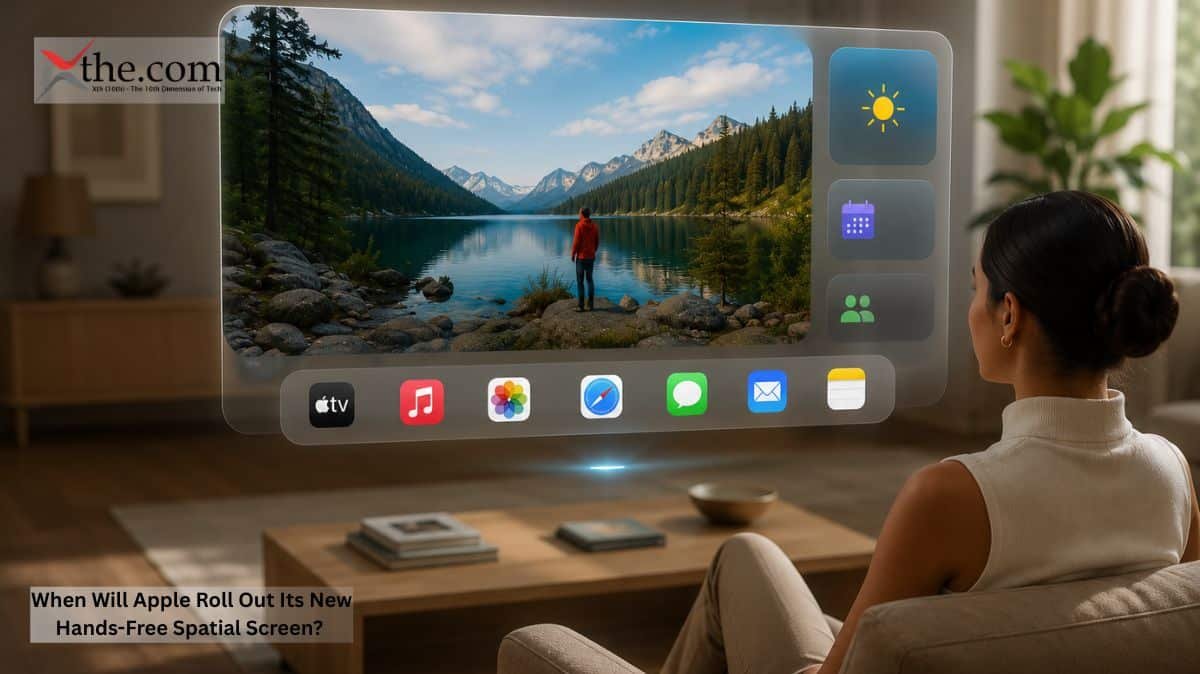
It’s no longer a question of if Apple will launch a fully hands-free interaction model for its spatial computing platform. Now, it’s about when it will happen and how much it will change things. 

What Apple’s Certification Pipeline Reveals About the Spatial Computing Update 

Earlier this year, several patent applications appeared at the U.S. Patent and Trademark Office describing what Apple engineers call a “gaze-arbitrated input pipeline.” These documents describe a system in which the headset’s eye-tracking, already used for foveated rendering, becomes the primary means of navigation. Users look at a panel or interface, hold their gaze for a set duration, and confirm their choice with a specific blink rather than a pinch. 

This isn’t just speculation. The FCC certification process, which Apple navigated for the original Apple Vision Pro hardware, requires new filings whenever system-level input methods change. In late 2025, observers noticed a new submission mentioning “biometric gaze confirmation protocols” and “passive input arbitration.” These terms match what patents describe. 

The practical implication: Apple Vision Pro spatial computing hands-free update 2026 appears to be a genuine near-term deployment, not a conceptual prototype reserved for the next hardware generation. 

The Physiology Problem That Drove the Engineering Solution 

To understand why this spatial computing update matters beyond novelty, it helps to examine the ergonomic limits of the current system. 

Apple Vision Pro takes input through eye tracking, hand tracking, and voice. Eye tracking moves the cursor. Hand gestures, especially pinching between the thumb and index finger, confirm choices. For short tasks or meetings, this isn’t a problem. But after three or four hours of editing documents, working with spreadsheets, or managing projects, it becomes tiring. 

Occupational therapists who study repetitive strain call this problem “precision grip fatigue.” It’s the muscle strain that builds up when your hand holds a precise position for a long time. Repeated pinching causes this exact issue. Physical therapy clinics in San Francisco’s tech area saw more patients experiencing strain from mixed-reality devices in 2024 and 2025, according to practitioners. 

Apple’s solution is to use only eye movements to verify. Confirming with a blink doesn’t use any muscles except the one that moves your eyelid, which tires much less easily than hand or forearm muscles. 

Apple’s hands-free system uses a layered approach. The headset’s dual micro-OLED displays already track where you look at about 60 frames per second. The new update introduces an additional layer that watches not just where you look, but also how your gaze changes over short periods. 

If you quickly look across several interface elements, the system doesn’t select anything. If you focus your gaze on one element and keep it there, you reach the dwell threshold. Then, a deliberate blink different from a normal, automatic blink confirms your choice. 

This system handles eye data differently from older consumer eye-tracking tools. Instead of just using raw position data, Apple’s system builds a behavioral model for each user, based on their usual blink rate and scanning habits during setup. This unique touch sets it apart from the basic dwell-click systems used within accessibility tools years ago. 

The Productivity Panel Implications 

With this new system, the floating windows that make up Apple Vision Pro’s workspace become much easier to use. Right now, a financial analyst managing six data panels has to pinch each time they switch focus. With the gaze-and-blink model, they just look at a panel and blink to select it. 

For professionals who use Apple Vision Pro for long work sessions such as attorneys reviewing files, architects working on 3D models, or portfolio managers tracking live market feeds removing the need for continuous finger-tapping fundamentally changes the cost-benefit calculation for the device. The current interaction model penalizes sustained use. The Apple Vision Pro spatial computing hands-free update 2026 removes that problem. 

Remaining Technical Uncertainties 

There are still some questions about the hands-free interaction system. In bright outdoor settings, people blink more due to sunlight and dryness, making calibration tricky. Apple’s patents note that the system needs to adjust for distinct lighting conditions. 

Accessibility is an additional concern. For people with neurological or muscular conditions that affect eye movement or blinking, a gaze-and-blink system could create new challenges even as it solves others. Apple’s accessibility team has usually addressed these issues at launch the first Vision Pro included robust Switch Control and Dwell Control options, but things get more complicated when eye movement is the primary means of interaction. 

What Comes After the Eyes 

Apple’s upcoming spatial computing update suggests that Vision Pro is becoming more of a professional productivity tool than just an entertainment device. At first, the hardware was marketed as something to aspire to, but the gaze-and-blink system makes it practical for a full workday. 

If the 2026 rollout happens as planned, more businesses especially in law, medical imaging, and architecture, may start using Vision Pro. The headset that once required learning new gestures is now moving toward something simpler: just look and choose.

Source: Apple Newsroom