Seattle, Washington 

Amazon Prime Day 2026 is set for June 23 at 12:01 a.m. Pacific Time. For about 200 million Prime subscribers worldwide, these days are some of the most important on the shopping calendar. The sale lasts until June 26, making it a four-day event and marking its return to June for the first time since 2021. This change shortens the summer shopping season and prompts other major retailers in the U.S. to adjust their plans. 

Amazon Prime Day 2026: What the Dates Actually Mean for Shoppers 

The event covers over 35 product categories, including clothing, beauty, kitchen appliances, electronics, and groceries. For shoppers tracking prices on items like a chest freezer or robot vacuum since January, this is the best time to buy, not just a moment for casual browsing. 

Prime Day started as a two-day sale, but Amazon made it four days last year and is keeping that format in 2026. This gives members more time to shop and compare prices, reducing rushed purchases, and enabling better deals through different products. 

Prime Day 2026 will take place in 26 countries in June, including Austria, Belgium, Canada, France, Germany, Italy, Spain, the UK, and the US. Australia, Brazil, India, and Japan will have their events later in the summer. This wide reach shows that Prime Day has grown from a local sale into a major global shopping event, backed by Amazon’s large logistics network. 

The Intelligence Behind the Cart: Alexa for Shopping and the Deals Guide 

The biggest change this year is not the timing, but the launch of a new predictive shopping feature that most shoppers have not used before. 

Amazon launched Alexa for Shopping in mid-May 2026. This AI tool combines features from Amazon’s Rufus and Alexa+ and, starting in June, can even create custom product designs for some items. 

Members can use Alexa for Shopping to create a personalized Deals Guide and set up deal alerts before the event. The Deals Guide works like a dynamic watchlist, updating based on your purchase history, budget, and favorite categories. If you have been looking for a Ninja air fryer or a Stanley tumbler for months, the system surfaces those exclusive sales when they drop, rather than waiting for you to find them manually at 2 a.m. 

Prime members who set up a deal alert with Alexa for Shopping are entered into a sweepstake for a chance to win a $1,000 Amazon gift card, with 100 winners chosen before Prime Day. This incentive encourages people to try the tool early and helps shift shopping habits toward using alerts instead of browsing impulsively. 

Members can also ask Alexa for Shopping to “shop small businesses,” which highlights independent sellers on Amazon. This makes it easier for shoppers who want to support local brands while still accessing exclusive deals. 

How to Prepare for Amazon Prime Day 2026 Dates: A Practical Guide 

How to prepare for Amazon Prime Day 2026 dates is no longer purely a question of timing. It is a question of setup. The members who walk away with the sharpest discounts in 2026 will be those who complete three specific actions before June 23. 

Start by activating Alexa for Shopping and setting up your Deals Guide. Members should set deal alerts and add items to their wish lists before the event starts. Deals in popular categories like electronics and kitchen appliances can sell out in minutes. Waiting until the morning of June 23 to browse is likely to mean missing out. 

Consider the cost of membership. Prime is $14.99 per month or $139 per year, with the yearly plan saving about $40. College students and people aged 18 to 24 can get Prime for Young Adults, which includes a free six-month trial and then costs $7.49 per month. If you are not a member yet, you can still sign up for a free 30-day trial and be ready for the June 23 start. 

Keep the bigger economic picture in mind. Gartner predicts that DRAM and SSD prices will rise by 130% by the end of 2026, potentially increasing average PC prices by 17%. This means late June may be the lowest point for prices on laptops, SSDs, and other electronics that use a lot of memory. If you plan to buy a new laptop or desktop before the end of the year, Prime Day 2026 could be your best chance for a good deal before prices go up. 

The Competitive Pressure: What Rivals Are Doing the Same Week 

Walmart Deals, Best Buy Tech Fest, and Target Circle Deal Days are all happening during the same week, from June 22 to 28. This makes it the busiest week for discounts all year. Unlike Amazon’s, these sales are open to everyone and do not require a membership, a direct response to Amazon’s members-only approach. 

This is retail competition in action. When Amazon schedules a four-day event in 26 countries, other retailers like Walmart respond quickly. This actually helps shoppers, since competing sales push all major stores to offer bigger discounts at the same time. If you watch both Amazon and its competitors during this week, you can often find deals that would not be available otherwise. 

The Outlook Beyond June 26 

Amazon has hosted two Prime Day-level events per year since 2022 a summer edition and a fall edition, Prime Big Deal Days, in October. The retailer has only confirmed the summer 2026 dates at this stage. 

The way Amazon Prime Day 2026 is set up with its four-day schedule, AI-powered Deals Guide, global reach, and overlap with other big sales shows that Amazon wants the end of June to become a regular event for shoppers, much like Black Friday. Whether this happens will depend on whether tools like Alexa for Shopping really make saving money easier or end up making things too complicated for most people. 

The countdown begins on June 23. Start getting ready today.

Source: How to prepare for Amazon Prime Day 2026: Dates, deals, and tips 

Santa Clara, California.  

For years, robotics PhD students at Stanford or ETH Zurich would spend the first 18 months of a 4-year grant building robots rather than training them. They had to source actuators from one vendor, simulation software from another, and inference hardware from a third. The result was often what insiders call a “Franken-robot”: good enough to publish a paper, but not useful for the next researcher who inherited the codebase. The NVIDIA Isaac GR00T Reference Humanoid Robot, unveiled at GTC Taipei on June 1, 2026, is NVIDIA’s direct response to this problem. 

What the NVIDIA Isaac GR00T Reference Humanoid Robot Actually Is 

This platform is not a typical consumer product line. Instead, it is a validated, open blueprint—a reference design that provides research institutions with a complete, working system rather than just a list of parts. NVIDIA, Unitree, and Singapore-based Sharp introduced the Isaac GR00T Reference Humanoid Robot at GTC Taipei as the first open humanoid reference design. It pairs a Unitree H2 Plus body with Jetson Thor computing and the Isaac GR00T software stack. 

Top research institutions such as AI2, ETH Zurich, Stanford Robotics Center, and UC San Diego’s Advanced Robotics and Controls Laboratory plan to use this reference design to advance humanoid robotics research. This kind of institutional support is important. When places like Stanford and ETH Zurich agree on the same hardware, the field finally gets something new: reproducible experiments on a standard platform. 

Inside the Chassis: The Unitree H2 Plus Specs That Define the Platform 

The hardware is built around a Unitree H2 Plus chassis that stands almost six feet tall and weighs 150 pounds, with 31 degrees of freedom throughout the body. Attached to it are two Sharpa Wave tactile five-finger hands, each supplying 22 degrees of freedom, for a total of 75 across the whole system. Each fingertip has tactile sensors, which enable the precise manipulation required for activities such as using tools or assembling components. 

These actuator numbers are important. The legs can produce 360 Nm of torque, which enables a humanoid robot to recover from a slip on a warehouse floor. For comparison, a person pushing hard against something stationary generates about 250 Nm of peak torque through the hip. The H2 Plus goes 44 percent beyond that—not because NVIDIA expects warehouse use right away, but because research needs to test robots at the limits of what they can do. 

The robot’s sensors include a head-mounted stereo camera with a 140-degree horizontal and 102-degree vertical field of view, wrist cameras for close-up work, and an inertial measurement unit for tracking movement. This setup lets the robot track its own hands against the background simultaneously, which is necessary for assembly tasks where a person would naturally look at their fingers. 

The Brain: Jetson AGX Thor T5000 and the Case for Local Inference 

The computing side is where physical AI goals meet applied engineering. The robot uses an NVIDIA Jetson AGX Thor T5000 module, which has a Blackwell architecture GPU delivering 2,070 FP4 teraflops, a 14-core Arm CPU, and 128 GB of unified memory. This provides enough power to run language-based manipulation commands locally without sending data to the cloud, at the fast speeds real-time robot control requires. 

This detail is important. Robots that rely on the cloud have delays that do not work with fast, quick movement. For example, a humanoid stepping over uneven ground cannot wait 80 milliseconds for a data center to send back a correction. The Jetson AGX Thor T5000 has a flexible power range from 40 to 130 watts for immediate sensor processing and robot inference. This pliability lets labs use less power during slow tabletop experiments and increase it for movement trials, which helps extend battery life without changing hardware. 

The robot connects through Ethernet, Wi-Fi 6, Bluetooth 5.2, and USB, and it has microphones and speakers for voice interaction. Its battery has a 15 Ah (0.972 kWh) capacity, giving about 3 hours of use. There is also a remote emergency stop to quickly and safely turn off the robot if needed. 

The Software Stack That Makes Open Physical AI Viable 

The hardware specs are not the only reason five major institutions signed on before the platform even shipped. The Isaac GR00T platform also includes NVIDIA Isaac Teleop for recording high-quality robot demonstration data; Isaac GR00T open base models for humanoid reasoning and multi-task behavior; Isaac Sim and Isaac Lab for emulating and testing robot policies before real-world use; and fast Isaac ROS middleware to transfer trained policies to physical robots. 

This setup solves a problem that has long divided robotics research. For example, a team at UC San Diego can record a physical demonstration, simulate it at scale in Isaac Lab, train a better policy, and then use it on the same H2 Plus robot that Stanford used last semester. This makes experiments repeatable, so the field can build on past work instead of starting over each time. 

NVIDIA Isaac GR00T Reference Humanoid Robot Specs, Cost, and Availability 

For research administrators reviewing budgets, the NVIDIA Isaac GR00T reference humanoid robot specs cost discussion begins at $29,900 the listed price for the H2 Plus-based system. The H2 Plus is expected to ship from Unitree in October 2026. Researchers who want to get started sooner can use the Isaac GR00T reference workflow for the smaller, more common Unitree G1 on GitHub and Hugging Face before the full hardware is released. 

For university labs focused on leading-edge humanoid physical AI, NVIDIA’s reference design offers the most direct route from buying equipment to starting policy research that the field has seen to date. However, U.S. lawmakers have recently introduced the bipartisan American Security Robotics Act, a proposed bill that would ban federal purchases of Chinese-made unmanned ground vehicles due to concerns about data security and national security. Federally funded programs should watch this legislation closely before making any purchases. 

The Structural Shift This Platform Represents 

Closed robotics systems have forced every lab to pay a hidden cost: reconstructing infrastructure from the ground up. NVIDIA’s approach is to eliminate that cost through a standardized, open reference design, so researchers can focus on the real challenges such as locomotion recovery, dexterous manipulation, and language-based task execution. 

Michael Yip, professor at UC San Diego and director of the Sophisticated Robotics and Controls Laboratory, noted that “an integrated platform that connects robot hardware, data capture, policy learning, and physical evaluation can help researchers accelerate loco-manipulation research and develop more useful real-world systems. “There hospitals and businesses will see walking, capable physical AI systems this decade depends on how quickly this progress happens. The NVIDIA Isaac GR00T Reference Humanoid Robot has given researchers the strongest starting point the field has ever had. 

Source: NVIDIA Announces NVIDIA Isaac GR00T Reference Humanoid Robot for Academic Research 

Mountain View, California 

When you upload a photo, it passes through more systems than most people realize, such as authentication checks, storage clusters, AI pipelines, and backup systems in large data centers. Each step could potentially expose your data. This challenge is why Google Cloud Confidential Inference is becoming increasingly important, reshaping how companies approach privacy at scale. 

This change is happening because Google, NVIDIA, and Apple are working together to solve a common problem: how to process sensitive data without exposing it in memory. Their solution combines Google Cloud Confidential Inference, reinforced by NVIDIA Confidential Computing hardware and tightly integrated with Apple’s Private Cloud Compute. Together, they are creating a system in which data remains encrypted even while it is being used. 

Why Google Cloud Confidential Inference Is Redefining Trust in Cloud Systems 

Encryption has long protected data when it is stored or sent over networks, but not while it is being used. This was not a big issue when cloud tasks were simple, like storage or basic analysis. But it becomes much more important now that AI systems handle private emails, health records, or personal photos. 

Google Cloud Confidential Inference focuses on protecting data in use. Instead of fully decrypting data in memory, it keeps everything in secure places where encryption remains in effect during processing. Even in large, shared data centers, sensitive information never appears in a readable form outside these secure hardware areas. 

One financial services company testing this technology gave an example: their fraud detection models can now review transaction histories without ever revealing account numbers to the people running the infrastructure. The system finds patterns but never sees personal identities. 

This difference may seem small, but it is actually very important. 

The Hardware Layer Behind Google Cloud Confidential Inference 

Software by itself cannot solve today’s cloud security problems. This is why Google is working more closely with NVIDIA Confidential Computing, which supplies the secure hardware needed for these environments. 

These special processors create secure areas directly in the hardware. Memory is separated, encrypted, and checked before any work starts. Even data center administrators cannot see what is inside these protected zones while they are running. 

This is important because AI tasks are increasingly complex and constantly evolving. They include ongoing analysis, real-time personalization, and data sharing between applications. Without secure hardware, each of these steps may introduce new risks of data exposure. 

By using NVIDIA Confidential Computing, Google Cloud Confidential Inference can keep data encrypted even while models are running. This is not simply a theory it is built into the hardware itself. 

How Apple’s Private Cloud Compute Changes the Equation 

Apple’s role comes from its Private Cloud Compute system, which brings device-level privacy to the cloud. Apple ensures that even when requests leave an iPhone or Mac, they remain protected by strong encryption and strict controls. 

Notably, Google Cloud Confidential Inference works together with Private Cloud Compute. Rather than acting as separate systems, both now follow the same rule: sensitive data should never be readable outside secure processing areas, even when AI is involved. 

Because of this partnership, Apple devices can offload complex tasks to data centers without compromising privacy. For example, if someone asks their AI assistant to summarize messages or analyze photos, they can trust that no one else can access the processing environment. 

The system does more than just encrypt data it is designed so that the data cannot be read at all. 

This denotes a major change in how companies build confidence with users. 

The Engineering Reality Inside Modern Data Centers 

In big data centers, tasks are almost never handled alone. One AI request might use authentication, databases, advisory systems, and language models all at once. In the past, each step usually required temporarily decrypting the data. 

Google Cloud Confidential Inference changes this by keeping data encrypted through every stage of processing. The data stays protected even as it moves between different computers. This means engineers have fewer trust points to worry about and fewer opportunities for data to leak. 

For example, a medical professional can run diagnostic models on patient images without ever exposing the original set of files to other parts of the system. Even the system records are configured to avoid capturing any readable information. 

By combining NVIDIA Confidential Computing with Google’s systems, performance improvements do not weaken security. Encryption is now built into how everything works, not something that slows it down. 

Why Enterprises Are Paying Attention Now 

Businesses are interested in Google Cloud Confidential Inference not just because of theory, but because of real-world rules and risks. 

Take a global insurance company as an example. In the past, strict privacy laws meant they had to control where data was processed. Now, with Google Cloud Confidential Inference, they can run the same tasks in different data centers while keeping data protected at every step. 

The safety model combining Google Cloud Confidential Inference and Private Cloud Compute safety is especially important. It creates a single system where data stays protected, even when moving between Apple devices and Google’s cloud. This is essential as consumer devices and business systems become more connected. 

Security teams are now focused not just on where data is stored but also on how it is processed without exposure. 

The Shift Toward Zero-Trust Processing Designs 

In the past, cloud security relied on trusting the systems within a company’s own infrastructure. That is no longer true. Today’s systems operate across multiple environments, multiple clouds, and distributed AI processes. 

Google Cloud Confidential Inference encourages a stricter approach, called zero trust, even during data processing. Every step now assumes that no environment is automatically safe, not even in trusted data centers. 

This is similar to what Private Cloud Compute does at the edge of Apple’s system. At the same time, NVIDIA Confidential Computing supplies the hardware needed to make these protections real, not purely theoretical. 

Together, these systems build a multilayered security model in which trust is replaced by constant verification, and encryption is maintained throughout the process. 

What This Means for the Next Phase of Cloud AI 

The partnership between Google, NVIDIA, and Apple represents a significant shift in how cloud AI will evolve. AI is getting stronger, but privacy is more important than ever. The best way forward is to build security into the way data is processed, not just add it on top. 

Google Cloud Confidential Inference is leading this change. It does not just protect data when it is stored or sent; it keeps it safe while it is actually being used, which is when data is most at risk. 

As data centers grow and AI tasks become more personal, this approach will probably shape how global systems are built. Using NVIDIA Confidential Computing, Private Cloud Compute, and Google Cloud Confidential Inference together points to a time when even the most sensitive operations can run without revealing their contents. 

This new system is already being built. The next step is for it to be widely adopted, so that trust is not just assumed but proven at every stage of processing.

Source: NVIDIA Blackwell Leads on First Agentic AI Infrastructure Benchmark 

Santa Clara, California 

A typical mid-range gaming PC built in 2022 costs about $1,200 in parts alone. Now, that same setup can barely handle the latest AAA games at good frame rates and upgrading to a new rig that can keep up costs over $2,000 before adding a monitor or accessories. In this context, the NVIDIA GeForce NOW Summer Sale is beyond just a discount. It’s a tactical move by the leading GPU maker to guide frustrated American gamers toward a new way of playing. 

On June 11, 2026, NVIDIA cut the price of its annual GeForce NOW memberships by up to $70. The 12-month Performance plan dropped from $99.99 to $64.99, and the Ultimate tier went from $199.99 to $129.99. The sale lasts until July 8, 2026. These price cuts might seem small at first, but they matter when you see what the service now offers and why big studios are keen to join. 

The Hardware Overhaul Behind the NVIDIA GeForce NOW Summer Sale 

NVIDIA timed this promotion carefully. In the second half of 2025, the company rebuilt GeForce NOW’s infrastructure using the new Blackwell Server Edition GPU architecture and rolled it out across its global SuperPOD network. 

Jensen Huang described it as “the biggest leap in cloud gaming ever,” and this time, the claim is backed by real engineering. The Blackwell Server Edition upgrade gives Ultimate tier members GeForce RTX 5080-level performance, with 62 teraflops of compute power and a 48GB frame buffer, all housed in a data center. Each server node also uses an 8-core AMD Ryzen processor based on Zen 5 architecture running at 4.4 GHz, which is 30 percent faster than the previous generation. 

The improvements are clear. GeForce NOW streams games at up to 5K resolution and 120 frames per second, and its contest mode can reach 360 fps at 1080p with less than 30 milliseconds of latency. Matching these specs with a home PC would cost about $3,000. 

For studios, the Blackwell Server Edition remains unavailable due to a new feature called Cinematic Quality Streaming. This mode adds YUV color with 4:4:4 chroma sampling and 10-bit HDR, advanced AV1 encoders that adjust to changing network situations, and AI sharpening that keeps text clear during fast action. For publishers tired of seeing their games lose visual quality on cloud platforms, this is a big deal. 

Install-to-Play: The Feature That Doubled a Library Overnight 

Hardware upgrades aren’t the only reason studios are interested. The bigger change is Install-to-Play, the main feature of the NVIDIA GeForce NOW Install to Play Blackwell upgrade. 

Previously, GeForce NOW needed each supported game to have its own dedicated, pre-configured server slot, which meant NVIDIA had to work directly with each publisher. This limited the library to about 2,300 titles, leaving out many games from players’ Steam collections. 

Install-to-Play removes that limit. It runs a game’s normal installation process inside a secure cloud container, just like on a home PC. When a member starts a supported game without a dedicated server slot, GeForce NOW creates a container, installs the game in up to 100GB of temporary cloud storage, and starts streaming all in about the same time it takes to load a game from an SSD. Members who want to keep games available can buy persistent cloud storage starting at $2.99 per month for 200GB. 

As a result, the NVIDIA GeForce NOW library instantly doubled to over 4,500 titles. For studios that don’t want to negotiate dedicated server access, Install-to-Play makes the process much easier. Games can join the platform without special integration, which is why so many are signing up. 

Where RTX PRO Fits the Wider Picture 

It’s easy to miss the consumer angle with RTX PRO in GeForce NOW, since RTX PRO usually refers to NVIDIA’s professional server linethe RTX PRO 6000 Blackwell Server Edition, used in enterprise data centers by companies like Cisco, Dell, HPE, Lenovo, and Supermicro. This GPU has 24,064 CUDA cores, 96GB of GDDR7 ECC memory, and fourth-generation RT Cores that offer about twice the ray tracing performance of the previous model. 

This matters for consumers because the same Blackwell architecture used in RTX PRO enterprise servers is also in NVIDIA’s gaming SuperPODs. The chips aren’t exactly the same, but they share the same design. That means features like ray tracing, tensor processing, and DLSS 4 Multi-Frame Generation from the professional RTX PRO hardware are now available to gamers streaming Borderlands 4 on a five-year-old MacBook Air. 

This coincidence is by design. NVIDIA is creating one unified platform for enterprise AI, creative professionals, and consumer gaming. In this sense, GeForce NOW is the consumer side of a much bigger infrastructure plan. 

What This Means for American Gamers Right Now 

The math is simple. If you buy the 12-month Ultimate membership during the NVIDIA GeForce NOW Summer Sale, you pay $129.99 for a year of RTX 5080-level performance. Just the graphics card alone costs over $1,000, not counting the CPU, motherboard, power supply, or the time and effort to build and maintain a PC. 

People have had real concerns about cloud gaming, such as input lag, visual compression, and reliance on their internet provider. The Blackwell Server Edition upgrade tackles the first two issues directly. The third depends on U.S. broadband, but NVIDIA’s AV1 encoder helps by adjusting bitrate in real time rather than lowering resolution when bandwidth drops. 

The NVIDIA GeForce NOW Install to Play Blackwell upgrade also indicates a change in how people play games. Younger gamers who grew up with Game Pass and PlayStation Now already expect to stream games rather than install them. Install-to-Play matches GeForce NOW to those expectations, making cloud gaming feel more like playing locally. 

Studios are paying attention because their audiences are moving to cloud gaming. When games like Call of Duty: Black Ops 7, The Outer Worlds 2, and Borderlands 4 launch on GeForce NOW from day one, it shows publishers are rethinking how they release games. The cloud is now a main channel, not just an extra option. 

The Competitive Stakes 

Microsoft’s Xbox Cloud Gaming and Sony’s PlayStation Cloud Streaming are the main alternatives, but neither matches the high quality of Blackwell Server Edition. Xbox Cloud Gaming works well with Game Pass but usually tops out at 1080p and 60fps. Sony’s cloud service is still limited in both game selection and regions. 

NVIDIA’s strength is that it doesn’t own the games. GeForce NOW simply streams games users already own from services such as Steam, Epic, GOG, and Xbox. This makes it different from subscription bundles; it’s about providing the infrastructure, not the content. When that infrastructure works well at this level of quality, it’s hard to beat. 

So, the NVIDIA GeForce NOW Summer Sale isn’t merely about selling more memberships in the next few weeks. It’s about demonstrating the platform’s value now that its features have truly improved. NVIDIA is betting that once gamers try RTX 5080-level performance on a $400 laptop during this sale, they won’t want to go back to saving for years to buy similar hardware. That seems like a smart bet.

Source: NVIDIA Blackwell Leads on First Agentic AI Infrastructure Benchmark 

Cupertino, California 

Many smartphone users know the frustration: you check an email with travel details, see a text with a restaurant address, and notice an open slot in your calendar. Your digital assistant can respond to voice commands, but it does not fully understand what is happening across all your apps at once. 

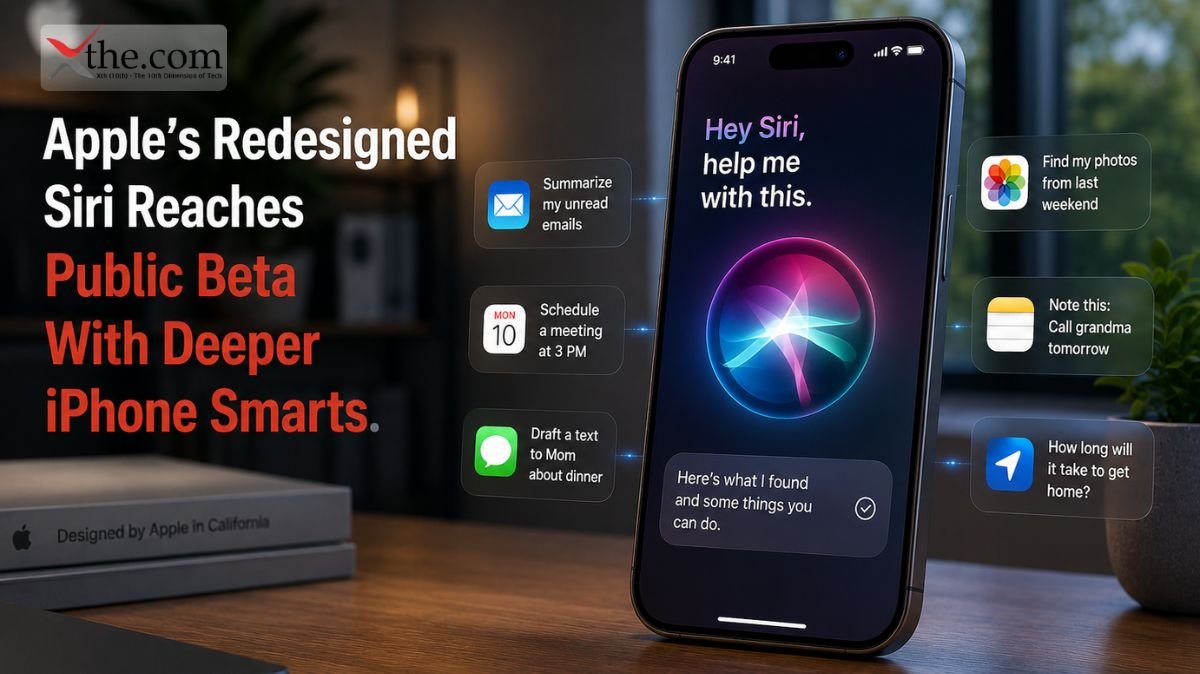
That limitation is what Apple is targeting as Apple introduces Siri AI with a major architectural redesign unveiled during WWDC26 updates. Rather than functioning as a voice-driven search tool, Siri is evolving into a context-aware personal assistant that understands what appears on your screen, connects information across applications, and performs actions without sending sensitive data to external servers. 

This change is one of Apple’s biggest software updates in years and could change how people use their iPhones, iPads, and Macs. 

Why Apple Introduces Siri AI With Deeper System Awareness 

For over ten years, digital assistants have mostly worked in a simple way: you ask a question, and the assistant gives an answer. 

This approach is fine for simple tasks, but it does not work well when context is important. 

For example, a small business owner might look at a supplier invoice in Mail while talking about delivery times in Messages. With older assistants, the user has to explain the situation each time. The new Siri is designed to skip that extra step. 

As Apple introduces Siri AI, the assistant gains the ability to understand active on-screen content. Siri can analyze visible screen pixels, identify relevant information, and determine how that information relates to tasks occurring elsewhere on the device. 

This might sound like a small change, but it is actually a big deal. 

Now, instead of just being a voice-powered search engine, Siri acts as a smart layer that understands what you want based on what is happening on your screen. 

The Technology Behind Apple’s New Intelligence Layer 

This redesign is built on Apple Intelligence, which is Apple’s on-device AI system. 

Unlike many other AI systems that rely on the cloud, Apple Intelligence does most of its work right on your device. Apple’s own chips handle much of the analysis locally. 

This design decision solves two big problems at once. 

First, it lowers latency. When requests stay on the first, it makes things faster. When everything happens on your device, you get answers almost right away. The information does not need to travel across external networks for routine tasks. 

At WWDC26, Apple explained that Siri’s new understanding comes from a mix of on-device language models, app awareness, and personal context processing. These systems help Siri see how information from different apps is connected. 

For users, this means Siri can now help based on what you are actually doing, not just what you say out loud. 

How Siri Can Read What’s on Your Screen 

The idea of Siri “reading your screen” might sound intrusive, but Apple does it differently. 

Siri does not record everything you do. Instead, it only becomes aware of what is on your screen when you ask for help and give permission. 

Consider a common scenario. 

For example, if a college student receives a text with an event date and location, they can just ask Siri to create a calendar event. Siri will see the details on the screen and fill in the information automatically. 

This feature works with all the built-in apps that support Apple Intelligence. 

When Siri understands what is on your screen, it can pick out names, dates, addresses, phone numbers, reservations, documents, and more. Then, it links that information to actions you can take. 

The result is a personal aide that appears less like a chatbot and more like a helpful digital aide. 

Cross-App Actions Become More Practical 

One of the biggest changes from the WWDC26 updates involves cross-application workflows. 

In the past, apps worked independently, and you often had to manually transfer information between apps. 

Apple’s new Siri aims to remove a lot of that hassle. 

For example, if you are looking at flight details in Mail, you can ask Siri to send your arrival time to a family member in Messages. Or, if you are checking out restaurants in Safari, you can ask for directions, make a reservation, and add it to your calendar without switching between apps. 

These features work because Siri can understand both what is on your screen and what you want to do. 

As Apple introduces Siri AI, the assistant can see more of what you are working on, so it can handle multi-step requests more smoothly. 

For busy professionals who juggle many tasks each day, even small-time savings can make a real difference. 

Privacy Becomes the Competitive Advantage 

Many AI systems try to stand out by being bigger or having more advanced conversations. 

Apple, however, is focusing on building trust. 

With Apple Intelligence, the company puts a strong focus on keeping your personal information in your hands. Instead of creating large profiles on remote servers, Apple processes most of your data directly on your device. 

This is important because contextual AI needs access to very personal information. 

A system that can see your emails, messages, photos, appointments, notes, and browsing activity has a lot of insight into your life. 

Apple’s solution is to change how things work behind the scenes. By processing more on your device, Apple keeps more of your information from leaving your device. 

The privacy model unveiled during the WWDC26 updates could become a criterion for future AI platforms. 

The Business Implications of Apple’s Strategy 

This announcement affects more than just regular users. 

Developers, software companies, and businesses will need to consider how contextual AI will change the way they design their apps. 

Apps that work well with Apple Intelligence could become more useful, since Siri can find information and take actions through various environments more smartly. 

For example, a project management app connected to Siri could let users create tasks, update deadlines, find documents, and set up meetings just by talking, all based on what is on their screen. 

This turns the personal assistant from just a handy tool into a productivity layer that works across all your apps. 

This could have a big impact on how efficiently people work. 

Understanding the Future of Contextual Computing 

The bigger picture here is contextual computing. 

For years, people have had to work around software limitations. They copied information by hand, switched between apps, and kept explaining things to their devices. 

Apple introduces Siri AI personal assistant features, attempting to reverse that relationship. 

Now, instead of people providing context for software, the software is starting to understand context on its own. 

The new Siri AI features from Apple’s latest updates point to a time when digital assistants play a bigger role in daily tasks, while still protecting your privacy better than many cloud-based options. 

As Apple introduces Siri AI, the company is betting that the next generation of computing will not be defined by louder voice commands or faster searches. It will be defined by systems that understand what users are doing in real time and can act intelligently without calling for constant instruction. If Apple executes that vision successfully, the modern personal assistant may finally become something closer to an actual assistant.

Source: UPDATE Apple unveils innovative features and intelligence experiences across services 

Santa Clara, California 

A database query that takes just a few milliseconds longer might not seem like much, but for a large cloud provider, those delays add up. The result is slower search results, sluggish business apps, and higher infrastructure costs. As companies use more autonomous software agents in areas such as customer service, cybersecurity, software development, and analytics, demand for server hardware continues to grow. 

That challenge sits at the center of why Intel Puts Agentic AI to Work through a redesigned server strategy. Rather than assuming every artificial intelligence workload belongs on expensive graphics accelerators, Intel is betting that a more capable central processor can coordinate thousands of software-driven decisions, control memory more efficiently, and keep information flowing across modern data centers without creating performance bottlenecks. 

Intel’s new strategy centers on the Xeon 6+ platform, a line of processors designed to support more autonomous software systems that run nonstop in enterprise settings. 

Why Intel Puts Agentic AI to Work Differently 

Many business leaders think of AI infrastructure as rows of servers packed with graphics processing units. That made sense when most AI work was about training large language models. But agentic systems need something different. 

Today’s software agents almost never work alone. For example, a customer support agent might pull up account details, check pricing, review past exchanges, and connect with inventory systems before replying. Every step needs ongoing communication between apps, databases, and cloud services. 

This situation is more about managing and coordinating tasks than just raw computing power. 

That’s why CPU orchestration matters more than ever. The processor becomes the main coordinator, directing workloads, managing resources, scheduling tasks, and ensuring that autonomous agents communicate effectively without overloading the network or memory. 

Intel’s view is simple: the processor should act as the traffic controller for autonomous software systems. 

The Growing Importance of CPU-Centric Architecture 

For years, server design has focused on adding special accelerators. These are still useful for training and running models, but businesses now face new challenges in day-to-day operations. 

In a cloud environment, thousands of software agents might run simultaneously. One could analyze customer behavior, another check security logs, a third manage software deployment, and a fourth look at distribution network problems. 

Each agent sends out its own requests. 

Every request means more information must move around the system. 

Each instance uses up memory bandwidth. 

If these tasks aren’t well coordinated, performance drops. 

The Xeon 6+ architecture tackles this challenge by increasing core efficiency, expanding memory capabilities, and improving the routes that move data throughout the server environment. 

This is important for businesses because AI performance now depends more on how quickly systems share information than on how fast they do single calculations. 

How Xeon 6+ Handles Autonomous Workloads 

Traditional business applications usually follow set workflows. Agentic systems, on the other hand, don’t. 

For example, an autonomous cybersecurity agent might spot something suspicious and quickly start several investigations. A software development agent could review code, suggest improvements, start tests, and share results on different platforms all at once. 

These fast-changing workflows need constant coordination from the CPU

The Xeon 6+ platform is built to handle many tasks simultaneously while keeping delays between system components low. Rather than depending only on external accelerators, the processor itself takes on more of the management work. 

This design change enables organizations to run more autonomous processes and simplifies their infrastructure. 

For cloud providers with thousands of servers, even small gains in efficiency may lead to big savings. 

The Role of Data Movement in Agentic Systems 

One of the least discussed challenges in enterprise AI is data movement. 

Many leaders focus on computing power, but how quickly information moves often decides how responsive the whole system is. 

Consider a financial services platform for processing loan applications. Multiple software agents may simultaneously verify identities, analyze credit histories, review compliance requirements, and calculate risk scores. 

These workloads rely on nonstop communication between databases, storage, and applications. 

When data movement slows, the entire process slows. 

Intel’s design focuses on fast, behind-the-scenes communication, so information can move quickly between processing cores, memory, and other connected systems. 

This becomes even more important as companies use more autonomous agents to make real-time decisions. 

Understanding the Intel Xeon Strategy 

Intel’s approach matters for more than just hardware specs. 

The Intel Xeon 6 plus agentic AI orchestration architecture shows a change in how the industry thinks about AI infrastructure. Rather than seeing AI as a separate layer, Intel is building autonomous software management right into the server itself. 

This difference is important. 

More organizations want AI systems to be part of daily operations, not kept in separate environments. Customer service, logistics, software development, and cybersecurity all need ongoing agent interaction. 

The Intel Xeon 6 plus agentic AI orchestration architecture is designed to help with these workflows by improving processor coordination, increasing memory scalability, and making communication paths more efficient. 

Since autonomous software spreads, having efficient infrastructure could matter more than just having the fastest processors. 

Lower Power Consumption, Higher Operational Capability 

Energy use is still one of the highest costs in today’s data centers. 

Adding more servers, accelerators, or cooling systems always raises operating costs. 

If companies can run more autonomous workflows by improving CPU coordination, they might need less additional hardware. This could help reduce power consumption without sacrificing performance. 

This approach is especially attractive to large cloud operators, enterprise software companies, and large organizations running many digital services. 

A processor that manages AI agents well and keeps infrastructure efficient can help organizations save money without slowing things down. 

The effects go beyond IT teams. Lower costs can change pricing, boost profits, and shape future infrastructure investments. 

What This Means for Enterprise Technology Leaders 

The rise of agentic AI is making business leaders rethink what matters most in their infrastructure. 

It’s no longer just about processor speed or how many accelerators you have. Companies now need to see how well their systems enable ongoing coordination between autonomous software agents. 

This places greater emphasis on data movement, memory access, and intelligent CPU orchestration. 

Intel’s new strategy shows that the future of enterprise AI may rely as much on how efficiently systems coordinate as on raw computing power. The companies that succeed will be those that ensure their software agents can communicate, collaborate, and get things done across complex digital systems. 

As autonomous systems become part of everyday business, the server processor is evolving from just a number-cruncher to an active coordinator. With Xeon 6+, Intel is betting that the future of AI infrastructure will be formed not just by speed, but by smarter management of all the software agents running behind every digital service. 

Source: Computex 2026: An Intelligent World Built on Silicon 

Redmond, Washington. 

The United States created the internet, funded the cloud, and developed most of the world’s leading AI models. So why does a desert nation with 10 million people beat the U.S. by almost 40 percentage points in using AI at work? 

This question is central to Microsoft On the Issues, the company’s public policy and research platform, which published its latest Global AI Diffusion Report in May 2026. The findings are not just surprising; they offer important lessons. For American professionals who thought building AI meant leading in its use, the data is a wake-up call. 

How Microsoft Scores a Nation’s AI Readiness 

Microsoft On the Issues presents the Global AI Diffusion Report as a diagnostic tool, not just a ranking. However, this difference fades when you look at the National AI Leaderboard. The leaderboard measures AI readiness using a single population-adjusted metric: the percentage of working-age adults (ages 15 to 64) who used a generative AI product during the quarter. 

The method matters because it removes headline noise. A country can host the world’s largest AI data centers and still rank 21st if its citizens aren’t integrating AI tools within daily professional workflows. That is precisely what happened to the United States in Q1 2026. 

The data is based on aggregated, anonymized Microsoft telemetry, adjusted for operating system market share, device use, internet access, and population. This measurement system values extensive adoption more than infrastructure investment, and that difference is already changing how global companies view workforce readiness. 

The 21st-Place Problem — And the Signal Inside It 

The United States rose from 24th to 21st on the National AI Leaderboard, with a 31.3% usage rate among working-age adults. This three-place jump may seem small, but it matters because the U.S. had been falling in the rankings for over a year, even though it leads in AI model development and computing infrastructure. 

The UAE leads the National AI Leaderboard with a 70.1% AI diffusion rate, more than twice the U.S. rate. Singapore, Norway, Ireland, and France follow the UAE, each with rates above 40%. These countries are not creating the models, but they are using them more quickly and widely in their workforces than the U.S. 

For a software engineer in Austin or a finance analyst in Chicago, the 21st-place ranking is real. It shows that many American professionals still see AI as optional, more of a productivity tool than a standard one. Companies comparing their teams to global competitors will see this gap in project schedules and hiring budgets. 

The Metric That Actually Tells the Story: Git Pushes 

The most important practical finding in the Microsoft Global AI Diffusion Report national rankings data doesn’t appear in the headline leaderboard. It appears in a single GitHub statistic. 

Git pushes through which software developers upload coding changes online increased 78% year over year globally. In practical terms, that means developers collectively executed 380 million Git pushes in Q1 2026, compared with 213 million in Q1 2025. Japanese developers outpaced the global average, uploading 129% more code changes to GitHub than a year earlier. 

These numbers are not simply abstract productivity measures. They show that AI-assisted coding is becoming common in software development. GitHub Copilot has grown from a code suggestion tool into a full AI coding platform, supporting multiple models, coding agents that can complete tasks and generate pull requests, command-line features, and integration with collaboration and project management tools. Now, Copilot is involved throughout the software development process, not just checking code. 

The economic effect is surprising but proven. As developers become more productive, the cost of making software goes down. If demand for software is flexible, companies build more software for more uses and industries. The Global AI Diffusion Report notes that U.S. software developer jobs reached about 2.2 million in 2025, up 8.5% from the previous year, and that March 2026 was about 4% higher than the year before. 

AI-assisted coding is creating more software, which means more developers are needed to manage, improve, and expand it not fewer. 

What the UAE Figured Out That the U.S. Hasn’t 

The UAE’s 70.1% diffusion rate is not simply a coincidence or a result of demographics. The UAE launched a national AI strategy across nine key sectors and established administrative frameworks, while other governments were still deciding whether AI needed special policies. This early start gave the UAE a lasting advantage. 

In contrast, the United States uses a devolved approach: corporate training, voluntary upskilling, and individual effort. This leads to mixed results. A developer at a big tech company in Seattle might use AI tools for 60% of their day, while an accounts clerk at a manufacturer in Ohio may never have tried a generative AI tool. 

This gap in AI adoption keeps the U.S. behind much smaller countries. Leading in AI infrastructure and model development does not guarantee widespread use. The National AI Leaderboard highlights this divide, which affects corporate training budgets, hiring standards, and the locations of technical talent. 

The Corporate Training Imperative 

The Microsoft Global AI Diffusion Report sends a clear message to HR and L&D leaders: the scoreboard is public and updated every quarter. 

Companies that saw AI training as optional are now competing with workforces in Norway, Singapore, and Ireland, where knowing how to use AI tools remains essential. The Global AI Diffusion Report shows that local AI-assisted coding reduces software development costs. When software becomes cheaper to make, companies that build their own tools quickly gain a lasting advantage over those waiting for outside solutions. 

The 78% increase in Git pushes clearly shows the impact: more developers are using AI and producing more work in less time. A company that accelerates this process with structured AI training within real workflows, rather than separate e-learning modules, gains a cost and speed advantage that grows with each quarterly update to the National AI Leaderboard

What Comes After 21st 

The U.S. moving up three spots on the National AI Leaderboard in one quarter shows that the adoption gap is shrinking, but the gap with the UAE remains huge. Closing this gap will take more than just individuals trying new apps. 

Microsoft, in On the Issues, often says that large-scale AI adoption requires three things: model builders, infrastructure builders, and users applying AI across industries. The U.S. is strong in the first two. The third area is where the Global AI Diffusion Report shows the biggest gap—and the biggest opportunity. 

These trends show that AI adoption is moving into a new phase: it is becoming broader, faster, and more practical. But it also requires careful action to ensure its benefits reach everyone. For American professionals and their employers, this starts with recognizing that a 31.3% adoption rate in a highly advanced workforce is not something to defend—it’s a starting point for improvement.

Source: The state of global AI diffusion in 2026 

Newtown Square, PA 

A European manufacturer expands into three regions simultaneously and finds that its customer data cannot legally cross borders in its original form. Finance teams in Germany see one version of demand, supply planners in Singapore see another, and U.S. operations rely on a third dataset that is several hours behind. This operational gap is not only inefficient but also increasingly non-compliant. In response, SAP’s new infrastructure initiative in Newtown Square, PA focuses on SAP Sovereign Data Federation. This model intends to balance regulatory compliance with real-time enterprise coordination, without requiring companies to duplicate entire databases. 

SAP Business Network Security is key to this change. It now goes beyond basic perimeter controls, managing data based on where it is stored and used. Together with a strengthened Data Localization Engine, SAP presents its system as a practical solution to complex global privacy laws. The issue is no longer only theoretical; it is now an operational, contractual, and board-level concern. 

Why Sovereignty Is Forcing a Redesign of Enterprise Systems 

Regulators in the EU, India, and parts of Southeast Asia are tightening rules on how data is stored, processed, and transferred. For global companies with cross-border supply chains, this causes urgent challenges. For example, a shipment delay in Vietnam might depend on inventory data stored in Europe, but legal rules prevent that data from being directly copied across borders. 

Traditional cloud strategies used to rely on copying data locally, syncing it later, and fixing any differences. This approach no longer works under today’s data sovereignty rules. Delays can now create compliance risks, and copying data can cause legal problems. 

SAP’s answer with SAP Sovereign Data Federation is not to move data everywhere, but to make it available everywhere using controlled rules that respect local laws. 

Inside SAP Sovereign Data Federation 

SAP Sovereign Data Federation treats data as distributed yet carefully managed. Instead of moving records across borders, the system enforces controlled query execution, allowing calculations to run while the data remains in its legal location. 

For example, a procurement manager in the United States can check supplier availability in Brazil without bringing raw Brazilian data into the U.S. The query runs locally, the results are adjusted as needed, and only outputs that follow the rules are sent back. 

This is where the Data Localization Engine is essential. It enforces legal boundaries while data is being used, not just when it is stored. Every data request is checked against local laws before it runs, ensuring that no process accidentally violates residency rules. 

For multinational companies, this approach reduces the need for separate regional systems while still complying with local laws. 

SAP Business Network Security as the Control Layer 

In this model, security is not only about stopping unauthorized access. It is also about making sure access is legal in every region. 

SAP Business Network Security adds identity checks, encryption, and policy enforcement to workflows that cross company boundaries. This is especially important in cross-border supply chains. For example, one transaction might include suppliers in Mexico, logistics providers in the Netherlands, and a final assembler in South Korea. Each part of the process follows different legal rules. 

Instead of ignoring these differences, SAP Business Network Security manages them as they happen. For example, a logistics update that is visible in one region might be hidden or summarized in another, depending on local rules. The system expects differences and is designed to handle them. 

This approach also makes audits simpler. Instead of trying to track where data went after the fact, companies can show they are following the rules in real time. 

Federation Versus Replication: A Structural Shift 

The main debate in this area is whether to use enterprise data federation architecture vs data replication for sovereign compliance

Replication means copying data to every region where it is needed. Federation means keeping data where it is created and managing access instead of making copies. 

Replication can make things faster, but it also adds risk. Each copy of data could break compliance rules as laws change. Federation reduces this risk but requires more advanced methods for managing queries and enforcing policies. 

SAP’s approach with SAP Sovereign Data Federation clearly supports federation. The reason is simple: legal rules are changing faster than companies can update their systems. Companies that continue to use replication-heavy models will spend more time fixing compliance issues than improving their operations. 

Federation, on the other hand, matches today’s legal reality. Data stays where it is, but insights shall be shared worldwide. 

The Role of the Data Localization Engine 

The Data Localization Engine serves as the enforcement layer that enables federation for large companies. It reads local rules, matches them to data, and decides what can be queried, processed, or shared. 

For example, a supplier risk score calculated in one country might be allowed for internal use but not allowed to be sent as raw data to another country. The engine makes sure that only data that follows the rules crosses borders. 

This is especially important in industries with strict regulations, like pharmaceuticals, aerospace, and financial services. In these fields, even metadata can be subject to localization rules. 

By building compliance into data use, SAP reduces the need for manual checks that often slow down global operations. 

Impact on Cross-Border Supply Chain Activities 

The operational impact on Cross-Border Supply Chain systems is immediate. Procurement cycles shorten because approval chains no longer stall on data transfer permissions. Inventory visibility improves without requiring central replication hubs. Risk analysis is more consistent because it uses distributed yet coordinated logic rather than scattered data. 

A manufacturing company that sources parts from five countries can now check supplier stability in real time without putting sensitive financial data in a single location. This change shifts supply chain teams from fixing data differences to managing the whole process consistently. 

Often, the main challenge is not technical limits but how regulations are interpreted. SAP’s model recognizes this and builds compliance into the workflow. 

Strategic Implications concerning Global Enterprises 

The launch of SAP Sovereign Data Federation marks a significant shift in how companies manage data. Businesses that used to focus on centralizing intelligence now need to focus on managing compliance across several locations. 

This does not remove the need for central analytics platforms, but it changes their purpose. Instead of collecting raw data, they now use processed results from local systems. 

Over time, this change could make large data replication projects less important than they used to be in global IT upgrades. The advantage will go to companies that can operate smoothly across multiple legal boundaries without breaking the rules. 

By combining SAP Business Network Security, the Data Localization Engine, and a federated setup, SAP creates a system where compliance is ongoing, not merely a one-time check. 

Forward View: Architecture as Compliance Strategy 

The biggest change is how we think about compliance. It is no longer simply an extra layer on top of infrastructure—it is becoming part of the infrastructure itself. 

With SAP Sovereign Data Federation, SAP is making federation the standard way to handle global differences in data laws. In the long run, companies will be measured less by how much data they collect in one place and more by how well they work without doing so. 

For global executives evaluating enterprise data federation architecture vs data replication for sovereign compliance, the decision is increasingly strategic rather than technical. Replication offers familiarity. The Federation provides durability. 

As data laws continue to diverge rather than converge, a durable solution may become even more important.

Source: SAP Opens Data Center in India 

San Francisco, CA 

Most developers know the feeling: you run an AI-generated script, the browser freezes, and the error is buried deep in a minified call stack that takes longer to untangle than writing the code yourself. The feedback loop is tough: write, run, fail, debug, and repeat. OpenAI Codex Developer Mode changes this by adding a browser debugging system right into the desktop client, so the agent can see the runtime it helped create. 

This update is far more than just a small convenience. It constitutes a real change in how AI coding agents interact with the code they generate. 

What the New Debugging Architecture Actually Does 

The main feature of this update is built-in support for the Chrome DevTools Protocol, which is the same low-level interface used by Chrome’s inspector, Puppeteer, and most major browser automation tools. In earlier Codex desktop versions, developers had to attach an external debugger themselves. Now, the agent can start a CDP session as part of its own process. 

This difference is more important than it seems. When a developer opens DevTools, they are reacting to a problem that has already happened. But when Codex starts a Chrome DevTools Protocol session on its own, it is being proactive. It monitors the runtime, looks for exceptions, tracks network activity, and checks the DOM state before anyone needs to step in. 

The agent doesn’t wait for instructions to find a problem. It already knows when something is wrong. 

Real-Time Patching and the Self-Correction Loop 

Automated Browser Profiling is what allows Codex to correct itself, making this update so useful. In a typical Codex session with developer mode on, the client starts a headless Chromium browser, loads the generated code, and continuously profiles metrics such as CPU usage, memory allocation, and rendering slowdowns. If the profiler finds a problem that corresponds to a known error, Codex highlights it in the editor sidebar and suggests a fix right away. 

Here’s a real-world example: a developer asks Codex to make a React component that gets data from a REST endpoint and shows a paginated table. The component loads, but a small timing issue causes the pagination handler to run before the data is ready. In the past, this would show a blank table and a confusing console error. With the new system, automated browser profiling spots the timing issue right away, points out the exact async call that was out of order, and suggests a fixed useEffect dependency array before the developer even finishes reading the error. 

This is what the company means by “agentic debugging.” Instead of a chatbot just explaining errors, the agent watches, diagnoses, and suggests fixes, all in a single, ongoing process. 

How JavaScript Live DOM Extraction Changes the Equation 

JavaScript live DOM extraction is the third key part of the new system and may have the biggest impact on front-end development. The CDP session lets Codex check the live document object model while the code is running not just the first HTML, but the real DOM as JavaScript changes it in real time. 

This functionality resolves a long-standing frustration for developers working with frameworks such as Vue, Svelte, or Angular, where the rendered DOM diverges significantly from the original version markup. When Codex generates a component and then reads back the live DOM via JavaScript live DOM extraction, it can verify that bindings resolved correctly, that conditional rendering logic produced the expected node structure, and that accessibility attributes were applied to the correct elements. Any discrepancy between the intended and actual DOM triggers a targeted patch rather than a full regeneration. 

For teams working on complex single-page apps, this removes the need for many types of integration testing that previously required a separate QA review. 

How to Enable Chrome DevTools Protocol Debugging Inside OpenAI Codex Desktop App 

Developers are already asking in the company’s Discord channels how to enable Chrome DevTools protocol debugging inside OpenAI Codex desktop app. The answer is actually simpler than the feature’s complexity might suggest. 

You’ll find this feature in OpenAI Codex Developer Mode, which you can turn on in the app’s settings under the Advanced tab. After you enable developer mode, you’ll see another toggle called “Browser Instrumentation.” Turning this on lets the agent start CDP sessions for any browser it launches. There’s also a port selector, set to 9222 by default, so teams running several instances can avoid conflicts. 

If your organization has strict network rules, the client offers a loopback-only mode to keep CDP traffic on the local machine. This is especially useful for teams working with proprietary code who want debugging features without risking data exposure. 

The Risk Calculus for Enterprise Adoption 

Every new feature comes with trade-offs, and the browser instrumentation layer is no different. Letting an AI agent write to a live runtime expands what it can do, but it also means a bad patch could break shared state in ways that are harder to fix than just editing a code file. 

OpenAI handles this risk with a sandboxed execution model. By default, Codex can only patch files in the current project workspace. Any changes to environment variables, build settings, or network configurations require the developer’s approval via an editor prompt. The system records every patch, including the time, the trigger, and the exact change, so teams have a full audit trail. 

In enterprise setups, logging is always on by default, which should meet most compliance teams’ needs. 

Where This Leaves the Developer 

This release makes OpenAI Codex Developer Mode more than just another IDE plugin. When an agent can watch the runtime it creates, profile its actions, check its live state, and fix its own errors without leaving the development environment, the old line between code generation and code validation starts to disappear. Power users have wanted this tighter feedback loop since AI coding tools first came out. Now, the real question isn’t whether this is useful—it clearly is—but whether the industry can set trust boundaries fast enough to keep up.

Source: ChatGPT — Release Notes 

San Francisco, California 

A product manager might need a quick answer before meeting a client. A software engineer could want a deeper analysis for a tricky debugging session. A student may need help understanding a tough research paper. Until recently, many AI users ran into a surprising problem: figuring out how much “reasoning” a model should use before giving an answer. 

For more and more users, making that choice became a hassle in itself. 

The new ChatGPT Model Picker Update marks a significant shift in how AI companies share advanced features with the public. Instead of showing users technical ideas like reasoning effort, token allocation, or calculational depth, OpenAI is making things simpler by focusing on performance choices that are easier to understand. 

This leads to an interface that keeps most of the complexity out of sight but still lets users control how the system responds. 

Why Reasoning Fatigue Became a Real Problem 

Over the past few years, the AI industry has worked to teach users about increasingly advanced models. 

At first, this openness attracted power users. Engineers, researchers, and tech fans wanted to see how models worked. They wanted to know how systems processed information and how different settings changed the results. 

But for most users, the experience was different. 

Many people found themselves dealing with options they did not understand, and that required technical know-how to use properly. Choices like low reasoning, medium reasoning, extended reasoning, or special compute modes often left people feeling unsure rather than confident. 

This problem is now called reasoning fatigue. 

When users must always decide how much effort the AI should put into its answer, that choice becomes a burden. Instead of concentrating on their own work, they end up managing the system. 

The latest ChatGPT Model Picker Update seems made to solve this problem. 

The Shift Toward Compute Tiering UX 

A broader idea, called Compute Tiering UX, is behind this redesign. 

Instead of making users think about how the model works inside, the interface now focuses on results. 

Most people know the difference between faster and slower service. They also get the idea of premium versus standard options and different performance levels. 

But they usually do not understand concepts such as token budgets, chain-of-thought depth, or inference allocation strategies. 

This is where Compute Tiering UX makes a difference. 

Now, instead of picking abstract reasoning levels, users choose performance options that match what they want to do. Someone writing emails might want speed. A financial analyst looking at a complex model might want depth. A software architect working on enterprise systems might pick up a higher-performance mode that uses more computing power. 

The system still handles intricate reasoning behind the scenes. The difference is that users no longer must think about it. 

How GPT-5.5 Reasoning Architecture Underpins the Change 

This simpler look would not be possible without big improvements under the hood. 

The GPT-5.5 Reasoning Architecture lets the system adjust computing power based on the situation, task complexity, and the performance level the user selects. 

Older AI systems usually used strict reasoning controls. Users had to decide exactly how much effort the model should use before giving an answer. This worked for experts, but it confused most people. 

The GPT-5.5 Reasoning Architecture brings in more flexible behavior. 

For example, a simple question about travel tips might need very little computing power. But a request about legal documents, software debugging, or scientific analysis will automatically use much more reasoning effort. 

Instead of making users choose technical settings, the system now makes those choices on its own. 

This reduces the mental effort for users while still giving them access to advanced features. 

Why ChatGPT Pro Extended Matters 

Power users still want to have control. 

This creates a need to balance different needs. 

While most users like simple controls, developers, researchers, analysts, and business customers often need to see more about how the system works. 

This is where ChatGPT Pro Extended becomes especially useful. 

The premium tier seems built to give more computing options without making things too complicated for regular users. 

For example, a software engineer reviewing thousands of lines of code may care less about speed and more about accuracy, depth, and careful analysis. 

A researcher comparing different scientific ideas faces a similar need. 

For these users, ChatGPT Pro Extended gives access to more powerful computing while keeping the interface simpler than older versions. 

The goal is not to take away features for power users, but to make those features easier to use. 

Understanding How to Change Reasoning Effort in New ChatGPT Model Settings, June 2026 

One of the most-searched questions following the redesign concerns how to change reasoning effort in new ChatGPT model settings, June 2026. 

This question shows an interesting shift. 

Users who previously used clear reasoning controls now see performance-based options instead. Many are searching for the old controls they once had. 

The key is to realize that performance tiers now work as indirect reasoning controls. 

Instead of picking a reasoning effort directly, users now choose a performance level, which decides how much computing power is used in the background. Higher performance settings usually provide deeper analysis, while faster settings prioritize quick, efficient answers. 

So, searches for changes to reasoning effort in the new ChatGPT model settings in June 2026 show that users are adjusting to a new way of interacting with the system. 

The features are still there, but how they are shown has changed. 

The Business Logic Behind Simplicity 

This redesign is more than merely a user experience choice. 

It also shows bigger trends in the market. 

As AI platforms reach beyond just developers and tech fans, making them easy to use becomes increasingly important. Millions now use AI for writing, research, customer support, education, software development, and business tasks. 

Most people do not want to learn how AI works on the inside. 

They just want results. 

The ChatGPT Model Picker Update recognizes this by focusing less on how things work inside and more on what users want to achieve. 

There are many examples of this in tech history. 

Most people with smartphones do not know how their phones manage memory. Most streaming users do not understand video compression. Most drivers cannot explain how modern transmissions work. 

But these technologies succeed because they hide complexity behind simple options. 

AI seems to be heading the same way. 

What This Means for the Future of AI Interfaces 

The importance of the ChatGPT Model Picker Update goes beyond just changing the interface. 

It demonstrates a broader maturation of consumer AI. 

Earlier AI products often showed technical controls because most users were experts. Now, as more people use AI, the industry is starting to hide the details so users can focus on their goals rather than the technical side. 

With GPT-5.5 Reasoning Architecture, Compute Tiering UX, and ChatGPT Pro Extended, it looks like advanced computing will become increasingly invisible to users. 

Users will still get the benefits of advanced reasoning, but they will use simple performance choices instead of technical menus. 

This change is similar to what has happened with other successful computing platforms. The best technologies do not win by being more complicated. They win by hiding complexity and giving better results. OpenAI’s new interface suggests that AI is now moving into this phase, where it is less about managing settings and more about getting results easily.

Source: ChatGPT — Release Notes