Mountain View, California  

Last spring, a forklift-sized autonomous robot came to a sudden stop in a Cincinnati fulfillment center, just three feet from a worker who unexpectedly stepped into its path. There was no collision and no alarm. The robot simply recalculated its route and continued. This smooth response was not the result of a programmer adding a special rule. Instead, it came from millions of hours of annotated video, processed through a spatial computer vision system that had already encountered this scenario in a data center, not a warehouse. 

The system that enabled that quick decision is changing how logistics work across the country, with labeled data sets playing a central role. 

Why Labeled Data Sets Are the Real Infrastructure Behind Train Robots Development 

Most people talk about robotics in terms of actuators, sensors, and battery life. But engineers who build autonomous systems know the real challenge is not the hardware. It’s the data, and more specifically, how well that data is annotated. 

A robot moving through a busy distribution center has to tell the difference between a stationary pallet and one that’s moving, or between a forklift going 4 mph and a person crouching to pick something up. These problems can’t be solved with simple rules. Instead, the model needs to see tens of thousands of accurately labeled video frames, each marked with details like object type, speed, whether something is blocked from view, and what’s happening around it. 

The annotation pipeline is painstaking. A single 30-second clip from a warehouse camera can require four to six hours of human labeling before it becomes genuinely useful training material. Scale that across a fleet deployment covering 200,000 square feet of floor space, and you understand why robotic automation projects historically took 18 to 24 months before a machine could operate safely at full speed. 

That timeline is collapsing. 

Google AI Studio Workloads Are Changing the Speed Equation 

Developers working on next-generation mobility systems are now routing substantial parts of their training pipelines through Google AI Studio workloads, specifically using the platform’s spatial indexing engines introduced in late 2024. These tools allow annotated environmental video clips to be ingested, tagged, and crosschecked against 3D spatial maps in a fraction of the time previous workflows required. 

The Google AI Studio developer robotics training model configuration framework is especially important here. It lets engineers create custom setups that match a robot’s real-world decision process, specifying how inputs from sensors, for example, LiDAR, depth cameras, and motion sensors, are compared to labeled past scenarios. Rather than training a general vision model and hoping it works in a new setting, teams can now set up a learning environment customized to their needs before training even starts. 

A logistics technology company testing this method at its Memphis sorting center reduced the time it took robots to adapt to a new product line from 14 weeks to less than 72 hours. This isn’t just a small improvement—it’s a major change in what automation can offer to a CFO considering a big investment. 

Neural Mobility Models Learn from the Messiness of Real Spaces 

Training robots in controlled labs has never worked well. Warehouses are different—they have changed light, floors that get wet near loading docks, and people who are always adapting. Neural mobility models trained only on clean, perfect data often fail when they encounter real-world situations that don’t match their training data. 

This is why the quality of labeled data sets companies apart. Teams that spend time labeling footage from real, messy environments including tricky cases such as hidden obstacles, faded floor markings, and packed areas create models that perform well in many situations. Teams that rush through labeling may end up with models that look good in demos but fail in real operations. 

Today’s top fulfillment centers use spatial computer vision systems that can recognize obstacles in less than 40 milliseconds, all on the device itself. This fast, local processing is important when running at scale. If a robot has to send data to the cloud and wait for a response, even a small delay at 5 mph can become a real safety risk. 

Robotic Automation at Warehouse Scale: What Executives Need to Understand 

For operations leaders and technology executives, the key takeaway is that the quality of your labeled data sets the limit for your robotic automation program—not how much you spend on hardware. 

A $250,000 autonomous robot trained on poorly labeled data will perform worse than a $180,000 machine trained on carefully labeled, specific video, whether you measure throughput, uptime, or safety. Investing in annotation is not something to cut from the budget. 

Developers using the Google AI Studio developer robotics training model configuration framework understand this asymmetry. They are building proprietary data libraries that function as long-term moats. A company that accumulates five years of annotated footage from its own operations is building something competitors can’t buy just by spending more on hardware. 

The Annotation Arms Race Has Already Started 

For American manufacturers and logistics operators, the question is no longer whether to invest in smart labeled datasets for training robots in dynamic environments. The Cincinnati forklift example, along with thousands of similar close calls that never became incidents because the robots responded well, has already answered that. 

Now, the real question is who controls the data pipeline and who built it first. The neural mobility models, spatial computer vision systems, and Google AI Studio tools molding the future of automation are being built today, frame by frame. Facilities that recognize this now will stay ahead, while those that don’t will be left trying to catch up in a few years.

Source: A new era for AI Search 
San Jose, California  

Last spring, a mid-sized logistics company in Columbus, Ohio, discovered that an unpatched internet gateway device had been quietly leaking shipment and client payment records for 11 weeks. The attacker never set off any alarms. They just used a misconfigured edge device that no administrator had checked since it was first set up. In enterprise IT, this is known as the Cisco Catalyst Vulnerabilities gap. Right now, Security Framework Vaults across the country are being Locked Now with extraordinary urgency. 

Why the Perimeter No Longer Holds 

For twenty years, companies believed that building a strong outer layer would keep everything inside safe. That idea has quietly but completely fallen apart. Remote work, hybrid cloud setups, and more internet-facing devices have broken down the old boundaries. Now, networks are more complex, spread out, and much more exposed. 

In 2024, the Cybersecurity and Infrastructure Security Agency reported that over 40 percent of successful attacks on U.S. critical infrastructure exploited weaknesses in perimeter gateway devices, such as routers, firewalls, and load balancers, that organizations trusted without question. Cisco Catalyst Vulnerabilities, especially those listed under CVE-2023-20198 and related advisories, showed how fast one unpatched device can lead to a full network breach. An attacker who gets into the management interface of a Catalyst switch can do more than just watch traffic they can change it. 

Configuration Hardening: The Unglamorous Work That Actually Matters 

Security conferences fill rooms with talk of artificial intelligence-driven threat identification and behavioral analytics. Meanwhile, the actual breach typically traces back to a router with a default SNMP community string set to “public.” Configuration Hardening is neither a new idea nor glamorous. Still, it is often the difference between organizations that prevents incidents and those that must report them to the government. 

The National Institute of Standards and Technology’s updated SP 800-189 guidance now requires network administrators to disable unnecessary services at the IOS level, use only encrypted management access, such as SSHv2 or HTTPS, and configure control plane policing to prevent resource saturation attacks. At major data hubs that comply with financial sector rules, these steps are reviewed during audits. Not following them is more than just missing a best practice—it is a regulatory risk. 

Take a regional hospital network that manages patient records across twelve campuses. Each campus has its own edge gateway. Before Configuration Hardening, eleven out of twelve devices allowed Telnet connections. Telnet sends credentials in an unencrypted form. If just one device were compromised, it could have allowed attackers to move across the whole patient data system. 

Zero-Trust Architecture and the End of Implicit Trust 

Zero-Trust Architecture is based on a simple idea: no device, user, or service is trusted solely because of its location on the network. Every connection request, whether it comes from the executive suite or a third-party vendor’s laptop, must be authenticated, authorized, and constantly checked by dynamic policy engines. 

This is not simply a theory—it is how things work in practice. Organizations using Zero-Trust Architecture at the gateway level implement micro-segmentation policies that keep different workloads separate, even when they share the same physical or virtual infrastructure. If an endpoint in accounting is compromised, it cannot access the database cluster with engineering data because the policy engine blocks that path. Instead of finding an open space, the attacker faces a series of locked rooms. 

The Cisco enterprise network gateway zero-trust infrastructure mitigation matrix is an organized framework that connects specific device controls to zero-trust policy goals. It gives organizations a step-by-step plan for moving from old perimeter setups. This approach pairs Edge Gateway Defense with identity-aware proxy layers, ensuring authentication occurs as close as possible to the resource being accessed, rather than at a single point that, if bypassed, could expose everything. 

Edge Gateway Defense: Where the Fight Actually Happens 

Edge Gateway Defense is where most intrusions are either stopped or succeed. These devices, such as border routers, session border controllers, and next-generation firewalls, sit between an organization’s internal network and the public internet. They handle every external connection request and are, by their nature, the most exposed assets an organization has. 

Moving to Edge Gateway Defense frameworks means doing more than just patch management. Organizations now need to treat gateway devices as places where identity policies are enforced, rather than just as traffic filters. Companies using Cisco Catalyst infrastructure must The perimeter is gone. The framework, finally, is not.  

connect to Cisco Identity Services Engine or similar platforms, ensuring that every management action is tied to a verified administrator and that session recording and anomaly detection are enabled. 

At the data hub level, in carrier-neutral facilities in places like Northern Virginia, Silicon Valley, and Chicago, where internet exchange points handle massive amounts of traffic, this architecture prevents a single compromised device from causing widespread problems for thousands of downstream tenants. The Security Framework Vaults at these sites are now being locked, not because regulators required it after a breach, but because the cost of a breach at this scale is simply too high. 

The Calculus Has Changed 

Organizations that saw network security as just a cost rather than a strategic priority are now rethinking their approach. According to IBM’s annual report, the average cost of a data breach in the United States reached $4.88 million in 2024. For essential sectors such as energy, healthcare, and financial services, the cost is even higher when you factor in regulatory fines and downtime. 

The administrators securing Security Framework Vaults today are not just responding to past breaches. They are closing the doors that future attackers are already looking for. Every unverified connection that Zero-Trust Architecture blocks, every management session that Configuration Hardening encrypts, and every lateral movement that Edge Gateway Defense stops is an intrusion that never gets reported—and a medical record, financial account, or system that stays safe.

Source: Cisco Security Advisories 

Armonk, New York  

Last May, a ransomware group locked down 1,500 hospitals across the United States in less than four hours. The attackers did not use explosives. Instead, they found a seven-line vulnerability hidden in a scheduling application that had not been reviewed for eleven months. The total cost eventually exceeded $900 million in recovery, fines, and legal fees. IBM’s response to this kind of risk is the IBM Code Shield, which acts before an audit is even needed. 

The Architecture Behind IBM Code Shield: How It Stops Cyber Extortionists 

The new system is part of Sovereign Core Architecture, IBM’s runtime security framework introduced earlier this quarter. Instead of acting like a firewall added to the outside of an application, it works more like a second nervous system built into the application. Every function call, memory allocation, and data-write instruction goes through a policy enforcement layer that Sovereign Core Architecture manages in real time. 

What sets this apart remains a change in approach. Traditional enterprise security tools use a detect-and-alert model: when something goes wrong, a dashboard signals an alert, and a person investigates. IBM Code Shield uses a detect-and-remediate model. When Continuous Runtime Inspection finds an unsafe memory reference or an unenforced privilege boundary, like the flaw that led to the Colonial Pipeline breach in 2021, the system automatically patches the execution path in milliseconds without taking the application offline. 

Engineers at two major financial services firms in IBM’s early-access program said that Continuous Runtime Inspection detected and fixed injection vulnerabilities during live feature development, before those features reached a staging environment. These vulnerabilities were not created by attackers but by skilled developers working under strict deadlines, a common cause of enterprise software flaws. 

Inside the Watsonx Orchestrate Plane: Intelligence That Scales With the Threat 

The automated replies are powered by the watsonx Orchestrate Plane, IBM’s enterprise AI coordination engine, now fully integrated into the Sovereign Core stack. Earlier versions of watsonx mainly handled workflow automation, but now the watsonx Orchestrate Plane continuously analyzes threat patterns throughout all of an organization’s applications at once. 

An enterprise running two hundred microservices does not have two hundred separate security problems. Instead, it faces a system-wide attack surface where a single misconfigured authentication token in a billing service can quickly lead to a full network compromise. The Watsonx Orchestrate Plane maps these links and automatically enforces consistent policies across services, a task that used to require a dedicated security team working manually. 

The IBM Sovereign Core WatsonX orchestration platform enterprise deployment model is structured to slot into existing DevSecOps pipelines without mandating organizations to rebuild their CI/CD workflows from scratch. IBM has designed native connectors for GitHub Actions, Jenkins, and Azure DevOps. A manufacturing company with legacy Java applications running on-premises can use the same protective layer as a cloud-native fintech on Kubernetes. The policy enforcement logic adapts to the runtime environment, not the other way around. 

The Enterprise Vault: Data Sovereignty as a Structural Guarantee 

IBM Code Shield adds another architectural component to address a different risk: data exfiltration at rest. The Enterprise Vault, IBM’s encrypted and policy-controlled data enclave within Sovereign Core, guarantees that sensitive records never leave jurisdictionally defined boundaries, no matter how an application is accessed. 

This is especially important for industries that must comply with regulations such as HIPAA, GLBA, and the EU AI Act. A hospital system using the Enterprise Vault to store patient records cannot accidentally expose those records through a poorly configured API, because the vault’s access policy enforces jurisdictional and role-based controls at the data layer, not just the application layer. This distinction matters: application-layer controls can be bypassed if the application is compromised, but data-layer controls enforced by the Sovereign Core Architecture cannot be. 

For executives considering the return on investment, IBM’s internal modeling, based on breach-cost data from the Ponemon Institute, shows that organizations using the full IBM Code Shield stack can reduce the average time to contain software-related breaches from 277 days to under 48 hours. This reduction alone leads to cost savings that far exceed most enterprise software licensing fees. 

Why the National Security Dimension Is Real 

Since 2019, the United States Cybersecurity and Infrastructure Security Agency has identified software vulnerabilities as the main way attackers target critical infrastructure. For example, when the Oldsmar, Florida, water treatment facility was remotely accessed by someone who attempted to raise sodium hydroxide levels to dangerous levels, the attack occurred through a remote desktop application with outdated, unpatched code. IBM Code Shield stops cyber extortionists, but also prevents quieter threats, such as nation-backed actors who do not demand ransom but instead observe and gather information. 

Continuous Runtime Inspection in a utility’s SCADA-related systems acts as a structural deterrent to these threats. The code becomes self-defending, so the attack surface shrinks as the application evolves rather than expanding with each new feature. 

A Permanent Change in How Enterprises Think About Security 

The wider implication of the IBM Sovereign Core WatsonX orchestration platform enterprise deployment model is not only operational it is philosophical. Security has traditionally been seen as a phase in the software development lifecycle, applied before release and managed by a separate team. IBM’s architecture removes this separation by making security enforcement part of the runtime itself. 

Companies that adopt this shift early and include Sovereign Core Architecture in their development standards before a breach occurs will spend the next decade focusing on product speed, while others will be explaining to regulators how customer data was exposed. A strong defense does not draw attention to itself; it simply works.

Source: Think 2026: IBM Delivers the Blueprint for the AI Operating Model as the AI Divide Widens 

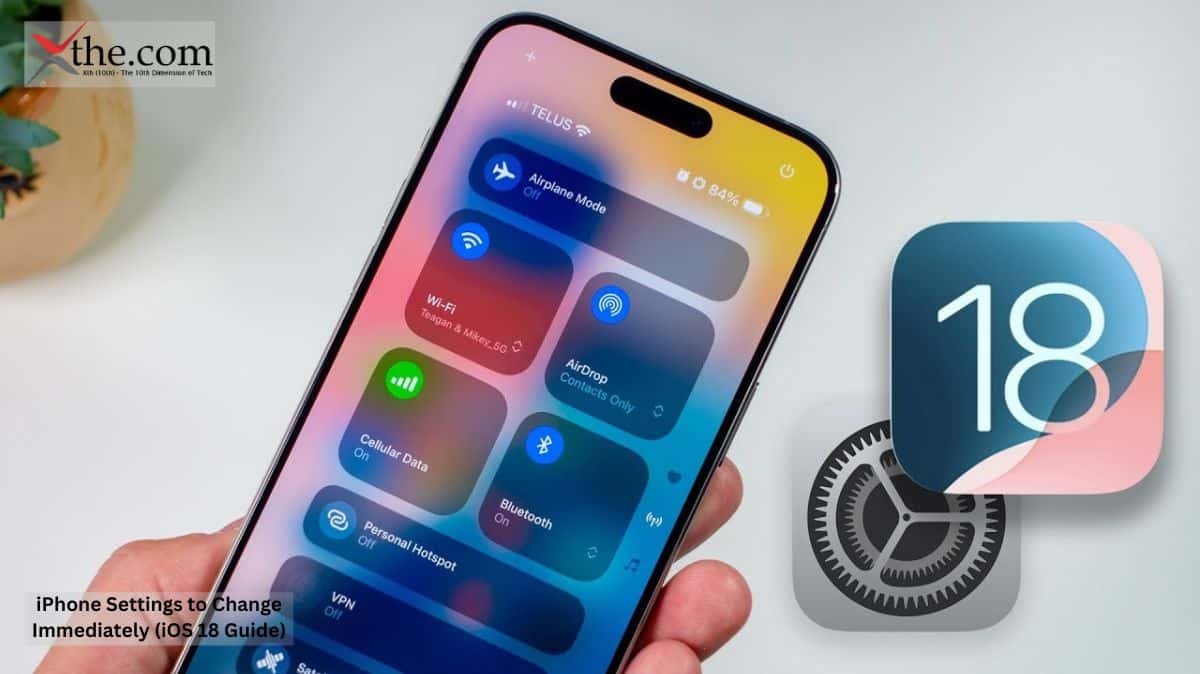
Shifting to an iPhone is a dream for many, specifically the newer versions. The main reason is the quality of photos and the brand value of Apple phones. However, the battery drainage and utility value of an iPhone after spending such a massive amount shifts people away. With the best iOS 18 settings, you can improve this by tweaking some settings. This essential iPhone settings 2026 guide will show you the exact iOS 18 tips and tricks to improve iPhone battery life iOS 18 and master the iOS 18 privacy settings guide right away. These are the must-change iPhone settings for new users looking to maximize iPhone performance iOS 18. 

Battery Health 

The main concern of people about Apple phones is its extreme battery drainage. With an iOS 18 feature, you can change the maximum battery charging, thereby making it impossible to charge beyond the limit. According to experts, keeping it to 90% or 80% is suggested to increase battery durability. 

Photos and Contacts Access 

By default, apps have the tendency to obtain maximum data from you. The good news is iOS 18 can restrict or limit this access. If you go to Settings, select Privacy & Security, you can find apps and what data they have access to. You will have 3 options: full access, limited access, or none. This you can select based on which apps you want to give full access to your contacts and pictures, which apps should have limited access, and which apps should not have any access. With this feature, you are the king of data protection. 

App Locations 

Many apps today ask for your location whether they actually need it or not. The iOS 18 settings allow you to track these requests in the Settings > Privacy & Security > Location Services settings. You can allow an app to access your location: Never, Ask Next Time or When I Share, While Using the App, or Always. You are again the decision-maker; should you actually give location access to all apps always? You can shift it to only while using the app, or even never for apps that do not need it. This will not only protect your data but also save your battery from draining. Even when sharing location, you can choose to share an approximate location or precise location. This gives you full control over the data that is on big apps’ servers. 

Subscriptions 

It is often a fact that we lose count of our subscriptions, especially in the booming OTT era. There might be a high amount that you are wasting because you forgot to unsubscribe from an app or website that you don’t use anymore. The Apple iOS 18 version has solved this puzzle. If you open Settings, at the top, tap on your name. You will see a Subscriptions icon. If you select it, you can view all the subscriptions which are active at the moment. You can go through, select, and unsubscribe just by clicking Cancel Subscription. You can also view other plans to subscribe with a different plan. 

Cellular Data  

If you do not have unlimited data, then keeping a limit on cellular data usage is essential for your benefit. The Apple iOS 18 version comfortably manages this trouble as well. Take Settings > Cellular > Cellular Data Options and ensure that it is set to Standard, or else the iPhone might use cellular data even when it has access to Wi-Fi. This ensures that you do not waste your mobile data. 

App Store 

There is not much you have to do here. However, it is advised to: 

Go to Settings > App Store. Under Automatic Downloads, turn off App Downloads if you have multiple devices and don’t want apps you downloaded on one to appear on all of them. 

Go to Cellular Data where you will find ways to minimize the use of cellular data. You can either allow automatic downloads, which means any app will be downloaded automatically using cellular data. You can also choose to automatically download and only ask those heavyweight apps for permission or ask each time of download. This will ensure that your cellular data is saved for your actual needs rather than wasting it on an app to download. You can also turn off In-App Ratings & Reviews in the App Store, which will make sure that you don’t get pop-ups each time you open an app to give them a rating. 

In Conclusion 

The iPhone iOS 18 is even more capable than before in protecting your battery and privacy. The network control gives even more value for money and makes Apple an even better choice. We have covered the must-change 6 features for current Apple users as well; with these changed, your phone is more secure, your data is more secure, and your peace is entirely with you. 

FAQ 

1. What setting has to be changed in terms of battery?

 Answer: Set a limit, preferably 90%, to increase the battery durability. 

2. What setting to incorporate in terms of photos and contact sharing?

Answer: It is advised to give limited or no access to your contacts or photos unless it is essential.

3. What about location sharing, should I give access always?

Answer: When sharing your location with any apps, you can share it either while using the app or ask each time. This not only protects your privacy but also your wallet by saving your battery life and durability.

4. Which setting must be incorporated in terms of cellular data?  

Answer: It is suggested to keep it on Standard 5G. 

5. Can I actually remove 5-star rating requests by apps? 

Answer: Go to App Store settings and turn off In-App Ratings & Reviews, then you won’t receive notifications asking for reviews or ratings. 

Source: 6 iOS 18 settings I changed immediately – and why you should too 

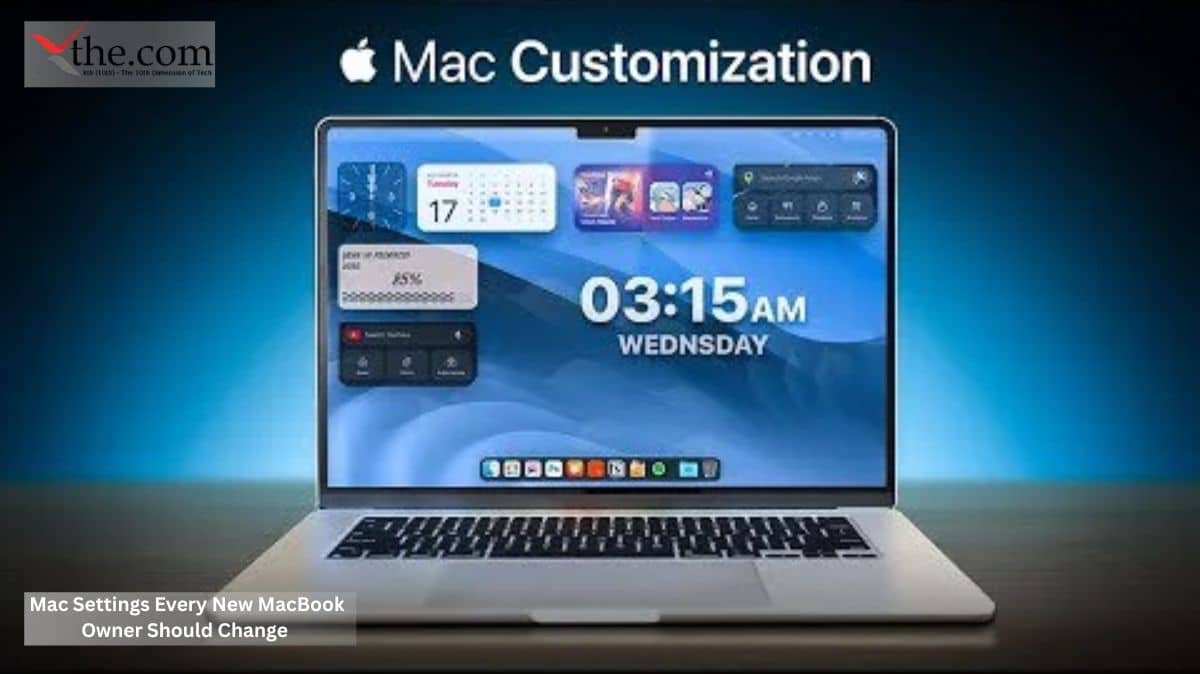
When you complete purchasing a MacBook and get ready for its setup, a few things have to be kept in mind. We have covered a few tweaks you need to make before starting your Mac experience, which serve as an essential macOS settings guide. Whether you are using this as a new MacBook setup guide or looking for hidden Mac features, these tweaks will help you in protecting your laptop from battery drainage and protect yourself in terms of privacy. Optimize MacBook for productivity, adjust your MacBook Air/Pro settings 2026 version, implement the best macOS settings for work, and improve Mac battery and speed with the following adjustments. 

Get your apps in order? 

The first thing you do on any laptop is get all your apps downloaded. These apps are usually found in Apple’s App Store. 

But what if you can’t find a particular app and absolutely need it? You can download it from a third-party website. Just open the System Settings app. Go to Privacy & Security in the sidebar, then scroll down to the Security section. Make sure that “Allow applications from” is set to App Store & Known Developers rather than just App Store. Otherwise, macOS may prevent your new apps from running. 

Once you get a few apps downloaded, you’ll want to set your default settings. Things like your default browser and your default email. To change your default browser, move to System Settings > Desktop & Dock and select an option next to “Default web browser.” For email, open Mail. Go to Mail > Settings in the menu bar, choose the General tab, then pick an app next to “Default email reader.” 

For other apps, you’ll need to open the Finder. Right-click a file that will be opened by your chosen app, then click Get Info. From here, click the arrow next to Open With, and select Other. A window of your Applications folder will open. Select the app you want to use, then click Open With. 

Automatic updates 

Automatic updates ensure that your laptop updates frequently. It gets new features and safety measures. This makes sure that your laptop stays up to date for any security threats. 

In order to enable the feature to automatically keep macOS up to speed, go to System Settings > General > Software Update. Click the “I” button next to Automatic Updates. Ensure all the toggles are turned on, then click Done. 

For apps installed from the App Store, open the App Store app and click App Store > Settings in the menu bar. Now, click the checkbox next to Automatic Updates. For other apps you downloaded through a third-party web source, you might have to check through the concerned website or app developer website. 

Time Machine 

Any laptop might crash at any moment. It happens. Even if it is well-built and has a good reputation in terms of brand, it is still an electronic device. When this happens, the biggest stressor for anyone is their files and documents. What will happen to them? 

The Apple MacBook has a concrete solution to this problem. All you need is an external storage facility. The rest will be taken care of by Time Machine. Ensure that Time Machine is connected and set up with the external storage facility. 

First, connect your storage drive. Then open System Settings and go to General > Time Machine > Add Backup Disk. Select your drive and click Set Up Disk, then follow the on-screen instructions. Now, macOS will automatically back up your Mac on a regular schedule, provided your drive is connected. 

Lock your privacy 

Apple is much more advanced in protecting its users’ privacy as compared to its competitors. Apple almost requires Touch ID for any of the apps to open or any important task. This makes it extremely difficult for others to access your information. It prevents your data from reaching strangers or any other person unless you consent to let them have it. 

Initially, Touch ID is set up using a single finger. However, you can add other fingers later. Just go to System Settings > Touch ID & Password. There, click Add Fingerprint, enter your Mac’s password, then place your finger on the Touch ID scanner until it is fully registered. 

While you are there, ensure that maximum privacy settings including location, microphone, etc., are at your comfort zone. These privacy features are present in almost all recent models of Mac, including MacBook Air and MacBook Pro models. 

FileVault 

If you have a Mac laptop with either an Apple silicon chip or a T2 security chip, your files are encrypted by default. This means none other than you can view your documents. However, the files will be decrypted the moment the laptop is in use and out of the password wall. This makes your files and documents vulnerable to third parties obtaining them. 

This is where FileVault comes into play. It adds a layer of security by mandating a Mac password to open these documents. If you happen to forget the password, you don’t need to worry. You can log in using your iCloud account. 

FileVault can be found in System Settings > Privacy & Security. Scroll down to the Security section and click FileVault. Now enable the toggle next to FileVault (note you must be using an administrator account to do this). You will be asked how you would like to recover your files, either using your iCloud or creating a passkey. Experts suggest selecting iCloud as it gives comparatively better security. With the help of FileVault, your files and documents are now bulletproof. 

How to ensure battery life? 

The battery life is something very important to many while using a device. The MacBook gives you a certain opportunity to increase battery durability by making some tweaks to settings. This includes turning on Optimized Battery Charging, which will help the device to keep track of your charging habits and adapt accordingly. 

How to protect your eyes? 

It is often a complaint among long-term computer users that screens affect their eye health severely. However, with Mac laptops, this negative impact can be minimized to a large extent. 

This can be done by the auto-brightness setting. This means the brightness won’t be set to maximum or too low. It will be set according to your surroundings, which will ensure appropriate brightness is there. This can be enabled by following this step: Go to System Settings > Displays, and switch on the toggle next to “Automatically adjust brightness.” 

Next, you can adjust the display according to morning and night shifts. This will ensure that the display color, etc., are appropriate for your eyes. Click Night Shift at the bottom of the Displays settings. Here, you can set a custom schedule for Night Shift or use the option that turns it on at sunset and off at sunrise. There’s also a mechanism right there to adjust the color temperature of the impact. 

Apple Intelligence 

Although Apple Intelligence is not a great tool, it is definitely a try. The tool can create images, rewrite, or summarize texts. It can also browse and work along with ChatGPT, which makes it a good try. 

Conclusion 

We have covered various aspects to keep in mind after you buy a new MacBook and what to do before you begin enjoying your activities. The apps arrangement, FileVault, and fingerprint setup all make the privacy aspect better. With better help in protecting your eyes and features to ensure battery performance lasts, the laptop is now good for your tasks. 

FAQ 

1.What is to be done to protect your files from decrypting?  

Answer: The FileVault feature will effectively prevent any unauthorized decryption. 

2.How does FileVault work?  

Answer: You are asked for a Mac password whenever you want to decrypt any file. If you forget, you can use your iCloud or a specialized passkey you have created. 

3.What can be done to protect your battery? 

Answer: You can turn on battery optimization to make the device learn your charging habits. 

4.What is to be done to protect your eyes from damage while using the MacBook?  

Answer: To protect your eyes, you can turn on the automatic brightness setting and night display, which will help provide maximum protection while using the laptop. 

5.What can Apple Intelligence do?  

Answer: Apple Intelligence can work by rewriting text, creating videos, or even making inquiries to ChatGPT, and it features a good integration. 

Source As a Mac expert, these are the first 9 tweaks I recommend for every new MacBook

Austin, Texas 

A laptop that worked fine at 9 a.m. can suddenly stop working by noon. There’s no warning and no user error. First, you see a spinning cursor, then a blue screen, and finally, nothing happens. 

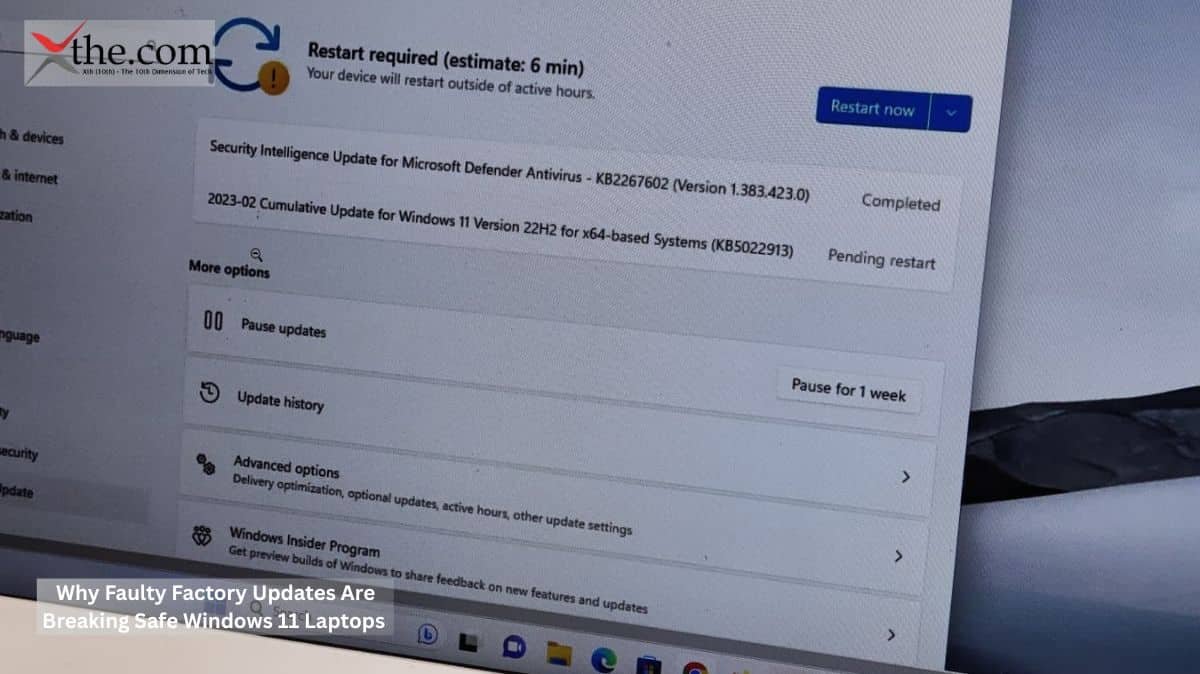
This isn’t a rare problem. People on forums, IT staff, and school tech teams have all noticed the same thing: Factory Updates from hardware makers are quietly making Windows 11 laptops unstable, even though Microsoft’s software would run fine on its own. The laptops work well when new, but problems start after the manufacturers add their own updates. 

The Hidden Layer Between Microsoft and Your Machine 

Most people think all Windows 11 laptops are the same. But every big laptop brand, like Dell, HP, Lenovo, and ASUS, adds its own software: custom BIOS settings, built-in diagnostics, and special update tools. These programs work between Windows and the hardware, and they get their own updates that don’t follow Microsoft’s schedule. 

If those updates fail, the results can be serious. 

Here’s a situation IT staff at many mid-sized companies have seen more often lately: a group of Dell laptops, all running stable Windows 11, suddenly start showing BitLocker Recovery Loops after an overnight update. The laptops ask for a 48-digit key that most employees don’t have. Work comes to a halt, IT teams rush to help, and Microsoft support explains that the issue isn’t their fault. 

OEM Firmware Flaws: The Quiet Culprit 

OEM Firmware Flaws are among the least talked-about problems in enterprise IT. Manufacturers create their own UEFI firmware, which works closely with Windows 11’s security features. If a firmware update sets up the Trusted Platform Module (TPM) the chip that handles encryption keys incorrectly, it can break the connection BitLocker needs to unlock the drive. 

This leads to a BitLocker Recovery Loop: the system can’t verify itself, so it won’t start. For a company laptop, this locks out important data. For a student, it means missing deadlines. For a healthcare worker, the impact can be even more serious. 

Security expert Bruce Schneier has often said that the weakest parts of digital systems are usually the ones people check the least. OEM firmware is a good example: it’s complicated, most users never review it, and updates come through channels that security teams don’t watch as closely as they do for standard software. 

SupportAssist System Crashes: When Diagnostics Become the Problem 

Dell’s SupportAssist is a good example of a wider industry issue. It’s meant to check system health and fix problems automatically, and it runs with high-level access on millions of laptops. If SupportAssist gets a bad update, problems can spread fast. 

There have been cases where the SupportAssist system crashes due to an error loop. Instead of preventing problems, the software starts causing them. Users report their laptops get stuck restarting, and logs show that SupportAssist is using excessive system resources right before the crash. Anyone who has worked in IT knows the irony: the repair tool ends up breaking the device it was supposed to protect. 

HP’s Support Assistant and Lenovo’s Vantage have had similar problems. These aren’t just random bugs. They show a bigger issue with how OEM firmware flaws and diagnostic software are tested before being released. 

Windows 11 OEM Laptop Firmware Instability and Diagnostic Repair Guide 

For users and IT pros dealing with Windows 11 OEM laptop firmware instability and diagnostic repair guide, the way forward begins with accurate attribution. Before assuming a Windows fault, administrators should check three things: the BIOS version on the affected laptops, the version of any manufacturer’s diagnostic tool running at the time of the failure, and whether a silent update occurred just before the failure. 

Microsoft provides a BitLocker recovery key retrieval process through account.microsoft.com, which can resolve the BitLocker Recovery Loop issue in consumer scenarios. Enterprise environments using Active Directory or Azure AD store recovery keys at the organizational level — a step many smaller IT departments skip during initial device provisioning, which can turn a recoverable situation into a full system rebuild. 

For SupportAssist crashes, Dell has published guides that tell you to uninstall and reinstall the software. A better long-term fix is to delay automatic updates from OEM software by at least two weeks. This gives the community time to report any major problems before the updates reach your devices. 

Operating Stability in a mixed Windows 11 environment depends on applying the same change-management discipline to OEM software channels as to any other enterprise application. Automated, untested updates from any source are a liability. 

Who Bears Responsibility — and Who Should 

The way responsibility is handled right now is a real problem. When a Factory Update from a laptop maker breaks a device, users usually call Microsoft first. But Microsoft’s support team can’t see the OEM software, so they often can’t help. Users are then sent to the hardware maker’s support, where wait times are long, and the help isn’t always reliable. 

Operating Stability should not be a feature that requires the end user to understand the difference between a Windows patch and an OEM BIOS update. That distinction belongs in the hands of quality assurance teams at the manufacturers themselves. 

The rule should be simple: no automatic Factory Update that changes firmware or system-level tools should go to users unless it passes a repeatable test with the current stable version of Windows 11. Some manufacturers already have labs for this. The real issue is whether the rush to release updates is getting in the way of doing proper testing. 

A Call for Cleaner Pipelines 

Laptop makers have the skills and resources to solve this problem. What’s missing is outside pressure to make careful testing more important than speed. As Windows 11 laptops become the main choice for remote work, school, and healthcare, a bad Factory Update can cause much more than just a few hours of lost work. 

Regulators in the European Union are considering rules that would require greater clarity on software updates for consumer hardware. The U.S. is moving more slowly, but business buyers are starting to demand stable OEM software in their contracts. This sends a clear message to manufacturers that they will need to respond. 

The laptops themselves work well. The real issue is the extra software added later, which is quietly pushed and insufficiently tested. Solving this is a challenge for both engineers and company leaders, but the hardware industry can fix it if they decide to.

Source: Not Microsoft, but OEMs are quietly bricking Windows 11 PCs, here’s what you need to know 

It is often frustrating when we buy a laptop with Windows 11, getting attracted by its features and performance guaranteed. However, it is frustrating to see the right opposite. Through this article, we will discover hidden Windows 11 settings and learn what can I do to make my computer match the speed it promised. If you want to speed up Windows 11 2026 and use a solid Windows 11 system optimization guide, these quick Windows 11 performance tweaks will make your system fly. 

Startup Apps 

We often don’t realize the number of apps that are there in the startup apps list. These apps, which open as the laptop starts, put immense pressure which will automatically slow down the laptop. In order to solve this, we just have some tweaks in the computer settings. The first step is to take the PC’s Settings page. Once you’re there, click on “Apps.” Then, scroll down and select “Startup” from the list. The startup page will allow you to see every app and program which are currently in the list of startup apps. You can manually toggle off unnecessary apps and you can see your laptop improving, which is a great way to boost Windows 11 startup speed. 

Storage 

There is nothing that can slow the laptop more than the storage reaching maximum capacity. If you are frequently in this situation where the storage fills up and you have to transfer your files to the cloud or uninstall apps, then Windows 11 has a solution for you. This is known as Storage Sense. However, this solution works effectively with mid-sized to larger SSDs and not small ones such as 128 GB. For those who just have this minimal storage, the easiest solution is to transfer their files to another SSD or hardware or delete unnecessary files. 

For mid-range SSDs, you can make use of Storage Sense. When used, Storage Sense automatically clears excess data you don’t require on your drive, such as cache data, temporary files, old installation files from Windows updates, and items that have been in your Recycle Bin for an extended time. You can also change its settings to delete specific data you don’t need, such as items in your Downloads folder. 

In order to turn Storage Sense on, head to your Settings and choose “System.” On the System page, select the “Storage” option. Once you’re on the Storage page, click “Storage Sense.” This page will give you options to enable the Storage Sense and also to customize it. Customization features include turning it on for how long is it only when your storage drive is low on storage or should it run frequently etc. It also has customization on what to delete, is it the downloaded files or other apps etc. With this feature enabled, you can see your laptop catching the speed it earlier had. 

Fast Startup 

Fast Startup is helpful if the laptop takes a long duration just to boot and start functioning. The fast startup allows the laptop to turn on quicker by enabling it to pick up from where it left off by saving a small system file rather than reloading everything from scratch. The feature is a hybrid version of a complete shut down and a sleep mode. 

Although it is beneficial for most users, the feature is not accessible to people who use a dual-boot system (such as when using Linux) or with Wake-on-LAN. Additionally, you may need to turn off or bypass this setting by restarting your computer for updates to take effect completely. To turn it on, open your Control Panel. Then click on hardware and sound. You will then see an option power settings. When you choose it, you can toggle off and on the fast startup feature and also adjust your power settings. This is great if you want to tweak Windows 11 gaming performance settings. 

Transparency Effects 

Turn off transparency effects, which actually give the Windows 11 Start menu and taskbar an appealing look. However, if your laptop is with old or low CPU performance with Windows 11, then this setting will make a significant change in how much faster the laptop is. But when it comes to highly demanding graphical work or games, the feature will make minimal to no impact. 

To turn this setting off, visit the settings page. Select personalization and colors, and within that, toggle off transparency effect. This is an easy alternative to trying to disable background apps Windows 11. 

Page File Size 

To ensure the laptop is running smooth in any circumstances, the Windows combine both RAM and virtual memory. Your virtual memory is designed to take some of the heavy load given to RAM when your RAM is full. This is the feature which prevents the laptop from constant freezing. 

The good aspect is that you can increase the virtual memory. Although this won’t result in better performance, it reduces the number of times you waste by restarting and freezes the laptop would go through otherwise. Thereby saving massive amount of time. To enable this, go to settings, choose system. Select advanced settings from the options. In this window, you will see settings under the performance box. Click the second tab labeled “Advanced.” Select “Change” in the “Virtual memory” box to manage your pagefile. Over here, you get to choose either to automatically manage it or manually set a virtual memory. Choose according to your needs; however, it is suggested to choose automatically manage virtual memory. If this does not work, you can also try updating your RAM. If neither works, the other steps in this article can help you increase the speed of the laptop. 

In Conclusion 

By following these 5 settings hacks, the Windows 11 laptop will get faster than before. These Windows 11 performance tweaks include a limited startup apps, Storage Sense, fast startup, virtual memory, and even turning off transparency. 

FAQ 

1. What is the hugest threat to a fast laptop?

Answer: The hugest threat is storage.

2. Which laptops does turning off transparency feature work?

Answer: Older or low CPU laptops are the ones in which the hidden Windows 11 settings like the transparency feature work. 

3. Which condition is Storage Sense feature ineffective?

Answer: The Storage Sense feature is ineffective in SSDs which have very low storage capacity such as 128 GB. 

4. How much storage is required to make Storage Sense work?

Answer: 256 GB to 1 TB are the perfect spot where Storage Sense work. 

5. Why does fast startup help?

Answer: Fast startup helps by saving system files which makes it possible to start from where it left off without reloading and wasting time. 

Source These 5 Hidden Windows 11 Settings Instantly Made My PC Faster

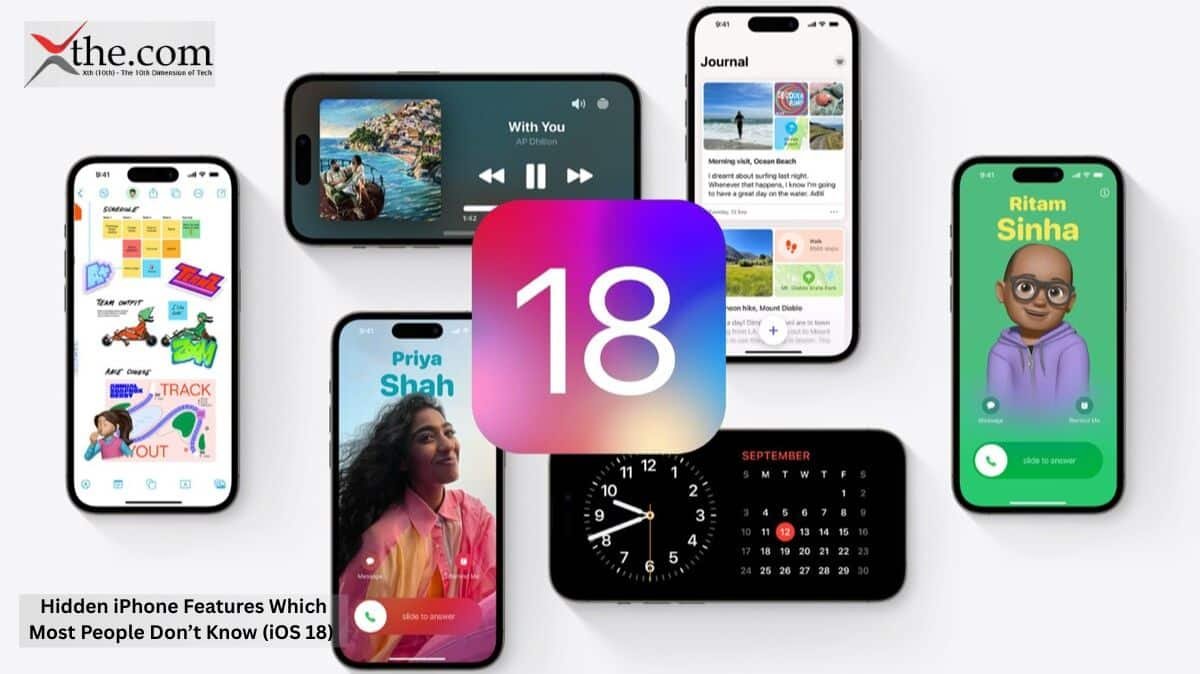
iOS version 18 has been a massive hit for its excellent features, such as Apple Intelligence, which can rewrite text, create videos, and even perform a quick ChatGPT search. However, there are some hidden iPhone features iOS 18 offers that are not as well-known to the public. If you learn these secret iOS 18 tricks, you can turn your device into a powerhouse using the best iPhone productivity hacks 2026 has brought to users. Through this article, we will discuss some of these little-known iPhone settings and features of iOS version 18 on iPhones. 

Wallet App 

In the Wallet app, iOS 18 has introduced a great feature that can effectively bring fraud down when adding your ID to your iPhone. This is done by making it mandatory to have a live picture scanned and cross-verified before your ID is created. This ensures that the person who is using the phone and the person whose ID is being created are the exact same, thereby preventing any chances of identity theft. 

Camera and FaceTime Upgrades 

Additionally, the new iOS version has brought about drastic changes to the Camera app. Now, you can listen to audio say, a song playing over a connected Bluetooth speaker or headphones—and simultaneously record a video without the system cutting your audio stream off. This is incredibly beneficial as one of the top iOS 18 time-saving features for creators or anyone who gets inspiration for their work while listening to music. 

Low data performance has also been addressed. FaceTime now works much better even in Low Data Mode. While video quality automatically gets sharper and more advanced when your connection is stronger, Apple has significantly improved the encoding, so FaceTime remains stable and clear even on weak connections. 

Conclusion 

With improved privacy protections and another look at these hidden iPhone features iOS 18 comes bundled with, Apple has made its phones much more defensive against fraud. Combined with advanced iOS 18 usage tips like keeping your Bluetooth audio streaming while recording video, the overall user experience has become much smoother. Utilizing these hidden tricks allows you to experience the top iPhone productivity hacks 2026 provides for everyday tasks. The FaceTime improvements mean people can now use the platform with more trust than before, allowing them to host formal meetings on the go without the stress of dropped calls. It easily ranks among the best hidden features for iPhone users looking for a daily upgrade. 

FAQ 

1. What improvement has the iPhone made in the Wallet app? 

Answer: The iPhone has improved the Wallet app by making fraud much more difficult. With mandatory live photo verification and cross-checking, identity fraud is now extremely difficult to execute.

2. What change has iOS 18 brought to the Camera app?

Answer: While the iPhone camera always gets a lot of appreciation, the new ability to play music via Bluetooth or the phone speaker simultaneously while capturing a video means user satisfaction is only on an upward trajectory.

3. How does the iPhone play music during a video recording?

Answer: The music keeps playing smoothly by enabling the “Allow Audio Playback” toggle inside the Camera settings, allowing audio streams like Bluetooth to remain uninterrupted. 

4. What change does iOS 18 bring to FaceTime?

Answer: It provides significantly better performance, stability, and video clarity during Low Data Mode. 

5. Which iPhones can use iOS 18?

 Answer: All iPhones that were compatible with iOS 17 can update to and use standard iOS 18 features, though Apple Intelligence requires an iPhone 15 Pro or newer. 

Source iOS 18: Three new features you probably don’t know about 

Cupertino, California — June 8, 2026 

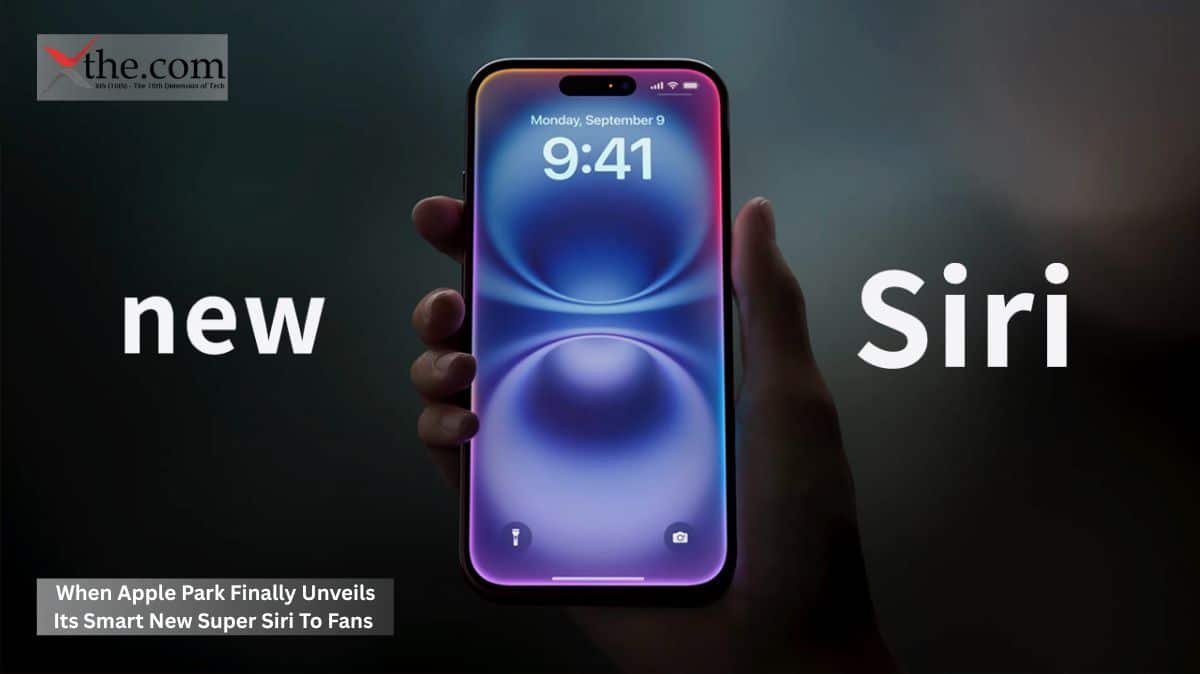
The last time Apple promised a smarter Siri, it released a digital assistant that still struggled with simple tasks such as giving the weather. That was 2024. Today at Apple Park, the company has another chance, and the pressure inside the Steve Jobs Theater is higher than ever. 

Tim Cook is expected to take the platform for what many sources say will be his last WWDC keynote as CEO. This moment is important for both the company and its products. Over a hundred million American iPhone and Mac users will be watching, whether in person, online, or by reviewing updates, to see if Apple has finally delivered on its AI promises. 

Apple Park Sets the Platform for an AI Do-Over 

Apple Park is far more than just a setting. When it hosts the Worldwide Developers Conference, the architecture sends a message. The circular main building, the neat amphitheater, and the careful design all show that Apple controls what it reveals as carefully as it builds its hardware. 

But Apple cannot control the expectations that the developer and consumer communities have already formed. The Apple Worldwide Developers Conference keynote streaming schedule and platform updates have been discussed on technology forums since April, and most people agree: the big news will be a redesigned, AI-powered Siri that acts more like a true conversational assistant built into the operating system. 

This new version of Siri, which fans are calling Super Siri, is reportedly powered by Google’s Gemini models. If true, this would be Apple’s biggest third-party AI partnership since it added OpenAI’s ChatGPT two years ago. The assistant’s expected to work from the Dynamic Island, use a chat-style interface like iMessage, and handle multi-step tasks across apps without needing to be asked again. 

What the iOS 27 Platforms Actually Change for Everyday Users 

The software updates go beyond just Siri. The iOS 27 Platforms update includes iPadOS 27, macOS 27, watchOS 27, tvOS 27, and visionOS 27, but the changes to the mobile system will matter most to everyday users. 

iOS 27 brings what Apple calls a refined Liquid Glass UI. This new design uses translucent, layered surfaces instead of flat ones. It is a big change from Apple’s usual style and shows that the company sees AI as a core part of the system, not just an extra feature. When your device can read the screen, understand what is happening, and act on your behalf, the interface needs to reflect that. 

For about 57 percent of American smartphone users who have iPhones, these changes will alter their daily lives. For example, if a user reads a news story about a flight delay, Super Siri could automatically find their booking, check the rebooking window, and compose a message to the hotel. Apple has promised this kind of smart, cross-app help before. At WWDC 2026 keynote, the company needs to prove it can deliver. 

Apple Intelligence Updates: Redemption or Repackaging? 

The Apple Intelligence Updates coming with iOS 27 have a lot to prove. The first Apple Intelligence launch in 2024 was widely criticized, not for its ideas, but for poor execution. Some features arrived late, others never came, and the writing tools that did show up were disappointing compared to what competitors offered. 

This year, Apple Intelligence Updates are said to go much deeper into the system. Writing Tools now offers full-document reasoning. Image Playground can now generate videos. Most importantly, Siri has what engineers call “on-device memory,” which lets it retain context across sessions without sending sensitive data to external servers. Apple will likely highlight this privacy feature during the keynote. 

Both business buyers and regular users want to know if these Apple Intelligence Updates are just small improvements or a real reset. The evidence points to a true overhaul. Bloomberg reported that Apple spent much of 2025 rebuilding Siri’s core systems from the ground up rather than just fixing the old ones. 

App Extension Tools and the Developer Opportunity 

For the 34 million registered Apple developers worldwide, the new App Extension Tools coming with iOS 27 are a big deal for the future. These tools let third-party apps use Siri’s new features in ways that the old SkillKit framework never could. 

For example, a developer making a healthcare app can set up Super Siri to show medication reminders in the right context, even if the app is not open and the user does not know the app’s name. The same idea works for productivity, finance, and logistics apps. App Extension Tools let all iOS apps add context to Siri, making Super Siri more helpful as users add more apps. 

This is a different approach from the current model, where Siri mostly acts as a gatekeeper to separate features. Moving toward always-on, context-aware help is the direction mobile apps are heading, and with App Extension Tools, Apple is making it clear it wants to lead the way. 

The Streaming Question: Who Watches and How 

You can find the Apple Worldwide Developers Conference keynote streaming schedule and platform updates on Apple’s website, the Apple TV app, and YouTube. The keynote starts at 10 a.m. Pacific Time (1 p.m. Eastern) on June 8. Developer sessions continue through June 12 and are available in the Apple Developer app for registered users. 

For most people, the keynote is the main event to watch. The later sessions are full of technical details, but Tim Cook’s opening speech, which lasts about an hour to an hour and a half, will set the mood for Apple’s product story for the rest of the year. 

The Stakes Are Larger Than One Product Launch 

Today’s event also denotes a leadership change, which is unusual for a product launch. John Ternus, Apple’s current VP of Hardware Engineering, will become CEO on September 1, 2026. So, Cook’s keynote is more than just a product reveal; it’s also an important message and a sign of his heritage. 

The software and AI choices Cook presents on stage, including the iOS 27 Platforms, Apple Intelligence Updates, App Extension Tools, and the vision for Super Siri, will be what Ternus takes over. If this works, the new CEO will have a strong AI platform. If not, Ternus will have to fix problems it has never faced as a company leader. 

One thing is clear this June morning outside the Steve Jobs Theater: Apple can no longer get by with partial success. The market has observed Google add Gemini directly to Android and watched OpenAI move from chatbot to system-level agent. Everyone coming to Apple Park today knows what the competition offers. Super Siri must be better, or at least clearly different in important ways. 

The answer arrives at 10 a.m.

Source: Apple kicks off Worldwide Developers Conference on June 8 

Redmond, Washington 

A new kind of developer competition has just started, blending the energy of a stadium concert with the excitement of a trading floor. Microsoft is launching AI Skills Fest, a virtual event from June 4 to 14, 2026. At the core of the festival is the Agents League Hackathon, a week-long coding contest where developers create digital helpers and compete on a live leaderboard watched by people around the world. The old image of a lone programmer working in the dark is now a thing of the past. 

Inside Microsoft’s Robot Coding Arena: How the Agents League Hackathon Works 

The Agents League Hackathon is the main event for developers at AI Skills Fest. It combines hands-on coding with an e-sports-style competition, where participants build their own agents, compete with others, and watch live coding battles as they move up the leaderboard. 

Imagine the NBA Draft mixed with a live trading desk, but instead of trading stocks, people are building and competing with one another using working software. The scoreboard updates in real time. 

Competitors choose from three tracks: Creative Apps, Reasoning Agents, or Enterprise Agents. Each track requires an agent-based project built using Microsoft tools such as GitHub Copilot, Microsoft Foundry, or Microsoft 365 Copilot. This setup is intentional. Instead of a long, open-ended challenge, AI Skills Fest gives everyone a short, focused time to create. Whether you are a college sophomore in Austin or a senior engineer in Seattle, everyone works with the same tools, the same rules, and the same deadline, all in view of the audience. 

The Foundry Development track features live Reactor Battles. In these sessions, experts use step-by-step reasoning to build smart agents that solve tough problems. They show how to use Microsoft Foundry and encourage participants to use these ideas in their own projects. 

The $55,000 Prize Pool and Why It Changes the Math for Young Developers 

Participants build and submit an AI agent to move up the leaderboard and compete for $55,000 in prizes at this e-sports programming-inspired hackathon. That number matters beyond its face value. For a high school senior or a first-year computer science student, $55,000 in public prizes shows that Microsoft sees this as a real competition, not just a marketing event disguised as education. 

Everyone who submits a project gets a digital badge, and you can register until June 14, 2026. The badge is more important than it might seem. In tech, your GitHub history and project portfolio often matter more than your GPA, so a Microsoft credential from a live competition can really help your resume. 

There is also a sweepstakes for extra motivation. Three grand prizes offer VIP trips to Microsoft Ignite 2026 in San Francisco, each worth up to $5,000. These prizes cover flights, hotels, and special Ignite merchandise. For someone who has never been to a big industry conference, meeting Microsoft product teams and engineering leaders is even more valuable than the ticket price. 

E-Sports Programming Meets Autonomous Agent Technology 

The Agents League Hackathon is designed to feel like an e-sports broadcast. Making live coding battles something people can watch, not just join, is a clear sign of where developer culture is going. 

Agents League is different from regular hackathons. It mixes live AI coding battles, project submissions you can do on your own time, and a Discord community, all competing for the prize pool. The setup makes building AI agents feel quick, competitive, and open to people everywhere. 

Consider how competitive gaming evolved. Twenty years ago, watching someone else play a video game appeared absurd to most people outside the hobby. Today, the global e-sports industry generates billions annually, and college athletic departments offer scholarships for it. Microsoft Is Launching a Robot Coding Arena on the same psychological rails — making the act of building software something worth watching, not just doing. 

AI Skills Fest lets participants see how AI fits into the tools they already use, like GitHub, Foundry, Azure DevOps, and Microsoft 365. Then it prompts them to use those skills in the Agents League competition and on the leaderboard. 

Microsoft AI Skills Fest Agents League Developer Competition Sign Up: What You Need to Know 

The Microsoft AI Skills Fest is a free online event from June 8 to 12, 2026. It offers content for everyone, including developers, IT professionals, business users, and students, with dedicated material for each group. 

The Microsoft AI Skills Fest Agents League developer competition sign-up process is designed to minimize friction. Registration is free and open to all. Participants choose a track they like, use learning resources on Microsoft Learn and the AI Skills Navigator, join the Discord community to find teammates, and watch the Reactor event series for live coding and expert guides before creating a GitHub repository. 

If you register before June 8, 2026, you double your sweepstakes entries and boost your chances of winning. This early registration perk is important for anyone unsure about joining. It costs nothing extra but gives you twice the chance to win prizes like conference access and certification support. 

Foundry Development and the Skill Gap It’s Designed to Close 

The main goal of AI Skills Fest is not just the prize money, but helping people learn new skills. AI Skills Fest 2026 is a week of hands-on learning to help participants build real-world AI skills. It covers topics for all levels through LinkedIn live sessions, hackathons, selected playlists, and interactive experiences on AI Skills Navigator. 

Foundry Development focuses on a problem many companies face: there are not enough developers who can build production-ready autonomous agents, not just prototypes. Turning a demo into a real product requires considering security, scalability, and architecture, which most tutorials do not cover. The Agents League Hackathon has a special session to show exactly what it takes to turn a working agent into a solution ready for the Marketplace, including production, security, and scale. 

The impact of this event goes beyond just one week. When thousands of developers, including many students new to agentic AI tools, leave AI Skills Fest with working agents, verified badges, and experience with Microsoft Foundry and GitHub Copilot, it has a real effect on the talent pipeline. Microsoft is launching more than merely a competition. It is building the next generation of its developer community, one leaderboard spot at a time, and making the process exciting to watch. 

Source: AI Skills Fest is just days away—here’s what to expect